


Python Articles
How to Install Requirements.txt in Python: A Beginner's Step-by-Step Guide (2026)
How to Check if Python Is Installed on Your Computer


Get In Touch For Details! Request More Information
The 10 Best Python IDEs for 2026: Boost Your Coding Experience
Feb 25, 2026 6 Min Read 2523 Views
(Last Updated)
Programming in Python has become increasingly popular in recent years, and having the right Python IDE (Integrated Development Environment) can greatly enhance your coding experience.
Whether you’re a beginner or an experienced developer, a good Python IDE can boost your productivity, streamline your workflow, and make coding more enjoyable.
In this article, we will explore the top 10 Best Python IDEs for 2026, each with its unique features and advantages.
Table of contents
- What is a Python IDE?
- The Best Python IDEs of 2026
- PyCharm
- Visual Studio Code (VS Code)
- Jupyter Notebook
- PyDev (Eclipse)
- IDLE
- Sublime Text
- Spyder
- Wing
- GNU/Emacs
- Thonny
- Complete Comparison of Python IDEs
- More Python IDEs Worth Exploring
- Tips for Choosing and Using a Python IDE
- Common Mistakes to Avoid When Choosing a Python IDE
- Concluding Thoughts...
- FAQs
- Which IDE should I use for Python?
- Why is PyCharm better than VSCode?
- Is VSCode good for Python?
- What is the fastest IDE?
- Is PyCharm still free?
What is a Python IDE?
Before we dive into the list, let’s understand what a Python IDE is. An IDE is a software application that provides a comprehensive set of tools for software development.
It typically includes features such as code editing, debugging, code completion, and project management. A Python IDE specifically caters to the needs of Python developers, offering tailored features and functionality to make Python coding more efficient and effective.
The Best Python IDEs of 2026
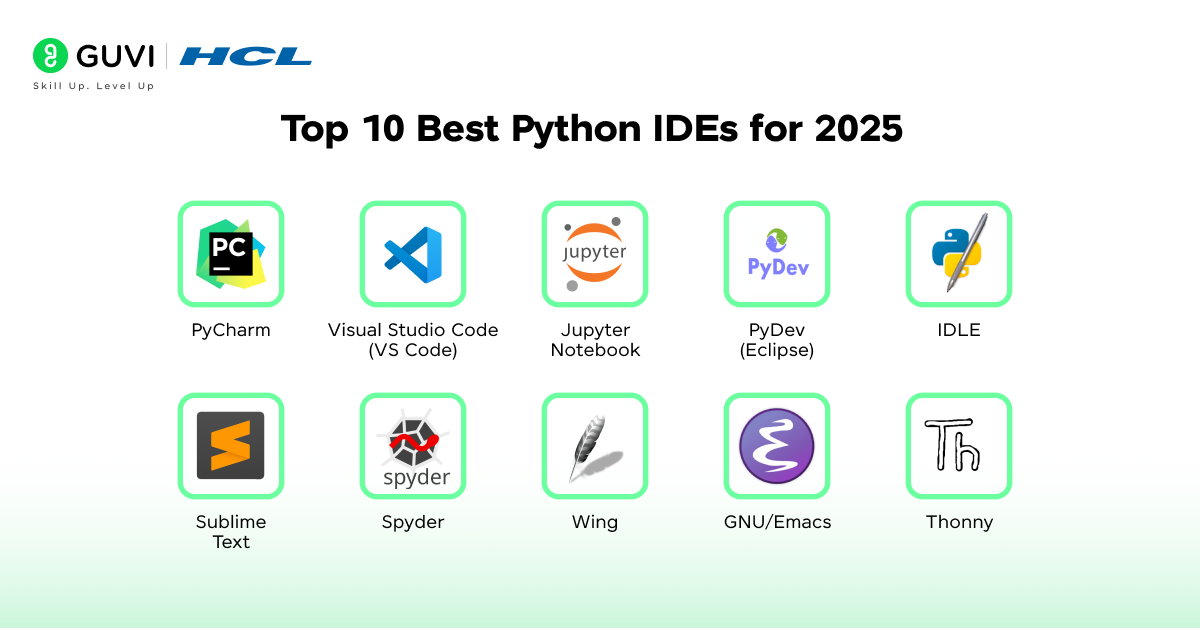
After talking about what an IDE is and why you need it, let us discuss about the best ones out there and which one you should pick for you:
1. PyCharm
PyCharm, developed by JetBrains, is one of the most popular Python IDEs available today. It offers a powerful and feature-rich environment for Python development.
PyCharm comes in three versions: the free Community version, the Educational (Edu) version, and the paid Professional version. The Community version is highly recommended for beginners as it provides essential features such as syntax highlighting and code completion.
The Professional version offers advanced features, including database management, specialized frameworks, and web development tools. So no wonder that PyCharm tops our list of the Best Python IDEs out there.
Pros:
- Active community support
- Extensive plugin ecosystem
- Excellent debugging capabilities
Cons:
- The professional version is expensive
- The community version lacks functionality compared to the paid versions
- Limited support for other programming languages
2. Visual Studio Code (VS Code)
Visual Studio Code, developed by Microsoft, is a lightweight and extensible code editor that has gained immense popularity among developers.
While not specifically designed for Python in Data Science, VS Code offers excellent support for Python development through its wide range of extensions. It offers features such as syntax highlighting, code auto-completion, Git integration, and advanced code debugging.
With its customizable design and vast extension library, VS Code is a favorite among developers who prefer a lightweight yet powerful coding environment.
Pros:
- Extensive customization options with a large number of extensions
- Powerful code management engine
- Compatibility with popular AI coding assistants
Cons:
- Initial customization may be overwhelming due to the abundance of extensions
- Some extensions may be unreliable at times
Also Read: Top 12 Key Benefits of Learning Python in 2026
3. Jupyter Notebook
Jupyter Notebook is a web-based IDE widely used in data science and scientific computing. It allows you to create interactive documents called Jupyter notebooks, which combine code, visualizations, and explanatory text.
Jupyter Notebook supports over 40 different programming languages, including Python. It is particularly popular among data scientists due to its ease of use and its ability to run simulations, perform data analysis, and share findings with others. Hence, Jupyter is one of the Best Python IDEs.
Pros:
- Easy to use and learn
- Supports multiple programming languages
- Convenient for data science and scientific computing
Cons:
- Primarily suited for data and scientific computing, may not be suitable for other types of development
- Lack of advanced features offered by other IDEs
- Managing coding within independent cells can become challenging as the cell count increases

4. PyDev (Eclipse)
PyDev is a Python IDE that is built on top of the Eclipse platform. Eclipse, originally designed for Java development, can be extended with plugins to support other programming languages, including Python.
PyDev provides features like code completion, code analysis, debugging, and support for different Python variants such as Jython and IronPython.
Eclipse has a large and active community, making it a good choice for Python developers who are already familiar with the Eclipse ecosystem.
Pros:
- Easy to learn and feature-rich
- Large and active community support
- Support for multiple Python variants
Cons:
- The user interface may not be as modern as other IDEs
- Certain plugins may be unstable
5. IDLE
IDLE, short for Integrated Development and Learning Environment, is a simple and user-friendly Python IDE that comes bundled with the Python installation.
It provides an interactive interpreter experience, allowing you to edit, run, and debug Python code in a straightforward environment. IDLE is particularly suitable for beginners who are just starting with Python programming.
It offers features like syntax highlighting, search, auto-completion, and a built-in debugger. IDLE is the OG and also one of the best Python IDEs.
Pros:
- User-friendly interface for beginners
- Offers essential features like syntax highlighting and auto-completion
- Integrated debugger for debugging Python code
Cons:
- May be too simple for more advanced projects
- Lacks advanced features offered by other IDEs
6. Sublime Text
Sublime Text is a popular text editor that can be transformed into a powerful Python editor through the use of plugins and packages.
It supports multiple programming languages, including Python, and offers features like syntax highlighting and customizable themes. Sublime Text is known for its speed and stability, making it a preferred choice for developers who value performance.
It provides a high-quality editing experience and can be customized extensively to suit individual preferences.
Pros:
- Fast and reliable performance
- Customizable with a wide range of plugins
- Supports multiple programming languages
Cons:
- Requires a paid license for full functionality
- Some plugins may be confusing to install
- Steep learning curve for customization
7. Spyder
Spyder is a Python IDE specifically designed for scientific computing and data analysis. It integrates several scientific libraries like Matplotlib, Pandas, NumPy, IPython, and SciPy, making it a powerful tool for scientific development.
Spyder offers features such as syntax highlighting, code completion, and interactive execution. It also provides a variable explorer and documentation viewer, making it a comprehensive IDE for scientific Python programming.
Pros:
- Strong community support
- Rich set of development tools
- Comprehensive documentation
Cons:
- Execution dependencies may be required for certain features
- Optional dependencies may need to be installed separately
- Steep learning curve for beginners
8. Wing
Wing is a Python IDE that focuses on providing a productive development experience. It offers features like code feedback, syntax highlighting, code auto-completion, and smart refactoring.
Wing comes in three versions: Wing Pro (paid), Wing Personal (free), and Wing 101 (free). Wing 101, designed for beginners, provides a simplified interface and essential features for learning Python.
Wing Pro, the paid version, offers the most comprehensive set of features for professional Python development.
Pros:
- Customizable and extensible
- Powerful debugger
- Feature-rich environment
Cons:
- Minimal support for languages other than Python
- Wing Pro can be expensive, requiring an annual renewal
- The user interface may feel outdated
9. GNU/Emacs
GNU Emacs is a highly customizable text editor that can be used for Python development through the use of extensions.
The Elpy extension, specifically designed for Emacs, provides features like syntax highlighting and automatic indentation for Python projects.
Emacs offers a range of customization options and is available for free on all platforms. It is known for its flexibility and extensive keyboard navigation, making it a favorite among developers who prefer a fully customizable coding environment.
This one is a little conventional, but it’s pretty great and easy to use, and that’s why it has made our list of the Best Python IDEs.
Pros:
- Free and fully customizable
- Fully navigable via keyboard bindings
- 24-bit color-encoded support for compatible terminals
Cons:
- Steep learning curve for beginners
- Documentation may be outdated for certain features
10. Thonny
Thonny is a beginner-friendly Python IDE that provides a simple and lightweight environment for learning and developing in Python.
It offers a basic and functional user interface, making it easy to get started with Python programming. Thonny comes with Python built in, eliminating the need for separate installations.
While it may not offer advanced features for experienced developers, Thonny is an excellent choice for beginners who want a hassle-free and one of the Best Python IDEs.
Pros:
- IDE adapted for beginners’ learning
- Basic and functional user interface
- Easy to get started with Python programming
Cons:
- Not suitable for experienced developers who require advanced features
- Lacks the extensive functionality of other IDEs
Learning about The 10 Best Python IDEs for 2026 shows how the right tools boost coding efficiency but becoming a data scientist takes more than IDEs. Our Data Science course helps you master Python for real-world applications in machine learning, statistics, data visualization, and AI projects. With expert mentorship, global certification, lifetime access, and placement support, this program turns coding practice into a career in high-demand data science. Enroll now and power your future with data!
Complete Comparison of Python IDEs
| IDE | Best For | Strengths | Limitations |
| PyCharm | Professional developers and large projects | Rich features, strong debugging, plugin ecosystem | Paid version is expensive, heavy on resources |
| Visual Studio Code (VS Code) | Developers who want flexibility and customization | Lightweight, wide extension library, Git integration | Setup can be overwhelming, some extensions unstable |
| Jupyter Notebook | Data science and research projects | Interactive notebooks, supports visualizations, easy sharing | Not ideal for general software development, cell management can be tricky |
| PyDev (Eclipse) | Developers familiar with Eclipse | Supports multiple Python variants, active community | Interface feels outdated, some plugins unstable |
| IDLE | Beginners starting Python | Bundled with Python, simple interface, built-in debugger | Too basic for advanced projects, limited scalability |
| Sublime Text | Developers who value speed and simplicity | Fast performance, customizable, supports many languages | Requires license for full use, plugin setup can confuse new users |
| Spyder | Scientific computing and data analysis | Built-in scientific libraries, variable explorer, strong community | Steep learning curve, requires dependencies for some features |
| Wing | Python-focused professional work | Smart refactoring, strong debugger, multiple versions for different users | Limited language support, Wing Pro is costly |
| GNU/Emacs | Developers who prefer customization and keyboard control | Fully customizable, free, wide extension support | Very steep learning curve, dated documentation |
| Thonny | Students and beginners | Simple layout, Python bundled, easy to get started | Lacks advanced tools, unsuitable for large projects |
Explore HCL GUVI’s Python Hub for tutorials, challenges, and guides to sharpen your skills!
More Python IDEs Worth Exploring
Some Python IDEs fall outside the most popular top ten but still offer useful features for certain developers. These additional options may fit unique workflows or personal preferences:
- Atom
Atom is a hackable text editor created by GitHub that can be extended into a Python IDE through community packages.- Strengths: Highly customizable, lightweight, strong GitHub integration
- Limitations: Development has slowed, and performance can lag with large projects
- Komodo IDE
Komodo IDE supports Python alongside other programming languages, which makes it appealing for developers working across multiple stacks.- Strengths: Multi-language support, integrated debugging, and collaboration tools
- Limitations: Paid license required for advanced features, less active community
- Eric Python IDE
Eric is a full-featured Python IDE built with PyQt that offers an integrated environment tailored for Python projects.- Strengths: Robust debugging, project management, Python shell support
- Limitations: The Interface feels complex for beginners, and it has a smaller user base than PyCharm or VS Code
- NetBeans with Python Plugin
NetBeans is widely known as a Java IDE, but plugins allow it to support Python development.- Strengths: Familiar environment for Java developers, stable plugin ecosystem
- Limitations: Python plugin is not as advanced as other IDEs, fewer updates
- Bluefish Editor
Bluefish is a lightweight editor aimed at web development that also supports Python coding.- Strengths: Fast performance, simple interface, low system resource usage
- Limitations: Limited advanced features, better suited for small projects or quick edits
Tips for Choosing and Using a Python IDE
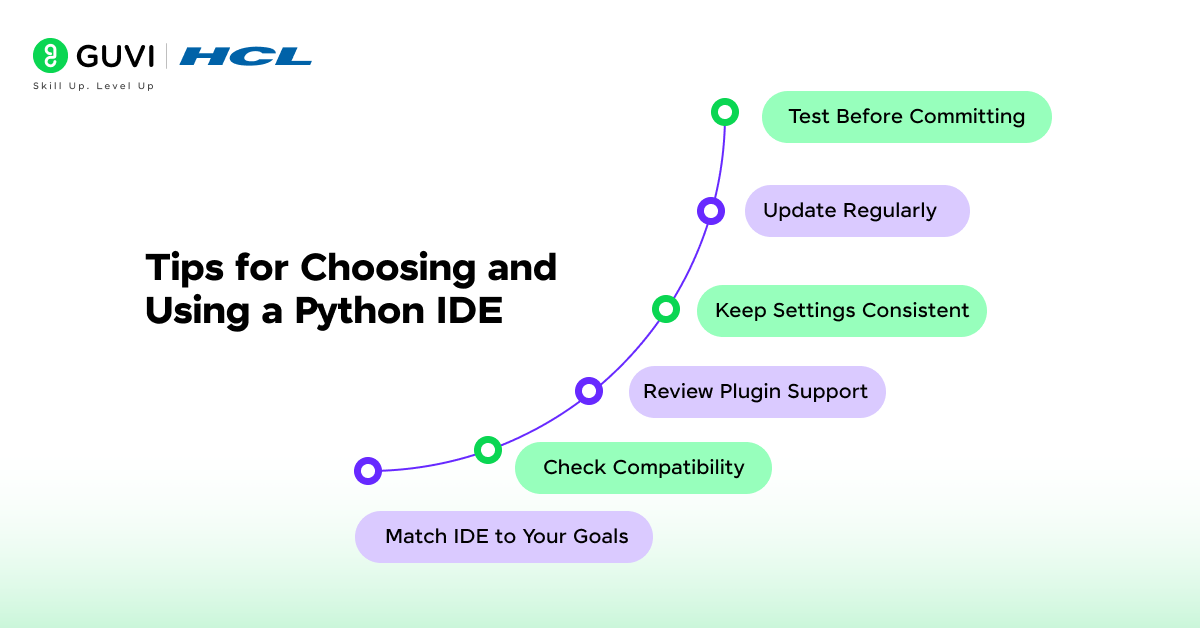
Finding the best Python IDE becomes easier when you look at the practical aspects of your work style. Once you have chosen an IDE, you can also make small adjustments to get the most out of it:
- Match IDE to Your Goals: Beginners benefit from simple environments like Thonny, while professionals working on complex projects gain more from feature-rich IDEs such as PyCharm Pro.
- Check Compatibility: Make sure the IDE works well with your operating system and supports the Python version you use most.
- Review Plugin Support: Extensions can expand functionality, but focus on those that directly help your projects to avoid clutter.
- Keep Settings Consistent: Use similar configurations across projects to reduce adjustment time and stay productive.
- Update Regularly: IDE updates often include bug fixes, new features, and better performance, so keeping the tool current improves reliability.
- Test Before Committing: Try at least two IDEs for a short period to compare performance and usability before deciding which one fits long-term needs.
An IDE can boost your productivity, but real progress comes from consistent coding practice. HCL GUVI’s CodeKata is a gamified platform with 1,500+ coding challenges in Python, Java, C, and more designed to sharpen your logic, speed, and accuracy. With progressive difficulty levels, instant feedback, and leaderboard motivation, CodeKata transforms daily practice into interview-winning confidence. Start solving on CodeKata today and turn your IDE into a coding powerhouse!
Common Mistakes to Avoid When Choosing a Python IDE
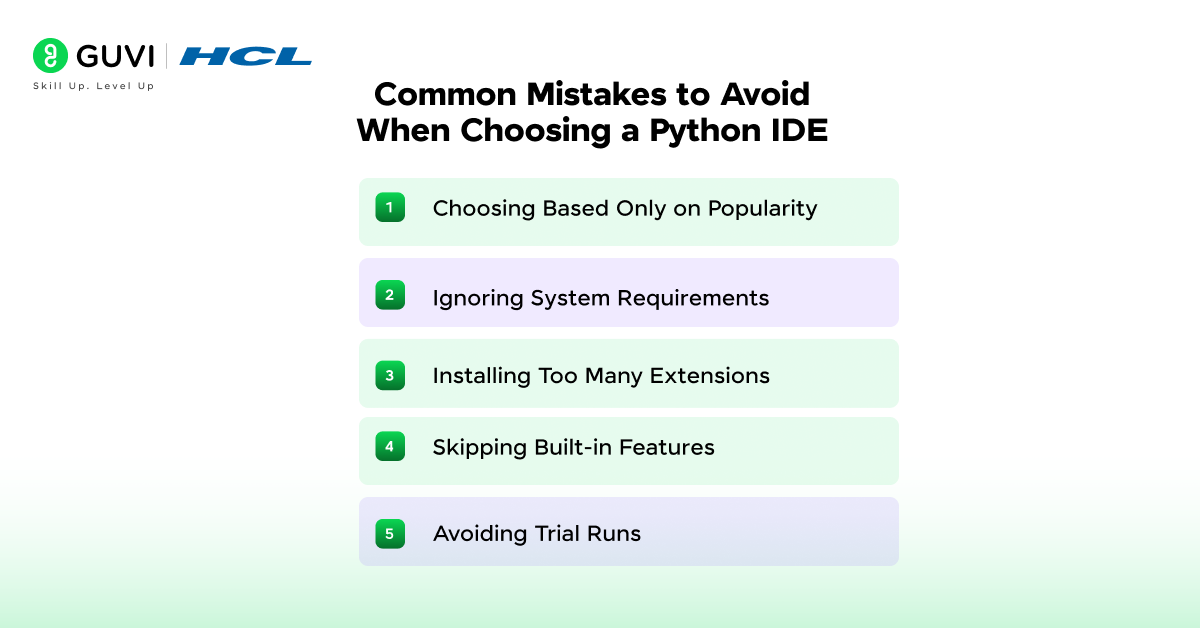
Selecting the wrong IDE can slow progress and create frustration. Avoiding these mistakes will help you make a smarter choice from the start:
- Choosing Based Only on Popularity: Just because an IDE is widely discussed does not mean it fits your workflow or system needs.
- Ignoring System Requirements: Heavy IDEs can drag on older machines, so make sure your hardware supports the tool smoothly.
- Installing Too Many Extensions: Extra plugins may sound useful, but unnecessary add-ons can slow performance and cause instability.
- Skipping Built-in Features: Many developers overlook built-in debuggers, version control, and testing tools that save time and improve code quality.
- Avoiding Trial Runs: Deciding without testing can lead to wasted time later. Trying two or three IDEs before committing helps you find the most comfortable fit.
Go from absolute beginner to Python expert with our Python Zero to Hero Course, a 100% online, self-paced program with lifetime access, globally recognized certification, dedicated forum support, and four gamified practice platforms (CodeKata, WebKata, Debugging, and IDE) to sharpen your skills. Backed by a 7-day refund guarantee, it’s your risk-free path to real-world coding mastery. Enroll now and unlock your programming potential!
Concluding Thoughts…
Choosing the right Python IDE can significantly impact your coding experience and productivity. Whether you’re a beginner or an experienced developer, there are several excellent options available to suit your needs.
PyCharm, Visual Studio Code, Jupyter Notebook, and other IDEs mentioned in this article offer unique features and advantages, but it’s you who’ll have to make the ultimate choice based on your requirements.
Consider your requirements, project complexity, and personal preferences when selecting the best Python IDE for your coding journey.
FAQs
Which IDE should I use for Python?
For Python, popular IDEs include PyCharm, VSCode, and Jupyter Notebooks, and a few unique and highly efficient ones that we’ve discussed at length in the article above.
Why is PyCharm better than VSCode?
PyCharm and VSCode are both excellent choices, but if we have to pick one, it would by PyCharm for its excellent debugging.
Is VSCode good for Python?
Yes, VSCode is widely used and well-suited for Python development. In fact, it’s one of the best Python IDEs.
What is the fastest IDE?
IDE speed varies based on factors like system specifications and project size. Consider testing PyCharm, VSCode, and others to find the fastest for your needs. But usually it’s VSCode for most cases.
Is PyCharm still free?
PyCharm offers both free and paid versions. The free Community edition is suitable for many Python developers and is pretty robust as well as efficient.
Success Stories

About the Author
Jaishree Tomar
A recent CS Graduate with a quirk for writing and coding, a Data Science and Machine Learning enthusiast trying to pave my own way with tech. I have worked as a freelancer with a UK-based Digital Marketing firm writing various tech blogs, articles, and code snippets. Now, working as a Technical Writer at GUVI writing to my heart’s content!
View all posts by Jaishree Tomar
Connect with me @








Did you enjoy this article?