


Roadmap Articles
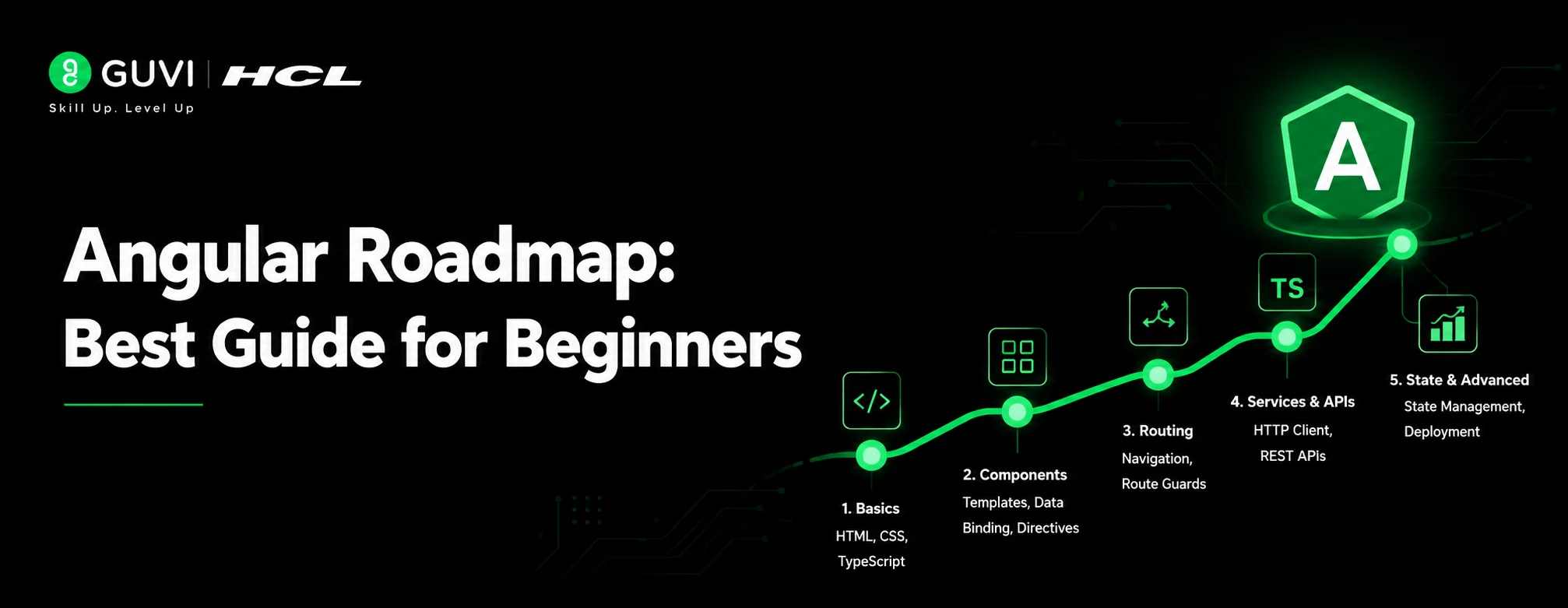
Angular Roadmap: Best Guide for Beginners in 2026
Embedded Systems Roadmap: Best Guide for Beginners in 2026
TypeScript Roadmap 2026: Complete Beginner to Advanced Guide
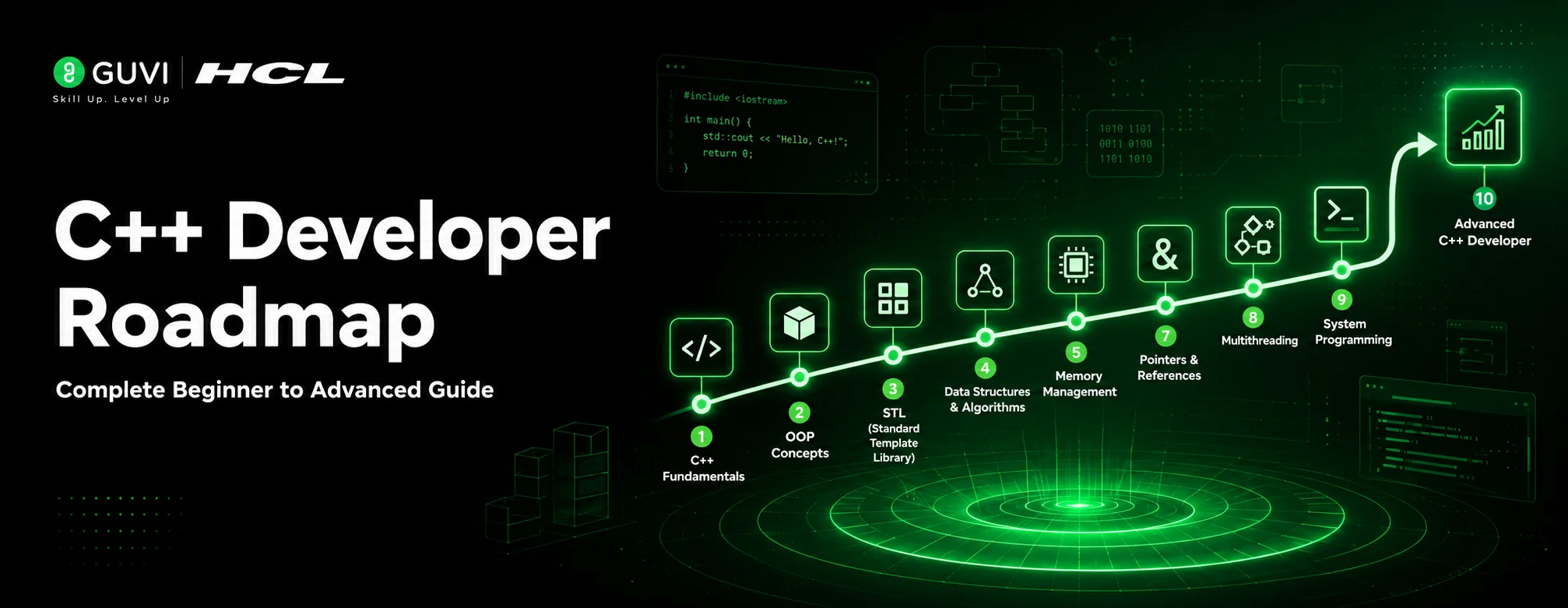
C++ Developer Roadmap 2026: Complete Beginner to Advanced Guide


Get In Touch For Details! Request More Information
How to Start App Development in 2026: A Complete Beginner’s Guide
Sep 21, 2026 9 Min Read 4407 Views
(Last Updated)
Starting app development in 2026 comes down to picking the right path, learning the basics in order, and building real projects along the way.
Many beginners get stuck because they don’t know where to start. They jump between tutorials, pick up random tools, and lose track of what actually matters. This blog covers the basics in a simple order — the paths you can choose, the tools worth learning, and the kind of projects that help you actually understand app development.
Table of contents
- TL;DR Summary
- What Is App Development?
- Types of Apps in Modern App Development
- App Development Platforms Explained (Android, iOS & Web)
- Who Should Follow This App Development Roadmap?
- App Development Roadmap: Your Step-by-Step Guide to Success
- Step 1: Learn Programming Fundamentals
- Step 2: Choose Your App Development Path
- Step 3: Frontend Technologies Used in App Development
- Step 4: Backend Development & APIs
- Step 5: Database & Cloud Integration
- Step 6: App Testing, Deployment & Maintenance
- Which App Development Path Is Right for You? Native vs. Cross-Platform vs. No-Code vs. Web App
- Native Development
- Cross-Platform Development
- No-Code Development
- Web App Development
- Essential Tools for App Development
- App Development Projects to Build at Every Level
- Common App Development Mistakes to Avoid
- Career Paths in App Development
- Best Way to Learn App Development
- What Kinds of Apps Are Being Built in India in 2026
- Conclusion
- FAQs
- How long does it take to learn app development?
- Can I learn app development without coding?
- What should I learn first in app development?
- Is app development a good career in 2026?
- Do I need a computer science degree for app development?
TL;DR Summary
- App development in 2026 starts with picking one path — native, cross-platform, no-code, or web app — before touching any tool
- Learn programming basics first, then move into frontend, backend, and database step by step
- The right tools depend on your path, so don’t try to learn everything at once
- Real projects teach you more than tutorials — start building from day one
- App development careers are growing fast in India, and you don’t need a CS degree to get in — just consistent app development practice
What Is App Development?
App development is the process of creating software applications that run on various devices and platforms. It involves planning, designing, coding, testing, and deploying applications that solve specific problems or provide value to users.
Also Explore: Full Stack Developer Roadmap: A Complete Guide
Types of Apps in Modern App Development
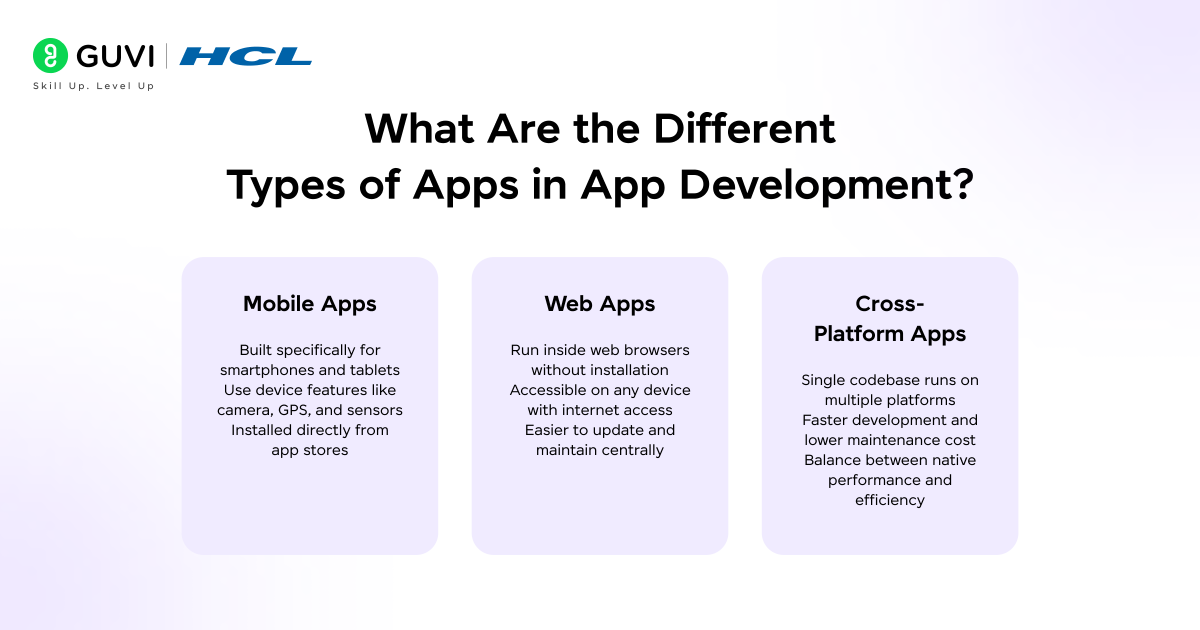
Mobile Apps are applications designed specifically for smartphones and tablets. They’re built to leverage device features like cameras, GPS, and sensors. Examples include Instagram, WhatsApp, and mobile banking apps.
Web Apps run in web browsers and don’t require installation. They’re accessible from any device with a browser and internet connection. Think of Google Docs, Gmail, or online shopping platforms.
Cross-Platform Apps are built once and deployed across multiple platforms, combining the reach of mobile apps with development efficiency. They offer a middle ground between native mobile and web applications.
App Development Platforms Explained (Android, iOS & Web)
Android dominates the global market with over 70% market share, making it an excellent starting point for developers targeting a massive user base. iOS, while having smaller market share, serves users with higher spending power and is essential for reaching premium markets.
Web platforms remain universal, accessible from any device, and remain fundamental for businesses establishing their online presence.
Ready to go from learning the basics to building a real career? HCL GUVI’s Software and AI Engineer Course turns everything covered here into an actual career path. Choose Full Stack or Backend Engineering, and learn tools developers actually use — React, Node.js, MongoDB, Docker, and AI-assisted workflows. You’ll get IITM-Pravartak certification, mentorship from engineers at Amazon and Microsoft, hands-on projects, and placement support with mock interviews and resume reviews. Enroll today and start building the skills that actually get you hired!
Who Should Follow This App Development Roadmap?
This roadmap is designed for anyone serious about building a career in app development, regardless of your current background.
- Beginners with no coding background will find the structured approach especially helpful, starting from absolute basics and building up to advanced concepts systematically. You don’t need any prior programming experience to begin.
- Students and freshers looking to enter the tech industry can use this roadmap to build job-ready skills that companies actively seek. The practical project-based approach helps you create a portfolio that stands out to recruiters.
- Working professionals switching careers will appreciate the clear progression that helps you transition into tech systematically while managing your current job. Many successful developers started their journey as career switchers.
- Entrepreneurs and freelancers can use this roadmap to build their own apps or offer development services. Understanding the complete development process helps you make better technical decisions for your business.
App Development Roadmap: Your Step-by-Step Guide to Success
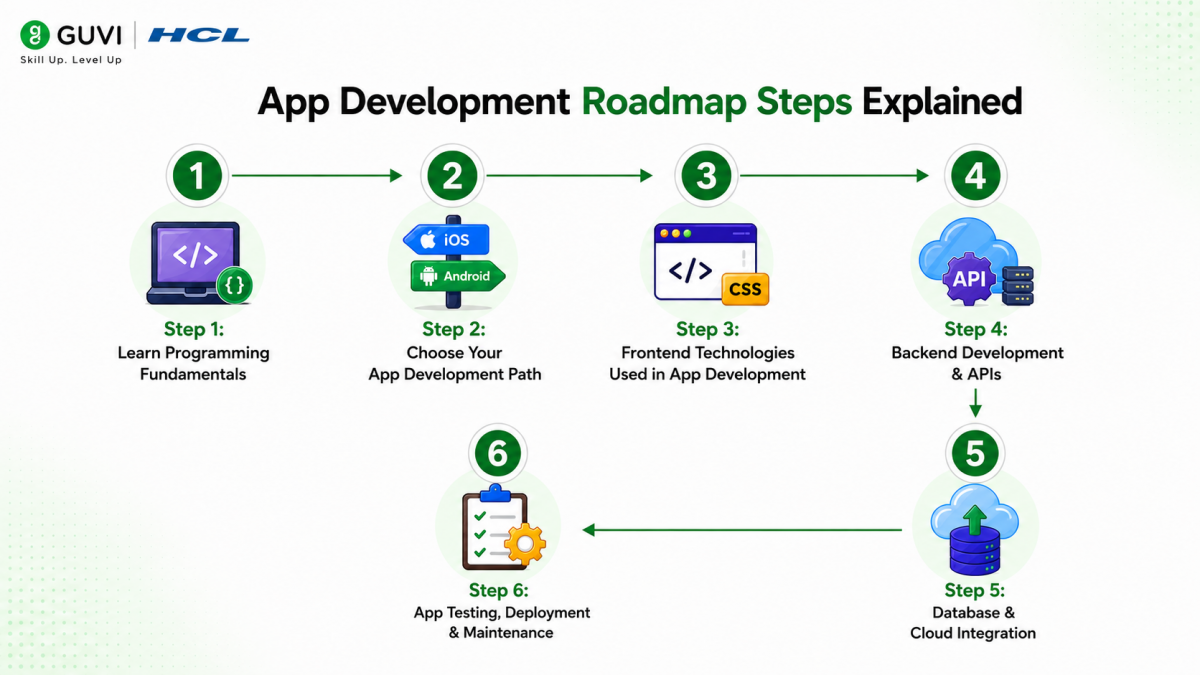
Step 1: Learn Programming Fundamentals
Before diving into specific technologies, you need a solid foundation in programming concepts. Logic building and problem-solving skills form the backbone of every successful developer’s career.
Start by understanding how computers think. Learn about variables, data types, conditional statements, loops, and functions. These concepts remain consistent across all programming languages, making them invaluable investments in your learning journey.
Recommended Languages to Start With:
JavaScript has become the universal language of app development. It powers web applications, can build mobile apps through frameworks, and even handles backend development. Its versatility makes it an excellent first language.
Java remains crucial for Android development and enterprise applications. Its strict syntax helps beginners develop good coding habits and understand object-oriented programming thoroughly.
Kotlin, the modern alternative to Java for Android, offers cleaner syntax and modern features while maintaining compatibility with existing Java code.
Swift is Apple’s powerful language for iOS development, known for its safety features and performance. If you’re specifically targeting Apple’s ecosystem, Swift is essential.
Data Structures Basics become important as you progress. Understanding arrays, lists, stacks, queues, and basic algorithms helps you write efficient code and prepares you for technical interviews.
Step 2: Choose Your App Development Path
After building fundamental skills, you need to choose a specialization that aligns with your career goals and interests.
Android App Development Roadmap
Android development offers the largest market reach and abundant job opportunities. The ecosystem is beginner-friendly with extensive documentation and community support.
Master Java or Kotlin as your primary language. While Java has been the traditional choice, Kotlin is now Google’s preferred language for Android, offering more concise code and modern features.
Learn Android Studio, the official IDE for Android development. Understanding its tools, emulator, and debugging features is essential for productive development.
Study XML for layout design and explore Jetpack Compose, Android’s modern declarative UI toolkit. Compose simplifies UI development and represents the future of Android interfaces.
Focus on Android’s unique features, such as Activities, Fragments, Intents, and Services. Understanding the Android lifecycle and navigation patterns is crucial for building robust apps.
iOS App Development Roadmap
iOS development targets Apple’s premium user base and offers excellent monetization opportunities. The platform is known for its design standards and focus on user experience.
Swift is your primary language for iOS development. It’s modern, safe, and designed specifically for Apple’s platforms, offering excellent performance and developer experience.
Master Xcode, Apple’s integrated development environment. Learn its interface builder, simulator, and powerful debugging tools that streamline iOS development.
Study UIKit for traditional iOS development and SwiftUI for modern declarative interfaces. SwiftUI is Apple’s future direction, but UIKit knowledge remains valuable for maintaining existing apps.
Understand iOS-specific patterns like View Controllers, Delegates, and Protocols. Apple’s Human Interface Guidelines should guide your design decisions.
Cross-Platform App Development Roadmap
Cross-platform development lets you write code once and deploy to multiple platforms, maximizing your efficiency and market reach.
- Flutter, backed by Google, uses Dart language and provides beautiful, native-like interfaces. Its hot reload feature speeds up development, and its growing ecosystem makes it increasingly popular.
- React Native, powered by Facebook, leverages JavaScript and React knowledge. It has a mature ecosystem, large community, and is used by major companies like Instagram and Airbnb.
Pros of Cross-Platform Development: Single codebase for multiple platforms, faster development time, reduced development costs, and easier maintenance. You can reach both Android and iOS users with one team.
Cons to Consider: Performance may not match native apps for complex applications, limited access to some platform-specific features, larger app sizes, and dependency on framework updates and community support.
Step 3: Frontend Technologies Used in App Development
Frontend development determines how users interact with your application. A well-designed interface can make or break your app’s success.
- UI/UX Fundamentals should guide every design decision you make. Learn about user research, information architecture, visual hierarchy, and accessibility. Understanding how users think and interact with interfaces helps you build intuitive applications.
- HTML, CSS, and JavaScript remain essential for web apps and hybrid mobile applications. HTML structures your content, CSS styles it beautifully, and JavaScript adds interactivity and dynamic behavior.
Responsive Design Principles ensure your app works seamlessly across different screen sizes and devices. Learn about flexible layouts, media queries, touch interactions, and performance optimization for various network conditions.
Study modern frontend frameworks and libraries. React dominates web development, Vue.js offers simplicity and flexibility, and Angular provides a complete framework for enterprise applications.
Step 4: Backend Development & APIs
Backend development powers the logic, data processing, and business rules that make apps functional and valuable.
Server-Side Fundamentals include understanding client-server architecture, HTTP protocols, request-response cycles, and how data flows through applications.
Popular Backend Languages: Node.js lets you use JavaScript for backend development, creating a unified language across your entire application. Its non-blocking architecture makes it perfect for real-time applications.
Python offers simplicity and powerful frameworks like Django and Flask. Its readability makes it excellent for beginners, while its capabilities satisfy advanced needs.
Java provides enterprise-grade stability and scalability. Its Spring framework powers countless production applications worldwide.
REST APIs (Representational State Transfer) allow different parts of your application to communicate. Learn how to design clean API endpoints, handle HTTP methods (GET, POST, PUT, DELETE), and structure JSON responses properly.
Authentication & Authorization protect your users and their data. Implement secure login systems, understand JWT tokens, OAuth protocols, and role-based access control. Security should never be an afterthought.
Step 5: Database & Cloud Integration
Data storage and cloud services transform your app from a simple interface into a powerful, scalable solution.
- SQL vs NoSQL Databases serve different purposes. SQL databases like PostgreSQL and MySQL offer structured data with powerful querying capabilities, perfect for applications with complex relationships. NoSQL databases like MongoDB provide flexibility and scalability for unstructured data and rapid development.
- Firebase is Google’s comprehensive platform, providing real-time databases, authentication, cloud storage, hosting, and analytics. Its ease of use makes it perfect for beginners and rapid prototyping, while its scalability supports production applications.
- MongoDB excels at handling large amounts of unstructured data. Its document-based structure aligns naturally with JSON, making it developer-friendly for modern applications.
- Cloud Platforms like AWS and Google Cloud provide infrastructure for hosting, scaling, and managing your applications. Learn basic services like computer instances, storage, databases, and content delivery networks. Understanding cloud fundamentals is essential for modern app development.
Step 6: App Testing, Deployment & Maintenance
Building an app is just the beginning. Proper testing, deployment, and maintenance ensure long-term success.
- Debugging & Testing Tools help you catch bugs before users do. Learn unit testing to verify individual components, integration testing to ensure different parts work together, and UI testing to validate user interactions. Tools like Jest, JUnit, and XCTest become your daily companions.
- Publishing Your App requires understanding platform-specific requirements. For Android, navigate the Google Play Console, prepare screenshots and descriptions, and understand the review process. For iOS, work with App Store Connect, meet Apple’s strict guidelines, and prepare for their detailed review process.
- App Performance Optimization keeps users happy and engaged. Monitor loading times, reduce app size, optimize images and assets, and minimize network requests. Performance directly impacts user retention and ratings.
- Updates & Version Control maintain your app over time. Use Git and GitHub to track changes, collaborate with teams, and manage different versions. Learn semantic versioning, implement feature flags, and plan updates that don’t break existing functionality.

Which App Development Path Is Right for You? Native vs. Cross-Platform vs. No-Code vs. Web App
Before you write a single line of code (or maybe none at all), you need to pick how you’re going to build your app. This one decision affects your cost, your timeline, and how much you’ll actually need to learn. Here’s what each path really means:
Native Development
You build a separate app for each platform — one using Swift/Kotlin for iOS, another using Kotlin/Java for Android. It’s the most powerful and smooth option, but you’re basically building two apps instead of one.
Cross-Platform Development
You write one codebase (using frameworks like Flutter or React Native) and it runs on both iOS and Android. You save time and money, and performance is close to native—good enough for most apps.
No-Code Development
You build your app using drag-and-drop tools (like Adobe Express, Bubble, or Glide) — no programming at all. It’s the fastest way to launch, but you trade off flexibility and control.
Web App Development
You build an app that runs in the browser — no app store, no download. Users just open a link. You launch fast and update easily, but you lose smooth access to phone features like push notifications or camera.
| Factor | Native | Cross-Platform | No-Code | Web App |
|---|---|---|---|---|
| Platforms | iOS (Swift) & Android (Kotlin) built separately | Single codebase → iOS + Android | Single codebase → iOS + Android | Runs in any browser (no install) |
| Popular Tools | Xcode (iOS), Android Studio (Android) | Flutter, React Native | Bubble, Glide, Adalo, FlutterFlow | React, Next.js, Vue |
| Learning Curve | Steep (learn Swift/Kotlin separately) | Moderate (one language, one framework) | Minimal (no coding needed) | Moderate (HTML/CSS/JS basics) |
| Cost | High (two codebases, more dev time) | Moderate (single codebase) | Low (subscription-based tools) | Low (just hosting costs) |
| Time to Launch | Slow (months) | Medium (weeks to months) | Fast (days to weeks) | Fast (days to weeks) |
| Performance | Best | Very good | Limited for complex apps | Good, but limited phone-feature access |
| Best For | Apps needing top performance (games, AR/VR) | Startups & MVPs targeting both platforms | Simple apps, prototypes, non-technical founders | Content-driven or utility apps, no app-store approval needed |
| Example Apps | Instagram, Uber (core native modules) | Google Ads, Facebook Ads Manager (built with React Native) | Simple booking apps, internal tools, event apps | Twitter/X Lite, Spotify Web Player, Canva |
Essential Tools for App Development
These are the following tools you’ll need across every stage of app development:
| Category | Tools | Purpose | Cost |
|---|---|---|---|
| Design Tools | Figma, Canva | Designing your app’s screens and UI before building | Free plan available |
| Code Editors & IDEs | VS Code, Xcode, Android Studio | Writing, running, and debugging your code | Free |
| Programming Languages | Swift, Kotlin, Dart, JavaScript | Writing the actual logic of native, cross-platform, or web apps | Free |
| Frameworks | Flutter, React Native, UIKit, SwiftUI | Building cross-platform or native iOS apps | Free |
| AI/No-Code Builders | Lovable, FlutterFlow, Bubble | Building an app using AI prompts or drag-and-drop, no coding needed | Free |
| Backend, API & Deployment | Firebase, Postman & Swagger, GitHub & GitLab | Managing data/logins, testing APIs, and tracking/shipping your code | Free plan available |
App Development Projects to Build at Every Level
Building projects transforms theoretical knowledge into practical skills that employers value.
- Beginner Projects establish fundamental concepts. Create a todo list app to practice CRUD operations, build a calculator to understand logic implementation, design a weather app to work with APIs, or develop a simple notes app to learn data persistence.
- Intermediate Projects demonstrate growing capabilities. Build a chat application to explore real-time features, create an e-commerce app to handle complex data relationships, develop a social media feed to master infinite scrolling and media handling, or implement a fitness tracker to work with device sensors.
- Advanced Real-World Apps showcase professional-level skills. Develop a food delivery app with real-time tracking, create a video streaming platform with adaptive quality, build a marketplace with payment integration, or design a task management system with team collaboration features.
- Portfolio & GitHub Importance cannot be overstated. Maintain clean, well-documented code with meaningful commit messages. Write comprehensive README files explaining your projects, their features, and technologies used. A strong GitHub profile serves as your technical resume and demonstrates your growth as a developer.
Common App Development Mistakes to Avoid
Learning from common pitfalls accelerates your progress and saves countless hours of frustration.
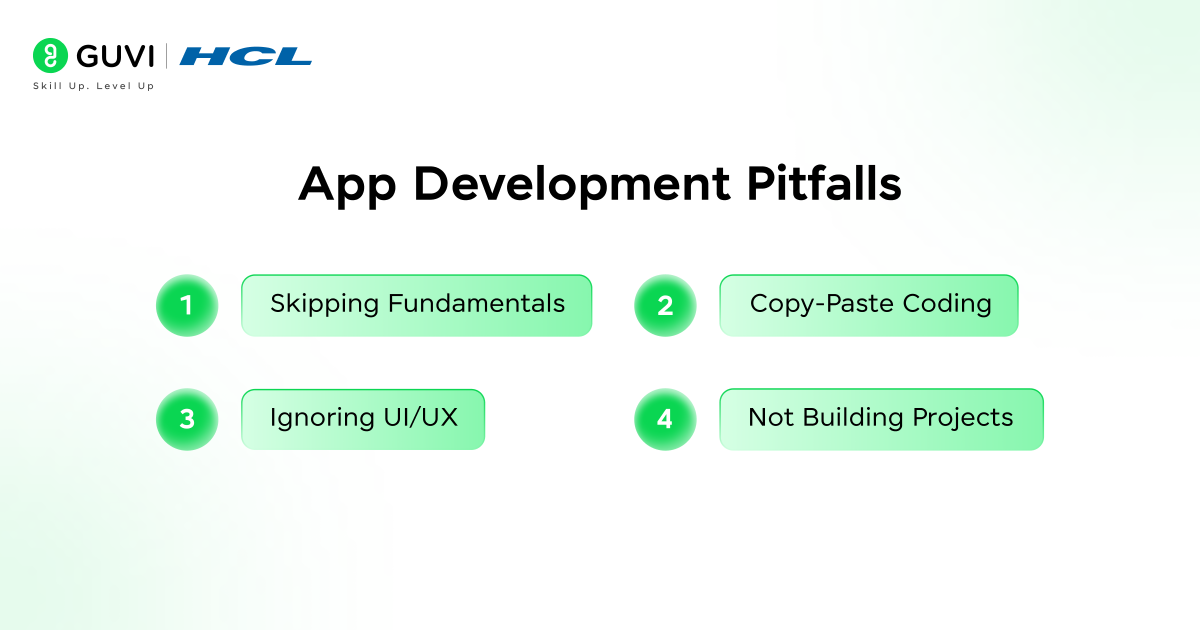
- Skipping Fundamentals seems tempting when you’re eager to build apps immediately. However, weak foundations in programming basics, logic building, and problem-solving will haunt you later. Invest time in understanding core concepts thoroughly before moving to frameworks.
- Copy-Paste Coding without understanding creates fragile knowledge. While referencing documentation and tutorials is normal, blindly copying code prevents real learning. Type every example yourself, experiment with modifications, and understand why code works before moving forward.
- Ignoring UI/UX produces apps that function but fail to engage users. Design isn’t just aesthetics; it’s about creating intuitive, accessible experiences that solve user problems elegantly. Study successful apps, understand design principles, and always consider the user’s perspective.
- Not Building Projects leaves your knowledge theoretical and untested. You can watch hundreds of tutorials, but actual coding experience builds confidence and reveals gaps in understanding. Start building projects early, even simple ones, and gradually increase complexity.
Career Paths in App Development
Completing this roadmap opens diverse career paths in the thriving tech industry.
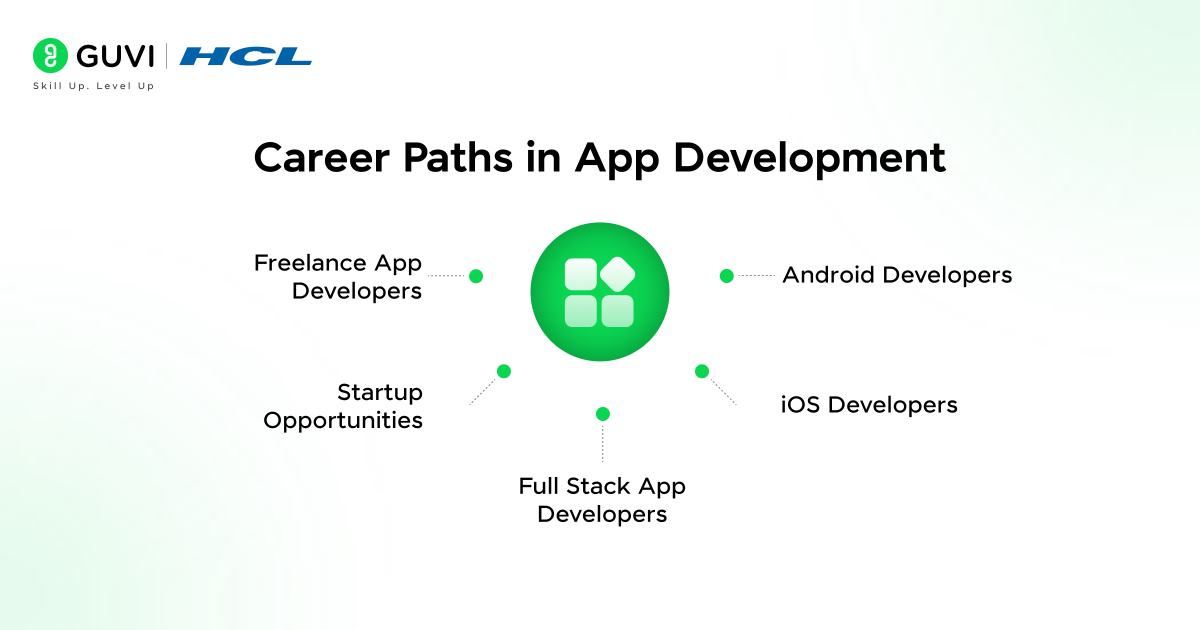
Android Developers remain in high demand globally, with average salaries ranging from ₹6.5 Lakhs – ₹7.2 Lakhs annually depending on experience and location. You’ll build apps for the world’s most popular mobile platform, working on everything from consumer apps to enterprise solutions.
iOS Developers command premium salaries, often ranging from ₹7.7 Lakhs – ₹8.5 Lakhs, reflecting Apple’s affluent user base and emphasis on quality. You’ll create apps for iPhone, iPad, Apple Watch, and other Apple ecosystem devices.
| Goal | Best Choice |
| Faster job entry | Android |
| Higher pay | iOS |
| One codebase | Flutter / React Native |
| Freelancing | Cross-Platform |
Full Stack App Developers who master both frontend and backend command the highest salaries and greatest flexibility. Your ability to build complete applications independently makes you invaluable to startups and established companies alike.
Freelance App Developers enjoy location independence and diverse project opportunities. Platforms like Upwork, Toptal, and Fiverr connect you with clients worldwide.
Startup Opportunities abound for developers with entrepreneurial spirit. Build your own apps, launch a SaaS product, or join early-stage startups with equity options. Your technical skills reduce dependency on external developers, letting you rapidly prototype and iterate ideas.
Best Way to Learn App Development
Your learning approach significantly impacts your success timeline and depth of understanding.
Self-Learning vs Mentorship both have merits. Self-learning through free resources offers flexibility and customization but can lead to confusion, outdated information, and lack of accountability. Mentorship provides structured guidance, industry insights, immediate doubt resolution, and accountability, though it requires investment.
The importance of a Guided Roadmap cannot be overstated. A well-structured curriculum eliminates decision paralysis, ensures you learn technologies in a logical order, covers industry-relevant skills, and prevents wasted time on outdated tools.
Real-time projects and placement support bridge the gap between learning and employment. Working on projects that simulate real-world scenarios, receiving code reviews from experienced developers, and getting guidance on resumes and interviews dramatically improves your job prospects.
What Kinds of Apps Are Being Built in India in 2026
App development in India today spans far more than one or two categories. Health, education, finance, and everyday utility apps are all seeing real activity, with new products launched by both startups and established companies.
Here’s what’s actually driving this shift in app development right now:
- AI is now core to the product, not a bolt-on feature — especially in health diagnostics and financial planning apps
- Healthtech is moving past basic teleconsultation into AI-powered diagnostics and chronic disease management
- Edtech has shifted from “more users” to real outcomes — placement-linked and skill-based learning apps are growing faster than generic course apps
- Fintech is merging with traditional banking, with apps evolving from simple payment tools into full banking platforms
- Fast delivery apps remain active too, but now cover food, medicine, and daily essentials as separate, focused products
A few real, distinctive examples across categories, and what sets each one apart from others in its space:
| App | Category | What It Does | Why It Stands Out |
|---|---|---|---|
| Sugar.fit | Healthtech | Helps users manage and reverse diabetes through app-based coaching and monitoring | Focuses only on diabetes reversal instead of general health tracking, giving it a clear, measurable outcome to sell |
| HCL GUVI | Edtech | Offers vernacular, AI-assisted coding and tech courses backed by HCL’s enterprise reach | Combines a large IT company’s hiring pipeline with regional-language learning, something most edtech apps don’t offer |
| Slice | Fintech | Started as a credit card app for young Indians, now merged with a bank to offer full digital banking | One of the few fintech apps to actually become a licensed bank, not just partner with one |
| Swish | Food Delivery | Delivers hot meals in 10 minutes using its own cloud kitchens, no third-party restaurants involved | Owns its full kitchen-to-delivery pipeline, unlike most apps that rely on outside restaurants |
Conclusion
You now have a complete app development roadmap that can transform you from a beginner into a job-ready developer. The journey includes mastering programming fundamentals, choosing your specialization path (Android, iOS, or cross-platform), learning frontend and backend development, understanding databases and cloud services, and building real-world projects that showcase your abilities.
Take action today. Don’t spend another week wondering where to start or jumping between random tutorials. Follow this roadmap systematically, build projects consistently, and stay committed to your learning journey.
FAQs
1. How long does it take to learn app development?
With a focused app development roadmap, most beginners get job-ready in 6 to 12 months.
2. Can I learn app development without coding?
Yes, no-code tools like Bubble and FlutterFlow let you follow an app development path without writing code.
3. What should I learn first in app development?
Start with one programming language and basic UI/UX design before jumping into any app development framework.
4. Is app development a good career in 2026?
Yes, demand for skilled app developers keeps growing as more businesses shift to app-first strategies, making it a solid career choice.
5. Do I need a computer science degree for app development?
No, a degree isn’t required — many successful developers are self-taught through practice and real-world projects.
Success Stories







Did you enjoy this article?