


Full Stack Development Articles
Claude for Architecture and Engineering Documentation
Freelancing as a Python Developer: Getting Your First Client


Get In Touch For Details! Request More Information
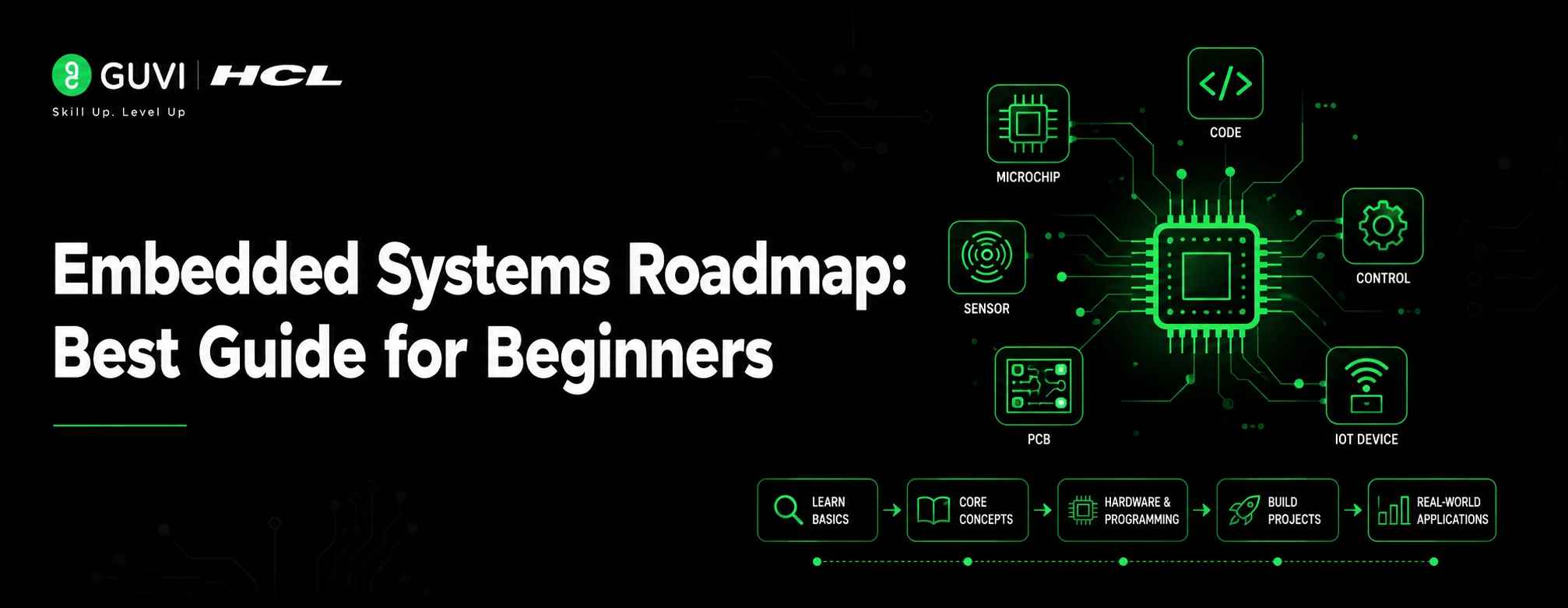
Embedded Systems Roadmap: Best Guide for Beginners in 2026
Jul 13, 2026 8 Min Read 1676 Views
(Last Updated)
Table of contents
- TL;DR Summary
- What is an Embedded System?
- What does an embedded systems engineer do?
- Why Learn Embedded Systems in 2026?
- Why embedded systems is a strong career area
- Why embedded systems is different from web development
- Embedded Systems Roadmap for Beginners
- Step 1: Learn C Programming Deeply
- Step 2: Understand Basic Electronics
- Step 3: Learn Digital Logic
- Step 4: Start With Microcontrollers
- Step 5: Learn GPIO, Timers, ADC, and Interrupts
- Step 6: Learn Communication Protocols
- Step 7: Learn RTOS Basics
- Step 8: Learn Debugging Properly
- Step 9: Learn Embedded Linux Basics
- Step 10: Build Real Projects
- Month-Wise Embedded Systems Roadmap
- Key Skills Required for Embedded Systems
- Software skills
- Hardware skills
- Debugging skills
- Tools You Need to Learn to follow Embedded Systems Roadmap
- Beginner tools
- Intermediate tools
- Advanced tools
- Best Embedded Systems Projects for Beginners
- Beginner projects
- Intermediate projects
- Resume-level projects
- Embedded Systems Career Paths
- Embedded Software Engineer
- Firmware Engineer
- Embedded Linux Engineer
- IoT Embedded Developer
- Automotive Embedded Engineer
- Real-World Examples of Embedded Systems
- Example 1: Electric Vehicle Battery Management System
- Example 2: Smart Agriculture IoT System
- Common Mistakes to Avoid While Learning Embedded Systems
- Skipping C programming depth
- Depending only on Arduino libraries
- Ignoring datasheets
- Not learning debugging tools
- Building projects without documentation
- Build Strong Programming Foundations with HCL GUVI
- Conclusion
- FAQS
- What is the best Embedded Systems Roadmap for beginners?
- How long does it take to learn embedded systems?
- Is C programming necessary for embedded systems?
- Can CSE students learn embedded systems?
- Can ECE students become embedded software engineers?
- Which microcontroller is best for beginners?
- What are the most important embedded systems projects?
- Is embedded systems harder than web development?
- Is embedded Linux required for all embedded jobs?
- What should I learn after completing the embedded systems basics?
TL;DR Summary
Embedded Systems Roadmap for beginners starts with C programming, basic electronics, digital logic, microcontrollers, memory, interrupts, communication protocols, RTOS, debugging, embedded Linux, and hands-on projects. Embedded systems combine hardware and software to control devices like smartwatches, cars, medical devices, home appliances, and IoT products. To build strong practical skills, learn low-level programming, read datasheets, work with development boards, debug hardware-software issues, and practise projects using GPIO, UART, SPI, I2C, sensors, and RTOS tasks.
Embedded Systems Roadmap is one of the most searched learning paths for students who want to work with hardware, firmware, IoT devices, robotics, automotive systems, or smart electronics.
Unlike normal software development, embedded systems require you to understand how code interacts with memory, sensors, microcontrollers, registers, timing, and real-world hardware.
This guide gives you a practical 2026 roadmap to learn embedded systems step by step, from C programming and electronics basics to RTOS, embedded Linux, debugging, and portfolio projects.
What is an Embedded System?
An embedded system is a computer system built inside a larger device to perform a specific task. It usually combines a processor or microcontroller, memory, input/output peripherals, sensors, and software.
For example, a washing machine has an embedded system that controls water level, motor speed, timer, and wash modes. A smartwatch has embedded software that tracks heart rate, steps, Bluetooth connectivity, and battery usage.
Embedded systems are different from normal computers because they are designed for a dedicated purpose. They often work with limited memory, limited power, strict timing, and real-world signals.
What does an embedded systems engineer do?
An embedded systems engineer writes and tests software that directly controls hardware. They work with C/C++, microcontrollers, sensors, drivers, communication protocols, RTOS, debugging tools, and sometimes embedded Linux to build reliable devices.
Why Learn Embedded Systems in 2026?
Embedded systems are becoming more important because modern products are getting smarter, connected, and software-driven. Cars, medical devices, drones, smart meters, wearables, factories, EV chargers, and IoT devices all need embedded software.
The global embedded systems market was estimated at USD 112.3 billion in 2024 and is projected to reach USD 169.1 billion by 2030, growing at a CAGR of 7.1% from 2025 to 2030.
This growth is driven by smart devices, automotive electronics, industrial automation, healthcare equipment, consumer electronics, and IoT.
Why embedded systems is a strong career area
Embedded systems is a good career path if you enjoy both software and hardware. It is not only about writing code; it is about understanding how code behaves inside a real device.
You may enjoy embedded systems if you like:
- Low-level programming
- Hardware interaction
- Debugging real devices
- Sensors and electronics
- IoT and robotics
- Automotive and EV technology
- Real-time systems
- Performance and memory optimization
Why embedded systems is different from web development
In web development, you usually build apps that run on browsers, servers, or cloud platforms. In embedded systems, your code may run on a small microcontroller with limited RAM, limited storage, and strict timing requirements.
For example, a web app can take a few seconds to load. But an airbag controller, pacemaker, or anti-lock braking system must respond in real time.
That is why following a Embedded Systems Roadmap require a different mindset and this Embedded Systems Roadmap guides you accordingly.
The number of connected IoT devices worldwide is estimated to reach 39 billion by 2030, according to IoT Analytics. This growth directly increases the need for embedded systems engineers who can build reliable connected devices.
Embedded Systems Roadmap for Beginners
The best Embedded Systems Roadmap starts with programming fundamentals, then moves into electronics, microcontrollers, protocols, RTOS, debugging, and projects.
Do not start directly with complex boards or copied Arduino projects. First understand how code controls hardware.
Step 1: Learn C Programming Deeply
C is the most important programming language for embedded systems. Many microcontroller firmware projects, drivers, RTOS kernels, and hardware-level applications are still written in C.
You should learn:
- Data types
- Operators
- Loops and conditions
- Functions
- Arrays and strings
- Pointers
- Structures and unions
- Bitwise operators
- Memory layout
- Static and dynamic memory
- Volatile keyword
- Header files
- Compilation flow
Pointers and bitwise operations are especially important because embedded programming often involves direct memory access and register-level programming.
Step 2: Understand Basic Electronics
You do not need to become an electronics expert on day one, but you should understand the basics.
Start with:
- Voltage
- Current
- Resistance
- Ohm’s Law
- Pull-up and pull-down resistors
- Diodes
- Transistors
- Logic levels
- Power supply basics
- Sensors and actuators
- Analog vs digital signals
This helps you understand what happens when a microcontroller pin reads a signal or controls a device.
Step 3: Learn Digital Logic
Digital logic helps you understand how computers and microcontrollers process signals.
Focus on:
- Binary numbers
- Logic gates
- Flip-flops
- Counters
- Registers
- Timers
- State machines
- Interrupt-based logic
A simple traffic light controller is a good example of a state machine. It moves through states like red, yellow, green, and pedestrian crossing based on timers and inputs.
Step 4: Start With Microcontrollers
A microcontroller is a small computer on a chip. It usually includes a processor, memory, timers, GPIO pins, ADC, communication interfaces, and other peripherals.
Beginner-friendly options include:
- Arduino Uno for basic learning
- STM32 boards for deeper embedded learning
- ESP32 for Wi-Fi/Bluetooth IoT projects
- Raspberry Pi Pico for microcontroller-level projects
- ARM Cortex-M boards for industry-style learning
Arduino is fine for early experiments, but do not stop at library-based projects. Move toward understanding registers, datasheets, memory, interrupts, and peripheral configuration.
Step 5: Learn GPIO, Timers, ADC, and Interrupts
GPIO, timers, ADC, and interrupts are the foundation of microcontroller programming.
You should practise:
- Turning LEDs on and off
- Reading push buttons
- Debouncing button inputs
- Reading analog sensor values
- Generating PWM signals
- Using timers
- Handling interrupts
- Controlling motors or buzzers
EmbeddedRelated highlights these as common topics in an introductory embedded systems course, along with UART, SPI, and I2C.
Step 6: Learn Communication Protocols
Embedded devices need communication protocols to talk to sensors, displays, memory chips, wireless modules, and other controllers.
Start with:
- UART
- SPI
- I2C
- CAN
- USB basics
- Bluetooth basics
- Wi-Fi basics
- MQTT for IoT
For example, an IoT temperature monitoring system may use I2C to read sensor data, Wi-Fi to connect to the internet, and MQTT to send readings to a cloud dashboard.
Step 7: Learn RTOS Basics
RTOS stands for Real-Time Operating System. It helps embedded devices manage multiple tasks with predictable timing.
Learn these concepts:
- Tasks
- Scheduler
- Mutex
- Semaphore
- Queue
- Priority
- Task delay
- Interrupt handling
- Race condition
- Critical section
FreeRTOS is a widely used real-time operating system for microcontrollers and small microprocessors, and its official documentation describes it as open-source with support for 40+ processor architectures.
Step 8: Learn Debugging Properly
Debugging is one of the most important embedded skills. You should learn how to find problems in both software and hardware behavior.
Practise using:
- Serial monitor
- Breakpoints
- Watch windows
- JTAG/SWD debugger
- Oscilloscope
- Logic analyzer
- Multimeter
- Map files
- Compiler warnings
- Fault handlers
A strong embedded engineer does not only write code. They can explain why a sensor value is wrong, why an interrupt is not firing, or why a system crashes after running for two hours.
Step 9: Learn Embedded Linux Basics
Embedded Linux is used in more powerful embedded systems such as routers, smart cameras, infotainment systems, industrial gateways, and edge AI devices.
Start with:
- Linux commands
- Shell scripting
- Processes and threads
- File systems
- Device tree basics
- Kernel modules basics
- Cross-compilation
- Bootloader basics
- Networking basics
Do not start with embedded Linux before learning basic C and microcontrollers. Embedded Linux becomes easier when you already understand hardware-software interaction.
Step 10: Build Real Projects
Projects are where your roadmap becomes useful. Recruiters and interviewers trust projects more than only course certificates.
Start with simple projects and slowly add complexity.
Good beginner projects include:
- LED blinking with delay and timer
- Button-controlled LED
- Temperature monitor using sensor
- Digital thermometer
- UART-based data logger
- I2C OLED display project
- SPI memory read/write project
- PWM motor speed controller
- Smart parking sensor
- Mini weather station
- FreeRTOS task scheduler demo
- IoT sensor dashboard using ESP32
Your project should include code, circuit diagram, README file, working demo, and explanation of what you learned. Follow this Embedded Systems Roadmap to create a well planned project.
Month-Wise Embedded Systems Roadmap
A month-wise Embedded Systems Roadmap helps you avoid random learning. The timeline below is suitable for beginners who can study consistently and build projects every month.
| Month | What to Learn | Tools to Use | Output/Project |
| Month 1 | C programming basics, pointers, bitwise operators | GCC, VS Code, Linux terminal | C practice programs |
| Month 2 | Electronics and digital logic basics | Tinkercad, Multisim, Logisim | LED, switch, logic gate exercises |
| Month 3 | Microcontroller basics, GPIO, timers | Arduino, STM32, ESP32 | LED, button, timer, PWM projects |
| Month 4 | ADC, interrupts, UART, SPI, I2C | STM32CubeIDE, Arduino IDE, PlatformIO | Sensor and display projects |
| Month 5 | Debugging and datasheet reading | Multimeter, debugger, serial monitor | Register-level mini project |
| Month 6 | RTOS basics | FreeRTOS, STM32, ESP32 | Multi-tasking sensor project |
| Month 7 | Embedded Linux basics | Raspberry Pi, Linux terminal | Linux-based device control project |
| Month 8 | IoT and communication | ESP32, MQTT, Wi-Fi modules | IoT dashboard project |
| Month 9 | Portfolio and interview preparation | GitHub, documentation tools | 2–3 resume-ready projects |
This Embedded Systems Roadmap timeline can change depending on your background. ECE students may move faster in electronics, while CSE students may move faster in programming and Linux.
Key Skills Required for Embedded Systems
Embedded Systems Roadmap is incomplete without a mix of software, hardware, debugging, and problem-solving skills.
| Skill | Why It Matters | Beginner Level |
| C Programming | Core language for firmware and low-level code | Must-have |
| C++ Basics | Useful for modern embedded applications | Good to know |
| Electronics Basics | Helps you understand circuits and signals | Must-have |
| Microcontrollers | Foundation of embedded projects | Must-have |
| Communication Protocols | Needed for sensors, modules, and devices | Must-have |
| RTOS | Needed for real-time multitasking | Intermediate |
| Embedded Linux | Needed for advanced embedded devices | Intermediate |
| Debugging | Critical for solving hardware-software issues | Must-have |
| Git | Helps manage code and portfolio | Must-have |
| Python | Useful for automation and testing | Good to know |
Software skills
Software skills help you write reliable firmware.
Focus on:
- C programming
- Data structures basics
- Memory management
- Compiler basics
- Makefiles
- GitHub
- Git and Linux
- Unit testing basics
- Python scripting
Hardware skills
Hardware skills help you understand how your code affects real devices.
Focus on:
- Basic circuits
- Microcontroller peripherals
- Sensors
- Motors
- Relays
- Power supply basics
- Datasheets
- Timing diagrams
Debugging skills
Debugging is what separates beginner-level projects from industry-level work.
Focus on:
- Reading error logs
- Using breakpoints
- Checking registers
- Reading datasheets
- Using multimeters
- Capturing signals with a logic analyzer
- Testing edge cases
Tools You Need to Learn to follow Embedded Systems Roadmap
The tools you choose depend on your learning stage. Start simple, then move toward industry-style tools.
Beginner tools
Use these when you are starting:
- Arduino IDE
- Tinkercad
- VS Code
- GCC compiler
- GitHub
- Serial monitor
- Multimeter
Intermediate tools
Use these after you know basic C and microcontrollers:
- STM32CubeIDE
- PlatformIO
- ESP-IDF
- FreeRTOS
- Logic analyzer
- JTAG/SWD debugger
- Oscilloscope
- CMake or Make

Advanced tools
Use these when you move toward professional embedded development:
- Zephyr RTOS
- Embedded Linux
- Yocto basics
- Buildroot basics
- GDB
- OpenOCD
- QEMU
- CI/CD for firmware testing
Zephyr is a scalable RTOS for resource-constrained embedded devices and supports multiple hardware architectures with security in mind.
Best Embedded Systems Projects for Beginners
Projects help you prove that you understand both code and hardware. Try to build projects that show GPIO, timers, protocols, sensors, debugging, and documentation.
Beginner projects
Start with simple projects:
- LED blinking using timer
- Button-controlled LED
- Buzzer alarm system
- Temperature sensor display
- Light-dependent resistor project
- Servo motor control
- PWM fan speed controller
These projects help you understand basic input, output, timing, and sensor reading.
Intermediate projects
Once you know protocols and interrupts, build slightly stronger projects:
- UART data logger
- I2C OLED display project
- SPI EEPROM read/write project
- Digital clock using RTC
- Smart parking system
- Obstacle detection robot
- FreeRTOS-based sensor monitoring system
These projects show that you can work with communication protocols and multitasking.
Resume-level projects
For your resume, choose projects that solve a real problem.
Examples:
- IoT-based air quality monitor
- ESP32-based smart energy meter
- RTOS-based home automation controller
- CAN-based vehicle data logger
- Embedded Linux camera streaming system
- Smart agriculture soil monitoring system
- Wearable health monitoring prototype
For each project, add a GitHub README with:
- Problem statement
- Components used
- Circuit diagram
- Code explanation
- Protocols used
- Debugging challenges
- Final output images or video
- Future improvements
After completing your project, upload it to GitHub using Git so recruiters can review your work.
FreeRTOS, one of the most widely used real-time operating systems for embedded devices, supports 40+ processor architectures. This is why learning RTOS basics can help beginners move from simple microcontroller projects to more industry-style embedded systems work.
Embedded Systems Career Paths
This Embedded Systems Roadmap is not restricted to one single role. You can choose different paths depending on whether you enjoy software, hardware, Linux, IoT, or testing.
Embedded Software Engineer
An embedded software engineer writes low-level software that runs on microcontrollers or processors.
Typical skills include:
- C/C++
- Microcontrollers
- RTOS
- Interrupts
- Drivers
- Debugging
- Communication protocols
Firmware Engineer
A firmware engineer focuses on software that directly controls hardware.
Typical work includes:
- Boot code
- Device drivers
- Peripheral control
- Firmware updates
- Memory optimization
- Hardware bring-up
Embedded Linux Engineer
An embedded Linux engineer works on more complex devices that run Linux.
Typical skills include:
- Linux commands
- Kernel basics
- Device tree
- Bootloader
- Drivers
- Cross-compilation
- Networking
IoT Embedded Developer
An IoT embedded developer builds connected devices.
Typical skills include:
- ESP32 or similar boards
- Wi-Fi/Bluetooth
- MQTT
- Sensors
- Cloud integration
- Data dashboards
- Security basics
You can also explore how AI in IoT is creating smarter connected devices.
Automotive Embedded Engineer
An automotive embedded engineer works on vehicle electronics.
Typical areas include:
- CAN protocol
- ECUs
- AUTOSAR basics
- Functional safety awareness
- Battery management systems
- EV controllers
- ADAS systems
Embedded systems are used heavily in automotive, healthcare, consumer electronics, industrial automation, aerospace, and IoT. The GitHub roadmap also highlights that embedded roles may lean toward software, hardware, firmware, or embedded Linux depending on the company and job title.
Real-World Examples of Embedded Systems
Example 1: Electric Vehicle Battery Management System
An electric vehicle uses embedded systems to monitor battery voltage, temperature, current, charging status, and safety limits.
The embedded controller collects sensor data, checks whether the battery is operating safely, controls charging logic, and communicates with other vehicle systems.
This kind of project requires C programming, ADC, CAN communication, real-time monitoring, safety checks, and debugging skills.
Example 2: Smart Agriculture IoT System
A smart agriculture system can use soil moisture sensors, temperature sensors, a microcontroller, and a wireless module to monitor crop conditions.
The embedded device reads sensor values, controls a water pump, sends data to a cloud dashboard, and alerts the farmer when soil moisture drops below a limit.
This project combines microcontrollers, sensors, GPIO, ADC, Wi-Fi, MQTT, and basic IoT dashboard skills.
This project also helps you understand basic IoT architecture.
Common Mistakes to Avoid While Learning Embedded Systems
These are the common mistakes beginner makes while following a Embedded Systems Roadmap:
1. Skipping C programming depth
Many beginners learn only basic syntax and avoid pointers, memory, structures, and bitwise operators. This creates problems later when they work with registers, buffers, and drivers.
Fix this by practising embedded-style C programs before jumping into advanced boards.
2. Depending only on Arduino libraries
Arduino is useful for starting, but using libraries without understanding the hardware can limit your growth.
Fix this by slowly moving toward datasheets, register-level programming, STM32, ESP32, or ARM Cortex-M boards.
3. Ignoring datasheets
Datasheets explain registers, timing, pin functions, electrical limits, and protocol behavior. Many beginners avoid them because they look complex.
Fix this by reading small sections first, such as GPIO, UART, I2C, timer, or ADC chapters.
4. Not learning debugging tools
Printing values on a serial monitor is not enough for serious embedded work. You need to understand breakpoints, watch variables, logic analyzers, and signal-level debugging.
Fix this by debugging every project instead of only checking whether it works.
To go deeper, explore these advanced debugging techniques used in software development.
5. Building projects without documentation
A project without documentation is hard to explain in interviews. Recruiters need to understand what you built, how it works, and what problems you solved.
Fix this by adding README files, circuit diagrams, setup steps, output images, and debugging notes to GitHub.
Build Strong Programming Foundations with HCL GUVI
If you are new to programming and want to build strong software fundamentals before moving into embedded systems, HCL GUVI’s Full Stack Development Program can help you understand coding, project building, Git, databases, APIs, and real-world software development workflows.
HCL GUVI’s Full Stack Development course focuses on MERN stack skills, real-time projects, mentorship, and placement-focused learning. This is useful if you are coming from a non-coding background and want to first become confident with programming and software project development.
However, for core embedded systems roles, you should also learn C programming, electronics, microcontrollers, RTOS, and debugging separately.
Conclusion
The Embedded Systems Roadmap in 2026 is clear: start with C programming, electronics basics, digital logic, and microcontrollers, then move to protocols, interrupts, debugging, RTOS, embedded Linux, and real projects. Embedded systems is a strong career path for learners who enjoy both software and hardware. Do not rush through the basics or depend only on copied projects. Build small working systems, read datasheets, debug real issues, and document your work properly. With consistent practice and 2–3 strong projects, you can move closer to embedded software, firmware, IoT, or embedded Linux roles.
FAQS
1. What is the best Embedded Systems Roadmap for beginners?
The best Embedded Systems Roadmap starts with C programming, electronics basics, digital logic, microcontrollers, GPIO, timers, interrupts, communication protocols, RTOS, debugging, embedded Linux basics, and projects.
2. How long does it take to learn embedded systems?
Most beginners need 6–9 months to learn embedded systems basics with consistent practice. The timeline may be longer if you are new to C programming, electronics, or hardware debugging.
3. Is C programming necessary for embedded systems?
Yes, C programming is essential for embedded systems because most firmware, drivers, RTOS code, and microcontroller-level applications use C. You should learn pointers, memory, structures, and bitwise operations deeply.
4. Can CSE students learn embedded systems?
Yes, CSE students can learn embedded systems, but they need to spend extra time on electronics, microcontrollers, datasheets, and hardware debugging. Their programming and Linux background can be useful for firmware, IoT, and embedded Linux roles.
5. Can ECE students become embedded software engineers?
Yes, ECE students can become embedded software engineers. They usually have a strong electronics base, but they should improve C programming, data structures basics, debugging, Git, RTOS, and software development practices.
6. Which microcontroller is best for beginners?
Arduino is good for absolute beginners, but STM32, ESP32, Raspberry Pi Pico, and ARM Cortex-M boards are better for deeper embedded systems learning. Start simple, then move toward datasheets and register-level programming.
7. What are the most important embedded systems projects?
Important projects include sensor monitoring systems, UART data loggers, I2C display projects, SPI memory projects, PWM motor controllers, RTOS-based task projects, IoT dashboards, and CAN-based vehicle data loggers.
8. Is embedded systems harder than web development?
Embedded systems can feel harder because your code interacts with real hardware, timing, memory, and electrical signals. Web development is more software-focused, while embedded systems need both software and hardware thinking.
9. Is embedded Linux required for all embedded jobs?
No, embedded Linux is not required for all embedded jobs. Microcontroller-based roles may focus more on C, RTOS, peripherals, and debugging, while advanced devices like routers, cameras, and gateways often use embedded Linux.
10. What should I learn after completing the embedded systems basics?
After basics, choose a specialization such as firmware development, RTOS, embedded Linux, IoT, automotive embedded systems, robotics, or device drivers. Build projects in that area and document them on GitHub.
Success Stories

About the Author
Reemsha Khan
Always been a storyteller at heart. Now, I turn complex topics into simple, easy-to-understand stories through content. Hope you find it helpful.
View all posts by Reemsha Khan
Connect with me @


































Did you enjoy this article?