


Roadmap Articles
Angular Roadmap: Best Guide for Beginners in 2026
Embedded Systems Roadmap: Best Guide for Beginners in 2026
TypeScript Roadmap 2026: Complete Beginner to Advanced Guide
C++ Developer Roadmap 2026: Complete Beginner to Advanced Guide


Get In Touch For Details! Request More Information
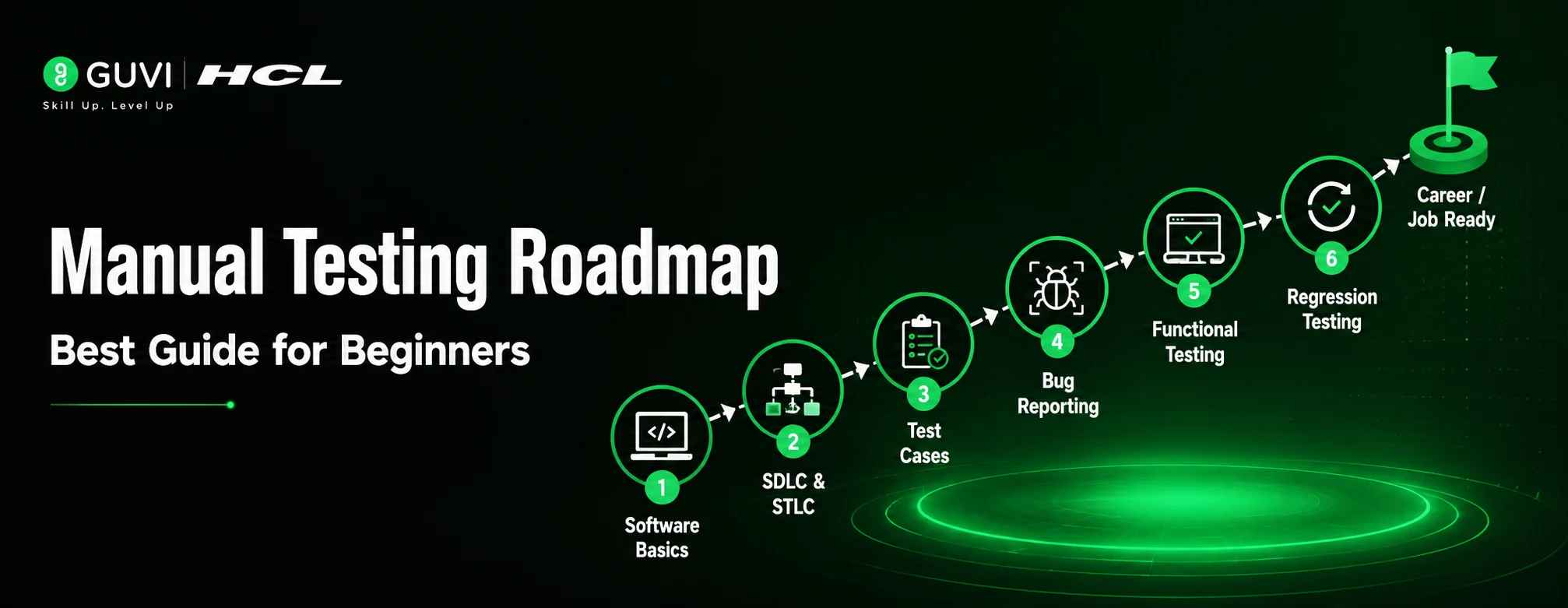
Manual Testing Roadmap 2026: Best Guide for Beginners
Jul 07, 2026 6 Min Read 1799 Views
(Last Updated)
Worried that manual testing is no longer a good career because of AI and automation? You’re not alone, but the truth is, it still has strong demand.
Companies don’t rely only on automation. They need people who can think like real users, spot issues, and improve the overall experience; things machines often miss. That’s why manual testing is not disappearing; it’s simply evolving with AI tools and modern testing technologies that make testing faster and more efficient.
By 2026, testers are doing more than just finding bugs, they’re analyzing risks, working with tools like JIRA and Postman, using AI-assisted testing, and helping build better products. The demand hasn’t reduced; the role has evolved with smarter workflows and modern QA practices.
So if you’re planning to start, you’re on the right track.
This is where a clear manual testing road map helps. In this blog, we’ll show you what to learn, how to practice, and how to grow step by step
Table of contents
- TL;DR Summary
- What is Manual Testing?
- Manual Testing Roadmap for Beginners:
- Step 1 : Learn Software Testing Basics
- Step 2 : Understand SDLC & STLC (Simple Beginner Guide)
- What is SDLC?
- What is STLC?
- What are the phases of STLC?
- Step 3 :Learn Test Case Writing
- Step 4 : Bug Reporting & Tracking
- Step 5: Key Skills to Master for Manual Testing in 2026
- Step 6 :Gain Hands-On Practice & Build Your Portfolio
- Manual Tester Salary in India (2026)
- Conclusion
- FAQS
- Is manual testing a good career in 2026?
- Can I learn manual testing without a coding background?
- Which tools should a manual tester learn?
- What is the difference between manual testing and automation testing?
- What are the future career options in manual testing?
- Is manual testing still in demand?
- Is manual testing stressful?
- Is SQL necessary for manual testing?
TL;DR Summary
Manual Testing Roadmap is a structured guide for beginners to become QA testers by learning software testing, bug detection, and ensuring product quality
Covers fundamentals like testing basics, SDLC (Software Development Life Cycle) and STLC (Software Testing Life Cycle)
Focuses on core skills: writing effective test cases and reporting defects clearly
Hands-on tools included: JIRA for bug tracking and Postman for API testing basics
In 2026, Manual Testing Roadmap also includes awareness of API testing, SQL basics, and introduction to automation tools
Helps build real-world QA skills step by step through practical learning
Designed to help beginners start a career in software testing and improve software quality efficiently
What is Manual Testing?
Manual testing is the process of checking a software application by using it like a real user, without using automation tools.
Testers click through features, enter data, and verify whether everything works as expected. The goal is to find bugs, errors, or any issues that affect the user experience.
Think of it like this: when you get a new phone, you try different apps, check the camera, and explore settings to see if everything works properly. That’s exactly how manual testing works.
This forms the base of any manual testing roadmap, helping you understand how software behaves before moving to advanced concepts.
Some of the most critical bugs are found not by automation tools, but by testers who simply explore the application like real users.
Manual Testing Roadmap for Beginners:
Step 1 : Learn Software Testing Basics
Before anything else while following a manual testing roadmap , understand testing as simply checking if a software works properly for users.
| Type | What it Means | Simple Example |
| Functional Testing | Checks if features work correctly | Login, signup, search working properly |
| Non-Functional Testing | Checks how well the system works | Speed, security, usability |
| Black Box Testing | Testing without knowing internal code | Using an app like a normal user |
| White Box Testing | Testing with knowledge of internal code | Developer testing code logic |
| Smoke Testing | Quick basic check of main features | App opens and works without crashing |
| Sanity Testing | Checks specific changes or fixes | New feature working after update |
| Exploratory Testing | Testing without scripts | Freely exploring the app to find bugs |
| Ad-hoc Testing | Random testing without planning | Trying unexpected actions |
Step 2 : Understand SDLC & STLC (Simple Beginner Guide)
To become a good manual tester, you must understand how software is built and how it is tested. That’s where SDLC and STLC come in.
What is SDLC?
SDLC (Software Development Life Cycle) explains how software is developed step by step, from planning to maintenance. As a manual tester, you don’t work in all phases, but understanding SDLC helps you know where testing fits in the development process.
For detailed learning, refer to the Software Development Life Cycle guide.
What is STLC?
STLC is one of the most important concepts for a manual tester. It explains how testing is planned, designed, executed, and completed in a structured way.Unlike SDLC, which is about building software, STLC focuses only on testing and quality checking.
What are the phases of STLC?
| Phase | What Happens? |
| Requirement Analysis | Understand what needs to be tested |
| Test Planning | Decide how testing will be done |
| Test Case Design | Write test cases and test data |
| Environment Setup | Prepare system for testing |
| Test Execution | Run tests and find bugs |
| Test Closure | Final report and completion |
Step 3 :Learn Test Case Writing
Mastering test case writing is a key skill in Manual Testing Roadmap. It transforms testing from random checks into a structured and professional process, ensuring every feature is validated properly before release
What is a Test Case?
A test case is a clear, step-by-step instruction set used to verify a specific functionality of an application. It defines what to test, how to test it, and what the expected outcome should be.
In simple terms, a test case acts like a guidebook for testers to ensure nothing is missed while validating a feature.
Think of it like following a recipe, if you follow the exact steps, you should get the same result every time.
Real-World Example (Flight Booking System )
Let’s consider a flight booking application where a user searches for flights.
A test case for this feature would look like:
- Test ID: TC_001
- Description: Verify flight search functionality with valid inputs
- Precondition: User is on the flight search page
- Steps:
- Enter “Mumbai” as departure city
- Enter “Delhi” as destination city
- Select tomorrow’s date
- Click on the “Search” button
- Expected Result: A list of available flights between Mumbai and Delhi should be displayed
- Actual Result: Flights from Mumbai to Delhi are displayed correctly.
If the system does not show results or shows incorrect data, then the Status will be Fail, and it will be logged as a defect.
How to Write Effective Test Cases?
- Keep the steps simple and easy to understand
- Write clear step-by-step actions
- Test both valid and invalid inputs
- Mention expected results clearly
- Make test cases reusable for future testing
Test Scenario vs Test Case
These two are often confused, but they are different:
- Test Scenario: A high-level idea of what needs to be tested
Example: “Verify flight search functionality” - Test Case: A detailed set of steps to validate that scenario
Example: Enter city, select date, click search, verify results
Why is Test Case Writing so Important?
Well-written test cases help in:
- Ensuring complete test coverage
- Maintaining consistency across testers
- Making bugs easy to reproduce and fix
- Improving overall software quality and reliability
Step 4 : Bug Reporting & Tracking
After test execution, testers may find issues in the application called bugs or defects.
Example: In a flight booking app, clicking the “Search Flights” button does not display results even after entering valid details.
Every bug reported during testing follows a proper process before it is finally resolved and closed by the testing team.
Understanding the bug life cycle helps testers and developers track issues more efficiently and maintain better software quality throughout the development process.
Modern Testing Perspective
- Testers use tools like JIRA for bug tracking, task management, and collaboration
- Bug reports include screenshots and logs to make issues clear and easy to reproduce
- AI-assisted tools help speed up bug reporting, test case generation, and optimization
- Despite AI support, manual testers still need strong test case writing skills to cover real user scenarios and edge cases
- Human judgment and observation are still essential to identify issues AI may miss
- Modern QA teams focus not only on finding bugs but also on improving user experience
- Collaboration between testers and developers is faster with integrated tools and workflows
- The goal is smarter testing processes that improve product quality and release efficiency

Step 5: Key Skills to Master for Manual Testing in 2026
To become a successful manual tester in 2026 through the Manual Testing Roadmap, you should learn both testing concepts and modern QA tools. These skills help testers find bugs faster, understand applications better, and work smoothly with developers.
- API Testing: Helps testers check whether the backend data and application responses work correctly using tools like Postman.
- SQL & Database Testing: Used to verify whether data is stored, updated, or fetched correctly from the database.
- Exploratory Testing: Helps testers discover unexpected bugs by exploring the application like a real user instead of only following test cases.
- Basic Scripting Knowledge: Learning basics of Python, Java, or JavaScript helps testers understand application logic and collaborate better with developers.
- CI/CD & DevOps Basics: Helps testers understand how testing works in modern development and deployment workflows.
- Domain Knowledge: Understanding industries like Banking, E-commerce, or Healthcare helps testers identify real business-related issues.
- Soft Skills: Communication, analytical thinking, and attention to detail are important for reporting bugs clearly and working in Agile teams.
Even after learning AI tools in the Manual Testing Roadmap key skills 2026, it is important to understand that their use in manual testing still remains manual and does not turn the process into automation testing.
For better understanding, read more about the difference between manual and automation testing.
Popular Tools to Learn
- JIRA, TestRail – Used for bug tracking and test management
- Postman – Used for API testing
- Selenium, Playwright, Cypress – Useful for automation basics
- Git & Jenkins – Used for version control and CI/CD workflows
Example: If the “Search Flights” button in a flight booking app is not showing results, the tester can report and track the issue using JIRA. Developers then fix the bug, and the tester retests it before closing the issue.
Step 6 :Gain Hands-On Practice & Build Your Portfolio
The most important part of a manual testing roadmap is Real-World Testing Projects to Practice:
| Level | Project | Skills Demonstrated | Apps/Tools You Can Use |
| Beginner | Login & Signup Testing | Test cases, validation testing, bug reporting | JIRA, Google Sheets |
| Beginner | Flight Booking App Testing | Search flow, booking flow, payment testing | Demo airline websites, JIRA |
| Intermediate | E-commerce Website Testing | Cart, checkout, order flow, usability testing | Amazon clone sites, TestRail |
| Intermediate | Food Delivery App Testing | Functional testing, UI testing, error handling | Swiggy/Zomato-like demo apps |
| Advanced | Banking Application Testing | Transaction testing, security checks, regression testing | Banking demo apps, Bugzilla |
| Advanced | End-to-End Web Application Testing | Test planning, defect tracking, complete QA workflow | JIRA, TestRail, Postman |
PRO TIP: Document your best testing projects with test cases, bug reports, screenshots, and summaries Add them to your resume or portfolio to showcase your practical QA skills and testing approach This helps recruiters understand your real-world testing ability
Every automation test script first begins as a manually tested scenario, manual testing is the foundation of software quality.
Manual Tester Salary in India (2026)
One of the most common questions beginners have after they have successfully followed a manual testing roadmap is about salary. In 2026, manual testing continues to offer good opportunities for both freshers and experienced professionals.
| Experience Level | Salary Range (India) |
| Fresher (0–1 year) | ₹3.0 – ₹5.1 LPA |
| Junior (1–3 years) | ₹3.1 – ₹5.3 LPA |
| Mid-level (3–6 years) | ₹4.1 – ₹6.1 LPA |
| Senior (6–9 years) | ₹5.7 – ₹10 LPA |
Professionals with skills in JIRA, SQL, API testing, and automation basics often see faster salary growth and better career opportunities.
If you want a structured and beginner-friendly way to learn everything covered in this roadmap, the HCL GUVI Software Testing Life Cycle Course can help you build strong fundamentals in manual testing, STLC, bug reporting, and real-world testing practices. With hands-on learning and industry-relevant concepts, you can gain the practical skills needed to start your QA career confidently.
Conclusion
In conclusion, becoming a manual tester in 2026 is achievable even for beginners with no technical background. The manual testing roadmap is simple: learn software testing basics, understand STLC, practice test case writing, report bugs, and work on real-world projects.
Tools like JIRA, Postman, and AI-assisted testing make work faster, but manual testing is still essential. AI can support testing, but it cannot replace human judgment, curiosity, and real-user thinking, which keeps manual testers in demand.
Focus on practice, not just theory. Explore applications, find issues, and understand how software behaves in real scenarios. Your manual testing roadmap journey starts with your first test case.
FAQS
1. Is manual testing a good career in 2026?
Yes, manual testing continues to be a strong career option in 2026, especially for beginners entering the software industry. Companies still need testers to validate user experience, functionality, and real-world application behavior.
2. Can I learn manual testing without a coding background?
Absolutely. Manual testing is one of the best tech careers for beginners because it mainly focuses on testing software, identifying bugs, and understanding application behavior rather than programming.
3. Which tools should a manual tester learn?
Some commonly used tools include:
JIRA for bug tracking
Postman for API testing
SQL for database validation
Basic knowledge of these tools can improve job opportunities.
4. What is the difference between manual testing and automation testing?
Manual testing involves testing applications manually without scripts, while automation testing uses tools and scripts to execute tests automatically.
5. What are the future career options in manual testing?
Manual testers can grow into roles like QA Analyst, Test Lead, Business Analyst, or Automation Tester. Learning tools like JIRA, API testing, and basic automation can open more career opportunities in the future.
6. Is manual testing still in demand?
Yes, manual testing remains in demand because companies need testers to verify application quality, user experience, and business requirements before release.
7. Is manual testing stressful?
Like any tech role, deadlines and releases can sometimes be stressful, but good planning, communication, and testing processes help manage the workload effectively.
8. Is SQL necessary for manual testing?
Yes, basic SQL knowledge is helpful for validating database records, checking stored data, and improving overall testing accuracy.
Success Stories

About the Author
Reemsha Khan
Always been a storyteller at heart. Now, I turn complex topics into simple, easy-to-understand stories through content. Hope you find it helpful.
View all posts by Reemsha Khan
Connect with me @










Did you enjoy this article?