


Artificial Intelligence and Machine Learning Articles
AI/ML Skills Gap 2026: Why Companies Can't Find Job-Ready Talent
20 AI/ML Interview Questions Recruiters Can Use Without a Tech Background - Best Guide
How Industry-Backed AI/ML Bootcamps Are Changing the AI/ML Hiring Pipeline - Best Guide 2026
From IT Support to AI Engineer: A Realistic Career Switch Guide 2026


Get In Touch For Details! Request More Information
Agent Skills vs Rules vs Commands: The Complete Guide
Jul 02, 2026 7 Min Read 1110 Views
(Last Updated)
You are building an AI agent. You want it to behave consistently, follow your guidelines, and actually do useful things without you having to explain everything from scratch every single time.
But then you hit a wall. Should you write a rule? Define a command? Build a skill? The three sound similar. They are not. Using the wrong one for the wrong job creates agents that are brittle, inconsistent, and frustrating to work with.
Most developers learn the difference the hard way, after building something that almost works but keeps breaking in subtle ways they cannot quite pin down.
This guide explains exactly what , Agent Skills vs Rules vs Commands, agent skills, rules, and commands are, how they differ from each other, when to use each one, and how to combine them to build agents that actually do what you want reliably and at scale.
Quick TL;DR Summary
- This guide explains the difference between agent skills, rules, and commands and why getting this distinction right matters for building reliable AI agents.
- You will learn what each concept means, how each one works, and what happens when you use the wrong one for the wrong job.
- The guide covers practical examples of skills, rules, and commands across different types of agent use cases.
- Step-by-step instructions show you how to define and combine all three to build agents that behave consistently and scale well.
- You will understand how to diagnose problems in existing agents by identifying whether the issue is a skill gap, a broken rule, or a missing command.
Table of contents
- What Are Agent Skills, Rules, and Commands?
- Why Mixing These Up Breaks Your Agent
- Breaking Down Each Layer: Skills, Rules, and Commands
- Layer 1: Agent Skills
- Layer 2: Rules
- Layer 3: Commands
- What Each Layer Looks Like in Practice
- How to Define Skills, Rules, and Commands: Step-by-Step Process
- Step 1: Audit What Your Agent Needs to Do
- Step 2: Separate Tasks Into Skill Categories
- Step 3: Identify Your Non-Negotiable Constraints
- Step 4: Map Your Deterministic Actions to Commands
- Step 5: Write Each Layer in the Right Place
- Step 6: Test Each Layer in Isolation
- Step 7: Review the Gaps Between Layers
- Common Mistakes Developers Make
- Getting Maximum Value From All Three Layers
- How This Applies Across Different Agent Types
- Conclusion
- FAQs
- Can a skill and a command overlap for the same task?
- How many rules should an agent have?
- What happens if a command conflicts with a rule?
- How do I know if something should be a skill or a rule?
- Can I add new skills to an agent without changing its rules or commands?
What Are Agent Skills, Rules, and Commands?
Agent skills are learned capabilities that let an agent accomplish complex tasks, rules are persistent constraints and guidelines that shape how an agent behaves across every interaction, and commands are explicit instructions that trigger specific immediate actions. Together, they form a three-layer system that determines what an agent can do, how it behaves while doing it, and what it does when directly told to act.
Why Mixing These Up Breaks Your Agent
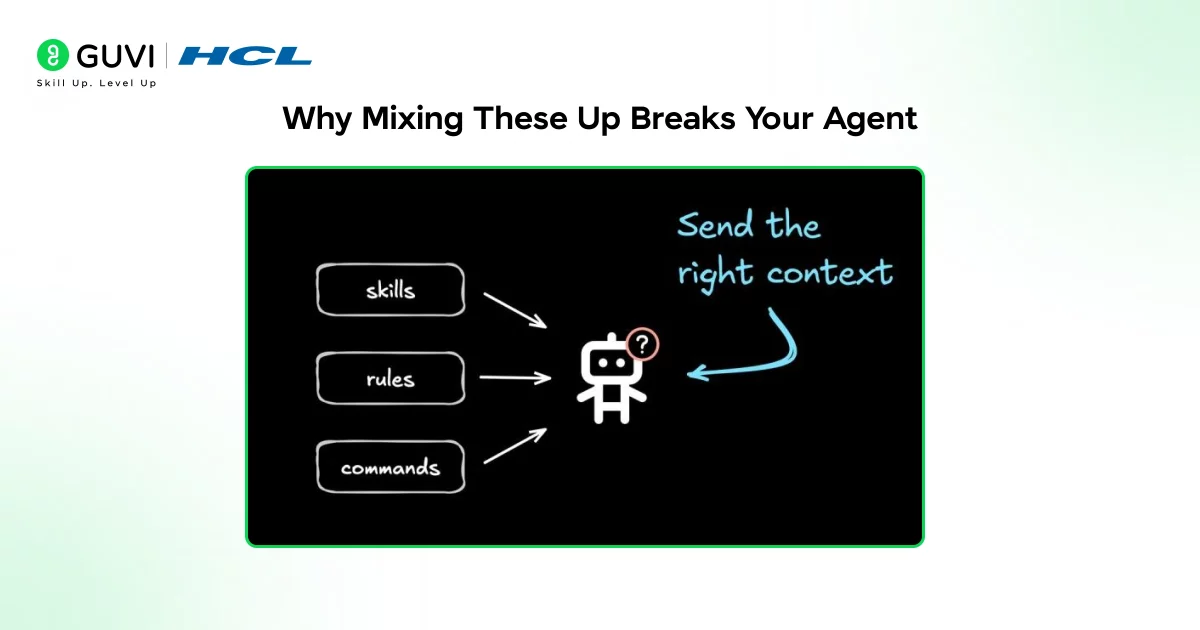
- Rules written as commands stop working at scale
If you write “always summarize responses in three bullet points” as a command rather than a rule, it only applies when explicitly triggered. The agent ignores it everywhere else. Your users get inconsistent output and you cannot figure out why.
- Commands written as skills create unpredictable behavior
When you try to package a one-time action as a reusable capability, the agent applies it in contexts where it does not belong. A command to send an email becomes a skill the agent uses whenever it thinks email might be relevant, whether you wanted that or not.
- Skills written as rules create rigid agents
Rules are constraints. Skills are capabilities. Telling an agent it must always use a particular capability as a rule removes the judgment that makes skills valuable. You get an agent that applies the same approach to every problem regardless of whether it fits.
- Missing the right layer entirely
The most common mistake is building agents with only one or two of the three layers. An agent with skills but no rules has capability without guardrails. An agent with rules but no skills has constraints but cannot do anything useful. An agent with commands but no skills cannot handle anything that was not explicitly pre-programmed.
- Inconsistency that is impossible to debug
When skills, rules, and commands are not clearly separated, agent behavior becomes unpredictable. Something works in one conversation and breaks in another. You cannot tell whether the problem is a capability issue, a constraint violation, or a missing trigger.
Read More: AI Agent Frameworks: A Complete Guide for Developers
Breaking Down Each Layer: Skills, Rules, and Commands
Layer 1: Agent Skills
Skills are what your agent knows how to do. They are complex, multi-step capabilities the agent can apply flexibly across different situations. A skill is not a single action. It is a learned pattern of behavior the agent uses to accomplish a category of task.
Writing a research report, analyzing a dataset, drafting a professional email, debugging a piece of code. These are skills. They involve judgment, sequencing, and adaptation to context.
Layer 2: Rules
Rules are persistent guidelines that govern how the agent behaves across every single interaction, whether or not any specific task is being performed. Rules do not get triggered. They are always active. Always respond in the user’s language.
Never share personal data. Keep responses under 200 words unless asked for detail. These are rules. They shape the character and constraints of your agent at all times.
Layer 3: Commands
Commands are explicit triggers for specific immediate actions. When a user types a particular phrase or when a specific condition is met, the command fires and a defined action happens.
Commands are deterministic. The same input always produces the same output. Type /summarize and the agent summarizes. Type /reset and the conversation clears. Commands remove ambiguity for actions where you always want the same behavior.
Did You Know? The most reliable AI agents in production environments use all three layers together. Skills handle complexity and judgment. Rules handle consistency and safety. Commands handle precision and predictability. Removing any one layer creates gaps that the other two cannot fill.
What Each Layer Looks Like in Practice
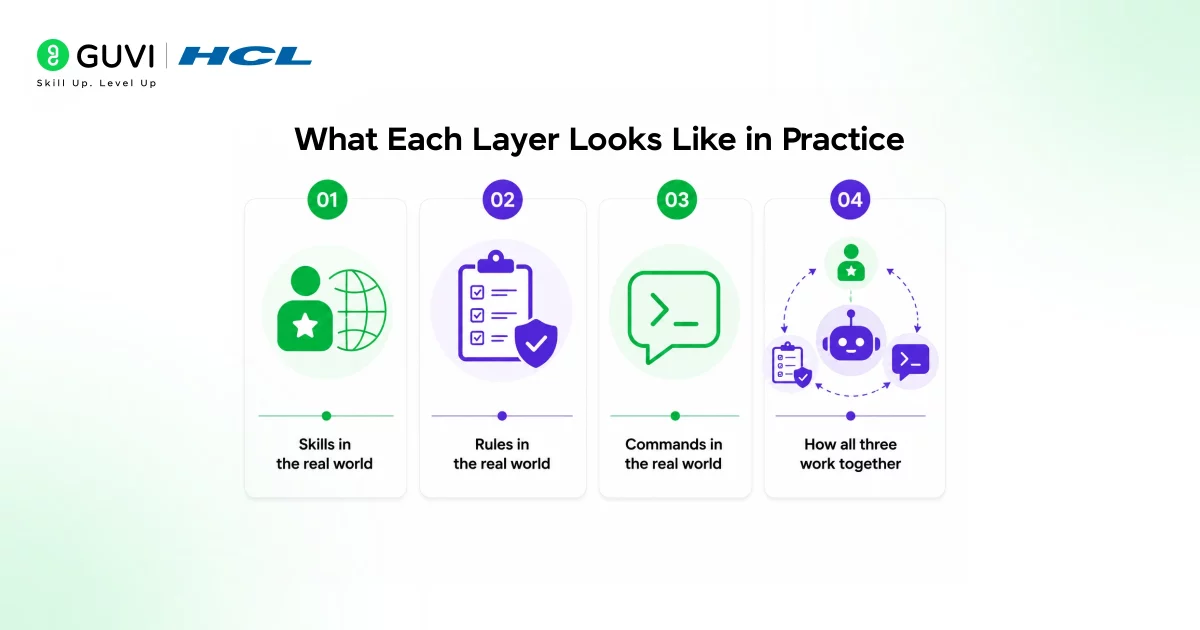
- Skills in the real world
A customer support agent has a skill for handling refund requests. The skill involves understanding the complaint, checking relevant policy, assessing the situation, and drafting an appropriate response. No two refund conversations are identical but the agent applies the same underlying capability to all of them, adapting to the specifics of each case.
- Rules in the real world
The same customer support agent has a rule that it never promises outcomes it cannot guarantee and always escalates to a human when a user expresses significant frustration. These rules apply to every conversation regardless of what skill the agent is currently using. They are not triggered by specific inputs. They are always there.
- Commands in the real world
That same agent has a /escalate command. When a user or internal system triggers it, the agent immediately transfers the conversation to a human support representative and stops handling the interaction itself. The command does not involve judgment. It fires and executes a defined action every single time.
- How all three work together
A user contacts support angry about a billing error. The rule detects significant frustration and flags that escalation may be needed. The skill handles the billing inquiry, investigates the error, and drafts a response. The command fires when the agent or user decides escalation is the right call. Each layer does its job. None of them overlap.
The most reliable AI agents are built using three distinct layers: skills, rules, and commands. Skills provide capabilities and reasoning, rules ensure consistency and safety, and commands deliver precise, predictable actions.
Removing any one layer creates gaps that the others cannot fill, which is why production-grade agents always combine all three for reliability at scale. :contentReference[oaicite:0]{index=0}
How to Define Skills, Rules, and Commands: Step-by-Step Process
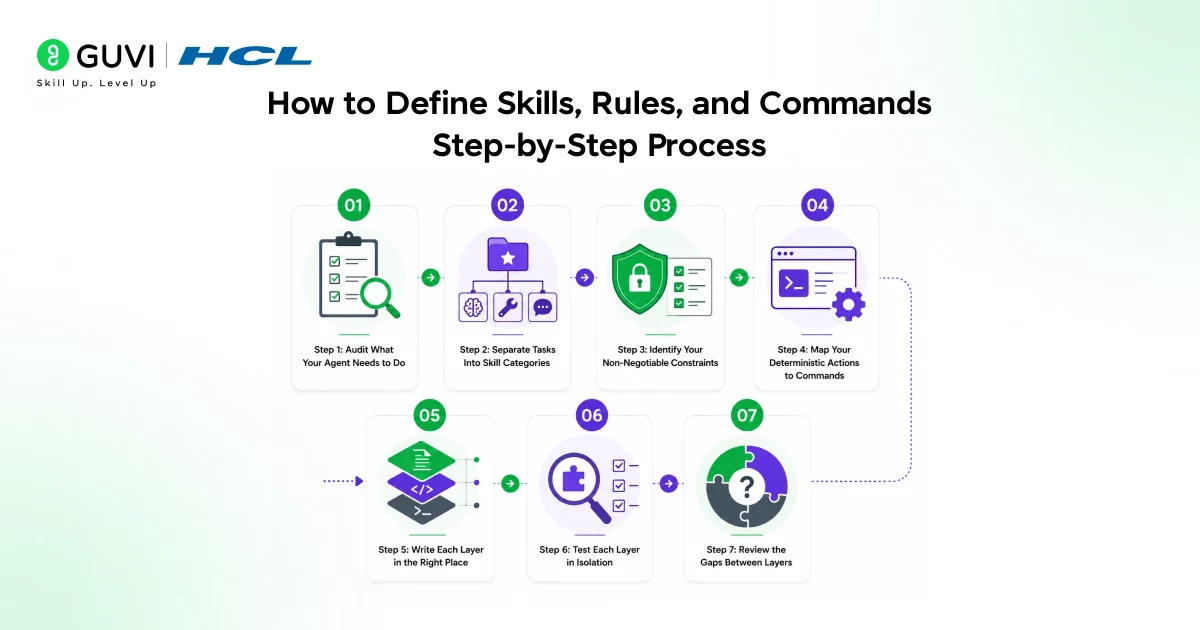
Here is exactly how to define all three layers clearly and build agents that use them correctly.
Step 1: Audit What Your Agent Needs to Do
Start with the task list, not the architecture
Before defining anything, write down every type of task your agent needs to handle. Do not think about skills, rules, or commands yet.
Just list what the agent needs to be able to do. This list becomes the foundation everything else is built on and stops you from over-engineering before you understand the actual requirements.
Step 2: Separate Tasks Into Skill Categories
Group by complexity and judgment required
Look at your task list and identify which items require multi-step reasoning, contextual judgment, or adaptation to different situations. These become your skills.
A skill should be broad enough to cover a category of related tasks, not so narrow that every variation needs its own skill. If two tasks require the same underlying capability, they belong to the same skill.
Step 3: Identify Your Non-Negotiable Constraints
Define the rules that never switch off
Ask yourself what behaviors your agent must always exhibit and what it must never do, regardless of what task it is performing. These become your rules.

Write them as clear, unambiguous statements. Avoid vague language. “Be helpful” is not a rule. “Never share user data with third parties” is a rule. Rules should be specific enough that you could test whether the agent is following them.
Step 4: Map Your Deterministic Actions to Commands
Find the actions that should always work the same way
Look for actions where you always want identical behavior regardless of context. Actions that should be triggerable by a specific input. Actions where judgment would introduce unwanted variability.
These become your commands. Define the trigger clearly, define the action precisely, and make sure the command does exactly one thing consistently.
Step 5: Write Each Layer in the Right Place
Architecture determines reliability
Skills belong in your agent’s training data, fine-tuning, or retrieval system. Rules belong in your system prompt or persistent configuration that applies to every session.
Commands belong in your input handling layer where specific triggers are detected and mapped to defined outputs before the agent’s reasoning even engages. Putting any layer in the wrong place breaks the behavior you are trying to create.
Step 6: Test Each Layer in Isolation
Find problems before they compound
Test your rules without triggering any commands and without relying on specific skills. Test your skills without depending on specific commands being issued. Test your commands independent of the skill being used in that conversation.
Isolating each layer during testing makes it dramatically easier to identify where a problem originates when something does not work as expected.
Step 7: Review the Gaps Between Layers
The gaps are where agents break
After defining all three layers, look for situations that fall between them. What happens when a user asks for something the agent has no skill for? What happens when a command is triggered during a sensitive interaction the rules are trying to manage?
What happens when a skill reaches a point where a command should fire but has not been triggered? These gaps need explicit handling or your agent will behave unpredictably in edge cases.
Common Mistakes Developers Make
- Writing rules as part of skills so they only apply during specific tasks instead of all the time
- Creating commands for things that actually require judgment and should be skills instead
- Defining skills so narrowly that the agent cannot adapt them to slightly different situations
- Leaving gaps between layers that create undefined behavior in edge cases
- Testing the full agent without ever testing individual layers in isolation
- Using too many commands and not enough skills, creating agents that can only handle pre-programmed scenarios
- Writing vague rules that the agent interprets differently in different contexts
Getting Maximum Value From All Three Layers
- Define rules before skills
Rules set the boundaries everything else operates within. Define your non-negotiable constraints first. Then build skills that operate within those constraints. This order prevents you from building capable agents that behave badly.
- Keep commands narrow and specific
Every command should do exactly one thing. If you find yourself writing a command that branches based on context, it should probably be a skill instead. Commands earn their value through absolute predictability. The moment they require judgment, they stop being commands.
- Name your skills descriptively
A skill called “handle user inquiry” tells you nothing. A skill called “research and summarize competitor pricing” tells you exactly what capability you are building. Descriptive skill names make it easier to identify gaps and avoid duplicating capabilities.
- Document the interaction between layers
Write down explicitly how your rules affect your skills and how your commands interact with both. This documentation is not just for other developers. It forces you to think through the interactions clearly and reveals gaps you would otherwise miss until production.
- Revisit rules when agent behavior feels off
When your agent behaves inconsistently in ways you cannot explain, rules are often the culprit. Either a rule is missing, a rule is too vague, or a rule is being overridden by something in the skill definition. Start your debugging with the rules layer before assuming the skill is broken.
The way AI agents are structured closely mirrors how successful organizations operate. Skills represent what employees can do, rules act as company-wide policies, and commands function like specific instructions from a manager.
The most effective agents are built with this same clear separation of responsibilities, ensuring consistent behavior, adaptability, and reliable execution at scale.
How This Applies Across Different Agent Types
- Customer support agents
- Coding agents
- Research agents
- Personal productivity agents
To learn more on Agent Skills, Rules and Commands, do not miss the chance to enroll in HCL GUVI’s Intel & IITM Pravartak Certified Artificial Intelligence & Machine Learning course. Endorsed with Intel certification, this course adds a globally recognized credential to your resume, a powerful edge that sets you apart in the competitive AI job market.
Conclusion
Agent skills, rules, and commands are not interchangeable. They solve different problems, operate at different levels, and break in different ways when misused.
Skills give your agent capability and judgment. Rules give it consistency and safety. Commands give it precision and predictability. Together they form a complete system. Remove any one layer and the agent has a gap that the other two cannot cover.
The developers who build the most reliable agents are not the ones who write the most sophisticated prompts. They are the ones who think clearly about which layer each behavior belongs to and build each layer with the right tool.
FAQs
1. Can a skill and a command overlap for the same task?
They can but they should not. If a task requires judgment and adaptation, it belongs in a skill. If it should always produce identical output from a specific trigger, it belongs in a command. Overlap creates unpredictability. Separate them clearly and your agent will be more reliable.
2. How many rules should an agent have?
Enough to cover your non-negotiable constraints and no more. Too few rules leave dangerous gaps. Too many rules create conflicts and make the agent feel rigid and unhelpful. A well-designed agent typically has between five and fifteen clearly written rules that cover the genuinely important constraints.
3. What happens if a command conflicts with a rule?
Rules should take precedence over commands. If a command would violate a rule, the agent should either refuse to execute the command or execute a modified version that stays within the rule’s constraints. Design your command set with your rules in mind to minimize these conflicts.
4. How do I know if something should be a skill or a rule?
Ask whether it should always be active or only when performing a specific task. If it should always be active regardless of what the agent is doing, it is a rule. If it is a capability the agent applies when working on a particular type of task, it is a skill.
5. Can I add new skills to an agent without changing its rules or commands?
Yes, and this is one of the main advantages of keeping the three layers separate. New skills can be added within the existing rule framework without needing to redefine your constraints. Your rules keep the new skill operating within the same boundaries as everything else the agent does.
Success Stories

About the Author
Vishalini Devarajan
An Aerospace Engineer turned content writer, I focus on making complex concepts easy to understand through well-structured, reader-friendly blogs. Whether it’s a technical topic or a non-technical one, I love creating content that is clear, engaging, and impactful.
View all posts by Vishalini Devarajan
Connect with me @













Did you enjoy this article?