


Interview Articles
InfyTQ Interview Experience 2026: Process, Questions, Preparation & Tips
Deloitte NLA Interview Experience 2026: Rounds, Questions and Preparation - Best Guide
Capgemini Exceller Interview Questions 2026: Coding, Technical, HR, and AI Prep - Best Guide
Wipro Elite NTH Interview Experience 2026: What Candidates Say


Get In Touch For Details! Request More Information
Most Asked 40+ React Interview Questions and Answers in 2026
Aug 11, 2026 13 Min Read 16930 Views
(Last Updated)
Table of contents
- TL;DR
- What Are React Interview Questions?
- What Interviewers Look For
- Top 10 React Interview Questions
- Beginner-Level React Interview Questions and Answers (For Freshers and Entry-Level Candidates)
- What is React?
- Why is React used?
- What is JSX?
- What are components in React?
- What are props in React?
- Example
- What is state in React?
- Props vs State: What is the difference?
- What is the Virtual DOM?
- What is reconciliation in React?
- Why are keys important in React?
- Intermediate-Level React Interview Questions and Answers (For 1-3 years of experience)
- What are React Hooks?
- What is useState()?
- Example
- What is useEffect()?
- Example
- Interview tip
- What is the dependency array in useEffect()?
- What is useContext()?
- What is useRef()?
- Example
- What is useMemo()?
- What is useCallback()?
- What is React.memo()?
- Example
- What is the difference between useMemo and useCallback?
- Advanced-Level React Interview Questions and Answers (For 3+ years of experience)
- What are the Rules of Hooks?
- What is a custom Hook?
- What is lifting state up?
- What is prop drilling?
- Controlled vs uncontrolled components: What is the difference?
- What is conditional rendering?
- What is Suspense in React?
- What is the React Compiler?
- What happens if you call a Hook inside an if statement?
- Why does useEffect sometimes run twice in development?
- How do you prevent unnecessary re-renders?
- Scenario-Based React Interview Questions
- A React page is loading slowly. How would you optimize it?
- A component keeps re-rendering unnecessarily. What would you check?
- Two sibling components need the same state. What would you do?
- An API request keeps running repeatedly. What could be wrong?
- Your React form has 20 fields. How would you manage it?
- How would you handle loading and error states for an API?
- React Coding Challenges
- Build a Counter
- Build a Todo Application
- Build a Searchable Product List
- Build Pagination
- Build a Form with Validation
- Build an Accordion
- Build a Modal
- Build a Pagination or Infinite Scroll Component
- Build a Custom useFetch Hook
- Build a Theme Switcher
- React Interview Questions for Freshers
- Questions you should definitely prepare:
- React Interview Questions for Experienced Developers
- Common experienced-level questions
- React vs Other Technologies: What Interviewers May Ask
- Interview tip
- Common React Interview Mistakes
- Memorizing definitions
- Using useEffect for everything
- Using useMemo everywhere
- Confusing props and state
- Ignoring JavaScript
- Practicing only theory
- Giving memorized performance answers
- How to Prepare for a React Interview?
- Step 1: Master JavaScript fundamentals
- Step 2: Learn React fundamentals
- Step 3: Master React Hooks
- Step 4: Build practical projects
- Step 5: Practice coding problems
- Step 6: Practice scenario-based questions
- Step 7: Practice mock interviews
- Quick React Interview Revision Cheat Sheet
- Ready to Prepare for a Full-Stack Interview?
- Wrapping Up
- Frequently Asked Questions
- What are the most common React interview questions?
- Is React difficult to learn for interviews?
- What should freshers prepare for a React interview?
- What React coding questions are asked in interviews?
- What React Hooks should I learn for interviews?
- How do I prepare for a React interview with experience?
- Is JavaScript required before learning React?
- How many React projects should I build before an interview?
TL;DR
- React interview preparation should cover fundamentals, Hooks, component design, state management, performance, and practical coding problems.
- Freshers should focus on JSX, components, props, state, events, lists, conditional rendering, and basic Hooks.
- Experienced developers should prepare for reconciliation, rendering, performance optimization, state architecture, Suspense, server-side rendering, and debugging scenarios.
- React coding interviews often test practical skills such as forms, API fetching, search, pagination, filtering, Todo applications, and reusable components.
- Do not memorize definitions alone. Interviewers often ask why, when, and how you would use a React feature.
- Modern React preparation should also include Rules of React and current optimization approaches such as React Compiler, rather than relying only on older explanations of the Virtual DOM.
- Building practical React projects and practicing mock interviews can help you turn theoretical knowledge into interview-ready skills.
Your React interview might not start with “What is React?” It could start with a coding task, a performance problem, or a question about why your component keeps re-rendering.
React continues to be one of the most widely used technologies for building web interfaces. According to the Stack Overflow Developer Survey 2025, React was used by 44.7% of professional developers who responded to the survey, highlighting its continued relevance in modern web development.
React’s official documentation also continues to evolve with modern capabilities such as the React Compiler, Hooks, Suspense, and current Rules of React, making it important for candidates to prepare beyond older React interview definitions.
That’s where this guide comes in. We’ve compiled 40+ React interview questions and answers covering beginner, intermediate, advanced, Hooks, scenario-based, and coding concepts. This guide will help you understand what to answer, why it matters, and how to approach React interview questions with confidence.
What Are React Interview Questions?
React interview questions are questions asked by recruiters and technical interviewers to evaluate a candidate’s understanding of React.js and their ability to build, debug, optimize, and maintain React applications.
They can range from basic concepts such as JSX, components, props, and state to advanced topics such as Hooks, rendering, reconciliation, performance optimization, Suspense, React Server Components, and the React Compiler.
What React Interview Questions Typically Cover
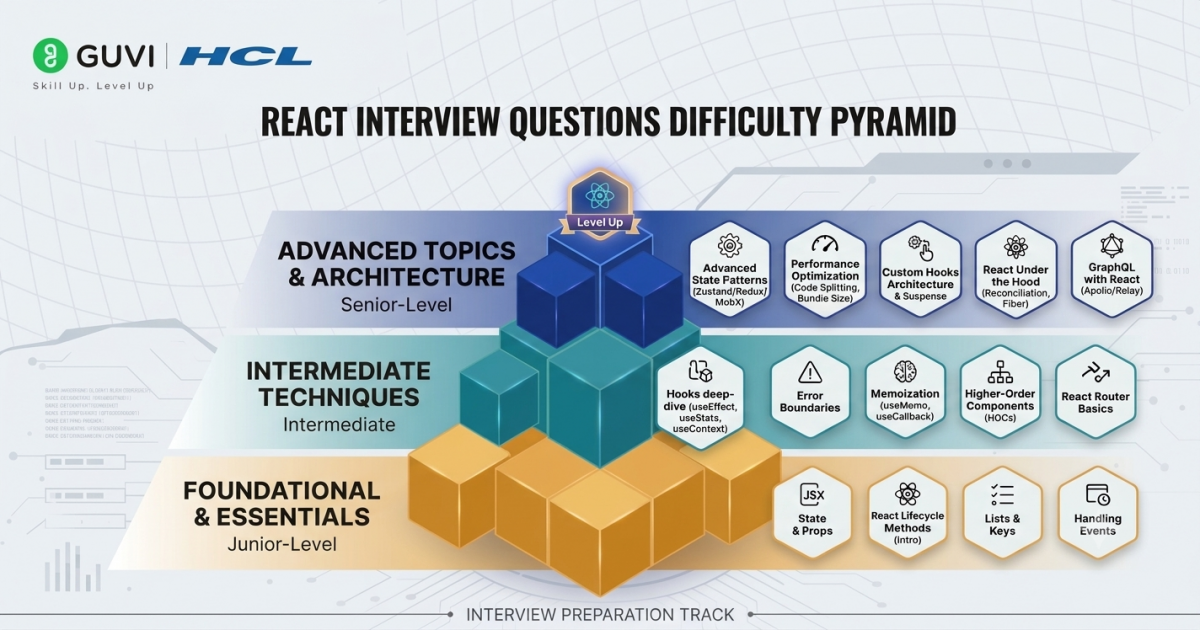
- React fundamentals: JSX, components, props, state, events, conditional rendering, and lists.
- React Hooks: useState(), useEffect(), useContext(), useRef(), useReducer(), useMemo(), and useCallback().
- Component design: Component composition, reusable components, controlled and uncontrolled components, and state management.
- Rendering and performance: Re-rendering, reconciliation, keys, memoization, code splitting, and performance optimization.
- Modern React: Suspense, React Server Components, concurrent features, and the React Compiler.
- Scenario-based questions: Debugging unnecessary re-renders, repeated API requests, slow pages, large lists, and state-management problems.
- Coding questions: Building practical features such as Todo lists, search, pagination, forms, modals, accordions, and API-driven components.
- Experience-based questions: Architecture, testing, debugging, scalability, and performance for experienced React developers.
What Interviewers Look For
- Conceptual understanding: Can you explain why a React feature works, not just define it?
- Practical application: Can you use React concepts to solve real development problems?
- Problem-solving: Can you debug unexpected rendering, state, or performance issues?
- Code quality: Can you write readable, maintainable, and reusable React code?
- Decision-making: Can you explain why you selected a particular React pattern or optimization?
- Modern React knowledge: Are you familiar with current React practices rather than relying only on older patterns?
Quick Answer: React interview questions test your knowledge of React fundamentals, Hooks, components, rendering, performance, modern React features, and practical coding. The best preparation combines concept revision with hands-on projects, coding practice, and scenario-based problem solving.
Top 10 React Interview Questions
If you have limited time before your interview, start with these questions:
- What is React?
- What is JSX?
- What is the difference between props and state?
- What are React Hooks?
- What is useEffect()?
- What is the Virtual DOM?
- What is reconciliation in React?
- What are keys in React?
- What is the difference between controlled and uncontrolled components?
- How can you optimize the performance of a React application?
These questions cover the foundation of React and can lead to deeper follow-up questions.
| React Interview Topic | What You Should Know | Difficulty | Common Interview Focus |
| React Components | Reusable UI building blocks and component composition | Beginner | Functional components, component structure |
| JSX | Syntax for describing UI within JavaScript | Beginner | JSX vs HTML, expressions, rendering |
| Props | Data passed from a parent to a child component | Beginner | Props vs state, read-only nature |
| State | Data managed by a component that can change over time | Beginner | useState(), state updates, re-rendering |
| React Fragments | Groups elements without adding an extra DOM node | Beginner | <>…</>, avoiding unnecessary wrapper elements |
| Keys | Helps React identify list items between renders | Beginner–Intermediate | Stable keys, why array indexes can be problematic |
| useState() | Adds and manages state in function components | Beginner | State updates, functional updates |
| useEffect() | Synchronizes a component with external systems | Intermediate | Dependencies, cleanup, unnecessary Effects |
| useContext() | Reads values shared through React Context | Intermediate | Avoiding prop drilling, Context use cases |
| useRef() | Stores a mutable reference without triggering re-renders | Intermediate | DOM references, persistent values |
| useMemo() | Caches the result of a calculation | Intermediate | Performance optimization, avoiding unnecessary recalculation |
| useCallback() | Caches a function definition | Intermediate | Function identity, memoized child components |
| React.memo() | Can skip rendering when relevant props have not changed | Intermediate | Preventing unnecessary renders |
| Custom Hooks | Reusable functions for sharing stateful React logic | Intermediate | Logic reuse, Hook rules |
| Reconciliation | React’s process for determining necessary UI updates | Advanced | Rendering, keys, component updates |
| Suspense | Coordinates fallback UI while certain content is not ready | Advanced | Lazy loading, loading states |
| React Compiler | Build-time optimization that can automatically memoize supported code | Advanced | Modern React performance optimization |
| Performance Optimization | Identifying and fixing actual rendering or loading bottlenecks | Advanced | Profiling, memoization, code splitting |
| Scenario-Based Questions | Applying React concepts to real development problems | Advanced | Debugging, architecture, performance |
| React Coding Questions | Building practical UI features from scratch | Beginner–Advanced | Todo apps, forms, search, pagination, API handling |
Quick tip: If you have limited time before your interview, prioritize props, state, Hooks, useEffect(), keys, rendering, performance optimization, and practical coding problems. Experienced candidates should additionally focus on reconciliation, architecture, debugging, Suspense, and modern React optimization.
Beginner-Level React Interview Questions and Answers (For Freshers and Entry-Level Candidates)
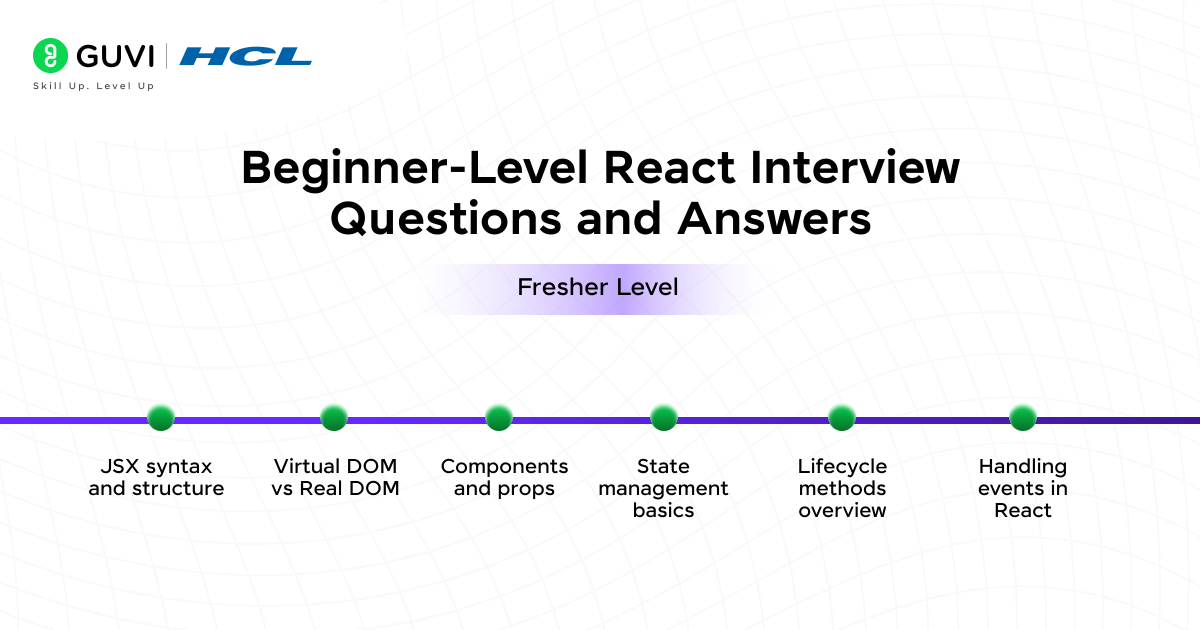
Your first React job interview might seem daunting. The good news is that most interviewers test beginners on simple concepts rather than complex implementations. Here are the most common React interview questions you’ll face as a fresher or entry-level candidate.
1. What is React?
React is a JavaScript library that Facebook created to build user interfaces, particularly interfaces made up of reusable components, mainly for single-page applications.
React uses a declarative programming model. Instead of manually telling the browser how to update every part of the UI, developers describe what the UI should look like based on the application’s current state, and React handles the rendering process.
Example
A shopping application might have separate components for:
- Navbar
- Product card
- Shopping cart
- Checkout form
- Footer
These components can be reused throughout the application.
Interview tip
Do not simply say: “React is a JavaScript library.”
Add why developers use it:
“React is a JavaScript library for building component-based user interfaces using a declarative programming model.”
React was created at Facebook and was publicly released in 2013. It has since become one of the most widely used technologies for building web interfaces.
2. Why is React used?
React is popular because it provides:
- Reusable components
- Declarative UI development
- State-driven rendering
- A large ecosystem
- Developer tooling
- Support for both small and large applications
React also provides APIs, Hooks, components, React DOM functionality, and support for modern React development patterns.
3. What is JSX?
JSX(JavaScript XML) is a syntax extension that allows developers to write markup-like syntax directly within JavaScript.
Example
const element = <h1>Hello, React!</h1>;
JSX makes component code easier to read because the UI structure and component logic can be expressed together.
JSX is not HTML. It is transformed into JavaScript that React can work with.
4. What are components in React?
Components in React are reusable building blocks of a React application that include logic, UI, and styling.
A component can receive data, manage state, and return UI.
Example
function Welcome() {
return <h1>Welcome to GUVI!</h1>;
}
Here, Welcome is a React component.
Common types of components
Modern React development primarily uses function components. Older React applications may also contain class components.
5. What are props in React?
Props in React, short for properties, allow data to be passed from a parent component to a child component.
Example
function Welcome({ name }) {
return <h1>Hello, {name}</h1>;
}
function App() {
return <Welcome name=”Rahul” />;
}
Here, name is passed from App to Welcome as a prop.
Key points
- Props are generally treated as read-only inputs by the receiving component.
- Props and state are immutable snapshots for a given render. A child component should not mutate its props directly.
- Allow parent-child communication.
- Can pass any data type (strings, arrays, functions, even components).
6. What is state in React?
State is an object that holds the dynamic data of a component and determines how the component behaves. It is local to the component and can change over time, causing the component to re-render.
For example, a counter component might store the current count as state.
const [count, setCount] = useState(0);
When the state changes, React can render the component again so the UI reflects the updated state.
7. Props vs State: What is the difference?
| Props | State |
| Passed into a component | Managed by a component |
| Usually comes from a parent | Can be created within a component |
| Treated as read-only | Can change |
| Used to configure components | Used to represent changing data |
Simple example
Think of a product card.
Props:
- Product name
- Price
- Image
State:
- Whether the product is in the cart
- Whether a menu is open
8. What is the Virtual DOM?
The Virtual DOM is a commonly used conceptual model for understanding how React manages UI updates.
Rather than requiring developers to manipulate individual DOM nodes manually, React determines what the UI should look like and coordinates the necessary updates.
Interview tip
Avoid saying: “Virtual DOM means React changes only one DOM element.”
That is an oversimplification.
A stronger answer explains that React uses its rendering and reconciliation process to determine the appropriate UI updates.
9. What is reconciliation in React?
Reconciliation is the process React uses to determine what needs to change when the rendered output changes.
React compares the new rendering result with the previous one and determines what work needs to be committed to the UI.
This is one reason keys are important when rendering lists.
10. Why are keys important in React?
Keys help React identify items in a list.
Example
const users = [
{ id: 1, name: “Anu” },
{ id: 2, name: “Rahul” }
];
users.map(user => (
<li key={user.id}>{user.name}</li>
));
A stable, unique key helps React track items when the list changes.
Interview tip
Avoid using array indexes as keys when list items can be reordered, inserted, or deleted.
Would you like to start learning React but aren’t sure about online courses yet? Well then, our React e-book will be the perfect place for you to begin! Start reading now.
Intermediate-Level React Interview Questions and Answers (For 1-3 years of experience)
The basics of React are just the beginning. Job interviews will test your deeper understanding of React concepts. Developers with 1-3 years of experience should feel confident tackling complex React topics.
11. What are React Hooks?
React Hooks are functions that let function components use React features such as state and other React functionality.
Common Hooks include:
- useState
- useEffect
- useContext
- useReducer
- useRef
- useMemo
- useCallback
React’s current documentation also emphasizes the Rules of Hooks, including the requirement to call Hooks only where React expects them.
12. What is useState()?
useState() is a Hook used to add state to a function component.
Example
import { useState } from “react”;
function Counter() {
const [count, setCount] = useState(0);
return (
<button onClick={() => setCount(count + 1)}>
{count}
</button>
);
}
count stores the current state, while setCount updates it.
13. What is useEffect()?
useEffect() is a Hook used to synchronize a component with an external system.
Examples include:
- Connecting to a service
- Subscribing to events
- Working with browser APIs
- Controlling non-React widgets
- Fetching data in appropriate situations
The current React documentation specifically notes that if you are not synchronizing with an external system, you may not need an Effect.
Example
useEffect(() => {
document.title = `Count: ${count}`;
}, [count]);
Interview tip
Don’t describe useEffect() simply as: “It runs after rendering.”
A stronger answer explains what the Effect is synchronizing and why it is needed.
A common React interview trap is using useEffect() for logic that could simply be calculated during rendering. Modern React guidance encourages developers to avoid unnecessary Effects.
14. What is the dependency array in useEffect()?
The dependency array tells React which reactive values the Effect depends on.
useEffect(() => {
console.log(userId);
}, [userId]);
When userId changes, React can run the Effect again.
Leaving the dependency array out and providing an empty dependency array have different behaviors, so candidates should understand both rather than memorizing syntax.
15. What is useContext()?
useContext() allows a component to read values provided by a Context.
It can be useful for data such as:
- Theme
- Language
- Authentication information
- User preferences
It can reduce the need to pass certain values through many layers of components.
16. What is useRef()?
useRef() creates a mutable reference whose value persists across renders without causing a re-render when the value changes.
It is commonly used for:
- Accessing DOM elements
- Storing mutable values
- Keeping information between renders
Example
const inputRef = useRef(null);
function focusInput() {
inputRef.current.focus();
}
17. What is useMemo()?
useMemo() can cache the result of a calculation between renders.
const filteredProducts = useMemo(
() => filterProducts(products, category),
[products, category]
);
It can be useful when a calculation is expensive and its dependencies do not frequently change.
However, it should not automatically be added everywhere.
Current React documentation also notes that the React Compiler can automatically memoize values and functions, reducing the need for manual memoization in supported setups.
“Use useMemo() everywhere to make React faster” is not a good interview answer. A better answer is: “I would use memoization when profiling or application behavior indicates that avoiding a particular recalculation or render provides a meaningful benefit.”
18. What is useCallback()?
useCallback() caches a function definition between renders.
It can be useful when function identity matters, such as when passing a callback to a memoized child component.
However, just like useMemo(), it should not be used automatically without understanding the performance trade-off.
19. What is React.memo()?
React.memo() allows a component to skip re-rendering when its props have not changed according to its comparison behavior.
Example
const UserCard = React.memo(function UserCard({ name }) {
return <h2>{name}</h2>;
});
It can be useful when a component renders frequently and receives stable props.
20. What is the difference between useMemo and useCallback?
| useMemo | useCallback |
| Caches a calculated value | Caches a function |
| Returns a value | Returns a function |
| Useful for expensive calculations | Useful when function identity matters |
Simple way to remember
- useMemo → memoizes a value
- useCallback → memoizes a function
Advanced-Level React Interview Questions and Answers (For 3+ years of experience)
Senior React developers face questions that explore deeply into the library’s core concepts and advanced patterns. These questions test your understanding of React’s architecture and optimization techniques, crucial for large-scale applications.
21. What are the Rules of Hooks?
The main Rules of Hooks include:
- Call Hooks only at the top level.
- Do not call Hooks inside loops or conditions.
- Call Hooks from React function components or custom Hooks.
These rules allow React to preserve the expected ordering of Hook calls. React’s official documentation also emphasizes these restrictions.
22. What is a custom Hook?
A custom Hook is a JavaScript function whose name starts with use and that can reuse stateful React logic.
Example
function useOnlineStatus() {
// reusable logic
}
Custom Hooks help developers avoid duplicating logic across components.
23. What is lifting state up?
Lifting state up means moving shared state to the closest common parent component.
For example, if two sibling components need access to the same piece of data, the parent can manage that state and pass the required values and handlers down.
24. What is prop drilling?
Prop drilling occurs when data is passed through multiple component layers even though intermediate components do not actually need that data.
For example:
App
↓
Parent
↓
Child
↓
Grandchild
If the data is needed only by Grandchild, passing it through every intermediate component can become cumbersome.
Depending on the use case, Context or a state-management solution may help.
25. Controlled vs uncontrolled components: What is the difference?
Controlled component
The React state controls the input value.
<input
value={name}
onChange={e => setName(e.target.value)}
/>
Uncontrolled component
The DOM maintains the input’s current value, often accessed through a ref.
Both approaches have valid use cases.
26. What is conditional rendering?
Conditional rendering means displaying different UI based on a condition.

{isLoggedIn ? <Dashboard /> : <Login />}
Other approaches include:
{isLoading && <Spinner />}
And:
if (error) {
return <ErrorMessage />;
}
27. What is code splitting in React?
Code splitting means dividing application code into smaller bundles that can be loaded when needed.
This can reduce the amount of JavaScript that needs to be loaded initially.
React provides APIs such as lazy and Suspense that can be used as part of code-loading strategies.
28. What is Suspense in React?
Suspense allows components to display fallback UI while certain content is not ready.
For example:
<Suspense fallback={<Loading />}>
<Dashboard />
</Suspense>
A common use case is showing a loading state while lazy-loaded content becomes available.
29. What is the React Compiler?
The React Compiler is a build-time optimization tool that can automatically memoize components and values in supported configurations.
This is important for modern React interviews because performance discussions are increasingly about how React can optimize code automatically, rather than assuming developers must manually add useMemo() and useCallback() everywhere.
Interview tip
If asked about optimization, don’t say: “Always use useMemo and useCallback.”
Instead, explain that optimization should be based on actual application behavior and that modern React tooling can handle some memoization automatically.
30. What happens if you call a Hook inside an if statement?
You should not do this.
Incorrect
if (isLoggedIn) {
useEffect(() => {
// …
});
}
Better
useEffect(() => {
if (isLoggedIn) {
// …
}
}, [isLoggedIn]);
Hooks should remain at the top level so React can preserve their expected call order.
31. Why does useEffect sometimes run twice in development?
In development environments using Strict Mode, React may run an additional setup and cleanup cycle to help identify issues with Effect logic.
This is not the same as React intentionally running the production behavior twice.
The solution is not to blindly suppress the second execution. Instead, make sure the Effect has correct setup and cleanup behavior.
32. How do you prevent unnecessary re-renders?
Possible approaches include:
- Keeping state close to where it is needed
- Avoiding unnecessary state
- Using stable keys
- Splitting large components
- Memoizing where it provides a real benefit
- Avoiding unnecessary Effects
- Profiling before optimizing
- Using appropriate React Compiler capabilities where applicable
Interview tip
Always mention measurement or profiling.
A good answer is:
“I would first identify which component is rendering unnecessarily, determine why it is happening, and then choose an appropriate optimization rather than adding memoization everywhere.”
Scenario-Based React Interview Questions
These questions are especially important for experienced candidates because they test how you think, not just what you remember.
33. A React page is loading slowly. How would you optimize it?
Start by identifying the bottleneck.
You could investigate:
- Bundle size
- Large images
- Unnecessary rendering
- Expensive calculations
- Large lists
- Network requests
- Third-party scripts
- Component structure
Possible solutions include:
- Code splitting
- Lazy loading
- List virtualization where appropriate
- Image optimization
- Reducing unnecessary work
- Caching
- Better data-fetching strategies
- Memoization when justified
Strong interview answer
“I would profile the application first instead of assuming the problem is re-rendering. Then I would optimize the specific bottleneck and measure the result.”
34. A component keeps re-rendering unnecessarily. What would you check?
I would check:
- Whether its parent re-renders
- Whether props are changing
- Whether objects/functions are recreated
- Whether state is unnecessarily high in the component tree
- Whether an Effect is triggering a state update
- Whether memoization is appropriate
The important part is finding why the component re-renders rather than simply adding React.memo().
35. Two sibling components need the same state. What would you do?
I would usually lift the shared state to their closest common parent and pass the necessary state and handlers to the children.
If the data is shared across many unrelated parts of a large application, I would consider Context or a dedicated state-management approach depending on the application’s architecture.
36. An API request keeps running repeatedly. What could be wrong?
One possible cause is an incorrectly configured Effect dependency.
For example:
useEffect(() => {
fetchData();
}, [someObject]);
If someObject is recreated on every render, the Effect may repeatedly run.
Other causes could include:
- State updates triggering the Effect
- Incorrect dependencies
- Missing cleanup
- Component mounting repeatedly
The correct approach is to inspect the dependency relationships and component lifecycle rather than randomly changing the dependency array.
37. Your React form has 20 fields. How would you manage it?
I would consider:
- Controlled inputs where appropriate
- Reusable input components
- Validation logic
- Form state organization
- Error handling
- Submission states
- Avoiding unnecessary renders
For larger forms, using a dedicated form library may also be appropriate depending on project requirements.
38. How would you handle loading and error states for an API?
A good UI usually needs at least three states:
Loading
↓
Success → Display data
↓
Error → Display retry/error message
For example:
if (loading) return <Spinner />;
if (error) return <ErrorMessage />;
return <ProductList products={products} />;
A strong candidate should also discuss empty states and retry behavior.
React Coding Challenges
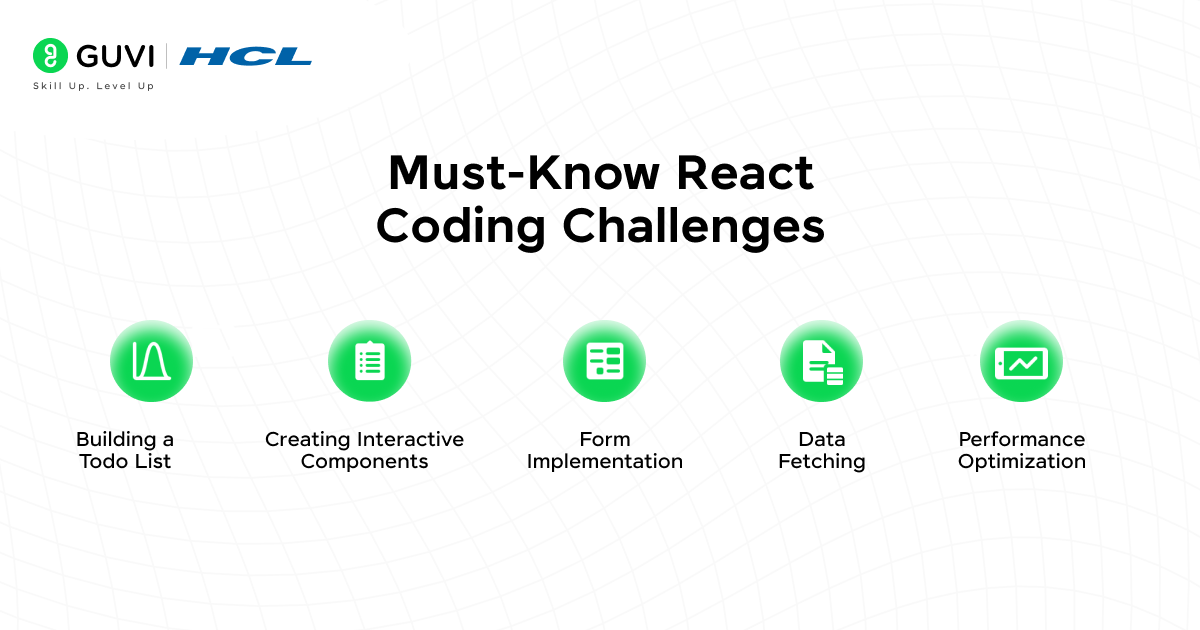
React developers need more than just theory to ace their interviews. They should know how to turn concepts into working code and solve problems effectively.
39. Build a Counter
Create a component with:
- Increment button
- Decrement button
- Reset button
What the interviewer evaluates
- useState
- Event handling
- Component structure
- State updates
40. Build a Todo Application
Features could include:
- Add todo
- Delete todo
- Mark as completed
- Filter completed/uncompleted tasks
What the interviewer evaluates
- State management
- Arrays
- Event handling
- Component design
- List rendering
- Keys
41. Build a Searchable Product List
Create a product list with a search input.
When the user types:
phone
only matching products should appear.
What the interviewer evaluates
- Controlled inputs
- Filtering
- State
- Rendering lists
- Basic optimization
42. Build Pagination
Create a list that displays a fixed number of items per page.
For example:
Page 1 | Page 2 | Page 3 | Page 4
What the interviewer evaluates
- State
- Array slicing
- Event handling
- UI logic
43. Build a Form with Validation
Create a registration form with:
- Name
- Password
- Confirm password
Validate:
- Required fields
- Email format
- Password length
- Matching passwords
Interview tip
Don’t focus only on making the form work. Explain how you would structure validation so that it remains maintainable as the form grows.
44. Build an Accordion
Create expandable sections where users can click a heading to reveal its content.
The interviewer may ask you to support:
- One open section at a time
- Multiple open sections
- Keyboard accessibility
45. Build a Modal
Create a reusable modal component with:
- Open button
- Close button
- Overlay
- Escape-key handling
This tests component design and event handling.
46. Build a Pagination or Infinite Scroll Component
For a large dataset, implement either:
- Pagination, or
- Infinite scrolling
The interviewer may then ask how you would handle:
- Loading
- Errors
- Duplicate requests
- End of data
- Empty results
47. Build a Custom useFetch Hook
Create a reusable Hook that manages:
loading
data
Error
For example:
const { data, loading, error } = useFetch(url);
This tests whether you understand how reusable stateful logic works.
48. Build a Theme Switcher
Create light and dark modes.
Possible approaches include:
- Component state
- Context
- CSS variables
- Persisting the preference
This is a good question because it can lead to follow-ups about Context and application architecture.
React Interview Questions for Freshers
Freshers should prioritize fundamentals before advanced optimization.
Questions you should definitely prepare:
- What is React?
- Why is React used?
- What is JSX?
- What are components?
- What are props?
- What is state?
- Props vs state?
- What is the Virtual DOM?
- What are keys?
- What are Hooks?
- What is useState()?
- What is useEffect()?
- What is conditional rendering?
- What is event handling?
- What are controlled components?
- What is lifting state?
- What is Context?
- What is a custom Hook?
- How do you fetch API data?
- How do you build a Todo application?
Fresher interview tip
Do not try to sound overly advanced.
If you are asked: “What is useEffect?”
Give a clear answer first. Then give a practical example.
That is much better than giving a memorized paragraph full of technical terms.
React Interview Questions for Experienced Developers
Experienced candidates should prepare beyond definitions.
Expect questions around:
- Rendering
- Reconciliation
- Performance
- State architecture
- Component design
- Hooks
- Custom Hooks
- API architecture
- Error handling
- Code splitting
- Suspense
- SSR
- Server-side rendering
- Client-side rendering
- React Server Components
- Debugging
- Testing
- Large-scale React architecture
Common experienced-level questions
- How would you optimize a large React application?
- How do you identify unnecessary renders?
- When should you use Context?
- When should you avoid Context?
- How would you structure a large React application?
- How would you handle global state?
- How would you debug a memory leak?
- How would you improve the initial loading experience?
- How do you handle API caching?
- How would you design reusable components?
React vs Other Technologies: What Interviewers May Ask
Interviewers may also test whether you understand where React fits into the frontend ecosystem.
| Technology | Basic idea |
| React | JavaScript library for building user interfaces |
| Angular | Full-featured frontend framework |
| Vue | Progressive JavaScript framework |
| Next.js | React-based framework for building web applications |
| React Native | Framework for building native mobile applications using React concepts |
Interview tip
Don’t say one technology is simply “better.”
Explain that the choice depends on:
- Project requirements
- Team expertise
- Application architecture
- Performance needs
- Ecosystem
- Deployment requirements
Common React Interview Mistakes
1. Memorizing definitions
Knowing the definition of useEffect() is not enough. Understand when and why you would use it.
2. Using useEffect for everything
Not every piece of derived data requires an Effect. Current React guidance explicitly warns that Effects are intended for synchronization with external systems.
3. Using useMemo everywhere
Memoization has a cost. Use it when there is a meaningful reason to cache a calculation.
4. Confusing props and state
Remember:
- Props come into a component.
- State is managed by the component.
5. Ignoring JavaScript
React is built on JavaScript.
You should understand:
- Functions
- Arrays
- Objects
- map()
- filter()
- Destructuring
- Promises
- Async/await
- Closures
- ES6 syntax
6. Practicing only theory
A candidate who can explain React but cannot build a simple Todo app may struggle in a practical interview.
7. Giving memorized performance answers
Don’t automatically say: “Use React.memo, useMemo and useCallback.”
Explain the actual problem first.
How to Prepare for a React Interview?
Don’t try to memorize 100 questions the night before. Use a structured approach.
Step 1: Master JavaScript fundamentals
Before React, revise:
- Functions
- Objects
- Arrays
- Destructuring
- Spread operator
- Promises
- Async/await
- Closures
- ES6 features
Step 2: Learn React fundamentals
Focus on:
- JSX
- Components
- Props
- State
- Events
- Conditional rendering
- Lists
- Keys
Step 3: Master React Hooks
Practice:
- useState
- useEffect
- useContext
- useRef
- useReducer
- useMemo
- useCallback
- Custom Hooks
Step 4: Build practical projects
Build at least two or three projects.
Good options include:
- Todo application
- E-commerce application
- Dashboard
- Expense tracker
- Weather application
- Job portal
- Blog application
For more React project ideas, explore the 15 Best React Project Ideas for Developers guide.
Step 5: Practice coding problems
- Set a timer.
- Pick one problem.
- Build it without copying a tutorial.
- Then explain your implementation out loud.
Step 6: Practice scenario-based questions
Ask yourself:
- Why did I choose this approach?
- What happens if the API fails?
- What happens with 10,000 records?
- How would I make this reusable?
- How would I optimize it?
This prepares you for follow-up questions.
Step 7: Practice mock interviews
A mock interview can reveal whether you actually understand React or are simply recognizing familiar definitions.
Quick React Interview Revision Cheat Sheet
| Topic | Remember This |
| React | JavaScript library for UI development |
| JSX | Syntax extension for describing UI |
| Component | Reusable UI building block |
| Props | Inputs passed to a component |
| State | Data managed by a component |
| Hook | Function that provides React functionality |
| useState | Manages component state |
| useEffect | Synchronizes with external systems |
| useRef | Stores a mutable reference |
| useContext | Reads context values |
| useMemo | Caches a calculation |
| useCallback | Caches a function |
| React. memo | Can skip rendering when props are unchanged |
| Key | Identifies list items |
| Context | Shares values through a component tree |
| Custom Hook | Reusable stateful logic |
| Reconciliation | Determines what UI changes are needed |
| Suspense | Coordinates fallback UI while content is not ready |
| Code splitting | Loads application code in smaller pieces |
| React Compiler | Build-time optimization and automatic memoization in supported setups |
Ready to Prepare for a Full-Stack Interview?
React is only one part of a modern full-stack development interview.
If you want structured practice across React Career, JavaScript, Node.js, SQL, MongoDB, Git, AWS, and other full-stack topics, explore GUVI’s FSD Interview Questions course for dedicated interview preparation.
Prepare for your next Full Stack Developer interview with structured questions, practical concepts, and interview-focused preparation.
Learn Full Stack Development with HCL GUVI ->
Wrapping Up
React interviews are not just tests of whether you remember React terminology. They test whether you can think like a developer. You should be able to explain:
- Why you chose a particular approach
- How components communicate
- How state flows through an application
- When a Hook is appropriate
- Why a component is re-rendering
- How you would debug a problem
- How you would improve performance
- How you would build a feature from scratch
If you’re a fresher, start with fundamentals and small coding problems.
If you’re experienced, go deeper into architecture, rendering, performance, debugging, and real-world scenarios.
And if you’re preparing for a MERN Stack interview, don’t stop at React. You should also revise JavaScript, Node.js, Express, MongoDB, SQL, APIs, Git, and other full-stack concepts. HCL GUVI’s Top 30 MERN Stack Developer Interview Questions and Answers is a useful next resource for that broader preparation.
Most importantly, don’t just read these questions.
Say the answers out loud. Write the code. Build the projects. Explain your decisions.
That’s when interview preparation starts becoming interview readiness.
Frequently Asked Questions
1. What are the most common React interview questions?
The most common questions cover React fundamentals, JSX, components, props, state, Hooks, useEffect(), the Virtual DOM, keys, rendering, and performance optimization.
2. Is React difficult to learn for interviews?
React becomes easier when you understand JavaScript fundamentals and practice building applications instead of memorizing definitions.
3. What should freshers prepare for a React interview?
Freshers should focus on JavaScript fundamentals, JSX, components, props, state, events, lists, conditional rendering, Hooks, forms, API calls, and basic coding problems.
4. What React coding questions are asked in interviews?
Common tasks include Todo applications, counters, searchable lists, pagination, forms, accordions, modals, API fetching, theme switchers, and custom Hooks.
5. What React Hooks should I learn for interviews?
Start with useState, useEffect, useContext, useRef, useReducer, useMemo, and useCallback, then learn how to build custom Hooks.
6. How do I prepare for a React interview with experience?
Experienced developers should focus on performance, rendering, reconciliation, application architecture, state management, debugging, reusable components, API handling, code splitting, and scenario-based questions.
7. Is JavaScript required before learning React?
Yes. React relies heavily on JavaScript concepts such as functions, arrays, objects, promises, closures, destructuring, and asynchronous programming.
8. How many React projects should I build before an interview?
There is no fixed number. Two or three well-built projects that you can confidently explain are generally more useful than many unfinished tutorial projects.
Success Stories

About the Author
Hashmithaa
Hi, I’m Hashmithaa — a content writer with a love for words. Writing isn’t just what I do; it’s how I connect, communicate, and create meaning in a noisy digital world. And if my words help someone make a better decision, learn something new, or feel more confident, then I’ve done my job well.
View all posts by Hashmithaa
Connect with me @














Did you enjoy this article?