


Database Articles
SQL Window Functions: Practical Examples Every Analyst Needs
Microservices vs Monolith: Making the Right Architectural Choice


Get In Touch For Details! Request More Information
How Does Database Servers Work (2026 Guide)
Jun 09, 2026 4 Min Read 18989 Views
(Last Updated)
Have you ever wondered how your favourite apps store, manage, and retrieve huge amounts of data within seconds? Every time you search, log in, or scroll, there’s something powerful working silently in the background called Database Servers.
In today’s digital world, almost every website and application depends on Database Servers to handle data smoothly and efficiently. But how do they actually work behind the scenes? In this guide, we’ll break down the concept in a simple, visual, and beginner-friendly way so you can finally understand how Database Servers work without any confusion.
Table of contents
- TL;DR Summary
- What are Database Servers
- Features of Database Servers
- How Does a Database Server Work
- Step 1: Application Sends a Request
- Step 2: Database Servers Receive & Validate the Request
- Step 3: Query Processing
- Step 4: Search or Execute Operations in Database Storage
- Step 5: Data Retrieval and Response Preparation
- Step 6: Response Sent Back to Application
- Importance of Database Servers in Backend Software Development
- Top Enterprise Database Software & Systems
- MySQL
- Oracle RDBMS
- PostgreSQL
- MongoDB
- Microsoft SQL Server
- Conclusion
- FAQs
- What is the difference between a database and a database server?
- Are all databases managed by a database server?
- Can I use any database server for my backend development?
- What role does the Database Management System (DBMS) play in a database server?
- How does a database server handle data consistency in distributed environments?
TL;DR Summary
- This blog explains what Database Servers are and how they manage application data.
- Explore the important features that make these systems useful for modern applications.
- Understand the complete workflow behind storing, processing, and retrieving information.
- Learn why they are important in backend development and explore commonly used enterprise database systems.
Edgar F. Codd introduced the relational database model in 1970, shaping modern Database Servers.
What are Database Servers
Database Servers are systems or programs responsible for storing, managing, and providing data to applications when requested. Every time you log in to a website, search for something, place an order, or send a message, Database Servers work in the background to process and manage that information.
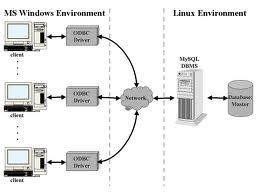
Database Servers follow a client-server model, where applications send requests, and the server processes them before returning the required information. Simply put, applications ask for data, and Database Servers retrieve, update, store, or manage it.
Think of Database Servers as smart storage managers. Instead of applications searching through huge amounts of information themselves, they simply send requests, and the server quickly handles everything behind the scenes.
There are different types of Database Servers available today. Some are open-source, while others are commercial solutions. Popular examples include MySQL, MongoDB, PostgreSQL, MSSQL, and Oracle.
The working process of Database Servers is simple. A server continuously runs in the background and waits for requests from authorized users or applications. When a request arrives, the server processes it using SQL (Structured Query Language) or other supported methods, performs the required operation, and returns the result.
Different Database Servers use different storage engines and techniques to manage data efficiently. In most cases, data is physically stored as files either on the same machine where the server runs or on remote storage systems connected to it.
Features of Database Servers
- Efficient Data Storage: Database Servers store large amounts of data in an organized way, making information easier to manage and access.
- Fast Data Retrieval: Database Servers process requests and retrieve data quickly, enabling applications to deliver faster user experiences.
- Data Security: Database Servers use authentication, permissions, and other security measures to protect sensitive information from unauthorized access.
- Scalability: Database Servers can handle increasing amounts of data, users, and requests without significantly affecting performance.
- Backup and Recovery: Database Servers support backup and recovery mechanisms to help prevent data loss during failures or other unexpected issues.


Ready to move beyond theory and gain practical database skills? Join HCL GUVI’s SQL Server Course and learn how to write SQL queries, manage Database Servers, implement security, handle backups, and work with real-world SQL Server concepts through hands-on learning.
How Does a Database Server Work
To understand how Database Servers work, imagine what happens when you log in to a website, search for something, or place an order. Behind the scenes, Database Servers follow a sequence of steps to process, manage, and deliver information between applications and stored data.
Step 1: Application Sends a Request
The process starts when a user performs an action inside an application, such as logging in, searching, or submitting a form. The application converts this action into a request or query and sends it to Database Servers.
Step 2: Database Servers Receive & Validate the Request
Once the request reaches the Database Servers, the server checks whether the application or user has the required permissions to access the requested information.
During this stage, authentication, validation, and access checks are performed to ensure only authorized requests are processed.
Step 3: Query Processing
After validation is completed, Database Servers process the incoming query. In most cases, this query is written using SQL (Structured Query Language) or another supported query language depending on the database type.
At this stage, the server understands what operation needs to be performed, such as retrieving, updating, adding, or deleting data.
Step 4: Search or Execute Operations in Database Storage
Once the query is understood, Database Servers search the stored data or execute the requested operation within the database.
Since data is usually organized into tables, rows, and columns, the server can efficiently locate, modify, or manage large amounts of data while maintaining data consistency and avoiding conflicts between multiple users.
Step 5: Data Retrieval and Response Preparation
After the required information is found or updated, Database Servers retrieve the data and prepare it in a format that the application can understand.
This step ensures applications receive structured information such as search results, profile details, messages, or other requested content.
Step 6: Response Sent Back to Application
Finally, Database Servers send the processed information back to the application. The application then displays the result to users.

Once the request is completed, Database Servers continue running in the background, waiting for new requests while continuously managing connections, performance, and data availability.
Importance of Database Servers in Backend Software Development
Understanding Database Servers is important because modern applications depend on them to store, manage, and process information efficiently. Here are some reasons why learning about them matters in backend software development:
- Efficient Data Management: Helps developers store, retrieve, update, and manage data efficiently, making applications easier to maintain.
- Better Application Performance: Understanding how they work helps optimize queries and improve application speed for smoother user experiences.
- Supports Scalability: Helps systems manage growing amounts of data and increasing user traffic more efficiently.
- Improved Security: Helps developers implement security measures that protect sensitive information.
- Builds Reliable Applications: Helps create stable applications that effectively handle multiple users, requests, and continuous operations.
Top Enterprise Database Software & Systems
Enterprise database systems are designed to provide high availability, scalability, performance, and reliability for applications that handle large volumes of data. Some solutions are open-source and free to use, while others are premium platforms built for large-scale business operations.
MySQL
MySQL is one of the most widely used database systems because of its simplicity, stability, and strong community support. It is commonly used in websites, web applications, and small to medium-sized projects.
Many developers choose MySQL because it is relatively easy to learn and provides good performance for handling structured data. Its large ecosystem and extensive documentation make it a popular choice for both beginners and enterprises.
Oracle RDBMS
Oracle is an enterprise-grade database system designed for organizations that require high performance, advanced security, and large-scale data management. It is commonly used in industries where reliability and uptime are critical.
Oracle offers advanced capabilities for handling complex workloads, large transactions, and high user traffic. Because of its extensive enterprise features, it is widely adopted by large organizations and businesses.
PostgreSQL
PostgreSQL is known for its advanced functionality, strong data integrity, and support for complex queries. It is often used in applications that require reliability and advanced database capabilities.
Developers prefer PostgreSQL because it supports advanced data operations while maintaining flexibility and stability. It is widely used for systems that require complex data relationships and higher customization.
MongoDB
MongoDB is a NoSQL database that uses a document-based structure instead of traditional tables and rows. This flexible approach makes it suitable for applications with changing or unstructured data.
MongoDB is commonly used in modern applications where rapid development and flexibility are important. Its schema-less structure allows developers to adapt data models more easily.
Microsoft SQL Server
Microsoft SQL Server is designed to work closely with Microsoft technologies and integrates well within Windows environments. It provides strong security, performance, and enterprise-level features.
Organizations using Microsoft ecosystems often choose SQL Server because of its compatibility and management tools. It is widely used for business applications, enterprise software, and data-driven systems.
Also Read: Top SQL Interview Questions One Needs On Their Fingertips!!!
Still reading about databases instead of building them? Level up with HCL GUVI’s MongoDB Course and learn MongoDB through projects, real examples, NodeJS integration, Mongoose, and hands-on practice. Time to stop watching and start building!
Conclusion
In backend software development, Database Servers act as the backbone for storing, retrieving, and managing data while handling queries, improving performance, and maintaining security. Understanding them helps developers build scalable, reliable, and secure applications, making them an essential part of becoming a strong backend developer.
FAQs
1. What is the difference between a database and a database server?
A database is a collection of stored data, while a database server manages, processes, and provides access to that data for applications and users.
2. Are all databases managed by a database server?
Smaller applications can use lightweight databases without dedicated servers, while larger applications typically require Database Servers for better performance and scalability.
3. Can I use any database server for my backend development?
The choice depends on factors like performance, scalability, security, and application requirements. Popular options include MySQL, PostgreSQL, Oracle, SQL Server, and MongoDB.
4. What role does the Database Management System (DBMS) play in a database server?
A DBMS manages data storage, retrieval, security, indexing, and data integrity within Database Servers.
5. How does a database server handle data consistency in distributed environments?
Distributed Database Servers maintain consistency across multiple systems using synchronization methods and consensus algorithms.
Success Stories











Did you enjoy this article?