


Digital Marketing Articles
What is Performance Marketing? Complete Guide for 2026
What is the Voice of the Customer and Why Does it Matter
What is A/B Testing in Marketing? A Beginner’s Guide to Smarter Campaign Optimization
What is Lead Nurturing in Marketing? A Practical Guide for Beginners


Get In Touch For Details! Request More Information
Top Skills to Become an SEO Specialist in 2026
Sep 02, 2026 5 Min Read 782 Views
(Last Updated)
Want to fix the technical issues that silently kill your website’s rankings? Technical SEO Specialists are the engineers of the SEO world; they crawl, audit, and rebuild websites from the inside out so search engines can actually find, understand, and rank them. As websites become more complex with JavaScript-heavy frameworks, Core Web Vitals, and mobile-first indexing, this role has shifted from being optional to becoming essential for any serious digital strategy.
If you’re curious about what it takes to break into this niche but high-demand field, here’s your roadmap.
Table of contents
- TL;DR
- What is an SEO specialist?
- Key Tasks of a SEO Specialist
- Important Skills Required to Be an SEO Specialist
- Analytics & Diagnostics
- Core Web Technologies
- Performance & User Experience (UX)
- Search & Algorithm Mechanics
- Site Migrations & Risk Management
- Security & Indexation Control
- Vital Tools for SEO Specialists
- Conclusion
- FAQs
- Do I need to know how to code to become a Technical SEO Specialist?
- What’s the difference between Technical SEO and regular SEO?
- Which tools should I learn first?
- How long does it take to become job-ready in Technical SEO?
- Is Technical SEO a good career path long-term?
TL;DR
- SEO specialists improve rankings through keyword research, on-page SEO, audits, content strategy, and tracking.
- Technical SEO is now essential for JavaScript-heavy, mobile-first, and performance-driven websites.
- Key tools include Google Search Console, GA4, Screaming Frog, Ahrefs, Semrush, and Sitebulb.
- Core skills include crawlability, indexation, site architecture, schema, page speed, and migrations.
- SEO in 2026 also needs GEO readiness for AI Overviews, featured snippets, and LLM-driven search.
What is an SEO specialist?
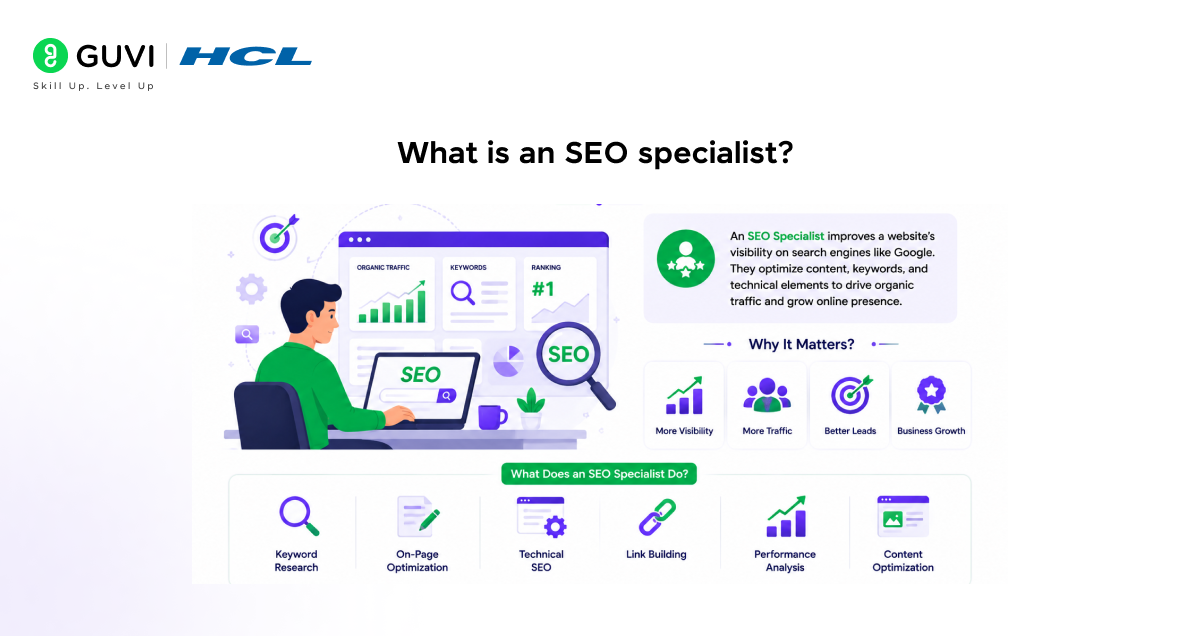
An SEO specialist optimizes websites to rank higher in search engine results through keyword research, on-page optimization, technical audits (crawlability, indexability, Core Web Vitals), link building, and content strategy. They analyze SERP algorithms, use tools like Google Search Console, Ahrefs, and Screaming Frog, interpret analytics data, and implement structured data markup, balancing technical infrastructure with content relevance to drive organic, sustainable traffic growth.
Search engines drive over 50% of trackable web traffic, with Google holding nearly 90% of the market.
Key Tasks of a SEO Specialist
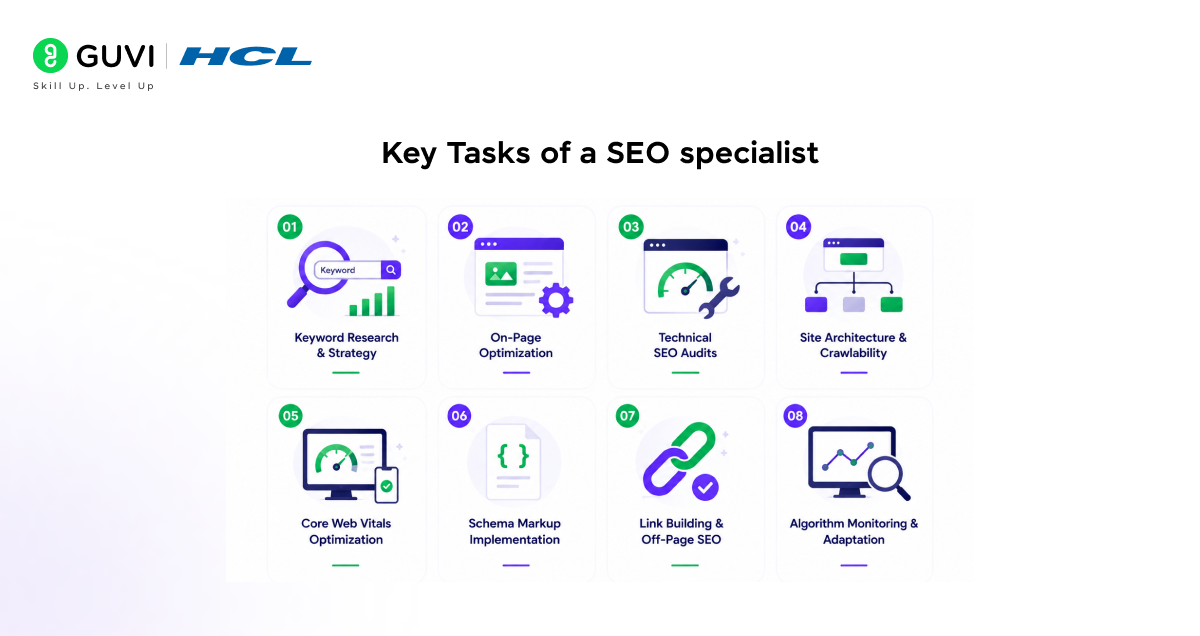
- Keyword Research & Strategy: Identifying high-value, low-competition keywords using tools like Ahrefs or SEMrush to guide content and page targeting.
- On-Page Optimization: Optimizing title tags, meta descriptions, header structure, internal linking, and content for target keywords and search intent.
- Technical SEO Audits: Crawling sites to identify and fix issues like broken links, duplicate content, slow load speeds, and poor mobile responsiveness.
- Site Architecture & Crawlability: Structuring URLs, XML sitemaps, and robots.txt files so search engines can efficiently crawl and index pages.
- Core Web Vitals Optimization: Improving page speed, interactivity, and visual stability metrics (LCP, FID/INP, CLS) that impact both rankings and UX.
- Schema Markup Implementation: Adding structured data to help search engines understand content context and enable rich snippets in SERPs.
- Link Building & Off-Page SEO: Earning quality backlinks through outreach, guest posting, and digital PR to boost domain authority.
- Algorithm Monitoring & Adaptation: Staying current with Google algorithm updates and adjusting strategy to maintain or improve rankings.
Important Skills Required to Be an SEO Specialist
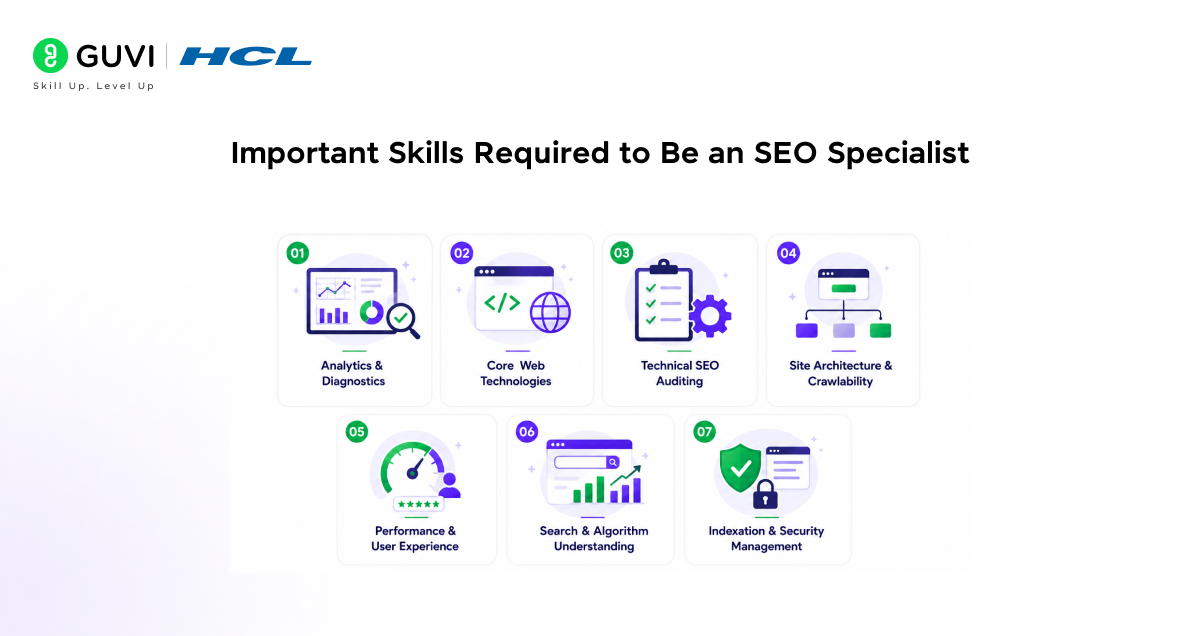
1. Analytics & Diagnostics
- Platform Mastery: Proficiency in Google Search Console to track indexing, impressions, clicks, CTR, average position, search queries, page performance, coverage issues, and manual actions. For example, checking whether an important blog is getting impressions but low clicks can help improve the title tag and meta description.
- GA4 Performance Tracking: Using GA4 to measure traffic flow, landing page performance, user behavior, engagement rate, conversions, and organic traffic quality. For example, if users leave a page quickly after landing from Google, it may show a content mismatch or poor page experience.
- Log File Analysis: Reviewing server logs to see exactly how Googlebot, Bingbot, and other search bots are crawling the website. For example, logs can show whether bots are wasting crawl budget on filter URLs, old pages, or duplicate URLs instead of important service pages.
- Auditing Tools: Using industry-standard tools like Screaming Frog, Sitebulb, Ahrefs, Semrush, or DeepCrawl to uncover broken links, redirect chains, missing meta tags, duplicate content, orphan pages, thin pages, and crawl errors.
- SEO Reporting: Creating clear reports that connect technical issues with business impact. For example, instead of only saying “404 errors found,” a technical SEO specialist should explain which important pages are affected and how they may impact rankings.
2. Core Web Technologies
- HTML/CSS & Basic JavaScript: You do not need to be a software engineer, but you must read code to troubleshoot rendering issues, broken layouts, missing headings, incorrect canonical tags, and misconfigured meta robots tags.
- JavaScript SEO: Understanding how JavaScript-rendered content appears to search engines. For example, if product descriptions or internal links load only after user interaction, Google may not crawl them properly.
- Site Architecture & Navigation: Understanding URL structures, XML sitemaps, internal linking, breadcrumbs, category pages, and crawl depth. For example, an important service page should not be buried five clicks away from the homepage.
- Crawl Budget Management: Managing crawl budget so search bots focus on high-value pages. For example, blocking unnecessary search result pages, tag pages, and parameter-based URLs can help bots crawl important pages faster.
- Internal Linking: Building logical internal links between blogs, service pages, category pages, and product pages. For example, a blog on technical SEO skills can link to SEO courses, SEO tools, and career roadmap pages.
Build a future-ready digital marketing career with HCL GUVI’s Digital Marketing Course. Learn SEO, content marketing, analytics, and digital marketing fundamentals through 100% online, self-paced learning. Earn an industry-recognised certification at an affordable fee, get full lifetime access, dedicated forum support, and access to 4 gamified practice platforms.
3. Performance & User Experience (UX)
- Core Web Vitals: Familiarity with metrics like Largest Contentful Paint (LCP), Interaction to Next Paint (INP), and Cumulative Layout Shift (CLS) to improve loading speed, responsiveness, and visual stability.
- Page Speed Optimization: Identifying issues like heavy images, unused CSS, render-blocking JavaScript, slow server response time, and large third-party scripts. For example, compressing images and enabling lazy loading can improve page loading speed.
- Mobile-First Indexing: Making sure the mobile version of a website has the same important content, links, schema, and metadata as the desktop version. For example, hiding FAQ content on mobile can reduce the SEO value of that page.
- Responsive Design Checks: Testing pages across different screen sizes to check navigation, buttons, forms, images, and content readability.
- Schema Markup (Structured Data): Implementing structured data so search engines understand page context and display rich snippets. Examples include FAQ schema, HowTo schema, Product schema, Review schema, Article schema, Breadcrumb schema, and LocalBusiness schema.
Organic search captures 94% of clicks, helping SEO deliver over 700% average ROI.

4. Search & Algorithm Mechanics
- CMS Optimization: Understanding technical limitations and optimization methods for platforms like WordPress, Shopify, Wix, Magento, and Webflow. For example, WordPress may need plugin checks for duplicate tags, while Shopify often needs careful handling of collection and product URLs.
- Search Engine Crawling: Understanding how search engines discover, crawl, render, index, and rank pages. For example, a page can be live on the website but still not appear in Google if it is blocked by robots.txt or marked noindex.
- Algorithm Updates: Tracking Google updates and checking whether traffic drops are caused by technical issues, content quality issues, or broader algorithm changes.
- AI & Search Trends: Optimizing for generative AI search behaviors, zero-click queries, featured snippets, AI Overviews, and how large language models (LLMs) crawl and summarize web content.
- GEO Readiness: Structuring content clearly so search engines and AI platforms can understand answers quickly. For example, direct answer boxes, clear H2s, FAQs, schema, and factual explanations can improve visibility in Artificial Intelligence-led search results.
5. Site Migrations & Risk Management
- Migration Planning: Managing domain changes, replatforming, redesigns, HTTPS migrations, CMS changes, or URL restructuring without losing rankings or organic traffic.
- Pre-Migration Audits: Auditing current rankings, top-performing pages, backlinks, metadata, canonicals, redirects, internal links, and indexed URLs before migration begins.
- Redirect Mapping: Building 301 redirect maps to preserve link equity and prevent 404 errors during transitions. For example, every old product URL should point to the closest matching new product URL, not just the homepage.
- Post-Migration Checks: Monitoring Google Search Console, GA4, crawl reports, rankings, sitemap status, and server logs after launch. For example, a sudden rise in 404 errors after migration may show that key URLs were missed.
- Risk Prevention: Creating rollback plans and testing staging websites before going live. This helps prevent traffic loss caused by missing tags, broken links, blocked pages, or incorrect canonical URLs.
6. Security & Indexation Control
- HTTPS & Site Security: Making sure secure protocols are properly implemented, since security signals affect both rankings and user trust. For example, mixed content warnings can appear when images or scripts still load through HTTP.
- Indexation Management: Using canonical tags, noindex directives, robots.txt rules, and sitemap controls to decide what search engines should index.
- Canonical Tags: Using canonicals to avoid duplicate content issues. For example, similar product pages with filter variations should point to the main version of the page.
- Robots.txt Management: Controlling crawler access to low-value sections of a website. For example, admin pages, cart pages, internal search pages, and duplicate filter pages should usually not waste crawl budget.
- Noindex Directives: Preventing low-value pages from appearing in search results. Examples include thank-you pages, internal search result pages, duplicate landing pages, and test pages.
- Sitemap Optimization: Keeping XML sitemaps clean, updated, and limited to important indexable URLs. For example, a sitemap should not include redirected, broken, noindex, or duplicate pages.
Vital Tools for SEO Specialists
| Tool | Main Use | Why It Is Important |
| Google Search Console | Indexing, queries, clicks, impressions | Shows how Google sees your website |
| GA4 | Traffic, engagement, conversions | Tracks user behavior and organic performance |
| Screaming Frog | Website crawling and audits | Finds broken links, duplicate pages, and missing tags |
| Ahrefs | Keyword research and backlinks | Helps with ranking opportunities and competitor analysis |
| Semrush | SEO audits and keyword tracking | Useful for full-site SEO planning |
| Sitebulb | Technical SEO audits | Gives visual reports on crawl and indexation issues |
| PageSpeed Insights | Core Web Vitals testing | Checks speed, UX, LCP, INP, and CLS issues |
| Schema Markup Validator | Structured data testing | Confirms whether schema is implemented correctly |
| Log File Analyzer | Bot crawl analysis | Shows how search engines crawl important pages |
| Google Trends | Search trend analysis | Helps identify rising topics and keyword demand |
Conclusion
Technical SEO isn’t about chasing trends; it’s about building a strong, crawlable, fast foundation that everything else (content, links, authority) can stand on. If you enjoy digging into data, troubleshooting, and seeing measurable results from your fixes, this could be your niche. Start small: audit your own site or a friend’s, get comfortable with the tools, and let your curiosity do the rest.
FAQs
Do I need to know how to code to become a Technical SEO Specialist?
Not extensively, but a working knowledge of HTML, CSS, and basic JavaScript helps a lot, especially for diagnosing rendering and indexing issues.
What’s the difference between Technical SEO and regular SEO?
Regular SEO focuses on content and keywords; Technical SEO focuses on the site’s infrastructure: crawlability, speed, security, and structure, so search engines can properly access and rank that content.
Which tools should I learn first?
Start with Google Search Console and Screaming Frog; they cover crawling, indexing, and error-spotting basics that most other tools build on.
How long does it take to become job-ready in Technical SEO?
With consistent practice, most people get comfortable with the fundamentals in 3-6 months, though mastering advanced topics like JavaScript SEO or log file analysis can take longer.
Is Technical SEO a good career path long-term?
Yes, as websites grow more complex and search engines get pickier, technical skills are becoming more valuable, not less, making this a stable and growing specialization within SEO/marketing.
Success Stories

About the Author
Vaishali
I'm a seasoned writer with four years of experience across technical, non-technical, and just about every genre or niche you can imagine. Adaptable and curious, I enjoy exploring new topics and making information engaging and easy to understand. Fueled by a steady stream of tea, I approach each project with creativity, reliability, and genuine enthusiasm for storytelling.
View all posts by Vaishali
Connect with me @











Did you enjoy this article?