


Digital Marketing Articles
What is Performance Marketing? Complete Guide for 2026
What is the Voice of the Customer and Why Does it Matter
What is A/B Testing in Marketing? A Beginner’s Guide to Smarter Campaign Optimization
What is Lead Nurturing in Marketing? A Practical Guide for Beginners


Get In Touch For Details! Request More Information
Best SEO Automation Tools in 2026: 12 Tools That Save 15+ Hours a Week
Sep 14, 2026 12 Min Read 3585 Views
(Last Updated)
The best SEO automation tools help SEO teams reduce repetitive work such as rank tracking, technical audits, backlink monitoring, content checks, and reporting. In 2026, the strongest platforms also connect SEO data with AI-assisted workflows, alerts, APIs, and automated actions.
Choosing the best SEO automation tools depends on what you actually want to automate. An agency may need scheduled reports and multi-client rank tracking, while a technical SEO specialist may need crawlers, APIs, and custom scripts.
This guide compares the best SEO automation tools for different workflows, explains where automation is useful, and shows which tasks still need human judgment. The “15+ hours” benefit should be treated as a possible workflow-level saving for teams automating several recurring tasks, not a guaranteed result for every user.
Table of contents
- TL;DR, Summary
- What is an SEO automation tool?
- Which parts of SEO can be automated?
- Why You Must Use an SEO Automation Tool
- What to look for in an SEO automation tool
- Best SEO Automation tools comaprison
- 12 Best SEO Automation Tools for 2026 (Free + Paid)
- Semrush - Best All-in-One SEO Automation Platform
- Ahrefs - Best for Automated Backlink and Keyword Monitoring
- Screaming Frog - Best for Technical SEO Automation
- SE Ranking - Best Value SEO Automation for Agencies
- Surfer SEO - Best for Content SEO Automation
- Botify - Best Enterprise Technical SEO Automation
- Search Atlas OTTO SEO – Best for AI-Assisted SEO Implementation
- BrightEdge - Best AI-Powered Enterprise SEO Automation
- Conductor - Best for Enterprise Content + SEO Alignment
- Jasper AI - Best for Content Production at Scale
- Zapier / Make.com - Best for No-Code SEO Workflow Automation
- Python + Google Search Console API - Best for Custom Automation
- Which SEO Automation Tool Fits Your Workflow?
- How to Choose the Right SEO Automation Tool
- Which SEO Automation Tool Fits Your Workflow?
- Is SEO Automation Safe for Google in 2026?
- When NOT to Automate SEO
- Example Weekly Workflow Using SEO Automation
- Are the Best SEO Automation Tools Worth the Cost?
- Are SEO Automation Tools Worth the Cost?
- Use AI Tools to Create Better Marketing Content
- Conclusion
- Frequently Asked Questions
- What are the best SEO automation tools in 2026?
- What SEO tasks can be automated safely?
- Which SEO automation tool is best for beginners?
- Which SEO automation tool is best for agencies?
- Can SEO be fully automated?
- Are AI-powered SEO automation tools safe to use?
- What is the difference between SEO tools and SEO automation tools?
- How do I choose between the best SEO automation tools?
TL;DR, Summary
The best SEO automation tools in 2026 are Semrush for all-in-one SEO management, Ahrefs for backlink and keyword monitoring, Screaming Frog for technical SEO, SE Ranking for agencies, Surfer SEO for content optimization, and Search Atlas OTTO SEO for AI-assisted implementation. Conductor, BrightEdge, Botify, Jasper, Zapier or Make, and Python with the Google Search Console API cover enterprise, content, workflow, and custom automation needs. The best SEO automation tools should save time on repeatable tasks while leaving strategy, editorial decisions, link relationships, and final quality control to people.
What is an SEO automation tool?
An SEO automation tool is software that automates repetitive SEO tasks. This includes crawling, auditing, rank tracking, and reporting. You don’t need to kick things off manually every time.
Basic SEO tools give you data when you ask for it. Automation tools are different.
They run on schedules, send alerts, generate reports, and work in the background. Modern platforms also add AI into the mix. They connect with Google Search Console, OpenAI, Zapier, and Make.com so you can build powerful workflows without writing any code.
Also Read: Complete Digital Marketing Career Roadmap
Which parts of SEO can be automated?
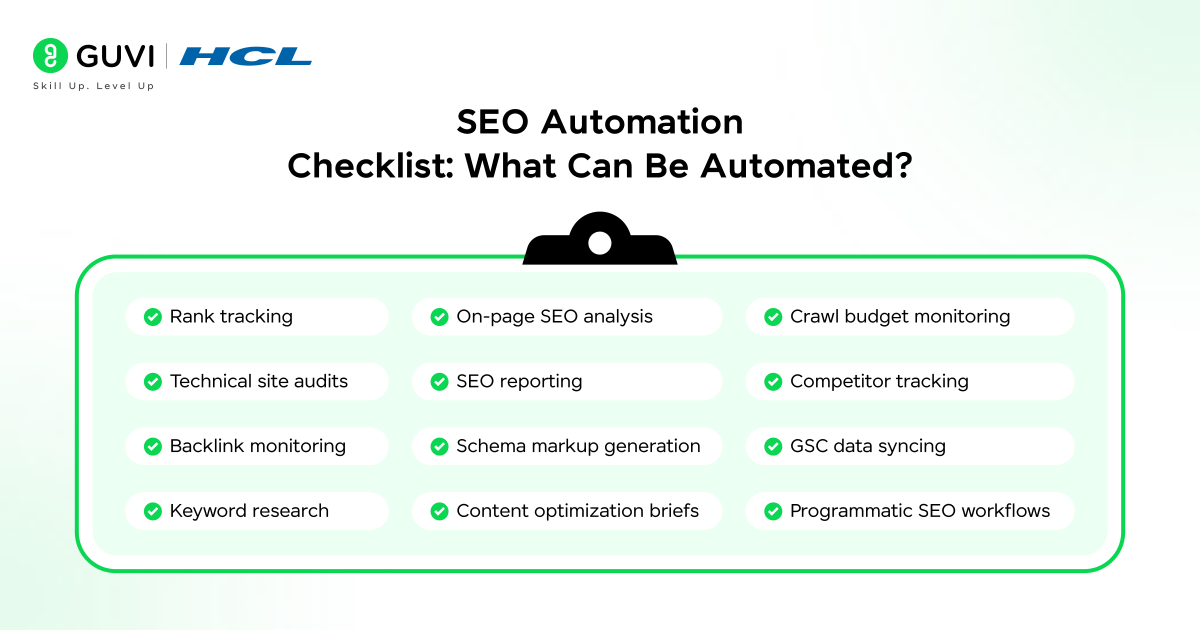
Most of the time-consuming parts. Here’s where automation actually helps:
Direct Answer: The most automatable SEO tasks are rank tracking, technical site audits, backlink monitoring, keyword research, on-page scoring, SEO reporting, schema markup generation, and competitor tracking.
- Rank tracking – monitor keyword positions daily across search engines and locations
- Technical site audits – crawl for broken links, redirect chains, missing meta tags, and Core Web Vitals issues
- Backlink monitoring – detect new and lost links, spot toxic links, and track competitor link activity
- Keyword research – bulk discovery, difficulty scoring, and SERP feature identification
- On-page SEO analysis – automated scoring of titles, headings, internal links, and content length
- SEO reporting – scheduled white-label reports sent straight to clients
- Schema markup generation – auto-generate FAQ, Article, HowTo, and BreadcrumbList structured data
- Content optimization briefs – AI-powered content scoring against top-ranking pages
- Crawl budget monitoring – identify wasted crawl budget and prioritize indexable pages
- Competitor tracking – automated alerts for competitor ranking changes and new backlinks
- GSC data syncing – pull Search Console data into dashboards automatically
- Programmatic SEO workflows – bulk page generation and optimization at scale
Pro tip: Start by automating your reporting. Most teams save 3 to 5 hours per week right away. It’s also the lowest-risk place to start.
You just read what to automate. Now learn how to do it with expert guidance. HCL GUVI’s Digital Marketing Course covers SEO, SEM, performance marketing, and AI tools in 11 structured modules. With 360° placement support.
Why You Must Use an SEO Automation Tool
- SEO Automation Adoption Is Growing Fast
- Automation Shows Strong ROI and Traffic Growth
- Automation Saves Significant Time
- The SEO Automation Market Is Growing Rapidly
- Many SEO Tasks Are Already Automated
Why Use SEO Automation in 2026?
SEO teams repeatedly collect rankings, crawl websites, review backlinks, update dashboards, check technical issues, and prepare reports. The best SEO automation tools reduce the manual effort behind these recurring tasks and surface changes faster.
The biggest advantage is consistency. The best SEO automation tools can run scheduled crawls, track rankings, send alerts, refresh reports, and pull data without waiting for someone to start every task manually.
Automation is also useful when a website grows. Checking ten pages manually is manageable; checking thousands of URLs, rankings, internal links, and technical signals every week is not. These tools help teams handle scale while keeping humans responsible for priorities and decisions
The best SEO automation tools are most useful for repeatable, rules-based work. Start with reporting, rank monitoring, site audits, and alerts before automating higher-risk actions such as publishing changes or generating pages.
Kavitha Elangovan, B.Com Graduate | Now at Thinkinifinity
I had a B.Com degree. On paper, that meant something. But in my heart, I knew a conventional path wasn’t for me. While my friends settled into “safe” careers, I kept searching for something that truly excited me, not just something that paid the bills.
That’s when I found HCL GUVI. And something just clicked.
With my family’s support, I made the decision to invest in upskilling. It wasn’t always easy, but with every class, I grew more confident in myself and in my abilities. GUVI didn’t just teach me skills. It helped me believe I was capable of more.
With GUVI’s placement support, I landed a role at Thinkinifinity. But this wasn’t just a job offer. It was proof that I had found my path. Because when your skills align with your soul, it shows in everything you do.
Explore Alumni Stories
What to look for in an SEO automation tool
There are a lot of tools flooding the market. Some are great. Most aren’t worth your time. Here’s how I evaluate them:
- Integration with your existing tools: It should connect to GSC, GA4, your CMS, and your reporting stack. Gaps in integration just create new manual work.
- Data accuracy: No guessed or hallucinated data. You need reliable insights you can act on.
- Scheduling and alerting: The best tools run on a schedule and alert you when something changes, not just when you ask.
- Team features: Whether you’re solo or running an agency, collaborative workflows matter.
- Total cost of ownership: Factor in the tool cost, setup time, and training. A $200/month tool that saves 15 hours at a $75/hr rate more than pays for itself.
Best SEO Automation tools comaprison
| Tool | Best For | Main Automation Strength |
| Semrush | All-in-one SEO teams | Audits, rank tracking, reporting |
| Ahrefs | Backlinks and competitor monitoring | Alerts, rankings, site audits |
| Screaming Frog | Technical SEO | Scheduled crawls and custom extraction |
| SE Ranking | Agencies and SMB teams | Rank tracking, audits, reporting |
| Surfer SEO | Content teams | Content briefs and on-page optimization |
| Botify | Enterprise technical SEO | Crawl intelligence and large-site monitoring |
| Search Atlas OTTO SEO | AI-assisted SEO implementation | Technical and on-page actions |
| BrightEdge | Enterprise SEO | Insights, forecasting, reporting |
| Conductor | Enterprise content and SEO | Content intelligence and website monitoring |
| Jasper | Content production | AI-assisted content workflows |
| Zapier / Make | No-code SEO workflows | App-to-app automation |
| Python + GSC API | Custom automation | Reporting, analysis, custom logic |
There is no single winner among the best SEO automation tools. Choose based on the SEO task you want to automate, your team size, technical ability, and how much control you want over automated changes.
12 Best SEO Automation Tools for 2026 (Free + Paid)
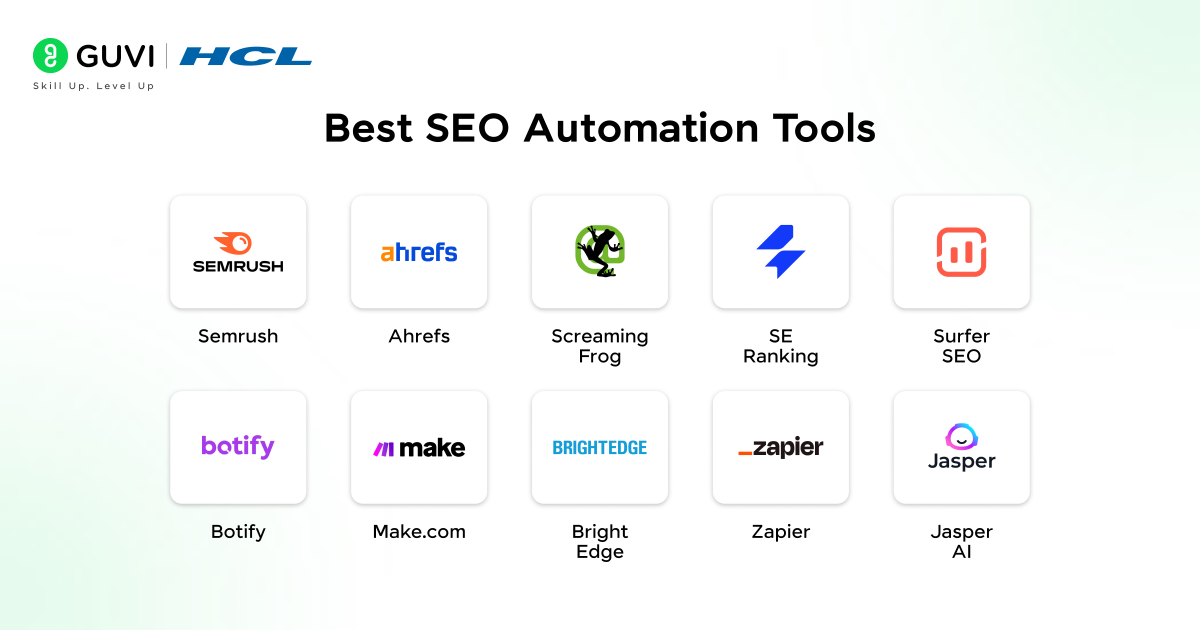
Here are the tools recommendation:
- Semrush (best all-in-one platform)
- Ahrefs (best for backlink and keyword monitoring)
- Screaming Frog (best for technical SEO automation)
- SE Ranking (best value for agencies)
- Surfer SEO (best for content SEO automation)
- Botify (best enterprise technical SEO)
- ContentKing (best for real-time change monitoring)
- BrightEdge (best AI-powered enterprise SEO)
- Conductor (best for enterprise content and SEO alignment)
- Jasper AI (best for content production at scale)
- Zapier / Make.com (best for no-code workflow automation)
- Python + GSC API (best for custom automation)
1. Semrush – Best All-in-One SEO Automation Platform
| Best for | Agencies and in-house teams that need a single platform |
| How SEO Teams Use | Scheduled audits, rank tracking, and white-label client reporting |
If I had to pick just one tool from this list, it would be Semrush. It’s the most complete SEO automation platform available. It handles more of my workflow than any other single tool.
The Position Tracking tool monitors keyword rankings daily and sends automatic alerts when positions shift. The Site Audit tool crawls your whole site on a schedule and flags new issues as they appear. No manual trigger needed. For agencies, the white-label PDF reports save a lot of time.
Key automation features:
- Scheduled site crawls with automated health score tracking
- Daily rank tracking with movement alerts
- Automated PDF reports (white-label available)
- Keyword Magic Tool with bulk export and filtering
- Backlink audit with automatic toxic link detection
Best use case: Set up a weekly audit and report workflow for every client. Semrush delivers the data. You spend your time on interpretation and strategy, which is where your value actually is.
2. Ahrefs – Best for Automated Backlink and Keyword Monitoring
| Best for | Content-driven SEO teams focused on link building and keyword discovery |
| How SEO Teams Use | Real-time backlink alerts, rank tracking, competitor content monitoring |
Ahrefs is where I go when I need automated link intelligence. Its Alerts feature is genuinely powerful. The moment a competitor gains or loses backlinks, a new keyword opportunity appears, or your brand mentions spike, you get notified. That kind of passive monitoring used to take hours of manual work.
The Site Audit runs on-demand or scheduled crawls with a clear health score dashboard. Content Explorer alerts keep you informed whenever a competitor publishes something new in your space.
Key automation features:
- Real-time backlink alerts for your site and competitors
- Rank Tracker with automatic weekly snapshots
- Content Explorer alerts for new competitor content
- Keyword rank fluctuation notifications
- Scheduled crawls with issue prioritization
3. Screaming Frog – Best for Technical SEO Automation
| Best for | Technical SEO specialists who need deep crawl data |
| How SEO Teams Use | Automated CLI crawls, GSC integration, redirect chain analysis |
Screaming Frog is the gold standard for technical audits. It’s mainly a desktop crawler, but its command-line interface makes it powerful for automation. You can schedule crawls via cron jobs, auto-export to Google Sheets, and trigger Slack alerts when crawl errors pass a set threshold. All without opening the app.
It connects directly with Google Search Console, Google Analytics, and PageSpeed Insights to pull live data into every crawl. For custom data extraction with XPath and regex, nothing else comes close at this price.
Key automation features:
- CLI-based scheduled crawls (scriptable via cron jobs or Task Scheduler)
- Direct GSC and GA integration for enriched crawl data
- Custom extraction with XPath and regex
- Automated redirect mapping and chain analysis
- Bulk export of all on-page elements in CSV
Best use case: Schedule a monthly crawl, auto-export to Google Sheets, and get a Slack alert when crawl errors pass your threshold. All without touching the tool.
4. SE Ranking – Best Value SEO Automation for Agencies
| Best for | Small-to-mid agencies managing 10 to 30 client accounts |
| How SEO Teams Use | Automated rank tracking, client-ready reports, white-label dashboards |
SE Ranking packs strong automation into a budget-friendly package. For agencies managing multiple clients without enterprise-level budgets, it’s one of the smartest picks on this list.
The white-label reporting portal is the feature I like most. Clients can log in and view live dashboards that are automatically filled with their data. That removes a whole category of weekly admin work. Daily rank tracking with competitor comparisons and scheduled audits with email alerts round out the feature set.
Key automation features:
- Daily automated rank tracking with competitor comparisons
- Scheduled website audits with email alerts
- Automated white-label reports on custom schedules
- Backlink monitoring with link status alerts
- API access for custom workflow integration
5. Surfer SEO – Best for Content SEO Automation
| Best for | Content strategists and writers who want AI-assisted optimization at scale |
| How SEO Teams Use | Content scoring, topic cluster planning, AI-assisted first drafts |
Surfer SEO automates the on-page optimization process in a way that works well in practice. You enter a target keyword, and it automatically analyzes the top 20 SERP results, finds content gaps, and creates a real-time scoring guide your writers can follow as they draft.
The Topical Map feature is the one I come back to most. It automates content cluster planning across hundreds of keywords. That used to be one of the most time-consuming parts of any content strategy project. One note: the Surfer AI writing feature works best for experimental sites or high-volume content. It’s not the right choice for thought leadership or experience-heavy content.
Key automation features:
- Automated content score based on live SERP analysis
- AI-generated content briefs with heading structure
- Topical Map for automated cluster planning
- Bulk content audit against ranking benchmarks
- Surfer AI for first-draft generation (human editing still required)
6. Botify – Best Enterprise Technical SEO Automation
| Best for | Enterprise sites with 100,000+ pages needing crawl budget management |
| How SEO Teams Use | Log file analysis, Googlebot behavior mapping, crawl efficiency optimization |
Botify runs at a level of automation that most tools can’t match. Its core strength is server log file analysis. It maps exactly how Googlebot crawls your site and then gives automated recommendations to improve crawl efficiency. For large e-commerce sites and publishers, this is the difference between guessing and actually knowing.
If you’re managing a site with fewer than 100,000 pages, this is probably overkill. But at enterprise scale, it’s hard to replace. The JavaScript rendering monitoring and custom alerting workflows are especially useful for teams that deploy code frequently.
Key automation features:
- Automated log file analysis with Googlebot behavior mapping
- Crawl budget optimization recommendations
- Automated content quality scoring at scale
- JavaScript rendering monitoring
- Custom alerting workflows
7. Search Atlas OTTO SEO – Best for AI-Assisted SEO Implementation
| Best for | Agencies and in-house teams that want recommendations to move closer to implementation. |
| How SEO Teams Use | Technical checks, on-page changes, internal linking, content optimization, and workflow automation. |
Search Atlas OTTO SEO is one of the best SEO automation tools for teams that want more than reports and recommendations. Its automation layer can identify technical and on-page issues and support implementation through connected website workflows.
Unlike many SEO platforms that mainly produce a task list, OTTO SEO is designed to help apply selected changes across areas such as titles, schema, internal links, content, and technical SEO. Keep approval controls enabled for important pages so a person reviews high-impact changes before they go live.
Key automation features:
- 24/7 real-time crawling (continuous, not scheduled)
- Instant alerts for critical SEO changes
- Complete change history log for all SEO elements
- Team collaboration workflows with change attribution
- Integration with Slack, PagerDuty, and JIRA
8. BrightEdge – Best AI-Powered Enterprise SEO Automation
| Best for | Enterprise marketing teams needing AI-driven opportunity identification |
| How SEO Teams Use | Automated competitive gap analysis, executive reporting, Share of Voice tracking |
BrightEdge uses its proprietary DataCube, one of the largest SEO datasets available, to automatically surface keyword opportunities, content gaps, and competitor movements before you’d spot them manually. Its AI-powered opportunity scoring helps you prioritize where to put your resources.
The automated executive reporting connects with Adobe Analytics and Salesforce. This makes it a natural fit for enterprise teams that need SEO data feeding into broader business dashboards. It’s not built for small teams or small budgets. But at scale, it earns its place.
Key automation features:
- AI-powered opportunity scoring and prioritization
- Automated competitive gap analysis
- Share of Voice tracking with automated alerts
- Integration with Adobe Analytics and Salesforce
- Automated executive performance summaries
9. Conductor – Best for Enterprise Content + SEO Alignment
| Best for | Large organizations where SEO, content, and demand gen teams need to align |
| How SEO Teams Use | Content health scoring, keyword gap workflows, performance-to-content correlation |
Conductor connects SEO data to content production workflows. It automatically identifies which pages need refreshing, which keyword gaps to address, and tracks how content changes affect rankings. Multiple teams can work from the same platform at the same time.

For large organizations where SEO insights often get lost between teams, the workflow assignment features are where the real value sits. You can automatically route identified opportunities to the right content owner without a manual handoff.
Conductor now includes website-monitoring capabilities that came from ContentKing. In 2026, ContentKing should not be presented as a separate standalone entry. Refer to the capability as Conductor Monitoring or Website Monitoring and keep Conductor as the broader enterprise SEO platform.
Key automation features:
- Automated content health scoring and refresh prioritization
- Keyword opportunity identification with workflow assignment
- Rank tracking with content performance correlation
- Automated competitive intelligence reports
10. Jasper AI – Best for Content Production at Scale
| Best for | Content teams scaling first-draft creation with SEO direction built in |
| How SEO Teams Use | AI content generation + Surfer SEO integration for optimized output |
Jasper isn’t a traditional SEO automation tool. But when paired with Surfer SEO or Semrush integrations, it enables end-to-end content automation from keyword research to an optimized first draft. For teams publishing at high volume, that combination is genuinely useful.
My honest take: Jasper is best for teams that have already figured out their content strategy and just need to increase output. It’s not a replacement for subject matter expertise or thought leadership. Publishing unreviewed AI drafts is a fast way to damage brand authority and violate Google’s Helpful Content guidelines. Use it as a starting point, not a final product.
Key automation features:
- Brand-consistent AI content generation at scale
- Native Surfer SEO integration for optimized output
- Automated campaign content variations
- API access for custom content pipelines
11. Zapier / Make.com – Best for No-Code SEO Workflow Automation
| Best for | SEO professionals connecting existing tools and automating multi-step workflows |
| How SEO Teams Use | Connecting Semrush alerts to Slack, pushing rank data to Sheets, triggering briefs |
Zapier and Make.com are not SEO tools. They’re automation infrastructure. But for SEO workflows, they change the game. They let you connect your existing tools and automate multi-step processes without writing any code.
Some of the most useful SEO automations I’ve built with these platforms:
- Semrush rank alert triggers a Slack notification and creates a Trello card
- A new GSC query gets added as a keyword tracker in Ahrefs
- A completed client site crawl triggers a PDF report that gets emailed automatically
- A competitor’s new backlink triggers a team alert in Slack
Make.com is my preference over Zapier for most SEO workflows. It’s more flexible, handles complex branching logic better, and the entry-level price is much lower.
12. Python + Google Search Console API – Best for Custom Automation
| Best for | Technical SEO specialists comfortable with scripting who need maximum flexibility |
| How SEO Teams Use | Bulk keyword reporting, cannibalization detection, custom index coverage monitoring |
For technical SEO professionals who are comfortable with scripting, Python plus the Google Search Console API enables automation that no off-the-shelf tool can match. You can pull impression and click data, find keyword cannibalization at scale, monitor index coverage changes, and build custom dashboards, all on your own schedule.
This isn’t for everyone. If the idea of writing a cron job makes you nervous, start with Screaming Frog’s CLI or Make.com instead. But if you know your way around a script, this combination is hard to beat for customization and cost. The API is free.
What you can automate:
- Bulk keyword performance reporting across hundreds of properties
- Automated cannibalization detection
- Index coverage monitoring with custom alerts
- Scheduled SERP feature tracking
- Custom log file analysis
Pricing: Check the tool’s official pricing page for the current plan and usage limits.
Pricing changes frequently, and old currency conversions can make the article look outdated even when the product information is still useful.
Keep a free limit only when it is a stable and important part of the tool, and verify it on the official product page before publishing.
Which SEO Automation Tool Fits Your Workflow?
Use your workflow rather than popularity when choosing between the best SEO automation tools:
- Beginner or small site: Google Search Console + Screaming Frog + a simple reporting workflow
- Content team: Surfer SEO + Semrush or SE Ranking
- Agency: Semrush or SE Ranking for multi-client tracking, audits, and reports
- Enterprise: Botify, BrightEdge, or Conductor for large-site and cross-team workflows
- Technical SEO specialist: Screaming Frog + Python + Google Search Console API
- Teams wanting AI-assisted implementation: Search Atlas OTTO SEO with human approval controls
- Custom no-code workflows: Zapier or Make.com
The best SEO automation tools should fit your existing stack instead of creating another layer of manual work.
How to Choose the Right SEO Automation Tool
Not every team needs the same tool. Choosing from the best SEO automation tools depends on your team size, SEO goals, and workflow requirements.
Here’s the five-step framework I use when evaluating a new platform:
Step 1: Audit your current manual tasks. List every SEO task your team does each week manually. Rank them by time cost. The highest-time, lowest-strategy tasks are your automation targets.
Step 2: Define your team size and technical comfort. A solo founder needs a different tool than an agency with a dedicated technical SEO specialist. No-code tools work for most people. Python-based automation requires scripting knowledge.
Step 3: Match to your primary SEO focus. Technical SEO points to Screaming Frog or Botify. Content SEO points to Surfer or Jasper. Full-funnel agency needs point to Semrush or SE Ranking.
Step 4: Check integration requirements. Does it sync with Google Search Console? Does it connect to your CMS, Slack, or reporting stack? Missing integrations create new manual work.
Step 5: Evaluate total cost of ownership. Factor in tool cost, setup time, and training.
Which SEO Automation Tool Fits Your Workflow?
- Solo founder / bootstrapped: Start with Google Search Console (free) plus Screaming Frog free tier plus Make.com for workflow automation. Total cost: $0.
- Growing content team: Surfer SEO ($99/mo) for content optimization plus SE Ranking ($65/mo) for rank tracking and audits.
- Agency (10 to 30 clients): Semrush ($249/mo agency plan) covers rank tracking, audits, reporting, and competitive intelligence in one platform.
- Enterprise / large site: Botify or BrightEdge for crawl intelligence plus Semrush for day-to-day monitoring. Budget accordingly.
- Technical SEO specialist: Screaming Frog (£259/yr) plus Python scripts plus GSC API for maximum customization at minimum cost.
Is SEO Automation Safe for Google in 2026?
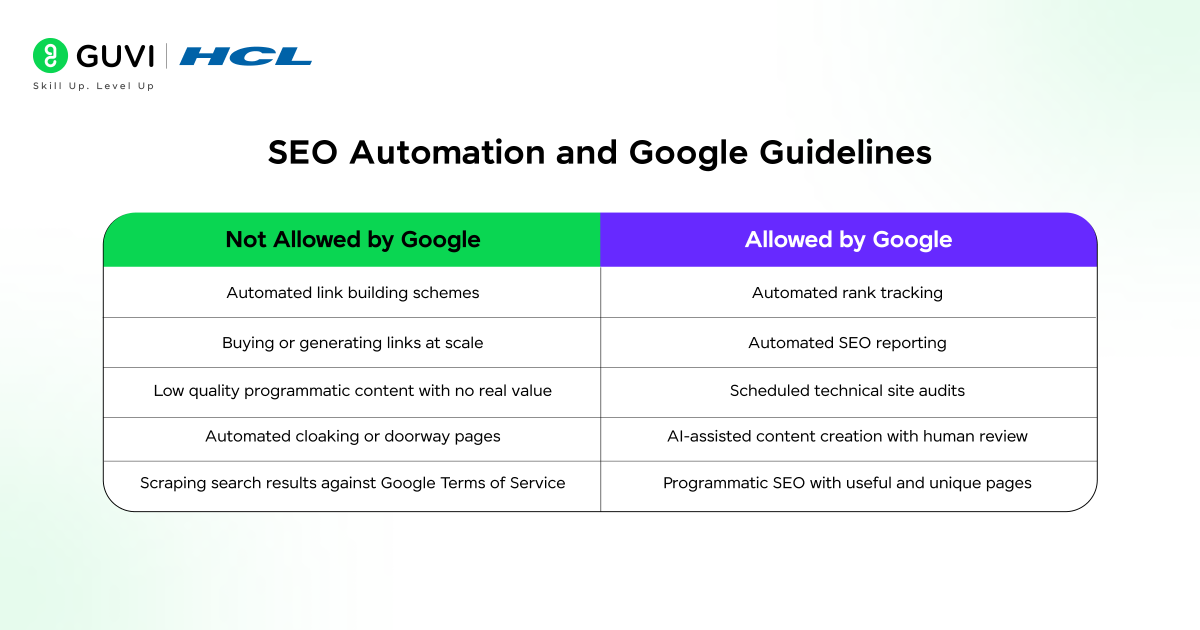
Yes, SEO workflow automation can be used safely, but Google does not approve or certify third-party SEO tools. The best SEO automation tools are useful for monitoring, auditing, reporting, research, and workflow support, but using automation does not guarantee rankings.
Google’s current guidance says generative AI can be useful for research and content structure, while generating large amounts of low-value content mainly to manipulate rankings can violate its scaled content abuse policy.
Generally useful automation includes:
- Scheduled technical audits
- Rank and performance monitoring
- Reporting and dashboards
- Internal QA alerts
- Keyword and competitor research
- AI-assisted content that receives meaningful human review
Higher-risk automation includes:
- Publishing large volumes of low-value generated pages
- Automated link schemes
- Cloaking or doorway pages
- Automatically applying major sitewide changes without review
- Treating third-party tool scores as if they were Google ranking signals
The best SEO automation tools should help your team execute good SEO faster, not automate manipulation.
Google introduced dedicated Generative AI performance reporting in Search Console in 2026 and said the feature had rolled out worldwide by August 31, 2026. This means reporting workflows built around the best SEO automation tools increasingly need to account for visibility in AI-powered Search experiences as well as traditional search performance.
When NOT to Automate SEO
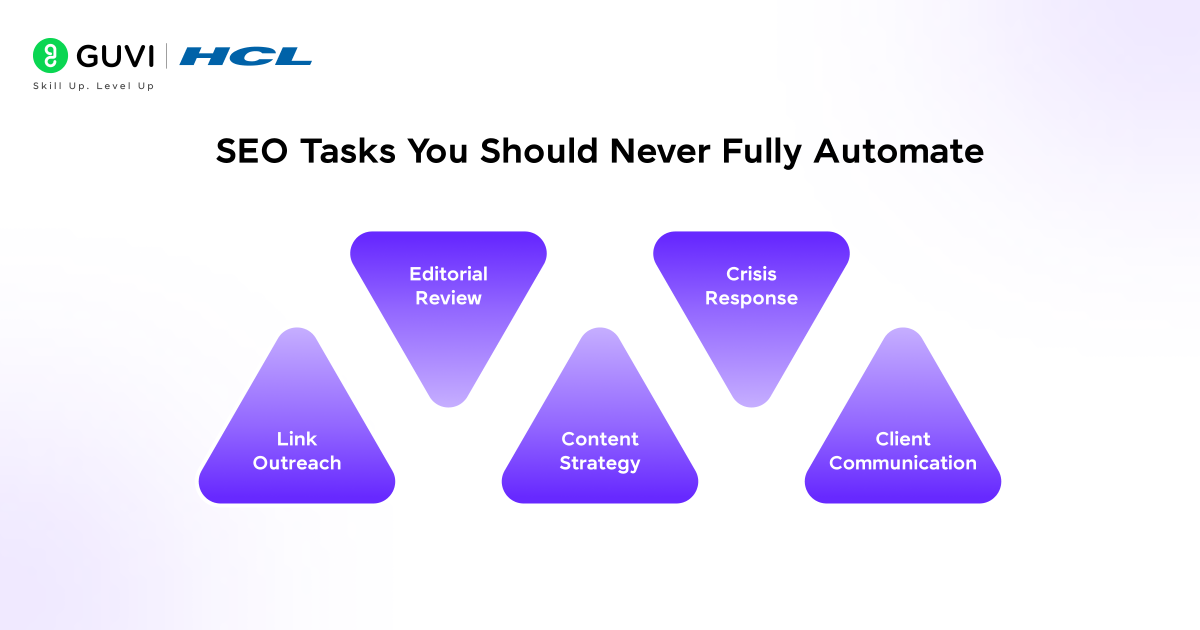
This is the section most tool roundups skip, and it’s one of the most important. Automation has real limits.
- Link outreach and relationship building: Automated cold outreach at volume triggers spam filters and burns bridges. Real link building requires human context and personalization.
- Content strategy decisions: Keyword volume and difficulty scores are inputs, not decisions. Automation surfaces opportunities. Humans decide which ones fit the brand and business goals.
- Client communication: Automated reporting is valuable. Automated responses to client concerns are not. Human judgment is irreplaceable when managing expectations.
- Final editorial review: AI-generated content requires human editing. Publishing unreviewed AI drafts violates Google’s Helpful Content guidelines and damages brand authority.
- Crisis response: When rankings drop sharply or a manual action is received, automated alerts tell you something happened. Human expertise determines why and what to do next.
Even the best SEO automation tools should not own final editorial judgment, brand positioning, relationship-based link building, or high-impact recovery decisions. Automation should surface information and reduce repetitive work; people should decide what the business does with it.
Example Weekly Workflow Using SEO Automation
Keep the Monday-Friday but make it simple
- Monday: Automated technical health checks
- Tuesday: Ranking and traffic movement review
- Wednesday: AI-assisted content brief with human editing
- Thursday: Backlink and competitor alerts
- Friday: Automated dashboard and report refresh
A workflow built with the best SEO automation tools can remove hours of repetitive checking, but the exact saving depends on site size, number of clients, reporting frequency, and how much of the workflow is genuinely automated.
Are the Best SEO Automation Tools Worth the Cost?
Are SEO Automation Tools Worth the Cost?
The best SEO automation tools are worth paying for when they remove enough repetitive work to justify the subscription and give your team information it will actually use.
Do not choose a platform only because it has the most features. Compare the tasks it replaces, setup effort, integrations, data quality, reporting needs, and the number of people who will use it.
For a small website, free tools and lightweight automation may be enough. Agencies and large websites usually benefit more because they repeat the same audits, ranking checks, alerts, and reports across more pages or clients.
“The professionals who embrace automation are far more productive than those who resist it. Automate the repetitive. Protect the human. That’s the formula”.
Use AI Tools to Create Better Marketing Content
AI Presentation Tools can help you create client decks, campaign ideas, reports, and visual content faster. But knowing how to plan the right message and reach the right audience is just as important.
If you want to build practical skills in SEO, content marketing, social media, paid ads, and analytics, explore the HCL GUVI’s Digital Marketing Masterclass. It can help you understand how tools like these fit into real marketing work.
Conclusion
The best SEO automation tools in 2026 are valuable because they remove repetitive work without removing the need for SEO judgment. Semrush, Ahrefs, Screaming Frog, SE Ranking, Surfer SEO, Search Atlas OTTO SEO, Botify, BrightEdge, Conductor, Jasper, workflow platforms, and custom Python automations each solve a different part of the process.
Choose the best SEO automation tools around your actual bottlenecks rather than trying to automate everything. Start with monitoring, audits, rankings, and reporting, then expand carefully. The strongest SEO workflow uses automation for speed and consistency while keeping strategy, quality, and major decisions human-led.
Frequently Asked Questions
1. What are the best SEO automation tools in 2026?
The best SEO automation tools include Semrush, Ahrefs, Screaming Frog, SE Ranking, Surfer SEO, Search Atlas OTTO SEO, Botify, BrightEdge, Conductor, Jasper, Zapier or Make, and custom Python plus Google Search Console API workflows. The right choice depends on the task you need to automate.
2. What SEO tasks can be automated safely?
Rank tracking, technical audits, backlink monitoring, reporting, alerts, keyword research, and data syncing can all be automated. Strategy, editorial approval, relationship-based outreach, and major sitewide decisions should still involve people.
3. Which SEO automation tool is best for beginners?
Beginners can start with Google Search Console and Screaming Frog, then add a broader platform such as Semrush or SE Ranking when they need more reporting and monitoring. You do not need several paid platforms at once.
4. Which SEO automation tool is best for agencies?
Semrush and SE Ranking are practical choices for agencies because they combine recurring rank tracking, site audits, competitor monitoring, and reporting. Agency teams should also consider project limits, reporting options, and integrations.
5. Can SEO be fully automated?
No. Even the best SEO automation tools cannot replace strategy, subject expertise, editorial judgment, relationship building, or investigation of unusual ranking problems.
6. Are AI-powered SEO automation tools safe to use?
They can be, depending on how they are used. Automation should support useful work and human review rather than mass-producing low-value content or automating manipulative SEO practices.
7. What is the difference between SEO tools and SEO automation tools?
A standard SEO tool may provide data when you open it and run a report. The best SEO automation tools can also schedule tasks, send alerts, refresh reports, connect apps, or trigger actions without requiring the same manual steps every time.
8. How do I choose between the best SEO automation tools?
List the SEO tasks that consume the most time, then choose the platform that automates those tasks with reliable data and useful integrations. The best SEO automation tools are the ones your team will actually use consistently, not necessarily the platforms with the longest feature list.
Success Stories

About the Author
Reemsha Khan
Always been a storyteller at heart. Now, I turn complex topics into simple, easy-to-understand stories through content. Hope you find it helpful.
View all posts by Reemsha Khan
Connect with me @







Did you enjoy this article?