


Artificial Intelligence and Machine Learning Articles
Claude for Git: Commit Messages and PR Descriptions
How to Use Claude for Architecture Decision Records (ADRs)


Get In Touch For Details! Request More Information
Build and Deploy Data Applications on Snowflake with v0
Aug 05, 2026 4 Min Read 346 Views
(Last Updated)
Typically, when you read about how to build a data app, you see diagrams with perfect processes. But in reality building one is not always so simple, data is not always clean, queries are not always fast and transforming tables into something useful for your users is not so easy as just wiring it up.
This is where Snowflake and v0 come in. Rather than hours of building structure, you start closer to the end goal thinking less about the plumbing and more about the application.
Because a real data app is about more than data display. It’s about how quickly you can access it, how effectively you can display it, and how easily you can comprehend it.
In this blog, we’ll explore how to create and deploy data applications on Snowflake using v0 in a way that works beyond demos, covering not just the setup, but how to make an application scalable, usable, and valuable. We’ll also discuss the role of models such as GLM-4 to boost your app with intelligence and enhance interactions with your data.
Quick Answer:
Building and deploying data applications on Snowflake with v0 means using Snowflake as your scalable data backend and v0 as an AI-powered coding assistant to quickly create full-stack applications. This approach helps you turn raw data into interactive dashboards and intelligent apps faster, with less manual coding and better performance.
Table of contents
- Why Use Snowflake for Data Apps?
- Key Advantages
- What is v0 and Why does it matters?
- How v0 is Great for Data Apps
- Understanding Data Applications
- Architecture Overview
- Frontend (User Interface)
- Backend (API - The brain)
- Database (Snowflake Warehouse)
- AI Layer (Optional but Powerful)
- Deployment Layer (Where Your App Lives)
- Why This Architecture Works
- Step-by-Step Process
- Step 1: Setting Up Snowflake (What Actually Happens)
- Step 2: Generate Your App with v0
- Step 3: Linking Snowflake
- Step 4: Advanced AI
- Step 5: Local AI (When and Why)
- Wrapping it up:
- FAQs
- What is Snowflake used for?
- What does v0 do?
- Do I need coding experience to use v0?
Why Use Snowflake for Data Apps?
But first, let’s talk about why Snowflake is so popular.
Snowflake is a cloud database for structured and semi-structured data. It separates storage and processing, allowing you to scale independently based on your needs.
Key Advantages
- Scalability: Handle terabytes to petabytes of data effortlessly
- Performance: Parallel processing for fast queries
- Cloud-native: AWS, Azure and Google Cloud
- Security: Encrypted data and role-based security
Companies use Snowflake to:
- Customer analytics dashboards
- Financial reporting systems
- Recommendation engines
- AI-driven data applications
What is v0 and Why does it matters?
v0 is an AI-powered coding assistant that helps developers generate production-ready code using natural language prompts.
Instead of writing code, you can just describe what you want and v0 writes code.
How v0 is Great for Data Apps
- Speeds up writing UI and back-end code
- Speeds up the development process
- Allows people with no tech skills to build apps
- Integrates easily with modern frameworks
For example, instead of:
“Create a dashboard that shows monthly sales from Snowflake”
v0 will generate the UI, API calls and the code.
Understanding Data Applications
A data application is a program that:
- Collects data
- Processes or analyzes it
- Presents insights to users
Examples include:
- Business dashboards
- Analytics platforms
- AI-powered tools
- Data-driven SaaS products
These apps are very fast on Snowflake.
Architecture Overview
When we talk about a “Snowflake + v0 data application architecture”, we’re really referring to how data flows from storage → processing → intelligence → user interface.
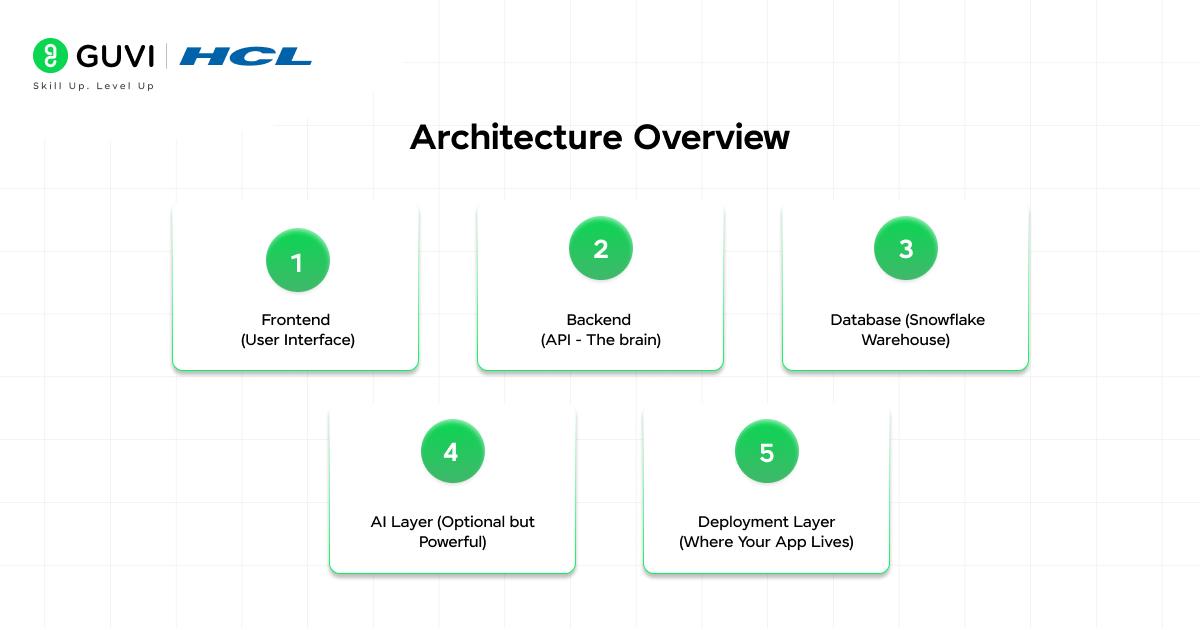
Think of it like a pipeline:
User → Frontend → Backend → Snowflake → AI Layer → Backend → Frontend
Let’s explore each element.
1. Frontend (User Interface)
This is what users actually interact with.
Typical tools:
- React / Next.js (most popular with v0)
- Data visualisation libraries (Chart.js, Recharts)
What it does:
- Displays dashboards (charts, tables)
- Sends user interactions (filters, date range)
- Shows AI-generated insights
Real-world example:
User selects:
Date = Last 30 days
Product = “Shoes”
Frontend sends to Backend:
| { “product”: “Shoes”, “date_range”: “30_days” } |

2. Backend (API – The brain)
This is the most important layer in your architecture.
It acts as:
- Translator (Frontend → Snowflake)
- Security gate (authentication, permissions)
- Logic processor (business rules + AI)
Responsibilities:
- Translate queries from the front end to SQL
- Fetch data from Snowflake
- Call AI models if needed
- Return the results
Real-world flow:₹
Frontend request → Backend:
“Display top products last month”
Backend translates into:
| SELECT product_name, SUM(revenue) FROM sales_data WHERE date >= DATEADD(month, -1, CURRENT_DATE) GROUP BY product_name ORDER BY SUM(revenue) DESC; |
3. Database (Snowflake Warehouse)
This is your data engine.
Snowflake is not storage it’s:
- Query engine
- Data warehouse
- Compute layer
Key concept: Separation of Compute & Storage
- Storage = where data lives
- Compute (warehouse) = where queries run
This means:
- You can make queries more powerful without changing data
- You can run multiple concurrent queries
Real-world advantage:
- A team runs analytics
- Another runs dashboards
- No performance conflict
4. AI Layer (Optional but Powerful)
This is where your app becomes intelligent instead of just analytical.
You can use:
- APIs (OpenAI, etc.)
- On-device models (GLM-4, etc.)
What this layer does:
1. Natural Language → SQL
User types:
“Best selling products for this week”
AI writes SQL
2. Data → Insights
Instead of raw tables, AI explains:
“Product A generated 35% more revenue due to seasonal demand.”
3. Chat-based Analytics
Your dashboard becomes conversational.
5. Deployment Layer (Where Your App Lives)
This is where your app is hosted.
Options:
- Vercel → Frontend apps
- AWS → Full stack + infrastructure control
- Docker → Portable deployments
Why This Architecture Works
Because it is modular:
- You can replace the frontend independently without touching the backend
- You can swap AI models, whatever you want
- You can replace Snowflake independently
That’s what makes it production-ready.
Step-by-Step Process
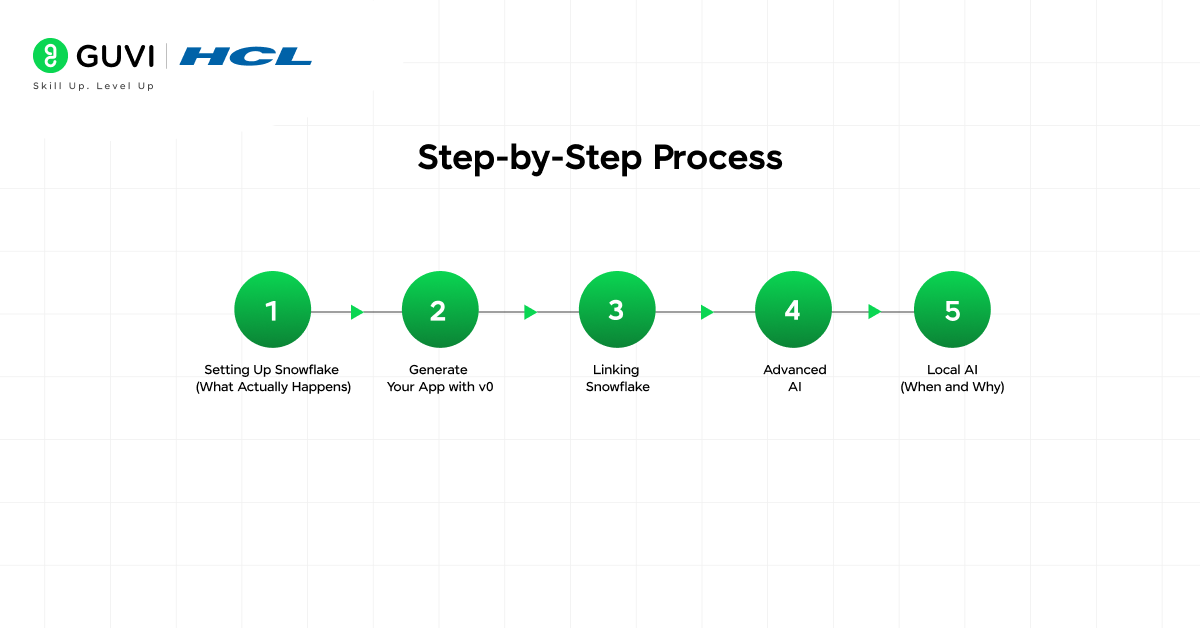
Step 1: Setting Up Snowflake (What Actually Happens)
So, when you “set up Snowflake”, you’re doing data engineering groundwork.
1. Create Database
| CREATE DATABASE analytics_db; |
2. Create Schema
| CREATE SCHEMA sales_schema; |
3. Create Table
| CREATE TABLE sales_data ( id INT, product_name STRING, revenue FLOAT, date DATE ); |
4. Load Data
Option 1: CSV Upload
- Load file → Stage (in Snowflake) → COPY INTO …
Option 2: ETL Pipelines
- E.g. Airflow, Fivetran
Option 3: APIs
- Real-time ingestion (e.g., app events)
5. Set up Roles (Security)
You define:
- Who can read data
- Who can write
- Who can run queries
Example:
| GRANT SELECT ON TABLE sales_data TO ROLE analyst; |
Step 2: Generate Your App with v0
When you use v0, you’re essentially doing:
Prompt → AI → Full-stack code generation
What happens internally:
Your prompt:
“Build a sales dashboard with charts”
v0 generates:
- React components (UI)
- API routes (backend endpoints)
- Fetch logic (data calls)
Example Output Structure
| /app /components Chart.jsx Table.jsx /api sales.js /pages index.js |
Why this matters:
You skip:
- Boilerplate setup
- UI scaffolding
- Basic API creation
Step 3: Linking Snowflake
This is an important and often underestimated step.
What you’re actually doing:
- Opening a secure connection
- Running queries
- Returning structured JSON
Important: NEVER hardcode credentials
Instead use:
| SNOWFLAKE_USER=xxx SNOWFLAKE_PASSWORD=xxx Query Optimization (Very Important) |
Bad query:
| SELECT * FROM sales_data; |
Better:
| SELECT product_name, SUM(revenue) FROM sales_data WHERE date >= CURRENT_DATE – 30 GROUP BY product_name; |
Why?
- Less data scanned
- Faster response
- Lower cost
Step 4: Advanced AI
This is what differentiates a basic dashboard vs smart application.
Using GLM-4:
Workflow
User asks:
“Why was last week’s revenue lower?”
Backend:
- Fetches relevant data
AI:
- Analyzes trends
- Generates explanation
Output:
“Sales went down because of 20% drop in Product B sales.”
Key Insight:
AI is not killing SQL, it’s helping to interpret it.
Step 5: Local AI (When and Why)
You choose this when:
- You don’t want data to be sent away
- You want cost control
- You need customization
Actual Setup Flow
1. Download model (GLM-4 or similar)
2. Run via:
- Docker container
3. Expose API:
| http://localhost:8000/generate |
4. Connect backend → AI
Go beyond tutorials and start building real systems. With HCL GUVI’s AI & ML Course, master RAG, workflow automation, and practical AI applications that translate directly into real-world solutions.
Wrapping it up:
Creating a data application today is no longer about integrating disparate tools, but designing a system that can be used effectively with fast queries, simple user interfaces and useful insights. Data storage platforms such as Snowflake provide a robust, scalable data architecture, while v0 makes the application layer easier to develop.
The key to making it work is the change in focus. Instead of spending time on boilerplate setup, you can concentrate on how your data is structured, how efficiently it’s queried, and how clearly it’s presented to users. Introducing an intelligence layer using models like GLM-4 takes this a step further, transforming dashboards into insightful and interactive experiences.
FAQs
1. What is Snowflake used for?
Snowflake is a cloud data platform used for storing, querying, and analyzing large-scale data efficiently.
2. What does v0 do?
v0 is an AI-powered coding tool that generates frontend and backend code from natural language prompts.
3. Do I need coding experience to use v0?
Basic understanding helps, but v0 significantly reduces the amount of manual coding required.
Success Stories

About the Author
Vishalini Devarajan
An Aerospace Engineer turned content writer, I focus on making complex concepts easy to understand through well-structured, reader-friendly blogs. Whether it’s a technical topic or a non-technical one, I love creating content that is clear, engaging, and impactful.
View all posts by Vishalini Devarajan
Connect with me @








Did you enjoy this article?