


Artificial Intelligence and Machine Learning Articles
From IT Support to AI Engineer: A Realistic Career Switch Guide 2026
Is the HCL GUVI AI/ML Program Right for You? A Quick Self-Assessment
Inside the HCL GUVI AI/ML Curriculum: What You’ll Actually Build


Get In Touch For Details! Request More Information
How to Build a Wedding Website Using No-Code AI Tools (2026 Guide)
Jul 10, 2026 3 Min Read 661 Views
(Last Updated)
Constructing a wedding website with no-code AI tools is very common, accessible and is possible with zero technical skills. These tools help users create an uncluttered, clean online space where wedding-related content is readily available.
In this blog, we will go through building a wedding website using no-code AI tools, covering the key features to include and how to design it effectively.
Table of contents
- Quick TL;DR Summary
- Why Use No-Code AI Tools for Wedding Websites
- Must-have Features a Wedding Website Should Have
- Welcome Section
- Event Details
- Wedding Schedule
- RSVP Form (Response Form)
- Location & Venue Information
- Contact Information
- Mobile-Friendly Design
- Step-by-Step Guide to Building a Wedding Website
- Step 1: Give a Clear Prompt
- Step 2: Add and Fix Details
- Step 3: Check on Mobile
- Step 4: Fix Using Prompts
- Step 5: Publish and Share
- Design Tips for a Beautiful Wedding Website
- a. Use Clear Prompts
- b. Use Ready Templates
- c. Pick Suggested Colours
- d. Choose Built-in Fonts
- e. Upload Clear Images
- Conclusion
- FAQs
- Do I need technical skills to create a wedding website?
- Can I update my wedding website after publishing it?
- Is it possible to make a wedding website on a budget?
- How long does it take to build a wedding website?
- Will guests be able to access the website on mobile devices?
- Is a custom domain required for a wedding website?
Quick TL;DR Summary
- This blog explains how to build a wedding website using no-code AI tools, step by step.
- You’ll understand the essential features needed for a proper wedding website.
- It also shares basic design tips to make your wedding website look clean and attractive.
Why Use No-Code AI Tools for Wedding Websites
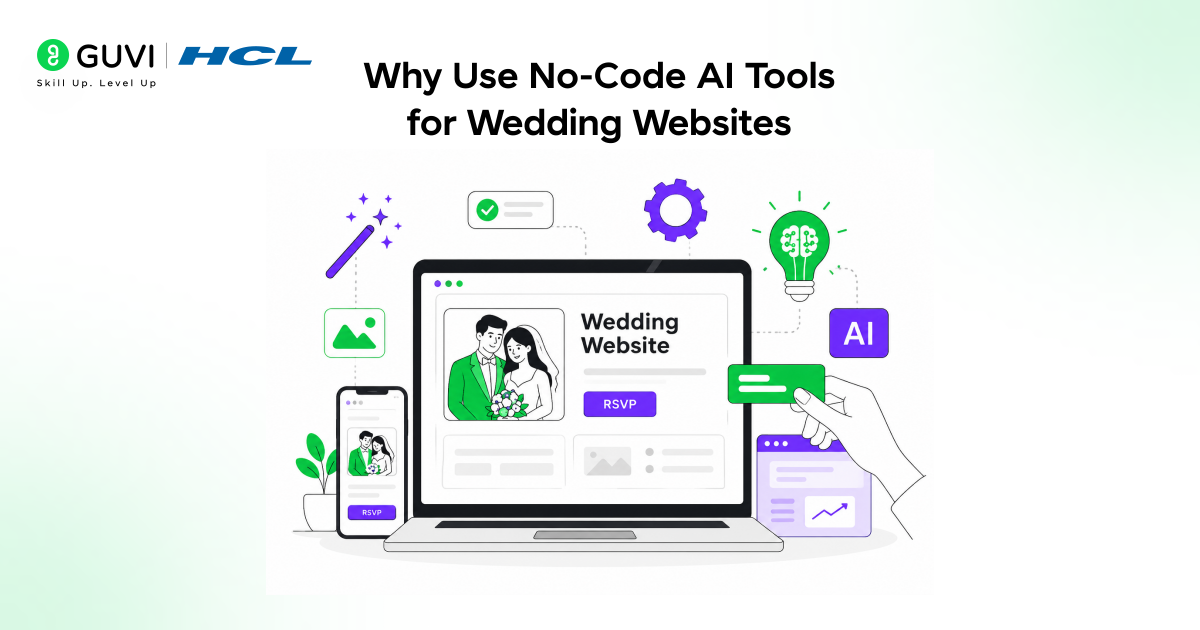
With no-code AI tools, creating a wedding website becomes simpler than ever. There is no need for coding or technical skills; everything is set up simply, and users just need to enter their idea as a prompt, select a design, enter the content, and publish the website quickly. In addition, it saves a lot of time because most development tasks are automated.
If you’re eager to explore the world of full-stack development and dream of creating real-world software solutions, join HCL GUVI’s IITM Pravartak Certified MERN Full Stack Development Course with AI Integration. Don’t wait—connect with us today to get started.
Must-have Features a Wedding Website Should Have
Before you start building your wedding website, include these must-have features to ensure everything is clear and well-organised:
1. Welcome Section
This is the first thing that people see when they open the website. It should have a clear heading listing the names of those getting married, and possibly a short message to welcome your guests, so they can settle in and rest assured they are on the right website.
2. Event Details
This section contains the main information (wedding date and time, list of events). Guests will be able to easily see when and what the event is, without getting confused.
3. Wedding Schedule
Details of what happens during the wedding and the day’s timings. This information helps guests understand the entire flow of the day so they don’t miss any important moments.
4. RSVP Form (Response Form)
The guest must confirm their acceptance of the invitation by filling out this response form. It may also include contact information and basic details (e.g., the number of guests) to facilitate planning.
5. Location & Venue Information
This provides the exact full address of the wedding location, making it very clear where the wedding is. This will ensure no one gets confused on the way to the venue.
6. Contact Information
Include the name of the contact person and their phone number so guests can reach out with questions or needs regarding the wedding.
7. Mobile-Friendly Design
This ensures that the website is responsive and user-friendly on mobile devices. Visitors can easily view and access all information at any time, with a seamless user experience.
Step-by-Step Guide to Building a Wedding Website
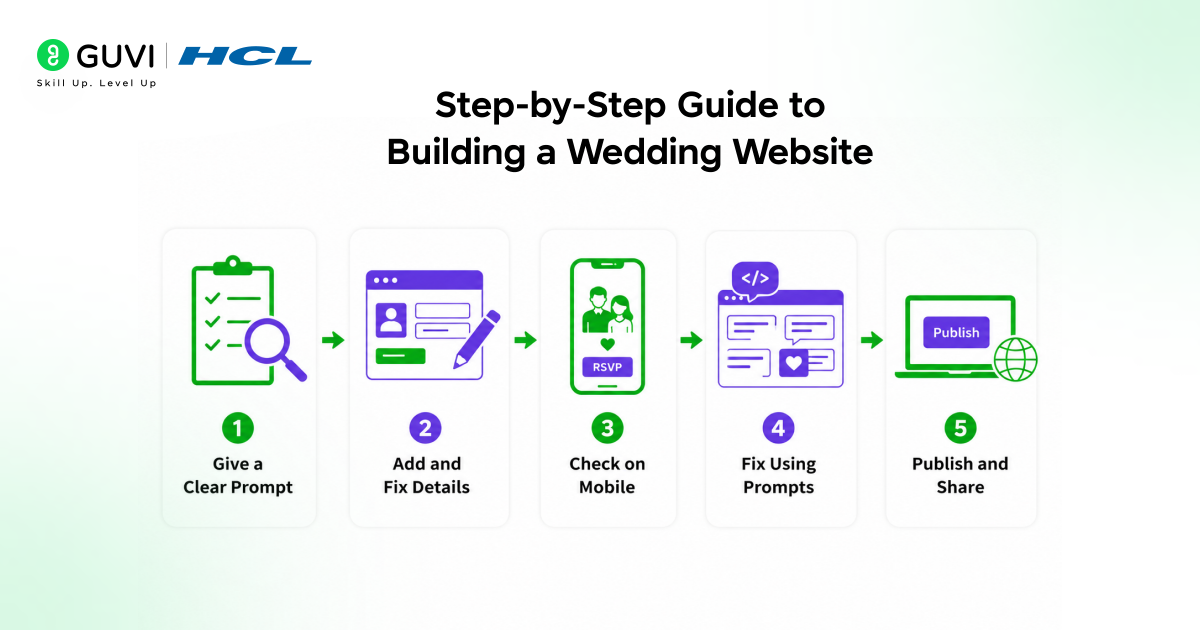
These are the steps you need to follow to build a simple, effective wedding website:
Step 1: Give a Clear Prompt
- Start by writing a simple prompt like “create a wedding website”
- Add details like names, date, events, and style in the same prompt
- Also mention sections like welcome, event details, schedule, RSVP, location, and contact
- Add more details if needed to get a better result
- Generate the website and check what you get

Step 2: Add and Fix Details
- Open the website and go section by section
- Fill in the correct details like date, time, venue, and schedule
- Keep everything short so guests can understand quickly
- Make sure all important sections are present
Step 3: Check on Mobile
- Open the website on your phone
- See if everything looks clear and easy to use
- Fix anything that looks messy or hard to read
Step 4: Fix Using Prompts
- If something is missing, write another prompt
- Say exactly what you want to fix or add
- Keep it simple and direct
- Repeat until everything looks right
Step 5: Publish and Share
- Once everything looks good, publish the website with any known publishing platform, such as Netlify or Vercel
- This makes it live on the internet
- Share the link with guests so they can open it anytime
- Now your wedding website is ready to use
Design Tips for a Beautiful Wedding Website
a. Use Clear Prompts
Give the AI simple, direct instructions so it can generate the website layout and content correctly.
b. Use Ready Templates
Select a pre-designed template from the tool to achieve a clean, structured layout.
c. Pick Suggested Colours
Use AI-recommended colour themes to keep the design balanced and good-looking.
d. Choose Built-in Fonts
Select simple fonts available in the tool to keep text clear and readable.
e. Upload Clear Images
Add good-quality photos using the upload option to improve the overall look.
Join the Intel & IITM Certified AI/ML course at HCL GUVI! Experience engaging in-person classes, hands-on projects, and personalised support, along with career placement services. Boost your skills in Machine Learning, Deep Learning, and Generative AI. Unlock your potential today!
Conclusion
Creating a wedding website with no-code AI tools is straightforward and fast. It has an intuitive interface for easy management of the whole project on a single platform. With this tool, you can include all the elements without any technical expertise. It also ensures clear dissemination of information through an easy-to-navigate platform.
FAQs
Do I need technical skills to create a wedding website?
No coding or technical background is required when using no-code AI tools.
Can I update my wedding website after publishing it?
Changes like dates, photos, and event details can be edited anytime after publishing.
Is it possible to make a wedding website on a budget?
Many no-code AI tools offer free plans or affordable options for basic wedding websites.
How long does it take to build a wedding website?
With ready content and images, a wedding website can be created within a few hours.
Will guests be able to access the website on mobile devices?
Most wedding websites built with AI tools are automatically optimised for mobile use.
Is a custom domain required for a wedding website?
A custom domain is optional, but it helps make the website look more professional and memorable.
Success Stories












Did you enjoy this article?