


AWS Kubernetes Articles
Istio Service Mesh Tutorial for Beginners
Crossplane Tutorial: A Practical Guide for Learners


Get In Touch For Details! Request More Information
What is ECS in AWS? A Complete Beginner’s Guide [2026]
Jul 21, 2026 5 Min Read 417 Views
(Last Updated)
Many developers moving to the cloud struggle to understand how to run and manage containerised applications at scale without spending hours on infrastructure setup. ECS in AWS solves exactly that by giving you a fully managed environment to deploy Docker containers quickly and reliably. Whether you are building microservices, running batch jobs, or scaling web applications, ECS handles the heavy lifting so your team can focus on writing code.
Table of contents
- Quick TL;DR
- What Is ECS in AWS?
- Key Components of Amazon ECS
- How Does ECS Work in AWS?
- Step 1: Create a Task Definition
- Step 2: Create a Cluster
- Step 3: Run a Task or Create a Service
- Step 4: Monitor and Scale
- ECS Launch Types: EC2 vs Fargate
- Real-World Example: Food Delivery Startup Scaling with ECS
- Setup: Containerization & Task Definitions
- Peak Load: Monitoring & Alerting
- Scaling: Automatic Task Expansion
- Cost Savings: Scale Down After Peak
- Common Mistakes When Using ECS in AWS
- Conclusion
- FAQ
- What is ECS in AWS used for?
- What is the difference between ECS and EKS in AWS?
- What is AWS Fargate and how does it relate to ECS?
- Is ECS in AWS free to use?
- What is a task definition in ECS?
- What is the difference between an ECS task and an ECS service?
- Can ECS in AWS scale automatically?
- What AWS services does ECS integrate with?
Quick TL;DR
- ECS in AWS (Amazon Elastic Container Service) is a fully managed container orchestration service that lets you run, stop, and manage Docker containers on the cloud.
- It removes the need to install or operate your own container management infrastructure.
- ECS integrates natively with other AWS services like IAM, CloudWatch, and Elastic Load Balancer, making it one of the most widely used tools for deploying containerised applications on AWS.
What Is ECS in AWS?
Amazon Elastic Container Service (ECS) is a fully managed container orchestration service provided by AWS. It allows you to run Docker containers on a cluster of virtual machines without managing the underlying infrastructure yourself.
In simple terms, ECS tells AWS where to run your containers, how many copies to run, and what to do if one of them fails. It automatically handles scheduling, scaling, and monitoring for you.
Explore HCL GUVI’s AWS Fundamental Course, designed for beginners and professionals looking to master ECS, Fargate, and modern cloud architecture.
ECS is commonly used for:
- Deploying microservices architectures
- Running background jobs and batch workloads
- Hosting APIs and web applications in containers
- Continuous integration and deployment pipelines
Read More: Top 35+ AWS Interview Questions and Answers
Key Components of Amazon ECS
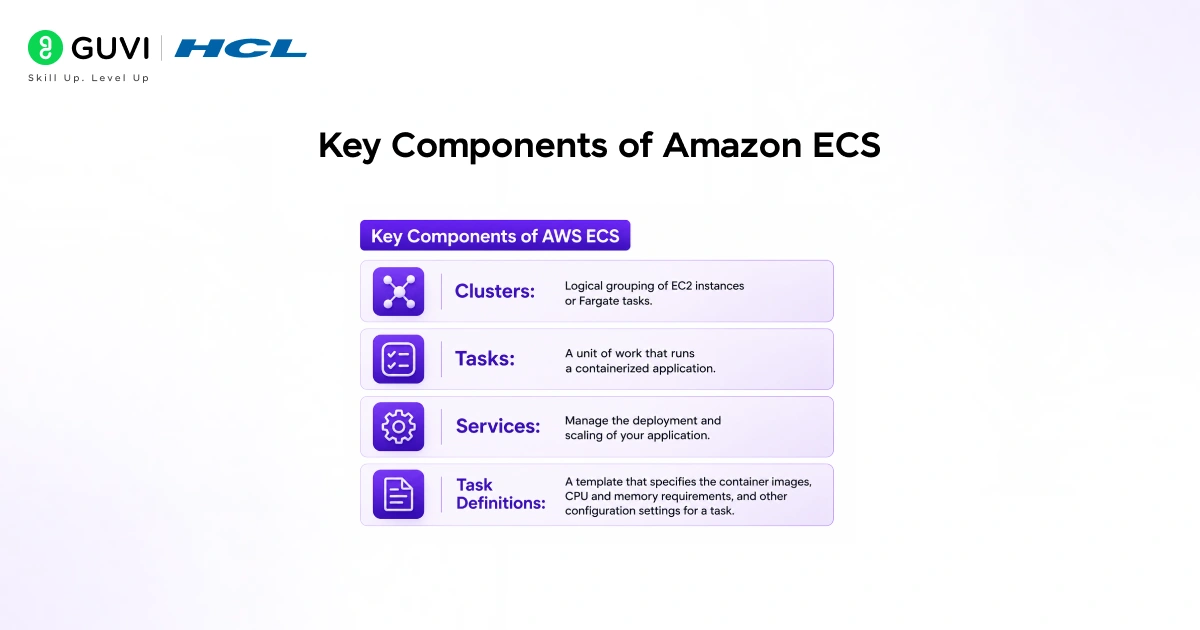
Before understanding how ECS works, it helps to know its core building blocks.
- Cluster
A cluster is a logical grouping of resources where your containers run. It can contain EC2 instances or be powered by AWS Fargate, which is a serverless option where AWS manages the underlying servers entirely.
- Task Definition
A task definition is a blueprint that describes how your container should run. It specifies the Docker image to use, CPU and memory requirements, environment variables, ports, and storage settings.
- Task
A task is a running instance of a task definition. Think of it as one execution of your container. ECS can run a single task or multiple tasks simultaneously depending on your configuration.
- Service
An ECS service ensures that a specified number of tasks are always running. If a task fails or stops unexpectedly, the service automatically launches a replacement. This makes ECS services ideal for long-running applications like web servers and APIs.
How Does ECS Work in AWS?
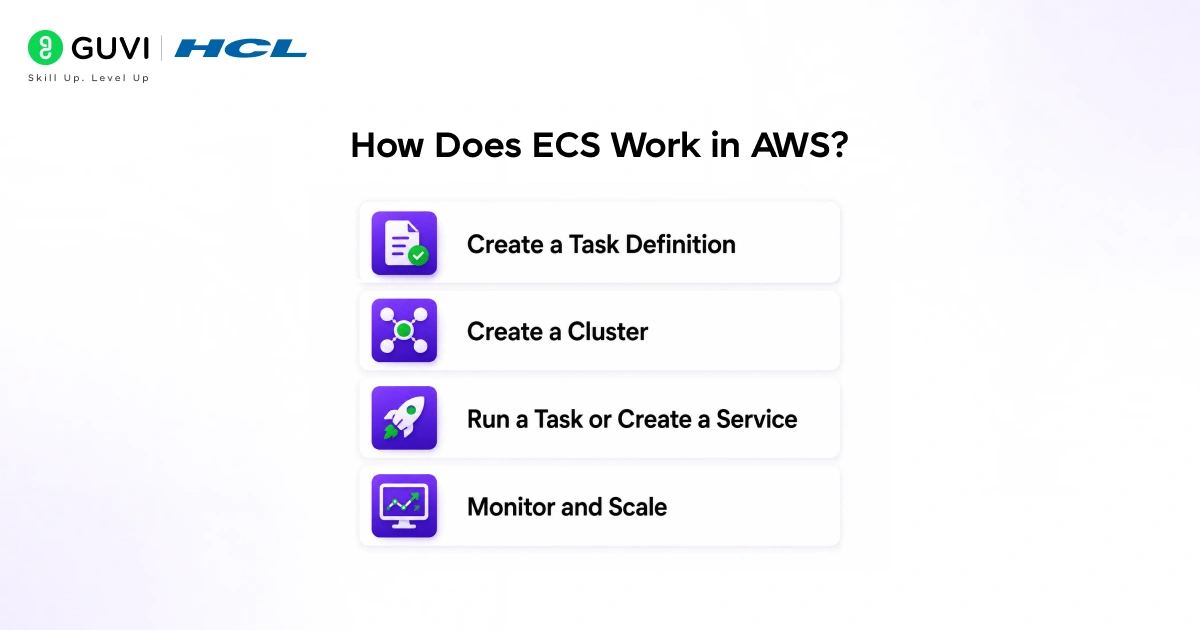
Now let’s understand the flow of how ECS runs your containers step by step.

Step 1: Create a Task Definition
You define your container settings in a task definition, including the Docker image, memory, CPU, and networking configuration.
Step 2: Create a Cluster
You create an ECS cluster, which is the environment where your tasks will run. You choose either EC2 launch type or Fargate launch type depending on how much control you want over the underlying infrastructure.
Step 3: Run a Task or Create a Service
You either run a task directly for short-lived jobs or create a service for applications that need to stay running continuously. ECS schedules the task on an available resource in the cluster.
Step 4: Monitor and Scale
CloudWatch collects metrics from your ECS tasks. You can set up Auto Scaling to increase or decrease the number of running tasks based on CPU usage, memory, or custom metrics.
ECS Launch Types: EC2 vs Fargate
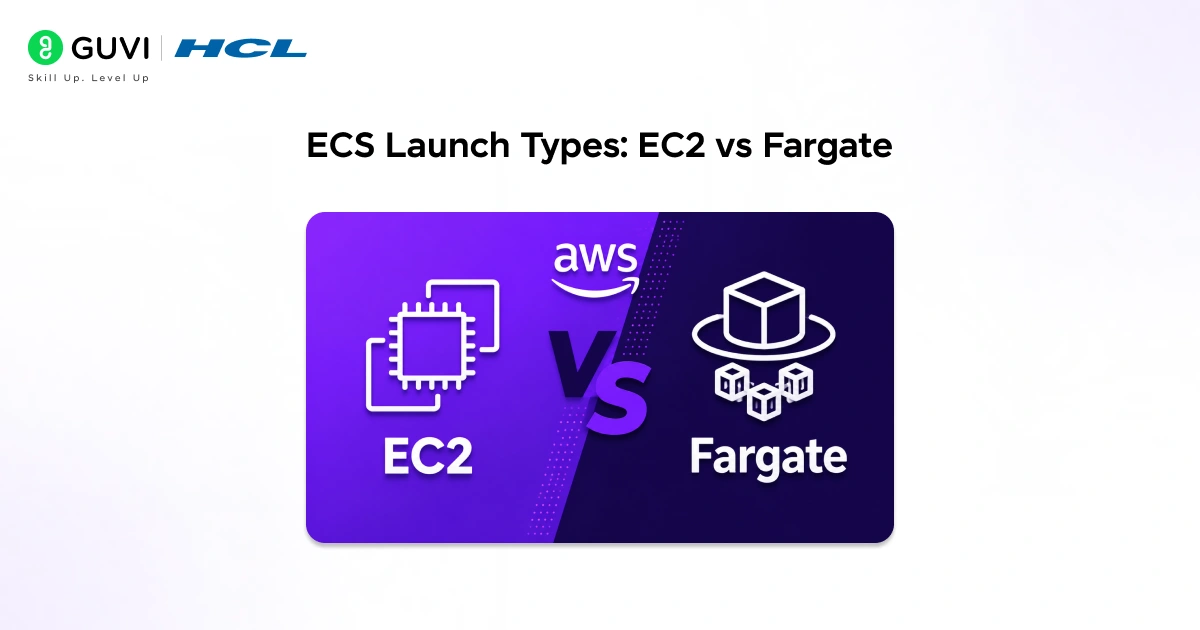
ECS supports two launch types, and choosing the right one depends on how much infrastructure control you need.
| Feature | ECS on EC2 | ECS on Fargate |
| Server management | You manage EC2 instances | AWS manages servers fully |
| Control over infrastructure | High | Low |
| Pricing model | Pay for EC2 instances | Pay per task CPU and memory |
| Startup time | Slower | Faster |
| Best for | Custom configurations, cost optimisation | Simplicity, serverless workloads |
| Scaling | Manual or Auto Scaling groups | Automatic by AWS |
So how do you choose between the two?
Use EC2 launch type when you need fine-grained control over your instances or want to optimise costs for large, predictable workloads. Use Fargate when you want to run containers without managing any servers at all.
Amazon Elastic Container Service (ECS) was introduced in 2014 as one of the earliest fully managed container orchestration platforms offered by a major cloud provider. Designed to simplify the deployment, scaling, and management of containerized applications, ECS enables organizations to run production workloads without having to manage complex orchestration infrastructure themselves. Over the years, it has become a popular choice for businesses building microservices architectures, cloud-native applications, and large-scale distributed systems. Today, ECS is used across industries including e-commerce, media, finance, and technology, helping teams efficiently manage containers while leveraging the scalability and reliability of the AWS cloud platform.
Real-World Example: Food Delivery Startup Scaling with ECS
1. Setup: Containerization & Task Definitions
- The startup containerizes each microservice (order, payment, notification) using Docker.
- Each service gets its own task definition in ECS, standardizing how containers run and communicate.
- An ECS service maintains a minimum of 2 running tasks per microservice to ensure availability during normal traffic.
2. Peak Load: Monitoring & Alerting
- During lunch and dinner hours, traffic spikes unpredictably.
- CloudWatch monitors CPU usage and memory metrics across all running tasks in real time.
- When CPU crosses a defined threshold (e.g., 70%), an alarm triggers Auto Scaling policies.
3. Scaling: Automatic Task Expansion
- Auto Scaling adds new tasks dynamically to handle increased demand without manual intervention.
- An Elastic Load Balancer routes incoming API requests evenly across all active tasks, preventing bottlenecks.
- The startup handles peak traffic without over-provisioning infrastructure or burning out existing containers.
4. Cost Savings: Scale Down After Peak
- When traffic drops post-peak hours, ECS scales back down to the minimum task count automatically.
- Unnecessary container instances are terminated, reducing compute costs without affecting availability.
- The system maintains cost efficiency while staying ready for the next traffic surge.
Did You Know?
:contentReference[oaicite:0]{index=0} Fargate is a serverless compute engine for container orchestration services like ECS. It removes the need to manage servers, choose instance types, or handle cluster capacity and patching. By abstracting infrastructure management, Fargate allows engineering teams to focus on building and deploying applications faster, reducing operational overhead and accelerating feature delivery in production environments.
Common Mistakes When Using ECS in AWS
1. Skipping task definition resource limits: Many beginners forget to set CPU and memory limits in the task definition. Without these, a single runaway container can consume all available resources in the cluster and bring down other services running alongside it.
2. Using EC2 launch type when Fargate is simpler: Teams new to ECS often default to EC2 launch type out of habit. For most standard workloads, Fargate removes unnecessary complexity. Start with Fargate and move to EC2 only if you need specific instance configurations or cost optimisation at scale.
3. Not configuring health checks for ECS services: Without proper health checks, ECS cannot detect a failing container and replace it automatically. Always configure health checks in both the task definition and the load balancer to ensure broken tasks are restarted quickly.
4. Ignoring IAM roles for ECS tasks: Every ECS task that accesses AWS services like S3 or RDS needs an IAM task role with the correct permissions. Using overly broad permissions or skipping task roles entirely is a common security mistake in beginner ECS setups.
5. Not setting up logging with CloudWatch: ECS does not store container logs by default. If you do not configure the awslogs log driver in your task definition, you will have no visibility into what your containers are doing. Always enable CloudWatch Logs from the start.
Want to build hands-on skills in AWS containerization and cloud deployment? Explore HCL GUVI’s AWS Fundamental Course, designed for beginners and professionals looking to master ECS, Fargate, and modern cloud architecture.
Conclusion
As containerized applications become the standard for modern software deployment, knowing how to use ECS in AWS is a skill that sets cloud professionals apart. ECS removes the complexity of managing container infrastructure while giving you the flexibility to run any workload at scale.
Start by deploying a simple Docker container using Fargate, explore task definitions and ECS services, and gradually build toward multi-service architectures. Hands-on practice with ECS is the fastest way to go from understanding the concept to confidently using it in production.
FAQ
1. What is ECS in AWS used for?
ECS in AWS is used to run, manage, and scale Docker containers on the cloud without managing the underlying server infrastructure. It is commonly used for microservices, APIs, batch jobs, and continuous deployment pipelines.
2. What is the difference between ECS and EKS in AWS?
ECS is AWS’s own managed container orchestration service designed to work natively with AWS tools. EKS (Elastic Kubernetes Service) is a managed Kubernetes service for teams already using or preferring Kubernetes. ECS is simpler to set up, while EKS offers more flexibility and portability across cloud providers.
3. What is AWS Fargate and how does it relate to ECS?
AWS Fargate is a serverless compute engine that runs ECS tasks without requiring you to manage EC2 instances. When you use ECS with Fargate, AWS handles all server provisioning, scaling, and maintenance automatically.
4. Is ECS in AWS free to use?
ECS itself has no additional charge. You pay for the underlying resources your containers use, such as EC2 instances for the EC2 launch type or vCPU and memory per second for Fargate tasks.
5. What is a task definition in ECS?
A task definition is a configuration file that tells ECS how to run your container. It includes the Docker image, CPU and memory requirements, port mappings, environment variables, and logging settings.
6. What is the difference between an ECS task and an ECS service?
A task is a single running instance of a container. A service is a higher-level construct that ensures a specified number of tasks are always running and automatically replaces any that fail.
7. Can ECS in AWS scale automatically?
Yes. ECS integrates with AWS Auto Scaling to increase or decrease the number of running tasks based on metrics like CPU utilisation and memory usage. This makes it well suited for applications with variable traffic patterns.
8. What AWS services does ECS integrate with?
ECS integrates natively with IAM for security, CloudWatch for monitoring and logging, Elastic Load Balancer for traffic distribution, ECR (Elastic Container Registry) for storing Docker images, and VPC for network isolation.
Success Stories

About the Author
Vishalini Devarajan
An Aerospace Engineer turned content writer, I focus on making complex concepts easy to understand through well-structured, reader-friendly blogs. Whether it’s a technical topic or a non-technical one, I love creating content that is clear, engaging, and impactful.
View all posts by Vishalini Devarajan
Connect with me @







Did you enjoy this article?