


AWS Kubernetes Articles
Istio Service Mesh Tutorial for Beginners
Crossplane Tutorial: A Practical Guide for Learners


Get In Touch For Details! Request More Information
What Is an AMI in AWS? A Beginner’s Guide
Aug 19, 2026 5 Min Read 808 Views
(Last Updated)
If you are just getting started with AWS, one of the first things you will encounter when launching a virtual server is the need to pick an AMI. It sounds technical, but the concept is actually very simple, and once you understand it, working with EC2 instances becomes a lot less confusing.
Table of contents
- QUICK TL;DR
- What Does an AMI Contain?
- The three core components are packed inside every AMI
- How Does an AMI in AWS Actually Work?
- Step 1:
- Step 2:
- Step 3:
- Step 4:
- Types of AMIs in AWS
- Four main AMI categories you will come across
- AMI vs Snapshot vs EC2 Instance: What Is the Difference?
- Why AMIs Matter: Real-World Use Cases
- Three practical scenarios where AMIs save you significant time
- How to Create a Custom AMI: The Basic Steps
- AMI Pricing: What Does It Actually Cost?
- Conclusion
- FAQs
- What’s the difference between an AMI and a snapshot?
- Do AMIs cost money?
- When should I create a custom AMI?
- Are community AMIs safe to use in production?
- How do I update instances after launching from an AMI?
- How do I clean up unused AMIs to avoid costs?
QUICK TL;DR
- An Amazon Machine Image (AMI) is a ready-to-launch template that defines an EC2 instance’s OS, preinstalled software, and block-device mappings.
- You pick an AMI as the blueprint when launching instances; AWS uses underlying EBS snapshots to recreate identical servers.
- AMIs can be AWS-provided, marketplace, community, or custom.
- AMI in AWS, themselves aren’t billed, but associated EBS snapshot storage (and Marketplace licenses) incur costs.
- Use them for consistent scaling and fast recovery.
An Amazon Machine Image (AMI) is the foundation of every EC2 instance launched on AWS. It acts as a reusable blueprint that contains everything required to start a virtual server, including the operating system, application software, configuration settings, and storage mappings. Because an AMI captures a complete server environment, organizations can use it to launch identical instances consistently and quickly across different environments. This makes AMIs especially valuable for scaling applications, maintaining standardized infrastructure, and implementing infrastructure-as-code practices where servers can be created, replaced, or replicated in minutes with minimal manual configuration.
What Does an AMI Contain?
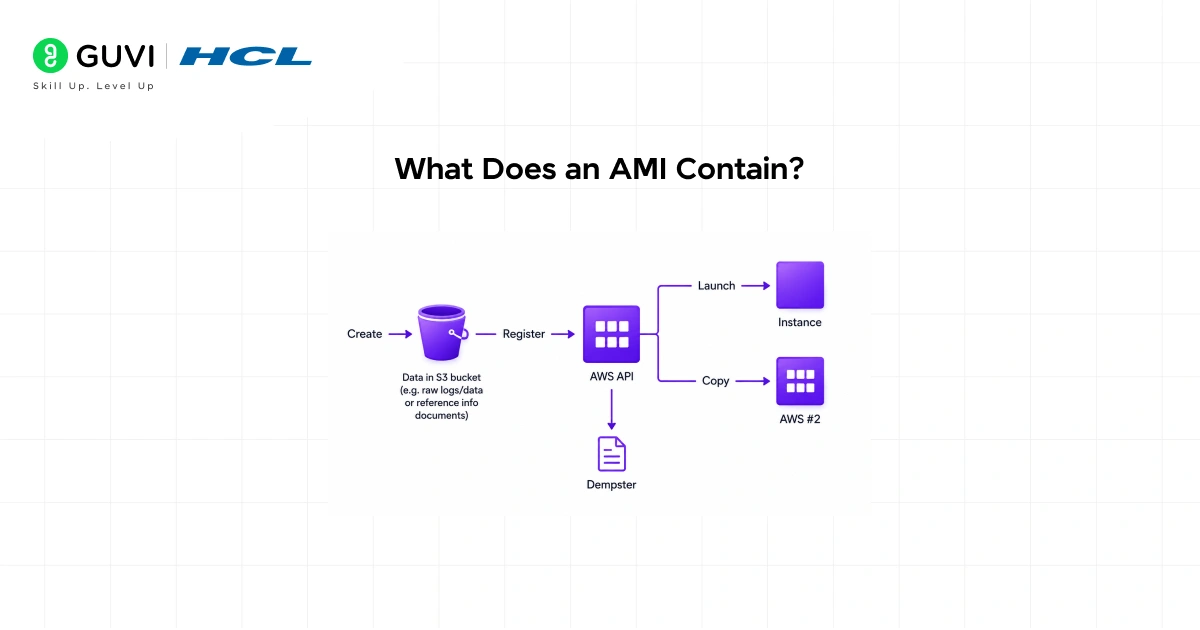
The three core components are packed inside every AMI
Every AMI consists of three key things that AWS needs to launch your instance correctly.
- The first is a root volume template.
This is essentially the core disk of your server it includes the operating system (like Ubuntu Linux or Windows Server) and any applications baked into it.
- The second is launch permissions:
These control who can use the AMI. You can keep it private for only your account, share it with specific AWS accounts, or make it public for anyone to use.
- The third is a block device mapping.
This tells AWS what storage volumes to attach to the instance when it launches, like specifying how many hard drives your server should have and their sizes.
You just learned what an AMI (Amazon Machine Image) is in AWS and how it powers EC2 instances. Take it further with HCL GUVI’s AWS Course and master cloud computing hands-on. Learn to launch instances, configure AMIs, and build real-world AWS solutions from the ground up.
How Does an AMI in AWS Actually Work?
Here is the process in plain terms. You log into your AWS console and go to launch an EC2 instance.
Step 1:
AWS asks you to pick an AMI. This could be a standard Amazon Linux image, an Ubuntu server, or a Windows Server image.
Step 2:
You select it, choose your instance size, configure settings, and hit launch. Within minutes, a fully running virtual server appears with everything from the AMI already in place.
Step 3:
The real power shows up when you need multiple servers that look identical. Say you run a web application and need to scale from 2 servers to 20 during a traffic spike.
Step 4:
Instead of manually setting up 18 new servers, you launch 18 instances from the same AMI. Every single one starts with the same configuration. No manual setup, no inconsistencies.
Types of AMIs in AWS
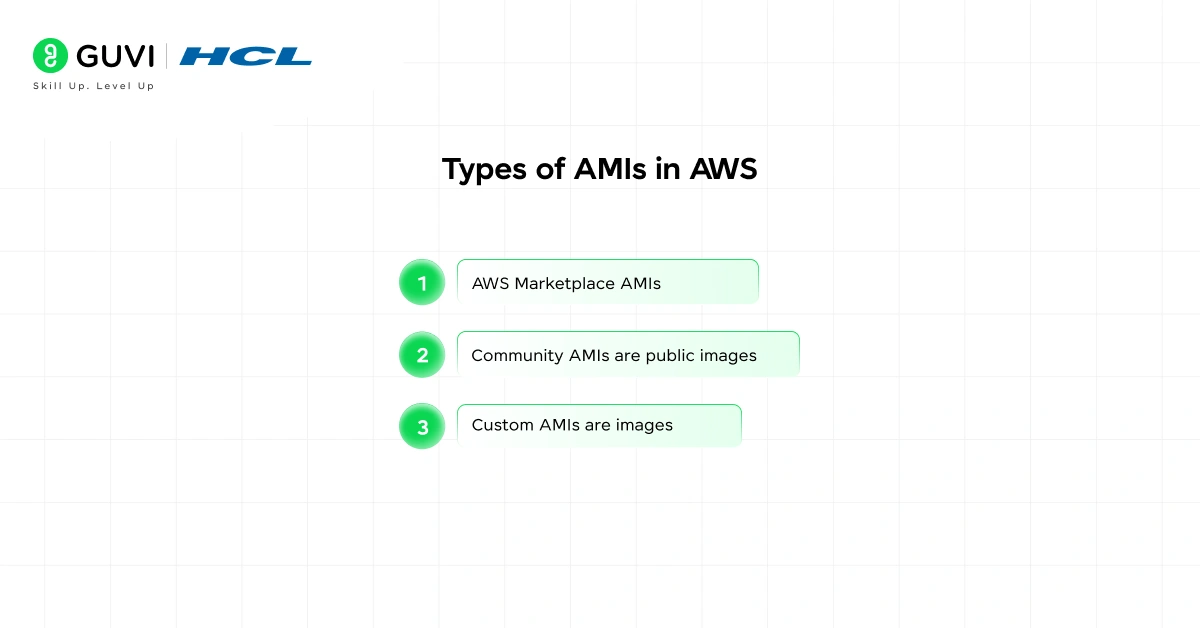
Four main AMI categories you will come across
AWS organizes AMIs into four main types, and knowing the difference helps you pick the right one.
AWS-provided AMIs are official images maintained by Amazon. These include Amazon Linux 2, Amazon Linux 2023, and standard Windows Server versions. They are updated regularly and are the most common starting point for new EC2 instances.
- AWS Marketplace AMIs
These come from third-party vendors and are available through the AWS Marketplace. These often include commercial software pre-configured and ready to go, things like pre-built WordPress hosting environments, database servers, or security appliances. Some are free; others come with a software license cost on top of the EC2 charges.
- Community AMIs are public images
This was created and shared by other AWS users. They are free to use but not verified by AWS, so you should review them carefully before use, especially for production workloads.
- Custom AMIs are images
You create yourself. You launch an EC2 instance, install your applications, configure everything the way you need it, and then create an AMI from that running instance. This custom AMI becomes your personal template for launching identical servers in the future.
AMI vs Snapshot vs EC2 Instance: What Is the Difference?
These three terms confuse many beginners, so here is a clear comparison.
| Term | What It Is | When You Use It |
| AMI | A complete template to launch a new EC2 instance | When creating new virtual servers |
| Snapshot | A backup of an EBS (storage) volume at a point in time | When backing up data on a running server |
| EC2 Instance | An actual running virtual server | When you need a live server doing real work |
The simplest way to remember it: an AMI is used to create an instance, a snapshot is used to back up an instance’s storage, and an EC2 instance is the live server itself. An AMI is actually built using one or more snapshots under the hood, but from a user perspective, they serve very different purposes.
Why AMIs Matter: Real-World Use Cases
Three practical scenarios where AMIs save you significant time
AMIs are not just a technicality; they solve very real problems that companies face every day.
- The most common use case is consistent scaling.
- When a company’s traffic increases, it needs more servers quickly.
- Using an AMI, cloud teams can launch dozens of identical servers in minutes through Auto Scaling groups, ensuring every new server has the same OS, application code, and configurations without anyone touching them manually.
- Another key use case is disaster recovery.
- Organizations regularly create AMIs of their production servers and store them as backups.
- If a server fails or gets corrupted, they can launch a fresh instance from the most recent AMI and restore operations quickly. AWS even documented how companies like BMW use EBS snapshots alongside AMIs to protect critical workloads and ensure continuity.
- Custom development environments are another practical use.
- A development team can create an AMI with all its tools, libraries, and configurations pre-installed.
- New engineers joining the team simply launch an instance from that AMI and have a fully working development environment in minutes instead of spending days setting things up from scratch.

How to Create a Custom AMI: The Basic Steps
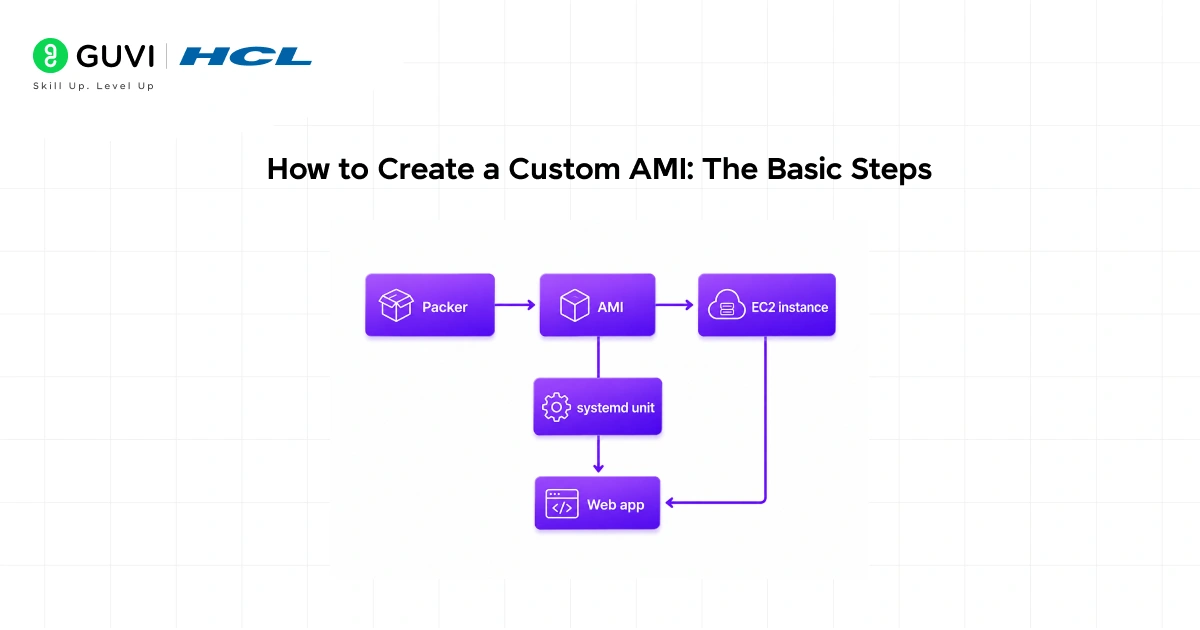
Creating your own AMI is simpler than most people expect. Here is a straightforward walkthrough.
- First, launch an EC2 instance and choose any base AMI as your starting point. Once the instance is running, connect to it and install all the software, libraries, and configurations you need. Think of this as setting up the perfect server template.
- Next, once everything is configured exactly how you want it, go to the EC2 console, select your instance, click on Actions, then Image and Templates, and choose Create Image. Give it a name and a description, then click Create Image.
- AWS will stop the instance momentarily, take snapshots of all attached volumes, and register a new AMI in your account.
- Within a few minutes, your custom AMI appears in the AMI section of the console, ready to launch as many identical instances as you need.
An Amazon Machine Image (AMI) can include multiple Amazon EBS volumes, allowing organizations to capture complex server configurations—including separate volumes for applications, databases, logs, and other data—in a single reusable template. When an AMI is created, AWS generates snapshots of the associated volumes to produce a consistent image that can be used to launch identical EC2 instances. AMIs can be kept private for internal use, shared with specific AWS accounts, or made publicly available for the broader community. Because public AMIs may be created by third parties, it is considered a best practice to carefully review and validate their source, configuration, and security posture before using them in production environments.
AMI Pricing: What Does It Actually Cost?
The AMI itself does not cost money to use; you pay for the EC2 instance that runs from it and the storage behind it.
- Specifically, when you create a custom AMI, AWS stores the underlying EBS snapshots in Amazon S3. You pay standard EBS snapshot storage rates for those, which are charged per GB per month.
- AWS-provided AMIs and most community AMIs carry no additional AMI fee. Marketplace AMIs may include a software licensing cost that appears as a separate line item on your AWS bill.
- For compliance-heavy industries, AWS also offers a feature called EBS Snapshots Archive, which lets organizations store AMI snapshots at a much lower cost for long-term retention, useful when regulations require keeping historical server states for years.
Common Mistakes Beginners Make With AMIs
- One mistake people make early on is using a community AMI without checking it carefully. Because community AMIs are not vetted by AWS, always verify the publisher, check the AMI creation date, and review any available user feedback before using one in a production environment.
- Another common mistake is forgetting to deregister old AMIs and delete their associated snapshots when they are no longer needed. AMIs themselves do not cost money, but the snapshots underneath them do. Old, unused AMIs silently accumulate storage costs if you do not clean them up.
You just learned what an AMI (Amazon Machine Image) is in AWS and how it powers EC2 instances. Take it further with HCL GUVI’s AWS Course and master cloud computing hands-on. Learn to launch instances, configure AMIs, and build real-world AWS solutions from the ground up.
Conclusion
An AMI is the foundation of every EC2 instance you will ever launch on AWS. It is a blueprint that includes the OS, software, and storage configuration, making it fast and reliable to launch consistent, repeatable servers.
Whether you use an AWS-provided image to get started quickly, grab a Marketplace AMI with preconfigured software, or build your own custom image for your team’s specific needs, AMIs are among the most practical and powerful concepts in all of AWS. The next step is simple: log into your AWS console, browse the AMI catalog, and launch your first EC2 instance to see it in action.
FAQs
1. What’s the difference between an AMI and a snapshot?
An AMI is a full template for launching instances; a snapshot is a point-in-time backup of an EBS volume. AMIs are built from one or more snapshots.
2. Do AMIs cost money?
The AMI itself is free; you pay for the EC2 instance usage and the EBS snapshots stored in S3. Marketplace AMIs may include separate software charges.
3. When should I create a custom AMI?
Create one when you want reproducible servers with preinstalled apps/configs—useful for scaling, onboarding devs, or fast disaster recovery.
4. Are community AMIs safe to use in production?
Be cautious: community AMIs are user-provided and not verified by AWS. Verify publisher, creation date, and contents before using in production.
5. How do I update instances after launching from an AMI?
Update one instance, test changes, then create a new AMI from that updated instance and launch future instances from the new AMI.
6. How do I clean up unused AMIs to avoid costs?
Deregister the AMI and delete its associated EBS snapshots. Periodically audit AMIs and snapshots to remove stale images and free storage costs.
Success Stories

About the Author
Vishalini Devarajan
An Aerospace Engineer turned content writer, I focus on making complex concepts easy to understand through well-structured, reader-friendly blogs. Whether it’s a technical topic or a non-technical one, I love creating content that is clear, engaging, and impactful.
View all posts by Vishalini Devarajan
Connect with me @









Did you enjoy this article?