


Cloud Computing Articles
Advanced DNS Interview Questions for Senior Engineers: What to Expect in 2026
Advantages of Computer Network: Key Benefits, Limitations & Practical Applications


Get In Touch For Details! Request More Information

What is a Firewall in Computer Network? A Beginner’s Guide
Jan 09, 2026 7 Min Read 1109 Views
(Last Updated)
Ever wondered what is a firewall in computer network and why it matters for your digital safety? A firewall serves as the first line of defense that monitors incoming and outgoing network traffic and decides whether to allow or block specific data based on predetermined security rules.
Essentially, a firewall is a network security system available in both hardware and software forms. When you connect to the internet, your device becomes vulnerable to various threats. However, firewalls act as digital gatekeepers that control what goes in and out of your private network. Furthermore, they prevent unauthorized access, block malicious traffic, and safeguard your personal and business data from theft.
In fact, the primary purpose of a firewall is to intercept incoming malicious traffic before it reaches your network while also preventing sensitive information from leaving it. As you read this beginner-friendly guide, you’ll discover the different types of firewalls, how they work, and best practices to enhance your digital security. Let’s begin!
Table of contents
- Quick Answer:
- What is a Firewall in Computer Network?
- Why firewalls are essential in digital security
- Firewall vs Antivirus: key differences
- How Firewalls Work in Network Security
- 1) Packet filtering and inspection
- 2) Default policies: accept, reject, drop
- 3) Role of firewall rules and configurations
- Types of Firewalls Explained
- 1) Packet filtering firewall
- 2) Stateful inspection firewall
- 3) Proxy firewall
- 4) Next-generation firewall (NGFW)
- 5) Web application firewall (WAF)
- 6) Cloud-native and virtual firewalls
- Why Firewalls Matter for Cybersecurity
- 1) Preventing unauthorized access
- 2) Blocking malware and phishing attempts
- 3) Protecting sensitive data
- 4) Meeting compliance and regulatory needs
- Best Practices for Using Firewalls
- 1) Keep firewall software updated
- 2) Regularly review and adjust rules
- 3) Monitor logs and alerts
- 4) Use both network and host-based firewalls
- Concluding Thoughts…
- FAQs
- Q1. What is the main purpose of a firewall in computer networks?
- Q2. What are the different types of firewalls available?
- Q3. How can I check if my firewall is working properly?
- Q4. Do I need both a firewall and antivirus software?
- Q5. What are some best practices for using firewalls effectively?
Quick Answer:
A firewall in a computer network is a security system—either hardware, software, or cloud-based—that monitors and filters incoming and outgoing traffic based on predefined rules. Its main function is to block unauthorized access while allowing legitimate communication, acting as a protective barrier between your trusted network and potential online threats.
What is a Firewall in Computer Network?
A firewall is a security system that monitors and controls network traffic based on predetermined security rules. It sits between a trusted network (like your home or office network) and an untrusted network (typically the Internet). This digital barrier decides whether to allow or block specific data packets trying to enter or leave your network.
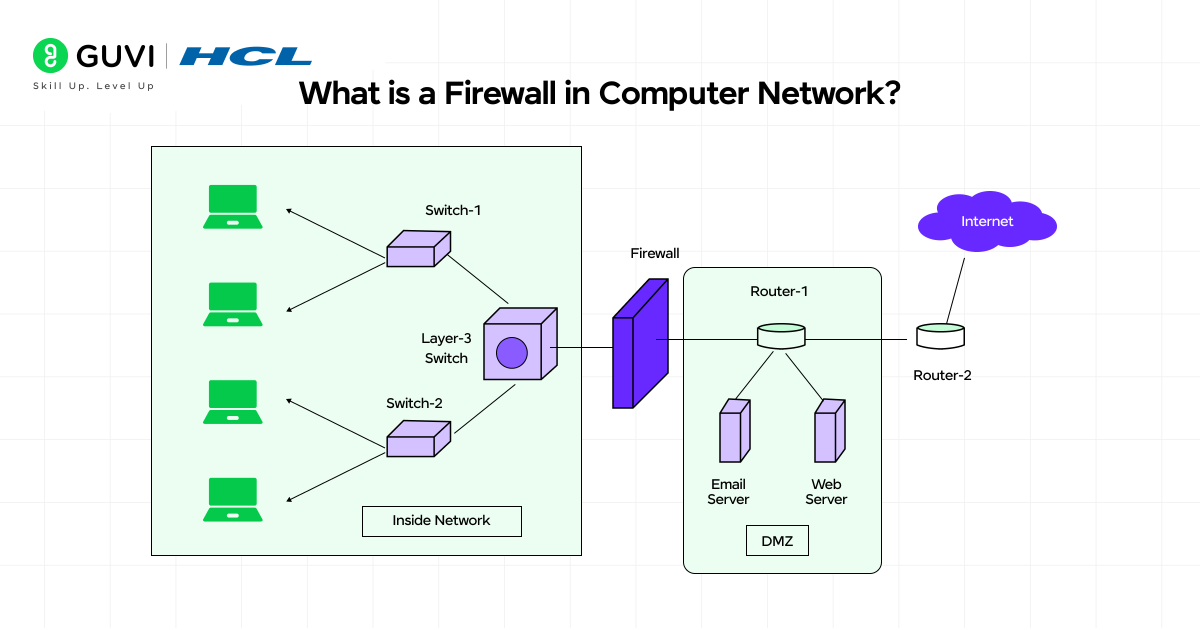
The term “firewall” comes from construction, where physical walls are built to contain fires from spreading. Similarly, network firewalls work to contain online threats by creating a protective barrier around your digital assets.
Firewalls come in different forms:
- Hardware firewalls: Physical devices positioned between your computer and the internet
- Software firewalls: Programs built into your operating system or available separately
- Cloud-based firewalls: Services that operate on a firewall-as-a-service model
Why firewalls are essential in digital security
Firewalls serve as the cornerstone of network security for several important reasons:
- Protection against unauthorized access – They shield your network from potential cyber attackers by restricting outside access to your computer and its information
- Threat prevention – Firewalls can prevent malicious software from accessing your computer or network via the internet
- Content filtering – They can be configured to block certain types of content, such as a school blocking access to adult material
- Traffic regulation – Firewalls can be set up to block data from specific locations, applications, or ports while allowing necessary traffic through
Additionally, firewalls maintain comprehensive logs of network activities, providing valuable audit trails when regulators or internal auditors need evidence of security measures. This makes them particularly important for businesses that need to meet compliance requirements and follow industry best practices.
Firewall vs Antivirus: key differences
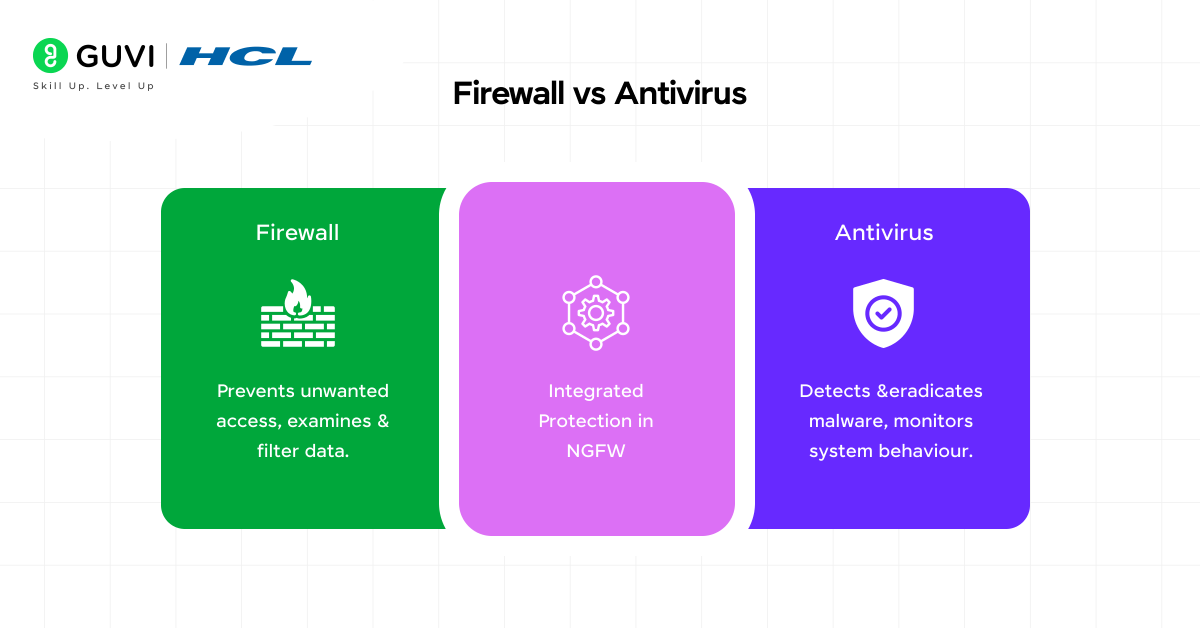
Many people confuse firewalls with antivirus software, yet they serve different but complementary purposes in your security strategy:
| Feature | Firewall | Antivirus |
| Primary function | Monitors and filters network traffic | Scans files and software for malicious content |
| Deployment | Mainly at the network level | Primarily on individual endpoints |
| Protection focus | External threats through traffic management | Internal threats like viruses and malware |
| Method of operation | Creates a barrier to block access | Scans for and removes malicious code |
As opposed to antivirus programs that target and eliminate threats at the device level, firewalls primarily control network traffic and prevent unauthorized access. Firewalls inspect data packets as they enter or leave your network, whereas antivirus solutions scan the files already on your device.

How Firewalls Work in Network Security
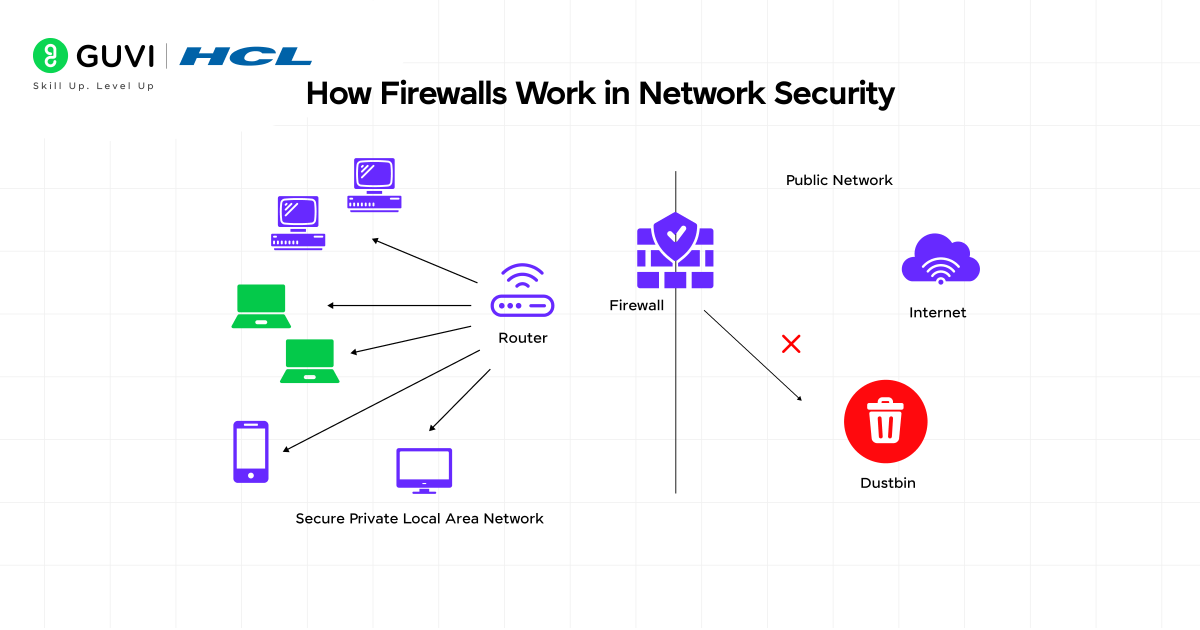
Understanding how firewalls operate requires looking under the hood of these digital security systems. Firewalls analyze every piece of data trying to cross your network boundary, making split-second decisions that protect your digital assets from potential threats.
1) Packet filtering and inspection
The core operation of a firewall revolves around packet filtering—examining individual data packets as they travel across your network. During this process, firewalls meticulously inspect network traffic to ensure only legitimate data passes through while blocking unauthorized access.
When data packets arrive at the firewall, they undergo a thorough examination process:
- Traffic monitoring: The firewall constantly watches all incoming and outgoing network traffic, acting as a vigilant gatekeeper
- Rule application: Each packet is compared against predefined security rules
- Packet inspection: The firewall examines packet headers and contents, including source/destination IP addresses and ports
- Decision making: Based on inspection and rules, it decides to allow legitimate traffic and block potential threats
- Logging and alerts: Records actions taken and generates alerts for suspicious activity
Firewalls typically perform three main inspection functions: they filter individual data packets (packet filtering), act as intermediaries between networks (proxy service), and track the state of connections (stateful inspection).
Stateful inspection goes beyond basic filtering by monitoring the entire communication session. This sophisticated approach helps prevent unauthorized access attempts, protects against IP spoofing and port scanning, and enhances overall network security.
2) Default policies: accept, reject, drop
Firewall default policies dictate how to handle traffic when no specific rule applies. These policies establish the foundational security stance of your network:
- Accept: Allows packets that do not match restrictive firewall rules to pass through. This is typically the default mode in many systems.
- Reject: Blocks packets that do not match acceptance rules and sends an ICMP destination unreachable message to the source. This tells the sender that the connection was refused.
- Drop: Silently discards packets without sending any notification. This causes the connection attempt to time out, making it appear as if the server doesn’t exist.
Generally, security experts recommend using “Drop” for connections to hosts you don’t want people to detect and “Reject” when you want the other end to know the port is unreachable.
3) Role of firewall rules and configurations
Firewall rules act as predetermined conditions that govern traffic flow through the network. These rules specify which network traffic should be allowed or blocked based on parameters like source or destination IP addresses, ports, and protocols.
Rules operate on the principle of least privilege—granting access only when necessary—which reduces the risk of unauthorized intrusion. Consequently, proper configuration of these rules becomes critical for maintaining effective security.
The ordering of firewall rules is especially important since firewalls process rules sequentially, typically from top to bottom. Once a rule matches a packet, the firewall doesn’t evaluate subsequent rules. Therefore, more specific rules must precede more general ones.
For optimal security, experts recommend configuring firewalls to:
- Block all traffic by default and explicitly enable only necessary services
- Make rules as specific as possible by defining exact source/destination addresses and ports
- Regularly review and update rules as network requirements change
- Enable stateful inspection for enhanced protection
Incorrect rule configuration or ordering can lead to security vulnerabilities, reduced network performance, or accidentally blocked legitimate traffic—illustrating why understanding firewall operations is essential for maintaining proper network security.
Types of Firewalls Explained
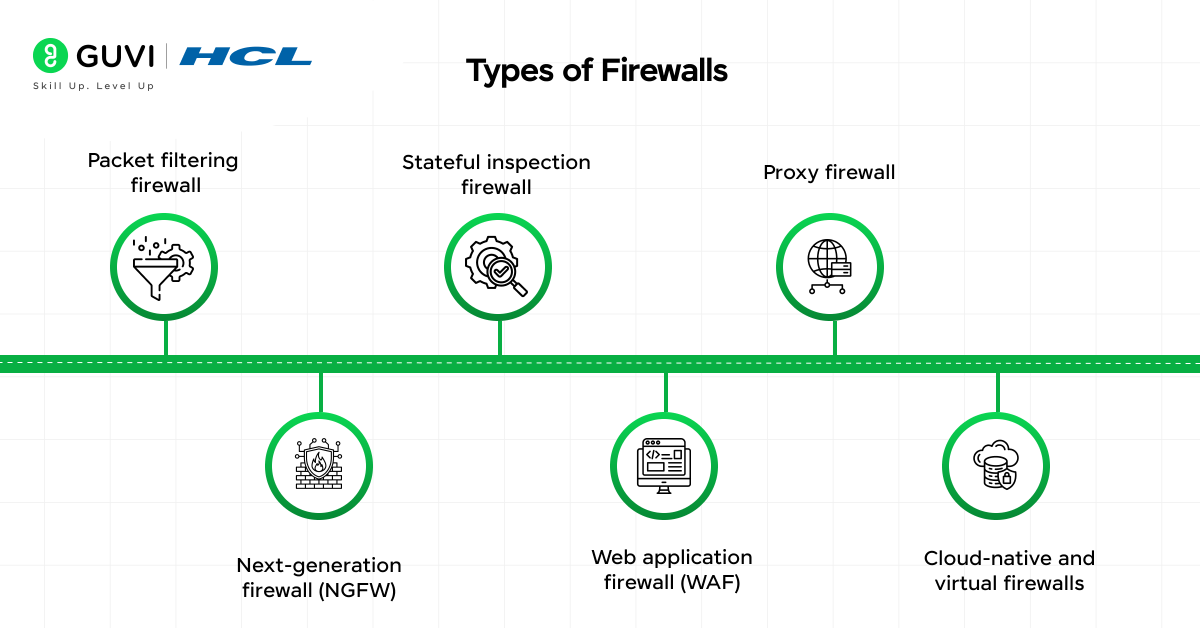
Firewalls have evolved significantly over time, with various types designed to address specific security challenges. Let’s explore the main firewall categories that form the backbone of network firewall security.
1) Packet filtering firewall
The most basic form of firewall technology, packet filtering examines individual data packets and makes allow/deny decisions based on predefined rules. These firewalls check:
- Source and destination IP addresses
- Source and destination ports
- Protocols used (TCP, UDP, ICMP)
Unlike more advanced options, packet filtering firewalls are stateless—they examine each packet in isolation without considering the context of established connections. This makes them faster but less secure than their sophisticated counterparts.
2) Stateful inspection firewall
Stateful firewalls enhance security by monitoring the state of active network connections. Unlike basic packet filters, they:
- Track the state of active TCP connections
- Create profiles of “safe” connections
- Compare new traffic against these established profiles
- Perform packet inspection to check contents
Located at Layers 3 and 4 of the OSI model, stateful inspection can detect unauthorized access attempts and analyze packets for malicious code. Moreover, this technology enables the firewall to identify anomalous traffic that stateless firewalls would miss, such as DDoS amplification attacks and ACK scans.
3) Proxy firewall
A proxy firewall (also known as an application firewall) serves as an intermediary between your network and external systems. This provides maximum security as it:
- Prevents direct connections between internal and external networks
- Has its own IP address, hiding your network’s actual address
- Performs deep packet inspection at the application layer
- Analyzes traffic for protocols like HTTP, FTP, and SMTP
In contrast to other types, proxy firewalls create new connections for each outgoing and incoming packet, which may impact network performance but offers superior security.
4) Next-generation firewall (NGFW)
NGFWs expand upon traditional firewall capabilities with advanced features. According to Gartner, a true NGFW includes:
- Standard firewall capabilities like stateful inspection
- Integrated intrusion prevention
- Application awareness and control
- Threat intelligence sources
- Upgrade paths for future security enhancements
These firewalls operate beyond just layers 3 and 4, examining traffic at layer 7 (the application layer) where many modern threats hide.
5) Web application firewall (WAF)
WAFs specifically protect web applications against common exploits by monitoring HTTP traffic. They shield websites, mobile applications, and APIs from threats by:
- Analyzing HTTP requests and responses
- Filtering out malicious patterns
- Protecting against SQL injection and cross-site scripting
- Blocking malicious bots and zero-day exploits
First of all, WAFs operate at protocol layer 7 (application layer) and can be deployed as network-based, host-based, or cloud-based solutions.
6) Cloud-native and virtual firewalls
As computing shifts to virtualized environments, firewall technology has adapted accordingly:
- Virtual firewalls are software-based NGFWs deployed as virtual machines that inspect both north-south and east-west traffic in virtualized environments
- Cloud-native firewalls deliver security as cloud-based services, often with subscription models
These modern implementations provide the same protection as physical firewalls but with added flexibility, scalability, and integration with cloud automation tools—making them ideal for today’s hybrid infrastructure deployments.
While firewalls are a modern cybersecurity essential, their roots and evolution are quite fascinating:
The Term “Firewall” Originated from Architecture: Before becoming a cybersecurity term, “firewall” referred to a physical wall built to stop fires from spreading between buildings. The same principle now applies digitally — stopping online threats from spreading across networks.
The First Firewalls Appeared in the Late 1980s: The earliest firewalls were simple packet filters created to protect internal corporate networks from external internet threats, marking the birth of network-level security as we know it today.
Modern Firewalls Use AI: Today’s next-generation firewalls leverage machine learning and AI-based analytics to detect previously unseen threats and adapt to new attack patterns in real time.
These facts highlight how firewalls evolved from simple packet filters into intelligent security systems that form the backbone of today’s digital defense infrastructure.
Why Firewalls Matter for Cybersecurity
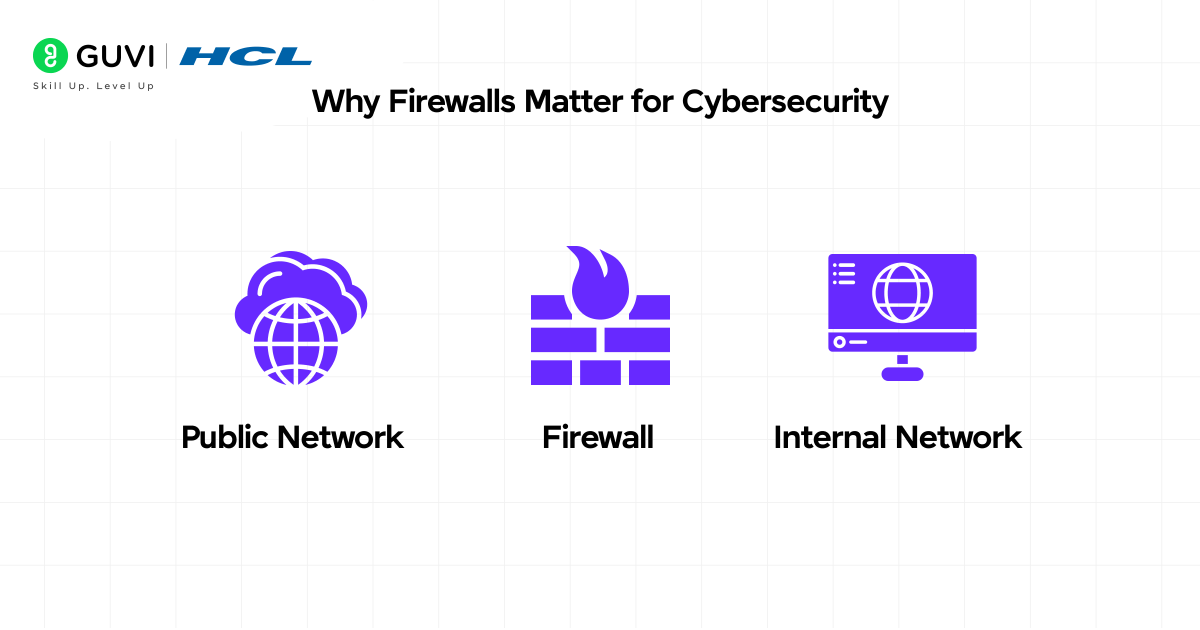
In today’s digital age, firewalls form a crucial component of your cybersecurity arsenal. Beyond just filtering traffic, these protective barriers deliver multiple security benefits that safeguard your digital presence.
1) Preventing unauthorized access
Firewalls act as the first line of defense between secure internal networks and potentially dangerous external ones. They analyze incoming and outgoing network traffic to block unauthorized users from accessing your systems. This barrier function is critical because:
- They monitor all connection attempts to your network
- They enforce access controls based on predefined security rules
- They help maintain network integrity by controlling information flow
Without properly configured firewalls, devices on your network become easy targets for cybercriminals who use various tools like backdoors, denial-of-service attacks, and unauthorized remote logins.
2) Blocking malware and phishing attempts
Phishing remains one of the oldest yet most persistent threats online. First and foremost, firewalls help combat this problem by identifying and blocking suspicious websites and communications. In 2022 alone, Brazil suffered approximately 76,000 fraud attempts through phishing attacks.
Firewalls can:
- Block access to known malicious sites that host dangerous software
- Prevent malware from entering your network
- Stop communication with command and control servers used by attackers
Many firewall systems now include specialized DNS firewalls that simultaneously identify and block malicious email links, documents, applications, and web pages.
3) Protecting sensitive data
As your sensitive data increasingly lives in more places—from clouds to SaaS and AI applications—protecting it becomes more challenging. Firewalls help by:
- Scrutinizing network packets and implementing security policies
- Effectively barring unauthorized users from accessing sensitive information
- Preventing data breaches and theft by identifying unauthorized transmissions
Web Application Firewalls additionally help remove sensitive data from logs, replacing it with asterisks (*********) to maintain confidentiality.
4) Meeting compliance and regulatory needs
Primarily, firewalls help organizations meet various regulatory frameworks that mandate their use to protect customer information. This compliance aspect is vital as:
- They provide necessary tools to monitor and control network access
- They generate logs and audit trails that offer evidence for compliance audits
- They assist in meeting standards like GDPR, HIPAA, and PCI-DSS
For data protection purposes, experts recommend additional measures alongside firewalls, including multi-factor authentication, SSL/TLS communication, and advanced encryption solutions.
Best Practices for Using Firewalls
Maximizing your firewall’s effectiveness depends on proper maintenance and configuration. Following these best practices helps ensure your digital security remains strong.
1) Keep firewall software updated
Outdated firewall software contains security flaws that hackers can exploit to access your systems. As cyber threats evolve constantly, your firewall must keep pace through regular updates. To maintain optimal protection:
- Enable automatic updates when available
- Create a structured patch schedule aligned with vendor recommendations
- Test updates in a controlled environment before deployment
2) Regularly review and adjust rules
Over time, firewall rules become cluttered with outdated or redundant policies, creating security risks instead of preventing them. Audit your firewall rules at least every three months to ensure they remain relevant and effective. This process helps:
- Remove unnecessary or conflicting rules
- Optimize rule order (from highest to lowest priority)
- Confirm settings align with security policies
3) Monitor logs and alerts
Firewall logs provide crucial insights into network traffic and potential security threats. Set up a centralized logging system to streamline management across various firewalls. For effective monitoring:
- Configure alerts for suspicious activities
- Review logs regularly to identify unauthorized access attempts
- Use logs to develop internal threat intelligence
4) Use both network and host-based firewalls
Relying on just one type of firewall leaves gaps in your security. Combining network-based and host-based firewalls creates layered protection that:
- Stops malicious traffic at the network edge
- Prevents lateral movement within your network
- Protects individual devices from localized attacks
This hybrid approach strengthens your overall security posture against evolving threats.
As you explore how a firewall protects network traffic, consider leveling up your career by mastering full-stack through the AI Software Development Course from HCL GUVI (in partnership with IITM Pravartak & MongoDB). This 9-month, 300+-hour program gives you real-world projects, expert mentorship, and industry certifications to step confidently into a tech role.
Concluding Thoughts…
Firewalls serve as vital guardians of your digital life, standing between your valuable data and potential cyber threats. Throughout this guide, you’ve learned that these security systems act as filters examining network traffic based on predetermined rules to allow legitimate connections while blocking malicious ones. Undoubtedly, understanding firewalls provides a foundation for better protecting your devices, personal information, and business assets.
The digital world contains countless threats, but a properly configured firewall drastically reduces your vulnerability. After all, investing time in understanding and configuring your firewall now can save you from significant security headaches later.
FAQs
Q1. What is the main purpose of a firewall in computer networks?
A firewall acts as a security barrier that monitors and controls incoming and outgoing network traffic based on predetermined security rules. Its primary purpose is to prevent unauthorized access to your network and protect your data from potential cyber threats.
Q2. What are the different types of firewalls available?
There are several types of firewalls, including packet filtering firewalls, stateful inspection firewalls, proxy firewalls, next-generation firewalls (NGFW), web application firewalls (WAF), and cloud-native and virtual firewalls. Each type offers different levels of protection and features to suit various security needs.
Q3. How can I check if my firewall is working properly?
To check your firewall, you can review its logs and alerts, test its configuration using online firewall testing tools, or consult your operating system’s security settings. Regular monitoring and testing help ensure your firewall is functioning correctly and providing adequate protection.
Q4. Do I need both a firewall and antivirus software?
Yes, it’s recommended to have both a firewall and antivirus software for comprehensive protection. Firewalls monitor network traffic and prevent unauthorized access, while antivirus software scans for and removes malicious code on your device. They work together to provide a more robust security solution.
Q5. What are some best practices for using firewalls effectively?
To use firewalls effectively, keep the software updated regularly, review and adjust firewall rules periodically, monitor logs and alerts for suspicious activity, and use both network and host-based firewalls. Additionally, combine firewalls with other security measures for a more comprehensive defense strategy.
Success Stories

About the Author
Jaishree Tomar
A recent CS Graduate with a quirk for writing and coding, a Data Science and Machine Learning enthusiast trying to pave my own way with tech. I have worked as a freelancer with a UK-based Digital Marketing firm writing various tech blogs, articles, and code snippets. Now, working as a Technical Writer at GUVI writing to my heart’s content!
View all posts by Jaishree Tomar
Connect with me @










Did you enjoy this article?