


Python Articles
Freelancing as a Python Developer: Getting Your First Client
Common Python Mistakes Beginners Make And How to Fix Them
Python Best Practices: Writing Clean, Maintainable Code Like a Pro
How to Build a Python Developer Portfolio That Gets You Hired


Get In Touch For Details! Request More Information
Python Tokens Explained: Keywords, Identifiers, Literals & Operators (2026)
Jul 27, 2026 5 Min Read 19997 Views
(Last Updated)
Every Python developer, from beginners writing their first script to engineers architecting large-scale applications, needs a solid understanding of tokens, the fundamental building blocks of Python code.
In this blog, we’ll break down the concept of tokens in Python: what they are, the different types you’ll encounter, and how understanding them can help you write cleaner, more efficient code. We’ll also cover why tokens matter more than most developers realize.
Let’s dive in.
TL:DR
Python tokens are the smallest meaningful elements recognised by the Python interpreter. They form variables, expressions, conditions, functions, classes, and complete programs.
The five main Python token types are:
- Keywords: Reserved words with predefined meanings.
- Identifiers: Names assigned to variables, functions, classes, or modules.
- Literals: Fixed values written directly inside the code.
- Operators: Symbols or words that perform specific operations.
- Delimiters: Punctuation symbols that organise Python code.
Python’s official language reference recognises identifiers, keywords, literals, operators, and delimiters as the primary token categories. It separately recognises structural tokens such as NEWLINE, INDENT, and DEDENT.
Table of contents
- What are Tokens in Python?
- Importance of Tokens in Python
- Top 5 Types of Tokens in Python
- Identifiers
- Keywords
- Literals
- Operators
- Punctuation
- Python Token Types at a Glance
- Code Examples of Python Token Types
- Identifier Token Example
- Keyword Token Example
- Literal Token Example
- Operator Token Example
- Delimiter or Punctuation Token Example
- Python Tokens vs Java Tokens: Comparison for Language Switchers
- Python Example
- Equivalent Java Example
- Python Tokens in Interviews: What Examiners Actually Ask
- What is a token in Python?
- What are the five main Python token types?
- Identify the tokens in this statement
- Which identifiers are valid?
- Are Python identifiers case-sensitive?
- Can a keyword become an identifier?
- What is the difference between a keyword and an identifier?
- What are soft keywords?
- How can Python tokens be inspected?
- Are comments treated as Python tokens?
- Common Interview Traps
- Wrap Up
- FAQs
- What is a token in programming?
- What is the Tokenize function in Python?
- What are the lists of tokens in Python?
What are Tokens in Python?
Tokens are the smallest units of a Python program and cannot be broken down further without losing their significance. They are the building blocks of the language’s syntax and are essential for the interpreter to understand and execute the code.
Before diving into the next section, ensure you’re solid on Python essentials from basics to advanced level. If you are looking for a detailed Python career program, you can join HCL GUVI’s Python Course with placement assistance. You will be able to master the Multiple Exceptions, classes, OOPS concepts, dictionary, and many more, and build real-life projects.
Importance of Tokens in Python
Below are the importance of tokens in Python:
- Syntax Understanding and Parsing
- Code Readability
- Error Detection and Debugging
- Program Structure and Flow Control
- Variable and Function Definitions
- Operations and Expressions
- Data Representation
- Code Organization
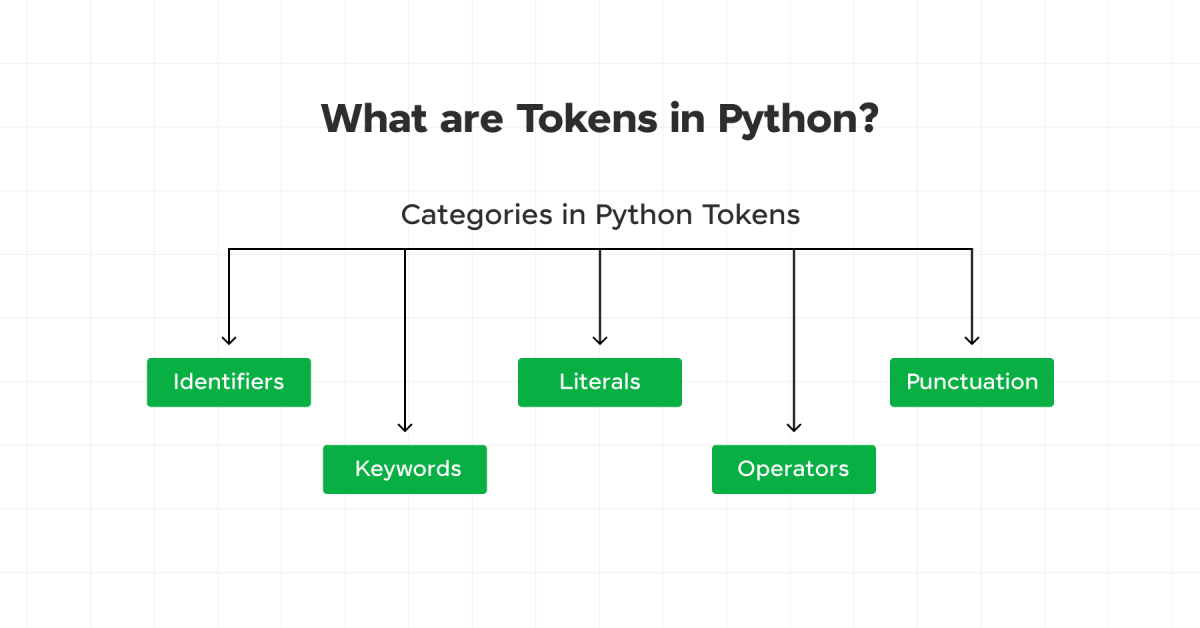
Tokens in Python are classified into several categories:
- Identifiers
- Keywords
- Literals
- Operators
- Punctuation
You must also know some of the interesting reasons why you should learn Python.
Top 5 Types of Tokens in Python
Python tokens are divided into five main categories. Each category performs a specific role in building valid Python programs.
1. Identifiers
Identifiers are names used to identify variables, functions, classes, modules, and other objects. They are essentially the names you use to refer to your data and functions in your code.
Rules for Identifiers:
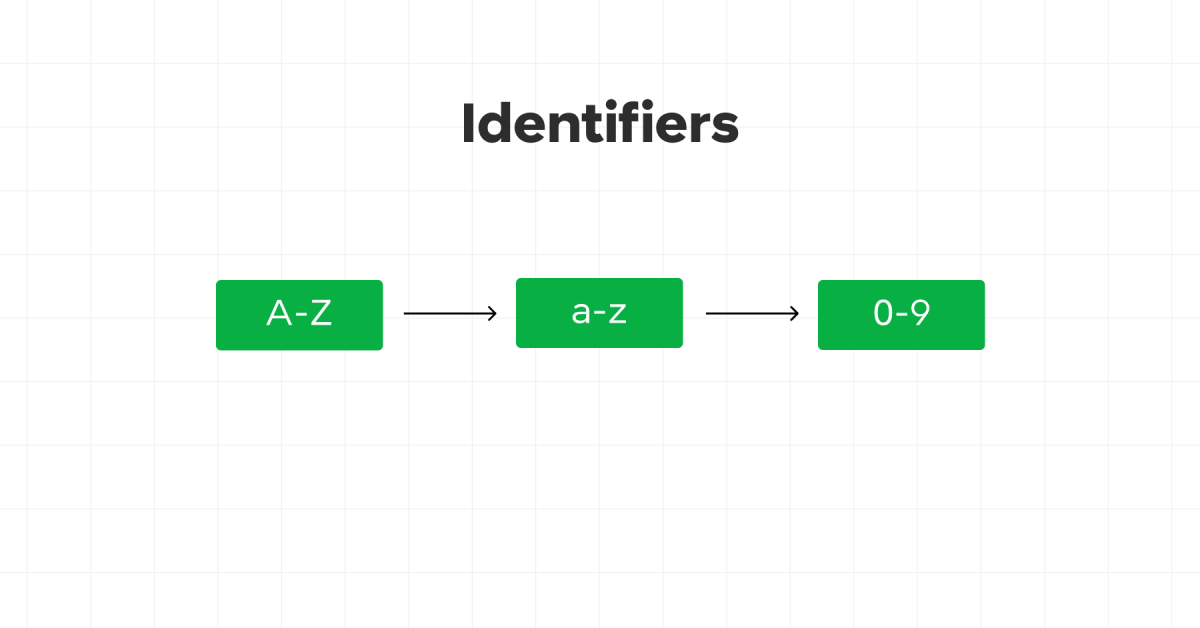
- Must begin with a letter (A-Z or a-z) or an underscore (_).
- Can be followed by letters, digits (0-9), or underscores.
- Cannot be a Python keyword.
- Case-sensitive (
variableandVariableare different identifiers).
Examples:
my_variable = 10
_variable = 30
variable123 = 40
2. Keywords
Keywords are reserved words in Python that have special meanings. They define the structure and syntax of the Python language and cannot be used as identifiers.
Common Keywords in Python:
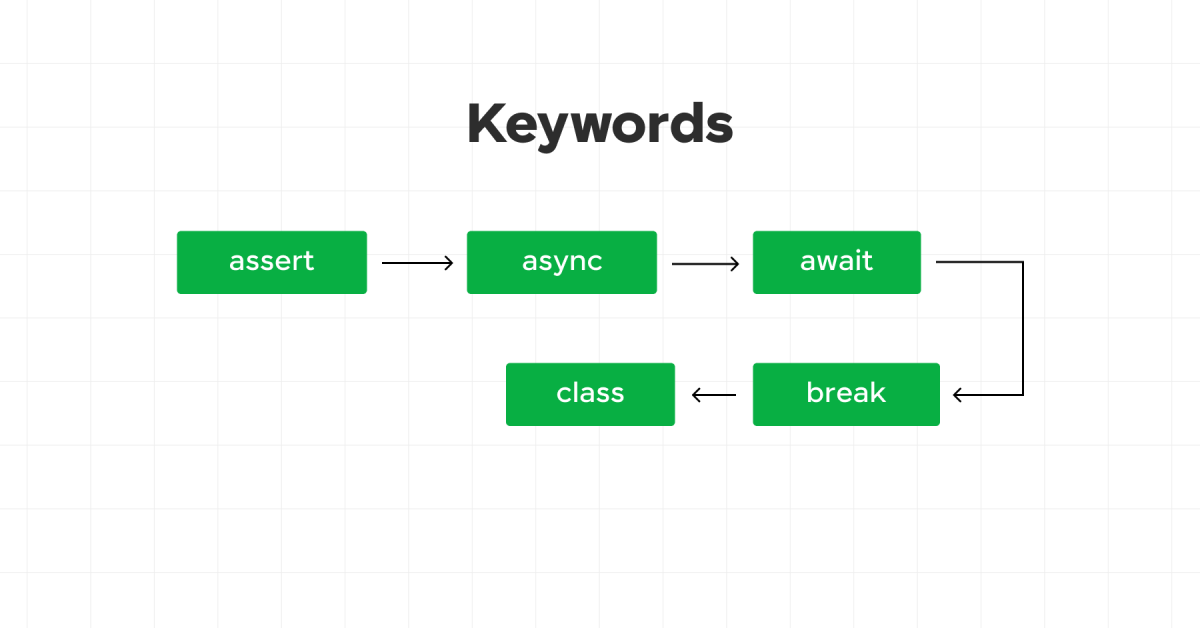
Python has 35 keywords that are off-limits for naming your variables or functions. They’re case-sensitive and must be used exactly as they are. Here’s the list:
| Keywords |
|---|
| and |
| as |
| assert |
| async |
| await |
| break |
| class |
| continue |
| def |
| del |
| elif |
| else |
| except |
| False |
| finally |
| for |
| from |
| global |
| if |
| import |
| in |
| is |
| lambda |
| None |
| nonlocal |
| not |
| or |
| pass |
| raise |
| return |
| True |
| try |
| while |
| with |
| yield |
Want to learn more about Python, must refer to the Python tutorial.
3. Literals
Literals are raw values or constants in Python. They represent fixed values that are directly assigned to variables.
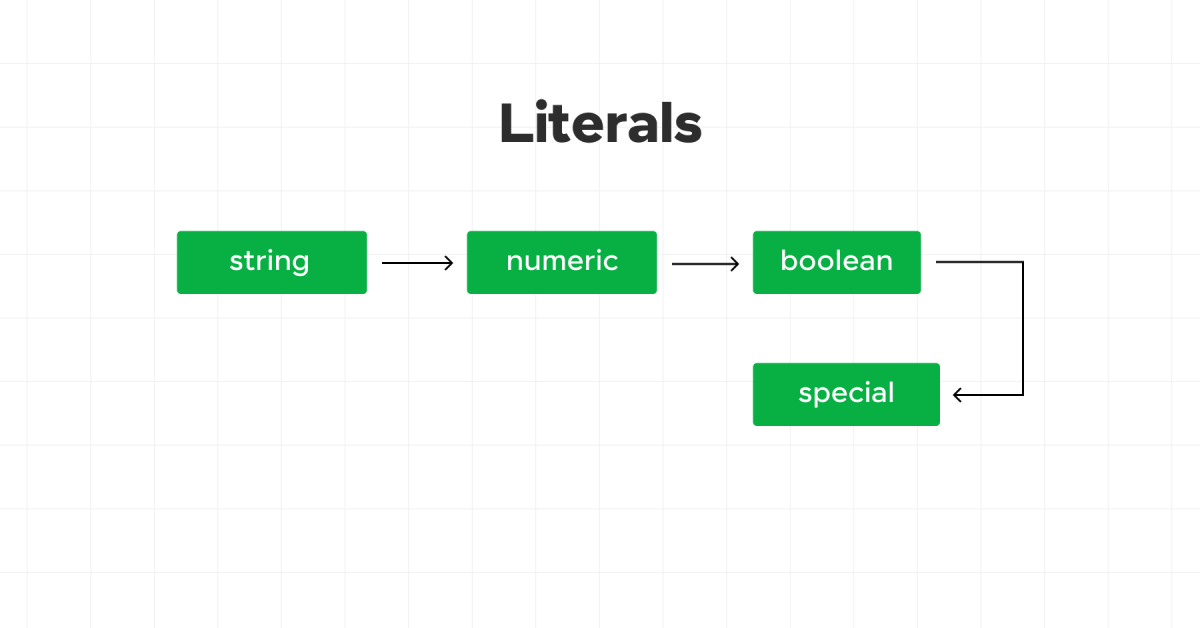
Types of Literals:
- String Literals: Enclosed in single, double, or triple quotes. (string_literal2 = “Hello, World!”)
- Numeric Literals: Include integers, floating-point numbers, and complex numbers. (integer_literal = 42)
- Boolean Literals:
TrueorFalse. (boolean_literal_true = True) - Special Literals:
None. (special_literal = None)
Learn how to perform recursion operations in Python.
4. Operators
Operators are symbols that perform operations on variables and values. Python supports various types of operators.
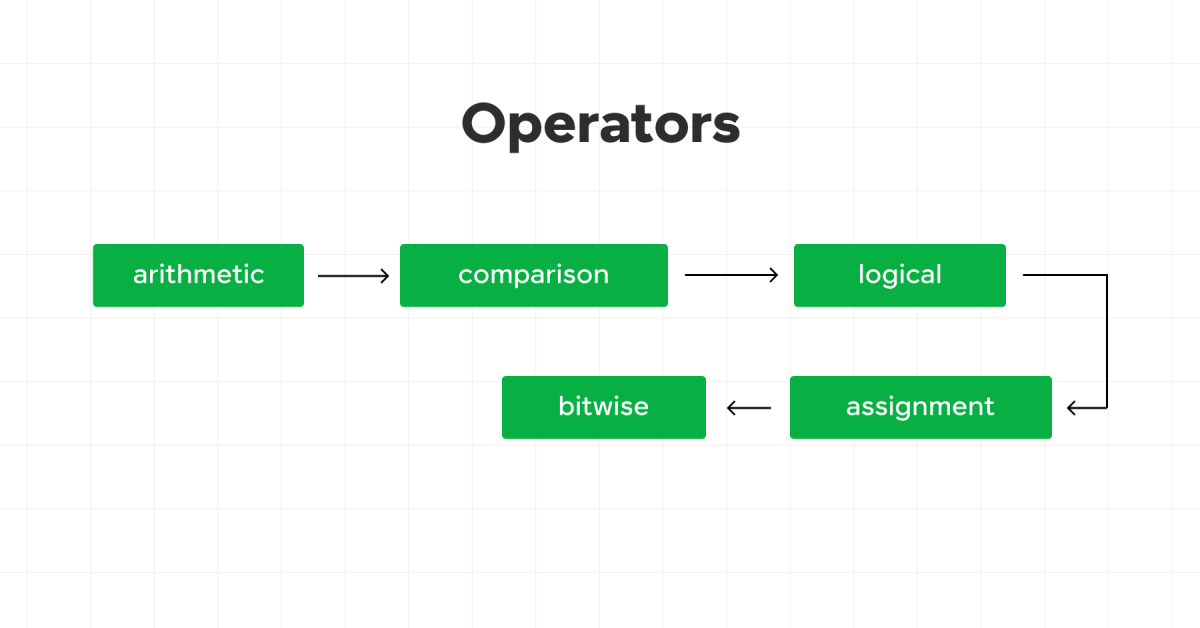
Types of Operators:
- Arithmetic Operators: Perform arithmetic operations. (print(a + b) # prints the sum of a and b)
- Comparison Operators: Compare values. (print(a == b))
- Logical Operators: Perform logical operations. (print(a > 5 and b < 30))
- Assignment Operators: Assign values to variables. (a += 5 print(a))
- Bitwise Operators: Perform bit-level operations. (print(a & b))
5. Punctuation
Punctuation in Python includes symbols that are used to organize code structure and syntax. This category includes delimiters and other special symbols.
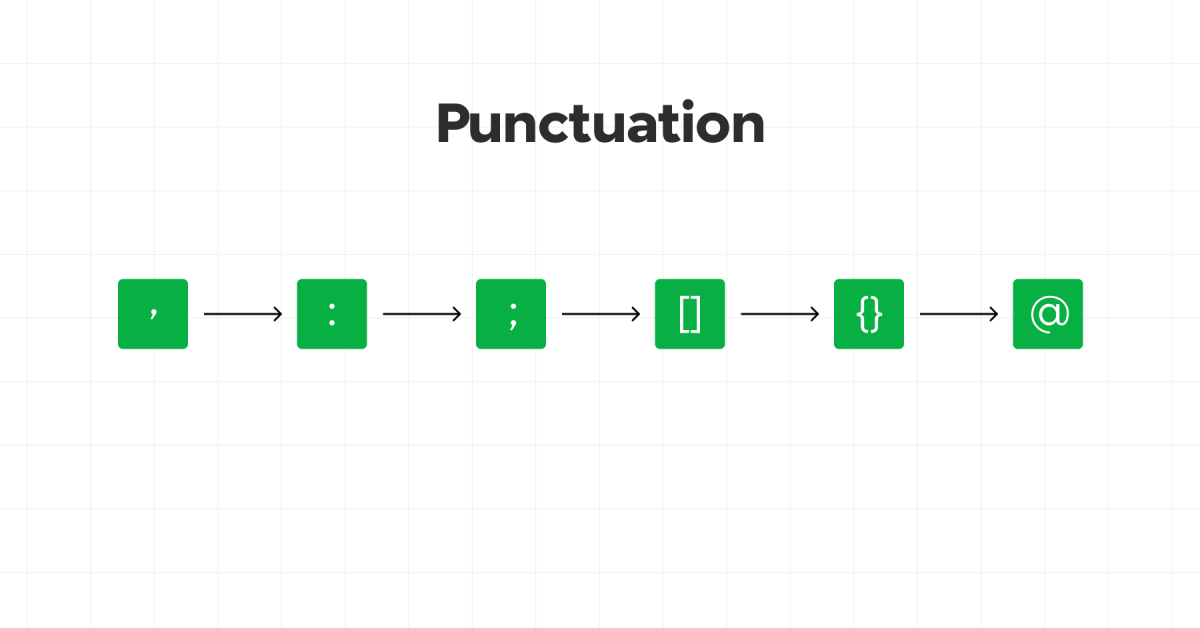
Examples:
- Parentheses
(): Used in function calls, and to group expressions. - Brackets
[]: Used for list, array indexing, and slicing. - Braces
{}: Used to define dictionaries and sets. - Colon
:: Used in function definitions, class definitions, and control structures. - Comma
,: Used to separate items in a list, function arguments, etc. - Dot
.: Used for attribute access. - Semicolon
;: Used to separate multiple statements on a single line (though rarely used in Python). - At
@: Used for decorators.
Understanding these fundamental concepts- identifiers, keywords, literals, operators, and punctuation—will help you write syntactically correct and readable Python code. Get these down, and you’re on your way to mastering the language. Want to learn more about Python, must refer to the Python tutorial.You must try some of the beginner-level Python projects to get started with your Python journey.
Also, Kickstart your Programming journey by enrolling in HCL GUVI’s Python Course where you will master technologies like multiple exceptions, classes, OOPS concepts, dictionaries, and many more, and build real-life projects.
Python Token Types at a Glance
| Token Type | Definition | Python Example | Count in Python |
|---|---|---|---|
| Keywords | Reserved words that define Python syntax and program structure. | if, while, class | 35 reserved keywords and 4 soft keywords in Python 3.13 |
| Identifiers | User-defined names for variables, functions, classes, and objects. | student_name | No fixed limit |
| Literals | Fixed values written directly inside a program. | 10, "Python", True | No fixed limit |
| Operators | Symbols or words that perform calculations and comparisons. | +, ==, and | 21 symbolic lexical operators, plus keyword-based operators |
| Delimiters | Symbols that separate or organise code elements. | (), [], {}, : | 27 delimiter tokens in the lexical reference |
Keyword and soft-keyword lists can change between Python versions. The keyword module provides kwlist and softkwlist for checking the active interpreter.
Code Examples of Python Token Types
1. Identifier Token Example
Identifiers provide names for variables, functions, classes, modules, and other objects.
# Identifier tokens: student_name and calculate_total

student_name = "Aarav"

def calculate_total(price, quantity):
    return price * quantity
In this example, student_name, calculate_total, price, and quantity are identifiers.
Rules for Python Identifiers
- An identifier can begin with a letter or underscore.
- It can contain letters, numbers, and underscores.
- It cannot begin with a number.
- It cannot use a reserved Python keyword.
- Python identifiers are case-sensitive.
# Valid identifiers
student_name = "Aarav"
_total = 500
subject2 = "Python"

# Invalid identifiers
# 2subject = "Python"
# class = "Programming"
# student-name = "Aarav"
2. Keyword Token Example
Keywords are reserved words that control Python syntax and program behaviour.
# Keyword tokens: if, else, and print

age = 20

if age >= 18:
    print("Eligible")
else:
    print("Not eligible")
The words if and else are keywords. They cannot become variable or function names.

Python keywords can be checked programmatically:
# Display all reserved Python keywords

import keyword

print(keyword.kwlist)
print(len(keyword.kwlist))
Python 3.13 contains 35 reserved keywords. It also recognises context-dependent soft keywords, including match, case, _, and type.
3. Literal Token Example
Literals represent fixed values written directly inside Python code.
# String literal
course = "Python Programming"

# Integer literal
students = 50

# Floating-point literal
rating = 4.8

# Boolean literal
is_available = True

# Special literal
result = None

# Complex literal
number = 3 + 5j
Common literal categories include strings, numbers, Boolean values, bytes, and None.
4. Operator Token Example
Operators perform calculations, comparisons, assignments, and logical operations.
a = 20
b = 6

# Arithmetic operator
print(a + b)

# Comparison operator
print(a > b)

# Logical operator
print(a > 10 and b < 10)

# Assignment operator
a += 5

# Bitwise operator
print(a & b)

# Identity operator
print(a is b)

# Membership operator
print(6 in [2, 4, 6, 8])
Python supports arithmetic, comparison, logical, assignment, bitwise, identity, and membership operators.
5. Delimiter or Punctuation Token Example
Delimiters organise expressions, collections, function calls, and code blocks.
# Parentheses for a function call
print("Hello")

# Brackets for a list
numbers = [10, 20, 30]

# Braces for a dictionary
student = {"name": "Aarav", "age": 20}

# Colon for a code block
if student["age"] >= 18:
    print("Adult")

# Comma for separating values
coordinates = (10, 20)

# Dot for accessing an attribute
name = student.get("name")

# At symbol for a decorator
@staticmethod
def display_message():
    print("Welcome")
The Python language reference uses the term delimiters for these symbols. Augmented assignments such as +=, -=, and *= also appear within its delimiter list, despite performing operations.
Python Tokens vs Java Tokens: Comparison for Language Switchers
Python and Java use similar token categories. However, their syntax, typing rules, and code-block structures differ considerably. Java officially classifies tokens as identifiers, keywords, literals, separators, and operators.
| Feature | Python Tokens | Java Tokens |
|---|---|---|
| Main Categories | Keywords, identifiers, literals, operators, and delimiters | Keywords, identifiers, literals, operators, and separators |
| Code Blocks | Uses indentation to define blocks | Uses braces {} to define blocks |
| Statement Ending | Usually ends statements with a new line | Usually requires a semicolon |
| Variable Declaration | Does not require an explicit data type | Usually requires an explicit or inferred type |
| Logical Operators | Uses and, or, and not | Uses &&, ||, and ! |
| Boolean Values | Uses True and False | Uses true and false |
| Null Value | Uses None | Uses null |
| String and Character Values | Has no separate character literal type | Supports both string and character literals |
| Block Example | if age >= 18: | if (age >= 18) {} |
| Assignment Example | score = 90 | int score = 90; |
Python Example
age = 20

if age >= 18:
    print("Eligible")
Equivalent Java Example
int age = 20;

if (age >= 18) {
    System.out.println("Eligible");
}
Java treats true, false, and null as literals rather than ordinary keywords. Python classifies True, False, and None as reserved keywords.
Python Tokens in Interviews: What Examiners Actually Ask
Interviewers generally test token recognition, naming rules, keyword knowledge, and code classification. They may also present a short statement and ask candidates to identify every token.
1. What is a token in Python?
A token is the smallest meaningful component recognised during Python’s lexical analysis.
2. What are the five main Python token types?
The five types are keywords, identifiers, literals, operators, and delimiters.
3. Identify the tokens in this statement
total = price * 2
The statement contains:
total: Identifier=: Assignment symbolprice: Identifier*: Arithmetic operator2: Integer literal
The official lexical reference lists = as a delimiter. Beginner-level classifications commonly describe it as an assignment operator.
4. Which identifiers are valid?
employee_name
_total
score2
2score
class
Answer:
employee_name: Valid_total: Validscore2: Valid2score: Invalid because it begins with a numberclass: Invalid because it is a keyword
5. Are Python identifiers case-sensitive?
Yes. student, Student, and STUDENT represent three different identifiers.
6. Can a keyword become an identifier?
No. Reserved keywords such as class, return, and while cannot become identifiers.
# SyntaxError
# class = "Python"
7. What is the difference between a keyword and an identifier?
A keyword has a predefined meaning within Python syntax. An identifier is a user-defined name assigned to a program element.
8. What are soft keywords?
Soft keywords behave as keywords only within specific grammatical contexts. Python 3.13 recognises match, case, _, and type as soft keywords.
9. How can Python tokens be inspected?
Python provides the tokenize module for breaking source code into lexical tokens.
import io
import tokenize

code = b"total = price * 2"

for token in tokenize.tokenize(io.BytesIO(code).readline):
    print(token)
10. Are comments treated as Python tokens?
The tokenize module can return comments during lexical processing. However, comments do not directly form executable program instructions.
Common Interview Traps
True,False, andNonebegin with capital letters.- Keywords cannot become variable or function names.
- Identifiers cannot begin with numbers.
- Python uses indentation to define code blocks.
matchandcaseact as soft keywords in matching contexts.- A negative value such as
-10contains an operator and a numeric literal. - Quotation marks define string literals but are not part of their stored values.
Wrap Up
Understanding tokens is fundamental to mastering Python. Tokens are the building blocks that make up your code, and recognizing their different types helps you write and read Python programs more effectively. From keywords and identifiers to literals, operators, and delimiters, each token type plays a crucial role in defining the syntax and semantics of Python.
FAQs
What is a token in programming?
Token is the building block of a programming language, it is the smallest unit of a code.
What is the Tokenize function in Python?
The tokenize function in Python returns a Python generator of token objects. Each token object is a simple namedtuple with three fields: (kind, txt, val).
What are the lists of tokens in Python?
These are the lists of Python tokens:
1. Keywords.
2. Identifiers.
3. Literals.
4. Operators.
5. Punctuators.
Success Stories

About the Author
Vaishali
I'm a seasoned writer with four years of experience across technical, non-technical, and just about every genre or niche you can imagine. Adaptable and curious, I enjoy exploring new topics and making information engaging and easy to understand. Fueled by a steady stream of tea, I approach each project with creativity, reliability, and genuine enthusiasm for storytelling.
View all posts by Vaishali
Connect with me @







Did you enjoy this article?