


Web Development Articles
How to Use Firebase Firestore for Real-Time Data in Web Apps
Web Designing Roadmap 2026: Best Guide to Become a Successful Web Designer


Get In Touch For Details! Request More Information

Protecting Routes with JWT Middleware in Node.js (2026 Guide)
Aug 12, 2026 4 Min Read 8052 Views
(Last Updated)
In modern web development, ensuring the security of application routes is paramount, especially when dealing with sensitive user data and resources. JSON Web Tokens (JWT) have emerged as a reliable solution for handling authentication and safeguarding access to protected endpoints.
This blog walks you through creating a reusable JWT middleware in Node.js that verifies JWTs efficiently, centralizes authentication logic, and enhances the security and scalability of your application.
Table of contents
- TL;DR Summary
- What is JWT Middleware and Why it Matters
- How JWT Verification Works
- Setting Up Your Authentication Middleware
- Applying Middleware to Protect Routes
- Middleware vs Route-Level Protection
- Common Mistakes to Avoid
- Best Practices for JWT Authentication
- Wrapping Up
- FAQs
- What is the purpose of JWT middleware in Node.js?
- What is the difference between protecting routes with middleware and protecting routes individually?
- Is JWT middleware sufficient for application security?
- 4 Where should I store the JWT secret key?
- How is JWT middleware different from session-based authentication?
- Can I use the same middleware for both API routes and page routes?
TL;DR Summary
- JWT middleware is a reusable function that checks a request’s token before letting it reach a protected route.
- It reads the token from the Authorization header, verifies it against your secret key, and either passes the request forward or blocks it.
- One middleware function can protect unlimited routes, so you write the authentication logic once instead of repeating it everywhere.
- It’s the standard way to secure REST APIs built with Node.js and Express, especially for dashboards, user profiles, and payment routes.
- Pairing it with token expiry, HTTPS, and rate limiting gives you a genuinely secure setup, not just a token check.
What is JWT Middleware and Why it Matters
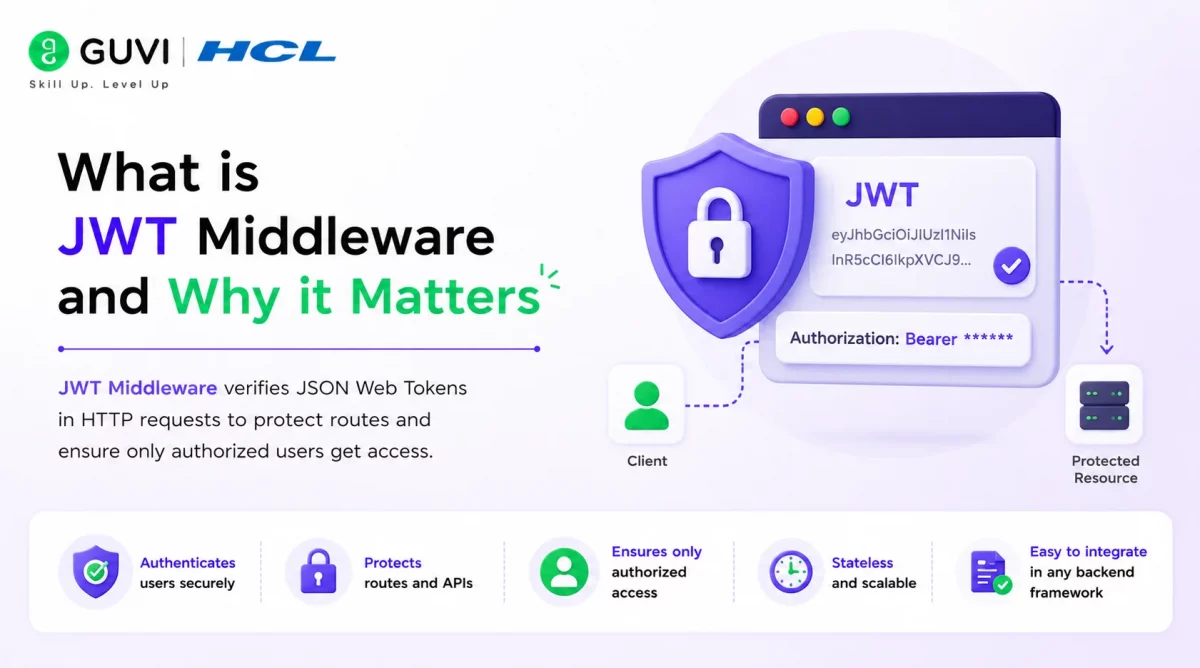
If you’ve built even a small Node.js API, you already know the problem. You have a /dashboard route, a /profile route, and a /settings route, and all three need the same thing: proof that the person calling them is actually logged in.
Without middleware, you’d write that verification logic inside every single route handler. That gets messy fast, and it’s easy to forget a route or make a typo in one copy of the check.
JWT middleware solves this by sitting between the incoming request and your route handler. You write the token-checking logic once, then plug it into any route with a single line of code.
JWTs are used in over 60% of modern API authentication implementations because they’re stateless, meaning your server doesn’t need to store session data in a database to know a user is logged in.
How JWT Verification Works
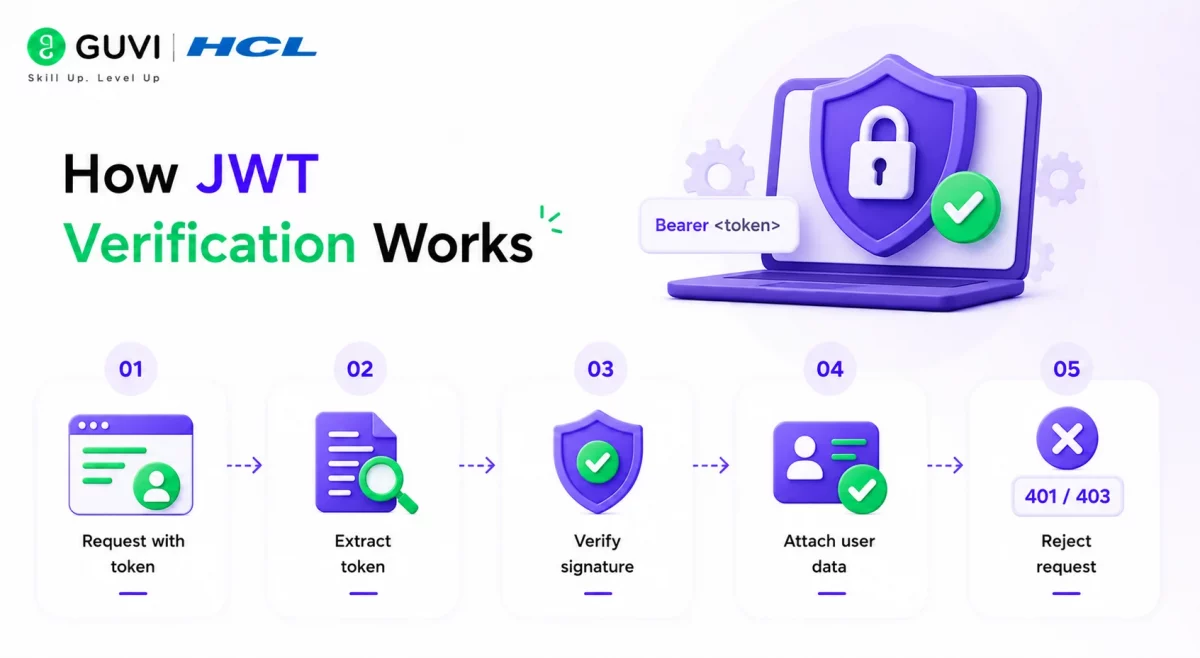
Before writing code, it helps to know what actually happens when a request hits your middleware:
- The client sends a request with a token in the
Authorizationheader, usually formatted asBearer <token>. - The middleware extracts that token from the header.
- It verifies the token’s signature using your secret key.
- If verification succeeds, the decoded user data gets attached to the request object.
- If it fails, the middleware sends back a 401 or 403 response and the route handler never runs.
This is also where you should already have a JWT issued at login. If you haven’t set that part up yet, our guide on building secure authentication by setting up JWT in a Node.js app walks through generating your first token before you write the middleware below.
Setting Up Your Authentication Middleware
Here’s a reusable authenticateToken middleware using Express and the jsonwebtoken package:
const jwt = require('jsonwebtoken');
const SECRET_KEY = process.env.JWT_SECRET; // never hardcode this

function authenticateToken(req, res, next) {
  const token = req.headers['authorization']?.split(' ')[1];

  if (!token) {
    return res.status(403).send('A token is required for authentication');
  }

  jwt.verify(token, SECRET_KEY, (err, user) => {
    if (err) return res.status(403).send('Invalid token');
    req.user = user;
    next();
  });
}
A few things worth noticing here:
- The secret key comes from an environment variable, not a hardcoded string. This matters even for small projects, since hardcoded secrets tend to end up in version control by accident.
req.usercarries the decoded payload forward, so every route handler downstream can access who the user is without decoding the token again.next()is what hands control back to Express. Skip it, and the request hangs forever.
If you’re new to how Express processes requests in sequence, it’s worth understanding middleware ordering generally, similar to how CORS middleware sits in the same request pipeline before your routes run.
Applying Middleware to Protect Routes
Once the middleware exists, protecting a route takes one line:
app.get('/dashboard', authenticateToken, (req, res) => {
  res.send(`Welcome ${req.user.username}, to your dashboard!`);
});
Request with a valid token:
A GET request to /dashboard with Authorization: Bearer <valid_token> returns a personalized welcome message.
Request with a missing or invalid token:
The same route returns 403 Forbidden: Invalid Token, and the handler never executes.
You can apply the exact same authenticateToken function to /profile, /settings, /orders, or any other route that needs protection, without writing new verification code each time.
Middleware vs Route-Level Protection
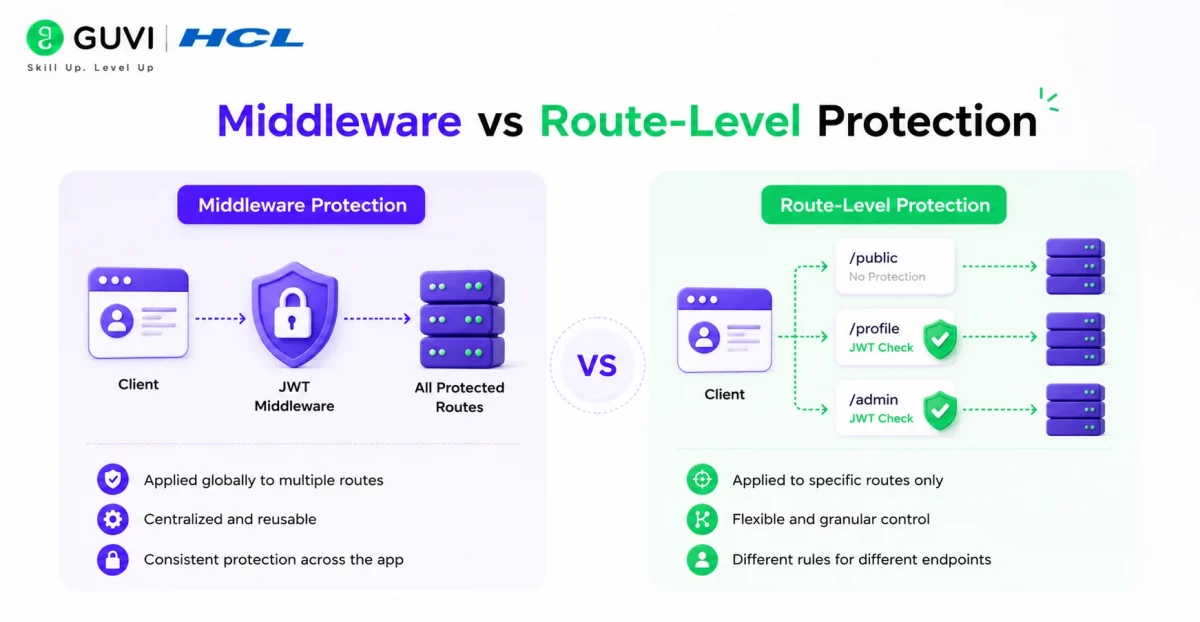
| Aspect | Middleware-Based Protection | Route-Level Protection |
|---|---|---|
| Code reuse | One function protects unlimited routes | Verification logic repeated per route |
| Maintenance | Update logic in one place | Update every route individually |
| Consistency | Same rules applied everywhere | Easy to miss a route or introduce bugs |
| Readability | Routes stay short and focused | Routes get cluttered with auth code |
| Best suited for | APIs with 3+ protected routes | Single-route prototypes only |
| Scalability | Scales cleanly as the app grows | Becomes harder to manage over time |
For anything beyond a quick prototype, middleware is the better long-term choice.

Common Mistakes to Avoid
- Hardcoding the secret key. Storing your JWT secret directly in code is one of the most common beginner mistakes. Move it to an environment variable immediately.
- Skipping token expiration. A token that never expires is a token that stays valid forever, even if it’s stolen. Always set an
expiresInvalue when signing. - Forgetting to call
next(). If your middleware verifies the token but never callsnext(), the request just hangs with no response. - Not handling expired tokens separately. Returning a generic “Invalid Token” message for both expired and malformed tokens makes debugging harder for your frontend team.
- Storing sensitive data in the payload. JWTs are signed, not encrypted. Anyone can decode the payload and read it, so never put passwords or sensitive fields inside.
Best Practices for JWT Authentication
- Use environment variables for all secret keys, in every environment, not just production.
- Set short expiration times on access tokens and pair them with refresh tokens for longer sessions.
- Write custom error messages for expired, missing, and malformed tokens so your API consumers know exactly what went wrong.
- Always serve your API over HTTPS. A JWT sent over plain HTTP can be intercepted.
- Add rate limiting on login and token-refresh endpoints to reduce brute-force risk.
Unlock your potential as a Java Full-Stack Developer with our comprehensive Java Full-Stack development course! Dive deep into the world of Java, mastering front-end and back-end development to build powerful, dynamic web applications. Gain hands-on experience with essential tools and frameworks like Spring Boot, Hibernate, Angular, and React, all while learning best practices for performance optimization and scalable coding. Start your journey today and become the all-in-one developer every company is searching for!
Wrapping Up
Securing your routes with JWT middleware keeps your authentication logic centralized, consistent, and easy to maintain as your application grows. Instead of repeating token checks across dozens of route handlers, you write the logic once and apply it wherever it’s needed.
Pair this with token expiration, environment-based secrets, and clear error handling, and you’ve got an authentication layer that’s genuinely production-ready, not just functional.
FAQs
1. What is the purpose of JWT middleware in Node.js?
JWT middleware is used to protect routes in a Node.js application by verifying the validity of JWTs in incoming requests. It ensures that only authenticated users with valid tokens can access specific routes or resources.
2. What is the difference between protecting routes with middleware and protecting routes individually?
Middleware: Protects multiple routes with a single function, making it more efficient and reusable.
Individual Protection: Adds token validation logic separately for each route, which can lead to repetitive code and is harder to maintain.
3. Is JWT middleware sufficient for application security?
No. JWT middleware handles authentication, but a secure application also needs HTTPS, input validation, rate limiting, and refresh token handling to close other common attack vectors.
4 Where should I store the JWT secret key?
Store it in an environment variable using a .env file or your hosting platform’s secrets manager, never directly in your source code.
5. How is JWT middleware different from session-based authentication?
JWT middleware is stateless, meaning the server doesn’t store session data. Session-based authentication requires the server to keep session records, usually in a database or memory store, which JWTs avoid entirely.
6. Can I use the same middleware for both API routes and page routes?
Yes. As long as the request includes a valid token in the Authorization header, the same authenticateToken function works for JSON API endpoints and server-rendered protected pages alike.
Success Stories

About the Author
Lukesh S
A professional content writer who has experience in freelancing and now working as a Technical Content Writer at HCL GUVI having sound knowledge in Blog Writing and Creative Writing!
View all posts by Lukesh S
Connect with me @







































Did you enjoy this article?