


Artificial Intelligence and Machine Learning Articles
AI/ML Skills Gap 2026: Why Companies Can't Find Job-Ready Talent
20 AI/ML Interview Questions Recruiters Can Use Without a Tech Background - Best Guide
How Industry-Backed AI/ML Bootcamps Are Changing the AI/ML Hiring Pipeline - Best Guide 2026
From IT Support to AI Engineer: A Realistic Career Switch Guide 2026


Get In Touch For Details! Request More Information
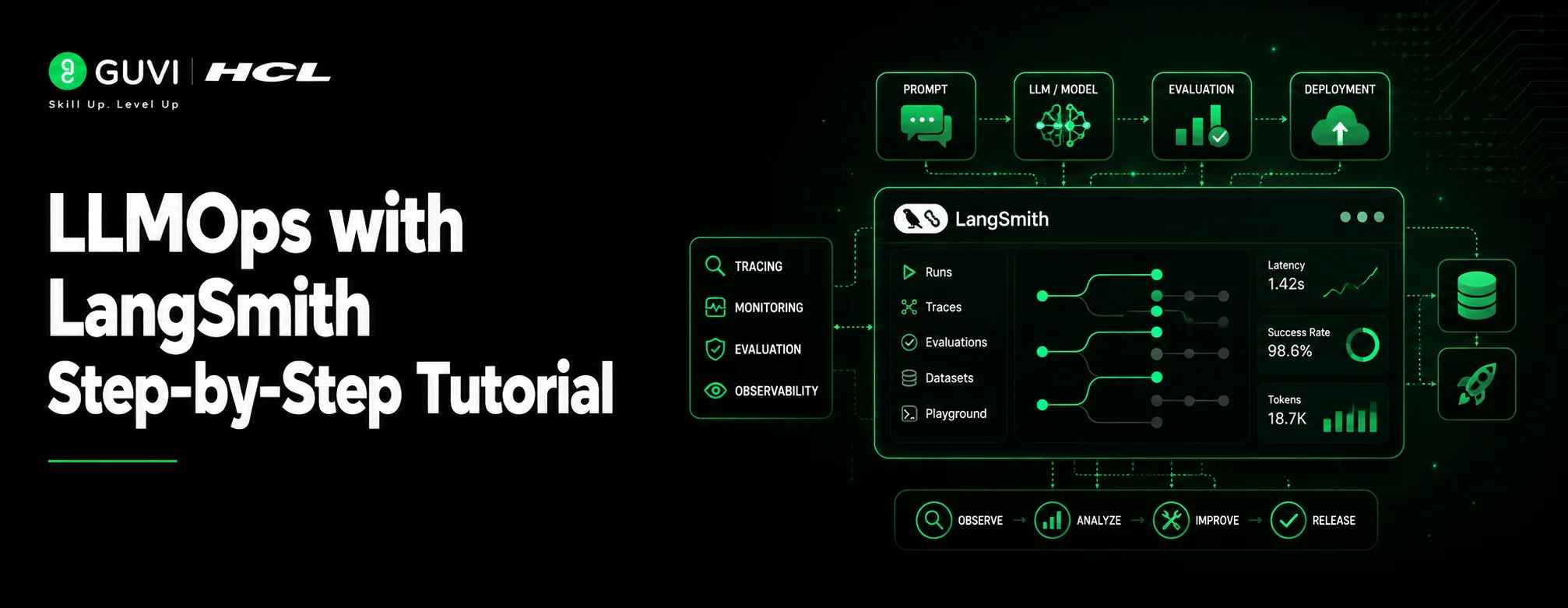
LLMOps with LangSmith Step-by-Step Tutorial
Sep 17, 2026 4 Min Read 384 Views
(Last Updated)
Building an LLM app is exciting in the beginning. A prompt works, the chatbot responds, and the demo looks impressive. The real challenge starts after that.
Responses may change across runs. A good answer may fail with a slightly different input. A RAG app may retrieve the wrong document. An AI agent may call the wrong tool or take too many steps. These problems are hard to catch with normal logs. That is where LLMOps becomes important. It gives teams a structured way to test, monitor, debug, and improve LLM applications. LangSmith makes this process easier by helping developers trace model behavior, evaluate outputs, compare prompt versions, and monitor production performance.
This LLMOps with LangSmith tutorial explains the key steps needed to move an LLM app from a working prototype to a more reliable production system.
Table of contents
- TL;DR
- What is LLMOps?
- What is LangSmith?
- LLMOps with LangSmith Tutorial: Key Steps
- Step 1: Set Up LangSmith
- Step 2: Add Tracing to Your LLM Application
- Step 3: Create a Dataset for Evaluation
- Step 4: Run Offline Evaluations
- Step 5: Add Evaluators
- Step 6: Compare Prompts and Model Versions
- Step 7: Monitor the Application in Production
- Step 8: Collect Feedback and Improve Outputs
- Step 9: Build a Continuous LLMOps Workflow
- Step 10: Use LangSmith for Agent and RAG Optimization
- Conclusion
- FAQs
- What is LangSmith used for in LLMOps?
- Is LangSmith only for LangChain applications?
- Why is LLMOps important for AI applications?
TL;DR
- LLMOps helps teams manage LLM applications from development to production.
- LangSmith helps trace, evaluate, debug, and monitor LLM apps.
- Tracing shows what happens inside prompts, chains, agents, and RAG pipelines.
- Datasets and evaluators help test model quality before deployment.
- Production monitoring helps track latency, cost, errors, and user feedback.
- LangSmith is useful for AI chatbots, RAG systems, copilots, and autonomous agents.
- A strong LLMOps workflow improves reliability, accuracy, and long-term model performance.
What is LLMOps?
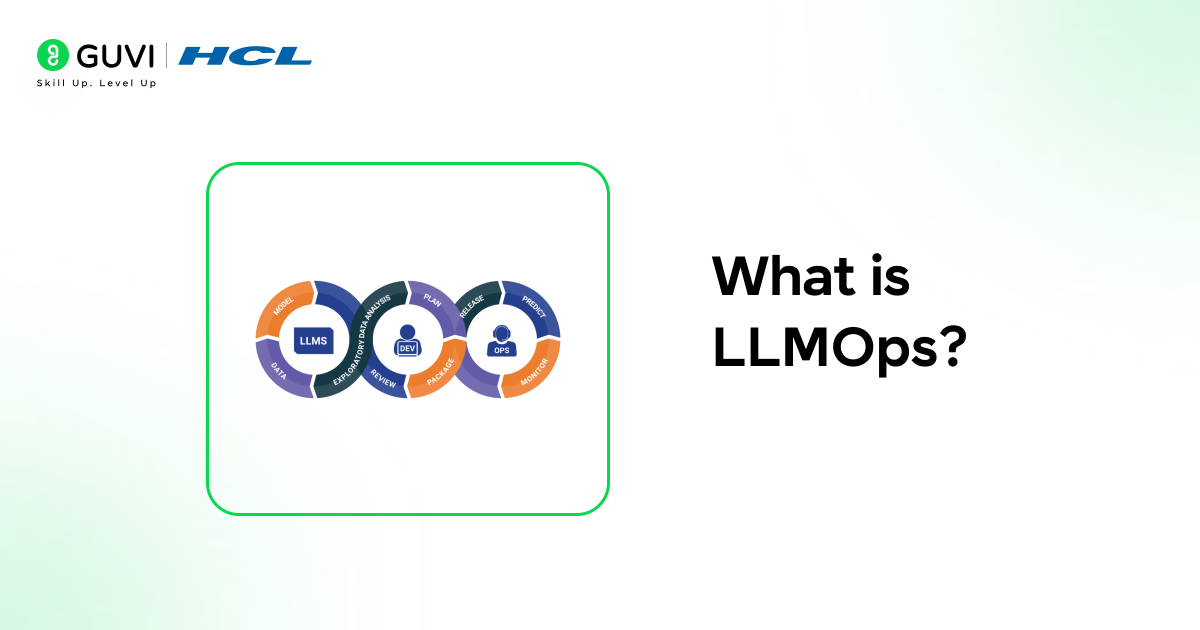
LLMOps means managing the full lifecycle of LLM applications, from building and testing to deployment, monitoring, and improvement. LLM apps are different from traditional software because their outputs can change across runs. They may hallucinate, miss context, or respond incorrectly. LLMOps brings structure through tracing, evaluation, monitoring, feedback, and continuous improvement.
What is LangSmith?
LangSmith is an LLMOps platform built by LangChain. It helps developers trace, test, evaluate, and monitor LLM applications. With LangSmith, teams can see what happened inside an LLM workflow. They can inspect prompts, model responses, tool calls, retrieved documents, latency, token usage, and errors. This makes it easier to debug chatbots, RAG pipelines, AI agents, and other LLM-powered systems.
85% of ML models never make it to production, which is exactly the gap LLMOps practices like tracing and evaluation are designed to close.
LLMOps with LangSmith Tutorial: Key Steps
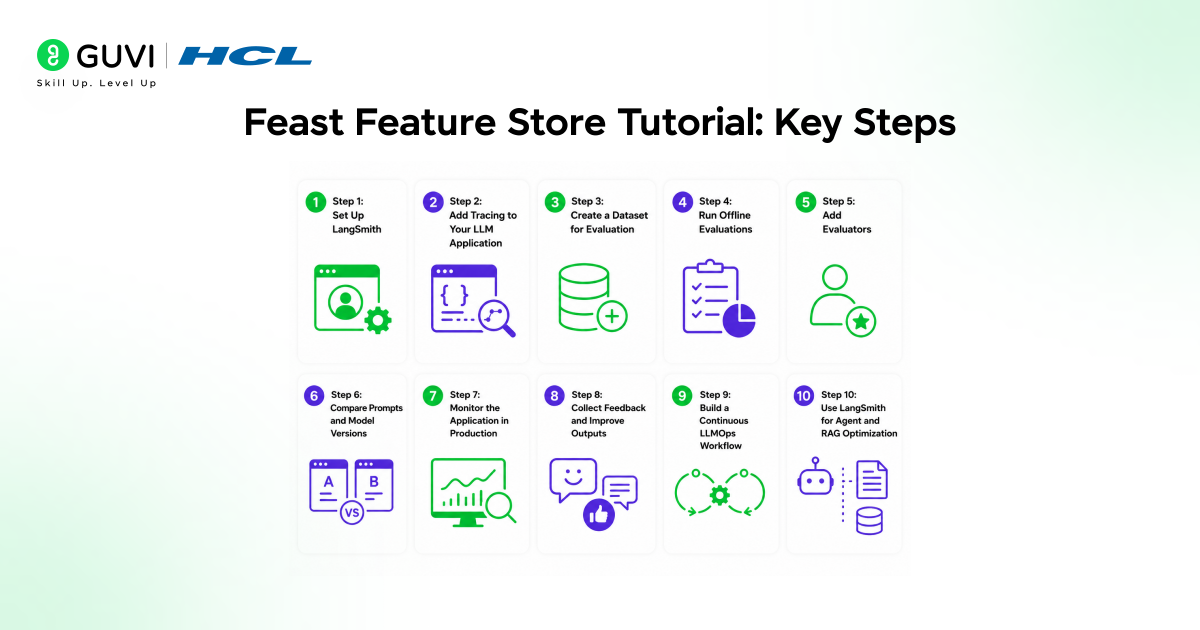
Step 1: Set Up LangSmith
Start by creating a LangSmith account and generating an API key from the LangSmith dashboard. The API key connects your local LLM application with LangSmith so every run, trace, prompt, and model response can be tracked.
Install the required packages in your Python environment.
pip install -U langsmith openai
Then set the required environment variables.
export LANGSMITH_TRACING=true
export LANGSMITH_API_KEY="your-langsmith-api-key"
export OPENAI_API_KEY="your-openai-api-key"
LangSmith documentation recommends setting LANGSMITH_TRACING, LANGSMITH_API_KEY, and your model provider API key before running evaluation or tracing workflows.
Step 2: Add Tracing to Your LLM Application
Tracing is the first practical step in any LLMOps workflow. It records how your application behaves during each run, including prompts, model responses, tool calls, latency, errors, and intermediate steps.
This is important because LLM applications are hard to debug through logs alone. LangSmith traces help developers understand what happened inside a chain, chatbot, RAG pipeline, or AI agent.
A simple traced function can look like this:
from langsmith import traceable
from openai import OpenAI

client = OpenAI()

@traceable
def generate_answer(question):
    response = client.chat.completions.create(
        model="gpt-4o-mini",
        messages=[
            {"role": "system", "content": "Answer clearly and accurately."},
            {"role": "user", "content": question}
        ]
    )
    return response.choices[0].message.content

print(generate_answer("What is LLMOps?"))
LangSmith observability gives visibility into individual traces and production-level performance metrics, helping teams debug agent behavior, latency, cost, and response quality.
Step 3: Create a Dataset for Evaluation
After tracing your LLM application, create a dataset of test cases. A dataset usually contains inputs, expected outputs, and examples that define what a good response should look like.
For example, a customer support chatbot dataset may include common user questions, correct answers, refusal rules, and edge cases. A RAG application dataset may include user queries, source documents, and reference answers.
LangSmith supports dataset management, versioning, filtering, splitting, sharing, and exporting. Every dataset update creates a new version, which helps teams track how evaluation data changes over time.
Step 4: Run Offline Evaluations
Offline evaluation helps test an LLM application before release. It compares model outputs against expected behavior, quality rules, or reference answers.
You can use offline evaluations for:
- Prompt testing
- Model comparison
- Regression testing
- RAG answer quality checks
- Agent behavior testing
- Safety and accuracy checks
LangSmith defines offline evaluations as pre-deployment tests that run against curated datasets. These evaluations help compare versions, prevent quality drops, and test application behavior before production.
Step 5: Add Evaluators
Evaluators measure whether the LLM output meets your quality standards. LangSmith supports prebuilt evaluators and custom evaluators, depending on the use case.
Common evaluator types include correctness, relevance, helpfulness, hallucination checks, and custom business-rule checks.
For example, a correctness evaluator can check whether the answer matches the reference output. A custom evaluator can check whether the response follows brand tone, avoids restricted claims, or cites the right source.

LangSmith’s evaluation quickstart includes creating a prompt, creating a dataset, adding an evaluator, and running an evaluation experiment.
The global LLMOps software market is projected to grow from $7.14 billion in 2026 to $15.59 billion by 2030, showing how fast enterprises are investing in tools that manage LLM reliability.
Step 6: Compare Prompts and Model Versions
Prompt iteration is a major part of LLMOps. LangSmith helps compare different prompts, model settings, and application versions using evaluation results.
This makes it easier to answer questions like:
- Which prompt gives more accurate answers?
- Which model gives better results at lower cost?
- Did the new version reduce hallucinations?
- Did response latency increase after a change?
Use LangSmith experiments to compare runs side by side. This gives teams a clearer way to improve prompts instead of relying only on manual testing.
Master the foundations of LLM applications with HCL GUVI’s LLMs and Their Applications Course. Learn prompt engineering, LLM workflows, evaluation techniques, and real-world AI use cases through hands-on, self-paced learning. Earn a globally recognised certification, get lifetime access to course content, and strengthen your skills with gamified practice platforms.
Step 7: Monitor the Application in Production
Once the LLM application goes live, shift from offline evaluation to production monitoring. Production monitoring helps track real user behavior, model quality, errors, latency, token usage, and cost.
LangSmith monitoring can track metrics such as token usage, latency, error rates, cost breakdowns, feedback scores, and online evaluation results. It also supports alerts through tools like webhooks and PagerDuty.
This step turns LangSmith from a debugging tool into a complete LLMOps platform for continuous improvement.
Step 8: Collect Feedback and Improve Outputs
Human feedback is essential for improving LLM systems. Add user feedback, reviewer annotations, or internal quality labels to LangSmith traces.
Feedback helps identify weak answers, hallucinations, incomplete responses, bad tool calls, and poor retrieval results. These examples can later be converted into evaluation datasets for future testing.
This creates a continuous LLMOps loop:
Trace → Evaluate → Monitor → Collect Feedback → Improve → Re-test
Step 9: Build a Continuous LLMOps Workflow
A strong LLMOps workflow with LangSmith connects development, testing, deployment, and monitoring into one cycle.
A practical workflow looks like this:
- Build the LLM application
- Add tracing with LangSmith
- Create evaluation datasets
- Run offline evaluations
- Compare prompts and models
- Deploy the best version
- Monitor production traces
- Collect feedback
- Update datasets and evaluators
- Repeat the cycle
This workflow helps teams move from experimental LLM prototypes to more reliable production-ready AI applications.
Step 10: Use LangSmith for Agent and RAG Optimization
LangSmith is especially useful for AI agents and RAG applications because both involve multiple steps. A single answer may include retrieval, reranking, prompt construction, tool calls, memory, and final generation.
Tracing shows where the system fails. Evaluation shows whether the answer meets quality standards. Monitoring shows whether the application performs well in production.
That is why LangSmith is useful for teams building customer support bots, AI copilots, internal knowledge assistants, research agents, coding agents, and enterprise RAG systems.
Conclusion
LLM apps cannot be managed with prompts alone. They need visibility, testing, monitoring, and continuous improvement.
LangSmith helps developers understand how their LLM applications behave at every stage. It shows where a response failed, why an agent took a wrong step, how a prompt version performed, and what needs to improve before the next release.
A good LLMOps workflow does not make an AI system perfect. It makes the system easier to inspect, improve, and trust. That is why LangSmith is a useful tool for teams building production-ready chatbots, AI agents, copilots, and RAG applications.
FAQs
What is LangSmith used for in LLMOps?
LangSmith is used to trace, evaluate, debug, and monitor LLM applications. It helps teams improve chatbots, RAG pipelines, AI agents, and other production-ready LLM systems.
Is LangSmith only for LangChain applications?
No. LangSmith works with LangChain applications and other LLM stacks. Developers can use it to track prompts, model outputs, tool calls, latency, errors, and feedback.
Why is LLMOps important for AI applications?
LLMOps is important because LLM outputs can change across runs. It helps teams test quality, reduce hallucinations, monitor performance, and improve AI applications after deployment.
Success Stories

About the Author
Vaishali
I'm a seasoned writer with four years of experience across technical, non-technical, and just about every genre or niche you can imagine. Adaptable and curious, I enjoy exploring new topics and making information engaging and easy to understand. Fueled by a steady stream of tea, I approach each project with creativity, reliability, and genuine enthusiasm for storytelling.
View all posts by Vaishali
Connect with me @






Did you enjoy this article?