


Artificial Intelligence and Machine Learning Articles
AI/ML Skills Gap 2026: Why Companies Can't Find Job-Ready Talent
20 AI/ML Interview Questions Recruiters Can Use Without a Tech Background - Best Guide
How Industry-Backed AI/ML Bootcamps Are Changing the AI/ML Hiring Pipeline - Best Guide 2026
From IT Support to AI Engineer: A Realistic Career Switch Guide 2026


Get In Touch For Details! Request More Information

Few-Shot Prompting with Claude: Examples That Work
Aug 17, 2026 4 Min Read 482 Views
(Last Updated)
Few-shot prompting with Claude means including a handful of example input and output pairs directly in your prompt before giving Claude the real task. Claude uses these examples to infer the format, tone, and structure you expect, which reduces guesswork and makes output far more consistent. Anthropic refers to this technique as few-shot or multishot prompting, and recommends wrapping examples in example tags so Claude can clearly separate them from instructions.
Table of contents
- TL;DR
- What Is Few-Shot Prompting in Claude?
- Why Few-Shot Prompting Works So Well with Claude
- How to Structure Few-Shot Examples for Claude
- Few-Shot Prompting Examples That Work
- Example 1: Formatting a Structured Output
- Example 2: Matching a Specific Tone
- Example 3: Guiding Step by Step Reasoning
- How Many Examples Should You Use?
- Few-Shot Prompting vs Zero-Shot Prompting
- Common Mistakes to Avoid
- Key Takeaways
- Conclusion
- FAQs
- What is few-shot prompting in Claude?
- How many examples should I use for few-shot prompting with Claude?
- Does few-shot prompting work the same as multishot prompting?
- Should I use XML tags for few-shot examples?
- When should I use few-shot prompting instead of zero-shot prompting?
TL;DR
- Few-shot prompting means giving Claude a small number of examples before asking it to complete a similar task.
- It works because Claude picks up format, tone, and structure faster from examples than from written instructions alone.
- Anthropic’s own documentation recommends 3 to 5 examples for most tasks, wrapped in XML tags so Claude can tell examples apart from instructions.
- Good examples are relevant to the real task, diverse enough to cover edge cases, and structured consistently.
- Few-shot prompting is one of the most reliable ways to fix inconsistent Claude output without rewriting the whole prompt.
Want to get hands-on with prompting techniques like this instead of just reading about them? Explore HCL GUVI’s Generative AI Course, built to help you write prompts that actually produce consistent, production-ready output.
What Is Few-Shot Prompting in Claude?

Few-shot prompting is the practice of showing Claude a few worked examples of a task before asking it to do the task itself. Instead of only describing what you want in words, you demonstrate it.
Anthropic calls this multishot prompting in its own documentation, and treats it as one of the most reliable techniques for steering Claude’s output format, tone, and structure.
The idea is simple. Written instructions tell Claude what to do. Examples show Claude what good actually looks like, which removes a lot of room for misinterpretation.
Read More: How to Create Effective AI Prompts (With Examples)
Why Few-Shot Prompting Works So Well with Claude
Claude is trained to follow instructions closely, but instructions alone can still be interpreted in more than one way. A phrase like “keep it professional” means different things depending on who reads it.
Examples remove that ambiguity because Claude can pattern match against something concrete instead of guessing at a description.
This is especially useful for:
- Structured outputs, such as JSON, tables, or specific formatting.
- Tone and voice matching.
- Tasks with a narrow correct format, like classification or tagging.
- Step by step reasoning patterns you want Claude to repeat.
Anthropic recommends using 3–5 diverse examples wrapped in XML tags for few-shot prompting with Claude. This helps Claude distinguish examples from instructions, improving output consistency, formatting, and task accuracy across a wide range of AI workflows.
How to Structure Few-Shot Examples for Claude
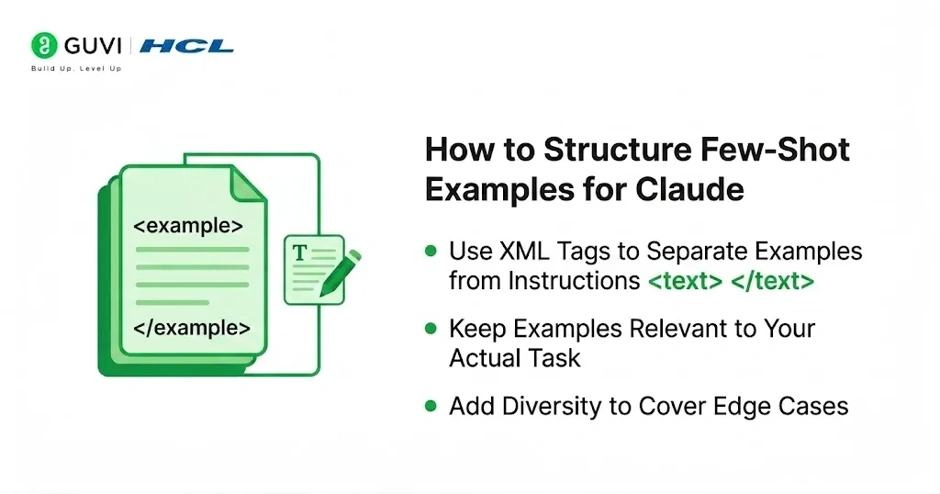
- Use XML Tags to Separate Examples from Instructions
Claude was specifically trained to recognize XML style structure, so wrapping examples in tags helps it read them correctly instead of confusing them with live instructions.
A simple structure looks like this:
<examples>

<example>

Input: [sample input]

Output: [ideal output]

</example>

<example>

Input: [sample input]

Output: [ideal output]

</example>

</examples>
This keeps your instructions, your examples, and the actual task cleanly separated in one prompt.
- Keep Examples Relevant to Your Actual Task
Examples should mirror your real use case as closely as possible. If your final task is writing product descriptions, your examples should be product descriptions, not general marketing copy.
Irrelevant examples can actually confuse Claude by teaching it patterns that do not apply to the real task.
- Add Diversity to Cover Edge Cases
Using near identical examples can cause Claude to pick up unintended patterns, such as always producing the same sentence length or always starting with the same phrase.
A stronger example set covers a short input, a long input, and at least one edge case that resembles something tricky Claude might encounter in production.
Pro Tip: If you are not sure your examples are diverse enough, you can ask Claude directly to review your examples and point out repeated patterns or gaps before you use them in production.
Few-Shot Prompting Examples That Work
Example 1: Formatting a Structured Output
When you need consistent structured output, such as extracting fields from text into a fixed format, two or three examples showing the exact input and output format work better than a written description of the format rules.
Example 2: Matching a Specific Tone
If you want Claude to sound like your brand or a specific writer, one or two labeled examples of on-tone writing teach Claude the rhythm, vocabulary, and sentence style far faster than adjectives like “friendly” or “professional” on their own.

Example 3: Guiding Step by Step Reasoning
For tasks that involve reasoning, such as math or multi-step logic, examples that include a visible thinking process before the final answer teach Claude to follow the same reasoning pattern on new problems.
Data Point: Anthropic’s documentation notes that multishot examples work well alongside extended thinking. When examples include a visible reasoning pattern, Claude tends to generalize that same reasoning style to new inputs.
How Many Examples Should You Use?
Anthropic’s official guidance recommends 3 to 5 well-chosen examples for most tasks. This is usually enough to establish a clear pattern without making the prompt unnecessarily long.
More examples can help with genuinely complex tasks, but quality matters more than quantity. A small set of relevant, diverse examples will usually outperform a large set of repetitive ones.
Few-Shot Prompting vs Zero-Shot Prompting
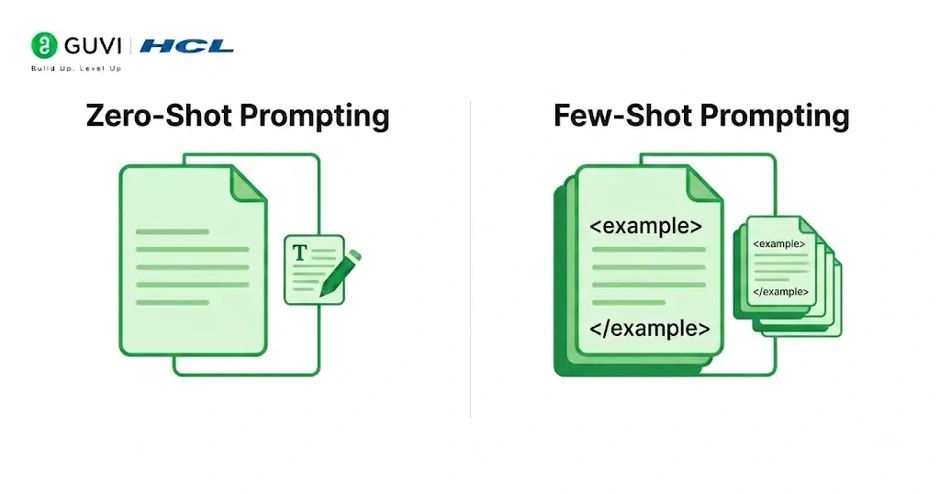
Zero-shot prompting means asking Claude to complete a task with instructions only, no examples included. It works well for simple, well-defined tasks where the expected output is fairly obvious.
Few-shot prompting adds examples on top of instructions. It is the better choice when:
- The output needs a specific structure or format.
- Tone or voice consistency matters.
- Earlier zero-shot attempts produced inconsistent or off-target results.
In practice, most production prompts benefit from starting zero-shot and adding examples only where output quality actually needs it.
Common Mistakes to Avoid
- Using examples that do not resemble the real task closely enough.
- Providing only one example, which does not give Claude enough pattern to generalize from.
- Making all examples too similar, which can cause Claude to copy incidental details instead of the intended pattern.
- Skipping XML tags, which makes it harder for Claude to tell examples apart from actual instructions in longer prompts.
- Forgetting to update examples after the task requirements change, leaving Claude working from outdated patterns.
Warning: Examples carry a lot of weight in a prompt. If even one example is inconsistent with the behavior you actually want, Claude is likely to replicate that inconsistency rather than ignore it.
Key Takeaways
- Few-shot, also called multishot, prompting means teaching Claude through examples instead of instructions alone.
- Anthropic recommends 3 to 5 relevant, diverse examples wrapped in XML tags for best results.
- Examples are especially effective for structured output, tone matching, and step by step reasoning tasks.
- Diversity across examples prevents Claude from picking up unintended patterns.
- Quality of examples matters more than the number of examples used.
Conclusion
Few-shot prompting is one of the simplest changes you can make to a Claude prompt that produces a noticeably better result. Instead of trying to describe exactly what you want in words, a small set of well-chosen examples shows Claude directly. Structured correctly, with relevant and diverse examples wrapped in clear tags, this technique turns inconsistent output into something you can actually rely on for production use.
FAQs
1. What is few-shot prompting in Claude?
Few-shot prompting means including a few example input and output pairs in a prompt so Claude can learn the expected format before completing the real task.
2. How many examples should I use for few-shot prompting with Claude?
Anthropic recommends 3 to 5 relevant, diverse examples for most tasks, with more only needed for genuinely complex use cases.
3. Does few-shot prompting work the same as multishot prompting?
Yes, Anthropic uses few-shot and multishot prompting to refer to the same technique of guiding Claude with examples.
4. Should I use XML tags for few-shot examples?
Yes, wrapping examples in tags like example and examples helps Claude clearly separate them from instructions, especially in longer prompts.
5. When should I use few-shot prompting instead of zero-shot prompting?
Use few-shot prompting when output needs a specific format or tone, or when zero-shot attempts have already produced inconsistent results.
Success Stories

About the Author
Vishalini Devarajan
An Aerospace Engineer turned content writer, I focus on making complex concepts easy to understand through well-structured, reader-friendly blogs. Whether it’s a technical topic or a non-technical one, I love creating content that is clear, engaging, and impactful.
View all posts by Vishalini Devarajan
Connect with me @













Did you enjoy this article?