


Data Science Articles
What are Analytical Skills and How to Master them for 3X Career Growth?
Skills for Financial Data Analysis and Modeling: A Complete Guide
Skills to Become a Healthcare Data Analyst: A 2026 Career Guide


Get In Touch For Details! Request More Information

Best Datasets for Face Recognition in 2026: Free + Labeled (With Download Links)
Aug 01, 2026 9 Min Read 5150 Views
(Last Updated)
A face recognition dataset is a labeled collection of face images used to train and test models that identify or verify human identities.
The top 5 Datasets for Face Recognition to know are LFW (13,000+ labeled images, beginner-friendly), VGGFace2 (3.3 million images across 9,000+ people), and CelebA (200,000 celebrity images with 40 facial attributes).
Rounding out the top 5: CASIA-WebFace (494,414 images for large-scale research) and MS-Celeb-1M (10 million images for production-grade models).
Face recognition, powered by the right Datasets for Face Recognition, is used everywhere today, from unlocking phones to securing offices. This blog covers popular public datasets, how to build your own, and beginner-friendly Python code to train and test a working model.
Table of contents
- TL;DR Summary
- Understanding The Face Recognition Dataset Workflow
- Popular Face Recognition Datasets
- Dataset Comparison Table
- How to Use Face Recognition Datasets with Python OpenCV / DeepFace
- Face Recognition Dataset for Indian Faces — Where to Find
- Creating Your Own Face Recognition Dataset
- Step 2.1: Install Required Libraries
- Step 2.2: Set Up the Dataset Folder
- Step 2.3: Capture Faces from Webcam
- Setting Up Your Environment
- Loading And Exploring Face Recognition Datasets
- Preprocessing the Dataset
- Training a Face Recognition Model
- Testing and Evaluating the Model
- Augmenting the Dataset
- Real-World Applications of Face Recognition Datasets
- 💡 Did You Know?
- Conclusion
- FAQs
- What are the ethical concerns when creating a face recognition dataset?
- How much data is needed to train an accurate face recognition model?
- Can I use synthetic or AI-generated faces for training my model?
- What are the common challenges faced in dataset labeling for face recognition?
- How do researchers ensure fairness in face recognition datasets?
TL;DR Summary
- Datasets for Face Recognition are labeled collections of face images used to train models to identify or verify people, spanning free public options and custom-collected ones.
- The 5 most useful Datasets for Face Recognition to start with are LFW, VGGFace2, CelebA, CASIA-WebFace, and MS-Celeb-1M, each suited to a different scale and use case, covered in a comparison table below.
- Beyond the face_recognition library covered throughout this guide, DeepFace and OpenCV together offer a faster, more modern way to build a face recognition pipeline.
- If you need Indian faces specifically, IMFDB (34,512 images of 100 Indian actors) is the most established option, covered in a dedicated section below.
- Building your own custom dataset alongside a public one gives you both benchmarking ability and real-world accuracy for your specific use case.
Understanding The Face Recognition Dataset Workflow
In this blog, we will follow a structured approach to build and use Datasets for Face Recognition. The workflow includes:
- Exploring Popular Public Datasets for Face Recognition – Understanding each option like LFW, VGGFace2, and CelebA, which help benchmark models and give context.
- Creating Your Own Custom Datasets for Face Recognition – Capturing images of individuals using a webcam and organizing them into a structured folder system.
- Setting Up the Environment – Installing and configuring Python libraries such as OpenCV, face_recognition, NumPy, and Matplotlib.
- Loading and Exploring the Dataset – Loading images from both custom and public datasets, visualizing sample images, checking labels, dimensions, and overall dataset structure to ensure everything is ready for preprocessing.
- Preprocessing the Dataset – Converting images to grayscale, resizing, and normalizing them for model training.
- Training a Face Recognition Model – Encoding faces into numeric vectors and teaching the model to recognize them.
- Testing and Evaluating the Model – Using both custom and public datasets to check accuracy and performance.
- Augmenting the Dataset – Improving model performance with image transformations such as flips, rotations, and zooms.
This step-by-step workflow ensures that even beginners can understand, create, and implement Datasets for Face Recognition efficiently.
Ready to go further? Join HCL GUVI’s Data Science Course for hands-on expertise in data collection, preprocessing, and real-world applications.
Do check out HCL GUVI’s Data Science eBook, which gives you a clear, structured overview of how to collect, clean, and prepare image data for machine learning.
1. Popular Face Recognition Datasets
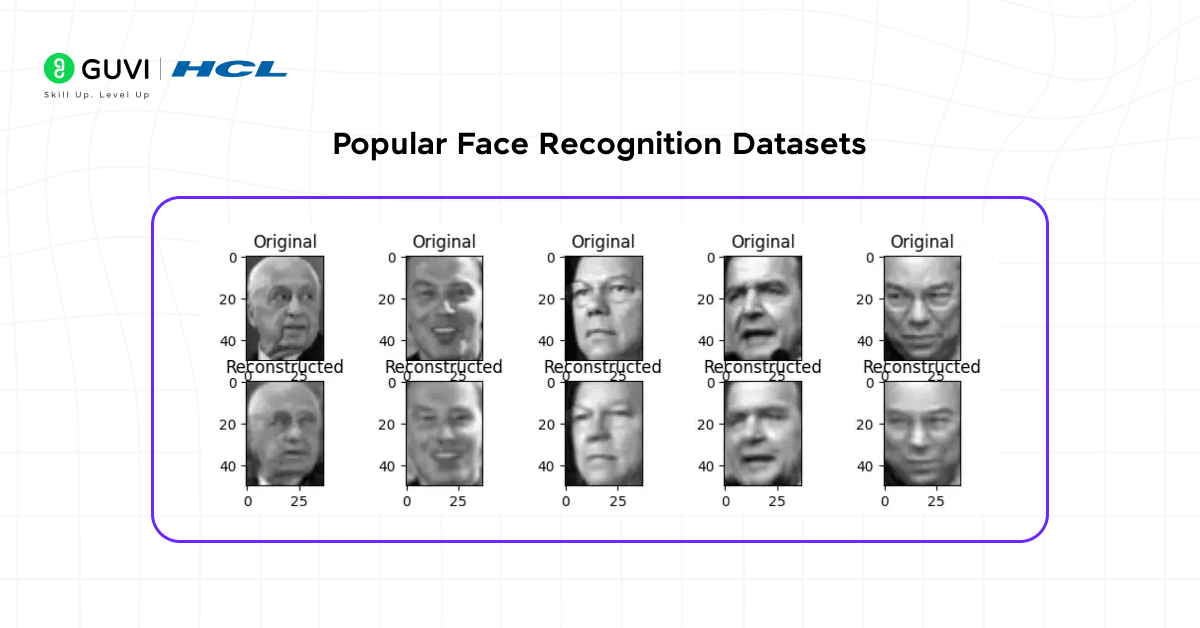
Before creating your own Datasets for Face Recognition, it is helpful to know about the widely used public options in face recognition. Here are some of the most popular ones:
- LFW (Labeled Faces in the Wild): This dataset contains over 13,000 images of faces collected from the internet. Each image is labeled with the person’s name, making it ideal for testing face verification and recognition algorithms. Download the dataset here – Kaggle
- VGGFace2: VGGFace2 has 3.3 million images of more than 9,000 people. It includes faces under different poses, lighting conditions, and ages. Download the dataset here – Kaggle
- CelebA: With around 200,000 images of celebrities, CelebA not only provides face images but also includes 40 facial attributes such as glasses, smiling, or gender. Download the dataset here – Kaggle
- CASIA-WebFace: CASIA-WebFace consists of 494,414 images of 10,575 individuals. It is widely used in research for large-scale face recognition projects. Download the dataset here – Kaggle
- MS-Celeb-1M: This massive dataset contains 10 million images of 100,000 identities. It is designed for large-scale face recognition and can help train high-performance models, but it requires significant computational resources. Download the dataset here – MS-Celeb
While these public Datasets for Face Recognition are excellent for learning and benchmarking, creating your own custom one becomes important when you need a system tailored to your specific scenario, like an office attendance system, classroom monitoring, or personalized authentication.

Dataset Comparison Table
Here’s a quick side-by-side comparison of the 5 most popular Datasets for Face Recognition:
| Dataset | Size | Images | License | Download Link | Best For |
|---|---|---|---|---|---|
| LFW | 13,000+ images, 5,749 people | ~13,233 | Research/educational use, check per-image source | Kaggle | Beginners, quick face verification practice |
| VGGFace2 | 3.3 million images, 9,000+ people | ~3.31 million | Retracted by its creators over privacy/ethical concerns; mirrors persist but original source is discontinued | Kaggle | Robust models handling pose/lighting variation |
| CelebA | 200,000+ images, 10,000+ identities | ~202,599 | Research/non-commercial use | Kaggle | Facial attribute detection alongside recognition |
| CASIA-WebFace | 494,414 images, 10,575 people | ~494,414 | Research use only | Kaggle | Large-scale academic research projects |
| MS-Celeb-1M | 10 million images, 100,000 identities | ~10 million | Research use, dataset later retracted by Microsoft over privacy concerns | Archived mirror | Production-grade models with heavy compute resources |
An important note on licensing for any Dataset for Face Recognition: most of these datasets are restricted to research or educational use, not commercial deployment.
Both MS-Celeb-1M and VGGFace2 were retracted by their creators (Microsoft and the University of Oxford’s Visual Geometry Group, respectively) in 2019 following credible privacy and ethical concerns.
Archived mirrors of both still circulate widely in research. Always check the current licensing terms directly before using any of these Datasets for Face Recognition in a commercial product.
How to Use Face Recognition Datasets with Python OpenCV / DeepFace
While this guide primarily uses the face_recognition library to work with Datasets for Face Recognition, DeepFace (built on top of TensorFlow) offers a faster, more modern alternative that’s worth knowing alongside OpenCV.
This is the first step to using DeepFace with any Datasets for Face Recognition.
Installing DeepFace:
pip install deepface
pip install opencv-python
This shows DeepFace comparing two images from the same set of Datasets for Face Recognition.
A minimal face verification example using DeepFace:
from deepface import DeepFace

result = DeepFace.verify(
    img1_path="dataset/person1/person1_1.jpg",
    img2_path="dataset/person1/person1_2.jpg",
    model_name="Facenet"
)
print("Are these the same person?", result["verified"])
print("Distance score:", result["distance"])
Using DeepFace to search across your entire collection of Datasets for Face Recognition:
from deepface import DeepFace

results = DeepFace.find(
    img_path="test_image.jpg",
    db_path="dataset/",
    model_name="Facenet"
)
print(results[0].head())
This combination is often the practical foundation of real Datasets for Face Recognition pipelines.
Combining OpenCV for detection with DeepFace for recognition:
import cv2
from deepface import DeepFace

face_cascade = cv2.CascadeClassifier(cv2.data.haarcascades + "haarcascade_frontalface_default.xml")
img = cv2.imread("test_image.jpg")
gray = cv2.cvtColor(img, cv2.COLOR_BGR2GRAY)
faces = face_cascade.detectMultiScale(gray, 1.3, 5)

for (x, y, w, h) in faces:
    face_crop = img[y:y+h, x:x+w]
    cv2.imwrite("cropped_face.jpg", face_crop)
    analysis = DeepFace.analyze(img_path="cropped_face.jpg", actions=["age", "gender", "emotion"])
    print(analysis)
Why this combination is worth knowing when building Datasets for Face Recognition pipelines: OpenCV handles fast, lightweight face detection (finding where faces are in an image), while DeepFace handles the heavier recognition and analysis work (who is this, and what’s their age/emotion).
This division of labor mirrors how most production face recognition pipelines are actually built, rather than doing everything with a single library.
Ready to go further? Join HCL GUVI’s Data Science Course for hands-on expertise in data collection, preprocessing, and real-world applications.
Face Recognition Dataset for Indian Faces — Where to Find
Most popular Datasets for Face Recognition like LFW, VGGFace2, and CelebA skew heavily toward Western celebrities and public figures, which can limit accuracy when your actual use case involves Indian faces specifically. A couple of dedicated resources fill this gap.
IMFDB (Indian Movie Face Database): built by IIIT Hyderabad’s Centre for Visual Information Technology (CVIT), IMFDB contains 34,512 images of 100 Indian actors, collected from over 100 Indian movies.
Every image includes detailed annotations for age, pose, gender, expression, and occlusion, making it more thoroughly labeled than many general-purpose datasets.
- Official source: CVIT, IIIT Hyderabad
- Also available via Kaggle and DagsHub mirrors for easier direct download
IMFW (Indian Masked Faces in the Wild): a more specialized dataset of 200 subjects, specifically built to address masked face recognition challenges in the Indian context, including traditional face coverings like gamchas and stoles, alongside standard masks.
Both masked and unmasked images are provided per subject.
The honest limitation for this specific category of Datasets for Face Recognition: dedicated Indian face datasets remain far smaller in scale than international ones like VGGFace2 or MS-Celeb-1M.
If your project needs both regional accuracy and large scale, the practical approach many teams take is combining general Datasets for Face Recognition (for base training) with a smaller Indian-specific one (for fine-tuning on your target population).
2. Creating Your Own Face Recognition Dataset
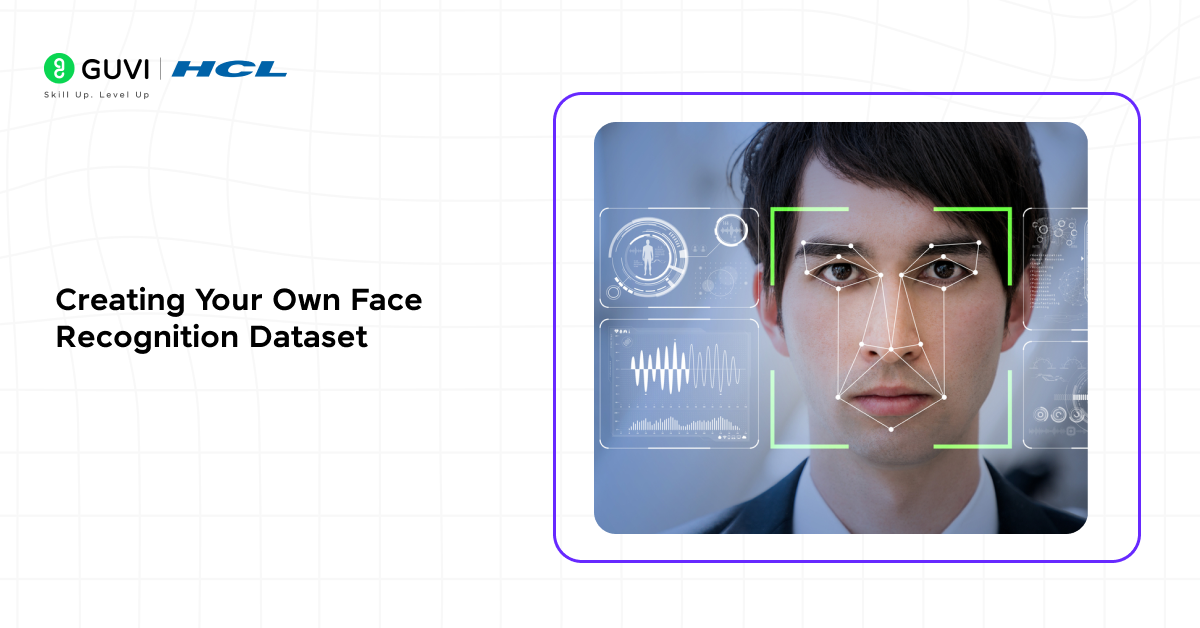
Creating custom Datasets for Face Recognition allows you to train a model that works for your specific environment. Custom datasets are important when you need a system to recognize specific people, such as for office attendance, classroom monitoring, or personal authentication.
Here’s a simple way to capture faces using Python and OpenCV.
Step 2.1: Install Required Libraries
Purpose: These libraries allow you to access your webcam, process images, and store them in an organized way.
pip install opencv-python
pip install numpy
OpenCV: Captures images from your webcam and processes them.
NumPy: Handles image data in arrays for easy manipulation.
Step 2.2: Set Up the Dataset Folder
Purpose: Organize images for each person separately so your model can easily identify them later.
import os

dataset_path = "dataset"
if not os.path.exists(dataset_path):
    os.makedirs(dataset_path)

person_name = input("Enter the name of the person: ")
person_path = os.path.join(dataset_path, person_name)
if not os.path.exists(person_path):
    os.makedirs(person_path)
Explanation:
- Creates a main folder named as dataset
- Each person has a subfolder named after them
- Keeps your Datasets for Face Recognition structured and easy to manage
Step 2.3: Capture Faces from Webcam
Purpose: Collect multiple images of each person under different conditions to improve model accuracy.
import cv2

cap = cv2.VideoCapture(0)
face_cascade = cv2.CascadeClassifier(cv2.data.haarcascades + "haarcascade_frontalface_default.xml")
count = 0
while True:
    ret, frame = cap.read()
    if not ret:
        break
    gray = cv2.cvtColor(frame, cv2.COLOR_BGR2GRAY)
    faces = face_cascade.detectMultiScale(gray, 1.3, 5)
    for (x, y, w, h) in faces:
        count += 1
        face_img = gray[y:y+h, x:x+w]
        cv2.imwrite(f"{person_path}/{person_name}_{count}.jpg", face_img)
        cv2.rectangle(frame, (x, y), (x+w, y+h), (255, 0, 0), 2)
    cv2.imshow("Capturing Faces", frame)
    if cv2.waitKey(1) & 0xFF == ord('q') or count >= 50:
        break
cap.release()
cv2.destroyAllWindows()
print(f"Collected {count} images for {person_name}")
Explanation:
- Uses OpenCV to capture live video from the webcam
- Detects faces using a Haar Cascade classifier
- Saves 50 face images per person by default
- Draws a rectangle around the detected face for visual feedback
Tip: Capture faces with different angles, expressions, and lighting conditions to create robust Datasets for Face Recognition.
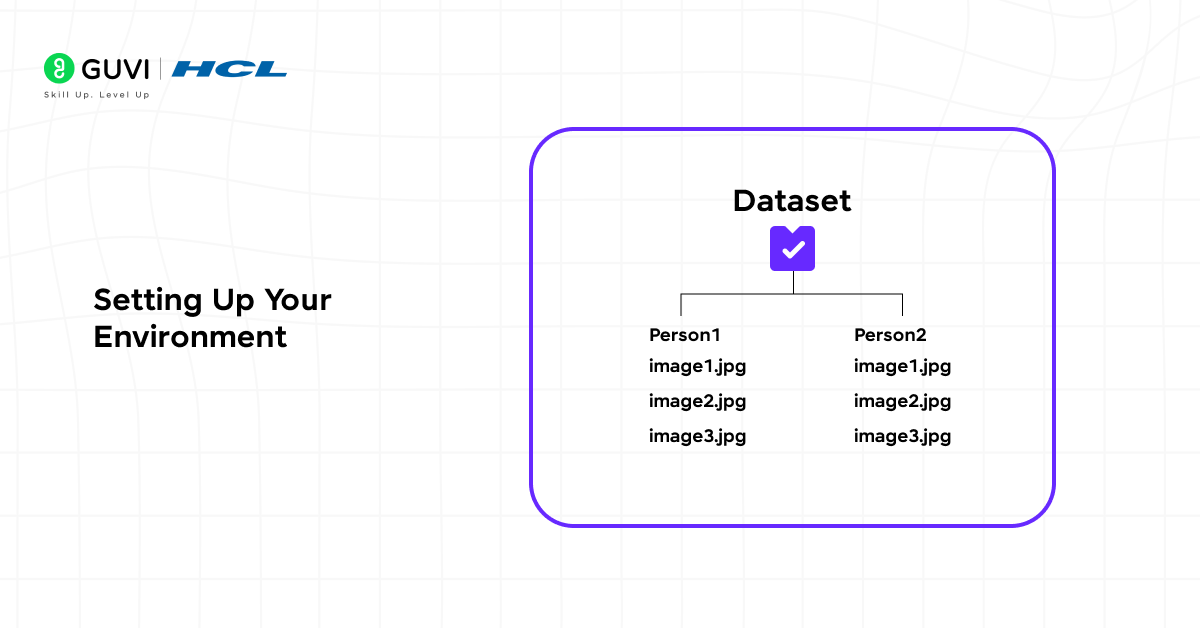
Folder Structure:
dataset/
 ├── person1/
 │    ├── person1_1.jpg
 │    ├── person1_2.jpg
 │    └── ...
 └── person2/
      ├── person2_1.jpg
      ├── person2_2.jpg
      └── ...
Setting Up Your Environment
Before using your custom Datasets for Face Recognition or any public options, you need to set up a Python environment with the necessary libraries.
pip install face_recognition
pip install matplotlib
pip install scikit-learn
Explanation:
- face_recognition: Converts faces into numerical encodings and compares them for recognition.
- Matplotlib: Visualizes images, face locations, and recognition results.
- scikit-learn: Provides tools for training, evaluating, and processing data efficiently.
- import cv2 import face_recognition import numpy as np import matplotlib.pyplot as plt
- Load a sample image from the custom dataset
- image_path = “dataset/person1/person1_1.jpg”
- image = face_recognition.load_image_file(image_path) plt.imshow(image) plt.title(“Sample Face Image”) plt.axis(“off”) plt.show()
Explanation:
- Confirms that the libraries can read and display images correctly.
- Helps you visualize how images are stored in your Datasets for Face Recognition.
4. Loading And Exploring Face Recognition Datasets
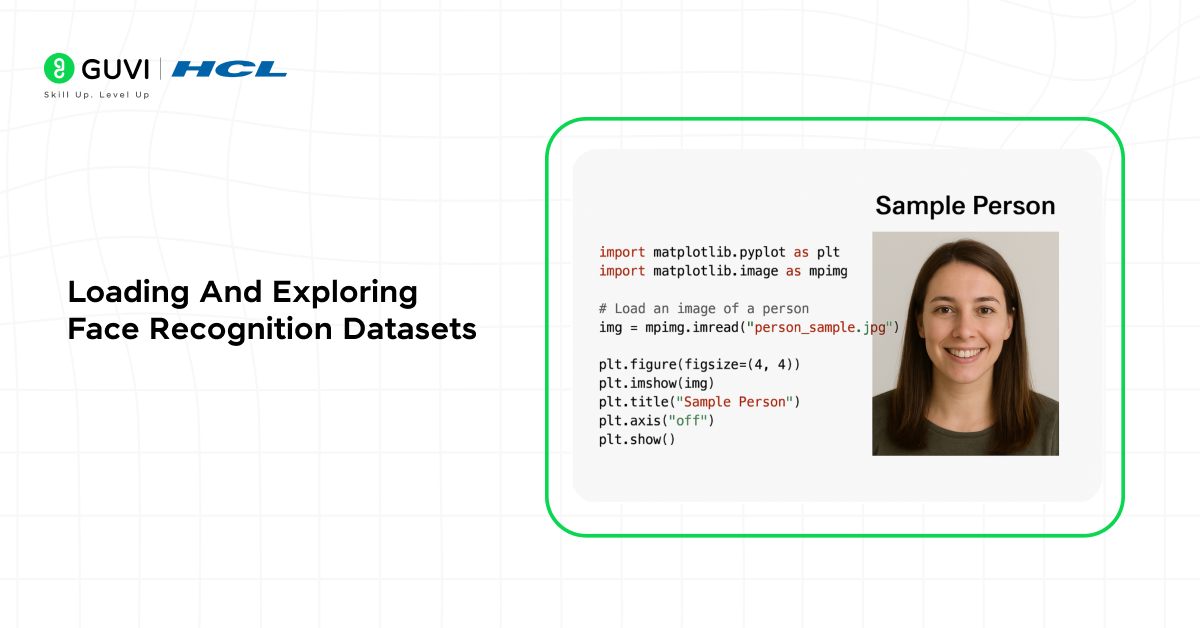
After setting up your environment, the next step is to load and explore your Datasets for Face Recognition. This ensures that your images are correctly organized, labeled, and ready for preprocessing.
Loading images from your custom dataset:
import cv2
import os
import matplotlib.pyplot as plt

dataset_path = "dataset"

for person in os.listdir(dataset_path):
    person_path = os.path.join(dataset_path, person)
    for img_name in os.listdir(person_path)[:5]:
        img_path = os.path.join(person_path, img_name)
        img = cv2.imread(img_path)
        img = cv2.cvtColor(img, cv2.COLOR_BGR2RGB)
        plt.imshow(img)
        plt.title(person)
        plt.axis("off")
        plt.show()
Loading a public dataset (LFW example):
from sklearn.datasets import fetch_lfw_people
import matplotlib.pyplot as plt

lfw_dataset = fetch_lfw_people(min_faces_per_person=20, resize=0.5)
print("Number of images:", lfw_dataset.images.shape)
print("Number of people:", len(lfw_dataset.target_names))

plt.imshow(lfw_dataset.images[0], cmap="gray")
plt.title(lfw_dataset.target_names[lfw_dataset.target[0]])
plt.axis("off")
plt.show()
This step matters just as much for custom Datasets for Face Recognition as for public ones.
Why Loading and Exploring is Important:
- Confirms that images are correctly labeled and organized.
- Detects low-quality, corrupted, or misaligned images before preprocessing.
- Helps plan preprocessing steps such as resizing, grayscaling, or normalization.
5. Preprocessing the Dataset
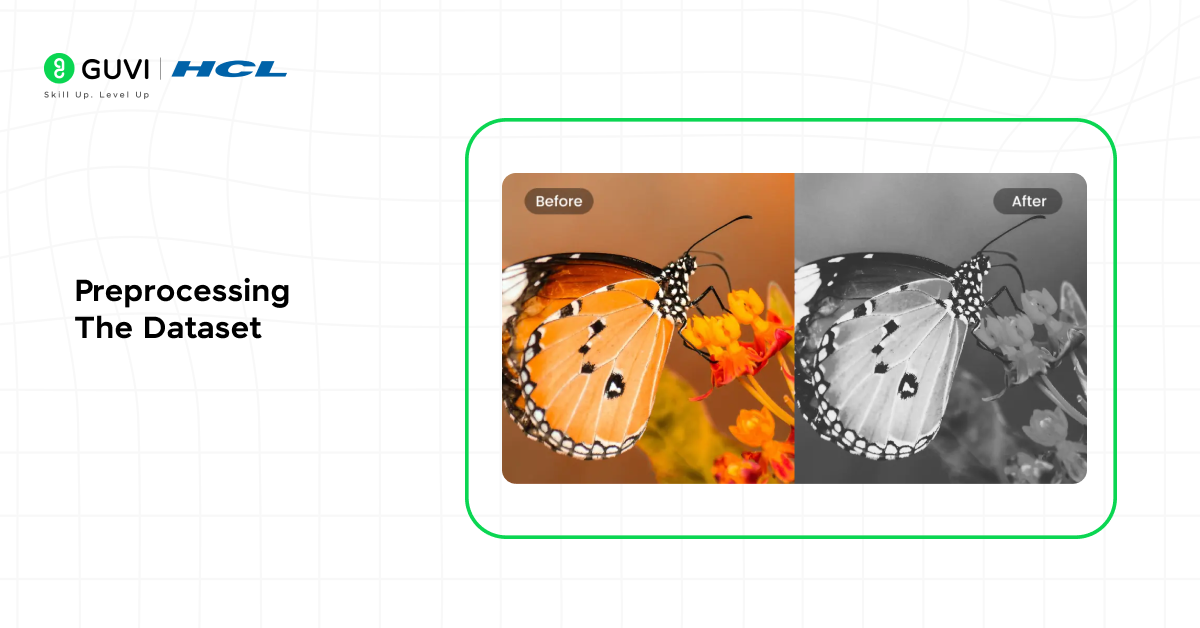
Before training a face recognition model, it’s essential to preprocess your Datasets for Face Recognition. Preprocessing ensures images are consistent in size, color format, and quality.
Convert to grayscale:
import cv2
import os

dataset_path = "dataset"

for person in os.listdir(dataset_path):
    person_path = os.path.join(dataset_path, person)
    for img_name in os.listdir(person_path):
        img_path = os.path.join(person_path, img_name)
        img = cv2.imread(img_path)
        gray_img = cv2.cvtColor(img, cv2.COLOR_BGR2GRAY)
        cv2.imwrite(img_path, gray_img)
Resize for consistency:
target_size = (100, 100)

for person in os.listdir(dataset_path):
    person_path = os.path.join(dataset_path, person)
    for img_name in os.listdir(person_path):
        img_path = os.path.join(person_path, img_name)
        img = cv2.imread(img_path, cv2.IMREAD_GRAYSCALE)
        resized_img = cv2.resize(img, target_size)
        cv2.imwrite(img_path, resized_img)
Normalize pixel values:
import numpy as np

image_data = []

for person in os.listdir(dataset_path):
    person_path = os.path.join(dataset_path, person)
    for img_name in os.listdir(person_path):
        img_path = os.path.join(person_path, img_name)
        img = cv2.imread(img_path, cv2.IMREAD_GRAYSCALE)
        normalized_img = img / 255.0
        image_data.append(normalized_img)
Optional data augmentation for small datasets:
from tensorflow.keras.preprocessing.image import ImageDataGenerator

datagen = ImageDataGenerator(
    rotation_range=15,
    width_shift_range=0.1,
    height_shift_range=0.1,
    horizontal_flip=True
)

img = np.expand_dims(image_data[0], axis=(0, -1))
aug_iter = datagen.flow(img)
augmented_img = next(aug_iter)[0].astype("float32")
This applies whether you’re using custom or public Datasets for Face Recognition.
Why Preprocessing is Important:
- Standardizes image size and format for the model.
- Reduces noise and irrelevant information.
- Improves model performance and generalization.
6. Training a Face Recognition Model
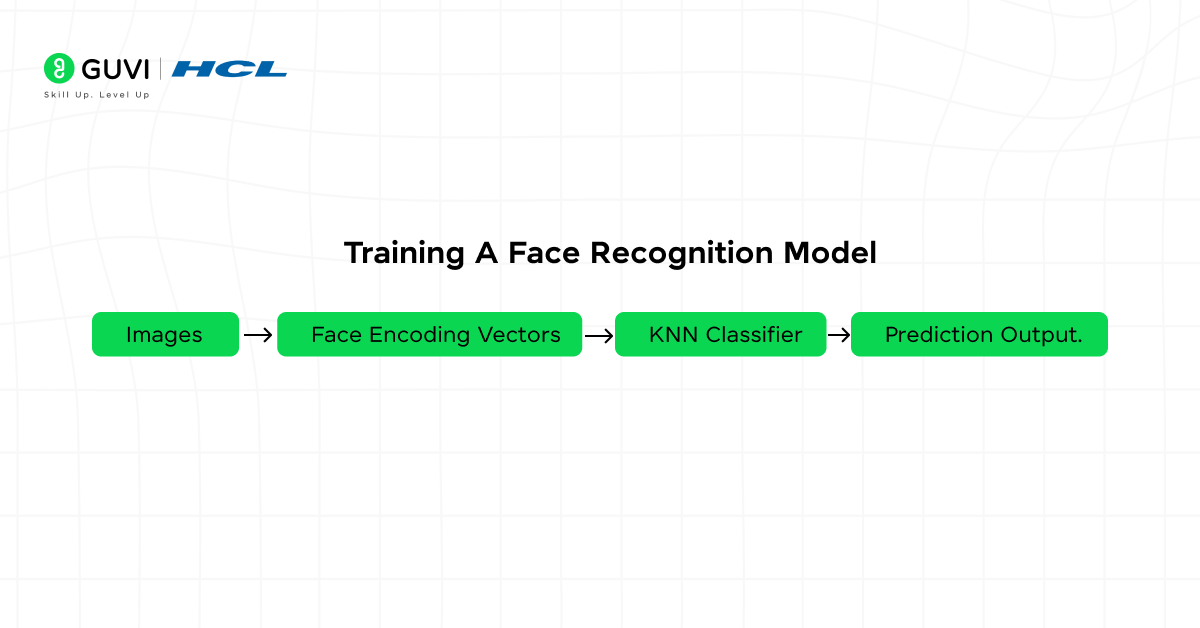
Once your Datasets for Face Recognition are preprocessed, the next step is to train a model that can recognize and distinguish between different individuals.
Encode faces in the dataset:
import face_recognition
import os

dataset_path = "dataset"
encodings = []
labels = []

for person in os.listdir(dataset_path):
    person_path = os.path.join(dataset_path, person)
    for img_name in os.listdir(person_path):
        img_path = os.path.join(person_path, img_name)
        image = face_recognition.load_image_file(img_path)
        face_enc = face_recognition.face_encodings(image)
        if len(face_enc) > 0:
            encodings.append(face_enc[0])
            labels.append(person)
Train a KNN classifier:
from sklearn.neighbors import KNeighborsClassifier

knn = KNeighborsClassifier(n_neighbors=3, metric="euclidean")
knn.fit(encodings, labels)
Save the model for later use:
import pickle

with open("face_recognition_knn.pkl", "wb") as f:
    pickle.dump(knn, f)
Test the model with a new image:
test_image = face_recognition.load_image_file("dataset/person1/person1_1.jpg")
test_enc = face_recognition.face_encodings(test_image)[0]

prediction = knn.predict([test_enc])
print("Predicted person:", prediction[0])
Training is what turns raw Datasets for Face Recognition into usable models.
Why Training is Important:
- Converts raw face images into numerical representations the computer can understand.
- Allows the model to differentiate between multiple identities.
7. Testing and Evaluating the Model
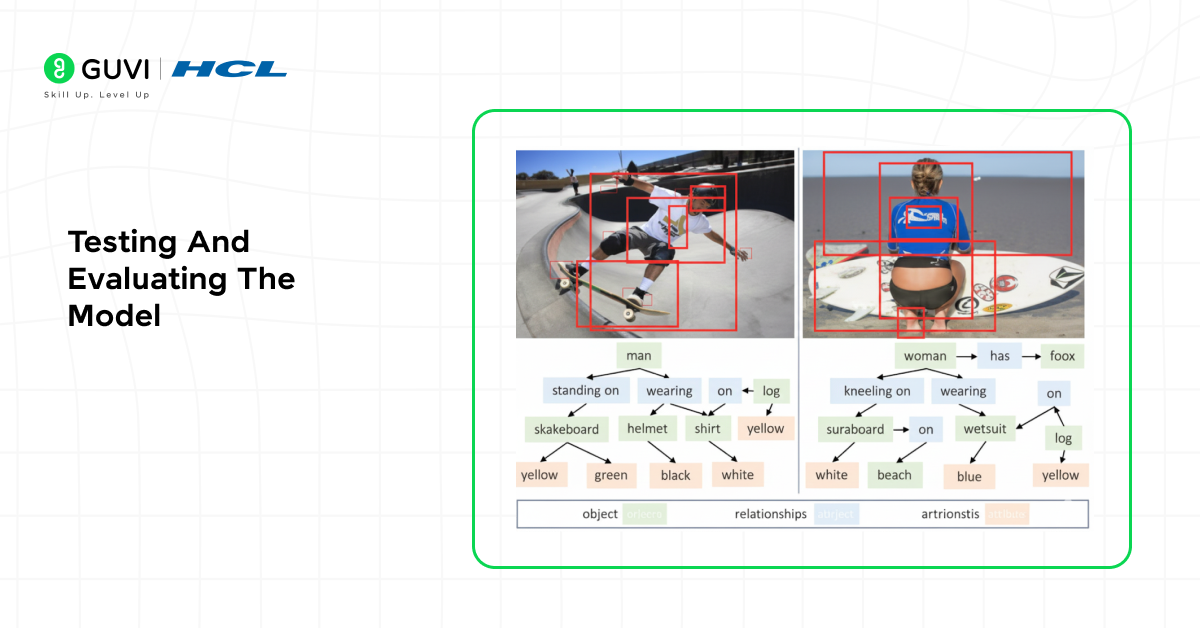
After training your model with Datasets for Face Recognition, it’s essential to test and evaluate its performance.
import pickle
import face_recognition

with open("face_recognition_knn.pkl", "rb") as f:
    knn = pickle.load(f)

test_image = face_recognition.load_image_file("dataset/person2/person2_1.jpg")
test_encoding = face_recognition.face_encodings(test_image)[0]

prediction = knn.predict([test_encoding])
print("Predicted person:", prediction[0])
Evaluate accuracy on multiple images:
correct = 0
total = 0

for person in os.listdir("dataset"):
    person_path = os.path.join("dataset", person)
    for img_name in os.listdir(person_path):
        img_path = os.path.join(person_path, img_name)
        image = face_recognition.load_image_file(img_path)
        enc = face_recognition.face_encodings(image)
        if len(enc) > 0:
            prediction = knn.predict([enc[0]])
            total += 1
            if prediction[0] == person:
                correct += 1

accuracy = correct / total * 100
print(f"Model Accuracy: {accuracy:.2f}%")
This confirms your Datasets for Face Recognition actually produce a reliable model.
Why Testing and Evaluation is Important:
- Ensures your Datasets for Face Recognition are useful for real-world predictions.
- Helps you identify misclassifications and improve dataset quality.
8. Augmenting the Dataset
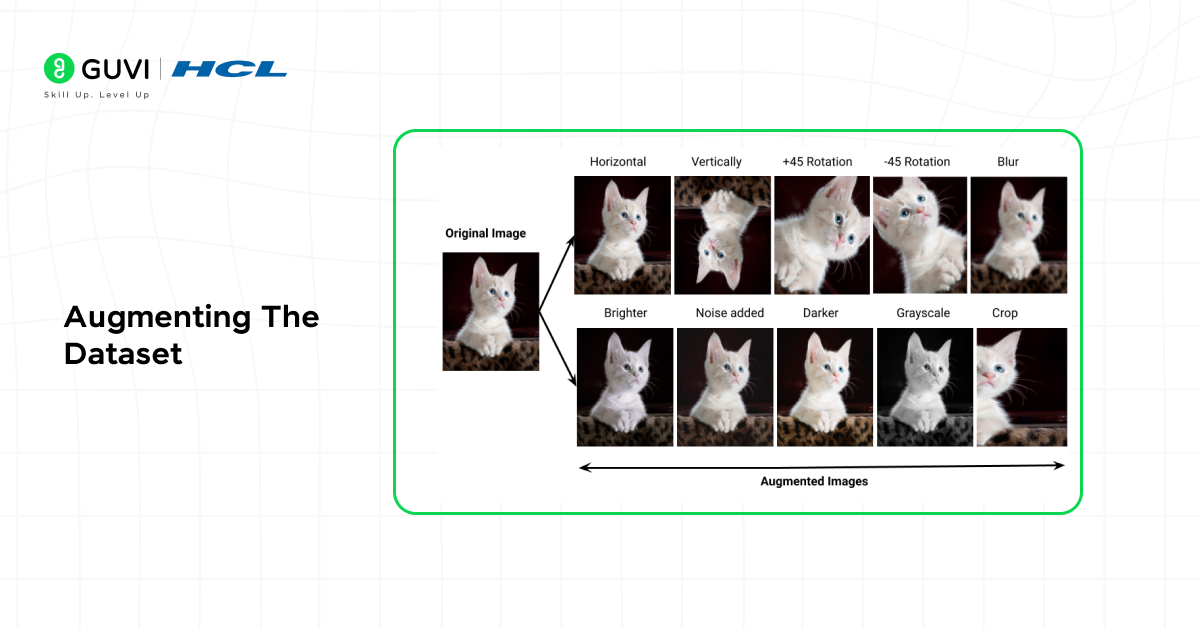
Even with well-prepared Datasets for Face Recognition, models can struggle when faces appear under different lighting, angles, or expressions. Data augmentation helps create more varied training samples without collecting new images.
from tensorflow.keras.preprocessing.image import ImageDataGenerator
import cv2
import os
import numpy as np

datagen = ImageDataGenerator(
    rotation_range=15,
    width_shift_range=0.1,
    height_shift_range=0.1,
    zoom_range=0.1,
    horizontal_flip=True
)

dataset_path = "dataset"
augmented_path = "augmented_dataset"

if not os.path.exists(augmented_path):
    os.makedirs(augmented_path)

for person in os.listdir(dataset_path):
    person_path = os.path.join(dataset_path, person)
    save_path = os.path.join(augmented_path, person)
    os.makedirs(save_path, exist_ok=True)

    for img_name in os.listdir(person_path):
        img_path = os.path.join(person_path, img_name)
        img = cv2.imread(img_path)
        img = cv2.cvtColor(img, cv2.COLOR_BGR2RGB)
        img = np.expand_dims(img, axis=0)

        aug_iter = datagen.flow(img, batch_size=1, save_to_dir=save_path, save_prefix="aug", save_format="jpg")
        for _ in range(5):
            next(aug_iter)
Augmentation strengthens any of these Datasets for Face Recognition without collecting new images.
Why Dataset Augmentation Matters:
- Improves generalization: the model learns to handle real-world variations like rotations or shadows.
- Reduces overfitting: prevents the model from memorizing training images.
- Expands the dataset size: especially useful when you have fewer samples per person.
Real-World Applications of Face Recognition Datasets
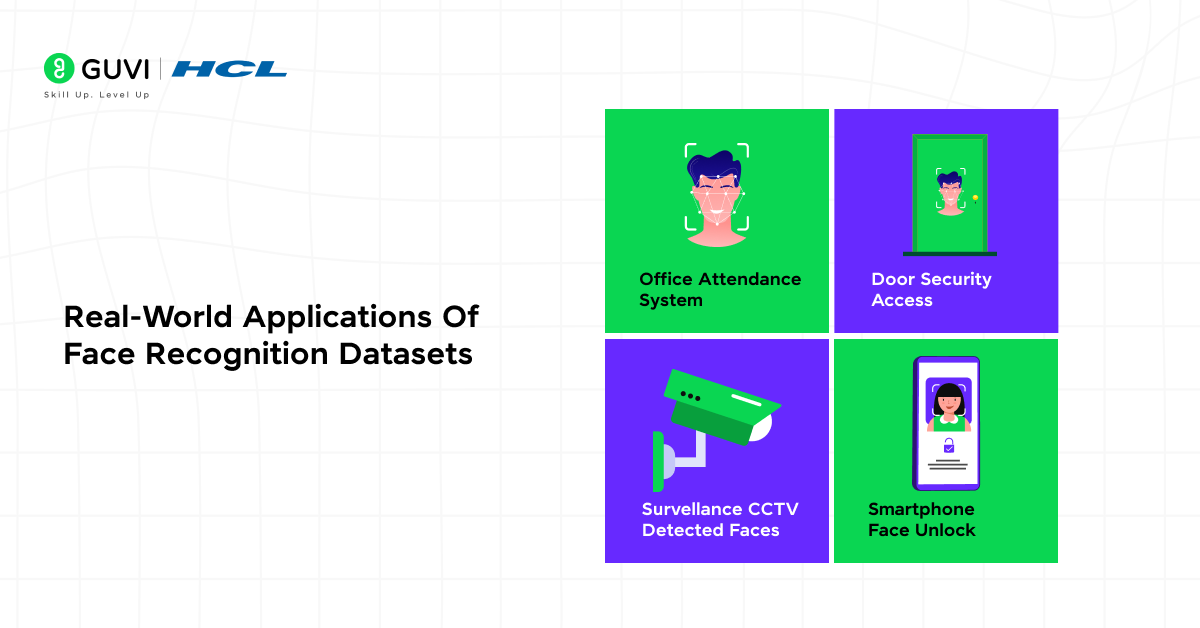
Once your Datasets for Face Recognition and model are ready, they can be applied across multiple real-world domains.
This is one of the most common uses of Datasets for Face Recognition once a model is deployed.
- Automated Attendance Systems: employees or students look into a camera, and the system compares the live face to stored encodings, marking attendance automatically.
- Security and Access Control: relying on trained Datasets for Face Recognition, door locks and workplace entry systems compare face encodings in real time against a trained dataset.
- Smart Surveillance Systems: CCTV footage is matched against large-scale Datasets for Face Recognition like VGGFace2 or MS-Celeb-1M to identify persons of interest.
- Personalized User Experiences: built on custom Datasets for Face Recognition, retail and entertainment platforms use recognition to tailor recommendations or greet loyal customers.
- Healthcare and Emotion Detection: models trained on facial Datasets for Face Recognition analyze micro-expressions to monitor patient comfort remotely.
- Device Authentication: smartphone face unlock and banking apps rely on proprietary Datasets for Face Recognition built the same way covered in this guide.
Join our 5-Day Free Data Science Email Series, designed for beginners who want to master data collection, cleaning, visualization, and model building.
💡 Did You Know?
- LFW (Labeled Faces in the Wild) was released in 2007 and remains one of the most widely cited benchmarks in face recognition research even after nearly two decades.
- MS-Celeb-1M and VGGFace2, two of the largest face datasets created, were retracted by their creators in 2019 due to privacy concerns, although related data continues to appear in research through mirrors and derivative datasets.
- Haar Cascade classifiers, the same technique used for detecting faces in webcam-based applications, were introduced in 2001 and are still fast enough for real-time face detection on basic hardware today.
Conclusion
Building Datasets for Face Recognition from scratch deepens your understanding of how these systems work and gives you full control over your model’s accuracy. Public datasets like LFW and VGGFace2 help you benchmark, while a custom dataset personalizes your model for your specific use case.
Ready to go further? Join HCL GUVI’s Data Science Course for hands-on expertise in data collection, preprocessing, and real-world applications.
FAQs
1. What are the ethical concerns when creating a face recognition dataset?
Ethical concerns include issues like privacy, data consent, and bias. It’s crucial to collect images only with permission and ensure that your dataset represents diverse ethnicities, ages, and genders to avoid discrimination or model bias in real-world applications.
2. How much data is needed to train an accurate face recognition model?
The amount of data depends on the model’s complexity and goal. For simple applications, even a few hundred well-labeled images per person can work. However, for large-scale or production-level systems, thousands of varied images per identity may be needed to ensure reliability across lighting, pose, and background conditions.
3. Can I use synthetic or AI-generated faces for training my model?
Yes, synthetic datasets generated using tools like StyleGAN or DeepFaceLab can supplement real-world images. They help increase dataset diversity, reduce bias, and improve performance, especially when collecting real human faces is difficult due to privacy concerns.
4. What are the common challenges faced in dataset labeling for face recognition?
Manual labeling can be time-consuming and prone to human error. Common challenges include incorrectly tagging faces, duplicate identities, and poor-quality images. Using semi-automated labeling tools and consistent naming conventions helps reduce these issues.
5. How do researchers ensure fairness in face recognition datasets?
Researchers ensure fairness by balancing the dataset across different demographic groups, genders, and age ranges. They also evaluate models for bias and retrain them using inclusive datasets to maintain equitable performance across all user groups.
Success Stories

About the Author
Jebasta
I translate the language of data into stories that anyone can understand. As a writer with a data science background, I simplify analytics, AI, and decision-making so beginners and enthusiasts can confidently explore the world of data.
View all posts by Jebasta
Connect with me @













Did you enjoy this article?