


Artificial Intelligence and Machine Learning Articles
AI/ML Skills Gap 2026: Why Companies Can't Find Job-Ready Talent
20 AI/ML Interview Questions Recruiters Can Use Without a Tech Background - Best Guide
How Industry-Backed AI/ML Bootcamps Are Changing the AI/ML Hiring Pipeline - Best Guide 2026
From IT Support to AI Engineer: A Realistic Career Switch Guide 2026


Get In Touch For Details! Request More Information

App Storage: Build Apps with Images, Video & PDFs
Jul 14, 2026 6 Min Read 739 Views
(Last Updated)
Picture this. A developer wanted to build a simple photo gallery app. Sounds easy, right? Wrong. She spent hours figuring out how to store images, handle uploads, and make sure everything loaded fast. By the end, she had written more storage code than actual app code.
She needed a solution that just worked. No complicated setup. No storage headaches. Just upload, store, and use. That is exactly why Replit App Storage was built.
In this guide, we will break down what Replit App Storage is, why it matters, how it works, and what it means for anyone building apps with media files on Replit.
Quick TL;DR Summary
- This guide explains what Replit App Storage is and why it marks a major turning point in how developers build media-rich apps on the platform.
- You will learn exactly how App Storage handles images, videos, and PDFs without you needing to set up servers or manage complex file systems.
- The guide covers the specific capabilities App Storage brings, including automatic optimization, secure storage, and instant file access within your Replit projects.
- Real-world examples show you how App Storage handles tasks like building photo galleries, video platforms, document managers, and portfolio sites directly in Replit.
- Practical tips help you understand what you should do to get the best results from App Storage right from your very first Replit project.
- You will also learn about the security features built into App Storage and what easier media management means for the future of building on Replit.
Table of contents
- What Is Replit App Storage?
- Why Building Media-Heavy Apps on Replit Used to Be So Hard
- What Makes It Different From External Storage Solutions?
- How Replit App Storage Actually Works
- Step 1: Upload Your Files
- Step 2: Automatic Processing
- Step 3: Secure Storage
- Step 4: Fast Delivery
- Step 5: Simple Code Integration
- Real World Examples of What Replit App Storage Can Do
- Who Should Use Replit App Storage?
- The Security Side of Replit App Storage
- Mistakes Developers Make When Using Replit App Storage
- What You Should Do to Get the Most Out of Replit App Storage
- Conclusion
- FAQs
- Is App Storage available to all Replit users or just paid plans?
- Do I need to know backend development to use Replit App Storage?
- Can I download my files if I want to move my project off Replit?
- What file types does Replit App Storage support?
- How much storage do I get with Replit App Storage?
What Is Replit App Storage?
Replit App Storage is a file management system built directly into the Replit development environment. That means you do not need to set up external servers, configure cloud storage providers, or write complex upload handlers—it just works within Replit.
Why Building Media-Heavy Apps on Replit Used to Be So Hard
Most Replit developers know this pain well. You want to build an app that handles images or videos. Simple idea. But the execution? You need to integrate with external storage like AWS S3 or Cloudinary. Set up authentication. Write upload logic. Handle file validation. Manage storage limits. Deal with optimization. Configure API endpoints.
Replit App Storage changes that completely. You upload files directly through Replit’s interface. The system handles storage, optimization, and delivery automatically. No external services required.
Think of the difference between having to rent a storage unit across town for your tools versus having a built-in workshop in your garage. Replit App Storage is the second option.
Read More: What is Cloud Computing? A Comprehensive Guide
What Makes It Different From External Storage Solutions?
External storage solutions require you to leave the Replit environment. You sign up for another service, get API keys, install SDKs, write integration code, and manage billing across multiple platforms.
Replit App Storage is different in three main ways.
- It Lives Inside Replit
There is no leaving the platform. No API keys to copy and paste. No external accounts to manage. Everything happens right inside your Replit workspace where you are already building.
- It Optimizes Files Automatically
Every image or video you upload gets automatically optimized for web delivery. Large images get compressed without losing quality. Videos get converted to web-friendly formats. PDFs get processed for fast loading. You upload once and Replit handles the rest.
- It Works Seamlessly With Your Code
Because App Storage is built into Replit, accessing files in your code is incredibly simple. No complex SDK initialization. No authentication flows. Just straightforward file references that work instantly.
How Replit App Storage Actually Works
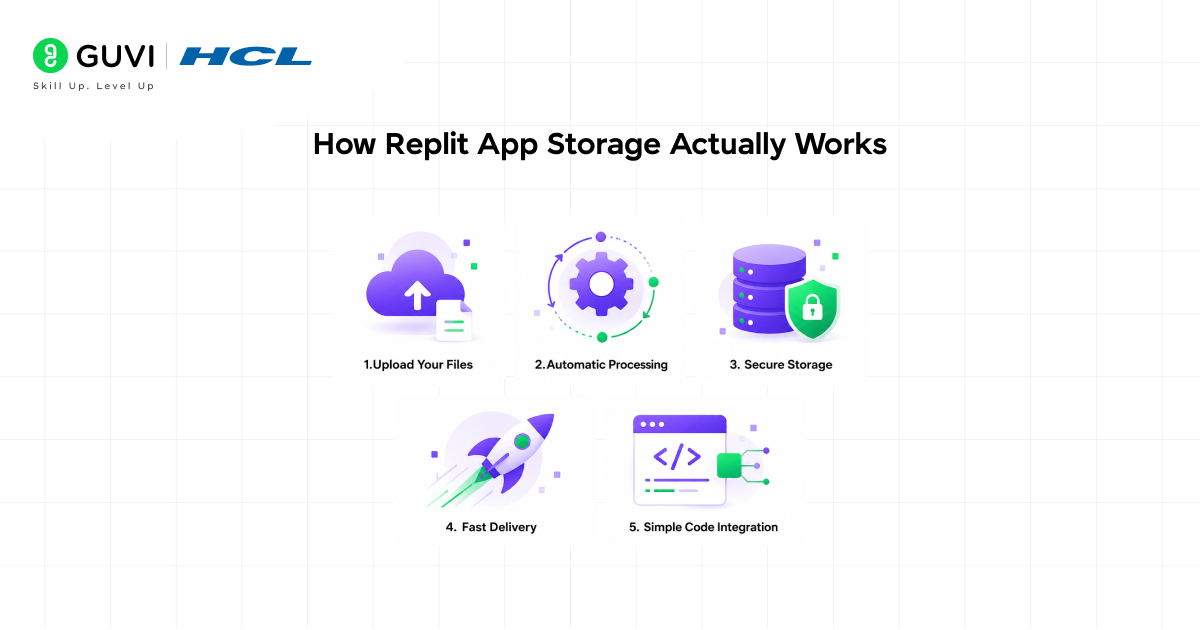
Here is a simple breakdown of what happens when you use App Storage in your Replit project.
Step 1: Upload Your Files
You Upload Directly in Replit You drag and drop images, videos, or PDFs directly into your Replit project workspace. No separate dashboard. No external upload forms. Everything happens where you code.
Step 2: Automatic Processing
It Processes and Optimizes App Storage immediately starts working on your files. Images get compressed and resized. Videos get transcoded to streaming formats. PDFs get optimized for web viewing. All automatically in the background.
Step 3: Secure Storage
It Stores Within Replit’s Infrastructure Your files get stored securely within Replit’s platform. Encryption at rest. Secure URLs. Permission controls. Everything you need to keep your content safe without managing security yourself.
Step 4: Fast Delivery
It Serves Files Efficiently When someone views your Replit app, files load quickly through optimized delivery. Users get fast load times without you setting up CDNs or caching layers.
Step 5: Simple Code Integration
You Access Easily Every file gets a simple URL you can use in your code. No complex queries. No authentication headers. Just a clean URL that works everywhere.
Replit App Storage can automatically detect image formats and convert them into the most efficient web format.
For example, uploading a PNG may result in an automatic conversion to JPEG if it reduces file size without noticeable quality loss.
This helps save bandwidth and makes your applications faster—without requiring any manual optimization.
Explore: Egnyte for Data Room Management with Claude Guide
Real World Examples of What Replit App Storage Can Do
- For student developers:
You build a class project portfolio site on Replit. Upload screenshots of your projects, demo videos, and assignment PDFs. App Storage handles everything, and your professor can view your portfolio instantly through a Replit deployment link.
- For indie game developers:
You create a browser game on Replit. Players upload custom avatar images and game screenshots. App Storage manages all uploads, optimizes images automatically, and serves them fast without you writing storage logic.
- For small business owners:
You build a product catalog site on Replit. Upload product photos, spec sheet PDFs, and demo videos. App Storage organizes everything and delivers content quickly to customers browsing your site.
- For content creators:
You create a video tutorial platform on Replit. Upload course videos, resource PDFs, and thumbnail images. App Storage handles the heavy lifting of video processing and file delivery while you focus on creating content.
Who Should Use Replit App Storage?
Replit App Storage is not built for one specific type of developer. It is genuinely useful across a wide range of people building different kinds of applications on Replit.
- Beginners
They will find it removes the biggest barrier to building media-rich apps on Replit, which is not knowing how to handle file storage. You focus on your app idea and let App Storage handle the technical complexity.
- Students and Learners
They will find it perfect for class projects and learning exercises. No need to sign up for external services or use a credit card. Everything needed for a media-heavy project is right inside Replit.
- Hobbyists and Side Project Builders
They will find it cuts the time between having an idea and having a working prototype down dramatically. You spend time building features, not wrestling with third-party storage APIs.
- Freelancers and Indie Developers
They will find it eliminates the need to manage multiple storage providers across different client projects. One system works for everything you build on Replit, keeping your workflow simple.

If you have ever avoided building an app on Replit because handling images or videos seemed too complicated, App Storage was built for exactly that situation.
The Security Side of Replit App Storage
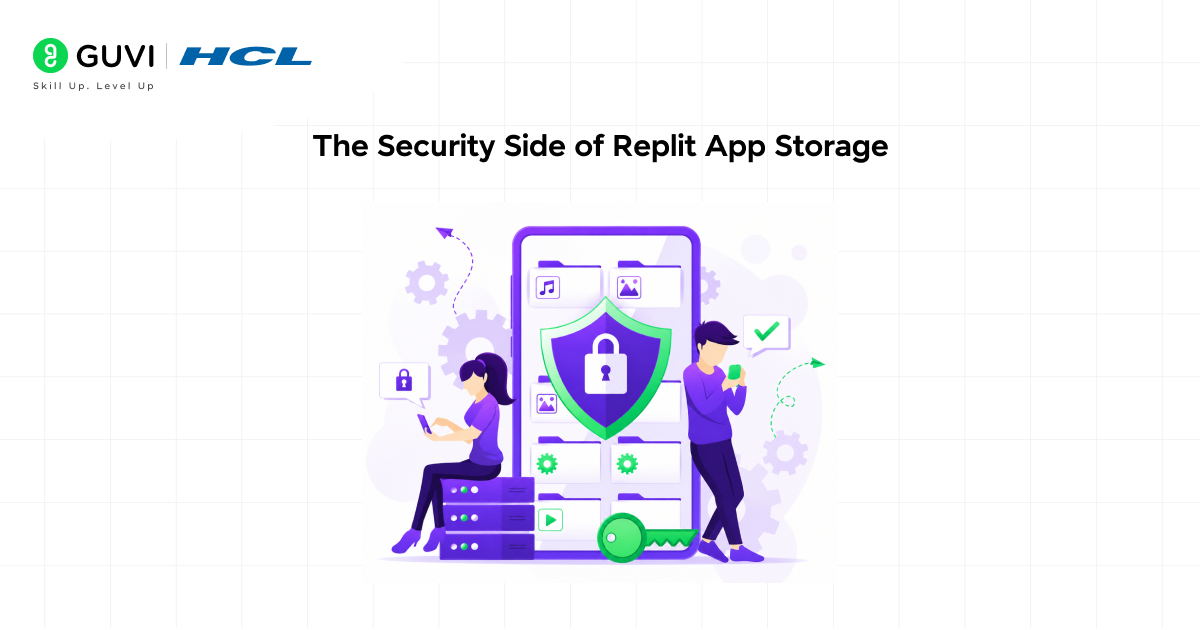
More convenience often means less control, which raises a fair question: how secure are your files really?
This is something Replit took seriously when building App Storage.
- It encrypts everything.
All files get encrypted both during upload and at rest. Nobody can access your files without proper authorization within your Replit project.
- It controls access automatically.
You decide who can access what. Public apps can serve files publicly. Private projects keep files private. Replit enforces these rules automatically without you writing permission code.
- It validates uploads.
The system checks file types and sizes during upload. Suspicious or invalid files get rejected before they cause problems in your application.
- It keeps file project-specific.
Files uploaded to one Replit project stay in that project. Other projects cannot accidentally access them, keeping your work organized and secure.
- You can delete permanently.
When you delete files from App Storage, they are removed from Replit’s systems. You maintain full control over your content.
Replit App Storage represents a major shift in the platform’s philosophy. Early Replit focused on making coding accessible, while modern Replit focuses on making complete application development accessible.
App Storage is part of this evolution, helping transform Replit from a simple code editor into a full-fledged application development platform.
Mistakes Developers Make When Using Replit App Storage
Replit App Storage is simple to use, but how you work with it makes a big difference in the results you get. A few common mistakes can slow you down or lead to issues down the road.
- Treating it like temporary storage.
Some developers upload files to App Storage thinking they are just for testing, then forget to implement proper file management. Treat it like production storage from day one. Use good naming conventions and organization.
- Not checking file size before upload.
Replit has reasonable limits, but uploading 500MB video files without compression will hit those limits fast. Optimize your files before upload, especially videos and high-resolution images.
- Hardcoding file paths.
File references can change as Replit updates the system. Always use the proper App Storage API to reference files, not hardcoded strings pointing to specific locations.
- Uploading everything to the root folder.
When you have three files, this works fine. When you have three hundred, finding anything becomes impossible. Create folders and organize by feature, user, or content type.
- Not testing uploads from the user perspective.
Most developers test by manually uploading files through the Replit interface. Real users will upload through your app’s forms. Test that flow thoroughly, including error cases like oversized files or invalid formats.
What You Should Do to Get the Most Out of Replit App Storage
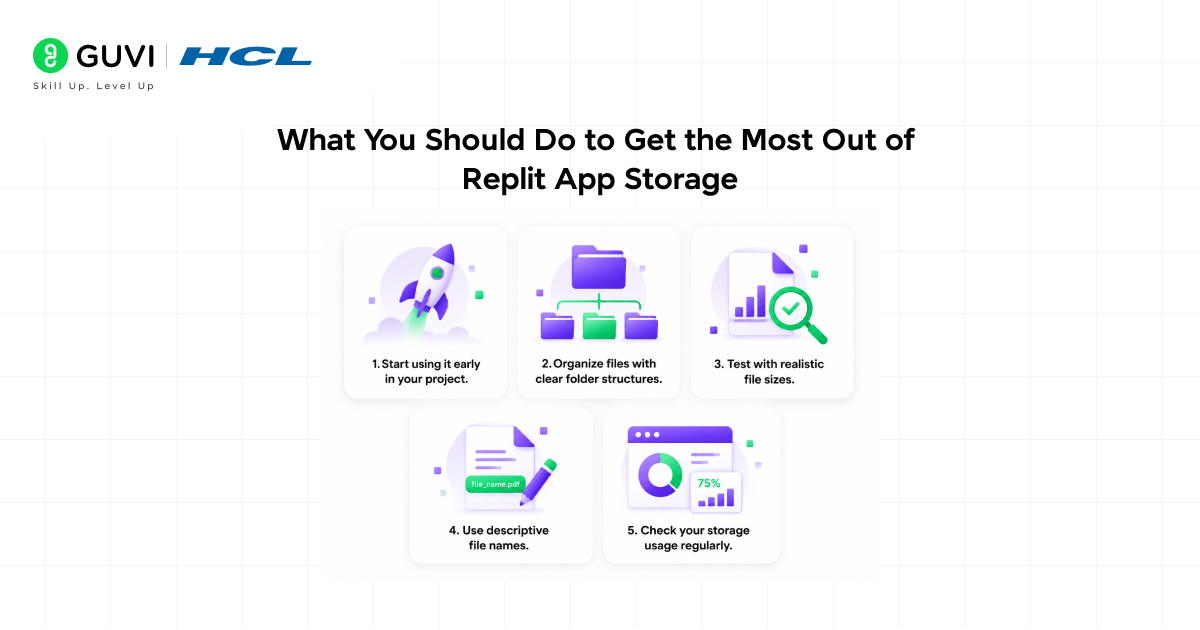
- Start using it early in your project.
Do not wait until your app is half-built to add media support. Integrate App Storage from the beginning and build your features around it.
- Organize files with clear folder structures.
Create folders like /user-uploads, /product-images, or /course-videos. Good organization makes development easier and helps you find files later.
- Test with realistic file sizes.
Do not test with tiny 100KB images. Use files similar to what real users will upload. That is how you catch performance issues before they affect users.
- Use descriptive file names.
Names like “user_123_profile_2024.jpg” are much better than “image.jpg”. You will thank yourself when debugging or managing files later.
- Check your storage usage regularly.
Replit provides storage metrics. Monitor them so you know when you are approaching limits and can plan accordingly.
If you want to learn more about Replit App Storage for building Apps with Images, Video & PDFs, do not miss the chance to enroll in HCL GUVI’s Intel & IITM Pravartak Certified Artificial Intelligence & Machine Learning course. Endorsed with Intel certification, this course adds a globally recognized credential to your resume, a powerful edge that sets you apart in the competitive AI job market.
Conclusion
Replit App Storage is a genuine step forward for the platform. It is not just easier than using external storage. It is more integrated, more reliable, and more useful for building real applications entirely within Replit. You upload your files. It handles optimization. It manages storage. It delivers content. And it does everything without you leaving your coding environment.
That is what modern development on Replit looks like in practice, and App Storage is the best example of it yet.
Simple uploads, automatic optimization, secure storage, and seamless integration. All wrapped in something anyone can use. The future of Replit is not just being a place to write code. It is a complete platform for building and deploying applications.
FAQs
1. Is App Storage available to all Replit users or just paid plans?
App Storage availability and storage limits may vary by Replit plan. Check your plan details to see what storage allocation you have access to.
2. Do I need to know backend development to use Replit App Storage?
No. You can upload and use files through Replit’s interface with minimal code. The platform handles the technical complexity automatically.
3. Can I download my files if I want to move my project off Replit?
Yes. You have full access to download all files stored in App Storage. Your content is never locked into the platform.
4. What file types does Replit App Storage support?
App Storage supports common media formats including images (JPEG, PNG, GIF, WebP), videos (MP4, WebM), and documents (PDF). Check Replit’s documentation for the complete list.
5. How much storage do I get with Replit App Storage?
Storage limits depend on your Replit plan. Free plans have basic storage, while paid plans offer more. Check your account details or Replit’s pricing page for specific numbers.
Success Stories

About the Author
Vishalini Devarajan
An Aerospace Engineer turned content writer, I focus on making complex concepts easy to understand through well-structured, reader-friendly blogs. Whether it’s a technical topic or a non-technical one, I love creating content that is clear, engaging, and impactful.
View all posts by Vishalini Devarajan
Connect with me @








Did you enjoy this article?