


Cloud Computing Articles
From Beginner to DevOps Engineer: How HCL GUVI Zen Class Helps You Get There
12 Important Azure Admin Roles and Responsibilities- Complete Guide


Get In Touch For Details! Request More Information
Topology in Computer Networks: A Complete Guide
Feb 13, 2026 7 Min Read 2975 Views
(Last Updated)
More than 6 billion users rely on the internet today, which raises a sharp question about the hidden structure that carries every click, stream and transaction. Network topology gives that structure shape through deliberate patterns that influence path selection, traffic flow, resilience under strain and the all-around character of communication between devices. A solid understanding of these patterns strengthens the reader’s grasp of why certain designs support heavy workloads and why others offer precision for controlled environments with strict performance goals. Read the full blog to understand these patterns with clarity.
Table of contents
- What is Topology in Computer Networks?
- Difference Between Physical and Logical Network Topology
- Types of Network Topology: Comprehensive Overview
- Bus Topology: Shared Backbone Structure
- Star Topology: Centralized Hub and Spoke Design
- Ring Topology: Circular Data Flow
- Mesh Topology: Redundant High Availability Framework
- Tree Topology: Layered Architecture
- Hybrid Topology: Mixed and Flexible Layout
- Point-to-Point Topology: Direct Node Connection
- Point to Multipoint Topology: Central Node to Many Endpoints
- Wireless Topology: Wi Fi and Broadband Structures
- Benefits of a Well-Designed Network Topology
- Higher Network Reliability and Reduced Downtime
- Improved Data Transfer Speed and Efficiency
- Simplified Network Management and Troubleshooting
- Better Load Balancing and Resource Utilization
- Seamless Network Security and Segmentation
- Topology Examples in Real Networks
- Enterprise Networks and Multi-Layer Structures
- Data Centers with High-Density Mesh Patterns
- Campus Networks with Tree-Based Segmentation
- Telecom and ISP Backbones with Mesh and Ring Combinations
- Industrial and IoT Networks with Point-to-Multipoint Deployments
- Challenges in Network Topology Design
- High Implementation Costs for Complex Networks
- Cable Management and Hardware Limitations
- Difficulty Scaling Legacy Topologies
- Performance Trade Offs in Large Distributed Networks
- Modern Network Topology Trends
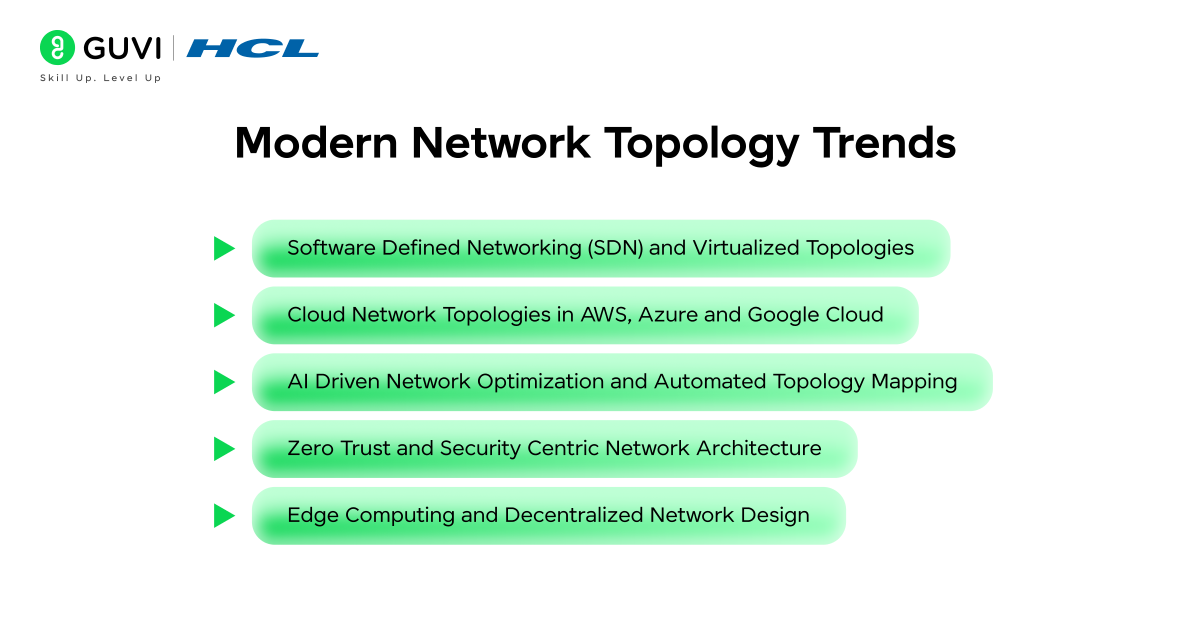
- Software Defined Networking (SDN) and Virtualized Topologies
- Cloud Network Topologies in AWS, Azure, and Google Cloud
- AI-Driven Network Optimization and Automated Topology Mapping
- Zero Trust and Security Centric Network Architecture
- Edge Computing and Decentralized Network Design
- Network Topology Mapping and Visualization Tools
- Automated Network Discovery Platforms
- Topology Diagramming Software for IT Teams
- Real-Time Monitoring and Network Health Tools
- Cybersecurity Tools for Topology Analysis
- Best Practices for Designing and Managing Network Topologies
- Conclusion
- FAQs
- Which topology is best for enterprises?
- What is the most scalable network topology?
- Which topology gives the highest fault tolerance?
- Which topology works best for small businesses?
- Which topology does 5G use?
What is Topology in Computer Networks?
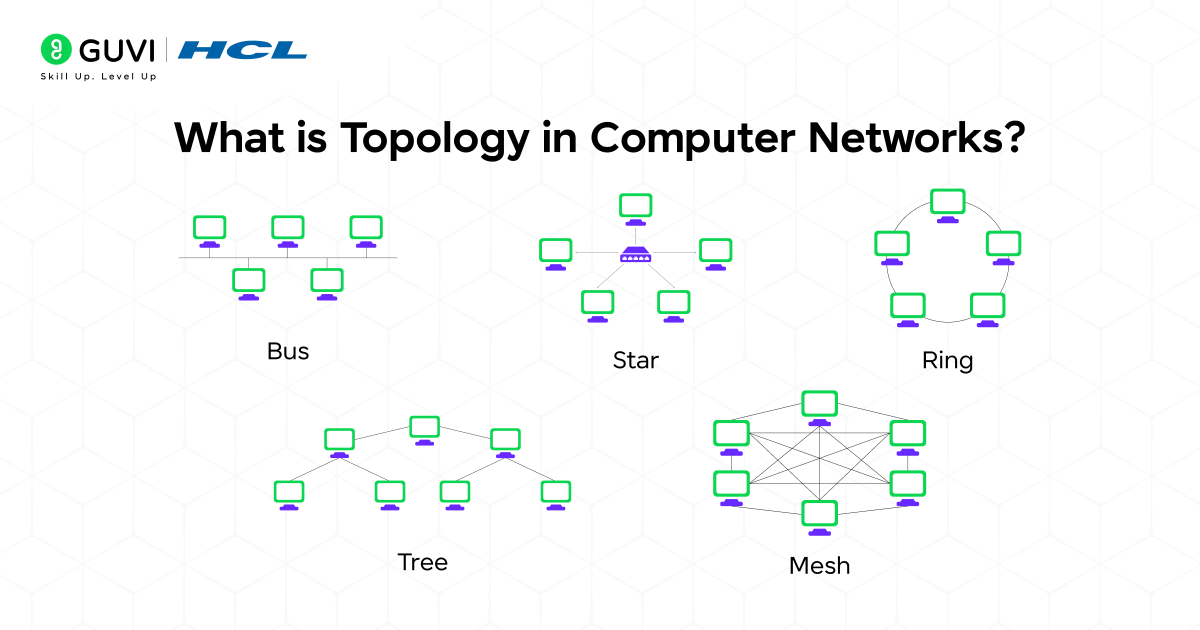
Topology in computer networks refers to the structure that defines how devices connect, communicate and maintain order across a system. It outlines the pattern that links nodes, the paths data follows and the way each component interacts to support stable performance. A clear understanding of topology helps readers see how design choices shape reliability, speed and the overall behavior of a network in practical settings.
Difference Between Physical and Logical Network Topology
There are two forms of topology, Physical Topology and Logical Topology, which shape how a network is arranged and how data moves through it:
| Factor | Physical Network Topology | Logical Network Topology |
| Meaning | Data flow, protocols, and communication rules | Actual layout of cables, devices, and physical links |
| Focus | Hardware placement and physical structure | Data flow, protocols and communication rules |
| Representation | Real-world arrangement | Virtual pattern shaped by configuration |
| Visibility | Seen through physical components | Seen through traffic behavior |
| Change Method | Requires hardware or cabling changes | Requires configuration or protocol changes |
| Examples | Bus, star, ring, mesh | VLANs, logical bus, logical ring |
| Main Purpose | Hardware planning and maintenance | Traffic control and performance management |
Types of Network Topology: Comprehensive Overview
1. Bus Topology: Shared Backbone Structure
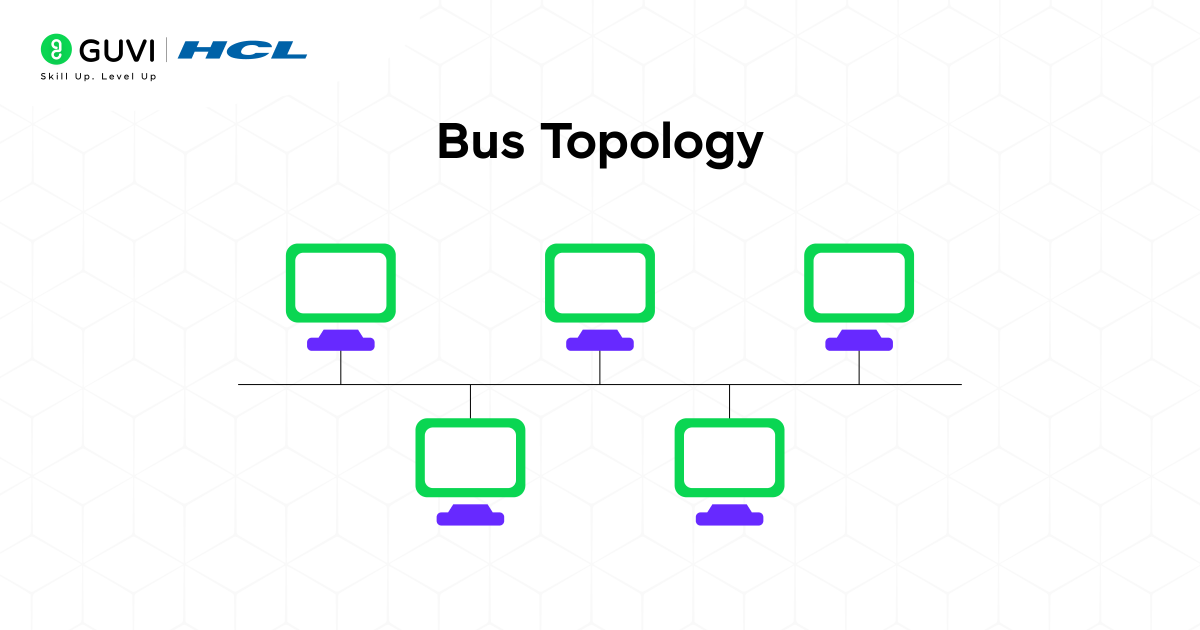
A bus topology builds a straight communication route where all devices connect to one primary cable that carries every signal across the line. Each node studies the passing data and responds only when the frame belongs to it. This layout keeps traffic predictable because the single backbone reduces unnecessary branching and maintains a stable path.
Key Features
- One backbone manages all signals
- Nodes study the shared line for relevant frames
- Linear structure supports simple extension
Advantages
- Easy to assemble
- Cost-effective for smaller setups
- Predictable structure
Disadvantages
- Backbone failure affects all nodes
- Limited performance under heavy activity
- Signal quality drops as devices increase
2. Star Topology: Centralized Hub and Spoke Design
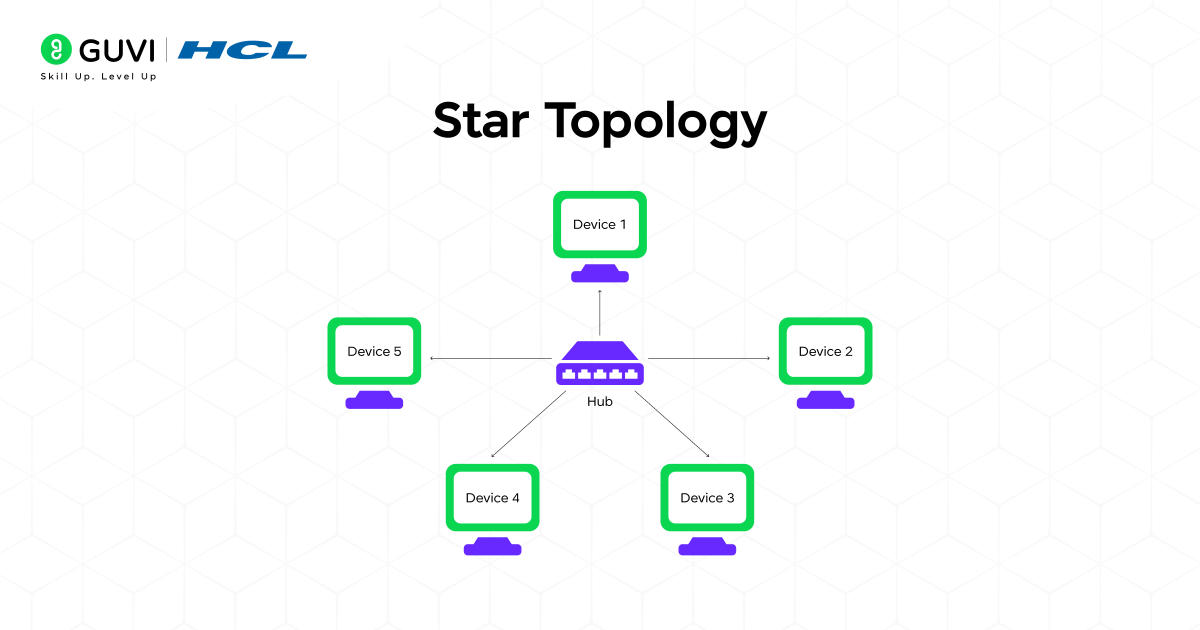
A star topology centers every connection through one main device that oversees communication. Each node depends on its own link, which limits fault spread and offers consistent visibility into device behavior. This structure suits workplaces that require dependable performance.
Key Features
- The central device manages communication
- Individual links reduce fault spread
- Clear point of control
Advantages
- Simple troubleshooting
- Stable performance
- Strong isolation between devices
Disadvantages
- Central device failure halts communication
- Higher cabling needs
- Costs rise in larger setups
3. Ring Topology: Circular Data Flow
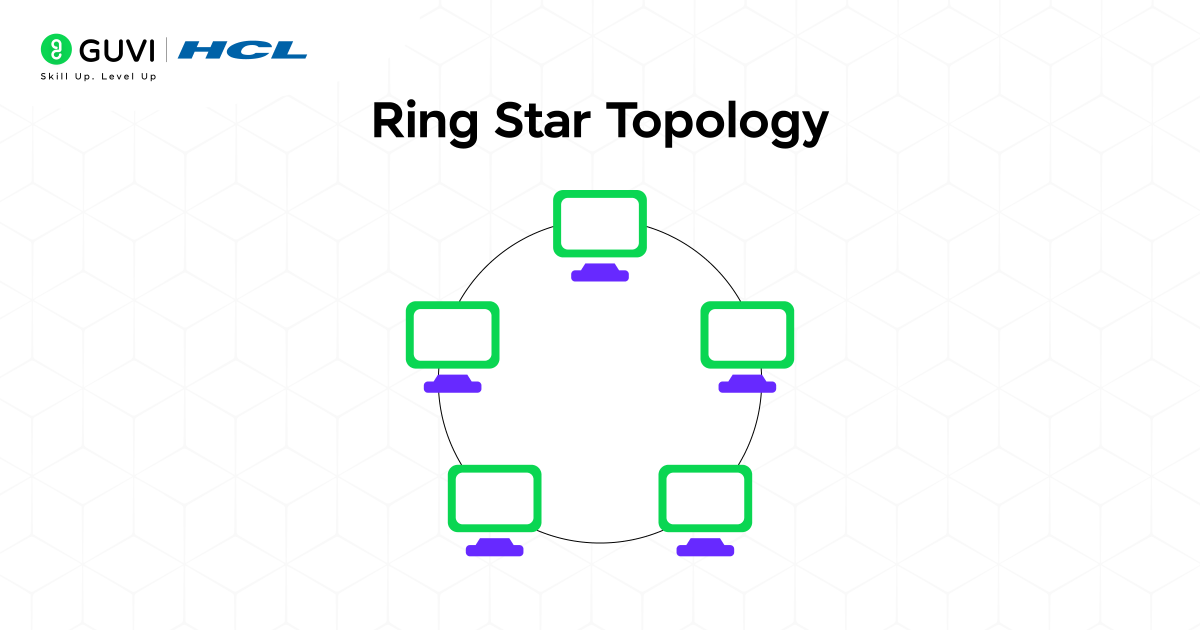
A ring topology places devices in a closed loop where data travels through each node until it reaches the intended target. Each node relays frames in sequence, which supports uniform timing and steady circulation.
Key Features
- Closed loop creates a continuous route
- Data moves in one or two directions
- Predictable delivery pattern
Advantages
- Smooth traffic flow
- Controlled timing across nodes
- Suitable for scheduled transfers
Disadvantages
- Loop breaks disrupt communication
- Harder to expand
- Efficiency decreases when scaled
4. Mesh Topology: Redundant High Availability Framework
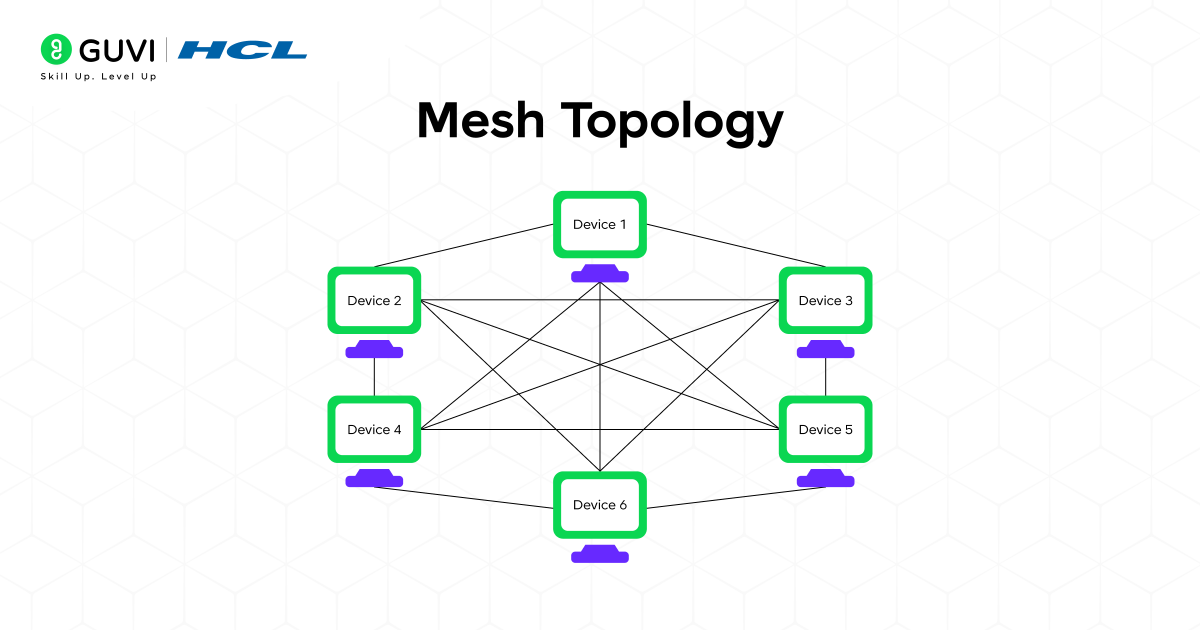
A mesh topology connects nodes through several available paths. Alternate routes maintain service when links fail, which makes the design suitable for critical environments where downtime carries a serious impact.
Key Features
- Multiple paths link devices
- Traffic shifts during failures
- Resilient under heavy load
Advantages
- High fault tolerance
- Consistent performance
- Strong support for vital operations
Disadvantages
- Complex planning
- Higher hardware cost
- Intensive management
5. Tree Topology: Layered Architecture
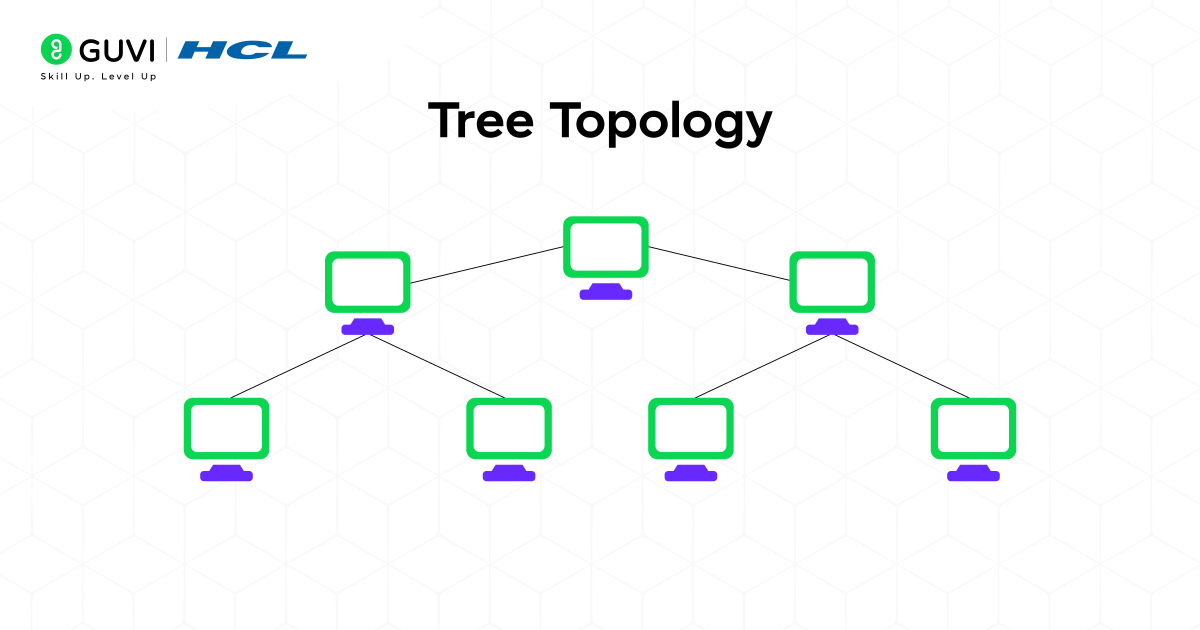
A tree topology forms a layered arrangement where each branch handles a specific part of the network. Traffic moves through controlled paths between the root and lower tiers, which suits large organizations.
Key Features
- Hierarchical layout shapes communication
- Branches remain partly independent
- Supports scalable growth
Advantages
- Clear segmentation
- Straightforward expansion
- Defined control across layers
Disadvantages
- Root failure affects the entire tree
- Heavy cabling needs
- Structure grows more complex over time
6. Hybrid Topology: Mixed and Flexible Layout
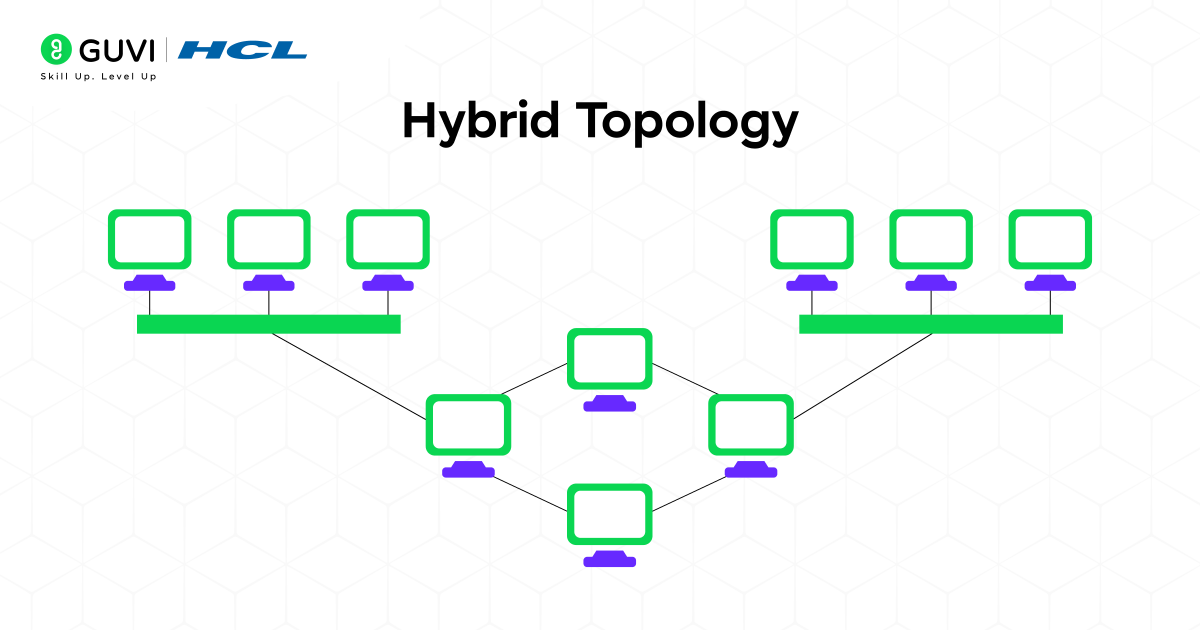
A hybrid topology blends elements from different designs to support varied needs across distinct sections. Each segment follows the pattern that matches its workload.
Key Features
- Combination of topology styles
- Adaptable structure
- Balanced layout for diverse segments
Advantages
- Flexible design
- Optimized performance for each section
- Strong fit for wide institutions
Disadvantages
- Complex deployment
- Higher installation cost
- Troubleshooting becomes difficult
7. Point-to-Point Topology: Direct Node Connection
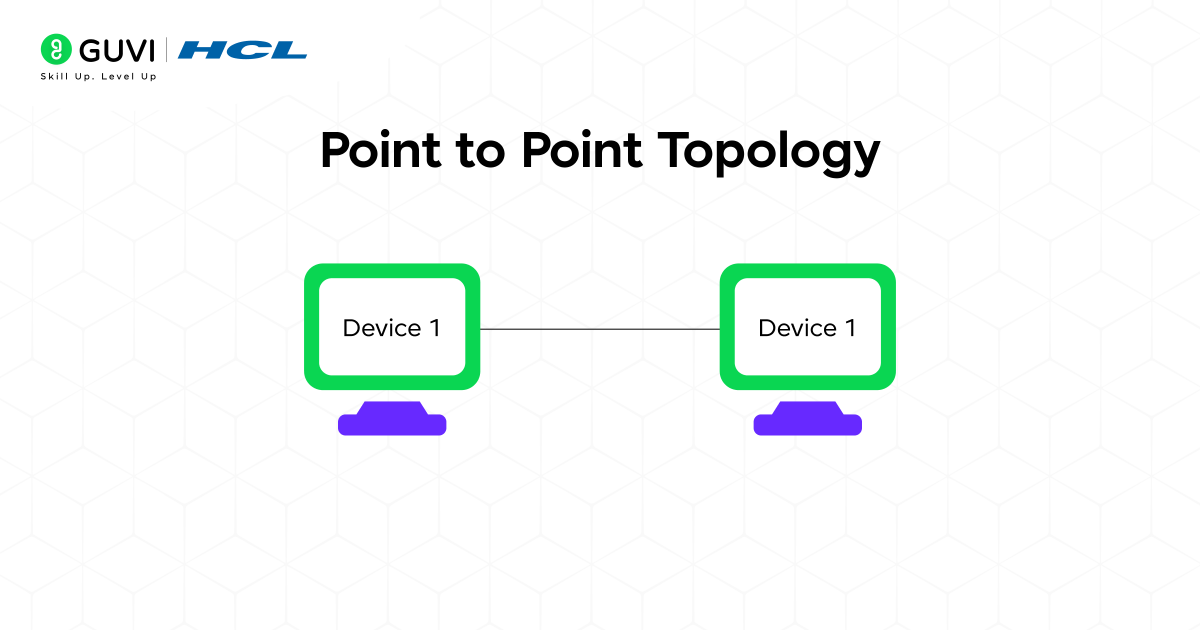
A point-to-point topology creates an exclusive link between two devices. This direct route supports clear communication because only two endpoints share the connection.
Key Features
- Dedicated link
- Minimal signal conflict
- Predictable behavior
Advantages
- Strong clarity
- High performance
- Simplified troubleshooting
Disadvantages
- Limited to two devices
- No innate failover
- Unsuitable for larger networks
8. Point to Multipoint Topology: Central Node to Many Endpoints
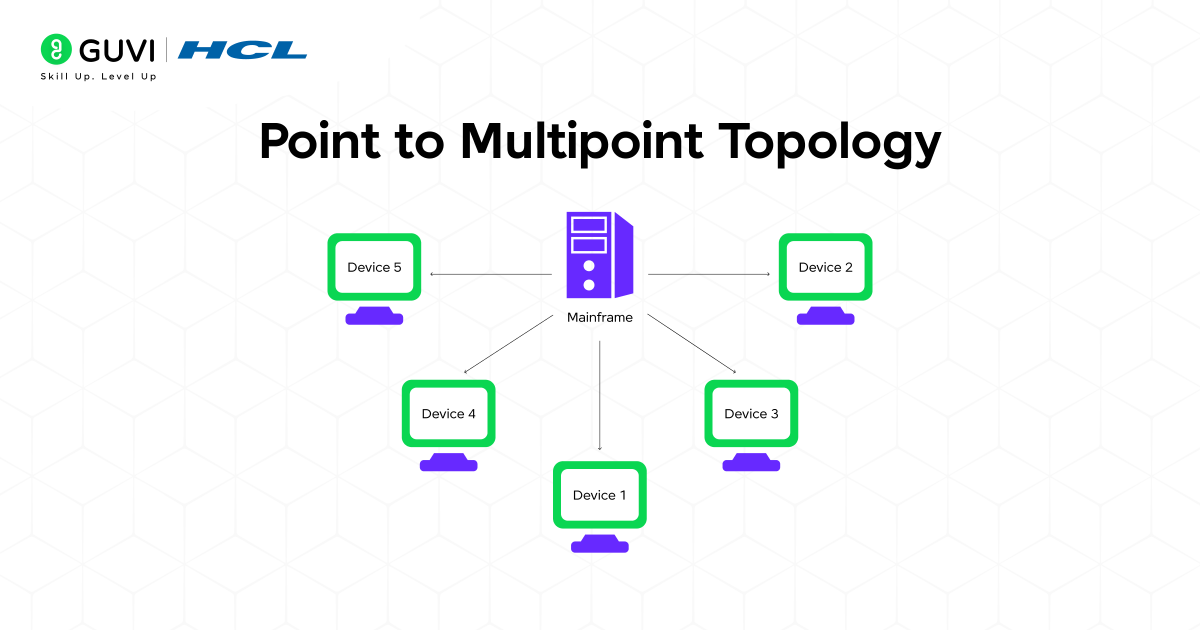
A point-to-multipoint topology uses one central device to manage communication with multiple receivers. This layout supports wide coverage while keeping control centralized.
Key Features
- The central device connects to many endpoints
- Shared medium sends data to several receivers
- Broad coverage range
Advantages
- Cost-effective wide reach
- Simple distribution
- Ideal for surveillance and broadband
Disadvantages
- Shared bandwidth lowers speed
- Central node failure impacts all
- Vulnerable to interference
9. Wireless Topology: Wi Fi and Broadband Structures
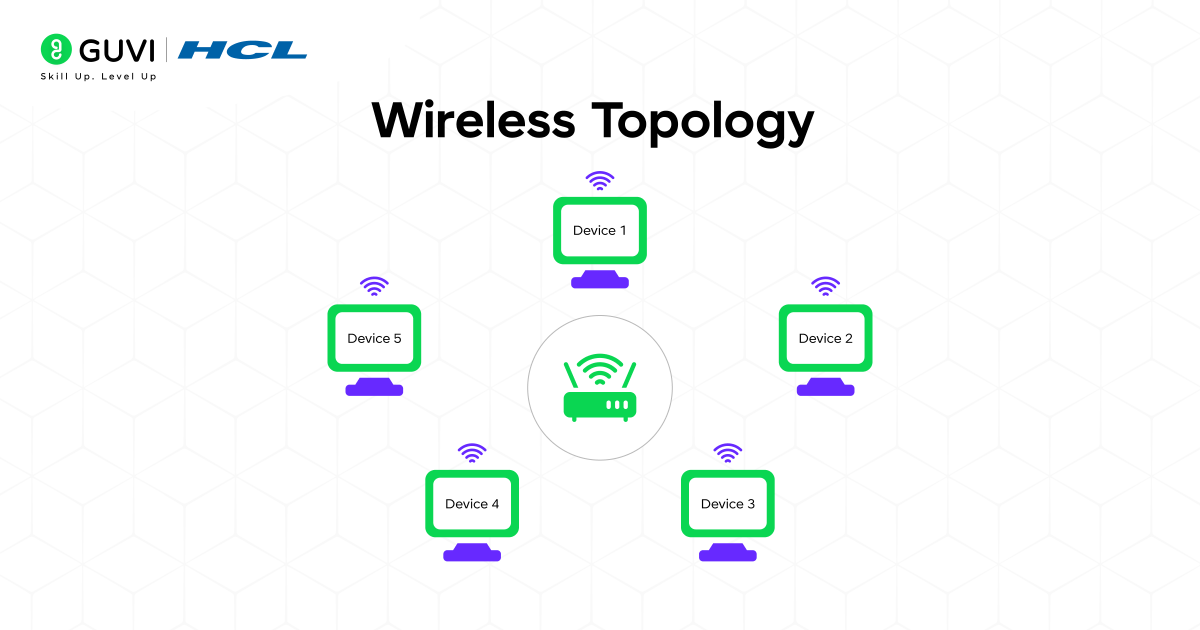
Wireless topologies rely on radio signals instead of cables. Devices connect to access points or repeaters based on signal strength and placement conditions.
Key Features
- Radio communication replaces cables
- Coverage varies with the environment
- Mobility across the area
Advantages
- Flexible placement
- Quick installation
- Useful in homes and public spaces
Disadvantages
- Interference reduces performance
- The signal weakens through obstacles
- Security risks grow without proper setup
Benefits of a Well-Designed Network Topology
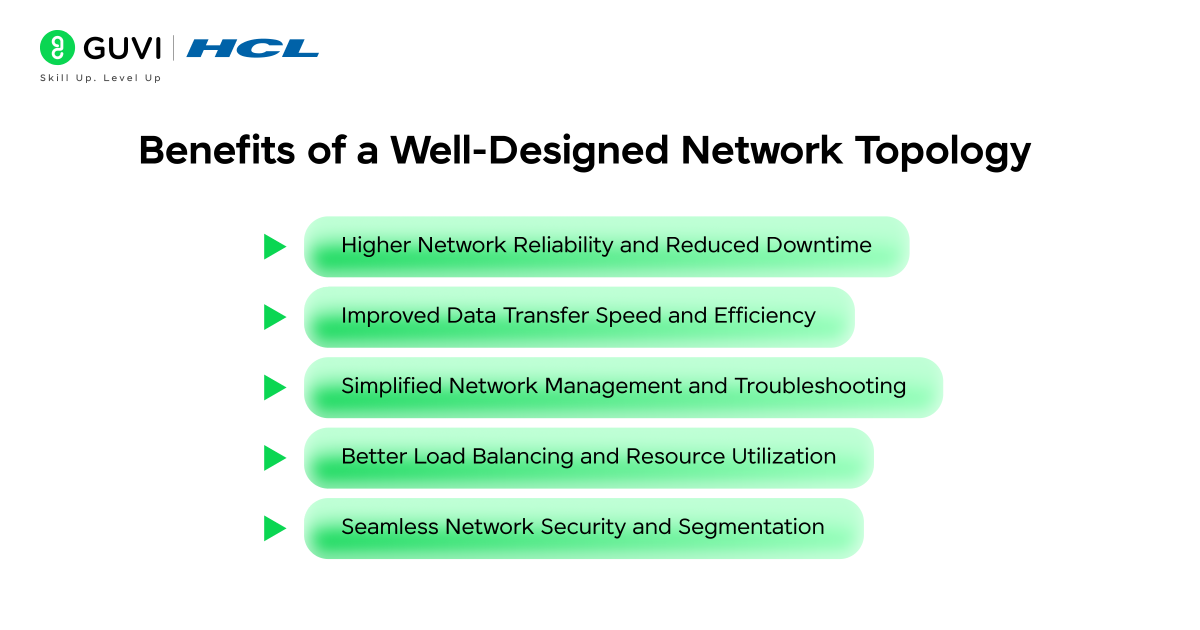
1. Higher Network Reliability and Reduced Downtime
A well-structured topology creates predictable communication paths that prevent failures in one area from disrupting the entire network. Strong separation between links supports stable operation because each segment maintains its own behavior under stress. This structure strengthens service continuity and reduces the frequency of full-network interruptions.
2. Improved Data Transfer Speed and Efficiency
A carefully planned layout shapes traffic movement so that data follows routes with minimal contention. Shorter paths reduce retransmissions and delay, which results in smoother flow during heavy activity. Clear routing patterns help devices exchange information with consistent throughput.
3. Simplified Network Management and Troubleshooting
A defined structure gives administrators a clear view of how each device connects to the system. Problems become easier to pinpoint because the topology guides fault mapping toward specific layers or links. This clarity reduces time spent on diagnosis and supports faster recovery.
4. Better Load Balancing and Resource Utilization
A balanced topology distributes traffic across multiple pathways, which keeps individual links from becoming overwhelmed. Each section handles demand according to its capacity, which leads to more efficient use of hardware resources. This balance supports stable performance during peak usage.
5. Seamless Network Security and Segmentation
A structured design makes it possible to isolate sensitive areas of the network through controlled segmentation. Each segment follows defined communication rules that limit exposure to external threats. This separation strengthens access control and reduces the impact of compromised devices.
Want to master how web systems communicate and scale across complex networks? Enroll in our Full Stack Development Course, a beginner-friendly program with hands-on projects, industry certification, and lifetime access. Learn to design, develop, and deploy efficient, network-aware web applications that perform seamlessly under real-world conditions.
Topology Examples in Real Networks
1. Enterprise Networks and Multi-Layer Structures
Enterprise environments use a layered approach that combines star and mesh patterns to support controlled communication across departments. Core layers handle high-volume traffic between major segments, which gives the network a strong central foundation. Distribution layers manage routing decisions and pass data toward access layers that connect endpoints such as workstations or phones. This structure supports security policies, predictable performance, and structured expansion.
2. Data Centers with High-Density Mesh Patterns
Data centers rely on dense mesh structures where servers, switches, and storage systems connect through multiple paths. The presence of alternate routes supports continuous service because traffic moves through secondary links when primary links reach capacity or experience faults. The architecture suits virtualization clusters and high-frequency transaction systems that require steady throughput under heavy demand.
3. Campus Networks with Tree-Based Segmentation
Campus layouts cover academic buildings, administrative blocks, and research areas through a tree structure. Each branch represents a section of the campus, which limits the spread of faults and simplifies local troubleshooting. The root layer supports inter-building communication and manages policies that govern student access, faculty resources, and institutional services. The structure suits wide physical areas that require organized separation without losing central coordination.

4. Telecom and ISP Backbones with Mesh and Ring Combinations
Telecom networks use large-scale mesh and ring patterns across cities and regions. Rings support strong continuity because traffic reroutes in the opposite direction during fiber cuts or equipment failure. Mesh structures strengthen flexibility across long-haul links because multiple paths handle massive amounts of data. The combined design supports national and international communication services.
5. Industrial and IoT Networks with Point-to-Multipoint Deployments
Industrial sites rely on point-to-multipoint layouts where a central controller communicates with sensors, machinery, and monitoring units. The structure suits environments that require constant status updates and command distribution. IoT gateways manage device groups and pass processed data to higher systems that coordinate operations. This layout supports factories and automated facilities.
Challenges in Network Topology Design
1. High Implementation Costs for Complex Networks
A large or intricate topology requires extensive hardware and specialized planning. Costs rise because advanced routers and structured cabling must support the intended performance level. These requirements can challenge organizations that operate under limited budgets.
2. Cable Management and Hardware Limitations
A growing network increases pressure on the cable organization because each link must remain accessible and traceable. Long distances and physical constraints limit the placement of nodes, which shapes the final layout. Hardware capacity sets boundaries that influence expansion and performance.
3. Difficulty Scaling Legacy Topologies
Older systems rely on structures that restrict growth due to limited pathways and outdated protocols. Expansion becomes harder because new segments must fit into designs created for smaller environments. These limitations slow the adoption of modern technologies.
4. Performance Trade Offs in Large Distributed Networks
A wide network spreads devices across distant locations, which introduces delay and inconsistent throughput. Adding more nodes can strain routing decisions because traffic may travel through multiple layers. Designers must weigh reach against responsiveness in such conditions.
Modern Network Topology Trends
1. Software Defined Networking (SDN) and Virtualized Topologies
SDN shifts control away from individual devices and centralizes decision-making in a programmable controller. Virtualized paths adjust in real time according to demand, which creates a flexible framework for traffic movement. This approach supports rapid adaptation to changing conditions across the network.
2. Cloud Network Topologies in AWS, Azure, and Google Cloud
Cloud providers shape virtual networks through structured segments that support scaling across global regions. Each cloud platform offers controlled routing layers that separate workloads, which gives organizations precise authority over how traffic travels between services. The model supports high availability and distributed access.
3. AI-Driven Network Optimization and Automated Topology Mapping
AI systems analyze traffic patterns and adjust routing choices based on real conditions rather than fixed rules. Automated mapping identifies weak points and suggests structural improvements that enhance stability. This method supports continuous refinement of the topology.
4. Zero Trust and Security Centric Network Architecture
Zero Trust reshapes topologies by limiting communication between devices unless validation occurs at every step. The approach increases control through smaller, isolated zones that restrict lateral movement. This structure aligns network design with strict security principles.
5. Edge Computing and Decentralized Network Design
Edge architectures place processing closer to users or devices, which reduces delay and lowers pressure on central systems. The decentralized structure relies on distributed nodes that handle tasks locally before sending results to the core. This model supports real-time workloads and a broad geographic reach.
Network Topology Mapping and Visualization Tools
1. Automated Network Discovery Platforms
These platforms scan the environment and identify devices, links, and communication patterns through protocol-based queries. They reveal hidden connections, detect irregular paths, and create structured maps that show how each node contributes to the overall layout. This visibility supports clear assessments of network health and structural consistency.
2. Topology Diagramming Software for IT Teams
Diagramming tools help teams build accurate visual models of physical and logical structures. These tools present paths and device interactions in diagrams that support planning and structured analysis. This clarity strengthens communication among administrators and creates a reliable reference for long-term management.
3. Real-Time Monitoring and Network Health Tools
These tools track performance indicators such as delay, throughput and link stability, which helps teams identify early signs of congestion or failure. Constant observation of traffic paths reveals shifts in behavior that may indicate structural stress. This insight supports fast remediation.
4. Cybersecurity Tools for Topology Analysis
Security analysis platforms inspect communication paths to identify weak segments or unauthorized connections. These tools compare actual traffic patterns with defined policies, which expose inconsistencies that may create security gaps. The analysis strengthens segmentation and access control.
Best Practices for Designing and Managing Network Topologies
- Plan for Redundancy and Failover Early: A resilient design includes alternate communication paths that support continuity during unexpected failures. Redundant links absorb pressure during peak activity and protect the network from single-point disruptions.
- Document Physical and Logical Network Paths: A complete record of device locations, cable routes and logical flows supports clear troubleshooting and structured growth. Documentation reveals relationships between components and prevents configuration errors.
- Use Structured Cabling and Hardware Standards: Consistent cabling practices and standardized hardware selections create predictable behavior across devices. This approach reduces compatibility issues and supports stable long-term performance.
- Continuously Monitor Network Performance: Regular observation of throughput, delay and error patterns offers insight into developing issues before they escalate. Monitoring reveals structural weaknesses and guides timely adjustments.
- Adopt Scalable Topology Designs for Future Growth: A scalable layout maintains order as new segments and devices join the network. Clear branching logic and modular structures support expansion without creating instability.
Conclusion
A clear understanding of network topology strengthens the design, performance, and long-term stability of any communication system. Each layout shapes the way devices talk to one another and influences how smoothly the system handles pressure. A thoughtful design creates room to grow, reduces frustration during troubleshooting and builds a safer environment for daily operations. This understanding gives every team a clearer path toward reliable communication.
FAQs
Which topology is best for enterprises?
Enterprises benefit most from a layered structure that blends star and tree layouts. The combination supports controlled segmentation, strong security boundaries and predictable performance across departments. This approach also offers clear management paths and room to expand as the organization grows.
What is the most scalable network topology?
A tree based structure offers strong scalability because new branches extend without disturbing existing segments. Each layer handles a defined portion of traffic, which supports controlled expansion in growing environments.
Which topology gives the highest fault tolerance?
A mesh structure delivers the strongest fault tolerance because multiple paths exist between nodes. Traffic shifts to alternate routes during link failures, which keeps communication active under heavy strain.
Which topology works best for small businesses?
Small businesses benefit most from a star based structure because each device connects through a central unit that supports simple management and clear fault isolation. The layout offers steady performance, room for moderate growth and predictable behavior during daily operations.
Which topology does 5G use?
5G uses a distributed structure built around small cells and edge units. The pattern forms a mix of mesh and point to multipoint routes because traffic moves across many local nodes before reaching the core. This structure reduces delay and supports wide coverage in dense regions.
Success Stories

About the Author
Vaishali
I'm a seasoned writer with four years of experience across technical, non-technical, and just about every genre or niche you can imagine. Adaptable and curious, I enjoy exploring new topics and making information engaging and easy to understand. Fueled by a steady stream of tea, I approach each project with creativity, reliability, and genuine enthusiasm for storytelling.
View all posts by Vaishali
Connect with me @










Did you enjoy this article?