


VFX Articles
Top 16 AI-Driven Tools for 3D Animation and VFX
9 Must-Know VFX Project Ideas for Beginners in 2026


Get In Touch For Details! Request More Information
10 Best Free VFX Software for Beginners in 2026: Your Gateway to Stunning Visual Effects
Sep 19, 2026 8 Min Read 11266 Views
(Last Updated)
Free VFX software for beginners refers to visual effects tools available at no cost, covering everything from compositing to 3D modeling and animation.
You don’t need a big budget or a fancy studio to get started in VFX anymore. With the right tools, you can build real skills, put together a solid portfolio, and even land industry work, starting from nothing but your own computer.
Table of contents
- TL;DR Summary
- Why Start with Free VFX Software?
- Cost-Effective Learning
- Low Barrier to Entry
- Rich Learning Resources
- Professional Features at No Cost
- Industry Exposure
- Free VFX Software for Beginners — Comparative Overview
- The Best Free VFX Software for Beginners
- Blender
- DaVinci Resolve (Free Version)
- Autodesk Maya (Free for Students)
- Krita
- Cascadeur
- Blackmagic Fusion (Standalone)
- GIMP
- Unreal Engine (Free with Conditions)
- Vectary
- VibeEffect (AI-Powered, Browser-Based)
- Tips for Beginners Getting Started with VFX
- How Indian Beginners Are Using Free VFX Software to Break Into the Industry (2026)
- Free vs Paid VFX Software in 2026: Is It Worth Upgrading
- New and Upcoming VFX Tools Worth Trying in 2026
- Conclusion
- FAQs
- Is Blender good for VFX beginners?
- Can I learn VFX without paying for software?
- Which free VFX software is easiest for beginners?
- Do professionals actually use free VFX software?
- How long does it take to learn VFX as a beginner?
TL;DR Summary
- Free VFX software for beginners covers everything from 3D modeling to compositing, letting you learn real skills without spending a rupee.
- Tools like Blender, DaVinci Resolve, and Unreal Engine offer professional-grade features used even in real indie and studio workflows.
- Indian beginners are already using free VFX software to land freelance work and studio roles, often through portfolio strength alone, not formal training.
- Paid software still leads in large studios, but free tools are more than enough to build a strong foundation and get started.
- New AI-powered tools like VibeEffect and Luma Dream Machine are reshaping how beginners approach VFX, making entry even easier in 2026.
Why Start with Free VFX Software?
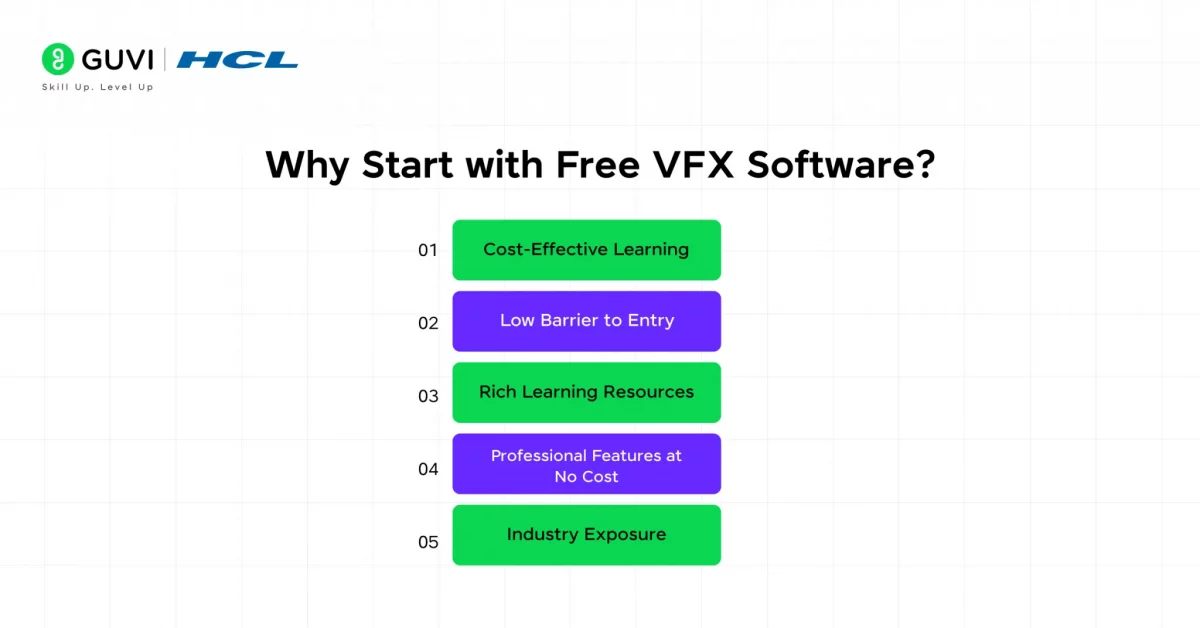
Before diving into the list, let’s quickly address why free VFX software for beginners is a great option:
1. Cost-Effective Learning
Let’s face it, premium VFX software can be expensive. Software like Autodesk Maya or Adobe After Effects often comes with recurring subscription fees that can be a burden for beginners just starting out.
2. Low Barrier to Entry
Free software allows anyone with a computer to explore VFX without restrictions. Whether you’re a student, hobbyist, or aspiring professional, free tools provide an easy way to get started without committing to costly software.
3. Rich Learning Resources
Most free VFX software comes with a supportive community of users who create tutorials, forums, and guides for beginners.
For example, software like Blender has an active global community that produces extensive free tutorials on platforms like YouTube, making it easier to learn even the most advanced features.
4. Professional Features at No Cost
Many free VFX tools are surprisingly feature-rich and can perform tasks on par with professional-grade software.
5. Industry Exposure
Some free VFX software, like Blender or DaVinci Resolve, is used in professional workflows, especially in indie filmmaking and smaller studios. By starting with free tools, you gain hands-on experience with software that is respected in the industry, which can later translate into career opportunities.
HCL GUVI’s Adobe After Effects for VFX Course is where free VFX experiments turn into real, industry-ready compositing skills. From 3D camera tracking and rotoscoping to color grading and advanced masking, you’ll build the exact techniques used in professional pipelines, backed by hands-on projects and certification. Enroll now and start creating shots worth putting in a portfolio.
Free VFX Software for Beginners — Comparative Overview
These are the following tools compared side by side — please refer to the table below for a quick overview before diving into the details:
| Tool | Best For | Ease of Use | Official Link |
|---|---|---|---|
| Blender | All-in-one 3D modeling, animation, and compositing | Moderate — complex interface but beginner tutorials help | Blender |
| DaVinci Resolve (Free Version) | Color grading and built-in VFX via Fusion | Beginner-friendly | DaVinci Resolve |
| Autodesk Maya (Free for Students) | Industry-standard 3D modeling and animation | Steeper learning curve | Autodesk Maya |
| Krita | Digital painting and texture work | Beginner-friendly | Krita |
| Cascadeur | AI-assisted character animation | Moderate | Cascadeur |
| Blackmagic Fusion (Standalone) | Dedicated node-based compositing | Moderate — node system takes some adjustment | Blackmagic Fusion |
| GIMP | Texture editing and matte painting | Beginner-friendly for Photoshop users | GIMP |
| Unreal Engine (Free with Conditions) | Real-time VFX and virtual production | Steeper learning curve | Unreal Engine |
| Vectary | Quick browser-based 3D design | Very beginner-friendly | Vectary |
| VibeEffect (AI-Powered, Browser-Based) | AI-generated effects with zero compositing skills | Easiest on this list | VibeEffect |
The Best Free VFX Software for Beginners
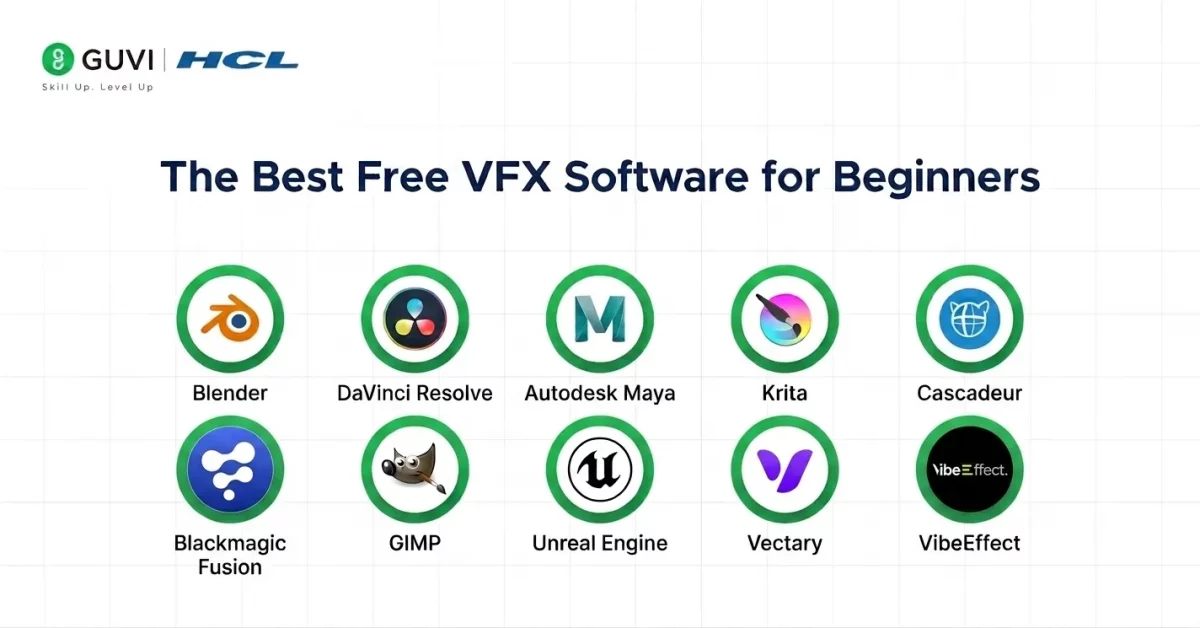
Now that you understand why free VFX software for beginners is crucial for your early development stages, let us now see some of the best free VFX software for beginners:
1. Blender
Blender is an open-source powerhouse offering a suite of tools for 3D modeling, animation, and visual effects. It’s highly regarded by beginners and professionals alike for its versatility and professional-grade features.
Core Features:
- Comprehensive 3D modeling and sculpting tools
- Advanced motion tracking and camera solving
- Node-based compositor for visual effects
- Physics simulations (smoke, fire, cloth, etc.)
- Real-time rendering with Eevee engine
Compatibility: Works on Windows, macOS, and Linux.
Ease of Use: While the interface might feel complex at first, extensive tutorials and resources make learning straightforward for beginners.
Ease of Integration: Easily integrates with other tools via import/export options for formats like FBX, OBJ, and USD.
Scalability: Ideal for small indie projects and large-scale productions alike.
Security: As an open-source tool, Blender relies on community contributions for updates and security patches, which are robustly maintained.
Performance: Efficient even on mid-range PCs, though advanced rendering may require a high-performance system.
Try Now: Blender
2. DaVinci Resolve (Free Version)
DaVinci Resolve is a professional-grade video editing tool with powerful VFX capabilities built into its Fusion tab. Its intuitive interface makes it accessible for beginners while offering advanced features for pros.
Core Features:
- Node-based compositing for complex visual effects
- Motion tracking and rotoscoping tools
- Professional-grade keying tools for green screen work
- Integrated video editing and color correction
Compatibility: Available on Windows, macOS, and Linux.
Ease of Use: The interface is sleek and beginner-friendly, though mastering Fusion’s node-based system may take time.
Ease of Integration: Seamlessly integrates with other editing workflows, including support for most file formats.
Scalability: Perfect for small projects or feature films, with options to upgrade to a paid version for more advanced features.
Security: Developed by Blackmagic Design, it’s regularly updated with strong security protocols.
Performance: Highly optimized for high-resolution video editing and rendering.
Try Now: DaVinci Resolve
3. Autodesk Maya (Free for Students)
Maya is the industry standard for 3D modeling, animation, and VFX, widely used in Hollywood. While expensive, Autodesk offers a free educational license for students.
Core Features:
- Powerful 3D modeling and sculpting tools
- Advanced particle simulation and dynamics
- Comprehensive rigging and character animation features
- Compatible with Arnold for high-quality rendering
Compatibility: Works on Windows, macOS, and Linux.
Ease of Use: Steep learning curve, but extensive resources are available to guide beginners.
Ease of Integration: Integrates seamlessly with other Autodesk tools and industry-standard software.
Scalability: Designed for both small projects and large-scale productions.
Security: Regular updates and strong security measures from Autodesk.
Performance: Highly optimized for professional use; requires a high-performance system.
Try Now: Autodesk Maya
4. Krita
Krita is a free, open-source painting and animation software. It’s ideal for artists who want to create concept art or explore 2D animation.
Core Features:
- Layer-based animation tools
- Customizable brush engines for detailed artwork
- Vector tools for clean designs
Compatibility: Available on Windows, macOS, and Linux.
Ease of Use: The intuitive interface makes it approachable for beginners, especially those familiar with digital art tools.
Ease of Integration: Supports common file formats and can complement other design tools like Photoshop.
Scalability: Great for small-scale animations or illustrations.
Security: Maintained by a strong open-source community with regular updates.
Performance: Runs efficiently on most systems, even with limited resources.
Try Now: Krita
5. Cascadeur
Cascadeur is a physics-based animation tool that simplifies character rigging and motion. Its AI-assisted features are perfect for beginners looking to animate lifelike movements.
Core Features:
- Physics-based character animations
- AI-assisted pose correction
- Pre-made rigs for faster workflows
Compatibility: Available on Windows, with macOS and Linux versions in development.
Ease of Use: User-friendly, especially with AI assistance for beginners.
Ease of Integration: Exports animations in formats compatible with tools like Blender and Maya.
Scalability: Best for individual animators and small teams.
Security: Developed with professional standards for security and stability.
Performance: Runs smoothly on mid-range systems, though high-spec hardware may improve performance for complex projects.
Try Now: Cascadeur
6. Blackmagic Fusion (Standalone)
If Blender feels a bit crowded for someone who only wants to focus on compositing, Fusion is the more focused choice. It’s built purely around combining footage, effects, and 3D elements together — the same tool used behind scenes in major Hollywood films, now available as a free standalone version.
Core Features:
- Node-based compositing workflow, easier to visualize than layer-based editors
- Camera and planar tracking for realistic effect placement
- Built-in 3D workspace for adding CG elements into live footage
- Keying tools for clean green-screen removal
- Particle systems for effects like smoke, sparks, or debris
Compatibility: Works on Windows, macOS, and Linux.
Ease of Use: The node-based system takes a little getting used to, but once it clicks, it’s actually more intuitive than traditional timeline-based tools for VFX work.
Ease of Integration: Connects smoothly with DaVinci Resolve and supports common footage formats like ProRes and DNxHR.
Scalability: Works well for solo YouTubers and scales up to full studio pipelines.
Security: Backed by Blackmagic Design, with regular updates and patches.
Performance: Runs comfortably on mid-range systems, though 3D-heavy scenes benefit from a dedicated GPU.
Try Now: Blackmagic Fusion
7. GIMP
Not every VFX project starts with video — sometimes it starts with a single image. GIMP fills that gap perfectly, handling texture editing, matte painting, and image touch-ups that often go hand-in-hand with VFX work.
Core Features:
- Layer-based photo and texture editing
- Custom brush and matte painting tools
- Support for a wide range of file formats, including PSD
- Scriptable automation using Python and Script-Fu
- Advanced selection and masking tools
Compatibility: Works on Windows, macOS, and Linux.
Ease of Use: Beginners familiar with Photoshop will feel right at home; complete newcomers may need a few tutorials to get comfortable with the layout.
Ease of Integration: Exports directly into formats usable by Blender, Fusion, and most video editors.
Scalability: Great for quick edits as well as detailed, layered texture work on bigger productions.
Security: Actively maintained as an open-source project with frequent updates.
Performance: Lightweight enough to run smoothly on almost any modern computer.
Try Now: GIMP
8. Unreal Engine (Free with Conditions)
VFX isn’t just about editing footage anymore — a lot of modern productions build effects in real time using game engines. Unreal Engine leads that shift, letting creators generate cinematic visuals instantly instead of waiting on long render times.

Core Features:
- Real-time rendering for instant visual feedback
- Virtual production tools used in real film and TV sets
- High-quality particle and environmental effects
- Built-in motion capture and animation support
- Marketplace with ready-to-use assets and effects
Compatibility: Works on Windows and macOS (Linux support is more limited).
Ease of Use: Has a steeper learning curve than most tools on this list, but visual scripting through Blueprints makes it approachable without needing to code.
Ease of Integration: Supports importing assets from Blender, Maya, and most standard 3D formats.
Scalability: Used by everyone from solo creators to major film studios doing virtual production.
Security: Backed by Epic Games, with consistent long-term support and updates.
Performance: Needs a decent GPU to really shine, especially for real-time rendering.
Try Now: Unreal Engine
9. Vectary
Sometimes you just need to design a 3D object quickly without opening a heavy software suite. Vectary handles that through the browser, making it one of the fastest ways to start experimenting with 3D and visual design without any installation.
Core Features:
- Browser-based 3D modeling, no downloads required
- Drag-and-drop interface built for quick learning
- Real-time rendering to preview changes instantly
- Built-in material and lighting presets
- Direct export for use in AR/VR and web projects
Compatibility: Works on any modern browser, across Windows, macOS, and even Chromebooks.
Ease of Use: One of the easiest tools on this list — designed specifically so beginners don’t feel overwhelmed.
Ease of Integration: Exports in common formats like GLTF and OBJ for use in other VFX tools.
Scalability: Best suited for smaller projects and quick prototypes rather than full productions.
Security: Cloud-based with regular platform updates handled automatically.
Performance: Runs directly in-browser, so performance depends on your internet connection and browser strength rather than your PC’s hardware.
Try Now: Vectary
10. VibeEffect (AI-Powered, Browser-Based)
This is where VFX is heading in 2026 — instead of manually building an effect node by node, you simply describe what you want, and AI generates it for you. VibeEffect is built exactly for that, making it a great starting point for beginners who don’t want to learn compositing software just yet.
Core Features:
- Text-to-effect generation, describe it and it builds it
- Face-tracking overlays without manual keyframing
- Automated caption and visual generation
- No compositing or software skills required to start
- Works entirely in the browser
Compatibility: Works on any modern browser, no installation needed.
Ease of Use: The easiest entry point on this entire list, built specifically for people with zero VFX background.
Ease of Integration: Outputs ready-to-use video files that work with any standard editor.
Scalability: Best for quick content creation rather than detailed, large-scale VFX work.
Security: Cloud-based platform, updated regularly as AI models improve.
Performance: No hardware demand on your end, since processing happens on their servers.
Try Now: VibeEffect
Tips for Beginners Getting Started with VFX
- Start Small: Choose one software and master the basics before exploring others.
- Follow Tutorials: YouTube and online courses are goldmines for learning VFX tools.
- Join Communities: Forums, Discord groups, and Reddit communities can provide tips, critiques, and project ideas.
- Experiment: Don’t be afraid to try new techniques. VFX is all about creativity and problem-solving.
How Indian Beginners Are Using Free VFX Software to Break Into the Industry (2026)
India’s animation and VFX sector is expected to touch USD 2.2 billion by 2026, up from USD 1.3 billion in 2023, and that growth is opening doors that didn’t exist a few years ago — especially for people learning on their own, with free tools, and no formal studio training.
The reel matters more than the resume
Studios today care far less about where you studied and far more about what you can actually show. As one industry breakdown put it plainly: you can attend the best institute in India and still fail to get hired with a weak showreel, while someone entirely self-taught can get hired at a top studio with two or three world-class shots.
This is exactly why free VFX software for beginners works — a strong Blender or DaVinci Resolve project can open the same door a certificate used to.
Hiring is shifting toward skill, not pedigree
Some studios have moved to a purely skill-tested hiring process. Junior-level roto and compositing roles are increasingly filled based on portfolio and technical assessment, not CVs — meaning what you’ve built using free VFX software for beginners can genuinely compete with formally trained applicants.
Freelancing is a real, growing path
A large share of new entrants aren’t joining studios at all. A growing number of Indian VFX artists are building independent practices — working remotely for international clients, running small studios, or combining studio work with freelance projects.
Platforms like Upwork already list active demand for Indian VFX freelancers, which means beginners can start earning from personal projects long before landing a full-time role.
Global studios are hiring where the talent is
Netflix, Amazon Prime Video, Disney, and Warner Bros. continue outsourcing VFX work to Indian teams, with Mumbai, Hyderabad, Bengaluru, Chennai, and Pune emerging as the country’s major VFX hubs.
This steady international demand means beginners who build skills using free VFX software for beginners aren’t just training for local opportunities — they’re positioning themselves for global projects too.
Also Read: VFX Artist Salary in India
Free vs Paid VFX Software in 2026: Is It Worth Upgrading
At some point, every beginner asks — stick with free tools or invest in paid software? It depends on what you’re building. Here’s how they actually stack up.
| Aspect | Free Software | Paid Software |
|---|---|---|
| Cost | Zero, forever | Subscription or one-time license, often expensive |
| Learning Curve | Similar or sometimes steeper (e.g., Blender) | Usually smoother with guided onboarding |
| Industry Standard | Growing acceptance, especially DaVinci Resolve | Still the default in large studios (Nuke, After Effects) |
| Support | Community-driven, forums and tutorials | Dedicated customer support and documentation |
| Feature Depth | Strong for solo projects and learning | Deeper toolsets built for large-scale, collaborative productions |
| Best For | Beginners, freelancers, indie creators | Studios, VFX teams, high-budget productions |
New and Upcoming VFX Tools Worth Trying in 2026
As you grow past the beginner stage, a few emerging tools are worth keeping an eye on — some free, some paid, but all shaping where VFX is heading next.
1. Nuke Indie: A more affordable version of industry-standard Nuke, built specifically for solo creators and small studios, with support for over 200 creative nodes and the ability to bring Unreal Engine renders directly into your workflow.
2. Houdini Apprentice: A free, non-commercial version of Houdini, the go-to tool for simulations like fire, smoke, water, and destruction, genuinely worth exploring once you’re ready to move beyond compositing into procedural VFX.
3. Luma Dream Machine: An AI-powered tool that lets creators change video framing and camera angles using just a text prompt, complete with 3D scene awareness, a sign of where AI-assisted VFX is heading fast. You can explore it at Luma Labs.
4. Move.ai: A markerless motion capture tool that captures human movement from regular video footage, no suits or markers needed, making high-end animation techniques far more accessible than before. Check it out at Move.ai.
5. VibeEffect: Already on our free tools list, but worth watching closely as it expands, since AI-generated, text-to-effect tools like this are quickly becoming a real entry point for beginners who skip traditional compositing altogether.
Conclusion
In conclusion, the world of VFX might seem overwhelming, but this free VFX software for beginners makes it accessible to everyone.
Whether you’re a filmmaker, an aspiring 3D artist, or just someone curious about the process, there’s software on this list that’s perfect for you. Take your time, explore the options, and let your creativity lead the way.
FAQs
1. Is Blender good for VFX beginners?
Yes, it’s one of the best options among free VFX software for beginners since it covers modeling, compositing, and motion tracking all in one place, backed by a huge community of free tutorials.
2. Can I learn VFX without paying for software?
Absolutely. Free VFX software for beginners like Blender and DaVinci Resolve are feature-rich enough to learn real industry workflows, without spending a single rupee.
3. Which free VFX software is easiest for beginners?
Tools like Vectary and VibeEffect are the easiest to start with, since they’re browser-based and don’t need any prior compositing knowledge.
4. Do professionals actually use free VFX software?
Yes, tools like Blender and DaVinci Resolve are used in real indie films and smaller studio projects, not just for learning purposes.
5. How long does it take to learn VFX as a beginner?
It depends on the tool and your consistency, but most beginners get comfortable with basic compositing and effects within a few weeks of regular practice.
Success Stories







Did you enjoy this article?