


Data Science Articles
Accountant vs Data Analyst Salary in India After Switching Careers - Best Guide
Finance Managers: Could Data Science Be Your Next Career Move?
Insurance Claims Executive to Data Analyst: Is It a Good Switch?
Banking Executive (Loans, KYC) to Data Analyst: Skills and Career Path


Get In Touch For Details! Request More Information

R is one of the most widely used programming languages for data science, statistical computing, data analysis, visualization, and machine learning. Its strong statistical foundation, open-source ecosystem, and extensive package support make it useful across research, finance, healthcare, analytics, and other data-driven fields.
For beginners, learning R means more than understanding syntax. You need to know how to import data, clean and transform datasets, perform exploratory data analysis, run statistical tests, build visualizations, and apply machine learning techniques.
This guide explains R for data science, including RStudio setup, basic syntax, tidyverse, data cleaning, EDA, statistics, machine learning, and best practices.
Table of contents
- Quick Answer
- What Is R?
- Key Features of R
- R for Data Science
- Getting Started with R
- Data Manipulation and Cleaning
- Exploratory Data Analysis (EDA)
- Statistical Analysis
- Machine Learning With R
- Best Practices for Using R in Data Science
- R vs Python for Data Science: Which Should You Use?
- Conclusion
- FAQs
- Is R good for data science?
- What is R used for in data science?
- Which R packages are important for data science?
- Can R be used for machine learning?
- Should beginners learn R or Python for data science?
Quick Answer
R is an open-source programming language designed for statistical computing, data analysis, visualization, and machine learning.
- Core Use: Data analysis and statistical computing
- Data Cleaning:
dplyrandtidyr - Visualization:
ggplot2 - EDA: Explore patterns, distributions, relationships, and outliers
- Statistics: Hypothesis testing, ANOVA, chi-square tests, and descriptive analysis
- Machine Learning: Regression, classification, clustering, PCA, and ensemble methods
- Best For: Data scientists, analysts, researchers, and statistics-focused workflows
What Is R?
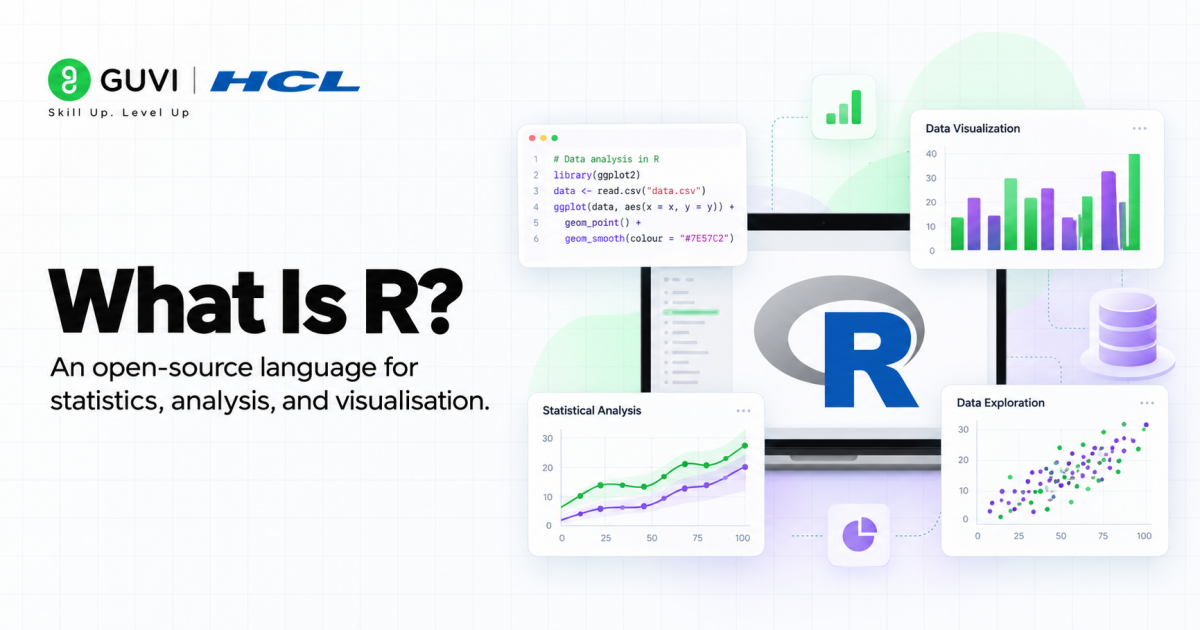
R is an open-source programming language and software environment designed for statistical computing, data analysis, visualization, and machine learning. It is widely used in data science because it combines strong statistical capabilities with a large ecosystem of packages for cleaning data, exploring patterns, building models, and creating high-quality visualizations.
Key Features of R
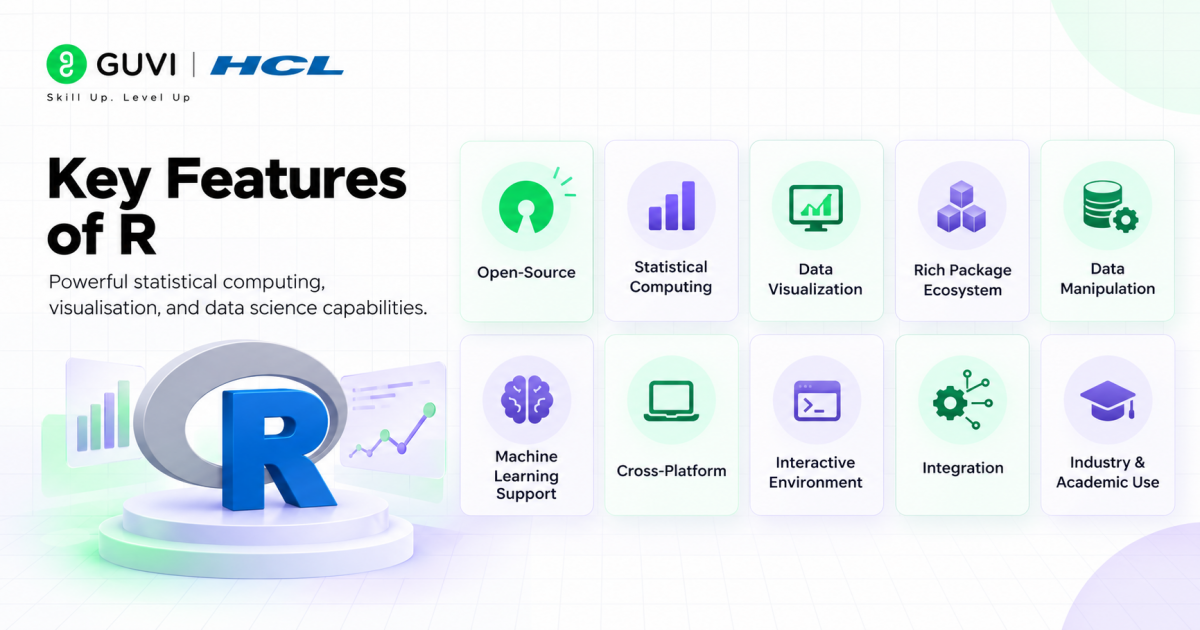
- Open-Source: R is free to use and supported by a large global community.
- Statistical Computing: It offers extensive built-in functions for descriptive statistics, hypothesis testing, regression, and advanced analysis.
- Data Visualization: Packages such as
ggplot2help create clear and customizable charts and graphs. - Rich Package Ecosystem: Thousands of packages extend R for machine learning, data manipulation, reporting, and specialized analysis.
- Data Manipulation: Tools such as
dplyrandtidyrmake it easier to clean, transform, and organize datasets. - Machine Learning Support: R supports regression, classification, clustering, dimensionality reduction, and ensemble methods.
- Cross-Platform: R works on Windows, macOS, and Linux.
- Interactive Environment: Users can explore data and run commands interactively through R or IDEs such as RStudio.
- Integration: R can work with databases, Python, APIs, notebooks, and other data tools.
- Strong Industry and Academic Use: R is widely used in statistics, research, finance, healthcare, bioinformatics, and data science.
Build practical data science skills with HCL GUVI’s Data Science Course. Strengthen your understanding of statistical analysis, data visualisation, Python, SQL, and machine learning through 6 months of live online classes, real-world projects, expert mentorship, and placement assistance with 1000+ hiring partners. Enrol today to prepare for a career in data science.
R for Data Science
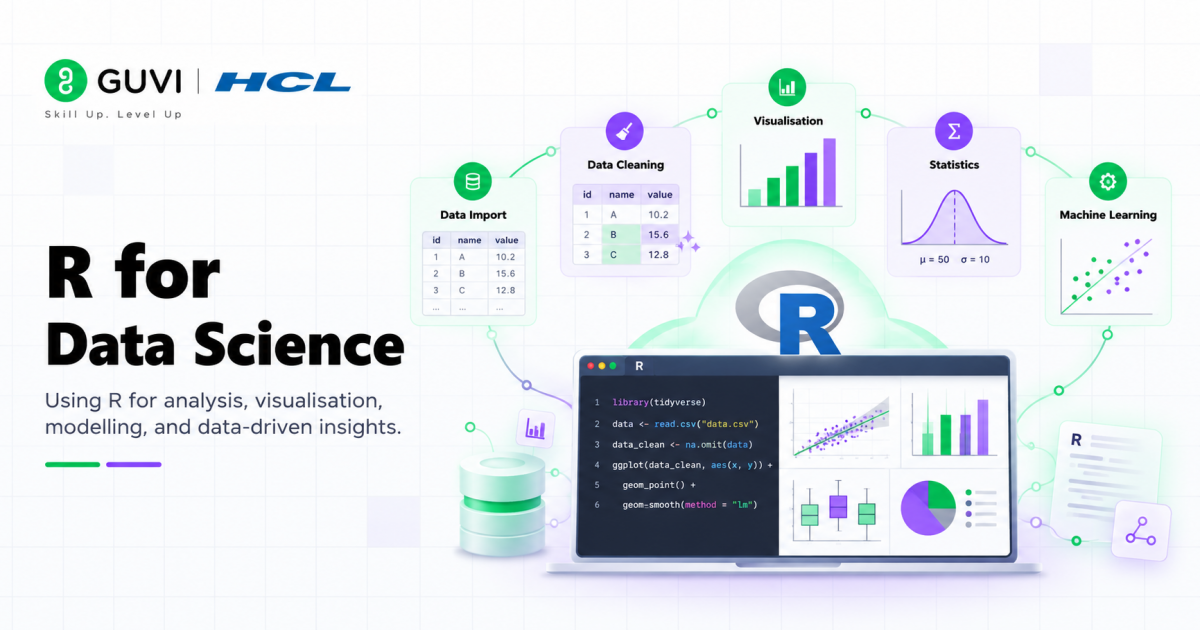
R supports the complete data science workflow, from importing and cleaning raw data to exploratory analysis, statistical modelling, machine learning, and visualization. Its strong statistical foundation and extensive package ecosystem make it particularly useful for analysts, researchers, and data scientists working with structured datasets.
Here is how R fits into each stage of a practical data science workflow:
1. Getting Started with R
R is an open-source programming language built primarily for statistical computing, data analysis, and visualization. Its large package ecosystem allows data scientists to move from basic exploration to advanced statistical and machine learning workflows within the same environment.
1.1 Installing R and RStudio
You need two main components to begin:
- R: The core programming language and runtime environment.
- RStudio: An IDE that provides an easier interface for writing scripts, managing packages, viewing plots, and exploring data.
1.2 Understanding the RStudio Environment
RStudio organizes the main parts of an R workflow into one interface:
- Console: Run R commands and view immediate results.
- Source Editor: Write and save reusable R scripts.
- Environment: Track variables, datasets, and objects in the current session.
- Files/Plots/Packages/Help: Manage files, inspect charts, install packages, and access documentation.
1.3 Basic R Syntax
Start with a few core concepts:
Variables and Assignment
x <- 5
y <- 10
Data Types
- Numeric:
3.14 - Integer:
42L - Character:
"Hello, World!" - Logical:
TRUEorFALSE
Vectors
numbers <- c(1, 2, 3, 4, 5)Functions
mean(numbers)Packages
install.packages("dplyr")
library(dplyr)
1.4 Getting Help in R
R includes extensive built-in documentation. Use ? before a function name to open its help page:
?meanOnce the environment and syntax are familiar, the next step is preparing real-world datasets for analysis:
2. Data Manipulation and Cleaning
Real-world datasets often contain missing values, inconsistent formats, duplicate records, and unnecessary columns. Data cleaning therefore becomes one of the most important uses of R for data science.
2.1 Using the Tidyverse
The tidyverse is a collection of R packages designed for common data science tasks. Important packages include:
- dplyr: Data manipulation
- tidyr: Data reshaping and cleaning
- ggplot2: Data visualization
- readr: Data importing
Install and load it using:
install.packages("tidyverse")
library(tidyverse)
2.2 Reading Data into R
R can work with multiple data formats.
CSV
data <- read_csv("your_file.csv")Excel
library(readxl)
data <- read_excel("your_file.xlsx")
JSON
library(jsonlite)
data <- fromJSON("your_file.json")
2.3 Data Manipulation With dplyr
dplyr provides concise functions for common transformation tasks:
select(): Choose required columns.filter(): Keep rows matching specific conditions.mutate(): Create or modify columns.summarize(): Calculate summary statistics.group_by(): Perform calculations within groups.arrange(): Sort records.
Example:
data %>%
  group_by(category) %>%
  summarize(mean_value = mean(column1))
2.4 Data Cleaning With tidyr
tidyr helps reshape data into analysis-ready formats:
pivot_longer(): Convert wide data into long format.pivot_wider(): Convert long data into wide format.separate(): Split one column into multiple columns.unite(): Combine multiple columns.
Also Read: 10 Hardest and Easiest Programming Languages
2.5 Handling Missing Data
R provides several approaches for identifying, removing, or imputing missing values:
is.na(data)
sum(is.na(data))
na.omit(data)
Packages such as mice can also support more advanced missing-value imputation.
2.6 Exporting Processed Data
Cleaned data can be saved for reporting or further analysis:
write_csv(mtcars_processed, "processed_mtcars.csv")Once the dataset is clean and structured, you can begin exploring its patterns and relationships:
3. Exploratory Data Analysis (EDA)
Exploratory Data Analysis (EDA) is a key stage in the data science process. It helps data scientists understand distributions, discover relationships, identify anomalies, and validate assumptions before statistical modelling or machine learning.
3.1 Data Visualization With ggplot2
ggplot2 is one of R’s most widely used visualization packages. It follows the Grammar of Graphics approach and supports charts such as:
- Scatter Plots: Examine relationships between numerical variables.
- Histograms: Understand data distributions.
- Box Plots: Identify spread and possible outliers.
- Bar Charts: Compare categories.
- Correlation Heatmaps: Explore relationships across multiple variables.
3.2 Exploring Relationships
R can help analyze connections between variables through:
- Correlation Analysis: Measure the strength of numerical relationships.
- Scatterplot Matrices: Compare several variable pairs together.
- Faceting: Split visualizations across categories for easier comparison.
3.3 Identifying Outliers
Common techniques include:
- Box Plots: Visually detect unusually high or low observations.
- Z-Scores: Measure how far values fall from the mean.
- IQR Method: Detect observations outside expected quartile ranges.
EDA provides the context needed to choose appropriate statistical methods and models:

4. Statistical Analysis
Statistical analysis is a fundamental component of data science. R was originally designed for statistical computing, which makes it particularly strong for hypothesis testing, inference, experimental analysis, and quantitative research.
4.1 Important Statistical Techniques
- t-Test: Compare means between groups.
- ANOVA: Compare means across multiple groups.
- Chi-Square Test: Examine relationships between categorical variables.
- Regression: Model relationships between dependent and independent variables.
- Descriptive Statistics: Summarize central tendency, variation, and distribution.
R also supports more advanced techniques such as bootstrapping and Bayesian analysis.
Statistical analysis helps explain what has happened in the data. Machine learning extends this further by helping predict what may happen next:
5. Machine Learning With R
R provides a broad ecosystem for building, evaluating, and improving machine learning models. It supports the complete workflow from preprocessing and feature preparation to supervised learning, unsupervised learning, and model evaluation.
5.1 Data Preprocessing for Machine Learning
Prepare datasets through:
- Missing-Value Handling: Treat incomplete observations.
- Feature Scaling: Standardize numerical variables.
- Categorical Encoding: Convert categories into model-ready representations.
- Feature Selection: Retain variables that contribute useful predictive information.
5.2 Supervised Learning
R supports common predictive algorithms such as:
- Linear Regression: Predict continuous values.
- Logistic Regression: Solve classification problems.
- Decision Trees: Build rule-based prediction models.
- Random Forest: Combine multiple decision trees.
- Support Vector Machines: Identify optimal decision boundaries.
- XGBoost: Build high-performance boosted tree models.
5.3 Unsupervised Learning
R can also discover patterns without predefined target variables:
- K-Means Clustering: Group similar observations.
- Hierarchical Clustering: Build nested clusters.
- Principal Component Analysis: Reduce high-dimensional datasets.
5.4 Model Evaluation and Selection
Reliable machine learning requires careful evaluation through:
- Train-Test Split: Separate training and evaluation data.
- Cross-Validation: Test performance across several data subsets.
- Performance Metrics: Evaluate prediction quality.
- ROC Curves: Examine classification performance across thresholds.
5.5 Ensemble Methods
Multiple models can be combined to improve predictive performance:
- Bagging: Train models independently and combine results.
- Boosting: Train models sequentially to correct earlier errors.
- Stacking: Combine predictions from different algorithms.
R therefore supports the complete data science lifecycle:
Import Data → Clean and Transform → Explore → Visualize → Analyse Statistically → Build Models → Evaluate Results
This workflow makes R particularly useful for data professionals who need strong statistical analysis, clear visualization, and machine learning capabilities within one ecosystem.
Best Practices for Using R in Data Science
Use these practices to keep R projects clean, reproducible, efficient, and easier to maintain:
- Follow a Consistent Code Style: Use clear naming, proper indentation, and a standard style such as the tidyverse style guide.
- Write Modular Functions: Break repeated logic into reusable functions instead of duplicating code across scripts.
- Organize Projects Clearly: Separate scripts, data, outputs, documentation, and reusable functions into logical folders.
- Use Version Control: Track changes with Git and write meaningful commit messages for experiments and project updates.
- Document Your Code: Explain why important steps are performed and add README files for projects.
- Handle Errors Properly: Use tools such as
tryCatch()when workflows need reliable error handling. - Optimize Performance: Profile slow code, use vectorized operations, and choose efficient structures such as
data.tablefor larger datasets. - Write Tests: Use packages such as
testthatto validate reusable functions and important transformation logic. - Keep Work Reproducible: Use
set.seed()for random processes and record package and environment information. - Manage Package Versions: Use tools such as
renvto keep package dependencies consistent across systems. - Validate Data Early: Check missing values, duplicates, data types, and unexpected values before analysis.
- Keep Raw Data Unchanged: Preserve original datasets and perform transformations on separate working copies.
- Use Meaningful Visualizations: Choose charts that directly support the analytical question instead of adding unnecessary visuals.
- Review Before Sharing: Check scripts, outputs, paths, package requirements, and documentation before publishing or handing off a project.
R vs Python for Data Science: Which Should You Use?
| Use Case | R | Python |
|---|---|---|
| Statistical Analysis | Excellent for statistics, hypothesis testing, and research | Strong, especially with SciPy and statsmodels |
| Data Visualization | Excellent with ggplot2 | Strong with Matplotlib, Seaborn, and Plotly |
| Data Manipulation | dplyr, tidyr, data.table | pandas and Polars |
| Machine Learning | Strong for statistical and classical ML | Broader ecosystem for ML and deep learning |
| Research & Academia | Commonly preferred | Widely used |
| Deep Learning & AI | More limited ecosystem | Strong with TensorFlow and PyTorch |
| Production Applications | Best for analysis-focused workflows | Better suited to automation, APIs, and deployment |
| Best Choice When | Statistics, research, visualization, and analytical modelling dominate | ML, AI, engineering, automation, or deployment dominate |
In short: Choose R when your work is heavily focused on statistics, research, and analytical visualization. Choose Python when you need a broader workflow covering machine learning, AI, automation, and production systems.
Conclusion
R provides a complete ecosystem for working with data, from cleaning and visualization to statistical analysis and machine learning. Packages such as dplyr, tidyr, and ggplot2 make data manipulation and exploratory analysis easier, while R’s statistical and machine learning tools support more advanced analytical tasks.
Beginners should start with R syntax and RStudio, then move into data manipulation, EDA, statistics, and machine learning. As your skills grow, focus on reproducibility, version control, testing, code organization, and performance.
The best way to learn R for data science is through consistent practice with real datasets. Build small projects, document your analysis, and gradually combine data cleaning, visualization, statistics, and machine learning into complete workflows.
FAQs
Is R good for data science?
Yes. R is widely used for statistical computing, data analysis, visualization, and machine learning. Its package ecosystem supports the complete data science workflow, from cleaning and EDA to modelling and evaluation. Pasted text
What is R used for in data science?
R is used for data importing, cleaning, transformation, exploratory data analysis, statistical testing, visualization, machine learning, and model evaluation. Pasted text
Which R packages are important for data science?
Important packages include dplyr for manipulation, tidyr for reshaping and cleaning, ggplot2 for visualization, and readr for importing data. Pasted text
Can R be used for machine learning?
Yes. R supports regression, decision trees, Random Forest, SVM, XGBoost, clustering, PCA, cross-validation, and ensemble methods such as bagging, boosting, and stacking. Pasted text
Should beginners learn R or Python for data science?
R is especially useful for statistics, data analysis, visualization, and research-focused workflows. Beginners choosing R should first learn basic syntax and RStudio, then move into data cleaning, EDA, statistics, and machine learning. Pasted text
Success Stories

About the Author
Vaishali
I'm a seasoned writer with four years of experience across technical, non-technical, and just about every genre or niche you can imagine. Adaptable and curious, I enjoy exploring new topics and making information engaging and easy to understand. Fueled by a steady stream of tea, I approach each project with creativity, reliability, and genuine enthusiasm for storytelling.
View all posts by Vaishali
Connect with me @













Did you enjoy this article?