


Artificial Intelligence and Machine Learning Articles
AI/ML Skills Gap 2026: Why Companies Can't Find Job-Ready Talent
20 AI/ML Interview Questions Recruiters Can Use Without a Tech Background - Best Guide
How Industry-Backed AI/ML Bootcamps Are Changing the AI/ML Hiring Pipeline - Best Guide 2026
From IT Support to AI Engineer: A Realistic Career Switch Guide 2026


Get In Touch For Details! Request More Information

How to Talk to Claude: Conversation Tips for Beginners
Aug 06, 2026 3 Min Read 300 Views
(Last Updated)
How to talk to Claude works best when you treat it like a conversation, not a search box. Beginners usually get better results once they stop asking short, vague questions and start giving Claude enough detail to understand the job.
Table of contents
- TL;DR Summary
- How to Begin: Conversation in Claude
- Start Simple
- Good First Prompts
- Add Clear Context
- How to Talk to Claude: Helpful Context To Include
- Be Specific
- Better Prompt Pattern
- Use Follow-Ups
- Useful Follow-Up Lines
- Give Examples When Needed
- When Examples Help Most
- Ask for a Structure for How to Talk to Claude
- Useful Format Requests
- What To Avoid
- Common Mistakes
- Real-World Example
- What To Do Next
- Conclusion
- FAQs
- Should I talk to Claude like a person?
- Why is Claude giving me vague answers?
- What should I include in my prompt?
- Should I start a new chat every time?
- How do I make Claude sound more like me?
- What is the easiest way to get better results?
TL;DR Summary
- Talk to Claude naturally, but be specific about what you want.
- Add context such as audience, purpose, tone, and format.
- Use follow-up prompts to refine the answer instead of starting over.
- Give Claude examples when you want a certain style or structure.
- If the answer is weak, simplify the task or narrow the request.
How to Begin: Conversation in Claude

1. Start Simple
A good first conversation should be short, direct, and easy to check. This helps you understand how Claude responds before you ask for something more complex. Start with prompts like “explain this in simple terms” or “summarize this in three bullets.”
2. Good First Prompts
You can ask Claude to summarize, explain, rewrite, or list steps. These are easy tasks that show how it thinks and how it handles your instructions. Once you see the pattern, it becomes easier to ask for more advanced help.
3. Add Clear Context
Claude gives better answers when you tell it who the answer is for, why you need it, and what kind of output you want. That context helps it choose the right depth, tone, and structure.
Also Read: Claude for Language Learning: Practice Conversations
How to Talk to Claude: Helpful Context To Include
Try adding your audience, your goal, the tone you want, and any length limit. For example, “Explain this to a beginner in plain English in five bullet points” is much better than “explain this.”
1. Be Specific
Specific prompts usually produce specific answers. If you want Claude to write, summarize, compare, or plan something, say exactly what kind of result you want.
2. Better Prompt Pattern
A strong prompt often includes the task, context, constraints, and output format. This simple structure makes Claude far more reliable and usually reduces the need for heavy editing later.
3. Use Follow-Ups
One of the easiest beginner mistakes is assuming the first response must be final. Claude is designed to improve through conversation, so follow-up messages are part of the workflow.
4. Useful Follow-Up Lines
You can say things like “make it shorter,” “add an example,” or “rewrite it for a non-expert reader.” These small edits often improve the response faster than starting a new chat.
5. Give Examples When Needed
If you want Claude to match a style, showing an example is often better than describing it. A sample sentence, paragraph, or table can guide the output more effectively than a long explanation.
Claude responds best when you clearly state your goal, role, and desired output format up front.Think “Act as X, do Y, and return Z in bullets/JSON/table.
When Examples Help Most
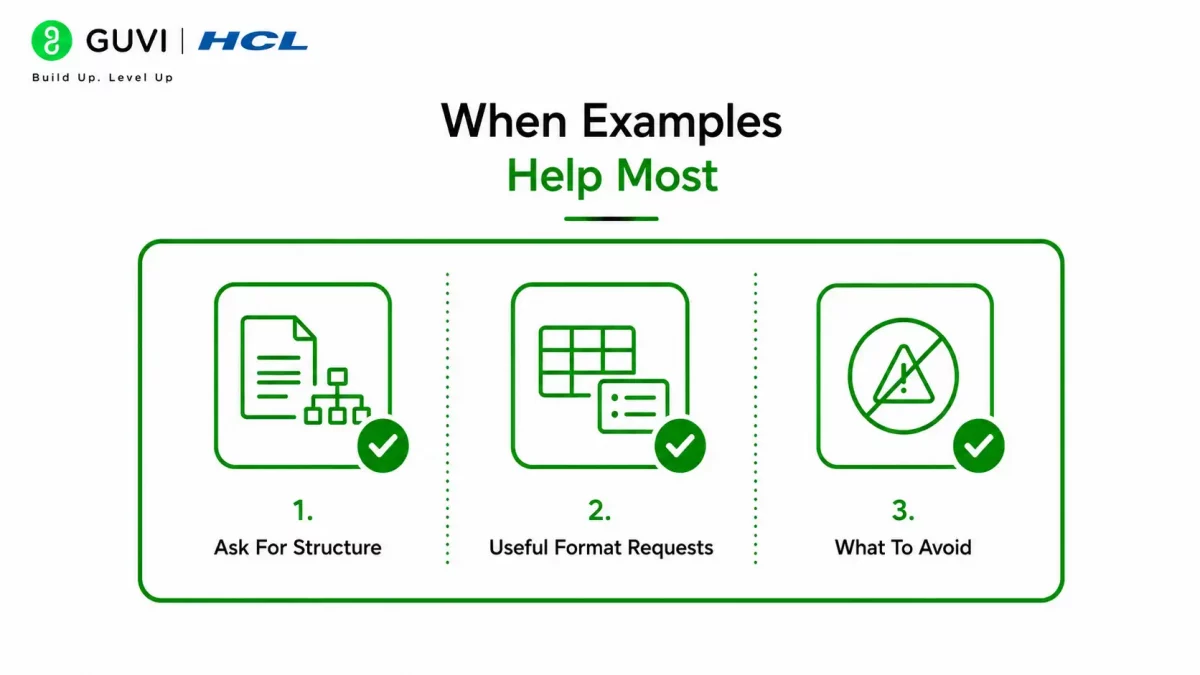
Examples are especially useful when you want a writing style, a specific tone, a table layout, or a recurring format. That is one of the fastest ways to make Claude sound closer to what you need.
1. Ask for a Structure for How to Talk to Claude
Claude is easier to review when you tell it how to organize the answer. Beginners often get better results by asking for headings, bullets, tables, or step-by-step output.

2. Useful Format Requests
You can ask for a table, a checklist, a step-by-step guide, a summary, or a pros and cons list. That makes the response more readable and easier to use.
3. What To Avoid
Some beginner habits make Claude less useful. The most common problem is giving too little direction and expecting a perfect answer anyway.
Common Mistakes
Avoid one-word prompts, skipping the audience or purpose, changing the topic too fast, or restarting too often instead of refining. These habits usually make the conversation less useful and more frustrating.
Real-World Example
- If you ask Claude, “Help me write an email,” the output may be too generic. If you ask, “Write a polite email to a customer explaining a delay, keep it under 120 words, and sound professional but warm,” you will usually get a much better result.
- That difference matters because Claude responds to detail. The more clearly you describe the job, the less editing you have to do later.
Talk to Claude like a coworker: be clear and specific and keep adding context as you go. Learn AI & ML with HCL GUVI’s Artificial Intelligence and Machine Learning course.
What To Do Next
Start with a simple task, add context, and ask for one clear format. Then use follow-up prompts to tighten the result instead of restarting from scratch.
Conclusion
Talking to Claude well is mostly about clarity, context, and conversation. Once you stop treating it like a search tool and start treating it like a collaborator, the quality of the output usually improves fast.
The beginner rule is simple: be natural, be specific, and keep refining. That is the easiest way to get stronger results from Claude.
FAQs
1. Should I talk to Claude like a person?
Yes. Claude works well when you use a natural conversation style, as long as you are still clear about what you want.
2. Why is Claude giving me vague answers?
It usually means the prompt did not include enough context, detail, or formatting guidance.
3. What should I include in my prompt?
Include the goal, audience, tone, format, and any limits such as length or style.
4. Should I start a new chat every time?
Not usually. Follow-up prompts in the same chat often work better because Claude keeps the conversation context.
5. How do I make Claude sound more like me?
Give it examples of your writing or describe the style you want very clearly.
6. What is the easiest way to get better results?
Be more specific, then refine the answer with follow-up messages instead of restarting.
Success Stories

About the Author
HCL GUVI
This article was selected and published as part of the HCL GUVI AI Blogathon 2026, an initiative designed to encourage students, AI enthusiasts, and aspiring tech writers to simplify complex AI concepts through impactful technical content. The contest recognized high-quality, original, and insightful AI-focused blogs, with selected authors receiving publication opportunities on the HCL GUVI blog platform along with official author credits and recognition.
View all posts by HCL GUVI
Connect with me @











Did you enjoy this article?