


Artificial Intelligence and Machine Learning Articles
AI/ML Skills Gap 2026: Why Companies Can't Find Job-Ready Talent
20 AI/ML Interview Questions Recruiters Can Use Without a Tech Background - Best Guide
How Industry-Backed AI/ML Bootcamps Are Changing the AI/ML Hiring Pipeline - Best Guide 2026
From IT Support to AI Engineer: A Realistic Career Switch Guide 2026


Get In Touch For Details! Request More Information
How to Stream Claude Responses with the API
Aug 05, 2026 3 Min Read 575 Views
(Last Updated)
If you’re building AI chatbots or real-time applications, learning how to stream Claude responses can significantly improve the user experience. Instead of waiting for an entire response, Claude streams text incrementally using Server-Sent Events (SSE), making applications feel faster and more interactive.
Table of contents
- TL;DR Summary
- What Does Streaming Mean?
- Benefits of Streaming Claude API Responses
- How to Stream Claude Responses with the API
- Step 1: Get an Anthropic API Key
- Step 2: Create a Messages API Request
- Step 3: Receive Server-Sent Events (SSE)
- Step 4: Display Responses in Real Time
- Step 5: Handle Stream Completion
- Python Example for Streaming Claude Responses
- JavaScript Example for Streaming Claude Responses
- Best Practices for Streaming Claude API Responses
- Common Mistakes to Avoid
- Conclusion
- FAQs
- What does it mean to stream Claude API responses?
- How do I enable streaming in the Claude API?
- What protocol does Claude use for streaming?
- Which programming languages support Claude streaming?
- Is streaming faster than standard API responses?
- Can I use Claude streaming for chatbot applications?
- Where can I learn more about the Claude API streaming?
TL;DR Summary
- Streaming lets Claude generate responses token by token instead of waiting for the complete output.
- Enable streaming by setting “stream”: true in the Messages API request.
- Claude uses Server-Sent Events (SSE) to deliver responses incrementally.
- Streaming improves responsiveness and user experience.
- The official Anthropic SDKs simplify streaming implementation.
📊 Data Point: Anthropic’s Messages API supports streaming by enabling the “stream”: true parameter. Instead of returning one complete response, Claude sends incremental events that applications can display in real time using Server-Sent Events (SSE).
What Does Streaming Mean?
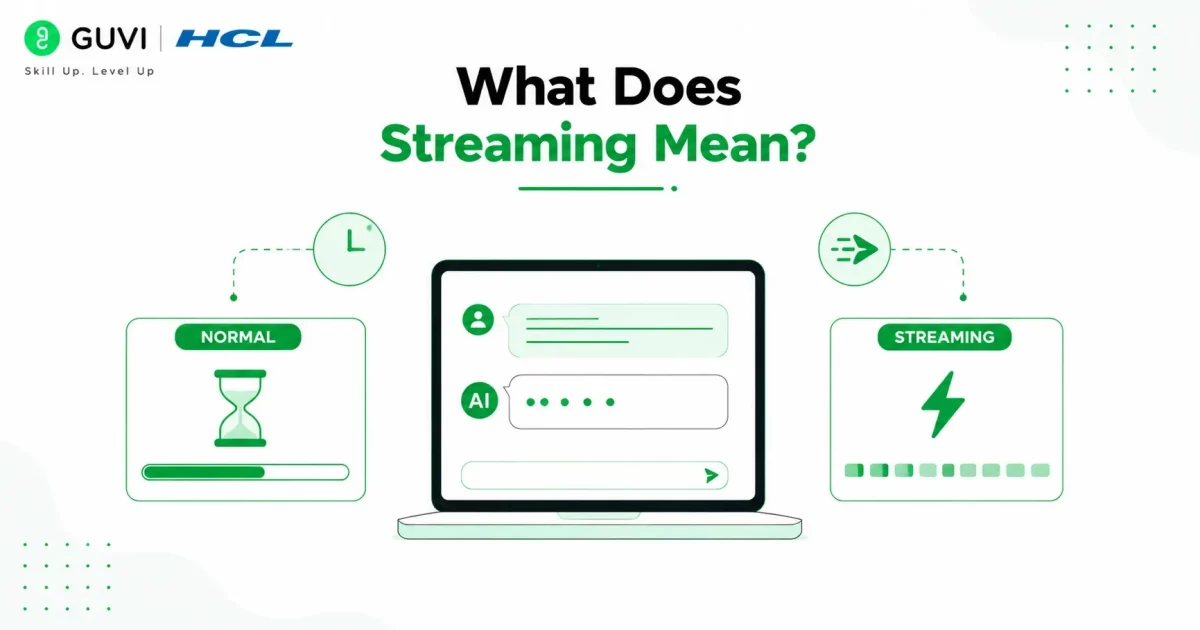
Normally, an API waits until an AI model finishes generating the complete response before sending it back to the application. For long responses, this can introduce noticeable delays.
Streaming changes this behavior by sending small pieces of text as they’re generated. Users immediately begin seeing Claude’s response appear on screen instead of waiting several seconds for the final answer.
This approach creates smoother conversations and improves the perceived performance of AI-powered applications.
Benefits of Streaming Claude API Responses
Streaming improves both application performance and user experience.
Some key benefits include:
- Faster perceived response times
- Improved user engagement
- Better handling of long responses
- Reduced waiting time
- Real-time conversational experiences
Streaming is widely used in AI chatbots, coding assistants, writing tools, and customer support applications because it makes interactions feel more natural.
How to Stream Claude Responses with the API
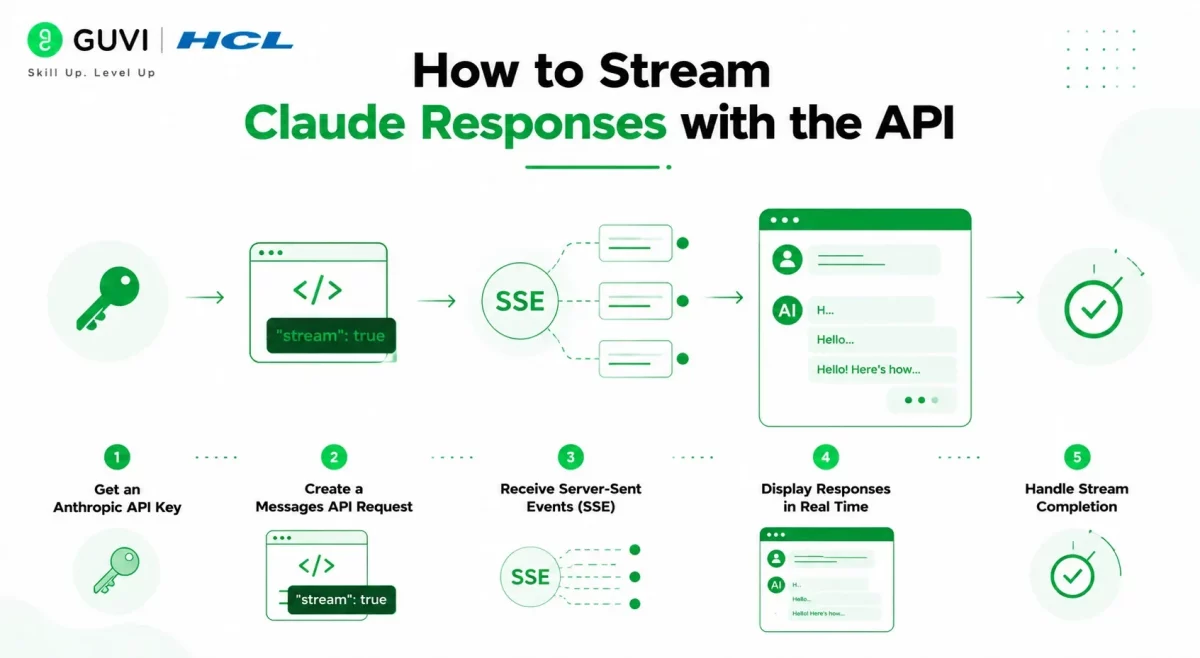
Anthropic’s Messages API makes streaming simple by adding one parameter to your request.
Step 1: Get an Anthropic API Key
Create an Anthropic account and generate an API key from the developer dashboard.
Install the official Anthropic SDK for your preferred programming language before making API requests.
Step 2: Create a Messages API Request
A standard request includes:
- Claude model
- User message
- Maximum output tokens
To enable streaming, simply add:
“stream”: true
Claude will now return incremental events instead of waiting until the response is fully generated.
Step 3: Receive Server-Sent Events (SSE)
Once streaming is enabled, Claude sends multiple Server-Sent Events (SSE) instead of one large response.
Your application listens for these events and updates the interface as each new piece of text arrives.
The official Anthropic SDK handles much of this process automatically for Python and JavaScript developers.
Step 4: Display Responses in Real Time
As new events arrive, append them to your chat interface.
Instead of displaying:
Complete response after 8 seconds
Users immediately see:
H…
Hello…
Hello! Here’s how…
This typing effect significantly improves perceived responsiveness.
Step 5: Handle Stream Completion
Streaming continues until Claude sends the final event indicating the response is complete.
Your application can then stop listening for events, save the conversation, and enable follow-up interactions.
If you’re interested in learning how AI APIs, prompt engineering, and large language models work, HCL GUVI’s AI Ebook provides beginner-friendly explanations and practical examples to help you build a strong foundation.
Streaming doesn’t make Claude generate responses faster—it simply displays generated text as soon as it’s available. This significantly improves perceived performance, making AI applications feel faster and more responsive.
Python Example for Streaming Claude Responses
The official Anthropic Python SDK makes it easy to stream Claude’s responses in real time.
from anthropic import Anthropic

client = Anthropic(api_key="YOUR_API_KEY")

with client.messages.stream(

   model="claude-sonnet-4-0",

   max_tokens=512,

   messages=[

       {

           "role": "user",

           "content": "Explain how streaming APIs work."

       }

   ],

) as stream:

   for text in stream.text_stream:

       print(text, end="", flush=True)
Instead of waiting for the complete response, the SDK prints each chunk of text as Claude generates it, creating a smoother user experience.

JavaScript Example for Streaming Claude Responses
The Anthropic JavaScript SDK also supports response streaming with minimal code.
import Anthropic from "@anthropic-ai/sdk";

const client = new Anthropic({

 apiKey: process.env.ANTHROPIC_API_KEY,

});

const stream = await client.messages.stream({

 model: "claude-sonnet-4-0",

 max_tokens: 512,

 messages: [

   {

     role: "user",

     content: "Explain streaming APIs."

   }

 ]

});

for await (const text of stream.textStream) {

 process.stdout.write(text);

}
Both SDKs automatically handle the streaming events, allowing developers to focus on updating their application’s interface.
Best Practices for Streaming Claude API Responses
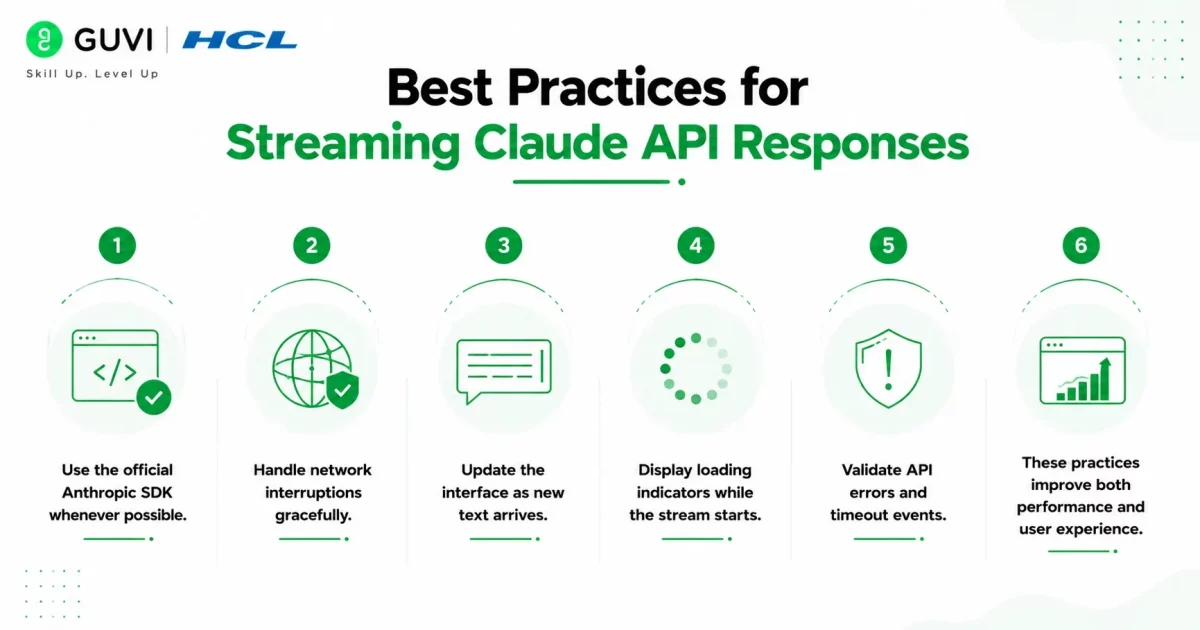
Follow these best practices to build responsive and reliable AI applications:
- Use the official Anthropic SDK whenever possible.
- Handle network interruptions gracefully.
- Update the interface as new text arrives.
- Display loading indicators while the stream starts.
- Validate API errors and timeout events.
These practices improve both performance and user experience.
Want to build AI applications like real-time chatbots, coding assistants, and intelligent automation tools? HCL GUVI’s AI & Machine Learning Course equips you with the practical skills to work with LLMs, AI APIs, prompt engineering, and machine learning through hands-on projects.
Common Mistakes to Avoid
Avoid these common issues when implementing Claude streaming:
- Forgetting to set “stream”: true
- Not handling Server-Sent Events (SSE)
- Waiting for the full response before updating the UI
- Ignoring stream completion events
- Not handling API or network errors
Conclusion
Learning how to stream Claude API responses enables developers to build faster and more engaging AI applications. By enabling “stream”: true and handling Server-Sent Events (SSE), you can display responses in real time, improving the experience for users. Whether you’re building chatbots, writing assistants, or customer support tools, streaming is an effective way to deliver responsive AI interactions.
FAQs
1. What does it mean to stream Claude API responses?
Streaming allows Claude to send generated text incrementally instead of waiting until the entire response is complete.
2. How do I enable streaming in the Claude API?
Include “stream”: true in your Messages API request to receive responses through Server-Sent Events (SSE).
3. What protocol does Claude use for streaming?
Claude uses Server-Sent Events (SSE) to stream response chunks in real time.
4. Which programming languages support Claude streaming?
The official Anthropic SDKs support streaming in Python, JavaScript, and TypeScript, among other languages.
5. Is streaming faster than standard API responses?
Streaming doesn’t reduce model processing time, but it improves perceived speed by displaying generated text immediately.
6. Can I use Claude streaming for chatbot applications?
Yes. Streaming is ideal for AI chatbots, coding assistants, writing tools, customer support systems, and other real-time AI applications.
7. Where can I learn more about the Claude API streaming?
Refer to Anthropic’s official developer documentation for the latest streaming examples, SDKs, and implementation guides.
Success Stories

About the Author
Vishalini Devarajan
An Aerospace Engineer turned content writer, I focus on making complex concepts easy to understand through well-structured, reader-friendly blogs. Whether it’s a technical topic or a non-technical one, I love creating content that is clear, engaging, and impactful.
View all posts by Vishalini Devarajan
Connect with me @







Did you enjoy this article?