


Artificial Intelligence and Machine Learning Articles
Finance Manager to Data Analytics: Career Growth, Salary and Seniority
How to Evaluate LLM Outputs in Production Deployments
AI/ML Skills Gap 2026: Why Companies Can't Find Job-Ready Talent
20 AI/ML Interview Questions Recruiters Can Use Without a Tech Background - Best Guide


Get In Touch For Details! Request More Information
RAG App: Build Your First Retrieval-Augmented Generation App
Jul 10, 2026 6 Min Read 1261 Views
(Last Updated)
Large language models excel at general knowledge but fail on your company’s proprietary data, internal policies, product docs, and financial reports. Their training cutoff creates an insurmountable wall for enterprise AI.
Retrieval Augmented Generation (RAG) breaks through. RAG fetches relevant documents from your knowledge base at query time, grounds LLM responses in your actual data, and eliminates hallucinations. Like humans checking notes before answering, RAG makes LLMs work with information they’ve never seen.
In this article, we will walk through exactly what RAG is, why it works better than fine-tuning for most use cases, what the five stages of a RAG pipeline are, how to build a basic RAG app using Python and LangChain, what vector databases to use, how the 2026 RAG ecosystem has evolved, and what common mistakes to avoid.
Table of contents
- TL;DR:
- OVERVIEW OF RAG APP
- Why RAG Instead of Fine-Tuning?
- The Five Stages of a RAG Pipeline
- Building a Simple RAG App with LangChain
- Choosing the Right Vector Database
- How the RAG Ecosystem Evolved in 2025-2026
- Common RAG Mistakes and How to Avoid Them
- Final Thoughts
- FAQs
- Do I need to pay for OpenAI embeddings and GPT-4 to build a RAG app?
- What happens when my documents update frequently?
- Can RAG handle PDFs with tables and images?
- How do I know if my RAG app is actually working?
- What's the biggest reason RAG fails in production?
TL;DR:
- Load: Ingest docs (PDFs, TXT) with LangChain loaders
- Chunk: Split into 1000-char pieces + 200-char overlap
- Embed: Convert chunks to vectors (OpenAI text-embedding-3-small)
- Store: ChromaDB for prototyping, Qdrant/Milvus for production
- Retrieve: Get the top-3 most similar chunks per query
- Generate: Pass chunks to LLM as context for grounded answers
What Is a RAG App?
A RAG (Retrieval-Augmented Generation) app is an AI application that retrieves relevant information from an external knowledge base and provides it to a language model as context. This allows the model to generate answers based on specific, up-to-date, or domain-specific data instead of relying only on its pre-trained knowledge.
OVERVIEW OF RAG APP
Retrieval-Augmented Generation (RAG) is a technique that combines two worlds: Retrieval is fetching relevant pieces of information from an external knowledge base, and generation is using an LLM like GPT-4 to generate an answer based on that retrieved data.
The pipeline flows like this: documents go through chunking, which splits large texts; then embedding, which converts text to numbers; then storage in a vector database. A user query is converted to an embedding, relevant chunks are retrieved, and the LLM generates the final answer. This architecture makes the model’s responses accurate, up-to-date, and specific to your data without the expense and complexity of retraining.
Why RAG Instead of Fine-Tuning?
The first question most people ask when they discover their LLM does not know their company’s data is, “Can I just train it on our documents?”
- Fine-tuning is the technique of continuing to train a model on new data, and while it works for certain problems, it is the wrong solution for most knowledge-base use cases.
- Fine-tuning teaches the model new behaviors, styles, or domain-specific reasoning patterns. It does not reliably inject facts. A model fine-tuned on your product documentation might still hallucinate specific version numbers, policy details, or pricing because facts are not reliably stored in model weights the way behaviors are.
- Fine-tuning is also expensive in both time and cost, requires significant data preparation, and needs to be repeated every time your knowledge base updates. RAG solves a different problem; it gives the model access to current, specific information at the moment of each query.
- When your policies change, you update the knowledge base. When new documents are added, they get embedded and indexed.
- The model itself never needs to be retrained. For knowledge-base applications, document Q&A, customer support, enterprise assistants, and product documentation chatbots, RAG is almost always the right architecture over fine-tuning.
The Five Stages of a RAG Pipeline
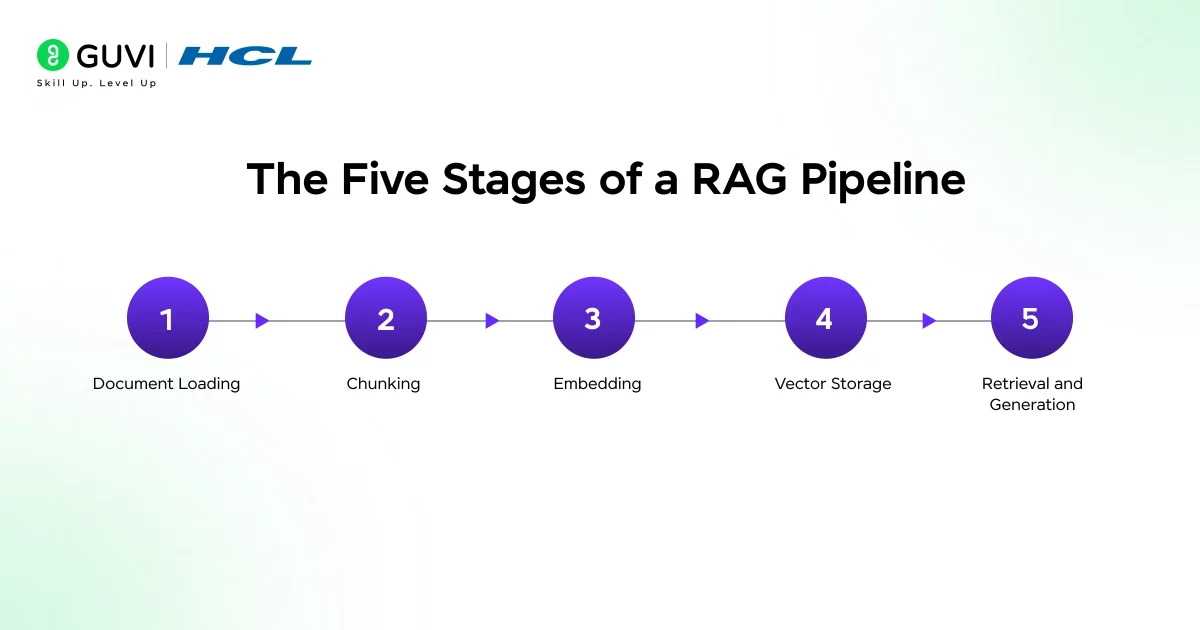
Every RAG application, regardless of how simple or complex, consists of the same five core stages. Understanding each stage helps you debug problems and make the right architectural choices.
Stage 1: Document Loading. The first stage is ingesting your source documents into the pipeline. LangChain provides a complete toolkit for building RAG applications, including loading documents, creating embeddings, storing vectors, and building retrieval chains.
The framework standardizes document loading across dozens of file formats: PDF, TXT, Markdown, HTML, CSV, and more. Each format has a corresponding loader that extracts the text content while preserving enough structure to be useful for retrieval.
Stage 2: Chunking. Raw documents are typically too long to be embedded as a single unit or used as context for an LLM. Chunking splits documents into smaller pieces that are semantically coherent. The RecursiveCharacterTextSplitter with a chunk_size of 1000 characters and chunk_overlap of 200 characters ensures continuity between chunks.
Each chunk is 1000 characters long, and the overlap of 200 characters prevents important context from being cut off at boundaries. Chunk size is one of the most impactful tuning parameters in a RAG system. Chunks that are too large reduce retrieval precision; chunks that are too small lose contextual meaning.
Stage 3: Embedding. Each chunk is converted into a numerical vector that represents its semantic meaning. Each chunk will be converted into a vector, for example, a 1536-dimensional array that captures its meaning using an embedding model.
When a user asks a question, we convert that question to an embedding using the same model, then find the chunks whose embeddings are closest to the question embedding. The embedding model you use for your documents must be the same one you use for queries at inference time; mixing models breaks the semantic space and produces poor retrieval.
Stage 4: Vector Storage. The embeddings and their associated text chunks are stored in a vector database that supports fast similarity search. FAISS (Facebook AI Similarity Search) can be used for efficient similarity search.
The vectorstore holds document embeddings for retrieval. For production at scale, consider cloud-native vector stores such as Milvus, Qdrant, or Weaviate. ChromaDB is easy to set up within a local directory, making it suitable for fast prototyping and experiments.
Stage 5: Retrieval and Generation. When a user asks a question, it is embedded using the same model, the vector database returns the most similar chunks, and those chunks are passed to the LLM as context.
The retriever finds relevant pieces of text based on a query. Using k=3 means fetching the top 3 most relevant chunks for any given question. The LLM then generates a final answer using those retrieved chunks as grounding context.
Building a Simple RAG App with LangChain
Here is a complete, minimal RAG application using Python, LangChain, and OpenAI. This example builds a question-answering system over a text document.
# Install required packages
# pip install langchain langchain-openai langchain-community chromadb
from langchain.document_loaders import TextLoader
from langchain_text_splitters import RecursiveCharacterTextSplitter
from langchain_openai import OpenAIEmbeddings, ChatOpenAI
from langchain_community.vectorstores import Chroma
from langchain.chains import RetrievalQA
# Step 1: Load documents
loader = TextLoader(“your_document.txt”)
documents = loader.load()
# Step 2: Split into chunks
text_splitter = RecursiveCharacterTextSplitter(
chunk_size=1000,
chunk_overlap=200
)
chunks = text_splitter.split_documents(documents)
# Step 3: Create embeddings and store in vector DB
embeddings = OpenAIEmbeddings(model=”text-embedding-3-small”)
db = Chroma.from_documents(chunks, embeddings, collection_name=”my_rag_docs”)
# Step 4: Create retriever
retriever = db.as_retriever(
search_type=”similarity”,
search_kwargs={“k”: 3}
)
# Step 5: Build the QA chain
llm = ChatOpenAI(model=”gpt-4o”, temperature=0)
qa_chain = RetrievalQA.from_chain_type(
llm=llm,
chain_type=”stuff”,
retriever=retriever,
return_source_documents=True
)
# Query your documents
result = qa_chain.invoke({“query”: “What does this document say about X?”})

print(result[“result”])
print(“Sources:”, result[“source_documents”])
LangChain connects document loading, text splitting, embeddings, retrieval, and prompt templates into a reliable AI workflow. It also includes source citations and retrieval debugging for production-style applications.
This basic example is functional; it loads a document, embeds it, stores it in ChromaDB, and retrieves relevant chunks to answer questions. For real applications, you will want to add PDF support, handle multiple documents, implement a chat interface, and consider more sophisticated retrieval strategies.
Choosing the Right Vector Database
Prototyping: ChromaDB and FAISS
ChromaDB is the fastest path to a working RAG prototype. It runs locally (no servers), integrates seamlessly with LangChain, and persists embeddings to disk, perfect for development and small knowledge bases under 10k documents. FAISS delivers blazing-fast similarity search for in-memory datasets that fit RAM. Both require zero infrastructure, making them ideal for experimentation and proofs of concept.
Production: Cloud-Native and Hybrid Options
Scale demands different tools. Qdrant, Milvus, and Weaviate offer metadata filtering, horizontal scaling, and enterprise security essential for production workloads. PostgreSQL teams should use pgvector, adding vector search to existing databases without new infrastructure. Choose based on your stack’s operational expertise, not synthetic benchmarks. Infrastructure simplicity beats marginal performance gains 9 times out of 10.
Retrieval-Augmented Generation (RAG) was formally introduced in a 2020 paper by Lewis et al. from Facebook AI Research. It gained major traction in 2023 as enterprises recognized that fine-tuning alone was often insufficient for injecting or updating proprietary or rapidly changing knowledge inside large language models. RAG addresses this by combining information retrieval with language model generation, allowing systems to ground responses in external data sources. By 2026, it has become a dominant architectural pattern in production AI systems, widely adopted for building knowledge-aware applications that scale across large enterprise datasets.
How the RAG Ecosystem Evolved in 2025-2026
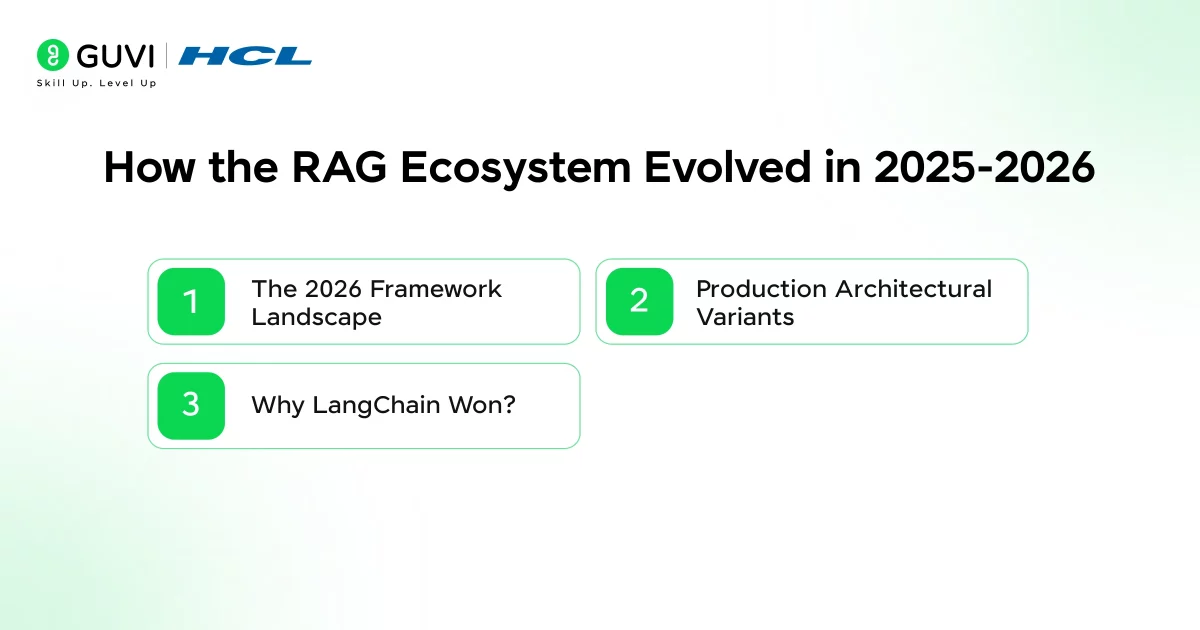
- The 2026 Framework Landscape
The RAG toolkit matured dramatically by 2026. LangChain dominates orchestration with composable primitives, swap embedding models, vector stores, or LLMs without rewriting code. LlamaIndex excels at data-centric workflows with advanced indexing and parsing.
Dify offers visual builders for enterprise deployment. Evaluation became mandatory: Ragas and Arize Phoenix measure context precision and answer faithfulness. Mem0 adds persistent memory so RAG agents remember user preferences across sessions.
- Production Architectural Variants
Two patterns define the 2026 production RAG. Multimodal RAG handles images, complex PDFs, and tables using CLIP embeddings and LlamaParse extraction. Long-context RAG leverages million-token models to retrieve dozens of chunks instead of the top 3, letting the LLM filter and reason across rich context. Modern RAG isn’t just retrieval; it’s intelligent curation that minimizes cost while maximizing accuracy.
- Why LangChain Won?
Pre-LangChain, developers hacked LLM apps with standalone prompts. Gaps were massive: no data connectors, no embedding persistence, no multi-step logic, no agent tooling. LangChain filled them with standardized patterns and composability. This maturity means production teams spend 80% less time on plumbing and 80% more on business logic.
Common RAG Mistakes and How to Avoid Them
1. Poor Chunking Strategy
The gap between a working prototype and production RAG often comes down to chunking. Chunks that are too large bury answers in irrelevant noise, reducing retrieval precision. Chunks that are too small retrieve facts but lose the critical context needed for understanding.
The right size depends entirely on your documents and embedding model; there’s no universal 1000-character rule. Test 500, 1000, and 1500 characters, measure retrieval accuracy with Ragas, and pick what works for your data.
2. Not Evaluating Retrieval Separately
Most teams debug bad answers by tweaking prompts or switching LLMs when the real problem sits in retrieval.
Ragas and Arize Phoenix separate retrieval quality (context precision, relevance) from answer quality (faithfulness, correctness). If retrieval scores dip below 85%, fix chunking or embeddings first. Only then optimize generation. This systematic approach cuts debugging time by 70%.
3. Ignoring Metadata Filtering
Enterprise RAG demands access controls. Users must only see chunks from documents they’re authorized for.
Store permissions as metadata (user_id, department, doc_owner) and filter vector search results before retrieval. Production pipelines also need query rewriting, result reranking, and prompt engineering, but metadata filtering is non-negotiable for compliance.
If you’re serious about building RAG apps, mastering vector databases, embeddings, LLM retrieval, and production deployment, don’t miss the chance to enroll in HCL GUVI’s Intel & IITM Pravartak Certified Artificial Intelligence & Machine Learning Course, co-designed by Intel.
Final Thoughts
RAG is the most practical and widely deployed architecture for building LLM applications that work with real, specific, current data. The basic pipeline load, chunk, embed, store, retrieve, generate is learnable in an afternoon and deployable in a day. The engineering depth of production RAG systems is substantial, but the path from prototype to production is clear and well-supported by the current ecosystem.
This is a practical, production-style example of building a real AI application, not a toy chatbot. The project demonstrates how LangChain connects document loading, text splitting, embeddings, retrieval, and prompt templates into a reliable AI workflow.
Start by building the minimal working example on a small set of documents you care about. Measure whether the retrieved chunks actually contain the information needed to answer your test questions.
Improve chunking and retrieval before touching the generation layer. That sequence, getting retrieval right first, then optimizing generation, is the fastest path to a RAG application that works reliably in production.
FAQs
1. Do I need to pay for OpenAI embeddings and GPT-4 to build a RAG app?
No. Open-source alternatives like Hugging Face’s sentence-transformers for embeddings and models like Llama 3.1 or Mistral work great. Use Ollama or vLLM to run them locally for free.
2. What happens when my documents update frequently?
RAG handles updates easily. Just re-embed the changed documents and update the vector store. No retraining required. Tools like LlamaIndex have incremental indexing for efficiency.
3. Can RAG handle PDFs with tables and images?
Yes, but it needs multimodal RAG. Use Unstructured.io or LlamaParse to extract tables/images from PDFs, then embed with multimodal models like CLIP or GPT-4V.
4. How do I know if my RAG app is actually working?
Evaluate retrieval separately from generation. Use Ragas to measure “context precision” (are relevant chunks retrieved?) and “answer faithfulness” (does the answer stick to retrieved context?). Aim for >85% on both.
5. What’s the biggest reason RAG fails in production?
Poor chunking. Start with 500-1000 characters + 20% overlap. Test with your specific documents chunk size is document-dependent, not universal.
Success Stories

About the Author
Vishalini Devarajan
An Aerospace Engineer turned content writer, I focus on making complex concepts easy to understand through well-structured, reader-friendly blogs. Whether it’s a technical topic or a non-technical one, I love creating content that is clear, engaging, and impactful.
View all posts by Vishalini Devarajan
Connect with me @













Did you enjoy this article?