


Artificial Intelligence and Machine Learning Articles
AI/ML Skills Gap 2026: Why Companies Can't Find Job-Ready Talent
20 AI/ML Interview Questions Recruiters Can Use Without a Tech Background - Best Guide
How Industry-Backed AI/ML Bootcamps Are Changing the AI/ML Hiring Pipeline - Best Guide 2026
From IT Support to AI Engineer: A Realistic Career Switch Guide 2026


Get In Touch For Details! Request More Information
Dify: The No Code Platform for LLM Application Development
Aug 18, 2026 5 Min Read 1086 Views
(Last Updated)
Artificial Intelligence has rapidly moved from research to production use cases. Businesses are now looking for end-to-end AI solutions rather than demos that work only in test environments. They need systems that can integrate with existing workflows and knowledge bases, respond in real time, and support API connectivity.
Dify has emerged as one solution for addressing this gap. Instead of spending weeks building infrastructure around LLMs, teams can use Dify to visually develop AI apps, automate workflows, build RAG pipelines, and deploy chatbots without extensive coding.
This article will help you understand what Dify is, how it works, its significance in modern AI app development, and the business use cases it supports without requiring extensive coding.
Table of contents
- TL;DR
- Why is Traditional LLM Development Getting Complicated?
- The Rise of No-Code AI Platforms
- Core Features That Make Dify Powerful
- Visual AI Workflow Builder
- RAG Pipeline Integration
- Multi-Model Support
- Prompt Orchestration
- Chatbot and AI Assistant Creation
- How Dify Simplifies AI Development Workflows
- Building a Simple AI Workflow With Dify
- Practical Use Cases of Dify
- Enterprise Knowledge Assistants
- AI Customer Support Systems
- AI Research Assistants
- AI Workflow Automation
- The Importance of an Open-Source AI Platform
- Observability in AI Applications
- Dify vs Traditional AI Development
- Iteration Cycles Are Accelerated
- Reduced Infrastructure Complexity
- Collaboration Is Streamlined
- Easy Experimentation
- Things You Need to Watch Out For
- The Future of AI Workflow Platforms
- Conclusion
- FAQs
- What is Dify used for?
- Is Dify suitable for beginners?
- Does Dify support multiple large language models?
- What is the advantage of using RAG pipelines in Dify?
- Can businesses self-host Dify?
- Is Dify only for chatbot development?
TL;DR
- Dify is a no-code and low-code platform focused on rapidly developing LLM-powered AI apps.
- It streamlines the process of creating prompt orchestration, RAG pipelines, chatbots, workflow automation, and model deployment.
- One interface allows developers to integrate with OpenAI, Claude, Gemini, Llama, and other models.
- It significantly lowers infrastructure complexity and helps shorten the time it takes to launch AI tools while reducing the engineer dependency.
- It provides enterprise-level features, including API integration, management of multiple models, knowledge bases, observability, and workflow control.
- Dify is quickly gaining popularity because it merges the orchestration of AI workflows and deployment of functional applications, making it more than just a chatbot tool.
What is Dify?
Dify is an open-source, no-code platform for building, managing, and deploying LLM-powered AI applications. It uses visual workflows, prompt orchestration, and RAG pipelines to reduce the need for backend infrastructure and manual coding. The platform supports multiple LLMs and enables teams to quickly create chatbots, AI assistants, automation systems, and enterprise AI workflows through a unified interface.
Why is Traditional LLM Development Getting Complicated?
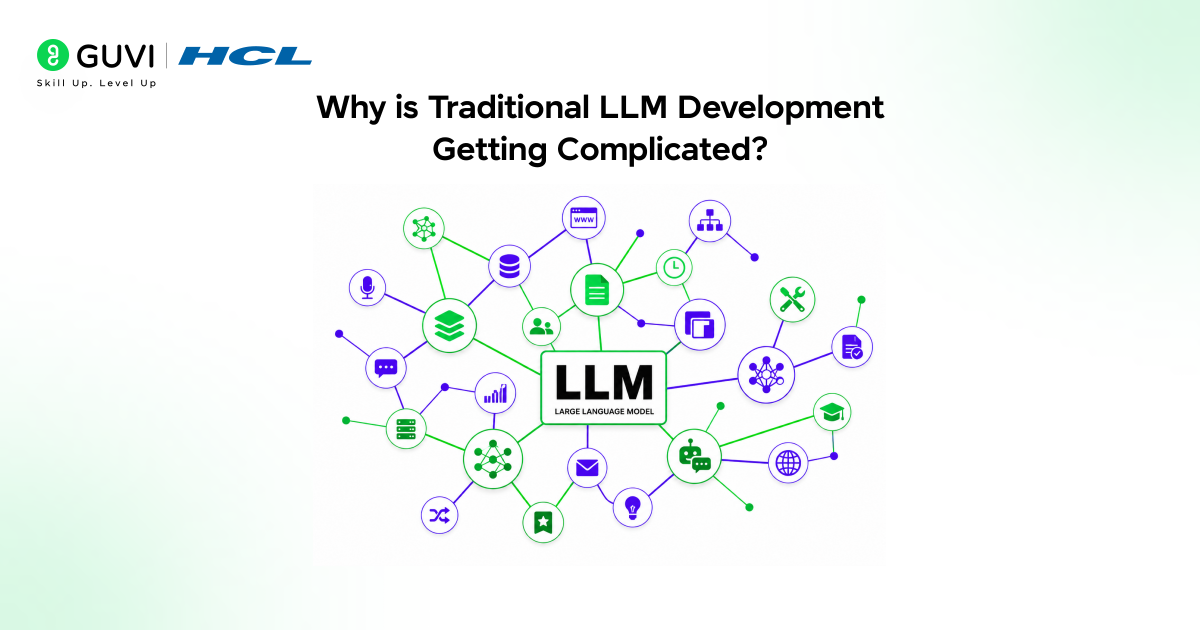
Although creating AI apps directly through APIs sounds simple enough, production systems grow complex quickly.
A modern LLM application may include a variety of features, such as:
- Prompt management.
- Memory handling.
- Vector databases.
- Retrieval pipelines.
- API orchestration.
- Model switching.
- Monitoring and logging.
- User management.
- Deployment pipelines.
Many teams realize they end up spending more time managing infra and maintaining the system rather than optimizing the AI user experience, leading to slower development speeds and increased operational costs.
Dify tackles this by offering a unified orchestration layer.
The Rise of No-Code AI Platforms
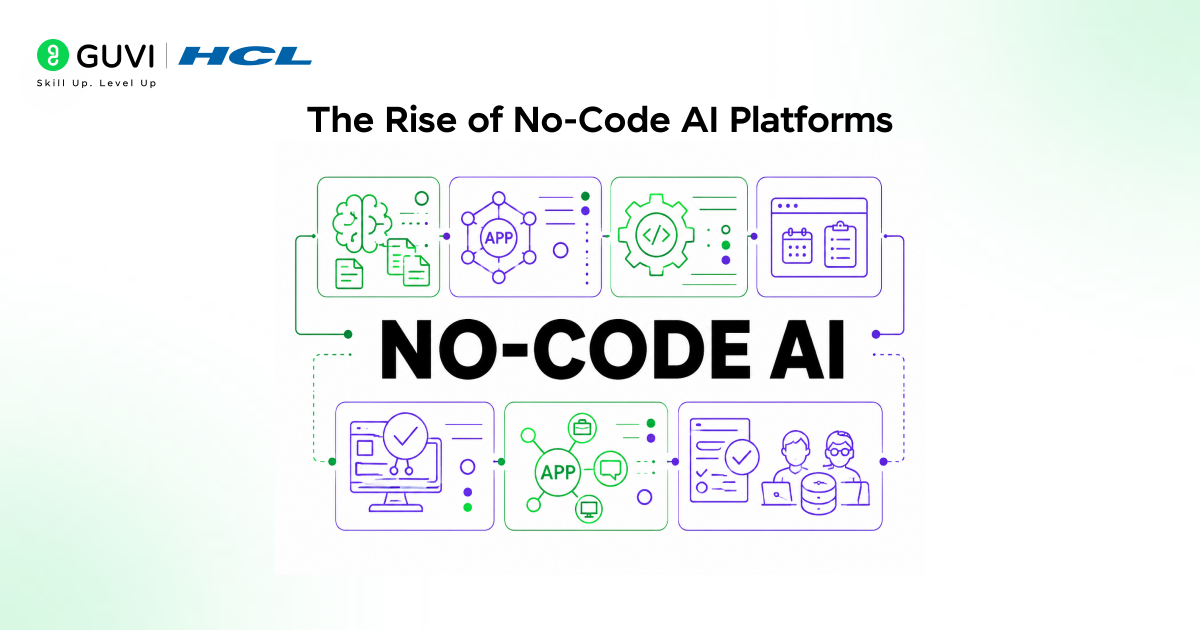
The adoption of no-code AI tools is on the rise because businesses require rapid iteration and don’t want to rely exclusively on engineering talent.
Previous AI systems had requirements like back-end frameworks, GPU infrastructure, manual prompt chains, database orchestration, and complicated deployment environments.
Platforms like Dify have reduced the underlying complexities by offering visual workflows and reusable components.
This transformation is key because it brings AI to a broader range of professionals, from product managers and marketers to analysts and operations teams, who seek direct control over the development of AI applications.
Modern RAG-based AI applications that integrate knowledge from verified enterprise data sources can be significantly more effective at reducing hallucinations compared to systems relying only on an LLM’s internal training memory. This shift is one reason platforms like Dify are increasingly focused on building robust retrieval pipelines and knowledge orchestration layers, rather than relying purely on prompt engineering.
Core Features That Make Dify Powerful
1. Visual AI Workflow Builder
Dify’s workflow orchestration system is one of its core strengths.
Teams can easily create:
- AI processing chains.
- Decision trees.
- API triggers.
- Retrieval pipelines.
- Agent workflows.
- Multi-step automation systems.
This system greatly simplifies debugging and iteration, as it allows for features like user input analysis, context retrieval, prompt routing, multi-model execution, structured output generation, and external API calls within a single workflow.
2. RAG Pipeline Integration
Retrieval Augmented Generation (RAG) is quickly becoming a cornerstone of enterprise AI because raw LLM memory can sometimes result in:
- Hallucinations.
- Inconsistent facts.
- Outdated information.
- Inability to leverage proprietary knowledge.
Dify simplifies the implementation of RAG by enabling the integration of knowledge bases directly within the platform.
Users can easily upload documents (PDFs, product manuals, internal documents, research papers, support documents, structured datasets, etc.) that are converted into knowledge segments retrievable by the LLM workflow.
This means AI applications can respond to specific questions using information from a particular organization rather than general internet knowledge.
3. Multi-Model Support
As the AI ecosystem expands, there is a growing need for models that perform well for specific tasks.
For instance:
- Claude is known for its strong reasoning abilities and long context window.
- Gemini seamlessly integrates with the Google ecosystem.
- Open AI models excel at general generation.
- Llama models are popular for self-hosted environments.
Dify’s ability to seamlessly switch and test models without the need to alter the underlying application architecture is a significant advantage in a rapidly evolving landscape of LLMs.
4. Prompt Orchestration
Prompt engineering is evolving into more than just writing a single instruction.
Modern AI systems require the orchestration of multiple prompt components, such as:
- Layered context.
- Conditional prompts.
- Dynamic variables.
- Structured templates.
- Multi-step reasoning flows.
Dify provides a visual interface for prompt management rather than having prompts scattered across numerous files in the back end, which makes them easier to maintain and experiment with.
Here is a simplified diagram for structured prompt orchestration:
user_query = “Summarize quarterly sales trends”
context = retrieve_company_reports()
prompt = f”””
Use the company reports below.
Generate a concise executive summary.
Context:
{context}
User Request:
{user_query}
“””
response = llm.generate(prompt)
Dify automates this type of orchestration via workflow nodes instead of manual code.
5. Chatbot and AI Assistant Creation
Dify is a widely used platform for creating AI assistants and enterprise chatbots, which are now much more than simple question answering tools.
Today’s business chatbots must:
- Trigger workflows.
- Access databases.
- Generate reports.
- Interact with APIs.
- Perform multi-step reasoning.
- Maintain conversational memory.
Dify supports all of these capabilities through its workflow orchestration and integration features, allowing AI assistants to function as operational systems rather than passive support tools.
How Dify Simplifies AI Development Workflows
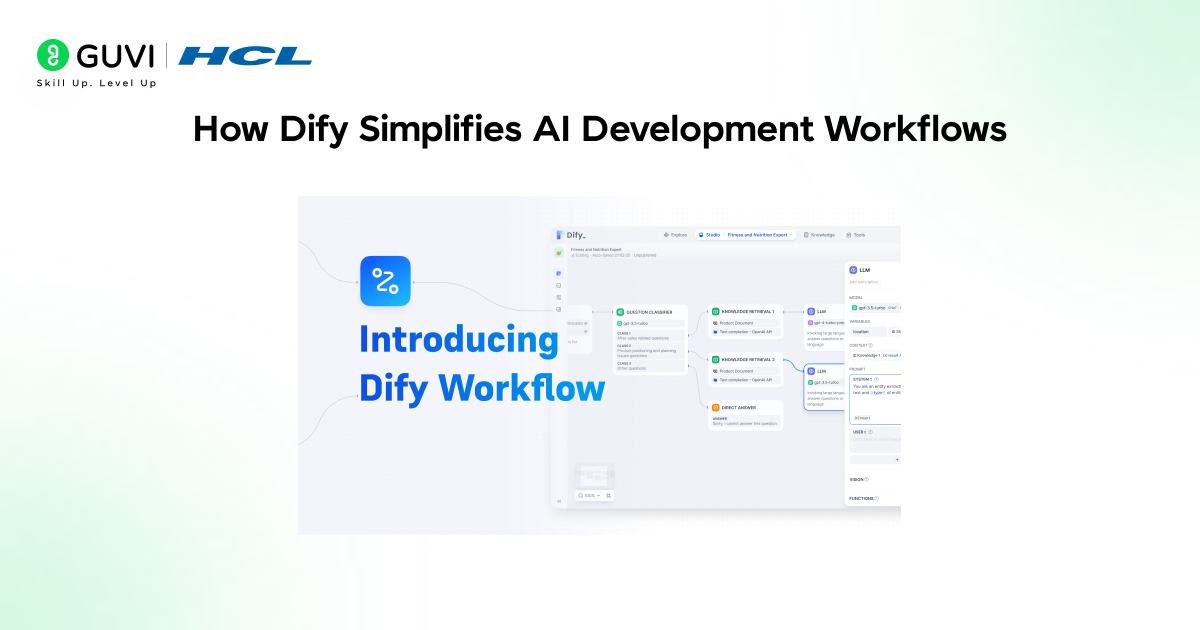
The current process of creating AI systems can be divided into:
- Backend engineering.
- Prompt engineering.
- Infrastructure.
- Deployment infrastructure.
- Monitoring tools.
This is often a fragmented workflow and reduces iteration speed.
Dify aims to bring these separate tools together and combine them into a single operational layer.
As such:
- Prototyping gets quicker.
- Team collaboration improves.
- AI testing gets much easier.
- Prompt iteration gets faster.
- Deployment effort gets reduced.
One of the largest competitive advantages Dify holds is this operational simplicity.
Building a Simple AI Workflow With Dify
As a hypothetical use case, assume you are building a customer support AI system.
In a non-orchestrated world, you would have to piece together and connect the following system components:
- User input processing logic.
- Retrieval systems.
- LLM APIs.
- Business logic.
- Storage systems.
- Response formatting.
With Dify, the process is more visual and modular.

A simplified example workflow is the following:
- The user asks an initial question.
- The system uses a knowledge base to retrieve relevant documents and inject them into the LLM context.
- The AI generates an informed response.
- The LLM outputs a confidence score.
- The system escalates low-confidence responses to a human.
- The response is finally delivered.
This architecture becomes significantly more manageable and scalable.
Practical Use Cases of Dify
1. Enterprise Knowledge Assistants
Large organizations can deploy internal AI assistants using Dify that connect to a number of information sources, such as HR documentation, technical manuals, policy systems, internal databases, product documentation, etc.
Employees get answers and information without manually searching through large volumes of documents.
2. AI Customer Support Systems
Support teams can automate existing workflows and ensure accurate context while using RAG pipelines for support agents.
These systems can retrieve ticket history, determine sentiment, draft responses, escalate tickets when needed, and even recommend potential solutions to agents.
3. AI Research Assistants
The creation of systems for researchers to automatically summarize research papers, extract information, identify connections, and answer context-based questions will significantly speed up research activities.
This is especially relevant for research within fields such as law, healthcare, finance, and academic institutions.
4. AI Workflow Automation
Organizations are increasingly leveraging AI to automate many operational workflows.
Dify workflows can automate processes such as report generation, data enrichment, lead qualification, content summarization, email drafting, internal analytics, and reporting.
What’s crucial to remember here is that AI is embedded within a larger operational system and not an isolated tool.
The Importance of an Open-Source AI Platform
Organizations are adopting open-source AI platforms because they want:
- Control over the infrastructure.
- Deployment customization.
- Transparency in security architecture.
- Vendor independence.
- Long-term cost reductions.
The open-source design in Dify offers a much higher degree of control for teams compared to the black-box enterprise systems many organizations currently rely on.
The control and customization offered by an open-source approach are especially valuable for large companies handling sensitive data or operating within strict regulatory frameworks.
Observability in AI Applications
The output of AI systems can be unreliable.
Hence, teams require monitoring capabilities that allow them to analyze features such as:
- Prompt performance.
- Token usage.
- Latency.
- Retrieval quality.
- Hallucination rates.
- Workflow failures.
Dify includes an observability component, allowing teams to closely monitor how AI systems behave when deployed.
Operational visibility becomes increasingly important as AI applications scale.
For those interested in gaining deeper architectural knowledge regarding how contemporary AI workflows, retrieval systems, and LLM orchestration work together, reading an ebook on Retrieval Augmented Generation and AI workflow engineering can provide deeper insight into system architecture beyond basic chatbot examples.
Dify vs Traditional AI Development
1. Iteration Cycles Are Accelerated
Instead of requiring backend engineering changes for every orchestration update, users can simply edit workflow logic.
This significantly reduces development bottlenecks.
2. Reduced Infrastructure Complexity
Teams can avoid building orchestration layers and focus primarily on application logic and user experience.
Development becomes significantly faster.
3. Collaboration Is Streamlined
Non-technical users can also participate in workflow design and prompt iteration.
This reduces communication gaps between business stakeholders and engineering teams.
4. Easy Experimentation
The rapidly evolving nature of AI requires the ability to iterate quickly and experiment readily through:
- Multi-model testing.
- Prompt variation analysis.
- Workflow editing.
- Retrieval optimization.
This flexibility allows teams to react efficiently to changes in AI capabilities.
Things You Need to Watch Out For
Despite the benefits, Dify does not solve all problems.
Even the most effective no-code platform cannot compensate for poor:
- Prompt design.
- Knowledge quality.
- Governance strategy.
- Security validation.
- Workflow testing.
- Human oversight.
No-code platforms accelerate the orchestration layer of AI systems. However, strategic system design remains the most important component.
Neglecting governance can still lead to untrustworthy AI experiences despite strong tooling.
The Future of AI Workflow Platforms
The new generation of AI platforms will heavily focus on autonomous agents, multi-agent collaboration, real-time reasoning systems, memory orchestration, context optimization, tool calling, and ecosystem development.
Dify is currently evolving beyond simply being a chatbot-building framework into becoming a full AI workflow orchestration platform.
This is an important shift because future AI systems will increasingly function less like standalone assistants and more like a software layer.
If you want to build practical AI systems and learn prompt engineering, LLM workflows, deployment strategies, and real-world AI projects, explore HCL GUVI’s AI & Machine Learning Course. In this, you can develop hands-on skills for building and deploying modern AI applications.
Conclusion
Dify reflects the growing shift toward practical and deployable AI systems that integrate directly into business workflows instead of isolated LLM experiments.
Its combination of no-code interfaces, prompt orchestration, RAG pipelines, and workflow automation helps teams build reliable AI applications faster and with less infrastructure complexity.
While chatbot development remains an important use case, Dify’s real strength lies in orchestrating scalable AI workflows for real-world operational needs.
FAQs
1. What is Dify used for?
Dify is used for building AI applications, chatbots, RAG pipelines, and workflow automation systems using large language models through a no-code or low-code interface.
2. Is Dify suitable for beginners?
Yes. Dify is beginner-friendly because it provides visual workflows and simplified orchestration tools. However, understanding AI concepts and prompt design still significantly improves results.
3. Does Dify support multiple large language models?
Yes. Dify supports multiple models, including OpenAI, Claude, Gemini, Llama, and other modern LLM providers.
4. What is the advantage of using RAG pipelines in Dify?
RAG pipelines improve factual accuracy by retrieving verified information from connected knowledge bases before generating AI responses.
5. Can businesses self-host Dify?
Yes. Since Dify is open source, organizations can self-host it for better infrastructure control, security management, and compliance requirements.
6. Is Dify only for chatbot development?
No. Dify also supports workflow automation, AI agents, prompt orchestration, API integrations, enterprise assistants, and operational AI systems beyond basic chatbots.
Success Stories

About the Author
Vishalini Devarajan
An Aerospace Engineer turned content writer, I focus on making complex concepts easy to understand through well-structured, reader-friendly blogs. Whether it’s a technical topic or a non-technical one, I love creating content that is clear, engaging, and impactful.
View all posts by Vishalini Devarajan
Connect with me @









Did you enjoy this article?