


Artificial Intelligence and Machine Learning Articles
AI/ML Skills Gap 2026: Why Companies Can't Find Job-Ready Talent
20 AI/ML Interview Questions Recruiters Can Use Without a Tech Background - Best Guide
How Industry-Backed AI/ML Bootcamps Are Changing the AI/ML Hiring Pipeline - Best Guide 2026
From IT Support to AI Engineer: A Realistic Career Switch Guide 2026


Get In Touch For Details! Request More Information

9 Ways to Use Workspace Knowledge in Lovable to Empower Your Entire Team
Jul 31, 2026 3 Min Read 1178 Views
(Last Updated)
Workspace Knowledge in Lovable provides an easy way for organisations and teams to remain in sync when working on multiple projects and tasks. It provides a collaborative space where team standards can be observed without prompting.
This blog explains how teams can utilise Workspace Knowledge more effectively to improve their work processes and collaboration. So, let’s begin our discussion.
Quick TL;DR Summary
- This blog explains how Workspace Knowledge in Lovable keeps all team rules and instructions in one place, making work easier to manage and follow.
- It shows how the 9 key uses help improve teamwork, reduce confusion, and speed up and standardise daily tasks.
- It helps you quickly understand how Workspace Knowledge boosts productivity and makes collaboration smoother in Lovable.
Table of contents
- Why Workspace Knowledge is Vital
- Please Note:
- 9 Key Ways Workspace Knowledge Empowers Your Team with Lovable
- Automatic Coding Rules Setup
- Fixed Tools and Framework Choices
- Testing Made Default in Workflow
- Automatic Visual Error Checking
- Protect System Structure From Changes
- Automated Code Quality Checks
- Default Language and Region Settings
- Consistent Brand Tone and Voice
- Prototype-Only Workspace Setup
- Conclusion
- FAQs
- What exactly should we add to Workspace Knowledge in Lovable?
- How does Workspace Knowledge actually help the team daily?
- Will Workspace Knowledge work for non-technical teams too?
- What happens if Workspace Knowledge is not set properly?
- Can Workspace Knowledge be updated later if things change?
- Does Workspace Knowledge replace team communication completely?
Why Workspace Knowledge is Vital

Workspace Knowledge is crucial because it consolidates team members on a single working page. A well-organized workspace also serves as a knowledge base, providing a centralized source of information that employees can reference instead of relying on verbal instructions or scattered documents. If you’re unfamiliar with the concept, understanding what is a knowledge base can help illustrate why centralizing information improves collaboration and reduces repetitive questions like, “What is he/she going to do and how?”
Following this approach undoubtedly helps us remove errors, waste less time and maintain standard work practices. It is also very helpful, as it gives new members a quick understanding of the work and helps them get started without any delay or confusion.
Please Note:
- Only Lovable Workspace Owners and Admins have permission to manage Workspace Knowledge.
- You can access it from Settings → Knowledge or Project Settings → Knowledge.
- Workspace Knowledge has a limit of up to 10,000 characters.
Start your AI/ML journey today with our free resource—learn with real stuff, hands-on lessons, and actual use cases: AI/ML Email Course
9 Key Ways Workspace Knowledge Empowers Your Team with Lovable
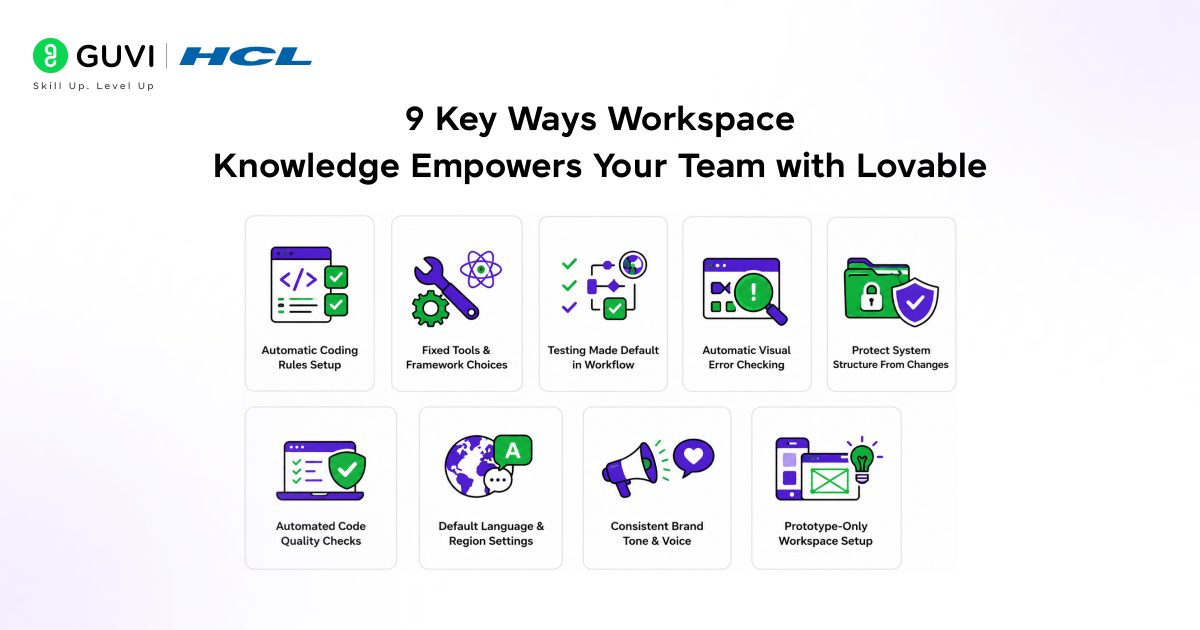
These are the 9 key ways Workspace Knowledge helps improve teamwork and productivity:
1. Automatic Coding Rules Setup
Once you define the coding rules in Workspace Knowledge, Lovable will follow them in every project without having to repeat them. Consistency in coding style will be maintained automatically, without the need for reminders, making it easier for the team to collaborate on projects.
Examples:
- Always use proper indentation and naming style in code.
- Follow a fixed folder structure for every new project.
Also Read: How to Create a Portfolio Website Using Lovable AI
2. Fixed Tools and Framework Choices
Choose the tools and languages based on your preferences, your favourite libraries, or preferred frameworks, and Lovable will stick to that. So this will keep everything smooth and stable, helping everyone work with the same setup smoothly.
Examples:
- Always use React instead of switching between frameworks.
- Use a specific UI library (such as Material UI or Ant Design) for all design components.
3. Testing Made Default in Workflow
Workspace Knowledge can also integrate testing into daily processes rather than implementing it at the end. This can eliminate errors early and improve development quality without any extra effort.
Examples:
- Automatically include test cases when writing new features.
- Run basic tests whenever changes are made.
4. Automatic Visual Error Checking
Lovable can be configured to test the visual display and automatically detect issues, maintaining a clean, proper design without manual checks.
Examples:
- Ensure buttons and text are properly aligned.
- Check if layouts look good on different screen sizes.

5. Protect System Structure From Changes
Workspace Knowledge is essential for safeguarding the integrity of your project’s main structure by preventing inadvertent alteration.
Examples:
- Prevent changes to core files or main folders.
- Keep important backend logic untouched.
6. Automated Code Quality Checks
You can set code quality rules to keep Lovable code clean and well-structured. This makes it easier to read, manage, and improve overall performance.
Examples:
- Remove unnecessary code or unused variables.
- Follow best practices for writing functions.
7. Default Language and Region Settings
You can define language and region preferences so everything is created accordingly. This helps ensure consistency and makes the product better suited to your target audience.
Examples:
- Set English as the default language for all content.
- Use a specific date or currency format.
8. Consistent Brand Tone and Voice
Workspace Knowledge helps maintain a consistent writing style across all content. This makes your product feel more professional and provides a better user experience.
Examples:
- Always use simple and friendly language.
- Avoid complex or technical words in user messages.
9. Prototype-Only Workspace Setup
You can set your workspace to focus only on building quick prototypes. This allows teams to test ideas faster without worrying too much about perfect structure or final details.
Examples:
Build quick demo versions of features.
Focus only on design and layout for testing ideas.
Step into cutting-edge AI with HCL GUVI’s Intel & IITM Pravartak Certified AI/ML Course, designed to deliver immersive learning through expert-led sessions and hands-on innovation. Build real-world projects, master Python, Machine Learning, and Generative AI, and gain personalised guidance throughout your journey. With flexible schedules and strong placement support, this program equips you to confidently launch your AI career—join today.
Conclusion
Workspace Knowledge in Lovable allows teams to work in an organised and confident manner. Formulated rules and guidelines reduce the redundant efforts a team has to put into controlling and managing its tasks. This mitigates delays and errors and improves coordination among team members, helping teams work efficiently and ensuring smooth workflow.
FAQs
What exactly should we add to Workspace Knowledge in Lovable?
You can add coding rules, writing style, project instructions, tools to use, and any important guidelines your team follows.
How does Workspace Knowledge actually help the team daily?
It saves time by avoiding repeated instructions and helps everyone follow the same process without confusion.
Will Workspace Knowledge work for non-technical teams too?
Yes, it can be used for content, design, or any team where shared rules and consistency are important.
What happens if Workspace Knowledge is not set properly?
The team may face confusion, inconsistent work, and more mistakes in projects.
Can Workspace Knowledge be updated later if things change?
Yes, you can update it anytime as your team’s needs or processes change.
Does Workspace Knowledge replace team communication completely?
No, it supports communication by reducing repetition, but teams still need to discuss and collaborate regularly.
Success Stories













Did you enjoy this article?