


Artificial Intelligence and Machine Learning Articles
What is Hidden Markov Models: Concepts and Applications
Dependency Parsing in NLP Explained


Get In Touch For Details! Request More Information
Using the Candid Connector in Claude
Jun 22, 2026 7 Min Read 632 Views
(Last Updated)
The Candid connector Claude integration brings the power of Candid’s comprehensive nonprofit and funder data directly into Claude. This article explains how to set up and use the Candid connector to search millions of organizations, discover funding opportunities, and access expert knowledge about the social sector, all through natural conversation.
Candid is a nonprofit that provides the most comprehensive data and insights about the social sector, connecting people who want to change the world with the resources they need to do it. Through the connector, Claude gets direct access to over 1.9 million nonprofits and foundations, a curated expert knowledge base, and Candid’s full PCS taxonomy without requiring a separate Candid subscription for basic searches.
This tutorial covers what the integration provides, who can access it, how to set it up, the four tools Claude uses, four worked examples with real sample responses, tips for better results, common use cases with example prompts, and answers to frequently asked questions.
Quick TL;DR Summary
- What it provides: Direct access to 1.9M+ nonprofits and foundations, a Candid expert knowledge base, PCS taxonomy search, and automatic organization profile linking all through natural conversation in Claude.
- Who can access it: Claude Pro users. A Candid account is not required for basic search functionality. The integration is currently in beta.
- Four tools: Search Organizations, Find Mentioned Organizations, Knowledge Search, and Find Relevant Taxonomic Terms.
- Four use cases: Finding organizations by location and mission, researching sector trends, exploring organizations by mission with transparency filters, and learning best practices for grant writing and governance.
- Tips: Be specific with locations, describe work, not just keywords, combine filters for precision, and use knowledge search for context before diving into organizational data.
- Current limitation: The connector does not currently support analytical questions involving calculations, aggregations, or multi-year comparisons. Deeper grants analysis is available through Candid’s subscription products on candid.org.
Table of contents
- What the Integration Provides
- Who Can Access the Candid Integration
- Setting Up the Candid Integration
- For Organization Owners, Team and Enterprise
- For Individual Claude Users
- Available Tools
- Search Organizations
- Find the mentioned organizations
- Knowledge Search
- Find Relevant Taxonomic Terms
- Behind the Scenes
- Usage Examples
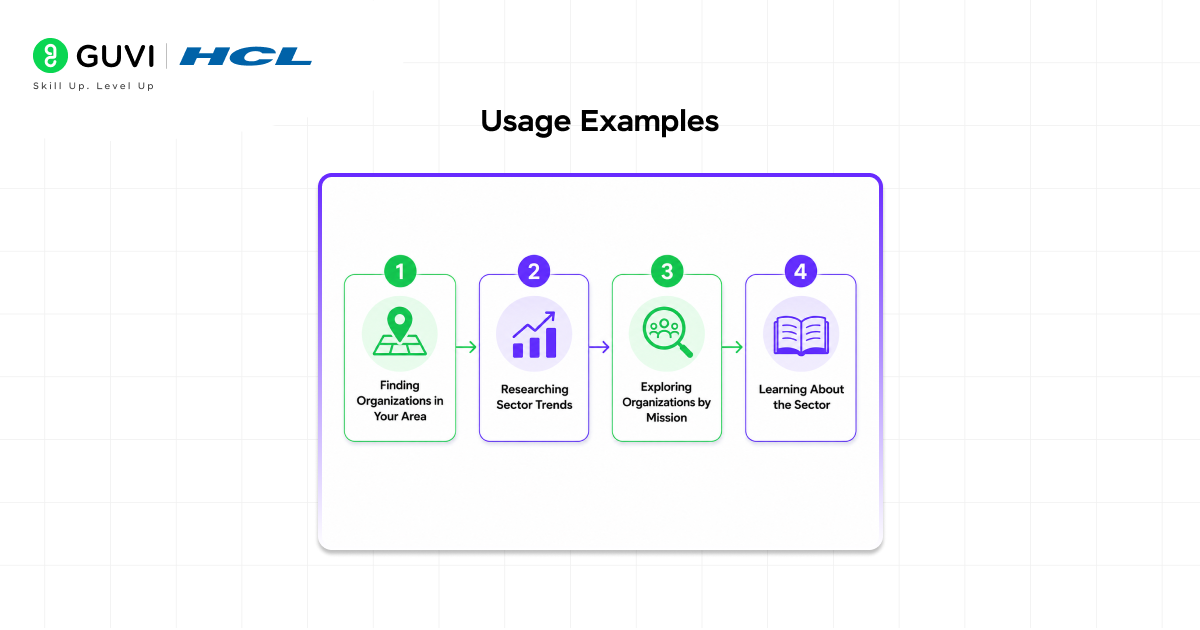
- Example 1: Finding Organizations in Your Area
- Example 2: Researching Sector Trends
- Example 3: Exploring Organizations by Mission
- Example 4: Learning About the Sector
- Tips for Best Results
- Be Specific with Locations
- Describe Work, Not Just Keywords
- Combine Filters for Precision
- Ask Follow-up Questions
- Use Knowledge Search for Context First
- Be Careful with Analytical Questions
- Common Use Cases
- Find Organisations
- Research Organizational Profiles
- Discover Funding Opportunities
- Access Expert Knowledge
- Privacy and Data Usage
- Conclusion
- FAQs
- What is the Candid connector in Claude?
- Do I need a Candid account to use the connector?
- How do I set up the Candid connector in Claude?
- What are the four tools the Candid connector provides?
- How current is the data in the Candid connector?
What the Integration Provides
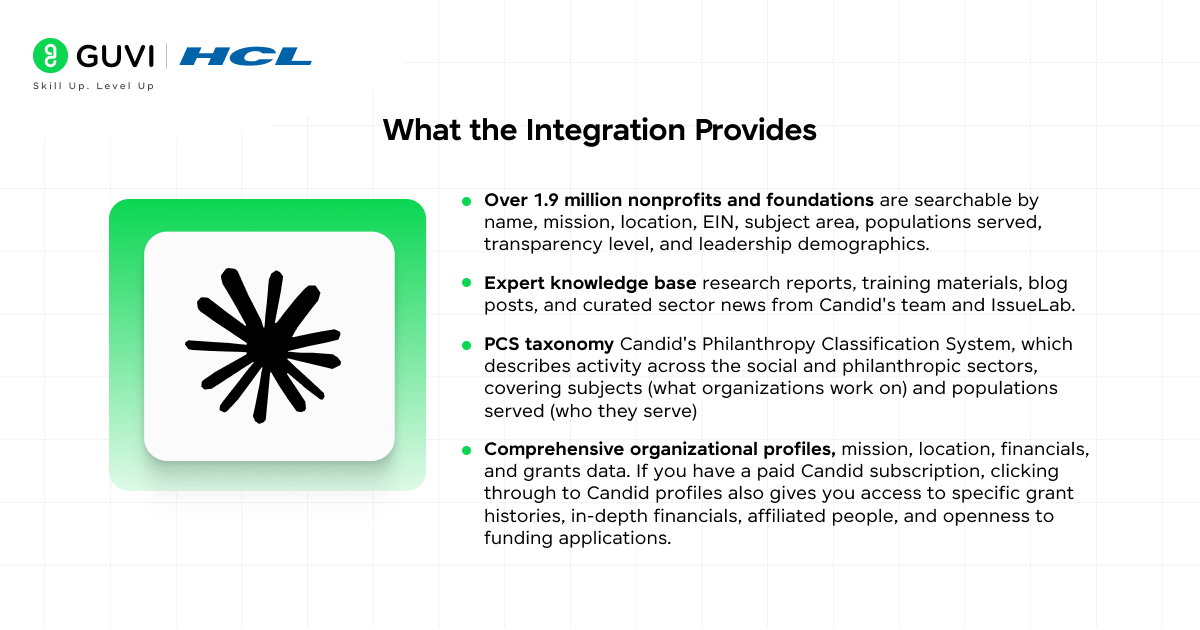
The Candid connector Claude integration connects Claude directly to Candid’s extensive database of nonprofit and philanthropic information. The integration provides access to four categories of data:
- Over 1.9 million nonprofits and foundations are searchable by name, mission, location, EIN, subject area, populations served, transparency level, and leadership demographics.
- Expert knowledge base research reports, training materials, blog posts, and curated sector news from Candid’s team and IssueLab.
- PCS taxonomy Candid’s Philanthropy Classification System, which describes activity across the social and philanthropic sectors, covering subjects (what organizations work on) and populations served (who they serve).
- Comprehensive organizational profiles, mission, location, financials, and grants data. If you have a paid Candid subscription, clicking through to Candid profiles also gives you access to specific grant histories, in-depth financials, affiliated people, and openness to funding applications.
Candid was formed in 2019 through the merger of GuideStar and the Foundation Center, two of the most established sources of nonprofit and philanthropy data in the United States. Today, it maintains one of the most comprehensive nonprofit datasets, including IRS filings, organization-reported data, and historical grant records spanning decades.
Who Can Access the Candid Integration
The Candid integration is available to Claude Pro users. A Candid account is not required to use basic search functionality. Some advanced features may require additional authentication.
Note: This tool is currently in beta. Core functionality is available, but some advanced features are still under development. Feedback can be sent to [email protected].
Setting Up the Candid Integration
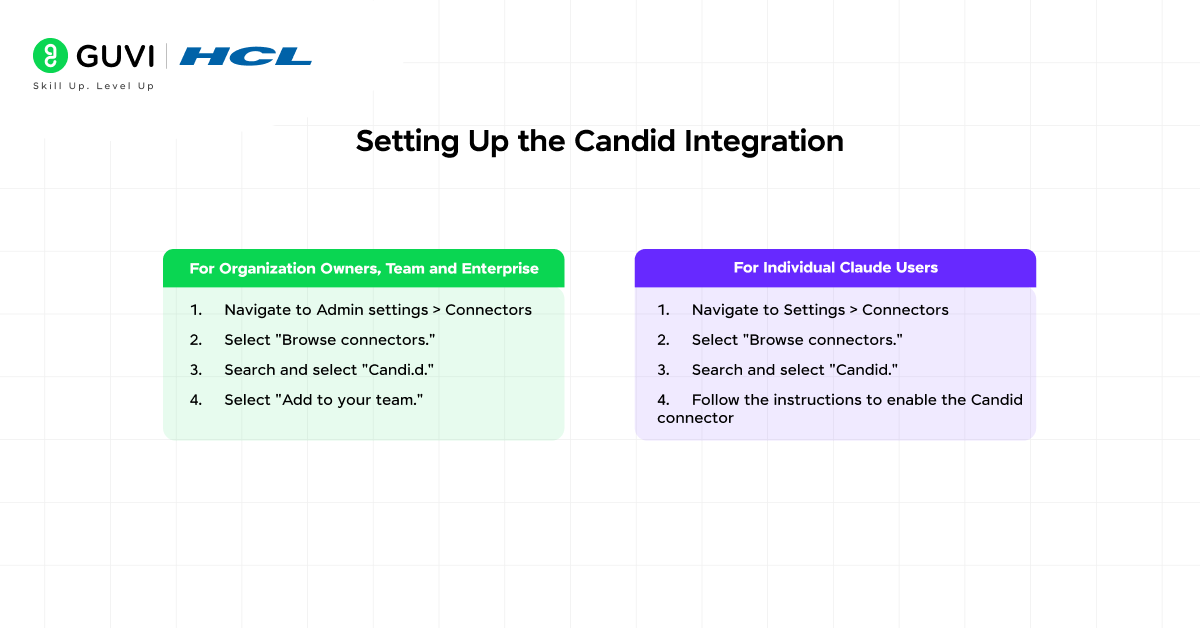
For Organization Owners, Team and Enterprise
1. Navigate to Admin settings > Connectors
2. Select “Browse connectors.”
3. Search and select “Candi.d.”
4. Select “Add to your team.”
For Individual Claude Users
1. Navigate to Settings > Connectors
2. Select “Browse connectors.”
3. Search and select “Candid.”
4. Follow the instructions to enable the Candid connector
Available Tools
The Candid MCP connector provides four tools that Claude uses to answer your questions. Three are visible in responses; the fourth works automatically in the background.
1. Search Organizations
What it does: Searches for nonprofits and foundations by name, mission description, location, or areas of work.
Use it for:
• Finding specific organizations by name or EIN
• Discovering organizations working on particular issues
• Locating nonprofits serving specific geographic areas
• Finding organizations with specific transparency levels or leadership demographics
Key features:
• Hybrid search combining keyword and semantic matching
• Filter by location postal code, state/province, or geographic IDs
• Filter by subject areas and populations served
• Filter by transparency seals Platinum, Gold, Silver, Bronze
• Filter by leader demographics: women, BIPOC, LGBTQ+, people with disabilities
2. Find the mentioned organizations
What it does: Automatically identifies organization names in responses and links them to official Candid profiles.
When Claude mentions an organization, this tool finds the official match in Candid’s database and creates clickable links to their profiles — no extra work required. If you have a paid subscription to Candid’s web products, you can also click through to see advanced information like specific grant histories, in-depth financials, affiliated people, or openness to funding applications.
3. Knowledge Search
What it does: Searches Candid’s expert knowledge base, including research reports, training materials, blog posts, and curated news.
Available sources:
• Candid insights articles from sector experts and thought leaders
• Candid help FAQs and guidance on using Candid’s platform
• Candid learning training documents from subject matter experts
• Candid news, real-time updates on philanthropic activity worldwide
• IssueLab research reports on academic research in the social sector
• YouTube training transcripts from video training seminars
4. Find Relevant Taxonomic Terms
What it does: Uses AI to identify relevant terms from Candid’s Philanthropy Classification System (PCS) taxonomy based on your description.
The PCS taxonomy describes activity across the social and philanthropic sectors, covering subjects (what organizations work on) and populations served (who they serve). This tool activates automatically when your query would benefit from taxonomy-based filtering; you do not need to know the taxonomy codes yourself.
Behind the Scenes
The connector also includes technical tools that work automatically in the background, like converting location descriptions into searchable geographic codes or identifying the current date for time-sensitive queries. You do not need to think about these; Claude uses them automatically when needed.
Candid’s Seals of Transparency reflect how much information a nonprofit has voluntarily shared. Platinum organizations provide the most comprehensive data, including impact metrics. Gold includes detailed financials and demographics, Silver covers program information, and Bronze includes basic organizational details. Using these filters helps identify organizations that actively invest in transparency and accountability.
Usage Examples
Example 1: Finding Organizations in Your Area
You ask: I’m looking for foundations in California that fund youth education programs.
Claude will:
1. Use Search Organizations with relevant filters — California location, youth education subject terms
10. Return a list of matching foundations with links to their Candid profiles
11. Provide relevant details like location, mission focus, and Seals of Transparency level
Sample of what Claude returns:
Quest Foundation, Danville, CA. Has awarded 243 grants totalling over $9.3 million. Focuses on: elementary and secondary education, charter schools, higher education, reading promotion, and youth services. Also supports family services and child welfare.
Ross Stores Foundation Dublin, CA. Has awarded 225 grants totalling over $4 million. Accepts applications. Focuses on: higher education, out-of-school learning, reading promotion, and youth development. Specifically serves children and youth.
Example 2: Researching Sector Trends
You ask: What are the latest trends in climate philanthropy?
Claude will:
1. Use Knowledge Search to find recent articles, research, and blog posts about climate philanthropy
2. Use Find Mentioned Organizations to link any organizations mentioned in the content
3. Synthesize findings into a comprehensive overview
Sample of what Claude returns:
Foundation funding for climate mitigation nearly tripled from 2019 to 2023, reaching $4.8 billion according to ClimateWorks Foundation. However, this represents less than 2% of global philanthropic giving. 60% of single-region foundation funding goes to the US and Europe, while Africa, Asia, Oceania, and Latin America receive only 20%. Low- to middle-income countries, most vulnerable to climate impacts, capture just 14% of funding.
Example 3: Exploring Organizations by Mission
You ask: Help me find nonprofits working on food access in Seattle that are highly transparent.

Claude will:
1. Use Find Named Locations to identify Seattle’s geographic ID
2. Use Find Relevant Taxonomic Terms to identify food security subject codes
3. Use Search Organizations with location, subject, and Seals of Transparency filters
4. Return a curated list with profile links and details about their work
Example 4: Learning About the Sector
You ask: I’m new to grant writing. What are best practices?
Claude will:
1. Use Knowledge Search targeting Candid learning and Candid Help sources
2. Provide expert guidance from Candid’s training materials
3. Link to relevant articles and video transcripts for deeper learning
Tips for Best Results
Be Specific with Locations
Specific location information helps narrow results to what is actually relevant:
• Good: “nonprofits in Brooklyn, New York.”
• Good: “foundations serving rural Montana communities.”
• Too broad: “organizations in the Northeast.”
Describe Work, Not Just Keywords
The search tools understand descriptions of work, not just keywords. Describe what the organization does rather than naming a category:
• “organizations helping homeless youth find permanent housing.”
• “funders supporting immigrant and refugee integration programmes.”
• “nonprofits providing mental health services to veterans.s”
Combine Filters for Precision
You can request multiple filters in a single query to narrow results precisely:
• “Environmental organizations in California with BIPOC leadership.”
• “Healthcare nonprofits in Texas with Platinum transparency seals.s”
Ask Follow-up Questions
Once you have results, dig deeper into the same conversation:
• “Tell me more about [organization name].”
• “What is this organization’s mission?”
• “Are there similar organizations in other states?”
Use Knowledge Search for Context First
Before diving into organizational data, use knowledge search to build context:
• “What should I know about funding for affordable housing?”
• “What are current best practices in nonprofit board governance?”
Be Careful with Analytical Questions
The current tool is designed for searching for specific organizations or general sector knowledge. It does not currently support questions involving calculations, aggregations, or multi-year analysis, for example, “which nonprofits received the three largest grants for community healthcare in 2023” or “what was the percentage change in funding from these providers in the last five years.”
Claude may still attempt to answer these questions, but the results may not be fully accurate. Deeper grants funding and trend analysis is available through Candid’s subscription products on candid.org.
Common Use Cases
Here are the four main categories of work the Candid connector Claude integration handles, with example prompts for each:
Find Organisations
Search for nonprofits and foundations by name, mission, location, leadership demographics, or area of work:
Find nonprofits focused on climate change adaptation in California.
Show me foundations that fund education initiatives in rural areas.
What organizations work on affordable housing in Chicago?
Research Organizational Profiles
Get comprehensive details about specific organizations, including their mission, programmes, financials, and leadership:
Tell me about the Ford Foundation’s grantmaking priorities.
What is the annual budget of Habitat for Humanity?
Who are the board members of the Sierra Club Foundation?
Discover Funding Opportunities
Find foundations and funding opportunities that match specific criteria or project areas:
What foundations fund early childhood education programmes?
Find corporate giving programmes that support STEM education.
Which funders have given grants to organizations working on food insecurity?
Access Expert Knowledge
Tap into Candid’s research reports, training materials, and social sector news:
What are the current trends in nonprofit fundraising?
How do I write a strong grant proposal?
What are the best practices for nonprofit board governance?
Privacy and Data Usage
• The Candid integration accesses publicly available nonprofit organization information
• No personal user data is shared with Candid through the integration
• Search queries are used only to retrieve relevant organizational results
• All data comes from Candid’s verified nonprofit database
If you want to learn more about building skills for Claude Code and automating your procedural knowledge, do not miss the chance to enroll in HCL GUVI’s Intel & IITM Pravartak Certified Artificial Intelligence & Machine Learning courses. Endorsed with Intel certification, this course adds a globally recognized credential to your resume, a powerful edge that sets you apart in the competitive AI job market.
Conclusion
In conclusion, the Candid connector Claude integration gives nonprofit professionals direct access to 1.9 million organizations, Candid’s full expert knowledge base, and the PCS taxonomy all through natural conversation, without needing a separate Candid account for basic searches.
The four tools, Search Organizations, Find Mentioned Organizations, Knowledge Search, and Find Relevant Taxonomic Terms, handle the full range of research, grant discovery, and sector knowledge tasks that nonprofits do repeatedly. Automatic profile linking means every organization Claude mentions in a response comes with a direct link to its Candid profile.
Connect the integration from Settings > Connectors, start with a location-specific organization search or a knowledge search for context, and build from there. For deeper grants analysis and premium data, Candid’s subscription products at candid.org extend what the integration provides.
FAQs
1. What is the Candid connector in Claude?
The Candid connector is an MCP-based integration that connects Claude directly to Candid’s database of over 1.9 million nonprofits and foundations, an expert knowledge base covering research, training, and sector news, and Candid’s PCS taxonomy. It allows nonprofit staff to search organizations, discover funding opportunities, and access sector knowledge through natural conversation without needing a separate Candid account for basic searches.
2. Do I need a Candid account to use the connector?
No. Basic search functionality is free for all paid Claude plans without a Candid account. Some advanced features, like viewing detailed grant histories, in-depth financials, and affiliated people on individual organization profiles, require a paid Candid subscription on candid.org. Clicking through to linked Candid profiles from Claude responses will show you the level of detail your Candid subscription supports.
3. How do I set up the Candid connector in Claude?
For individual users, navigate to Settings > Connectors, select Browse connectors, search for Candid, and follow the instructions to enable it. For organization owners on Team or Enterprise plans, go to Admin settings > Connectors, select Browse connectors, search for and select Candid, and click Add to your team.
4. What are the four tools the Candid connector provides?
Search Organizations lets you search for nonprofits and foundations by name, mission, location, EIN, subject area, populations served, transparency seal, and leadership demographics. Find Mentioned Organizations automatically links organization names in Claude’s responses to their official Candid profiles. Knowledge Search searches Candid’s expert knowledge base. Find Relevant Taxonomic Terms identifies PCS taxonomy codes relevant to your query, used automatically by Claude when needed.
5. How current is the data in the Candid connector?
Organization data is updated regularly from IRS filings, official registrations, and direct organization input. The knowledge base is updated continuously with new research, articles, and news. News is updated daily with curated sector updates. The integration provides real-time access to the latest available data.
Success Stories

About the Author
Vishalini Devarajan
An Aerospace Engineer turned content writer, I focus on making complex concepts easy to understand through well-structured, reader-friendly blogs. Whether it’s a technical topic or a non-technical one, I love creating content that is clear, engaging, and impactful.
View all posts by Vishalini Devarajan
Connect with me @










Did you enjoy this article?