


Artificial Intelligence and Machine Learning Articles
AI/ML Skills Gap 2026: Why Companies Can't Find Job-Ready Talent
20 AI/ML Interview Questions Recruiters Can Use Without a Tech Background - Best Guide
How Industry-Backed AI/ML Bootcamps Are Changing the AI/ML Hiring Pipeline - Best Guide 2026
From IT Support to AI Engineer: A Realistic Career Switch Guide 2026


Get In Touch For Details! Request More Information
Translate Code into Different Languages with ChatGPT
Sep 02, 2026 4 Min Read 1033 Views
(Last Updated)
How do developers move applications from one programming language to another without rewriting everything from scratch? Code translation has traditionally been time-consuming and error-prone.
With ChatGPT, this process becomes faster and more reliable. It can interpret logic, understand syntax differences, and generate equivalent code in another language.
Read this blog to understand how to translate code into different languages with ChatGPT and use it effectively in real-world development.
Quick Answer: Translating code into different programming languages with ChatGPT allows developers to convert logic across ecosystems quickly and accurately. By providing clear prompts and context, ChatGPT can transform code from one language to another while maintaining functionality and intent. This improves productivity and helps developers adapt applications across platforms such as Python, JavaScript, Java, and more.
- AI-powered coding tools like GitHub Copilot and Claude can boost developer productivity by up to 55%
- Around 84% of developers either use AI tools today or intend to adopt them in their workflows
- Around 51% of professional developers use AI tools on a daily basis
- Developers save approximately 3.6 hours per week on average using AI tools
Table of contents
- Why Use ChatGPT for Code Translation
- Step-by-Step Guide to Translate Code with ChatGPT
- Step 1: Provide the Source Code
- Step 2: Specify Target Language
- Step 3: Add Context
- Step 4: Review Output
- Step 5: Optimize and Refactor
- Examples of Code Translation
- Example 1: Python to JavaScript
- Example 2: Java to Python
- Example 3: C++ to JavaScript
- Best Practices for Accurate Code Translation
- Use Cases of Code Translation
- Limitations of ChatGPT in Code Translation
- Conclusion
- FAQs
- Can ChatGPT accurately translate code between programming languages?
- Which programming languages can ChatGPT translate code into?
- Is manual testing required after translating code with ChatGPT?
Why Use ChatGPT for Code Translation
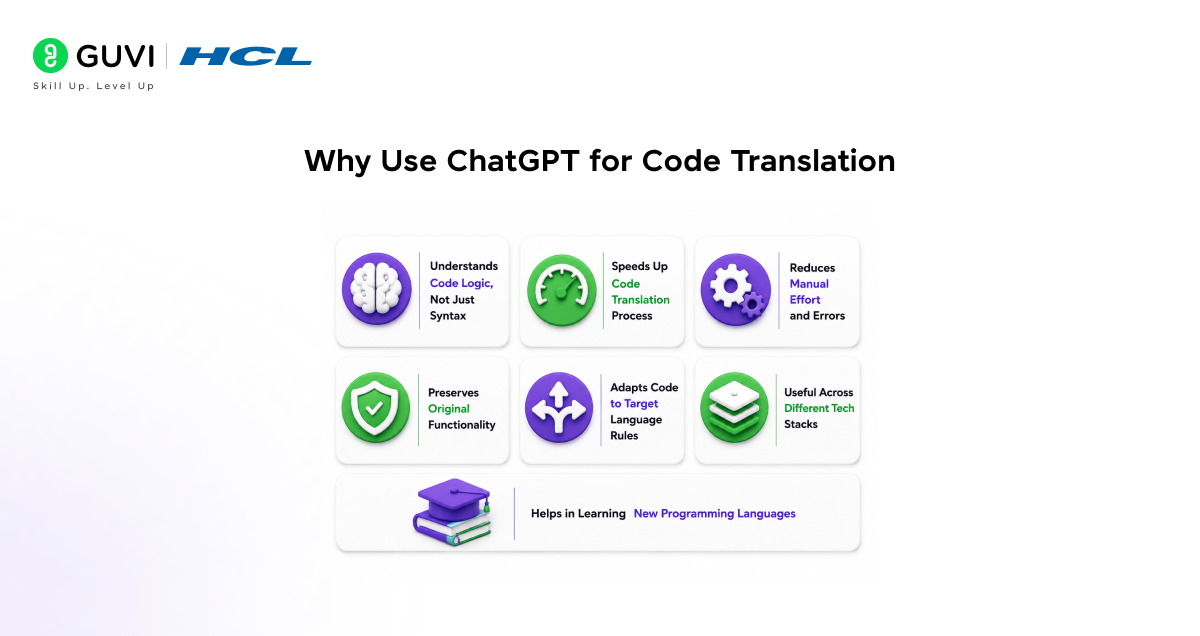
ChatGPT makes code translation faster by understanding how the logic works, not just how the syntax looks. Instead of rewriting everything manually, developers can convert code across languages with less effort and fewer mistakes. It helps maintain the original functionality while adapting to the rules of the new language. This makes it especially useful when working across different tech stacks or learning new programming languages.
Step-by-Step Guide to Translate Code with ChatGPT
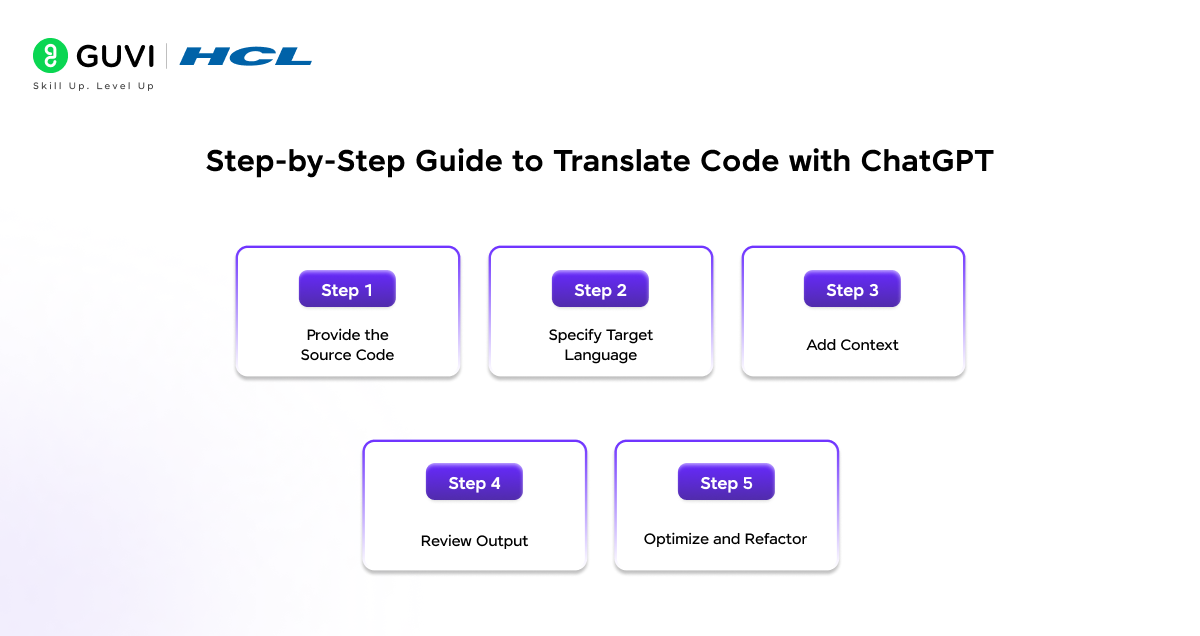
Step 1: Provide the Source Code
Start by sharing clean and well-structured code. Poorly formatted or incomplete code leads to incorrect translations.
- Use proper indentation and spacing
- Remove unnecessary or unused code
- Ensure the code runs without errors before translation
- Add comments to explain complex logic
Well-documented code helps ChatGPT understand intent, not just syntax. This improves the quality of translated output and reduces ambiguity.
Step 2: Specify Target Language
Clearly mention the programming language you want the code translated into. Avoid vague prompts.
- Specify exact language such as Python, JavaScript, Java, or C++
- Mention version if relevant, such as Python 3 or ES6 JavaScript
- Define if you need framework-specific output
A precise instruction like “Convert this Python code to Node.js using async functions” produces better results than a generic request.
Step 3: Add Context
Context is critical for accurate translation. Without it, ChatGPT may generate syntactically correct but functionally incorrect code.
- Mention frameworks such as React, Spring Boot, or Django
- Specify libraries or dependencies
- Define constraints such as performance, memory usage, or environment
- Clarify expected input and output
For example, translating backend Python code into JavaScript requires knowing whether it should run in Node.js or the browser.
Step 4: Review Output
Never treat generated code as final. Always validate before using it in production.
- Check logic consistency with original code
- Verify syntax correctness
- Look for missing imports or dependencies
- Ensure data types and structures are properly handled
Testing is essential. Run the translated code with sample inputs and compare outputs with the original implementation.
Step 5: Optimize and Refactor
Translated code often works but may not follow best practices of the target language.
- Refactor code to match language conventions
- Improve performance where needed
- Replace inefficient patterns
- Align with framework-specific standards
For example, Python loops may need to be converted into functional methods like .map() or .filter() in JavaScript for better readability and efficiency.
Go beyond code translation and build real-world AI and software skills with structured learning. Join HCL GUVI’s Artificial Intelligence and Machine Learning Course to learn from industry experts and Intel engineers through live online classes, master in-demand skills like Python, ML, MLOps, Generative AI, and Agentic AI, and gain hands-on experience with 20+ industry-grade projects, 1:1 doubt sessions, and placement support with 1000+ hiring partners.
Examples of Code Translation
Example 1: Python to JavaScript
Input Code (Python):
def greet(name):

    return f"Hello, {name}!"

print(greet("Riya"))
Output Code (JavaScript):
function greet(name) {

    return `Hello, ${name}!`;

}

console.log(greet("Riya"));
Explanation:
- Python f-strings are converted to JavaScript template literals
- print becomes console.log
- Function syntax is adapted to JavaScript standards
Example 2: Java to Python
Input Code (Java):
public class Main {

    public static void main(String[] args) {

        int sum = 0;

        for(int i = 1; i <= 5; i++) {

            sum += i;

        }

        System.out.println(sum);

    }

}
Output Code (Python):
sum = 0

for i in range(1, 6):

    sum += i

print(sum)
Explanation:
- Java’s class structure is simplified in Python
- Loop syntax changes from for(int i…) to range()
- System.out.println becomes print
Example 3: C++ to JavaScript
Input Code (C++):
#include <iostream>

using namespace std;

int main() {

    int a = 5, b = 10;

    cout << a + b;

    return 0;

}
Output Code (JavaScript):

let a = 5, b = 10;

console.log(a + b);
Explanation:
- C++ headers and namespace are removed
- Variable declaration shifts to let
- Output uses console.log instead of cout
AI-translated code can look right but still miss edge cases or syntax quirks in the target language. HCL GUVI’s online IDE lets you paste in the translated output and test it instantly across multiple languages, so you’re not shipping unverified code.
Best Practices for Accurate Code Translation
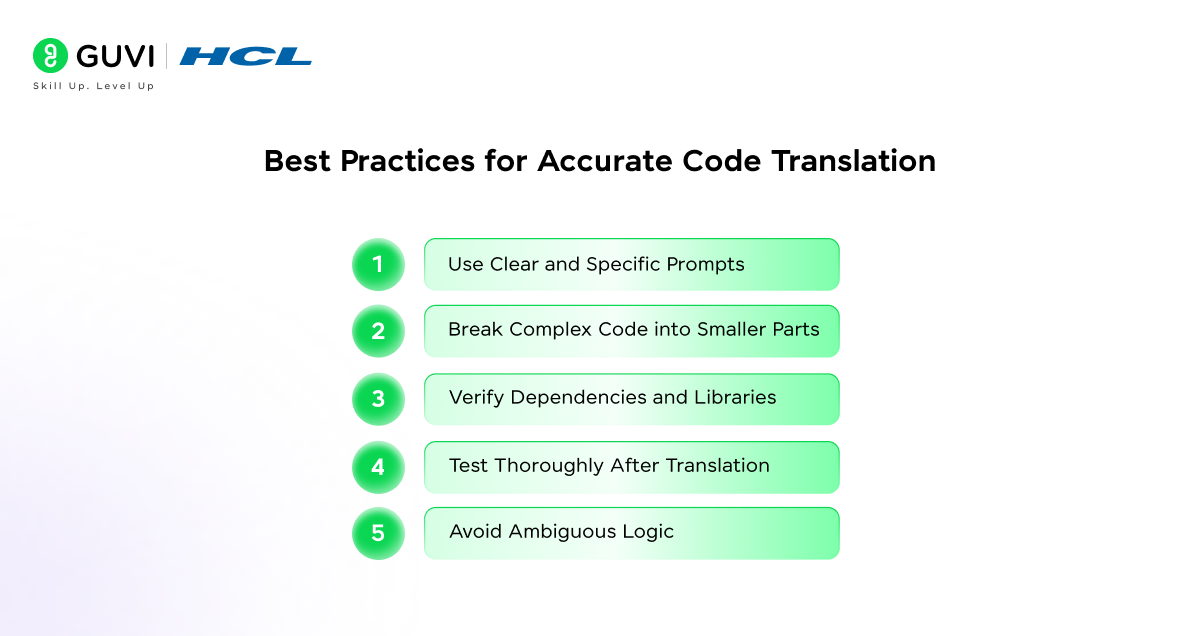
- Use Clear and Specific Prompts
The quality of translation depends heavily on the prompt engineering. Always provide precise instructions.
- Mention source and target languages clearly
- Specify frameworks, versions, or environments
- Define expected output behavior
For example, instead of saying “convert this code,” specify “convert this Python script into Node.js using async functions.” Clear prompts reduce ambiguity and improve output relevance.
- Break Complex Code into Smaller Parts
Large codebases often contain multiple dependencies and intertwined logic. Translating everything at once can lead to errors.
- Divide code into modules or functions
- Translate and validate each part individually
- Reassemble after verification
This approach improves accuracy and makes debugging easier during the translation process.
- Verify Dependencies and Libraries
Different languages use different libraries and ecosystems. Direct equivalents may not always exist.
- Identify libraries used in the source code
- Replace them with appropriate alternatives in the target language
- Ensure compatibility with the runtime environment
For instance, a Python library may require a completely different package in JavaScript, especially in backend versus frontend contexts.
- Test Thoroughly After Translation
Testing is a critical step in code translation. Even if the syntax is correct, logic errors can still occur.
- Run unit tests and sample inputs
- Compare outputs with the original code
- Check edge cases and error handling
Consistent testing ensures that the translated code behaves exactly like the original implementation.
- Avoid Ambiguous Logic
Ambiguity in code leads to incorrect translations. ChatGPT performs best when logic is explicit.
- Use meaningful variable names
- Add comments to explain complex sections
- Avoid implicit assumptions in the code
Clear logic helps the model preserve functionality across languages without misinterpretation.
Use Cases of Code Translation
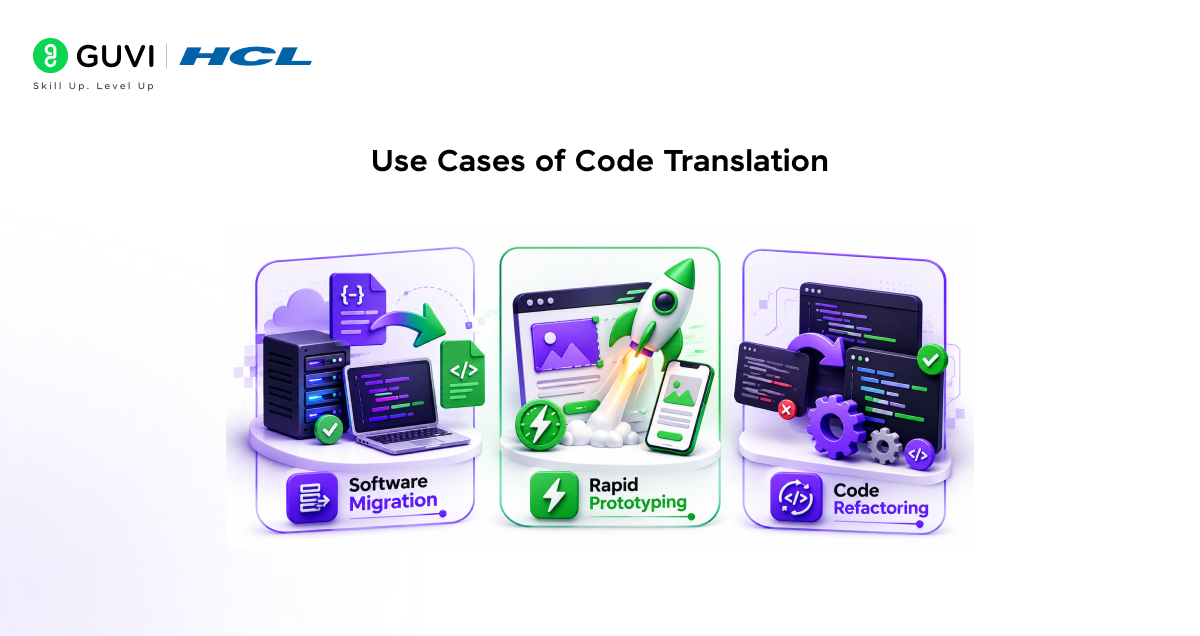
- Software Migration
Organizations often need to move applications from legacy systems to modern stacks.
- Convert older languages into scalable, modern frameworks
- Reduce redevelopment effort
- Maintain business logic while upgrading technology
This is especially useful when transitioning from monolithic systems to microservices architectures.
- Rapid Prototyping
Speed is critical when building prototypes or testing ideas.
- Quickly convert code into another language
- Build cross-platform solutions
- Reduce development time in early stages
This enables faster experimentation and iteration.
- Code Refactoring
Existing codebases often need improvement for readability or maintainability.
- Translate code into cleaner or more modern syntax
- Replace outdated patterns
- Improve scalability and structure
Refactoring through translation helps align code with current best practices while preserving core functionality.
Limitations of ChatGPT in Code Translation
- May Not Handle Complex Frameworks Perfectly: Framework-specific logic and configurations may require manual adjustments
- Requires Manual Validation: Always review for logic errors, edge cases, and security concerns
- Limited Understanding of Project Architecture: May not align with your full system design or integrations
- Possible Inefficiencies in Generated Code: Output may need optimization and refactoring for performance
Conclusion
Translating code into different languages with ChatGPT simplifies a traditionally complex process by automating logic conversion and reducing manual effort. While it is not a complete replacement for developer expertise, it serves as a powerful assistant for migration, learning, and rapid development. Software developers can effectively leverage ChatGPT to streamline cross-language development workflows by following best practices and validating outputs.
FAQs
1. Can ChatGPT accurately translate code between programming languages?
Yes, ChatGPT can translate code between languages by understanding logic and syntax differences. Accuracy depends on how clearly the input code and instructions are provided. For best results, always review and test the translated code before using it in production.
2. Which programming languages can ChatGPT translate code into?
ChatGPT supports a wide range of programming languages, including Python, JavaScript, Java, C++, C#, and more. It can also handle framework-specific translations when proper context is provided in the prompt.
3. Is manual testing required after translating code with ChatGPT?
Yes, manual testing is essential. While ChatGPT generates functional code, it may miss edge cases, dependencies, or optimization opportunities. Running tests ensures the translated code performs correctly in real-world scenarios.
Success Stories

About the Author
Vaishali
I'm a seasoned writer with four years of experience across technical, non-technical, and just about every genre or niche you can imagine. Adaptable and curious, I enjoy exploring new topics and making information engaging and easy to understand. Fueled by a steady stream of tea, I approach each project with creativity, reliability, and genuine enthusiasm for storytelling.
View all posts by Vaishali
Connect with me @









Did you enjoy this article?