


Artificial Intelligence and Machine Learning Articles
Finance Manager to Data Analytics: Career Growth, Salary and Seniority
How to Evaluate LLM Outputs in Production Deployments
AI/ML Skills Gap 2026: Why Companies Can't Find Job-Ready Talent
20 AI/ML Interview Questions Recruiters Can Use Without a Tech Background - Best Guide


Get In Touch For Details! Request More Information
AI Prototyping Guide: How to Build Working Prototypes Faster
Sep 09, 2026 6 Min Read 1747 Views
(Last Updated)
Imagine turning a rough product idea into a fully clickable, working prototype in just a couple of hours. That used to take weeks of back-and-forth between designers, product managers, and engineers.
Not anymore.
In 2026, AI prototyping has fundamentally changed how teams build and validate ideas. Whether you’re a developer, a complete beginner, or a founder who has never written a line of code, AI tools can now translate plain English descriptions into real, interactive prototypes.
This AI prototyping guide is for anyone who wants to ship faster, validate ideas earlier, and stop wasting time building things nobody needs. We’ll walk through the tools, the workflow, and the best practices with everything you need to get started today. Let’s get into it.
Quick TL;DR Summary
An AI prototyping guide helps developers, designers, and beginners turn ideas into working app demos using AI-powered tools without weeks of manual coding. In 2026, tools like Bolt, Lovable, v0, and Figma Make let you go from a plain text prompt to a functional, interactive prototype in hours.
This guide covers what AI prototyping is, how it works step by step, the best tools available, and practical tips to build your first prototype the right way.
Table of contents
- What is AI Prototyping?
- What Can AI Prototyping Tools Do?
- Why AI Prototyping Matters
- How AI Prototyping Works: Step-by-Step
- Step 1: Define Your Idea Clearly
- Step 2: Choose the Right Tool
- Step 3: Write a Strong Prompt
- Step 4: Review and Refine
- Step 5: Test with Real Users
- Step 6: Hand Off or Deploy
- Best AI Prototyping Tools Compared
- Lovable
- Bolt.new
- Figma Make
- Banani
- AI Prototyping vs. Traditional Prototyping
- Real-World Example
- Common Mistakes to Avoid
- Best Practices for AI Prototyping
- Conclusion
- FAQs
- What is AI prototyping?
- Do I need to know how to code to use AI prototyping tools?
- How long does AI prototyping take?
- What is the best AI prototyping tool for beginners?
- Can AI prototyping replace traditional UX design?
- What job roles can I apply for after completing an AI & ML course?
- What should I look for before enrolling in an AI & ML course?
What is AI Prototyping?
AI prototyping is the process of using artificial intelligence to convert a text prompt, sketch, or design brief into an interactive, working product prototype.
Instead of manually dragging UI elements or writing hundreds of lines of code, you simply describe what you want to build. The AI generates the screens, logic, layouts, and sometimes even deployable front-end code.
What Can AI Prototyping Tools Do?
• Convert a written idea into a multi-screen interactive app
• Turn a sketch or Figma frame into a working UI
• Generate reusable front-end components (React, HTML/CSS)
• Allow real-time iteration through chat-based editing
• Export clean code for developer handoff or direct deployment
The best part? You don’t need to be a developer. A product manager, designer, or startup founder can build a functional prototype without touching a single line of code.
Why AI Prototyping Matters
The traditional prototyping cycle was slow and expensive. Teams wrote product requirements, handed them to design, revised wireframes multiple times, and only then got something ready for user testing. This often took weeks sometimes months.
AI prototyping compresses this entire timeline dramatically.
AI prototyping tools can reduce a typical 12-week prototyping cycle to just 2–4 weeks, according to M Accelerator research. Some teams now go from idea to testable prototype in a matter of hours.
Here’s why this shift matters right now:
• Faster feedback loops Get a working prototype in front of real users quickly
• Lower cost Most tools cost under $100/month; many have free tiers
• Less dependency PMs and founders can build without waiting on engineers
• More experimentation Test 5 ideas in the time it used to take to build one
• Better investor demos interactive prototypes are far more persuasive than slide decks
Over 58% of product managers now use no-code or AI prototyping generators, according to a 2026 Tenet report. This isn’t just a trend it’s the new standard.
How AI Prototyping Works: Step-by-Step
Now, let’s understand the actual process. It’s simpler than most people think.
Step 1: Define Your Idea Clearly
Before touching any tool, write down exactly what you’re building. Be specific.
Don’t prompt the AI with “build me a travel app.” That’s too vague. Instead, break it down:
• What is the core screen or experience?
• What actions can the user take?
• What data needs to be displayed?
• What happens after each user action?
The more specific your brief, the better your output. Think of it like briefing a junior developer, the AI makes poor assumptions when instructions are unclear.
Step 2: Choose the Right Tool
Different tools serve different needs. Here’s a quick decision guide:
• Full working app demo → Lovable or Bolt
• React components for an existing codebase → v0 by Vercel
• Stay inside a design workflow → Figma Make
• High-fidelity UI screens → Banani or UX Pilot
Step 3: Write a Strong Prompt
The quality of your prompt determines the quality of your output. Keep it clear and specific.
Here’s a good example: “Build a simple habit tracker app. Users see a list of habits with checkboxes to mark them done each day. Show a streak count and a weekly progress bar. Use a clean, modern mobile layout.”
That one paragraph tells the AI what to build, who uses it, what to show, and how it should look.
Step 4: Review and Refine
The AI will generate a first version. Don’t expect perfection.
Review what was built, identify gaps, and refine using follow-up chat prompts. You can say things like “move the streak counter to the top” or “change the color scheme to blue and white.” Most tools support full conversational editing.
Think of AI as a design partner, not a vending machine.
Step 5: Test with Real Users
Once you have something usable, share it. Most tools generate a shareable link you can send to users, stakeholders, or investors the same day.
Observe where people get confused. Note what they ask for. Iterate based on what you learn.
Step 6: Hand Off or Deploy
Here’s the important part some tools like Lovable and v0 generate clean, exportable code. Your prototype can become the actual starting point for your product, not throwaway work.
Other tools like Figma Make stay within the design environment and require reimplementation. Know this difference before you pick your tool.
Best AI Prototyping Tools Compared
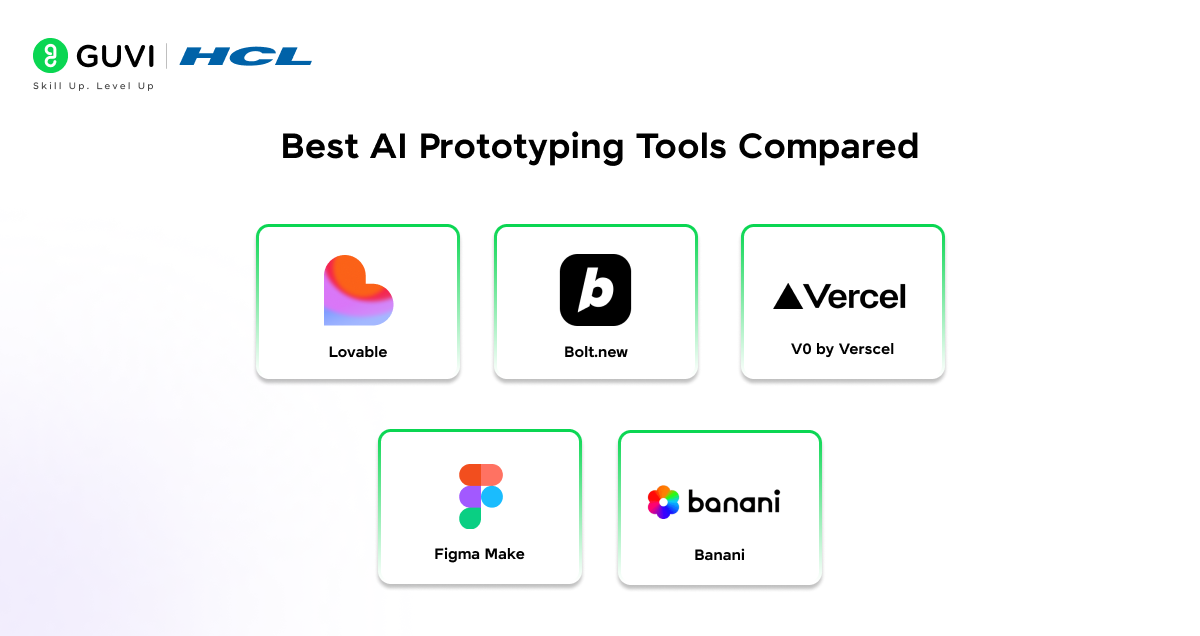
Let’s look at the top AI prototyping tools in 2026 and when to use each one.
Lovable
Built for speed and simplicity. Describe your app in plain language and get a working web app with a coherent design system, navigation, and color palette.
• Best for: Non-technical founders and PMs
• Code export: Yes clean TypeScript
• Pricing: Free tier available; paid from ~$20/month
Bolt.new
One of the fastest AI app builders available. Slightly more technical than Lovable but produces high-quality, shareable prototypes within minutes.
• Best for: Rapid idea prototyping
• Code export: Yes
• Pricing: Free tier with generous limits
Generates reusable React components that can drop directly into your existing codebase. Produces pixel-accurate, production-friendly code.
• Best for: Developer teams with existing codebases
• Code export: Yes clean, reusable React code
• Pricing: Free tier available
Figma Make
Brings AI prototyping directly inside Figma. Type a prompt and get interactive, editable screens in minutes without leaving your design tool.
• Best for: Designers already working in Figma
• Code export: No requires reimplementation
• Pricing: Included in Figma plans
Banani
Generates multiple high-fidelity UI variants from a single prompt. Great for design exploration and comparing layout options side by side.
• Best for: UI/UX designers and design-focused founders
• Code export: Yes Figma export + code copy
• Pricing: Free tier (20 generations/month); paid from $12/month
Many top AI prototyping tools including Bolt and Lovable are powered by the same underlying large language models like Anthropic’s Claude or OpenAI’s GPT series. The interface differs, but the AI brain works similarly.

AI Prototyping vs. Traditional Prototyping
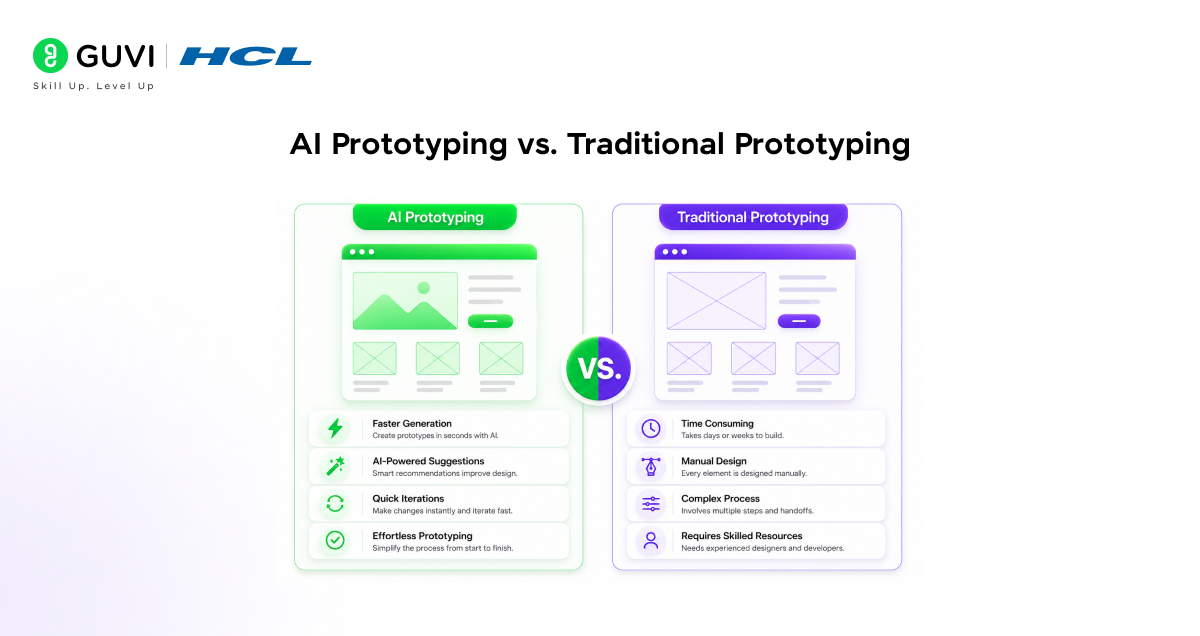
So what actually changes when you use AI versus the traditional approach?
| Factor | Traditional | AI Prototyping |
| Time to first prototype | 2–8 weeks | Hours to 2–3 days |
| Who can build it | Designers + engineers | Anyone |
| Cost | High (team hours) | Low ($0–$100/month) |
| Iteration speed | Slow | Fast (chat-based) |
| Code output | Rarely | Often (exportable) |
| Custom design control | Full | Partial |
Traditional prototyping still has its place especially for complex products requiring a mature design system. But for early-stage validation, AI prototyping is simply faster and more accessible.
Real-World Example
Let’s make this concrete with a real scenario.
The Goal: A startup wants to prototype a simple CRM tool to validate whether salespeople would actually use it.
The Old Way: Hire a designer for wireframes, write a detailed PRD, wait two weeks, review, revise, and only then test with users. Total time: 3–6 weeks minimum.
The AI Way:
1. Write a one-paragraph description of the CRM’s core features
2. Paste it into Lovable or Bolt
3. Get a working prototype with a contact list, pipeline view, and notes section in under an hour
4. Share a link with five salespeople that same afternoon
5. Collect real feedback within 24 hours
6. Refine the prototype and repeat
The result? Faster learning, less wasted budget, and a product shaped by real user input from day one before a single line of production code was written.
Common Mistakes to Avoid
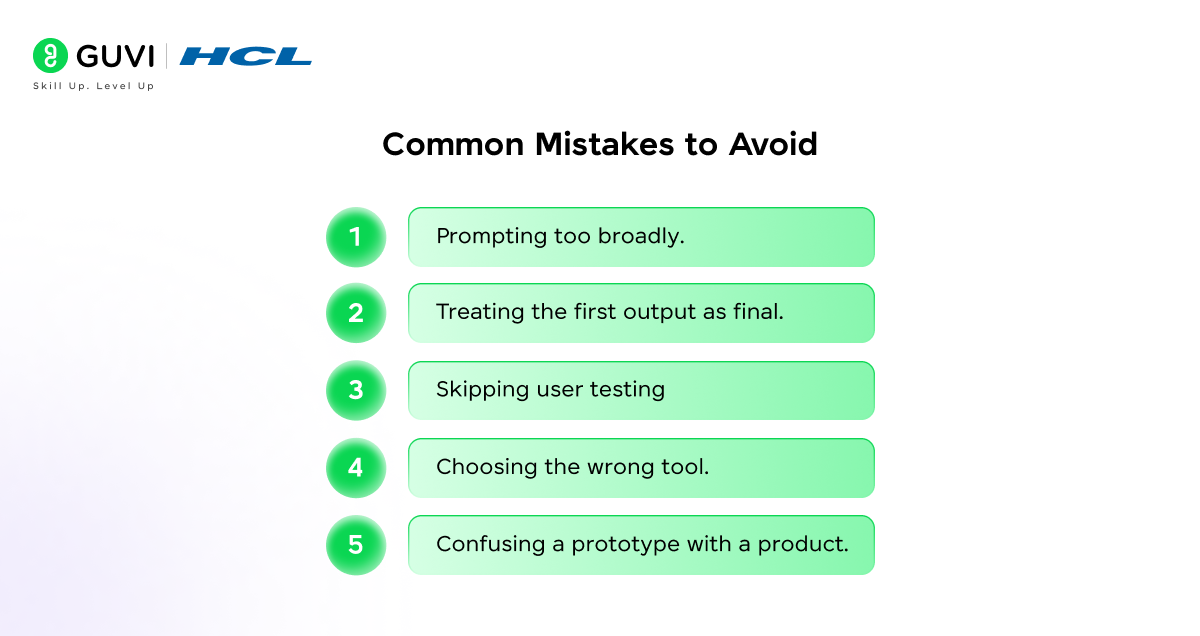
AI prototyping is simple once you know the pitfalls.
Prompting too broadly. Saying “build me a social app” gives the AI almost nothing useful. Always decompose your idea into specific screens, user flows, and interactions before you start.
Treating the first output as final. The first generation is a starting point. Plan for at least 3–5 rounds of refinement before you have something worth testing with users.
Skipping user testing. A prototype that only looks good to you has limited value. Get it in front of real people as early as possible that’s the whole purpose.
Choosing the wrong tool. Picking Figma Make when you need exportable code, or using Bolt when you only need design screens, creates unnecessary friction. Match the tool to your actual output goal.
Confusing a prototype with a product. A prototype is a learning instrument. It is not a finished product. Set this expectation clearly with your team and stakeholders from day one.
Best Practices for AI Prototyping
Here’s what separates good AI prototypers from great ones.
Start with a written brief. Before opening any tool, spend 10 minutes writing what you’re building, who it’s for, and what the core user action is. This brief becomes your first prompt.
Use realistic data. Prototypes with real-looking content are far more useful for testing than placeholder text. Ask the AI to include sample data that matches your actual use case.
Give specific feedback. Instead of “this looks bad,” say “move the navigation to the bottom and increase the font size on the header.” Specific prompts produce specific improvements.
Collaborate early. Most tools allow shared links or collaborative editing. Bring your designer or engineering lead in early before you’ve built five screens in isolation.
Know your handoff story. Before you start, decide: is this throwaway work for quick validation, or should it become the actual codebase? That decision affects which tool you use from the beginning.
According to predictions from AI researcher Andrew Ng, product teams are shifting from roughly 1 PM per 4 engineers to 2 PMs per 1 engineer because AI prototyping now lets product people build and validate independently, without relying on engineering resources for every single idea.
If you’re serious about mastering AI-powered coding tools and want to apply them in real-world scenarios, don’t miss the chance to enroll in HCL GUVI’s Intel & IITM Pravartak Certified Artificial Intelligence & Machine Learning Course, co-designed by Intel. It covers Python, Machine Learning, Deep Learning, Generative AI, Agentic AI, and MLOps through live online classes, 20+ industry-grade projects, and 1:1 doubt sessions, with placement support from 1000+ hiring partners, helping you build intelligent systems and work efficiently with modern AI development tools
Conclusion
AI prototyping has fundamentally changed how products are built in 2026. What once took weeks of team coordination and expensive engineering hours can now be done in hours by a single person with the right tools and a clear brief.
This AI prototyping guide walked you through the full picture from what it is, to the step-by-step workflow, to the top tools, and the best practices that help you move from idea to insight faster than ever.
Start small. Prompt specifically. Iterate quickly. Test with real users early. The gap between an idea and something testable has never been smaller and the tools have never been more accessible.
Pick one tool this week, describe one idea, and build it.
FAQs
1. What is AI prototyping?
AI prototyping is the process of using AI-powered tools to convert a text description, sketch, or design brief into an interactive, working product prototype — without manually coding or designing every element from scratch.
2. Do I need to know how to code to use AI prototyping tools?
No. Most leading tools like Lovable, Bolt, and Figma Make are built for non-technical users. You describe what you want in plain language and the tool builds it.
3. How long does AI prototyping take?
A basic prototype can be ready in under an hour. A polished, multi-screen prototype with refined interactions typically takes 1–3 days of iterative work.
4. What is the best AI prototyping tool for beginners?
Bolt.new and Lovable are the best starting points. Both have simple interfaces, free tiers, and produce working prototypes quickly from a single prompt.
5. Can AI prototyping replace traditional UX design?
Not entirely. AI accelerates ideation and early testing, but human judgment is still essential for visual hierarchy, brand alignment, and nuanced interaction design. AI amplifies designers — it doesn’t replace them.
What job roles can I apply for after completing an AI & ML course?
You can apply for roles such as AI Engineer, Machine Learning Engineer, Data Scientist, NLP Engineer, Computer Vision Engineer, and AI Developer. To prepare for these roles, consider a project-based AI & ML Programme with career support.
What should I look for before enrolling in an AI & ML course?
Look for a structured curriculum, practical projects, experienced mentors, updated AI tools, certification value, and career support. Compare programmes carefully before enrolling in an AI & ML Programme.
Success Stories

About the Author
Lukesh S
A professional content writer who has experience in freelancing and now working as a Technical Content Writer at HCL GUVI having sound knowledge in Blog Writing and Creative Writing!
View all posts by Lukesh S
Connect with me @


















Did you enjoy this article?