


Full Stack Development Articles
Claude for Architecture and Engineering Documentation
Freelancing as a Python Developer: Getting Your First Client


Get In Touch For Details! Request More Information
What is Android Architecture? Complete Guide for Developers
Sep 02, 2026 4 Min Read 1166 Views
(Last Updated)
Android powers billions of active devices worldwide, making application scalability and maintainability critical in modern software development. As Android applications grow in complexity, managing UI logic, data processing, and business operations inside a single codebase becomes difficult. This is where Android Architecture helps by organizing application components into structured layers for better performance, maintainability, and long-term scalability.
Read this blog to understand Android Architecture, its components, benefits, and how it helps build scalable Android applications.
Quick Answer:
Android Architecture is a structured approach used to organize Android applications into separate layers for UI, business logic, and data handling. It uses components and patterns such as MVC, MVP, MVVM, Clean Architecture, ViewModel, and Repository to reduce complexity, improve maintainability, enhance scalability, and build lifecycle-aware applications.
- Android runs on more than 3 billion active devices across over 190 countries, making it the world’s most widely used mobile operating system.
- Android holds roughly 70%+ of the global mobile operating system market, maintaining dominance across smartphones worldwide.
- The Google Play ecosystem hosts over 2.6 million apps, increasing demand for scalable development practices and structured app architecture.
- Large Android applications often contain hundreds of screens, APIs, and background services, which is why patterns like MVVM and Clean Architecture are widely adopted.
Table of contents
- TL;DR Summary
- Direct Answer Box
- What Claude Can Draft
- Architecture Use Cases
- Engineering Use Cases
- How It Helps Teams
- Better Organization
- Faster Research
- Suggested Workflow
- Step 1: Collect Inputs
- Step 2: Ask For Structure
- Step 3: Verify Technical Content
- Step 4: Refine For Audience
- Comparison Table
- Common Mistakes
- Real-World Example
- What To Do Next
- Conclusion
- FAQs
- What is Claude best used for in architecture and engineering documentation?
- Can Claude replace an architect or engineer?
- How does Claude help with regulatory research?
- Is Claude useful for client-facing documents?
- Can Claude help with engineering knowledge management?
- What is the safest way to use Claude for these tasks?
What is Android Architecture?
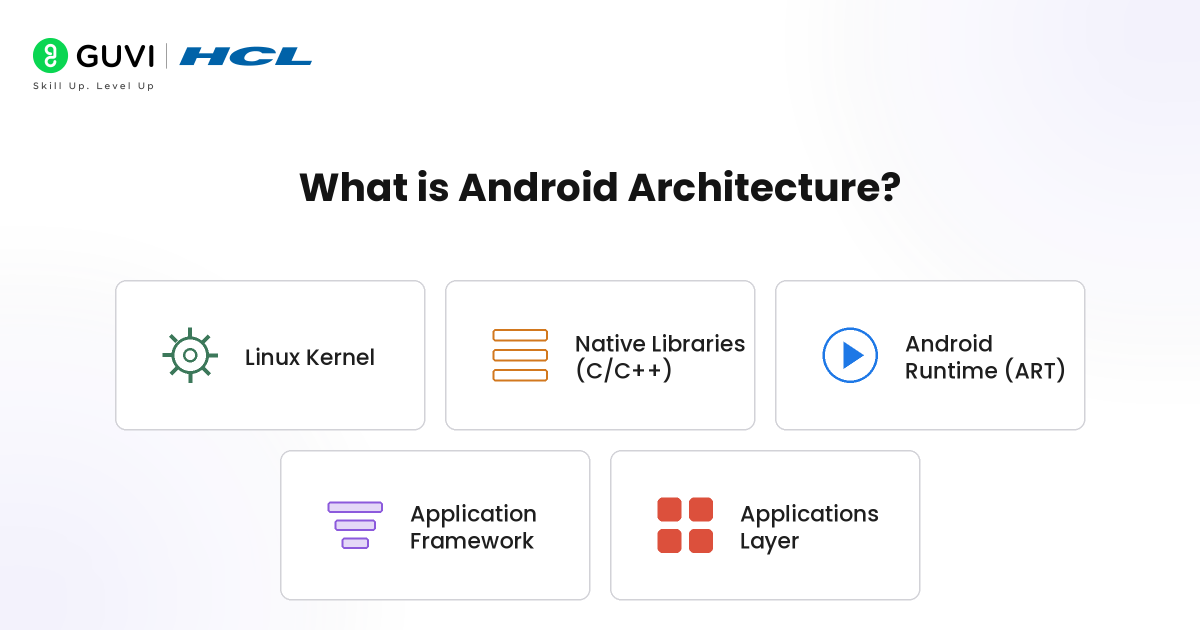
Android Architecture is a structured design approach that defines how application components interact throughout an app’s lifecycle. It separates UI, business logic, and data handling into dedicated layers to reduce coupling and improve maintainability. Modern Android apps use patterns like MVC, MVP, MVVM, and Clean Architecture with Jetpack components such as ViewModel, LiveData, and Repository. This improves scalability, lifecycle management, testability, dependency handling, and long-term maintainability.
Components of Android Architecture
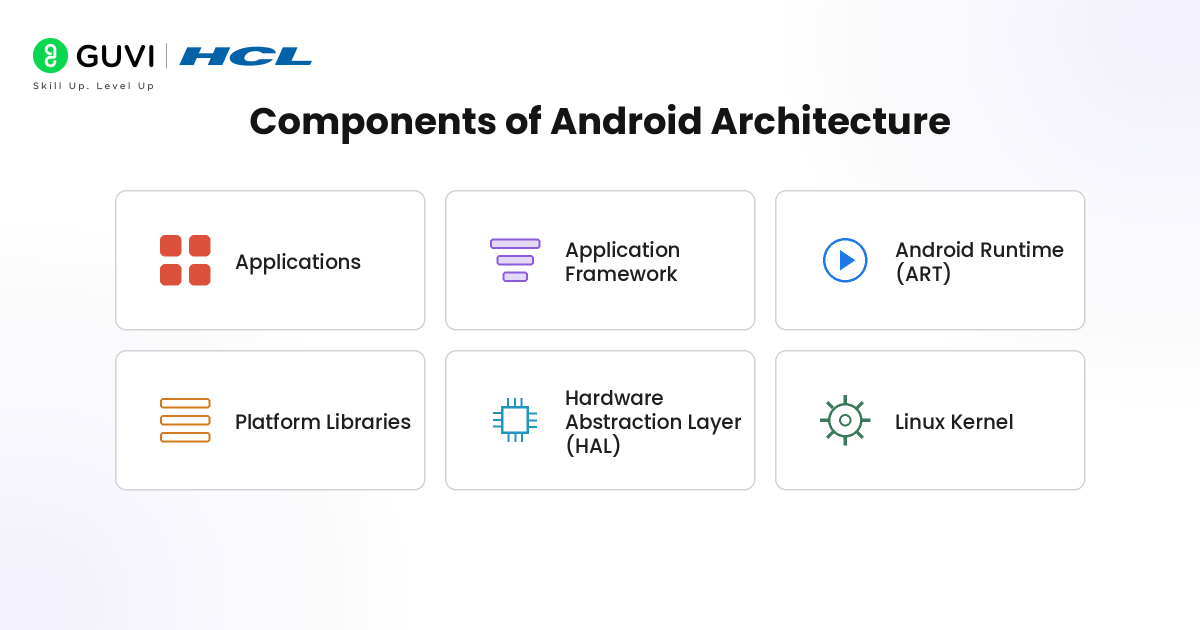
1. Applications
Applications represent the topmost layer of Android Architecture and contain all user-facing software installed on the device. These include system applications and third-party applications such as messaging apps, browsers, social media platforms, banking apps, and enterprise software. Applications interact with lower architecture layers through framework APIs instead of directly accessing hardware resources.
Key responsibilities include:
- Provides end-user functionality and UI interactions
- Uses Android APIs and framework services
- Executes business logic and application workflows
- Supports Activities, Services, Broadcast Receivers, and Content Providers
- Interacts with databases, APIs, and device services
2. Application Framework
The Application Framework layer provides reusable system services and APIs that simplify application development. It acts as an abstraction layer between applications and underlying system components. Developers use framework services to access device resources, manage activities, handle notifications, and control application lifecycle operations.
Core framework services include:
- Activity Manager for lifecycle management
- Window Manager for screen rendering operations
- Notification Manager for user notifications
- Resource Manager for strings, layouts, and assets
- Location Manager for GPS and device positioning
- Package Manager for application installation management
3. Android Runtime
Android Runtime (ART) provides the execution environment responsible for running Android applications. ART compiles application bytecode into optimized machine instructions using Ahead-of-Time (AOT) and Just-in-Time (JIT) compilation techniques, improving startup speed and runtime performance.
Major runtime functions include:
- Executes Android application bytecode
- Performs memory allocation and garbage collection
- Supports JIT and AOT compilation optimization
- Improves startup and execution performance
- Manages application process execution
4. Platform Libraries
Platform Libraries provide optimized native libraries written primarily in C and C++ that support graphics rendering, database processing, multimedia handling, networking, and security operations. Applications and framework services use these libraries through Android APIs.
Major library capabilities include:
- SQLite for local database storage
- OpenGL ES for graphics rendering
- WebKit support for web content processing
- SSL libraries for secure communication
- Media frameworks for audio and video processing
- Surface Manager for display composition
5. Hardware Abstraction Layer (HAL)
The Hardware Abstraction Layer (HAL) acts as an intermediary layer between Android framework services and device hardware components. It provides standardized interfaces that allow higher-level system services to communicate with hardware modules without requiring direct knowledge of device-specific implementations. HAL improves portability by separating hardware-dependent code from the Android framework, enabling manufacturers to integrate different hardware components without modifying core system services.
Core HAL responsibilities include:
- Provides standardized interfaces for hardware communication
- Connects framework services with device-specific drivers
- Supports camera, Bluetooth, Wi-Fi, GPS, audio, and sensor modules
- Enables hardware independence across different devices
- Reduces direct interaction between applications and hardware drivers
- Improves portability and hardware compatibility across Android devices
6. Linux Kernel
The Linux Kernel forms the foundational layer of Android Architecture and directly communicates with device hardware. It manages low-level system operations such as process scheduling, memory management, security enforcement, power control, and hardware driver interaction.
Core kernel responsibilities include:
- Device driver management
- Process and thread scheduling
- Memory allocation and management
- Security and permission enforcement
- Power management operations
- Hardware abstraction and communication
Go beyond learning Android development concepts and build industry-ready software skills with HCL GUVI’s Full Stack Development Course. Learn through live online classes, earn an IIT-M Pravartak Certification, and strengthen your practical expertise with 100+ hours of real-world projects. Build a digital portfolio on GitHub, attend 1-on-1 mock interviews, and learn through modules available in English, தமிழ், తెలుగు, and हिन्दी.
How Android Architecture Works
Android Architecture follows a layered workflow where requests move through multiple components before reaching the user interface. Instead of allowing Activities or Fragments to directly handle data processing, networking, and business rules, Android distributes responsibilities across specialized layers. This creates a cleaner execution flow and reduces dependency complexity across applications.

The typical Android Architecture workflow follows these stages:
- User interacts with the UI: A user action such as login, search, or button click triggers an event.
- Presentation layer receives the request: Activities, Fragments, or Compose screens forward events to ViewModel.
- ViewModel processes application state: ViewModel validates input, manages lifecycle-safe logic, and triggers business operations.
- Repository manages data access: Repository determines whether information should come from APIs, local databases, cache, or DataStore.
- Data sources execute operations: Retrofit, Room, Firebase, or remote services fetch and process data.
- Response moves back through layers: Processed data returns through Repository and ViewModel.
Architecture flow:
UI → ViewModel → Repository → API/Database → Repository → ViewModel → UI
Other Android Architecture Patterns
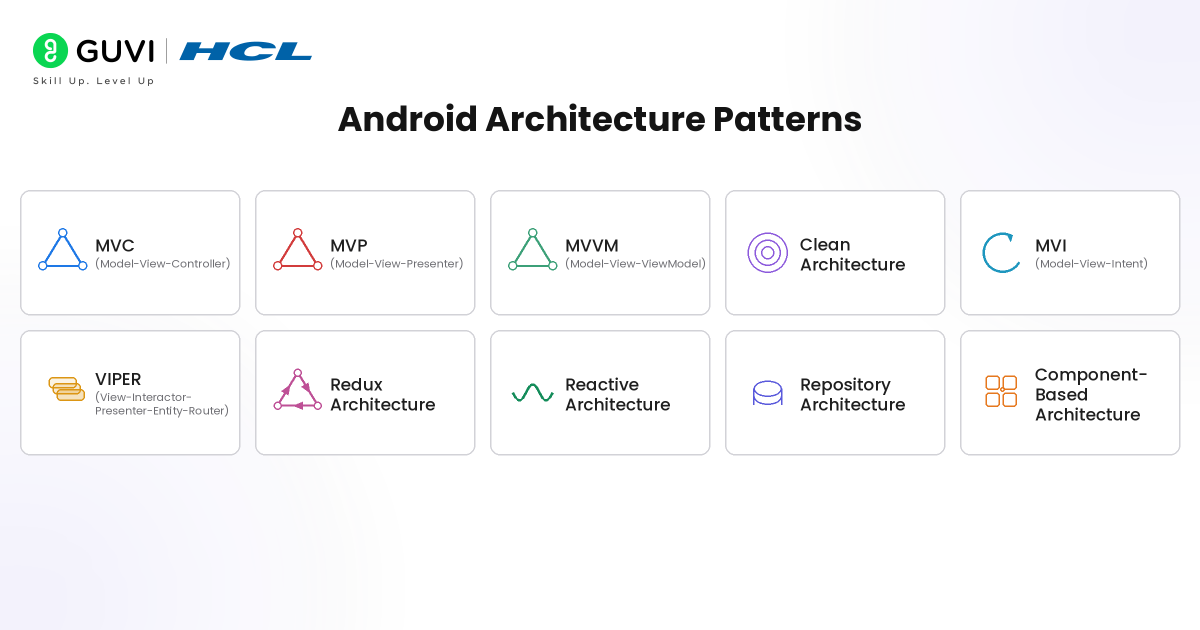
- MVC (Model-View-Controller): Separates application logic into Model, View, and Controller layers where Controllers manage user input and coordinate communication between UI and data.
- MVP (Model-View-Presenter): Uses a Presenter layer to handle business logic independently from the View, improving testability and reducing direct UI dependency.
- MVVM (Model-View-ViewModel): Uses ViewModel and reactive components like LiveData or StateFlow to separate UI logic from business logic and enable lifecycle-aware updates.
- Clean Architecture: Organizes applications into Presentation, Domain, and Data layers with dependency rules that improve scalability, modularity, and maintainability.
- MVI (Model-View-Intent): Uses unidirectional data flow where user actions generate intents that update application state predictably.
- VIPER (View-Interactor-Presenter-Entity-Router): Separates application responsibilities into independent modules for improved maintainability and testability.
- Redux Architecture: Uses centralized state management where a single source of truth controls application state updates.
- Reactive Architecture: Uses reactive programming frameworks such as RxJava and Flow to handle asynchronous event streams and data updates.
- Repository Architecture: Introduces a repository layer that acts as a mediator between data sources and application logic.
- Component-Based Architecture: Breaks applications into reusable and independently manageable modules for better scalability.
Benefits of Android Architecture
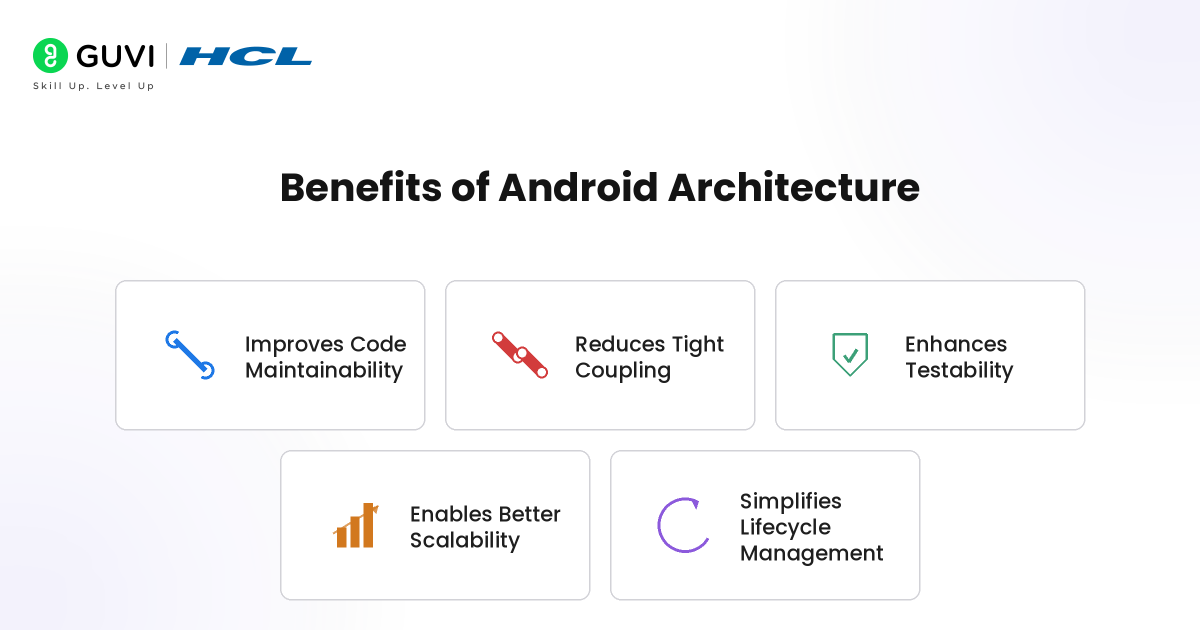
- Improves Code Maintainability: Separates UI, business logic, and data operations into dedicated layers, making large applications easier to manage and update.
- Reduces Tight Coupling: Isolates application components so changes in one module create minimal impact on other parts of the system.
- Enhances Testability: Supports unit testing and component-level validation by keeping business logic independent from UI components.
- Enables Better Scalability: Allows developers to add new features and modules without significantly affecting the existing application structure.
- Simplifies Lifecycle Management: Uses lifecycle-aware components such as ViewModel and LiveData to prevent memory leaks and manage UI state efficiently.
Real-World Applications of Android Architecture
- E-Commerce Applications: Platforms like shopping apps use MVVM and repository patterns to manage product listings, payment workflows, inventory synchronization, cart management, and real-time order tracking efficiently.
- Ride-Sharing Applications: Transportation apps process GPS tracking, driver allocation, route calculations, live location updates, and background services using layered Android architecture for scalable performance.
- Mobile Banking Applications: Banking apps use structured architecture to handle secure authentication, transaction processing, account synchronization, encryption workflows, and real-time financial updates.
- Video Streaming Applications: Streaming platforms manage content recommendations, adaptive media loading, offline downloads, playback state management, and network optimization through modular architecture layers.
- Healthcare Applications: Telemedicine and health-monitoring apps use Android architecture to process patient records, wearable device integration, appointment scheduling, notifications, and real-time health data synchronization.
Conclusion
As Android applications become larger and more feature-rich, maintaining clean and scalable code becomes increasingly important. Android Architecture provides a structured foundation that organizes application components efficiently. By using layered design patterns and modern architecture practices, developers can build applications that remain easier to test, scale, maintain, and evolve over time.
FAQs
1. What is Android Architecture?
Android Architecture is a structured design approach used to organize application components into layers for better scalability, maintainability, and performance.
2. What are the main components of Android Architecture?
The main components include Applications, Application Framework, Android Runtime (ART), Platform Libraries, Hardware Abstraction Layer (HAL), and Linux Kernel.
3. Why is Android Architecture important?
Android Architecture reduces code complexity, improves maintainability, supports testing, and helps developers build scalable applications.
4. Which Android architecture pattern is most commonly used?
MVVM is one of the most widely used Android architecture patterns because it improves separation of concerns and lifecycle management.
5. What are Android Jetpack Architecture Components?
Android Jetpack components include ViewModel, LiveData, Room, Navigation, and WorkManager for building robust Android applications.
Success Stories

About the Author
Vaishali
I'm a seasoned writer with four years of experience across technical, non-technical, and just about every genre or niche you can imagine. Adaptable and curious, I enjoy exploring new topics and making information engaging and easy to understand. Fueled by a steady stream of tea, I approach each project with creativity, reliability, and genuine enthusiasm for storytelling.
View all posts by Vaishali
Connect with me @





































Did you enjoy this article?