


Artificial Intelligence and Machine Learning Articles
AI/ML Skills Gap 2026: Why Companies Can't Find Job-Ready Talent
20 AI/ML Interview Questions Recruiters Can Use Without a Tech Background - Best Guide
How Industry-Backed AI/ML Bootcamps Are Changing the AI/ML Hiring Pipeline - Best Guide 2026
From IT Support to AI Engineer: A Realistic Career Switch Guide 2026


Get In Touch For Details! Request More Information
Using Claude to Automate Customer FAQs
Aug 05, 2026 3 Min Read 280 Views
(Last Updated)
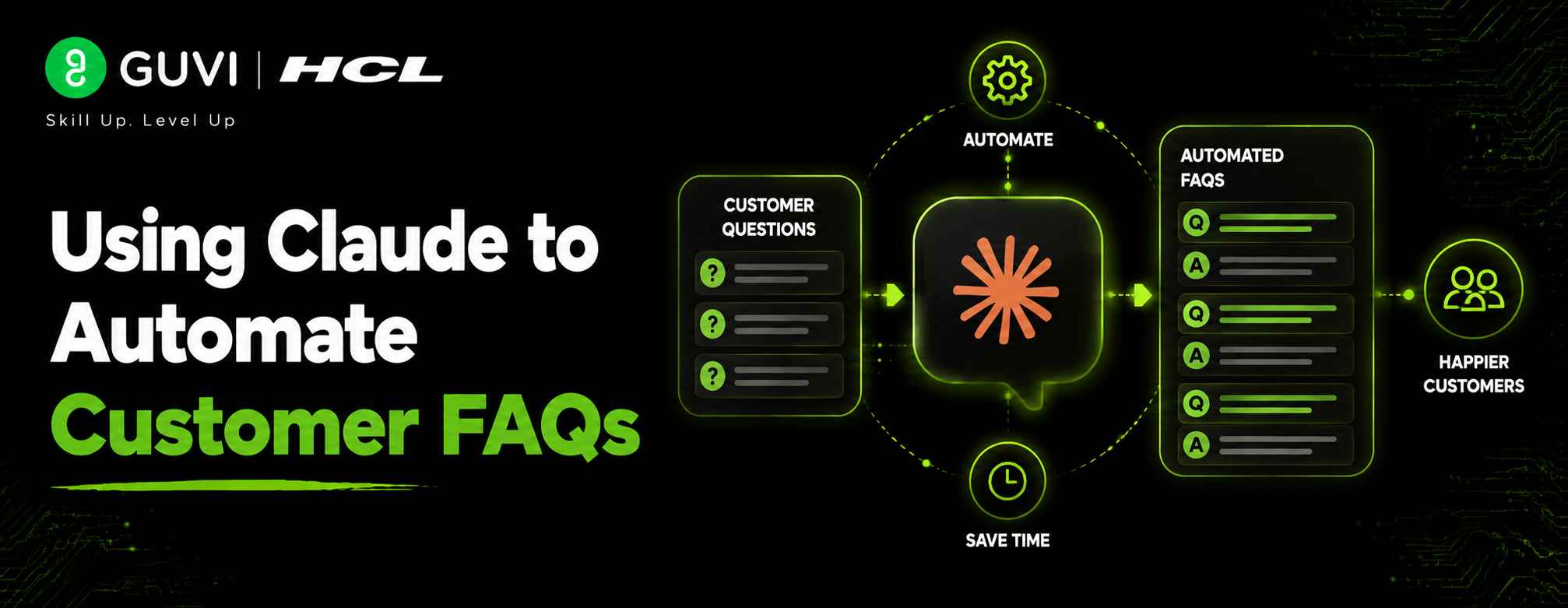
Customers expect instant answers, but repetitive queries drain support resources. Claude’s customer support automates FAQs with conversational, accurate responses, enabling 24/7 assistance and reducing workload. Businesses improve efficiency and satisfaction using AI-driven support systems.
Table of contents
- TL;DR
- 📊 Data Point
- Step 1: Identify Common Customer Questions
- Step 2: Build a Knowledge Base
- Step 3: Create Effective Prompts
- Step 4: Integrate Claude with Your Website
- Step 5: Test Different Customer Scenarios
- Step 6: Monitor Performance
- Step 7: Update Knowledge Regularly
- Step 8: Combine AI with Human Support
- Benefits of Claude Customer Support Automation
- ⚠️ Warning
- Common Challenges and How Claude Solves Them
- Best Practice
- Conclusion
- What is Claude's customer support automation?
- Can Claude replace human customer support?
- How does Claude answer FAQs accurately?
- Can Claude integrate with existing support systems?
- What businesses benefit most from Claude's customer support?
- Is Claude available 24/7?
- How can businesses improve Claude's customer support over time?
TL;DR
- Claude can automate customer FAQs by providing instant, accurate, and natural-language responses.
- Businesses can integrate Claude with websites, help centers, and messaging platforms to reduce support workload.
- Customer support teams can customize Claude using prompts, knowledge bases, and APIs.
- Automation improves response times, customer satisfaction, and operational efficiency.
- Human agents should still handle complex or sensitive customer issues.
HCL GUVI’s AI & Machine Learning Course teaches generative AI, prompt engineering, APIs, and real-world applications, helping learners build scalable customer support automation solutions effectively.
📊 Data Point
According to Anthropic, Claude is designed to assist with customer service, document analysis, writing, coding, and enterprise workflows through its conversational capabilities and API integrations, making it suitable for automating repetitive support tasks.
Source: Anthropic Documentation
Why Use Claude for Customer FAQs?
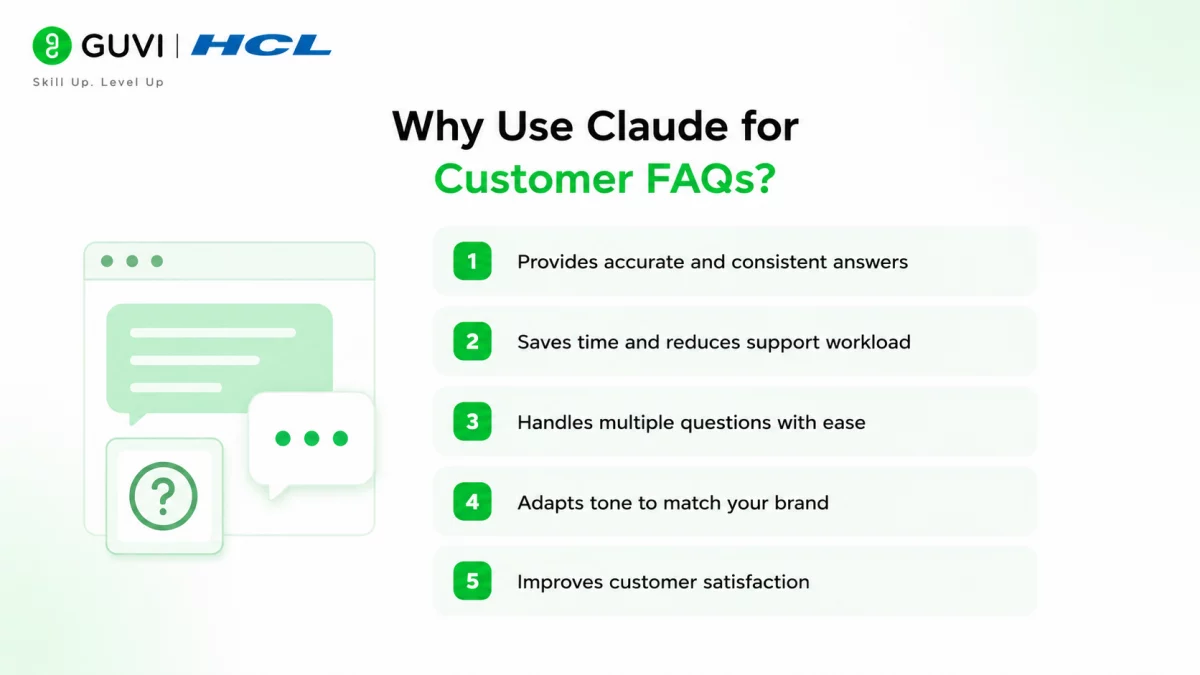
Customer service teams receive hundreds of repetitive questions every day. Instead of answering identical queries manually, Claude can respond instantly using natural language while maintaining a professional tone.
Some major benefits include:
- 24/7 customer assistance
- Faster response times
- Reduced workload for support agents
- Consistent answers across channels
- Easy scalability during peak demand
- Better customer experience
Claude understands conversational language, allowing customers to ask questions naturally rather than using exact keywords.
How to Automate Customer FAQs Using Claude
Step 1: Identify Common Customer Questions
Begin by analyzing customer support tickets, emails, live chats, and help center searches. Identify the questions customers ask most frequently.
Examples include:
- Where is my order?
- How do I reset my password?
- What is your refund policy?
- How long does shipping take?
- How can I contact support?
Creating a structured FAQ list forms the foundation of your AI assistant.
Step 2: Build a Knowledge Base
Claude performs best when provided with accurate business information.
Your knowledge base may include:
- Product documentation
- Shipping policies
- Pricing details
- Return policies
- Company FAQs
- Support articles
Keeping this information updated helps Claude provide reliable responses.
Step 3: Create Effective Prompts
Prompt engineering plays an important role in customer support automation.
A well-designed system prompt can instruct Claude to:
- Answer politely
- Stay within company policies
- Avoid guessing unknown information
- Escalate difficult cases to human agents
- Maintain consistent brand tone
Clear instructions improve both response quality and customer satisfaction.
Step 4: Integrate Claude with Your Website
Using the Anthropic API, developers can connect Claude with:
- Website chat widgets
- Customer portals
- Mobile applications
- Help centers
- CRM platforms
- Internal support dashboards
Once connected, Claude can answer customer questions automatically without requiring manual intervention.
Step 5: Test Different Customer Scenarios
Before deployment, evaluate how Claude responds to various situations.
Test examples include:
- Simple FAQs
- Product recommendations
- Refund requests
- Account issues
- Shipping delays
- Escalation requests
Testing helps identify gaps before customers interact with the chatbot.
Step 6: Monitor Performance
After deployment, regularly monitor chatbot performance using metrics such as:
- Resolution rate
- Customer satisfaction
- Response accuracy
- Escalation frequency
- Average response time
These insights help continuously improve your Claude customer support workflow.
Step 7: Update Knowledge Regularly
Businesses constantly change products, pricing, policies, and services.
Updating Claude’s supporting documentation ensures customers always receive current information instead of outdated responses.
Step 8: Combine AI with Human Support
AI should enhance, not replace, customer support teams.
Claude works best by handling repetitive questions while transferring complex issues involving billing disputes, legal concerns, or unusual requests to human agents. This hybrid approach provides both efficiency and personalized service.
Many customer support inquiries are repetitive, such as password resets, shipping updates, and refund policies. By automating these FAQs with Claude, businesses can provide 24/7 assistance, reduce ticket volumes, and free support teams to focus on complex customer requests that require human judgment.

Benefits of Claude Customer Support Automation
Businesses implementing AI-powered FAQ automation often experience several operational improvements.
Key advantages include:
- Reduced support costs
- Faster first-response times
- Increased customer satisfaction
- Consistent information delivery
- Improved team productivity
- Better scalability during high-demand periods
- Round-the-clock customer assistance
These benefits allow support teams to focus on high-value customer interactions rather than repetitive inquiries. HCL GUVI AI ebook sections provide additional insights into implementing AI-driven customer support solutions effectively.
⚠️ Warning
Although Claude can answer many customer questions accurately, businesses should avoid allowing AI to make sensitive financial, legal, or medical decisions without human oversight. Regularly review responses, update knowledge sources, and establish escalation rules for situations requiring expert assistance.
Common Challenges and How Claude Solves Them
While AI-powered support offers many advantages, businesses often face recurring customer service challenges. Claude helps address these issues by providing fast, consistent, and context-aware responses that improve both customer satisfaction and team efficiency.
| Customer Support Challenge | How Claude Helps |
| Long customer wait times | Provides instant responses 24/7, reducing delays. |
| Repetitive customer questions | Automates frequently asked questions, allowing agents to focus on complex cases. |
| High ticket volume | Handles multiple customer conversations simultaneously without affecting response quality. |
| Inconsistent support responses | Delivers standardized answers based on your approved knowledge base and prompts. |
| Agent burnout | Reduces repetitive workloads, enabling support teams to concentrate on higher-value interactions. |
To learn how to build reliable AI workflows responsibly, HCL GUVI’s AI & Machine Learning Course covers practical implementations of generative AI, prompt engineering, and enterprise AI development.
Best Practice
For successful Claude customer support implementation:
- Use verified business information.
- Write clear system prompts.
- Test responses before deployment.
- Update FAQs regularly.
- Monitor customer feedback.
- Escalate complex cases to human agents.
- Continuously improve prompts using real customer interactions.
Conclusion
Claude provides an effective way to automate customer FAQs while improving response speed, consistency, and overall customer experience. By combining a well-structured knowledge base, thoughtful prompt engineering, and seamless API integration, businesses can significantly reduce repetitive support work without compromising service quality.
However, successful AI customer support requires ongoing monitoring and regular updates. Organizations should continuously refine prompts, maintain accurate documentation, and ensure human agents remain available for situations requiring judgment or empathy. When implemented correctly, Claude customer support automation helps businesses scale support operations efficiently while delivering faster, more reliable assistance to customers.
FAQs
1. What is Claude’s customer support automation?
It uses Claude to answer common customer questions automatically through chatbots, websites, or messaging platforms.
2. Can Claude replace human customer support?
No. Claude handles repetitive questions efficiently, while human agents should manage complex or sensitive customer issues.
3. How does Claude answer FAQs accurately?
Claude relies on well-written prompts and updated business knowledge provided by the organization.
4. Can Claude integrate with existing support systems?
Yes. Developers can integrate Claude using the Anthropic API with websites, CRMs, help desks, and messaging platforms.
5. What businesses benefit most from Claude’s customer support?
E-commerce stores, SaaS companies, educational platforms, healthcare organizations, and service providers can all benefit from FAQ automation.
6. Is Claude available 24/7?
Yes. Once integrated into a customer support system, Claude can provide automated assistance at any time.
7. How can businesses improve Claude’s customer support over time?
Monitor customer interactions, update knowledge bases, refine prompts, review analytics, and continuously optimize responses using customer feedback and business updates.
Success Stories

About the Author
Vishalini Devarajan
An Aerospace Engineer turned content writer, I focus on making complex concepts easy to understand through well-structured, reader-friendly blogs. Whether it’s a technical topic or a non-technical one, I love creating content that is clear, engaging, and impactful.
View all posts by Vishalini Devarajan
Connect with me @











Did you enjoy this article?