


Artificial Intelligence and Machine Learning Articles
AI/ML Skills Gap 2026: Why Companies Can't Find Job-Ready Talent
20 AI/ML Interview Questions Recruiters Can Use Without a Tech Background - Best Guide
How Industry-Backed AI/ML Bootcamps Are Changing the AI/ML Hiring Pipeline - Best Guide 2026
From IT Support to AI Engineer: A Realistic Career Switch Guide 2026


Get In Touch For Details! Request More Information
Cursor Alternatives in 2026: Best AI Coding Tools Developers Should Use
Sep 23, 2026 6 Min Read 7551 Views
(Last Updated)
If you have been using Cursor for a while, you already know how good it feels to have an AI that actually understands your codebase. But you have also probably noticed the costs creeping up and the usage limits tightening every few months.
Instead of staying locked into one proprietary editor, more developers are exploring Cursor alternatives that offer the same AI power with better pricing, more privacy, or deeper workflow integrations. The good news is the options in 2026 are genuinely excellent.
This guide walks you through the best Cursor alternatives available today, what each tool does, who it is built for, honest pricing, and clear verdicts. Whether you are a solo developer watching costs or an enterprise team with strict privacy requirements, there is a right answer here for you. Let us get into it!
Table of contents
- AI Overview:
- Cursor Alternatives Comparison 2026
- What Are Cursor Alternatives and Why Are Developers Looking?
- Quick Comparison: Top Cursor Alternatives at a Glance
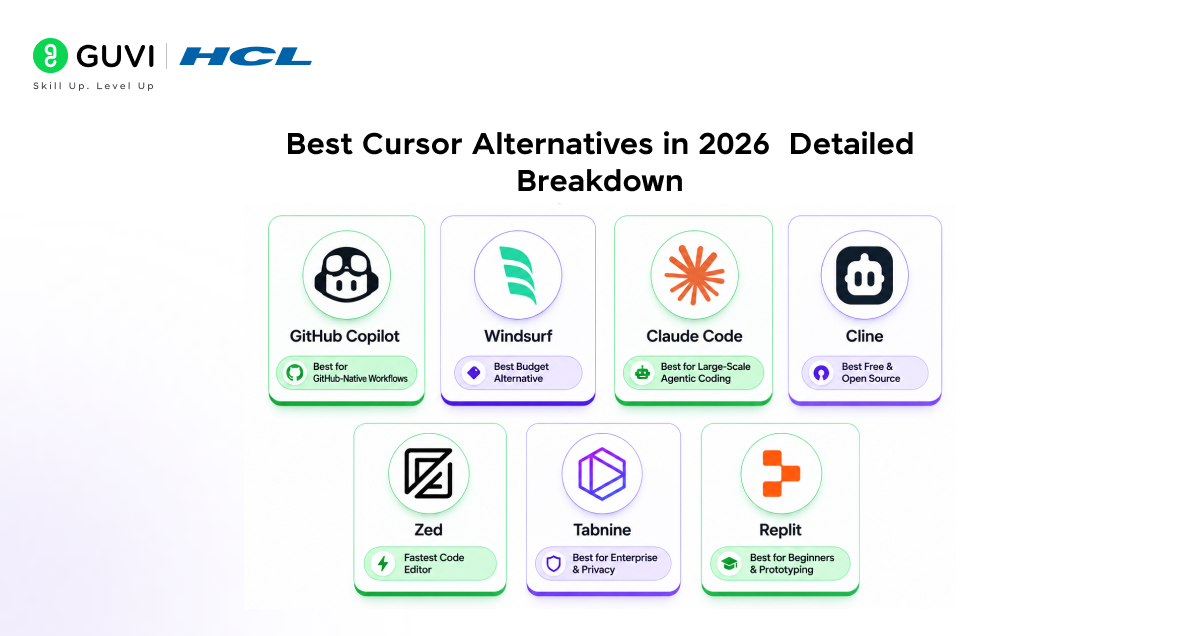
- Best Cursor Alternatives in 2026: Detailed Breakdown
- GitHub Copilot: Best for GitHub-Native Workflows
- Windsurf: Best Budget Alternative to Cursor
- Claude Code Best for Large-Scale Agentic Coding
- Cline Best Free and Open-Source Cursor Alternative
- Zed Fastest Code Editor with Built-In AI
- Tabnine Best for Enterprise and Privacy-First Teams
- Replit Best for Beginners and Rapid Prototyping
- What Should You Look for in a Cursor Alternative?
- Cursor Alternatives for Different Types of Developers
- Cursor vs Its Alternatives: What Is the Difference?
- Tips for Choosing the Right AI Code Editor
- Conclusion
- FAQs
- What is the best free alternative to Cursor in 2026?
- Is Windsurf better than Cursor?
- Which Cursor alternative is best for enterprise teams?
- Can I use a Cursor alternative offline or without an internet connection?
- Is Claude Code better than Cursor?
AI Overview:
Cursor alternatives are AI-powered coding tools that help developers write, debug, refactor, and manage code without using Cursor. In 2026, popular options include AI IDEs, editor extensions, and terminal-based coding agents.
Key Cursor alternatives include:
- GitHub Copilot: AI coding assistance across popular IDEs
- Windsurf: AI-first IDE with agentic coding features
- Claude Code: Terminal-based agent for complex coding tasks
- Cline: Open-source VS Code extension with BYOK support
- Zed: Fast, AI-enabled code editor
- Tabnine: AI coding assistant with enterprise and privacy options
- Replit: Browser-based AI development platform
The right alternative depends on your budget, coding workflow, IDE preference, privacy requirements, and need for agentic features.
Cursor Alternatives Comparison 2026
| Tool | Type | Best For | Key Feature | Pricing* | IDE/Platform |
|---|---|---|---|---|---|
| GitHub Copilot | IDE Extension | GitHub-based workflows | AI coding and agent features | From $10/month | VS Code, JetBrains, Neovim, Visual Studio |
| Windsurf | AI IDE | AI-assisted development | Cascade agent | From $15/month | Standalone IDE |
| Claude Code | Coding Agent | Complex coding tasks | Terminal-based agentic coding | Varies by plan/usage | Terminal + VS Code |
| Cline | VS Code Extension | Open-source workflows | BYOK and agentic tasks | Free + API costs | VS Code |
| Zed | Code Editor | Fast development | High-performance editor | Free + paid AI options | Desktop |
| Tabnine | IDE Extension | Enterprise teams | Privacy-focused deployment | Paid plans | Multiple IDEs |
| Replit | Cloud IDE | Beginners and browser development | Browser-based AI development | Free + paid plans | Web |
What Are Cursor Alternatives and Why Are Developers Looking?
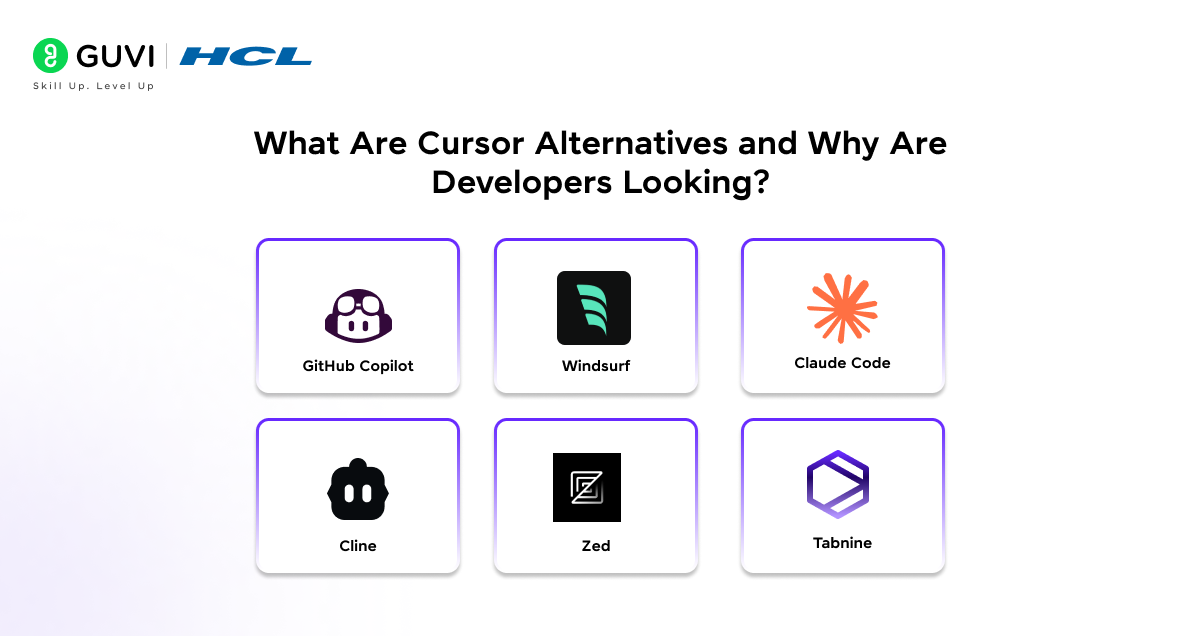
Cursor became the go-to AI code editor for a reason. It was the first tool to give developers deep codebase context, fast tab completions, and multi-file editing all in one place. For many teams, it still is the default choice.
But Cursor Pro costs $20 per month, and heavy users regularly report spending $40–50 per month once usage overages kick in. The tool also locks you into a proprietary VS Code fork, and usage limits have been tightened multiple times over the past year.
Here is the important part: the market has caught up. In 2026, Cursor alternatives are not second-rate fallbacks. Several tools now match or beat Cursor on specific dimensions pricing, agent autonomy, speed, privacy, or multi-IDE flexibility. Let us understand what each one actually offers.
Cursor has reached a $29.3 billion valuation with over $1 billion in annual recurring revenue. Despite this success, a growing number of developers are actively exploring alternatives because of rising costs, usage-based billing surprises, and concerns about editor lock-in. The competition in 2026 has never been stronger.
Quick Comparison: Top Cursor Alternatives at a Glance
| Tool | Price/mo | Type | Key Strength | Verdict |
| GitHub Copilot | $10/mo | Plugin | Works in VS Code, JetBrains, Neovim & Visual Studio | Best for GitHub-native teams |
| Windsurf | $15/mo | Standalone IDE | Real-time AI preview before you accept any changes | Best budget alternative |
| Claude Code | $100/mo | Terminal + IDE | 80.8% SWE-bench Verified — highest published benchmark | Best for large agentic tasks |
| Cline | Free* | VS Code Ext. | BYOK, open-source, native subagents & CLI pipeline mode | Best free alternative |
| Zed | $10/mo | Standalone IDE | Rust-built, GPU-accelerated, native multiplayer coding | Fastest editor in 2026 |
| Tabnine | $12/mo | Plugin | On-premise deployment — code never leaves your servers | Best for enterprise/compliance |
Cline is free to install. You pay only for API usage using your own key (BYOK).
Best Cursor Alternatives in 2026: Detailed Breakdown
1. GitHub Copilot: Best for GitHub-Native Workflows
[In-article image 2: Illustration showing GitHub Copilot working across VS Code and JetBrains with AI suggestions visible]
GitHub Copilot is one of the most widely used AI coding assistants in the world today. Unlike Cursor, it is not a standalone editor, it is a plugin that works inside VS Code, JetBrains, Neovim, and Visual Studio. That multi-IDE flexibility is a genuine advantage for developers who do not want to abandon their existing setup.
In 2026, Copilot has moved well beyond autocomplete. It now includes an agent mode capable of handling multi-step tasks, and it integrates AI directly into GitHub pull requests, issues, and Actions.
Pricing: Free tier (50 chat requests + 2,000 completions per month), Pro at $10/month, Business at $19/user/month, Pro+ at $39/month.
Best for: Teams managing multiple repositories on GitHub, developers working across JetBrains and VS Code, and anyone who wants predictable flat-rate pricing.
2. Windsurf: Best Budget Alternative to Cursor
Windsurf (from Codeium) is a full AI IDE that started as a VS Code fork and quickly built its own identity. Its Cascade multi-file editing engine is genuinely capable, and at $15 per month it costs 25% less than Cursor Pro. Over a year, that difference adds up to $60 and grows quickly for teams with multiple developers.
What makes Windsurf stand out is its real-time preview of AI-generated changes. Instead of blindly accepting edits and hoping they work, Windsurf shows you the result first. You can test the UI, check for build errors, and refine through multiple iterations before committing a single line. That is a thoughtful design choice most editors do not make.
Pricing: Free plan with unlimited autocomplete; Pro at $15/month.
Best for: Developers who want Cursor-level multi-file editing at a lower cost. Great for solo developers, freelancers, and small teams watching their tooling budget.
3. Claude Code Best for Large-Scale Agentic Coding
Claude Code is Anthropic’s terminal-based AI coding agent, and it is arguably the most capable option for complex, multi-file, cross-repository work. It does not live inside a proprietary IDE instead it runs in your terminal and integrates with VS Code through a dedicated extension that adds a panel, inline diffs, and plan mode.
The benchmark numbers are the most impressive of any tool on this list. Claude Code scores 80.8% on SWE-bench Verified using Claude Opus 4 a standard measure of how well an AI can resolve real GitHub issues. No other Cursor alternative has published comparable numbers at this level.
Where Claude Code truly shines is what you might call agentic Git automation. You can tell it to clone a repository, find how a specific event is defined, and update the tracking schema in your current project to match.
Pricing: Max plan at $100/month. Also available through the Anthropic API directly for usage-based billing.
Best for: Senior developers and teams working on large codebases, multi-repository tasks, or anything requiring autonomous, multi-step agent coordination across files and branches.
4. Cline Best Free and Open-Source Cursor Alternative
Cline is an open-source VS Code extension with over 4 million installs across platforms. The tool itself is completely free to install and use. You bring your own API key from OpenAI, Anthropic, Google, or any supported provider, and pay only for actual usage. For most developers, this ends up significantly cheaper than a flat $20/month subscription.
Cline supports native subagents that spin up parallel workers with dedicated context windows per task. It also has a CLI 2.0 with headless mode, meaning you can run AI agents inside CI/CD pipelines with auto-approval and structured JSON output. That level of automation flexibility is something most dedicated IDE tools simply do not offer.
Pricing: Free. Pay only for API usage with your own key. Works with OpenAI, Anthropic, Google, OpenRouter, and locally hosted models.
Best for: Developers who want maximum control and transparency, privacy-conscious teams, and anyone who prefers pay-per-use pricing over flat monthly subscriptions.
5. Zed Fastest Code Editor with Built-In AI
Zed is built entirely from scratch in Rust, and that foundation shows in its performance. It uses multiple CPU cores and GPU acceleration, making it dramatically faster than Electron-based editors like Cursor or VS Code. If you have ever felt your code editor slowing you down, Zed will feel like a completely different experience.
Beyond raw speed, Zed has native multiplayer collaboration built into its core. You and a teammate can edit the same file simultaneously, seeing each other’s cursors in real time — not as a bolt-on feature, but as a fundamental part of how the editor was designed from the ground up.
Pricing: Free to use with bring-your-own API key for AI features. Pro plan at $10/month includes $5 of token credits.

Best for: Performance-focused developers, Mac and Linux users, open-source enthusiasts, and teams that do real-time pair programming.
6. Tabnine Best for Enterprise and Privacy-First Teams
Tabnine takes a fundamentally different approach from every other tool on this list. Its core value proposition is privacy. It offers on-premise deployment for enterprise teams, meaning your code never has to leave your own servers. For companies in regulated industries fintech, healthcare, legal, government this is not optional. It is a hard requirement.
It also supports fully offline operation with locally hosted models, private model deployment, and per-team customisation of AI behaviour based on coding standards and compliance rules. The AI suggestions are fast and lightweight.
Pricing: Free basic plan; Pro at $12/month; Enterprise at $39/month with on-premise deployment and admin controls.
Best for: Enterprise teams with strict data privacy requirements, developers in regulated industries, and teams needing fully offline AI capability.
7. Replit Best for Beginners and Rapid Prototyping
Replit is a browser-based cloud IDE that requires absolutely no local setup. You open a browser tab, start coding, and everything runs in the cloud. For beginners and students, this removes the biggest barrier to getting started there is no terminal to configure, no Git setup, no dependency management to wrestle with.
Replit’s AI agent can generate full-stack applications from a text description, spin up databases, and deploy your app directly from the browser. It is not suited for managing a large production codebase, but for quick prototypes, side projects, and learning-focused development, it removes every technical obstacle between an idea and a working app.
Pricing: Free tier available; Core plan at $25/month; Teams starting at $40/month.
Best for: Students, beginners, educators, and anyone who wants to prototype quickly without any local development environment setup whatsoever.
What Should You Look for in a Cursor Alternative?
Before choosing a Cursor alternative, compare the features that directly affect your development workflow:
- AI coding capabilities: Code completion, generation, debugging, and refactoring
- Agentic features: Ability to handle multi-step coding tasks
- IDE support: Whether the tool works with your preferred editor
- Model support: Availability of different AI models
- Pricing: Subscription, free tier, or usage-based pricing
- Privacy: Data retention, local models, or enterprise deployment options
- Context handling: Ability to understand files and larger codebases
- Developer workflow: Git, terminal, testing, and deployment integrations
Cursor Alternatives for Different Types of Developers
Different developers may need different types of AI coding tools.
| Developer Type | Features to Prioritize | Suitable Options |
|---|---|---|
| Beginners | Simple interface, guided AI assistance | Replit, GitHub Copilot |
| VS Code users | Extension support, flexible models | GitHub Copilot, Cline |
| AI-first developers | Agentic workflows, multi-file editing | Windsurf, Claude Code |
| Open-source users | BYOK, model flexibility | Cline |
| Enterprise teams | Privacy, security, administration | Tabnine, GitHub Copilot |
| Terminal-focused developers | CLI agents and automation | Claude Code |
| Performance-focused developers | Fast editor and low latency | Zed |
Cursor vs Its Alternatives: What Is the Difference?
Cursor is an AI-first code editor built around a VS Code-based environment. Its alternatives take different approaches. Some, such as Windsurf, are also AI-first editors, while GitHub Copilot and Cline add AI capabilities to existing editors. Claude Code takes a terminal-first approach, and Replit provides a browser-based development environment.
The main differences are:
- Editor experience
- AI model access
- Agentic capabilities
- Pricing model
- Privacy and data controls
- Local or cloud-based development
- Support for different IDEs
- Integration with existing development workflows
Tips for Choosing the Right AI Code Editor

A few practical habits will dramatically improve how you evaluate and choose between these tools
Start with the free tier. Almost every tool on this list has a free option. Use it on a real project for at least two weeks before paying for anything. You cannot evaluate these tools on toy examples.
Match the tool to your bottleneck. If quick inline completions drive most of your AI usage, Copilot or Windsurf will serve you well. If you are doing complex multi-file refactors or agentic tasks, Claude Code is worth the cost.
Think about your IDE environment. Zed and Windsurf are standalone editors. Copilot and Cline are plugins for your existing IDE. Switching editors has a real upfront productivity cost — factor that into your decision.
Watch for usage-based pricing surprises. Some tools look affordable until you are doing heavy AI work. Tools with flat fees (Copilot) or bring-your-own-key (Cline) give you more predictable monthly costs.
Check Windows compatibility. Zed does not run on Windows yet. If you are on a Windows machine, this eliminates one otherwise excellent option immediately.
If you’re serious about mastering AI-powered coding tools like Cursor alternatives and want to apply them in real-world scenarios, don’t miss the chance to enroll in HCL GUVI’s Intel & IITM Pravartak Certified Artificial Intelligence & Machine Learning Course, co-designed by Intel. It covers Python, Machine Learning, Deep Learning, Generative AI, Agentic AI, and MLOps through live online classes, 20+ industry-grade projects, and 1:1 doubt sessions, with placement support from 1000+ hiring partners, helping you build intelligent systems and work efficiently with modern AI development tools.
Conclusion
In conclusion, Cursor alternatives in 2026 are not compromises; they are purpose-built tools that genuinely serve specific workflows better than Cursor does. The era of the one-size-fits-all AI code editor is effectively over.
If cost is driving you away from Cursor, start with Cline (free) or Windsurf ($15/month). If you need the most powerful AI agent for ambitious, multi-file work, Claude Code is the benchmark leader. If speed and real-time collaboration matter most, Zed is in a class of its own. If data privacy is a hard requirement, Tabnine Enterprise is the professional standard.
AI-assisted development is already standard practice across modern engineering teams. The sooner you find the right tool for your specific workflow, the more leverage you have as a developer regardless of what you are building next.
FAQs
1. What is the best free alternative to Cursor in 2026?
Cline is the best completely free Cursor alternative in 2026. It is open-source, free to install, and works on a bring-your-own API key model you pay only for the AI model calls you actually make. GitHub Copilot also has a free tier offering 2,000 completions and 50 agent chat requests per month.
2. Is Windsurf better than Cursor?
Windsurf delivers around 80% of Cursor’s capabilities at $15/month versus Cursor’s $20/month. Its real-time AI change preview where you see the result before accepting anything is a UX advantage Cursor does not offer. For budget-conscious developers who want solid multi-file editing, Windsurf is a compelling choice. Cursor still leads on tab completion speed and plugin marketplace depth.
3. Which Cursor alternative is best for enterprise teams?
Tabnine Enterprise is the top choice for enterprise teams with strict data privacy requirements. It supports on-premise deployment, meaning your code never leaves your own servers.
4. Can I use a Cursor alternative offline or without an internet connection?
Yes. Tabnine Enterprise with on-premise deployment works fully offline. Cline with locally hosted models through Ollama also works without internet access. Zed supports some local AI capabilities as well. Tools like Cursor, GitHub Copilot, Windsurf, and Replit all require an internet connection for their AI features.
5. Is Claude Code better than Cursor?
For large-scale agentic coding and cross-repository automation, Claude Code is generally the stronger tool. It scores 80.8% on SWE-bench Verified a benchmark Cursor has not published scores for.
Success Stories

About the Author
Vishalini Devarajan
An Aerospace Engineer turned content writer, I focus on making complex concepts easy to understand through well-structured, reader-friendly blogs. Whether it’s a technical topic or a non-technical one, I love creating content that is clear, engaging, and impactful.
View all posts by Vishalini Devarajan
Connect with me @












Did you enjoy this article?