


Javascript Articles
GraphQL with Strawberry Tutorial: Build Your First Python API
gRPC Tutorial: A Beginner's Guide to Building Fast, Modern APIs
Temporal Workflow Engine Tutorial: Build Reliable Workflows
Tauri 2.0 Desktop App Tutorial: Build Your First App Without the Bloat


Get In Touch For Details! Request More Information

tRPC Tutorial: Build Type-Safe APIs Without the Headache
Aug 13, 2026 4 Min Read 600 Views
(Last Updated)
Table of contents
- TL;DR Summary
- What Is tRPC?
- How Does tRPC Work?
- Setting Up tRPC: Step-by-Step
- Step 1 — Install Dependencies
- Step 2 — Initialize tRPC on the Server
- Step 3 — Create Your First Router
- Step 4 — Connect It to Express
- Step 5 — Set Up the Client
- Step 6 — Call Your Procedure from React
- Queries vs. Mutations in tRPC
- Why tRPC Beats Traditional REST for Full-Stack TypeScript Apps
- What to Do Next
- Key Takeaways
- FAQs
- Q: Do I need to know GraphQL to use tRPC?
- Q: Is tRPC only for Next.js?
- Q: What's the difference between tRPC and REST?
- Q: Does tRPC work without Zod?
- Q: Is tRPC production-ready?
TL;DR Summary
- tRPC lets you build fully type-safe APIs between your frontend and backend — no REST, no GraphQL needed.
- It works best with TypeScript and is a natural fit for Next.js and Node.js projects.
- You define procedures on the server, and your client calls them like regular functions.
- There’s no need to write separate API schemas or manually sync types between layers.
- This tutorial covers setup, routers, queries, mutations, and a working mini-project.
tRPC is a TypeScript library that lets your frontend call backend functions directly — with full type safety, no code generation, and no REST or GraphQL boilerplate. You define procedures on the server, and your client picks them up automatically. It’s ideal for full-stack TypeScript projects where speed and type safety both matter.
In this tRPC tutorial, you’ll learn what tRPC is, how it works, and how to build a small working app with it — even if you’ve never touched it before.
What Is tRPC?
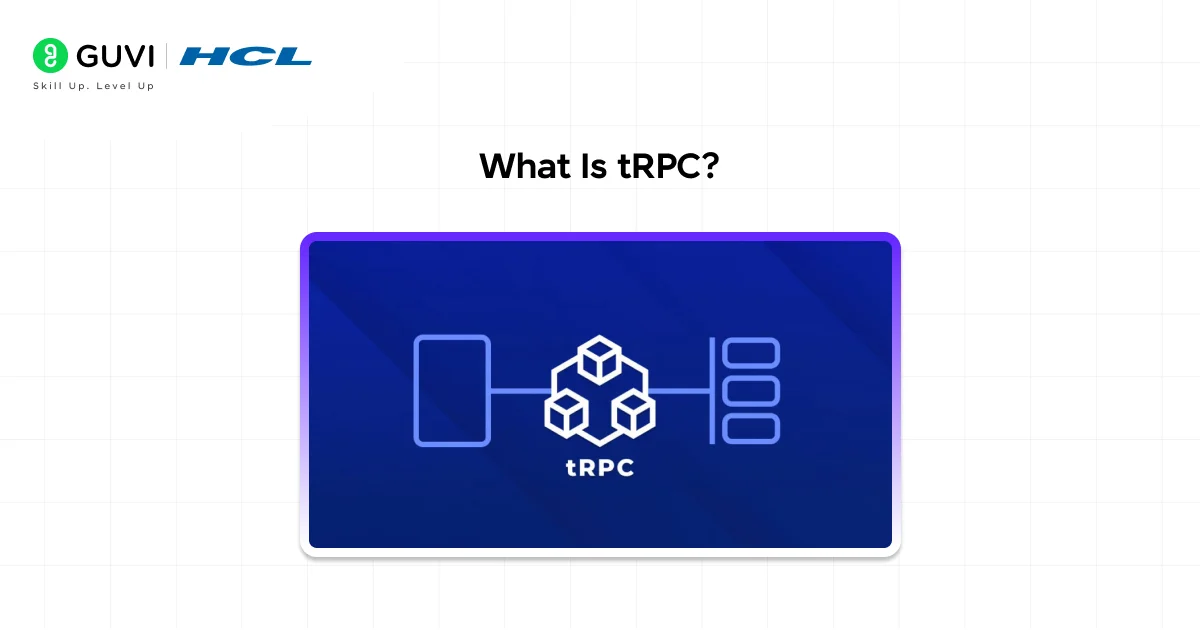
tRPC stands for TypeScript Remote Procedure Call. It’s a library that connects your frontend and backend through shared TypeScript types — no REST endpoints, no GraphQL schemas, and no code generation step.
When you update a function on your server, your client immediately knows about it. If you pass the wrong type, TypeScript catches it before you even run the code.
📊 Data Point: According to the 2024 State of JS survey, tRPC adoption among TypeScript developers grew by over 60% year-over-year, making it one of the fastest-growing backend tools in the ecosystem.
It’s not a replacement for REST in every situation. But for full-stack TypeScript apps — especially those built with Next.js or a Node.js backend — it removes an entire layer of friction.
How Does tRPC Work?
Here’s the short version: you define procedures on your server (think of them like typed API functions), and your client calls those procedures directly using generated TypeScript types.
There are no HTTP routes to write manually. No Swagger docs to maintain. No type mismatches between your fetch() call and what the server actually returns.
tRPC achieves this through three core concepts:
- Router — groups your procedures together, like a controller
- Procedure — a single API operation (query or mutation)
- Context — shared data (like the current user) passed to every procedure
Let me show you how these fit together.
Setting Up tRPC: Step-by-Step
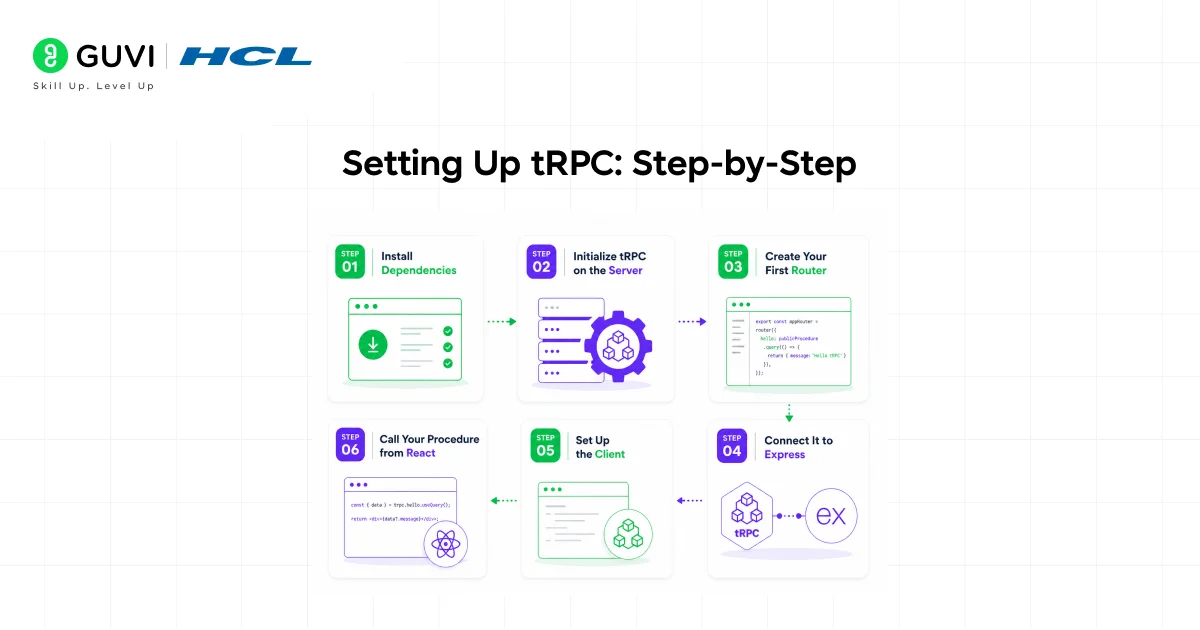
💡 Pro Tip: This tutorial uses tRPC v11 with a basic Node.js + Express server and a React frontend. If you’re using Next.js, the setup is slightly different but the core concepts are identical.
Step 1 — Install Dependencies
npm install @trpc/server @trpc/client @trpc/react-query @tanstack/react-query zod
You’ll also need TypeScript if you haven’t already:
npm install -D typescript ts-node @types/node
Why Zod? tRPC uses Zod for input validation. It works like a runtime type checker — so your server validates incoming data before your procedure even runs.
Step 2 — Initialize tRPC on the Server
Create a file called trpc.ts in your server folder:
//typescript

import { initTRPC } from '@trpc/server';

const t = initTRPC.create();

export const router = t.router;

export const publicProcedure = t.procedure;
That’s it. You now have the building blocks to define your API.
Step 3 — Create Your First Router
//typescript

import { z } from 'zod';

import { router, publicProcedure } from './trpc';

export const appRouter = router({

  getGreeting: publicProcedure

    .input(z.object({ name: z.string() }))

    .query(({ input }) => {

      return { message: `Hello, ${input.name}!` };

    }),

});

export type AppRouter = typeof appRouter;
Here’s what’s happening:
- getGreeting is a query (read-only operation, like a GET request)
- .input() defines what data this procedure expects — validated by Zod
- The return value is inferred automatically — no need to define a separate return type
Step 4 — Connect It to Express
//typescript

import express from 'express';

import * as trpcExpress from '@trpc/server/adapters/express';

import { appRouter } from './router';

const app = express();

app.use(

  '/trpc',

  trpcExpress.createExpressMiddleware({

    router: appRouter,

  })

);

app.listen(3000, () => console.log('Server running on port 3000'));
Your API is now live at http://localhost:3000/trpc.
Step 5 — Set Up the Client
On the frontend, create a trpc.ts file:
//typescript

import { createTRPCReact } from '@trpc/react-query';

import type { AppRouter } from '../server/router';

export const trpc = createTRPCReact<AppRouter>();
Notice you’re importing AppRouter as a type — not the actual server code. This is the magic. Your client gets full type safety without bundling server logic.
Step 6 — Call Your Procedure from React
//typescript

import { trpc } from './trpc';

function App() {

  const greeting = trpc.getGreeting.useQuery({ name: 'Kiran' });

  if (greeting.isLoading) return <p>Loading...</p>;

  return <h1>{greeting.data?.message}</h1>;

}
If you try to pass { name: 123 } instead of a string, TypeScript throws an error before the code runs. That’s end-to-end type safety working exactly as it should.

Queries vs. Mutations in tRPC
This trips up a lot of beginners, so let’s clear it up fast.
| Operation | Use When | HTTP Equivalent |
| Query | Fetching or reading data | GET |
| Mutation | Creating, updating, or deleting | POST / PUT / DELETE |
Here’s a mutation example — say, adding a new user:
//typescript

addUser: publicProcedure

  .input(z.object({ name: z.string(), email: z.string().email() }))

  .mutation(({ input }) => {

    // Save to database here

    return { success: true, user: input };

  }),

//And on the client:

//typescript

const addUser = trpc.addUser.useMutation();

addUser.mutate({ name: 'Priya', email: '[email protected]' });
Clean. Typed. No manual fetch calls.
Why tRPC Beats Traditional REST for Full-Stack TypeScript Apps
✅ Best Practice: Use tRPC when your frontend and backend are in the same monorepo (like a T3 Stack or Next.js project). The shared type system is what makes it shine.
Here’s a real comparison of what changes when a developer joins a team using tRPC vs. REST:
With REST: They read OpenAPI docs, write fetch wrappers, manually type the responses, and hope nothing drifts out of sync.
With tRPC: They open the router file, see every available procedure and its types, call it from the client. Done.
⚠️ Warning: tRPC is not the right choice if you’re building a public API consumed by third parties. For external-facing APIs, REST or GraphQL is still the better option.
What to Do Next
Now that you understand the basics, here’s how to go deeper:
- Add authentication — Use tRPC middleware to protect procedures (check for a valid session before running the procedure)
- Add a database — Connect Prisma to your tRPC backend for a fully type-safe stack
- Try the T3 Stack — It combines Next.js, tRPC, Prisma, and Tailwind into a production-ready template
- Explore subscriptions — tRPC supports WebSocket-based subscriptions for real-time features
If you want a structured, mentor-supported path and learn all these new tools, then HCL GUVI’s IIT-M Pravartak Certified Full Stack Developer Course with AI Integration covers the entire journey, from HTML to deployment, with real projects, live sessions, and placement support. Over 10,000 students have used it to break into product-based companies.
Key Takeaways
- tRPC gives you end-to-end type safety between your server and client — no schema files needed
- You define procedures using .query() or .mutation(), validate input with Zod, and call them like functions on the frontend
- It works best in TypeScript-first, full-stack projects — especially with Next.js
- The learning curve is low if you already know TypeScript; you don’t need to learn a new query language
- For public APIs, stick with REST or GraphQL — tRPC is a monorepo tool, not a replacement for everything
FAQs
Q: Do I need to know GraphQL to use tRPC?
No. tRPC is an entirely different approach. You don’t write schemas or queries in a separate language — you just use TypeScript functions.
Q: Is tRPC only for Next.js?
No. tRPC works with any Node.js backend (Express, Fastify, etc.) and any frontend framework. It just happens to integrate particularly well with Next.js through official adapters.
Q: What’s the difference between tRPC and REST?
With REST, you manually define routes and types on both ends. With tRPC, types flow automatically from the server to the client through shared TypeScript — so there’s no risk of them getting out of sync.
Q: Does tRPC work without Zod?
Zod is the recommended input validator, but tRPC supports other validators like Yup, Valibot, and ArkType as well.
Q: Is tRPC production-ready?
Yes. tRPC v11 is stable and used in production by thousands of teams. The T3 Stack — one of the most popular full-stack templates in the TypeScript ecosystem — ships tRPC by default.
Success Stories

About the Author
Lukesh S
A professional content writer who has experience in freelancing and now working as a Technical Content Writer at HCL GUVI having sound knowledge in Blog Writing and Creative Writing!
View all posts by Lukesh S
Connect with me @














Did you enjoy this article?