


Software Development Articles
How to Read and Understand System Design Diagrams?
System Engineer Roles and Responsibilities: 12 Proven Duties for Growth
SAP Consultant Roles and Responsibilities: 12 Proven Duties for Growth and Success
Network Engineer Roles and Responsibilities: 12 Essential Duties for Success


Get In Touch For Details! Request More Information
Mediator Method Design Pattern: A Complete Beginner’s Guide
Sep 02, 2026 4 Min Read 897 Views
(Last Updated)
Modern software systems often contain multiple objects that need to communicate with one another. When every object directly depends on several other objects, the system becomes difficult to manage, test, and scale. The Mediator Design Pattern solves this problem by introducing a central communication controller that manages interactions between objects.
In this blog, you will learn how the Mediator Design Pattern works, its structure, advantages, disadvantages, implementation examples, and real-world use cases.
Quick Answer:
The Mediator Design Pattern is a behavioral design pattern that centralizes communication between multiple objects through a mediator object. It reduces tight coupling, simplifies complex workflows, improves maintainability, and enables scalable coordination in systems like chat applications, GUI frameworks, microservices, gaming engines, and enterprise workflow platforms.
- Amazon uses mediator-style orchestration in distributed systems to coordinate orders, inventory, payments, and delivery workflows.
- Modern multiplayer game engines rely on mediator systems to synchronize player actions, physics events, and real-time server updates.
- Uber uses mediator-like dispatch systems to coordinate communication between riders, drivers, payments, and notifications.
Table of contents
- What is a Mediator Design Pattern?
- Key Components of the Mediator Design Pattern
- Mediator Interface
- Concrete Mediator
- Colleague Objects
- Communication Logic
- Event Coordination Mechanism
- State Management
- Advantages of Mediator Design Pattern
- Reduces Tight Coupling Between Components
- Simplifies Complex Object Communication
- Improves Maintainability
- Enhances Reusability of Components
- Centralizes Workflow and Event Management
- Disadvantages of Mediator Design Pattern
- Working Mechanism of the Mediator Design Pattern
- Step 1: Colleague Objects Register with the Mediator
- Step 2: An Event or Request is Triggered
- Step 3: Mediator Receives and Processes the Request
- Step 4: Mediator Coordinates Communication
- Step 5: Colleague Objects Execute Actions
- Step 6: System Remains Loosely Coupled
- Simplified Flow
- Real-World Applications of Mediator Design Pattern
- Chat Applications
- Air Traffic Control Systems
- User Interface Components
- Workflow Management Systems
- Online Auction Platforms
- Customer Support Systems
- Messaging Systems
- Form Validation Systems
- Game Development
- Microservices Communication
- Best Practices for Using Mediator Design Pattern
- Keep Communication Logic Inside the Mediator
- Prevent the Mediator from Becoming a God Object
- Avoid Direct Communication Between Colleagues
- Use Interfaces for Better Flexibility
- Implement Centralized Logging and Validation
- Conclusion
- FAQs
- What is the Mediator Design Pattern in software design?
- Where is the Mediator Design Pattern commonly used?
- What are the main advantages of the Mediator Design Pattern?
- What is the difference between Mediator and Observer Design Patterns?
- What are the disadvantages of the Mediator Design Pattern?
What is a Mediator Design Pattern?
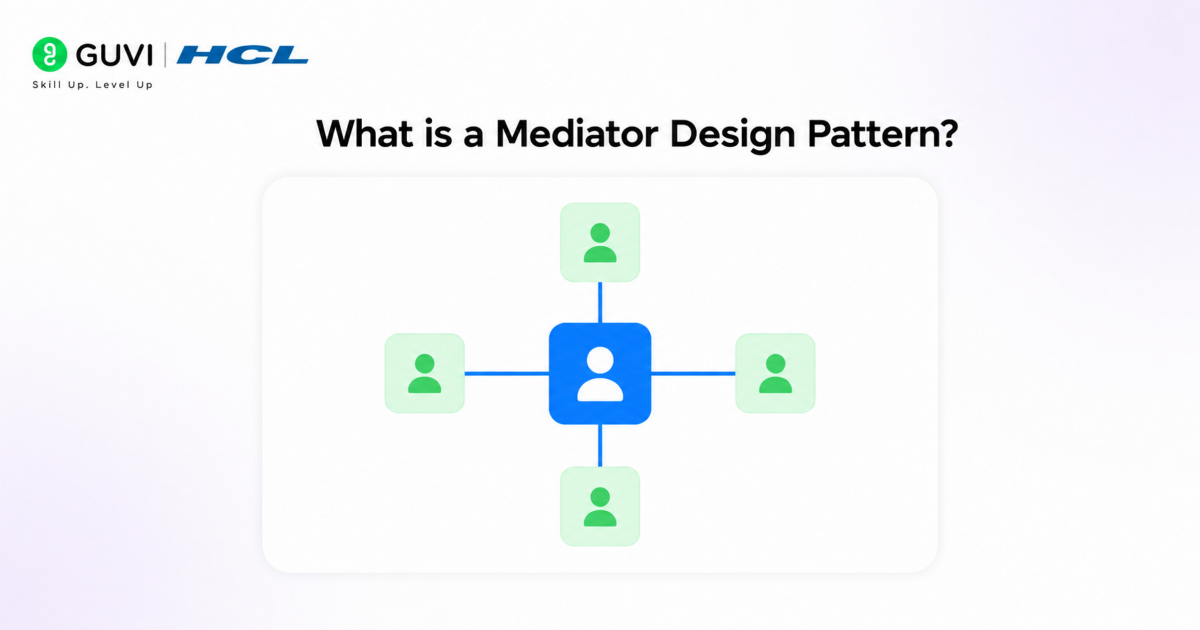
The Mediator Design Pattern is a behavioral design pattern that centralizes communication between multiple objects using a mediator object that coordinates interactions. Instead of directly communicating with each other, objects interact through the mediator, which encapsulates communication logic, workflow rules, event routing, and state coordination. This reduces tight coupling, simplifies complex many-to-many relationships, and improves maintainability and scalability. The pattern promotes loose coupling because colleague objects depend only on the mediator interface rather than individual components.
Key Components of the Mediator Design Pattern
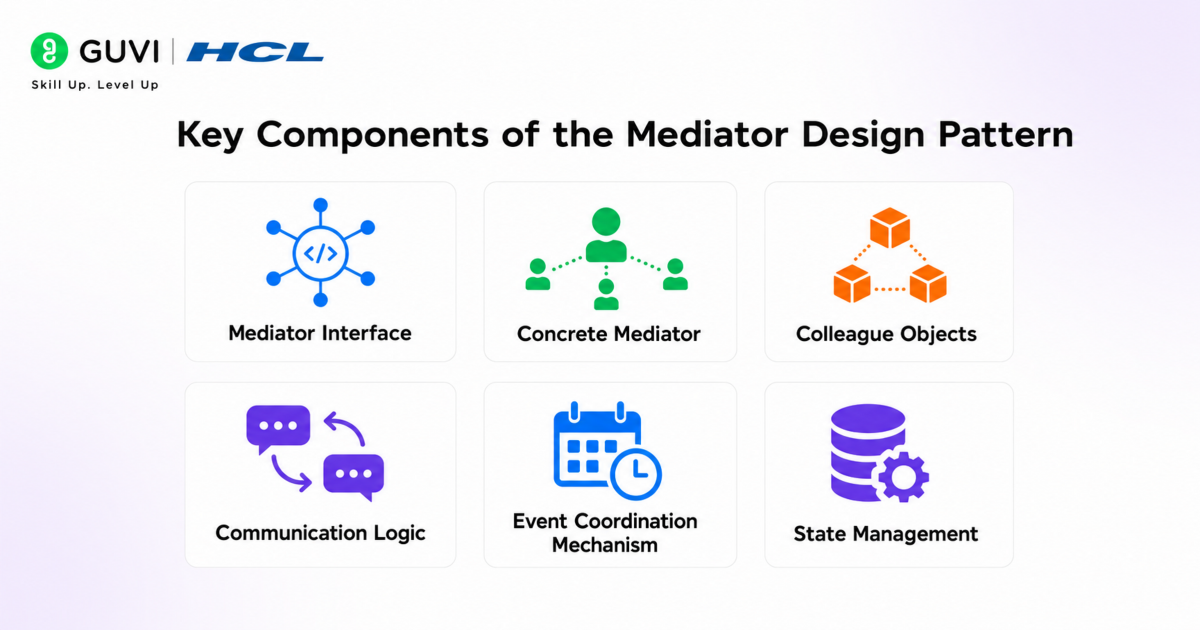
1. Mediator Interface
The Mediator interface defines the communication contract between colleague objects. It contains methods responsible for coordinating interactions, forwarding requests, and managing communication workflows between components.
2. Concrete Mediator
The Concrete Mediator implements the mediator interface and contains the actual business logic for coordinating object interactions. It manages dependencies, routes events, synchronizes states, and controls communication flow between colleague objects.
3. Colleague Objects
Colleague objects are the components that communicate through the mediator instead of directly interacting with each other. They notify the mediator about events and receive instructions or updates through the mediator.
4. Communication Logic
The communication logic represents the centralized interaction rules managed by the mediator. It handles event processing, request routing, validation, dependency coordination, and workflow execution between multiple objects.
5. Event Coordination Mechanism
The mediator often includes an event coordination mechanism that monitors object state changes and triggers appropriate actions or notifications across connected components dynamically.
6. State Management
Many mediator implementations manage shared application states between components to ensure synchronization and consistency across interacting objects within the system.
Advantages of Mediator Design Pattern
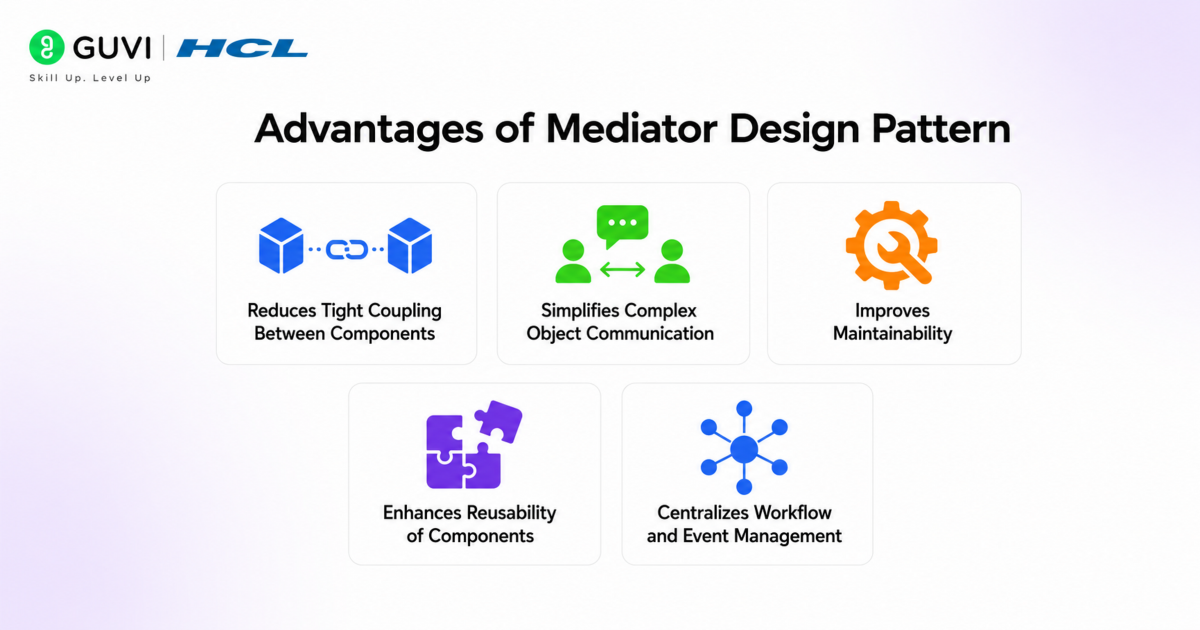
1. Reduces Tight Coupling Between Components
Objects communicate through the mediator instead of directly referencing each other, making the system more modular and easier to maintain. This improves flexibility when adding, removing, or modifying components.
2. Simplifies Complex Object Communication
The mediator centralizes interaction logic, reducing complicated many-to-many communication dependencies between objects. This makes large systems easier to understand and manage.
3. Improves Maintainability
Changes in communication workflows can be handled inside the mediator without modifying multiple colleague classes. As a result, updates and feature enhancements become faster and less error-prone.
4. Enhances Reusability of Components
Colleague objects become more independent and reusable because they are not tightly connected to other components. The same objects can often be reused across multiple workflows or applications.
5. Centralizes Workflow and Event Management
The mediator provides a single control point for event routing, validation, state synchronization, and request coordination. This improves consistency and simplifies monitoring and debugging.
Go beyond just learning software design patterns and start building scalable, maintainable applications with structured expertise. Join HCL GUVI’s AI-Powered Software Development Course to learn through live online classes led by industry experts. Master in-demand skills like system design, backend development, object-oriented programming, APIs, and scalable software architectures while working on real-world projects. Get 1:1 doubt support and access placement assistance with 1000+ hiring partners.
Disadvantages of Mediator Design Pattern
- The mediator can become overly complex in large systems.
- Excessive logic inside the mediator may create a God Object.
- Adds an additional abstraction layer to the application.
- Debugging mediator-heavy systems can become difficult.
- Performance overhead may increase in highly interactive systems.
Working Mechanism of the Mediator Design Pattern
Step 1: Colleague Objects Register with the Mediator
All colleague objects connect to a central mediator instead of directly communicating with one another. The mediator maintains references to participating components.
Step 2: An Event or Request is Triggered
When a colleague object performs an action, such as sending a message or updating a state, it notifies the mediator instead of contacting other objects directly.
Step 3: Mediator Receives and Processes the Request
The mediator analyzes the incoming event, applies business rules, validates conditions, and determines how the system should respond.
Step 4: Mediator Coordinates Communication
Based on the request, the mediator forwards commands, notifications, or updates to the appropriate colleague objects involved in the workflow.
Step 5: Colleague Objects Execute Actions
The receiving colleague objects perform their respective operations, such as updating UI components, sending notifications, processing transactions, or changing states.

Step 6: System Remains Loosely Coupled
Since all communication flows through the mediator, colleague objects remain independent from each other, improving scalability, maintainability, and flexibility.
Simplified Flow
Colleague Object A
↓
Mediator
↓
Processes Logic and Coordination
↓
Colleague Object B / C / D
↓
Actions Executed and State Updated
Real-World Applications of Mediator Design Pattern
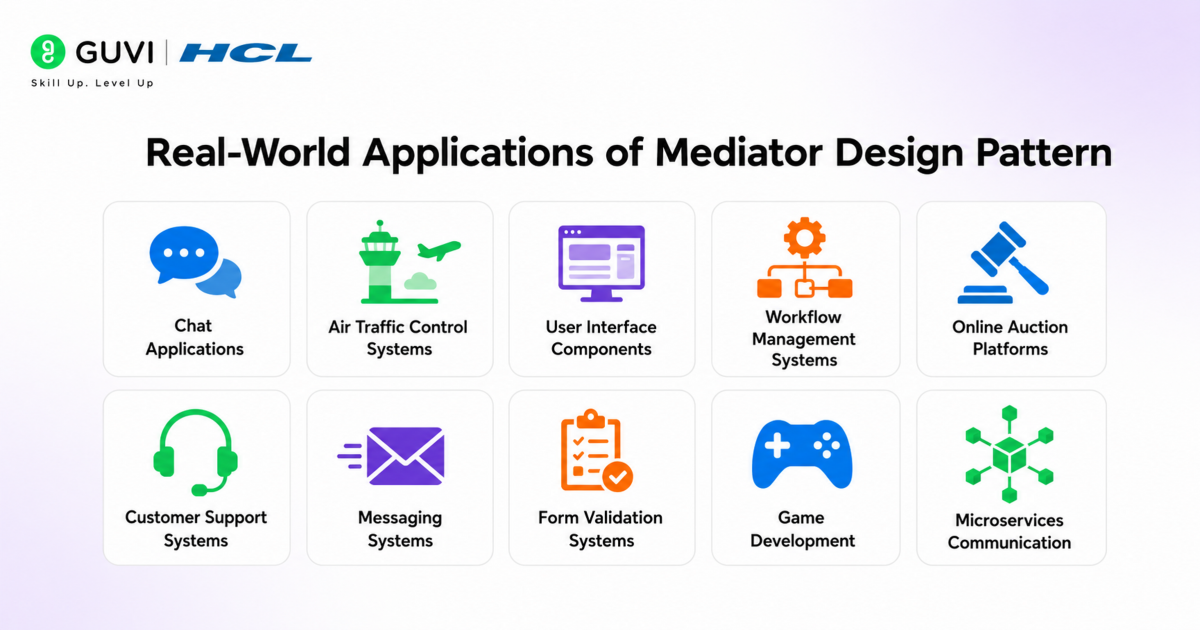
1. Chat Applications
Chat platforms use a mediator to manage communication between multiple users without users directly interacting with each other’s objects. The chat server acts as the mediator by routing messages, handling notifications, managing groups, and controlling user sessions.
2. Air Traffic Control Systems
Air traffic control systems use a control tower as the mediator between aircraft. Instead of planes communicating directly, the mediator coordinates landing schedules, runway assignments, takeoff permissions, and collision avoidance.
3. User Interface Components
GUI frameworks use mediators to coordinate interactions between buttons, text fields, dropdowns, and dialogs. For example, clicking a checkbox can enable or disable multiple UI elements through a centralized controller.
4. Workflow Management Systems
Business workflow systems use mediators to manage task approvals, employee coordination, document routing, and process transitions between departments without tightly coupling workflow components.
5. Online Auction Platforms
Auction platforms use a mediator to handle bidding communication between buyers and sellers. The mediator validates bids, updates auction status, notifies participants, and manages auction rules centrally.
6. Customer Support Systems
Support platforms use mediators to route customer tickets between chatbots, support executives, technical teams, and managers based on issue priority, escalation rules, and department availability.
7. Messaging Systems
Enterprise messaging systems use mediators to coordinate message delivery, queue management, subscriber notifications, retry mechanisms, and asynchronous communication between distributed services.
8. Form Validation Systems
Complex web forms use mediators to coordinate validation logic between multiple input fields. For example, selecting a country can dynamically update state validation, ZIP code rules, and payment options.
9. Game Development
Game engines use mediators to manage interactions between players, enemies, physics systems, audio systems, and UI modules while reducing direct dependencies between game components.
10. Microservices Communication
Microservices architectures use mediator-based orchestration services or API gateways to coordinate communication, request routing, service discovery, authentication, and transaction handling across distributed services.
Best Practices for Using Mediator Design Pattern
1. Keep Communication Logic Inside the Mediator
All coordination, event routing, and workflow handling should remain inside the mediator rather than being distributed across colleague objects. This maintains loose coupling and simplifies maintenance.
2. Prevent the Mediator from Becoming a God Object
Large systems should use multiple specialized mediators instead of one massive mediator handling every interaction. This improves scalability, readability, and debugging.
3. Avoid Direct Communication Between Colleagues
Colleague objects should communicate only through the mediator to maintain centralized control and prevent tightly coupled dependencies.
4. Use Interfaces for Better Flexibility
Define mediator and colleague interactions through interfaces instead of concrete classes. This improves extensibility, unit testing, and future system modifications.
5. Implement Centralized Logging and Validation
Since all communication flows through the mediator, adding validation, monitoring, and logging mechanisms inside the mediator helps track workflows, detect failures, and simplify troubleshooting.
Conclusion
The Mediator Design Pattern is useful when multiple objects need to communicate without creating complex direct dependencies. By centralizing communication through a mediator, applications become cleaner, more flexible, and easier to maintain. It is especially helpful in systems with many interacting components, such as chat apps, UI systems, and workflow tools. Understanding this pattern helps developers design scalable and loosely coupled software architectures.
FAQs
1. What is the Mediator Design Pattern in software design?
The Mediator Design Pattern is a behavioral design pattern that centralizes communication between multiple objects through a mediator object, reducing tight coupling and simplifying complex interactions.
2. Where is the Mediator Design Pattern commonly used?
The Mediator Design Pattern is widely used in chat applications, GUI frameworks, workflow systems, messaging platforms, air traffic control systems, and microservices architectures.
3. What are the main advantages of the Mediator Design Pattern?
The pattern improves maintainability, reduces direct dependencies between objects, simplifies communication workflows, and enhances scalability in complex applications.
4. What is the difference between Mediator and Observer Design Patterns?
The Mediator Design Pattern centralizes communication through a controller object, while the Observer Design Pattern focuses on one-to-many event notifications between subjects and observers.
5. What are the disadvantages of the Mediator Design Pattern?
The mediator can become overly complex in large systems, may introduce additional abstraction, and can create performance overhead if too many interactions are managed centrally.
Success Stories

About the Author
Vaishali
I'm a seasoned writer with four years of experience across technical, non-technical, and just about every genre or niche you can imagine. Adaptable and curious, I enjoy exploring new topics and making information engaging and easy to understand. Fueled by a steady stream of tea, I approach each project with creativity, reliability, and genuine enthusiasm for storytelling.
View all posts by Vaishali
Connect with me @















Did you enjoy this article?