


Artificial Intelligence and Machine Learning Articles
AI/ML Skills Gap 2026: Why Companies Can't Find Job-Ready Talent
20 AI/ML Interview Questions Recruiters Can Use Without a Tech Background - Best Guide
How Industry-Backed AI/ML Bootcamps Are Changing the AI/ML Hiring Pipeline - Best Guide 2026
From IT Support to AI Engineer: A Realistic Career Switch Guide 2026


Get In Touch For Details! Request More Information
Introducing AI Agent 3: Most Autonomous Agent Yet
Jun 24, 2026 5 Min Read 603 Views
(Last Updated)
Let me tell you a story. A developer gave his AI tool a simple task. Three hours later, he was still typing follow-up prompts, copying outputs between tabs, and fixing mistakes along the way. The AI was smart but it could not just handle things on its own.
He wanted something that could take a goal and run with it. No hand-holding. No constant check-ins. That is the exact problem Agent 3 was built to solve.
In this guide, we will break down what Agent 3 is, why it matters, how it works, and what it means for you as someone who uses AI tools every day.
Table of contents
- Quick TL;DR Summary
- Why Most AI Tools Still Feel Like Hard Work
- What Makes It Different From Earlier AI Agents?
- How Agent 3 Actually Works
- Step 1: Define the Goal
- Step 2: Build a Plan
- Step 3: Execute Tasks
- Step 4: Review Work
- Step 5: Deliver Results
- Real World Examples of What Agent 3 Can Do
- Who Should Use Agent 3?
- Common Myths About Autonomous AI Agents
- The Safety Side of Agent 3
- What This Means for the Future
- Mistakes Developers Make When Using Agent 3
- Conclusion
- FAQs
- Is Agent 3 available to everyone or just businesses?
- Do I need to know how to code to use Agent 3?
- Can Agent 3 access my personal files and accounts?
- What happens if Agent 3 makes a mistake during a task?
- Is Agent 3 safe to use for sensitive work?
Quick TL;DR Summary
- This guide explains what Agent 3 is and why it marks a major turning point in how AI tools work for everyday users.
- You will learn exactly how Agent 3 plans, executes, and self-corrects across complex multi-step tasks without needing constant human input.
- The guide covers the specific capabilities Agent 3 brings, including autonomous planning, cross-tool execution, and built-in error recovery.
- Real-world examples show you how Agent 3 handles tasks like research, coding, lead generation, and studying without you managing every step.
- Practical tips help you understand what you should do to get the best results from Agent 3 right from your very first task.
- You will also learn about the safety guardrails built into Agent 3 and what the rise of autonomous AI agents means for the future of how we work.
What Is Agent 3?
Agent 3 is an AI system built to work autonomously. That means it does not just respond to what you type it actually takes action.
Why Most AI Tools Still Feel Like Hard Work

Most AI coding tools you have used before work in a back and forth way. You ask something, it replies, you ask again, it replies again. Replit Agent 3 changes that. You give it a goal, and it figures out the steps, executes them one by one, checks its own progress, and adjusts if something goes wrong.
Think of the difference between a junior developer who needs you to approve every single line of code versus a senior one who takes a brief, builds the feature, and only comes to you when a real decision needs to be made. Agent 3 is the second kind.
Read More: AI Agent Frameworks: A Complete Guide for Developers
What Makes It Different From Earlier AI Agents?
Earlier agents could do simple tasks. They could search the web or run a piece of code. But they needed a lot of hand-holding. If something went wrong mid-task, they would stop and ask you what to do next.
Agent 3 is different in three main ways.
- It Plans Before It Acts
Before doing anything, Agent 3 maps out a full plan. It thinks about what tools it needs, what order to do things in, and what could go wrong. This planning step is what separates it from earlier versions that jumped straight into action and got confused halfway through.
- It Recovers From Mistakes on Its Own
Every AI makes mistakes. The difference is what happens next. Earlier agents would hit an error and freeze. Agent 3 recognizes when something did not work, figures out why, and tries a different approach. It is not perfect, but it is far more resilient.
- It Works Across Multiple Tools at Once
Agent 3 can open a browser, read a webpage, paste information into a document, write code to process that information, and send a summary to your email. All in one task. Without you switching between apps yourself.
How Agent 3 Actually Works
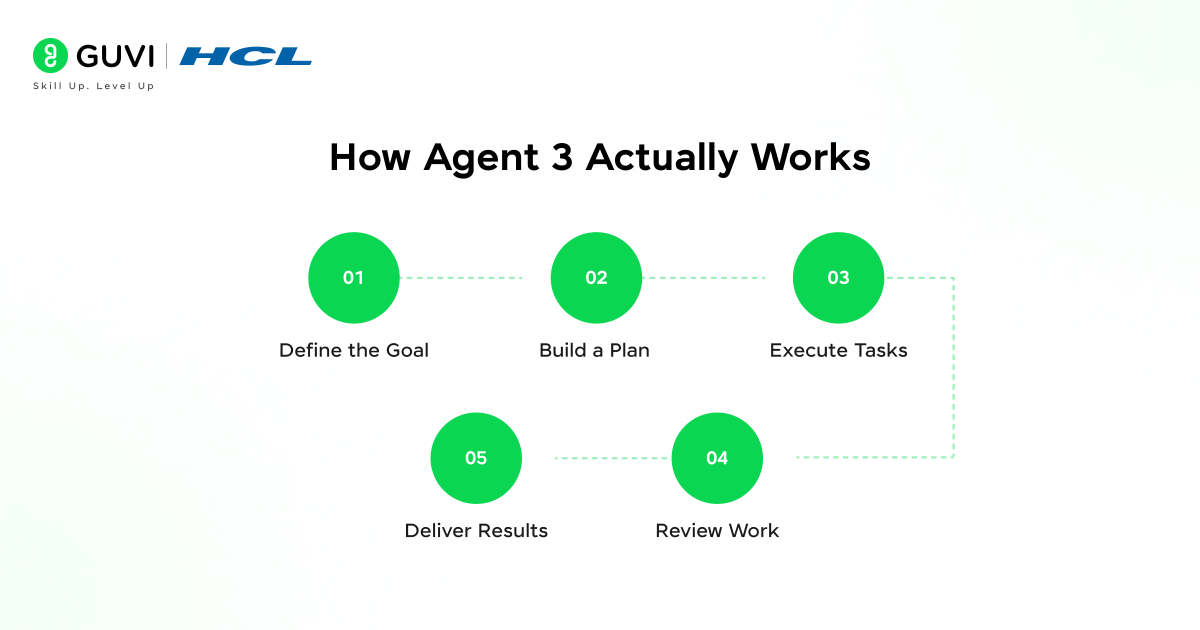
Here is a simple breakdown of what happens when you give Agent 3 a task.
Step 1: Define the Goal
You Give It a Goal You type something like: “Research the top five project management tools, compare their pricing, and put it in a spreadsheet.”
Step 2: Build a Plan
It Builds a Plan Agent 3 breaks that down into smaller steps. Search for tools. Visit each website. Find pricing pages. Extract the information. Create a spreadsheet. Format it clearly.
Step 3: Execute Tasks
It Executes Step by Step It starts working through the plan. It opens a browser, searches, visits pages, reads them, and collects data. If a website is hard to read or has a popup in the way, it figures out how to handle it.
Step 4: Review Work
It Checks Its Own Work After each step, it reviews what it has done. Does the data make sense? Is anything missing? It self-corrects before moving on.
Step 5: Deliver Results
It Delivers the Result Once done, it hands you the finished spreadsheet, often with a quick summary of what it found and any notes about things it was unsure about.
Replit Agent 3 can detect when your code is about to break before errors even occur.
Instead of reacting to failures, it identifies issues early and fixes them instantly, reducing debugging time and eliminating repetitive back-and-forth fixes.
Real World Examples of What Agent 3 Can Do
- For developers:
You describe a feature you want built. Agent 3 writes the code, runs tests, finds the bugs, fixes them, and gives you working code. No more copy-pasting error messages back and forth.
- For researchers:
You ask it to gather information on a topic from multiple sources. It reads through pages, pulls out the most relevant points, and organizes them into a clear document.
- For business owners:
You ask it to find potential leads in a specific industry. It searches, compiles a list, finds contact information, and drafts a personalized outreach email for each one.
- For students:
You ask it to help you understand a complex topic. It finds good explanations, builds a study guide, creates practice questions, and checks your answers.
Who Should Use Agent 3?
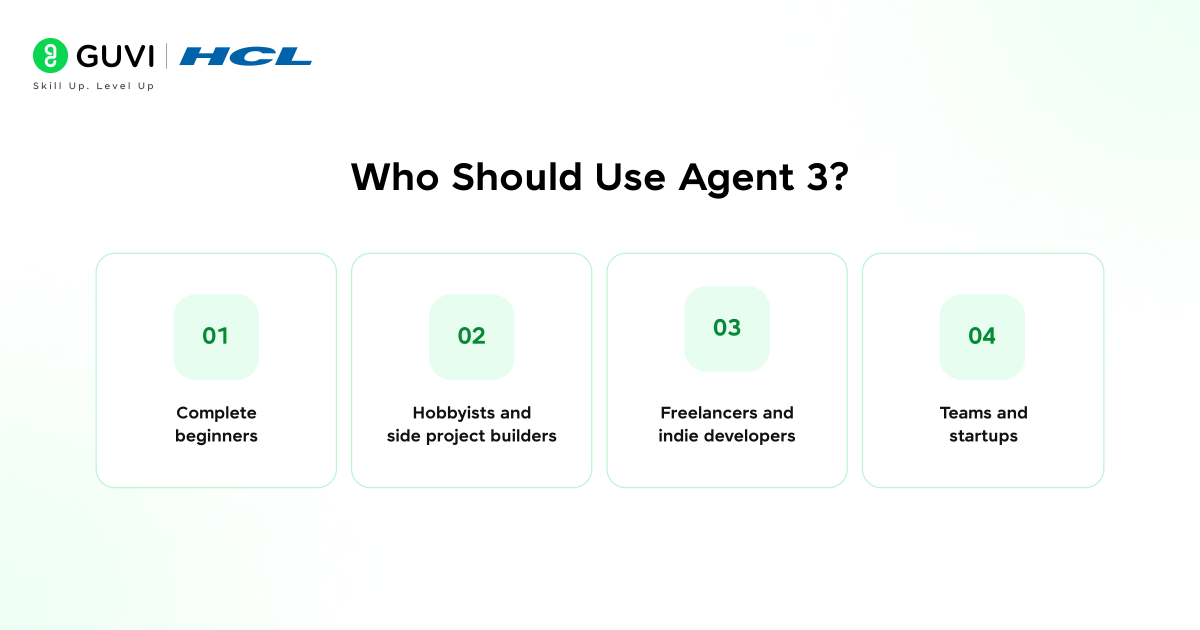
Replit Agent 3 is not built for one specific type of person. It is genuinely useful across a wide range of people who interact with code in different ways.
- Complete beginners
It will find it removes the biggest barrier to building, which is not knowing where to start. You describe your idea and the agent starts building it. You learn by watching it work.
- Hobbyists and side project builders
It will find it cuts the time between having an idea and having a working prototype down dramatically. You spend more time refining and less time setting things up from scratch.
- Freelancers and indie developers
It will find it handles the parts of a project that are necessary but not exciting, boilerplate code, repetitive functions, basic integrations, so they can focus on the parts that actually require their expertise.
- Teams and startups
It will find it speeds up early development cycles and lets smaller teams punch above their weight when it comes to shipping features quickly.
If you have ever had an idea you wanted to build but felt like the technical execution was standing in your way, Agent 3 was built for exactly that situation.

Common Myths About Autonomous AI Agents
- “It will do whatever it wants.”
No. Agent 3 operates within strict boundaries and checks in with you for anything significant.
- “It is only useful for tech experts.”
Not true. The whole point is that you describe what you want in plain language. No coding or technical knowledge needed.
- “It makes too many mistakes to be useful.”
It is not perfect, but it is reliable enough for real tasks. And it gets better over time as it learns from feedback.
- “It is spying on everything I do.”
Agent 3 only accesses what you give it permission to access. It does not run in the background collecting your data.
The Safety Side of Agent 3
- More autonomy sounds exciting, but it also raises a fair question: what stops it from doing something it should not?
- This is something the teams behind Agent 3 took seriously.
- It asks before taking irreversible actions. Deleting files, sending emails, making purchases. For anything that cannot be undone, it pauses and confirms with you first.
- It has boundaries built in. There are things Agent 3 simply will not do regardless of how you frame the request. It will not help with anything harmful, illegal, or unethical.
- It keeps a log of everything. Every action it takes is recorded so you can review exactly what it did and why. Nothing happens in the dark.
- You can stop it at any time. You are always in control. If you see it going in the wrong direction, one click stops everything.
What This Means for the Future

Agent 3 is not just a product. It is a signal of where AI is heading. Right now, most people use AI as a smart search engine or a writing helper. Useful, but still mostly passive. You do the work; AI just assists.
The next phase is AI that does the work while you focus on the decisions that actually need human judgment.
Agent 3 is the clearest example yet of what that looks like in practice. Not AI replacing humans, but AI handling the repetitive, time-consuming tasks so you can spend your energy on what matters most.
The name “Agent 3” represents a major leap in AI evolution. First-generation agents could only answer questions, while second-generation agents introduced basic tool usage.
Agent 3 combines long-horizon planning, multi-tool execution, and self-correction into a single system, making it reliable enough for everyday use.
Mistakes Developers Make When Using Agent 3
Agent 3 is powerful, but how you work with it makes a big difference in the results you get. A few common mistakes can slow you down or lead to outputs that miss the mark.
- Being too vague with the goal.
Telling Agent 3 to “build something cool” or “fix my app” does not give it enough to work with. The more context you provide upfront, the less back and forth you will need later.
- Not reviewing the code it writes.
Agent 3 is autonomous but it is not infallible. Some developers hand it a task and ship whatever comes out without reading through it. That is a habit that will eventually cause problems. Always treat its output as a strong first draft, not a finished product.
- Giving it too many things at once.
Piling five different features into one prompt often leads to messy results. Breaking your work into focused individual tasks gives the agent a clear target and produces much cleaner code.
- Ignoring the logs.
Agent 3 records everything it does. Most people never look at these logs. But when something does not turn out right, the logs are usually the fastest way to understand exactly where things went sideways.
- Not using it early enough in a project.
Many developers only turn to Agent 3 when they are stuck. Using it from the very beginning of a project, for setup, structure, and initial scaffolding, saves a significant amount of time and sets the whole project up more cleanly.
If you want to learn more about Agent 3, do not miss the chance to enroll in HCL GUVI’s Intel & IITM Pravartak Certified Artificial Intelligence & Machine Learning course. Endorsed with Intel certification, this course adds a globally recognized credential to your resume, a powerful edge that sets you apart in the competitive AI job market.
Conclusion
Agent 3 is a genuine step forward. It is not just smarter than what came before. It is more capable, more reliable, and more useful in everyday situations. You give it a goal. It makes a plan. It gets to work. It handles the bumps along the way. And it delivers results without needing you to manage every detail.
That is what autonomous AI looks like in practice, and Agent 3 is the best version of it we have seen yet.
Security, planning, self-correction, and cross-tool execution. All wrapped in something anyone can use. The future of AI is not just answering your questions. It is getting things done.
FAQs
1. Is Agent 3 available to everyone or just businesses?
Agent 3 is being rolled out broadly. Depending on the platform, individual users and businesses can both access it, sometimes with different feature tiers.
2. Do I need to know how to code to use Agent 3?
No. You interact with it using plain language. It handles the technical side on its own.
3. Can Agent 3 access my personal files and accounts?
Only if you permit it. It does not access anything you have not explicitly connected to it.
4. What happens if Agent 3 makes a mistake during a task?
It will try to self-correct first. For major errors, it notifies you and asks for guidance before continuing.
5. Is Agent 3 safe to use for sensitive work?
It is designed with safety in mind, but you should always follow your organization’s data policies before using any AI tool for sensitive information.
Success Stories

About the Author
Vishalini Devarajan
An Aerospace Engineer turned content writer, I focus on making complex concepts easy to understand through well-structured, reader-friendly blogs. Whether it’s a technical topic or a non-technical one, I love creating content that is clear, engaging, and impactful.
View all posts by Vishalini Devarajan
Connect with me @













Did you enjoy this article?