


Artificial Intelligence and Machine Learning Articles
AI/ML Skills Gap 2026: Why Companies Can't Find Job-Ready Talent
20 AI/ML Interview Questions Recruiters Can Use Without a Tech Background - Best Guide
How Industry-Backed AI/ML Bootcamps Are Changing the AI/ML Hiring Pipeline - Best Guide 2026
From IT Support to AI Engineer: A Realistic Career Switch Guide 2026


Get In Touch For Details! Request More Information
Vibe Coding 101 with Replit: Build Your First App Without Overthinking Code
Sep 03, 2026 5 Min Read 1348 Views
(Last Updated)
Ever had a great app idea but felt stuck because coding looked too technical or overwhelming? That’s exactly where vibe coding changes the game. Instead of obsessing over syntax, frameworks, or setup, vibe coding is about building fast, experimenting freely, and learning as you go.
With platforms like Replit, you can literally start coding in seconds, collaborate in real time, and even use AI to generate code for you. No installations, no configuration headaches. In this guide, you’ll learn how to start vibe coding with Replit, build your first project, and understand the mindset that separates overthinkers from builders.
Quick Answer:
Vibe coding with Replit is a beginner-friendly way to build apps by focusing on ideas and outcomes rather than complex syntax. Instead of getting stuck in technical details, you use Replit’s browser-based IDE, AI tools, and instant deployment features to quickly prototype, test, and launch projects. It’s ideal for beginners, non-coders, and creators who want to “learn by building” and turn ideas into working apps fast, without heavy setup or deep programming knowledge.
- Replit now has over 40 million users building, deploying, and managing apps on its AI-powered platform.
- Approximately 85% of Fortune 500 companies are using Replit in some capacity.
- India is Replit’s second-largest market, with 2M+ developers and over 600K projects created every month.
Table of contents
- What is Vibe Coding?
- What is Replit?
- Why Replit is Perfect for Vibe Coding
- Zero Setup (Cloud-Native Development Environment)
- Built-in AI (AI-Augmented Development Layer)
- Instant Deployment (Integrated Dev-to-Prod Pipeline)
- Multiplayer Mode (Real-Time Collaborative Coding)
- Setting Up Your First Replit Project
- Step 1: Create an Account
- Step 2: Start a New Repl
- Step 3: Understand the Interface
- Practical Example: Building a To-Do List App with Vibe Coding on Replit
- Step 1: Start With a Tiny Idea
- Step 2: Ask AI to Bootstrap
- Step 3: Run Immediately
- Step 4: Break and Fix
- Step 5: Iterate Fast
- Common Mistakes to Avoid
- Conclusion
- FAQs
- What is vibe coding in simple terms?
- Is vibe coding suitable for beginners?
- Do I need to know programming before using Replit?
- What programming language should I start with on Replit?
- Can I deploy apps directly from Replit?
What is Vibe Coding?
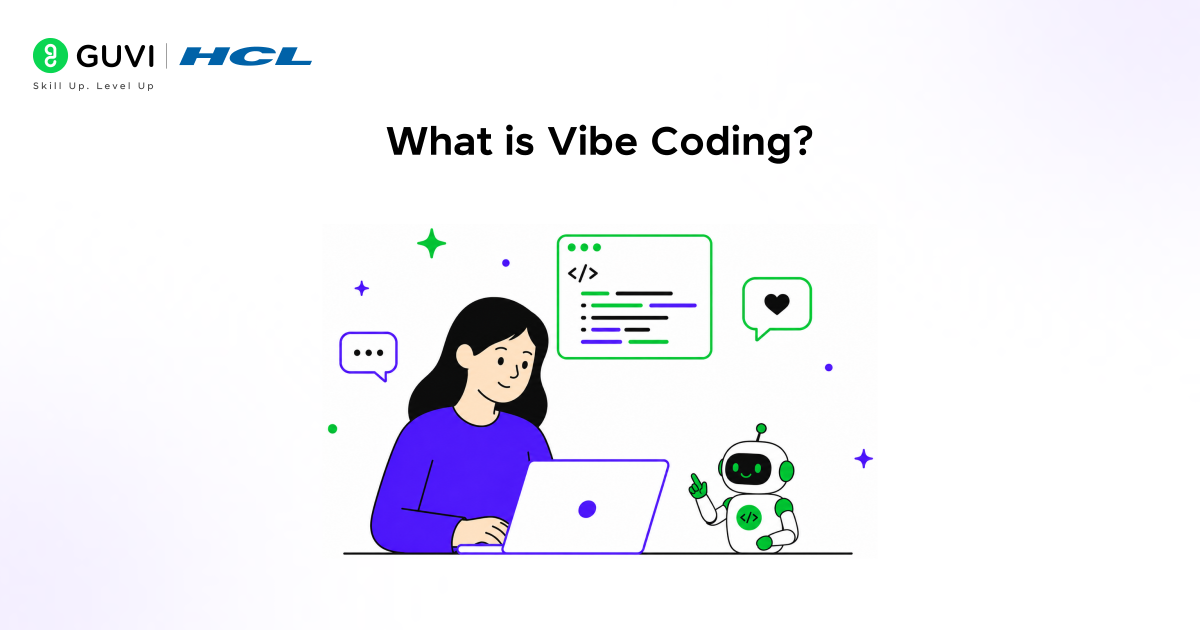
Vibe coding is a rapid, feedback-driven development approach where the primary goal is to transform ideas into working prototypes as quickly as possible. It prioritizes execution speed, iteration, and learning-through-building over upfront architectural planning.
At a technical level, vibe coding aligns with:
- Rapid Prototyping (build → test → iterate loops)
- Just-in-Time Learning (learn concepts when needed, not beforehand)
- AI-Augmented Development (using copilots/LLMs for scaffolding and debugging)
- Progressive Refinement (start with a rough version, then optimize)
Instead of spending hours deciding:
- “What’s the best framework?”
- “What’s the perfect architecture?”
You optimize for:
- “Can I make this work in 30 minutes?”
- “Can I get a working version and improve it incrementally?”
This approach is especially effective for:
- Beginners learning programming
- Hackathons and MVP development
- Indie builders and rapid experimentation
- Validating ideas before investing in full-scale systems
What is Replit?
Replit is a browser-native development platform that combines:
- Code editor
- Runtime environment
- Hosting infrastructure
into a single interface.
Instead of installing compilers, interpreters, or dependencies manually, Replit provisions a ready-to-use environment for multiple programming languages such as Python, JavaScript, Java, and C++.
Why Replit is Perfect for Vibe Coding
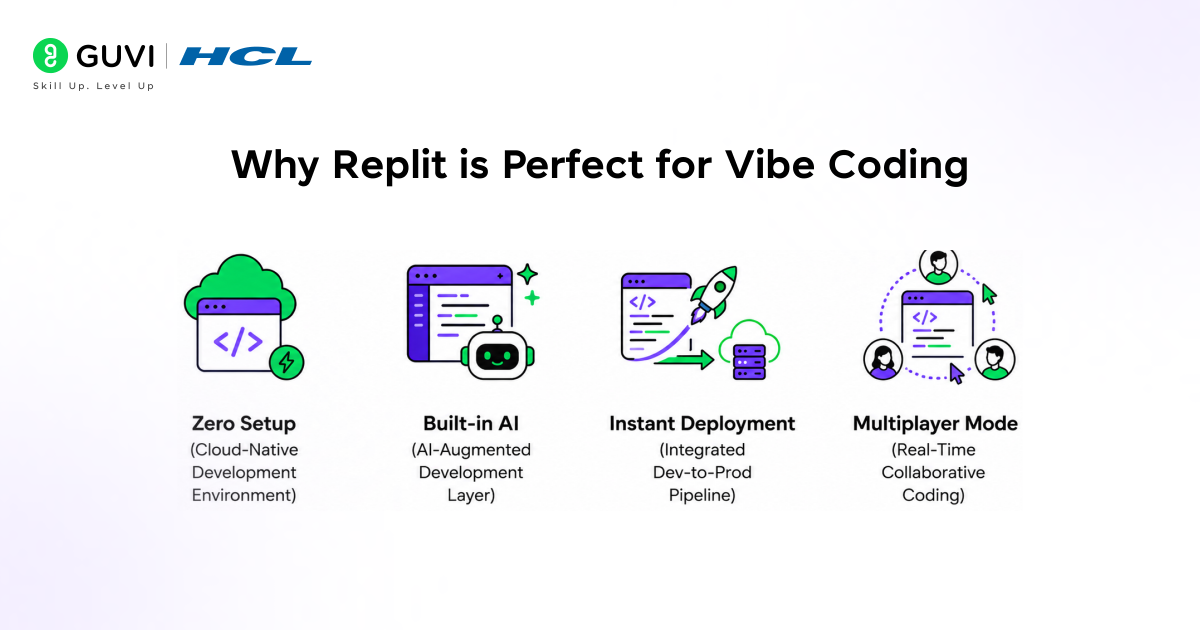
1. Zero Setup (Cloud-Native Development Environment)
Replit eliminates local environment configuration.
Technically, it provides:
- Pre-configured language runtimes (Python, Node.js, etc.)
- Managed containerized environments
- Built-in dependency management
This removes common blockers like:
- Version mismatches
- Package installation errors
- OS-specific issues
Result: You move directly to code execution within seconds.
2. Built-in AI (AI-Augmented Development Layer)
Replit integrates Artificial Intelligence directly into the development workflow.
Capabilities include:
- Code generation: Create functions, scripts, or full modules
- Error resolution: Analyze stack traces and suggest fixes
- Code explanation: Break down unfamiliar logic
- Refactoring: Improve readability and structure
This reduces:
- Cognitive load for beginners
- Time spent searching documentation
- Friction in debugging cycles
3. Instant Deployment (Integrated Dev-to-Prod Pipeline)
Replit allows direct deployment from the IDE.
Technically:
- Apps are hosted on managed infrastructure
- Provides public URLs instantly
- Supports web servers (Flask, Node, etc.)
This enables:
- Immediate feedback from real users
- Rapid iteration on live systems
- MVP validation without DevOps overhead
4. Multiplayer Mode (Real-Time Collaborative Coding)
Replit supports synchronous collaboration similar to shared documents.
Features:
- Multiple users editing the same codebase
- Real-time cursor tracking
- Shared execution environment
Use cases:
- Pair programming
- Mentorship and guided learning
- Team-based prototyping
Setting Up Your First Replit Project
Step 1: Create an Account
Sign up on Replit to access the cloud IDE.
Step 2: Start a New Repl
- Select a programming language
- Python is recommended for simplicity and readability
- Initialize a new project (Repl)
- Assign a project name
Under the hood:
- Replit provisions a containerized environment
- Installs default dependencies for the selected language
Step 3: Understand the Interface
Editor
- Main code-writing area
- Supports syntax highlighting, auto-completion, and AI suggestions
Console
- Displays runtime output
- Shows errors, logs, and print statements
- Useful for debugging and testing
Files Panel
- Manages project structure
- Create, edit, and organize files
- Handles configuration files and assets
This setup minimizes friction and enables a tight development loop:
Write → Run → Break → Fix → Repeat
That loop is the core of vibe coding.
Practical Example: Building a To-Do List App with Vibe Coding on Replit
This example demonstrates how vibe coding works in a real development flow using Replit. The focus is on rapid execution, iteration, and learning through building.
Step 1: Start With a Tiny Idea
Problem: Build a simple to-do list application.
Scope:
- Add tasks
- View tasks
- Delete tasks\
Keep the implementation minimal. Avoid databases, frameworks, or advanced UI. Focus only on core functionality.
Step 2: Ask AI to Bootstrap
Prompt: “Create a simple Python to-do list app that allows users to add, view, and delete tasks using a menu.”
Starter Code
tasks = []

def show_tasks():

    if not tasks:

        print("No tasks yet.")

    else:

        for i, task in enumerate(tasks):

            print(f"{i + 1}. {task}")

def add_task():

    task = input("Enter a new task: ")

    tasks.append(task)

    print("Task added.")

def delete_task():

    show_tasks()

    try:

        task_num = int(input("Enter task number to delete: "))

        tasks.pop(task_num - 1)

        print("Task deleted.")

    except:

        print("Invalid input.")

while True:

    print("\n1. View Tasks\n2. Add Task\n3. Delete Task\n4. Exit")

    choice = input("Choose an option: ")

    if choice == "1":

        show_tasks()

    elif choice == "2":

        add_task()

    elif choice == "3":

        delete_task()

    elif choice == "4":

        break

    else:

        print("Invalid choice.")
Step 3: Run Immediately
- Run the code inside Replit
- Interact with the menu
- Test adding and deleting tasks
Observation:
- The app works functionally
- UX is basic
- Edge cases are not handled
This establishes a working baseline.
Step 4: Break and Fix
Break the App
- Enter invalid inputs
- Try deleting tasks when none exist
- Add empty tasks
Fix the Issues
Improve input validation:

def add_task():

    task = input("Enter a new task: ").strip()

    if task:

        tasks.append(task)

        print("Task added.")

    else:

        print("Task cannot be empty.")

Improve delete safety:

def delete_task():

    if not tasks:

        print("No tasks to delete.")

        return

    show_tasks()

    try:

        task_num = int(input("Enter task number to delete: "))

        if 1 <= task_num <= len(tasks):

            tasks.pop(task_num - 1)

            print("Task deleted.")

        else:

            print("Invalid task number.")

    except:

        print("Please enter a valid number.")
This step builds debugging and error-handling skills.
Step 5: Iterate Fast
Iteration 1: Add Task Count
def show_tasks():

    print(f"\nTotal Tasks: {len(tasks)}")

    if not tasks:

        print("No tasks yet.")

    else:

        for i, task in enumerate(tasks):

            print(f"{i + 1}. {task}")
Iteration 2: Add Task Status (Done/Pending)
tasks = []

def add_task():

    task = input("Enter a new task: ").strip()

    if task:

        tasks.append({"task": task, "done": False})

def show_tasks():

    for i, t in enumerate(tasks):

        status = "Done" if t["done"] else "Pending"

        print(f"{i + 1}. {t['task']} [{status}]")
Iteration 3: Add Basic Persistence
Enhance the app by saving tasks to a file:
- Introduces file handling
- Allows data retention after program exit
Prompt AI: “Add file storage to save and load tasks from a file”
The Bottom Line: This is the essence of vibe coding:
Start small → Generate → Run → Break → Fix → Iterate
Using Replit, you eliminate setup friction and focus entirely on building and learning through execution.
Also Read: Vibe Coding Data Apps with Replit and Databricks
Common Mistakes to Avoid
- Overthinking the Tech Stacks: Avoid spending time choosing frameworks or tools at the start. Focus on solving the problem with the simplest approach.
- Watching Too Many Tutorials: Passive learning creates an illusion of understanding. Real learning happens when you write, run, and debug code yourself.
- Not Using AI: Ignoring AI tools slows down development significantly.
Use AI for:
- Generating starting points
- Debugging errors
- Explaining unfamiliar concepts
- Fear of Errors: Errors are not failures; they are diagnostic signals. Each error improves your understanding of:
- Language behavior
- System constraints
- Logical flow
Conclusion
Vibe coding is a speed-focused and iteration-driven approach to learning and building software. It removes unnecessary friction and emphasizes real-world execution over theoretical perfection.
With Replit, you gain instant development environments, AI-assisted coding, and built-in deployment and collaboration. This combination enables a continuous loop of building, testing, and improving. The faster you start building, the faster you develop practical skills.
FAQs
What is vibe coding in simple terms?
Vibe coding is a fast, hands-on way of building apps where you focus on execution instead of overplanning. You write code, run it, fix errors, and improve it continuously rather than spending time on perfect architecture upfront.
Is vibe coding suitable for beginners?
Yes. Vibe coding is ideal for beginners because it removes complexity and encourages learning through practice. With tools like Replit, you can start coding instantly without worrying about setup or advanced concepts.
Do I need to know programming before using Replit?
No. You can start with little to no prior knowledge. Replit provides templates and AI assistance that help you understand code, generate functions, and debug errors as you build.
What programming language should I start with on Replit?
Python is recommended for beginners due to its simple syntax and readability. However, Replit supports multiple languages like JavaScript, Java, and C++ depending on your project needs.
Can I deploy apps directly from Replit?
Yes. Replit allows you to deploy applications directly and generate a live URL, making it easy to share your project without additional hosting setup.
Success Stories

About the Author
Vaishali
I'm a seasoned writer with four years of experience across technical, non-technical, and just about every genre or niche you can imagine. Adaptable and curious, I enjoy exploring new topics and making information engaging and easy to understand. Fueled by a steady stream of tea, I approach each project with creativity, reliability, and genuine enthusiasm for storytelling.
View all posts by Vaishali
Connect with me @










Did you enjoy this article?