


Full Stack Development Articles
Is Full Stack Development Training a Good Investment for Mid-Career IT Professionals?
What Makes a Full Stack Development Program Industry-Relevant in 2027?
Full Stack Development Training for Professionals Looking to Move into Product-Based Companies


Get In Touch For Details! Request More Information

How to Set Up a Local Development Environment Like a Professional
Aug 19, 2026 4 Min Read 823 Views
(Last Updated)
A local development environment is a setup on your computer that allows you to write, test, and run applications before deploying them to production. A professional local development environment typically includes a code editor, version control system, runtime environments, package managers, containers, and debugging tools. Setting up the right environment improves productivity, reduces errors, and creates a smoother development workflow.
Table of contents
- TL;DR
- What Is a Local Development Environment?
- Why Is a Local Development Environment Important?
- What Tools Do You Need for a Professional Local Development Environment?
- How to Set Up a Local Development Environment Step by Step
- Step 1: Install a Code Editor
- Step 2: Install Git
- Step 3: Install Programming Language Runtimes
- Step 4: Install Required Dependencies
- Step 5: Configure Environment Variables
- Why Should Developers Use Docker?
- How Can You Improve Your Development Workflow?
- Key Takeaways
- Conclusion
- FAQs
- What is a local development environment?
- Why is a local development environment important?
- What tools are commonly used in a local development environment?
- Should I use Docker in my local development environment?
- How do I secure my local development environment?
TL;DR
- A local development environment allows you to build and test applications on your own machine.
- Professional developers use tools like VS Code, Git, Docker, and package managers.
- A properly configured environment improves productivity and consistency.
- Automation and containerization help eliminate “it works on my machine” issues.
- Investing time in setup can save countless hours during development.
Want to build strong development workflows and professional coding habits from the ground up? Explore HCL GUVI’s Full Stack Development Course, designed to help you set up and work with real, production-style development environments.
What Is a Local Development Environment?

A local development environment is the collection of software, tools, and configurations that developers use to build applications on their personal computers. It provides a safe space to develop, test, and debug code before deploying it to staging or production environments.
Think of it as your personal software development workspace — everything you need to write code, run applications, test features, and troubleshoot problems exists within this environment.
A typical local development environment includes:
- Code editor or IDE
- Programming language runtime
- Version control tools
- Package managers
- Database systems
- Debugging utilities
Many software development issues are caused by inconsistent local environments rather than application bugs. Using tools like Git, Docker, dependency lock files, and standardized configurations helps teams eliminate “it works on my machine” problems, making collaboration smoother and deployments more reliable.
Read More: Best Software Development Tools: A Complete Guide for 2026
Why Is a Local Development Environment Important?
A properly configured local development environment creates a reliable foundation for software development. Without it, developers may encounter configuration issues, dependency conflicts, and inconsistent behavior across machines.
Some major benefits include:
- Improved productivity. Developers spend less time troubleshooting setup issues and more time building features.
- Faster testing. Applications can be tested locally before deployment.
- Consistency across projects. Standardized environments reduce unexpected behavior.
- Better collaboration. Team members can work with similar configurations and tools.
Data Point: A significant percentage of onboarding delays in development teams stem from environment setup challenges rather than coding tasks.
Want to build strong development workflows and professional coding habits from the ground up? Explore HCL GUVI’s Full Stack Development Course, designed to help you set up and work with real, production-style development environments.
What Tools Do You Need for a Professional Local Development Environment?
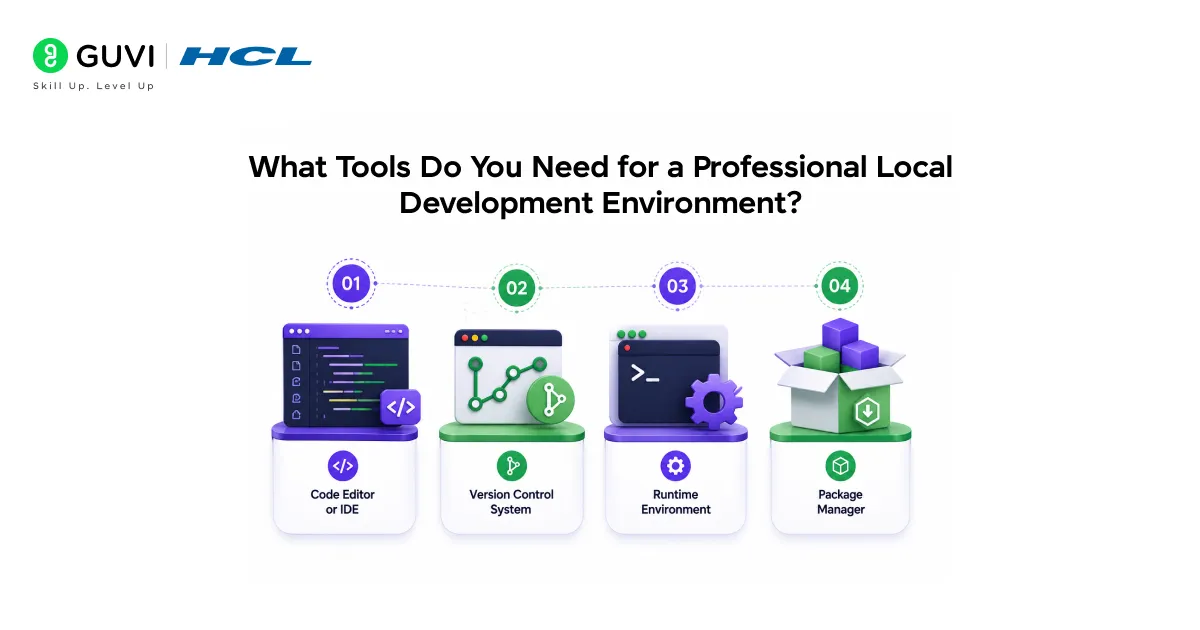
The exact tools depend on your technology stack, but most professional developers use a similar set of foundational tools.
- Code Editor or IDE
Your code editor is where you’ll spend most of your time.
Popular options include:
- Visual Studio Code
- IntelliJ IDEA
- PyCharm
- Eclipse
- Sublime Text
Visual Studio Code remains one of the most widely used choices because of its flexibility and extensive extension ecosystem.
- Version Control System
Version control allows you to track changes and collaborate effectively.
The industry standard is Git.
Common Git platforms include:
- GitHub
- GitLab
- Bitbucket
Version control is essential — even for personal projects.
- Runtime Environment
A runtime environment allows your code to execute on your machine.
Examples include:
- Python
- Node.js
- Java JDK
- .NET SDK
Install only the versions required by your projects to avoid compatibility issues.
- Package Manager
Package managers simplify dependency installation and management.
Examples include:
- npm
- pip
- Maven
- Composer
Package managers help maintain consistency across development environments.
Best Practice: Use dependency lock files whenever possible to ensure every team member installs identical package versions.
How to Set Up a Local Development Environment Step by Step
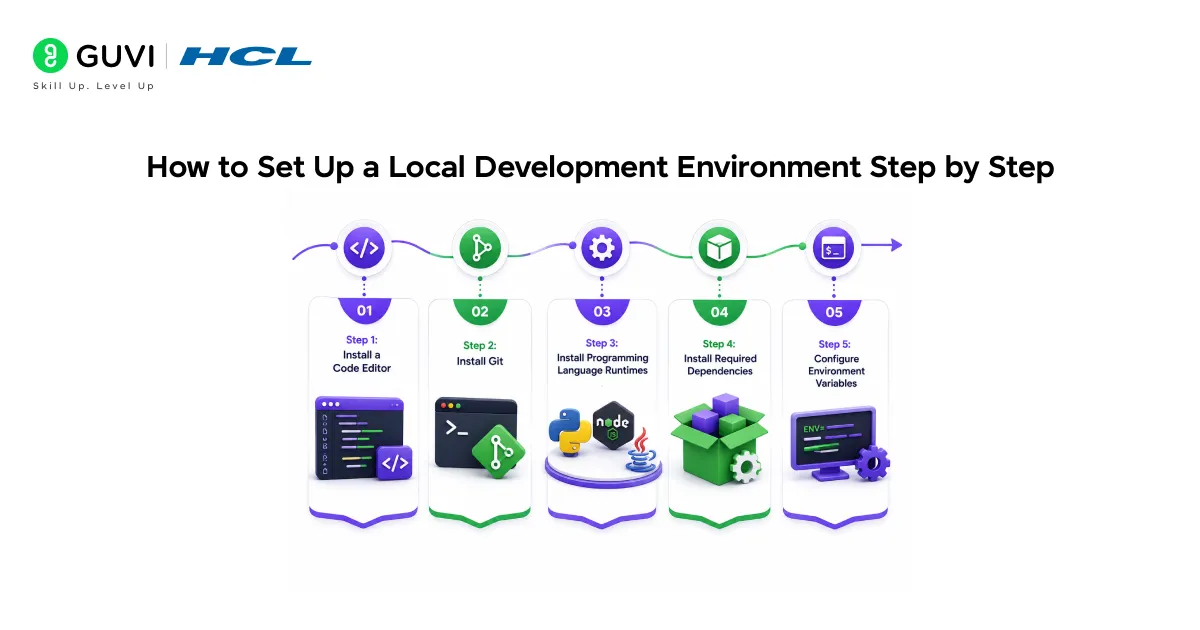
A structured setup process helps avoid common configuration mistakes.
Step 1: Install a Code Editor
Choose an editor that matches your workflow and technology stack.
For most developers, Visual Studio Code provides an excellent balance of functionality and simplicity.
Once installed:
- Configure themes.
- Install useful extensions.
- Enable automatic formatting.
Step 2: Install Git
Git is a fundamental tool for modern software development.

Verify installation:
git --versionAfter installation:
- Configure your username.
- Configure your email address.
- Connect to your Git hosting platform.
This ensures your commits are properly tracked.
Step 3: Install Programming Language Runtimes
Install the language runtimes required for your projects.
Examples include:
python --version

node --version
Verify each installation before moving forward.
Step 4: Install Required Dependencies
Most projects rely on external libraries and frameworks.
For Python projects:
pip install -r requirements.txt

For Node.js projects:

npm install
Dependency management ensures your project has everything it needs to run.
Step 5: Configure Environment Variables
Environment variables store configuration values such as API keys, database credentials, and application settings.
Example:
DATABASE_URL=localhost

API_KEY=example_key
Keeping sensitive information outside source code improves security.
Warning: Never commit sensitive credentials directly into public repositories.
Why Should Developers Use Docker?
Docker has become a standard component of professional development environments. It allows applications to run inside isolated containers.
This means every developer can use the same environment regardless of their operating system.
Benefits of Docker include:
- Consistent environments.
- Simplified dependency management.
- Faster onboarding.
- Easier deployment processes.
A containerized application behaves the same way across development, testing, and production environments.
Pro Tip: Learning Docker early can significantly reduce environment-related issues throughout your development career.
How Can You Improve Your Development Workflow?
Setting up the environment is only the beginning. Optimizing your workflow can further increase productivity.
Consider implementing:
- Code formatting tools.
- Linting tools.
- Automated testing.
- Git hooks.
- Task automation scripts.
For example, Python developers often use:
- Black for formatting.
- Flake8 for linting.
- Pytest for testing.
These tools improve code quality and maintain consistency across projects.
Did You Know?Many “application bugs” reported during development are actually configuration problems caused by inconsistent local environments.
Key Takeaways
- A local development environment is essential for efficient software development.
- Professional setups typically include Git, a code editor, package managers, and runtimes.
- Docker helps create consistent environments across machines.
- Environment variables improve security and configuration management.
- Automated tools can improve productivity and code quality.
- Proper setup reduces troubleshooting and onboarding challenges.
- Consistency is one of the biggest advantages of a well-designed development environment.
Conclusion
A professional local development environment does more than help you write code — it creates a stable foundation for the entire software development process. From version control and package management to containerization and automation, each component plays a role in improving efficiency and reliability.
The goal isn’t to install every tool available. Instead, focus on building a setup that supports your workflow, minimizes friction, and helps you develop software confidently. A well-configured local development environment can save countless hours and make your development experience far more productive.
FAQs
What is a local development environment?
A local development environment is a collection of tools and configurations that allow developers to build, test, and run applications on their own computers. It provides a safe space for development before deployment.
Why is a local development environment important?
It improves productivity, ensures consistency, and reduces configuration-related issues. Developers can test applications locally before releasing them.
What tools are commonly used in a local development environment?
Common tools include Visual Studio Code, Git, Docker, programming language runtimes, package managers, and debugging tools. The exact tools depend on the project’s technology stack.
Should I use Docker in my local development environment?
Yes, Docker helps create consistent environments across different machines and operating systems. It also reduces dependency and configuration issues.
How do I secure my local development environment?
Use environment variables for sensitive data, keep software updated, and avoid storing credentials in source code repositories. These practices help protect your applications and development workflow.
Success Stories

About the Author
Vishalini Devarajan
An Aerospace Engineer turned content writer, I focus on making complex concepts easy to understand through well-structured, reader-friendly blogs. Whether it’s a technical topic or a non-technical one, I love creating content that is clear, engaging, and impactful.
View all posts by Vishalini Devarajan
Connect with me @




































Did you enjoy this article?