


Full Stack Development Articles
Claude for Architecture and Engineering Documentation
Freelancing as a Python Developer: Getting Your First Client


Get In Touch For Details! Request More Information
How to Build and Publish an Angular Library
Feb 17, 2026 5 Min Read 2037 Views
(Last Updated)
Whether it’s grocery shopping, ordering food from your favourite restaurants, booking flight tickets, or transferring funds, every online task we perform nowadays gets completed within a few seconds. So what’s the reason behind this rapid pace of digital services, or are developers and programmers building everything from scratch?
The simple answer to this is no, software developers are no longer building complex features and functionalities from scratch. From a development perspective, crafting everything from scratch is a very redundant and tedious activity. That is why libraries are utilized, which are a set of pre-written components that allow developers to reuse code and accelerate the development process.
Similarly, the Angular Library is also a type of collection that consists of reusable user interface (UI) components and functions, facilitating the addition of specific features while saving time and keeping your code organized and consistent.
In this blog, we will discuss how to build and publish your own Angular library and all the key sections related to it. So let’s begin our discussion.
Table of contents
- What Is an Angular Library, and What Significance Does It Have?
- Benefits of Publishing Your Own Angular Library
- Key Concepts: Components, Services, and Pipes
- Components
- Services
- Pipes
- Building and Publishing Process of an Angular Library
- Step 1: Setting Up an Angular Workspace
- Step 2: Generating a New Library
- Step 3: Writing Reusable Components and Services
- Step 4: Exporting Features via Public API
- Step 5: Building the Library
- Step 6: Using the Library in Your Projects
- Step 7: Publishing the Library to npm
- Best Practices for Creating High-Quality Angular Libraries
- Conclusion
- FAQs
- What is an Angular library, and why should I create one?
- Can I use my Angular library in multiple projects?
- Do I need to publish my library publicly to use it?
What Is an Angular Library, and What Significance Does It Have?
The Angular Library is a unified folder of program packages that contain a structured collection of reusable code, including components, services, directives, and pipes, which developers can implement across multiple Angular projects or applications without needing to rewrite the same code each time. These libraries have a self-contained module attached to them, which can carry all the essential elements, such as UI elements, utility functions, and a comprehensive set of features, that are crucial for maintaining consistency and building quality in software applications or platforms.
The significance of creating an Angular library lies in its ability to standardize design patterns and frontend functionalities within a team or organization, thereby preventing misconceptions during the development process and enhancing the quality of collaboration among team members. Additionally, publishing an Angular library publicly can help you highlight your work and ability as a software developer, as well as contribute to the top developer community or open-source projects.
Benefits of Publishing Your Own Angular Library
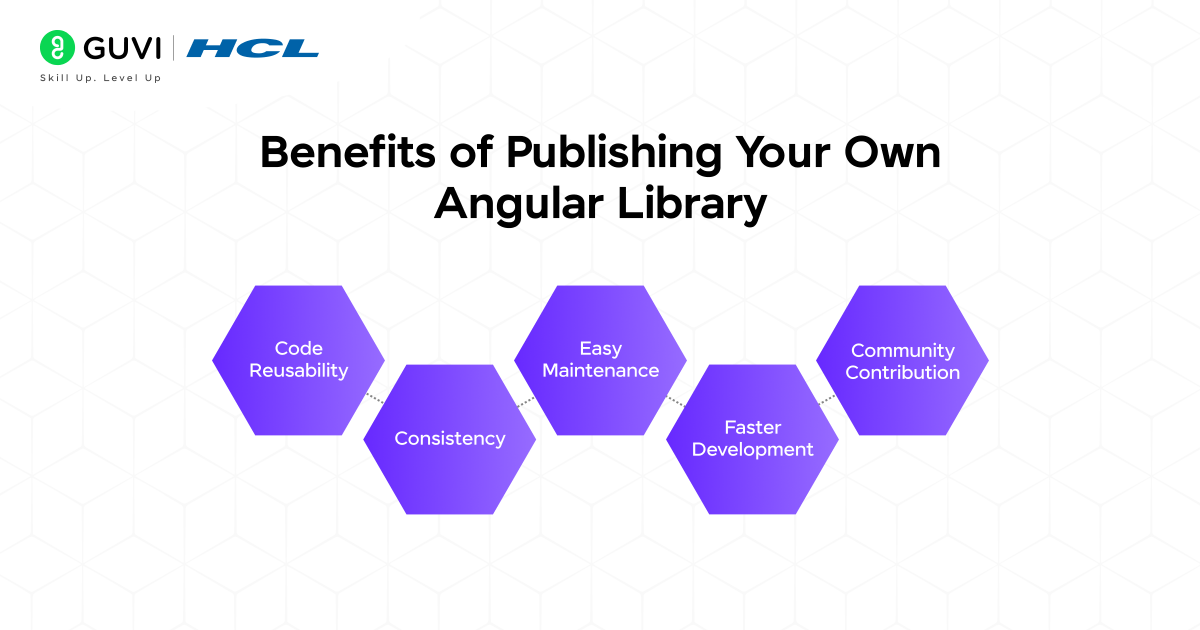
- Code Reusability: You can easily reuse the necessary code in the form of components, services, and utilities, which are stored in your Angular library. This reusability helps in saving your futile development efforts and time.
- Consistency: Creating an Angular library also enables developers to share the core resources of the applications among team members, helping them follow and maintain the same design themes, styles, and functionalities.
- Easy Maintenance: The maintainability errors and bugs for a specific feature that is integrated across various parts of the application are eliminated after creating an efficient Angular library, as it significantly reduces the tedious process of fixing the application. With the update of the library version, every program module that uses it gets automatically updated.
- Faster Development: The overall development time gets minimized due to the availability of numerous ready-to-use components and functions, which can be customized according to the user’s requirements and needs. Due to this, developers can focus their primary attention on solving the business logic instead of rebuilding basic, common UI elements or tools.
- Community Contribution: Building an Angular library is not enough to expand your quality and scope of your work; you also need to release or publish the library on platforms like GitHub and npm. It will help other developers save time and create projects more effectively. In a way, you will open a doorway for receiving genuine feedback, collaborating with other developers, and constantly learning and growing through frequent community engagement.
Key Concepts: Components, Services, and Pipes
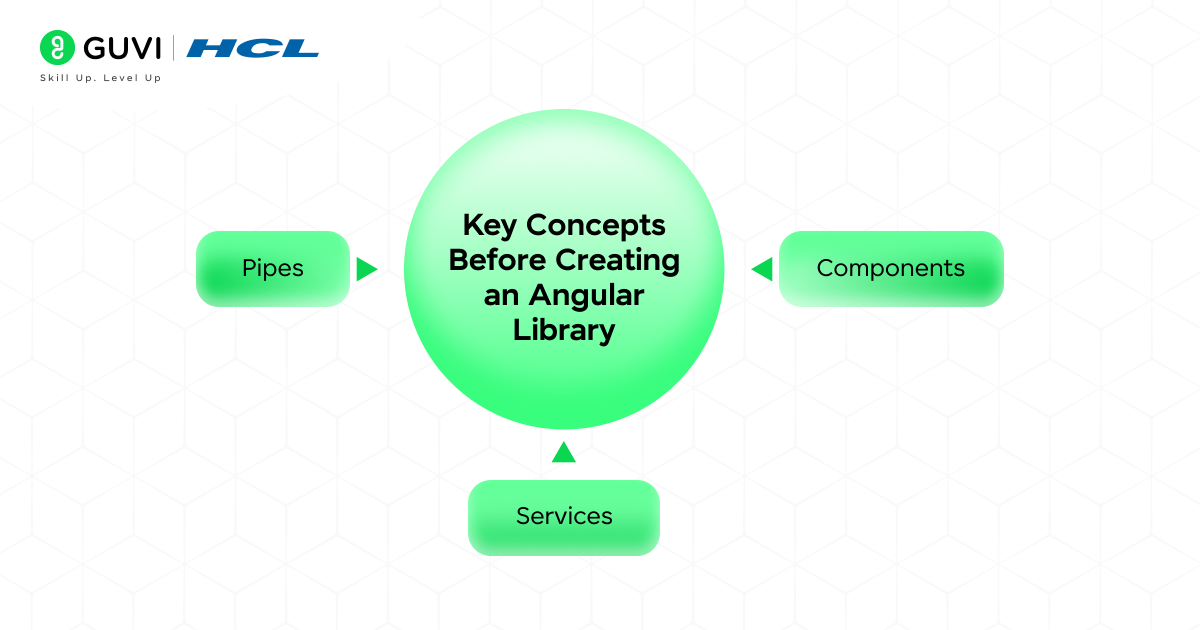
Before creating an Angular library, let’s understand its most fundamental building blocks. These are the following concepts:
1. Components
Components are the most core elements of every Angular app. These files are responsible for controlling the visual aspects of an app, including user interactivity, navigational flow, and color themes. Each visual component that you see comes along with its own HTML, CSS, and TypeScript file. For example, an interactive “Contact Form” or “Descriptive Card” can act as a reusable component that you later include in your library.
2. Services
Services are classes that handle logical operations and data, which can be shared across multiple components to establish communication between them. These services are used to perform various tasks, including data fetching via APIs, handling user authentication, and managing the application’s internal state.
3. Pipes
Pipes are additional utilities that transform the data directly in your program files. They help in formatting dates, converting the text to uppercase letters, or highlighting the currency values properly. After including the pipes or their customized versions in your Angular library, the data formatting process becomes simpler and more consistent across all parts of your application.
Building and Publishing Process of an Angular Library
Here are the steps to build and publish an Angular library:
Step 1: Setting Up an Angular Workspace
Start by creating a new Angular workspace that can hold both apps and libraries.
(Code)
{
ng new my-workspace –create-application=false
cd my-workspace
}
This command sets up the environment where your library will live.
Step 2: Generating a New Library
Next, generate a new Angular library inside the workspace:
(Code)
{
ng generate library my-lib
}
Angular automatically creates a folder named projects/my-lib with all necessary files.
Step 3: Writing Reusable Components and Services
Add your custom components, services, or pipes that you want to reuse. For example, here’s a simple pipe:
(Code)
{
import { Pipe, PipeTransform } from ‘@angular/core’;
@Pipe({ name: ‘myUppercase’ })
export class MyUppercasePipe implements PipeTransform {
transform(value: string): string {
return value.toUpperCase();
}
}
}
You can also create components or services in the same way using Angular CLI.

Step 4: Exporting Features via Public API
To make your code available outside the library, export it through the public API:
(Code)
{
// projects/my-lib/src/public-api.ts
export * from ‘./lib/my-uppercase.pipe’;
export * from ‘./lib/my-lib.module’;
}
This ensures your components and pipes can be used by other applications.
Step 5: Building the Library
Now build the library to prepare it for use:
(Code)
{
ng build my-lib
}
This compiles your code and stores the output in the dist/ folder.
Step 6: Using the Library in Your Projects
You can now use your library in any Angular app within the same workspace. Just import it:
(Code)
{
import { MyLibModule } from ‘my-lib’;
Then use your features directly in templates:
<p>{{ ‘angular rocks’ | myUppercase }}</p>
}
Step 7: Publishing the Library to npm
Finally, if you want to share your library with the world, publish it to npm.
(Code)
{
cd dist/my-lib
npm publish
}
Ensure you’re logged in with your npm account by running npm login. Once published, others can install your library using:
(Code)
{
npm install my-lib
}
Best Practices for Creating High-Quality Angular Libraries
- Keep It Modular: When designing and developing your library, prioritize keeping each component, service, and pipeline as an independent entity so that they don’t rely on each other unnecessarily.
- Write Clear Public APIs: To safeguard your internal codebases from technical misuse, write clear public APIs and expose only the essential ones in the public-api.ts file.
- Use Consistent Naming and Structure: Always follow the official Angular documentation and guidelines when creating files, classes, and modules to maintain readability.
- Include Documentation: Always provide clear and comprehensible documentation through README files, usage examples, and user-friendly comments to help the developers quickly understand how to integrate the specific library.
- Follow Semantic Versioning: Use proper version numbers (major.minor.patch) so that users can determine when updates are appropriate and when they may break compatibility.
- Test Thoroughly: Never forget to write unit test cases for components, services, and pipes; doing so ensures the reliability and performance of the entire project, eliminating potential threats from errors and bugs.
- Keep Dependencies Minimal: When integrating the third-party packages into your library, avoid adding the futile and ineffective ones. This will help you minimize the bundle size, leading to reduced memory consumption and improved performance.
- Support Customization: Prioritize providing support for users to configure components and services through inputs, outputs, or options, rather than hardcoding behavior.
- Optimize for Performance: Keep the component size minimal or lightweight, lazy-load the features whenever it is possible to provide a seamless user experience (UX), and try to prevent heavy and slow operations in the templates.
- Maintain Accessibility: Before publishing the Angular library, its success lies in its readability and accessibility. To ensure these factors, you must validate that all your UI components meet the accessibility standards, such as the Web Content Accessibility Guidelines (WCAG). This validation is necessary to enable everyone, including people with disabilities, to implement and understand your library.
PrimeNG, which is an Angular UI component library, has an approximate 4,36,344 weekly downloads on npm, which showcase its capability and demand among frontend developers who are using Angular as their primary tool.
Escape the chaos of finding the right ed-tech partner for transforming your tech career. Build a career that matters by enrolling in HCL GUVI’s IITM Pravartak Certified MERN Full Stack Development Course. Our course is not just limited to developing end-to-end full-stack applications, but also integrates Artificial Intelligence (AI), where you will master the art of crafting real-world projects, combining Conversational AI Design, Retrieval-Augmented Generation, and many other interesting concepts. Don’t miss this chance of converting your dream into reality. Contact us today for further details.
Conclusion
In conclusion, we became aware of the significance of Angular libraries in building top-notch applications with user-friendly interfaces and design patterns. And more importantly, we also went through all the essential steps necessary to develop and publish an Angular library.
Apart from these, we gained an understanding of the critical concepts required for creating an Angular library and the best practices that should be considered for a successful one. I hope this blog has helped you gain a clear understanding of all aspects related to the Angular library.
FAQs
What is an Angular library, and why should I create one?
An Angular library is a reusable set of components, services, and pipes that can be used to build applications. Creating one saves time, ensures consistency, and makes updates easier.
Can I use my Angular library in multiple projects?
Yes! Once built, it can be installed and used in any Angular project, allowing code to be shared across apps and teams.
Do I need to publish my library publicly to use it?
No. You can use it locally or within your organization; publishing is only needed to share it publicly.
Success Stories

































Did you enjoy this article?