


Artificial Intelligence and Machine Learning Articles
Data Analyst vs Machine Learning Engineer: Which Career Grows Faster?
Finance Manager to Data Analytics: Career Growth, Salary and Seniority
How to Evaluate LLM Outputs in Production Deployments
AI/ML Skills Gap 2026: Why Companies Can't Find Job-Ready Talent


Get In Touch For Details! Request More Information
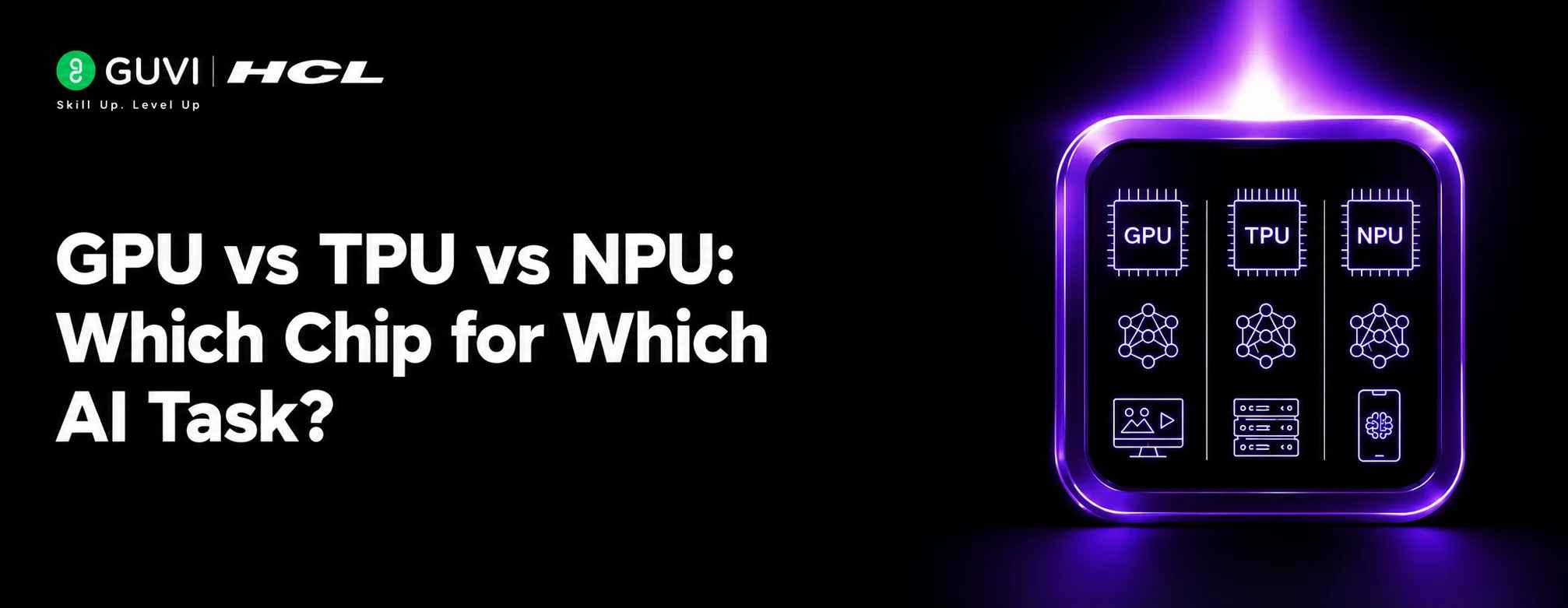
GPU vs TPU vs NPU: Which Chip for Which AI Task?
Sep 04, 2026 4 Min Read 505 Views
(Last Updated)
GPU vs TPU vs NPU are all designed to accelerate computational tasks, but they are optimized for different purposes. Understanding their strengths can help developers and organizations choose the right hardware for AI training, inference, edge applications, and everyday computing.
Table of contents
- TL;DR Summary
- What Is a GPU?
- What Is a TPU?
- What Is an NPU?
- GPU vs TPU vs NPU
- GPU: Best for Flexible AI Workloads
- AI Training
- AI Inference
- General Computing
- TPU: Best for Specialized Large-Scale ML
- Large Model Training
- Cloud ML
- High-Throughput Inference
- NPU: Best for On-Device AI
- Smartphone AI
- Laptop AI
- Edge AI
- Which Chip Should You Choose?
- Choose a GPU When:
- Choose a TPU When:
- Choose an NPU When:
- Key Concepts to Remember
- A Practical Hardware Selection Workflow
- Identify the AI Workload
- Consider the Deployment Environment
- Evaluate Performance Requirements
- Consider Power Constraints
- Check Software Support
- Compare Cost and Availability
- Benchmark the Actual Workload
- Real-World Applications
- Generative AI
- Smartphone AI
- Autonomous Systems
- AI Research
- Best Practices
- Conclusion
- FAQs
- What is the difference between a GPU and a TPU?
- What is an NPU used for?
- Which is best for AI training?
- Which chip is best for smartphones?
- Can GPUs be used for AI inference?
- Are TPUs better than GPUs?
- How should I choose between a GPU, TPU, and NPU?
TL;DR Summary
- GPU: Flexible and powerful for AI training and inference.
- TPU: Specialized for machine learning workloads, especially with Google ecosystems.
- NPU: Designed primarily for efficient on-device AI inference.
- GPUs offer the broadest flexibility.
- The right chip depends on workload, scale, and deployment environment.
Quick Answer
| GPUs, TPUs, and NPUs differ mainly in their design and intended workloads. GPUs provide highly parallel and flexible computing for training and inference. TPUs are specialized accelerators designed primarily for machine learning workloads. NPUs focus on efficiently running AI models directly on devices such as smartphones and laptops. The best choice depends on whether the priority is flexibility, large-scale AI computation, or low-power on-device inference. |
What Is a GPU?
A Graphics Processing Unit (GPU) contains many parallel processing units and was originally designed for graphics workloads.
Its parallel architecture also makes it highly effective for AI operations such as:
- Matrix multiplication
- Neural network training
- Deep learning inference
- Computer vision
- Generative AI
GPUs are widely used in both data centers and personal computers.
What Is a TPU?
A Tensor Processing Unit (TPU) is a specialized AI accelerator developed by Google.
TPUs are designed to efficiently perform operations commonly used in machine learning, particularly tensor computations.
They are especially relevant for:
- Large-scale model training
- Neural network inference
- Tensor-based workloads
- Machine learning workloads using supported frameworks and environments
TPUs generally prioritize specialized AI computation rather than the broad flexibility of GPUs.
What Is an NPU?
A Neural Processing Unit (NPU) is a processor designed specifically to accelerate neural-network workloads.
NPUs are increasingly integrated into:
- Smartphones
- Laptops
- Edge devices
- AI-enabled consumer hardware
They are particularly useful when AI needs to run locally with low power consumption and without continuously sending data to a cloud server.
GPU vs TPU vs NPU
| Feature | GPU | TPU | NPU |
| Primary focus | General parallel computing and AI | Specialized ML computation | On-device AI |
| Flexibility | High | More specialized | Specialized |
| AI training | Excellent | Excellent for supported workloads | Usually limited |
| AI inference | Excellent | Excellent for supported workloads | Excellent for supported models |
| Edge AI | Possible | Less common | Strong use case |
| Power efficiency for local AI | Varies | Depends on deployment | Often optimized for this |
| Typical environment | PCs, workstations, data centers | Cloud/data centers | Phones, laptops, edge devices |
GPU: Best for Flexible AI Workloads
GPUs are often the best choice when you need flexibility.
AI Training
Large neural networks can require enormous computational resources. GPUs can process many operations simultaneously, making them suitable for training deep learning models.
AI Inference
GPUs can also accelerate trained models when low latency or high throughput is required.
General Computing
Unlike highly specialized accelerators, GPUs can support a broad range of parallel computing workloads.
TPU: Best for Specialized Large-Scale ML
TPUs are particularly useful when workloads align well with their architecture and supported software ecosystem.
Large Model Training
TPUs can accelerate tensor-heavy machine learning workloads at scale.
Cloud ML
They are particularly relevant for organizations using Google’s machine learning infrastructure.
High-Throughput Inference
TPUs can also be used for large-scale model inference when the workload is suitable.
NPU: Best for On-Device AI
NPUs are designed around efficient neural-network processing on local devices.
Smartphone AI
NPUs can accelerate features such as:
- Image enhancement
- Speech processing
- Face-related computer vision
- Generative AI features
Laptop AI
Modern AI-capable laptops can use NPUs for supported AI workloads while reducing reliance on the CPU or GPU.
Edge AI
NPUs can process AI workloads locally on devices where power, latency, and connectivity are important considerations.
Which Chip Should You Choose?
Choose a GPU When:
- You need broad AI framework support.
- You are training deep learning models.
- You need both AI and general-purpose parallel computing.
- You want flexibility across different workloads.
Choose a TPU When:
- Your workload is highly optimized for supported ML operations.
- You are working within a TPU-compatible environment.
- You need large-scale machine learning computation.
- Your software stack aligns well with TPU infrastructure.
Choose an NPU When:
- AI needs to run directly on a device.
- Power efficiency is important.
- Low-latency local inference is required.
- Cloud processing is undesirable or unavailable.
Many modern devices use multiple types of processors together. A system may use the CPU for general tasks, the GPU for graphics and parallel computation, and the NPU for specific AI workloads.

Key Concepts to Remember
- GPU: Flexible parallel processor widely used for AI.
- TPU: Specialized accelerator for machine learning workloads.
- NPU: Specialized processor designed primarily for neural-network workloads.
- GPUs are particularly versatile for training and inference.
- TPUs are useful for suitable large-scale ML workloads.
- NPUs are particularly valuable for efficient local AI inference.
A Practical Hardware Selection Workflow
1. Identify the AI Workload
Determine whether you need training, inference, or both.
2. Consider the Deployment Environment
Decide whether the model will run in a data center, cloud environment, PC, smartphone, or edge device.
3. Evaluate Performance Requirements
Consider latency, throughput, model size, and computational requirements.
4. Consider Power Constraints
For mobile and edge applications, energy efficiency can be especially important.
5. Check Software Support
Hardware performance depends heavily on compatible frameworks, libraries, drivers, and model support.
6. Compare Cost and Availability
Evaluate hardware costs, cloud pricing, and availability before making a decision.
7. Benchmark the Actual Workload
Where possible, test the target model on the hardware rather than relying only on theoretical specifications.
HCL GUVI’s Artificial Intelligence eBook introduces artificial intelligence, machine learning, generative AI, and intelligent automation concepts, helping learners build a broader understanding of modern AI technologies.
Real-World Applications
Generative AI
GPUs and specialized data-center accelerators can support training and inference of large AI models.
Smartphone AI
NPUs can accelerate local image, speech, and generative AI features.
Autonomous Systems
GPUs and NPUs can process computer vision and other AI workloads at the edge.
AI Research
GPUs provide researchers with flexible hardware for experimenting with different models and frameworks.
Professionals interested in artificial intelligence, machine learning, and AI hardware can strengthen their expertise through HCL GUVI’s Artificial Intelligence and Machine Learning Course.
Best Practices
- Match the accelerator to the actual workload.
- Check framework and model compatibility.
- Consider inference latency as well as raw compute performance.
- Account for memory requirements.
- Consider power consumption for edge devices.
- Benchmark real workloads before deployment.
- Evaluate total infrastructure cost rather than only chip specifications.
Conclusion
GPU vs TPU vs NPU is ultimately a comparison of flexibility, specialization, and deployment needs. GPUs provide broad versatility for AI training and inference, TPUs specialize in suitable machine learning workloads, and NPUs are particularly useful for efficient on-device AI. Instead of choosing based solely on theoretical performance, consider the model, software ecosystem, deployment environment, power requirements, latency, and overall cost.
FAQs
1. What is the difference between a GPU and a TPU?
A GPU is a highly parallel and flexible processor used for graphics, AI, and other workloads, while a TPU is a specialized accelerator designed primarily for machine learning computations.
2. What is an NPU used for?
An NPU is mainly used to accelerate neural-network workloads efficiently, particularly on devices such as smartphones, laptops, and edge systems.
3. Which is best for AI training?
GPUs and TPUs can both be highly effective for AI training. The better choice depends on the model, framework, infrastructure, and workload.
4. Which chip is best for smartphones?
NPUs are particularly well suited to smartphone AI because they can perform supported neural-network workloads efficiently with relatively low power consumption.
5. Can GPUs be used for AI inference?
Yes. GPUs are widely used for AI inference, particularly when models require substantial computational resources or high throughput.
6. Are TPUs better than GPUs?
Not universally. TPUs can be highly effective for suitable machine learning workloads, while GPUs generally provide broader flexibility across AI and other computational tasks.
7. How should I choose between a GPU, TPU, and NPU?
Consider workload type, model requirements, software compatibility, deployment environment, performance, power consumption, and cost before choosing an accelerator.
Success Stories

About the Author
HCL GUVI
This article was selected and published as part of the HCL GUVI AI Blogathon 2026, an initiative designed to encourage students, AI enthusiasts, and aspiring tech writers to simplify complex AI concepts through impactful technical content. The contest recognized high-quality, original, and insightful AI-focused blogs, with selected authors receiving publication opportunities on the HCL GUVI blog platform along with official author credits and recognition.
View all posts by HCL GUVI
Connect with me @












Did you enjoy this article?