


Artificial Intelligence and Machine Learning Articles
Finance Manager to Data Analytics: Career Growth, Salary and Seniority
How to Evaluate LLM Outputs in Production Deployments
AI/ML Skills Gap 2026: Why Companies Can't Find Job-Ready Talent
20 AI/ML Interview Questions Recruiters Can Use Without a Tech Background - Best Guide


Get In Touch For Details! Request More Information

How to Integrate Claude into a Next.js App with App Router
Aug 21, 2026 3 Min Read 493 Views
(Last Updated)
Adding AI features to modern web applications is becoming a standard practice for developers. Whether you’re building a chatbot, document assistant, code helper, or customer support tool, integrating Claude can significantly improve the user experience. Claude Next.js integration allows you to connect Anthropic’s Claude models with the Next.js App Router, making it easier to build secure, scalable, and responsive AI-powered applications. In this guide, you’ll learn how the integration works, the recommended architecture, and the best practices for deploying it in production.
Table of contents
- TL;DR
- Why Use Next.js App Router for Claude Integration?
- How Does Claude Next.js Integration Work?
- Setting Up the Project
- Creating Secure API Routes
- Streaming Responses for Better User Experience
- Managing Environment Variables Safely
- Handling Errors and Rate Limits
- Deploying Claude-Powered Next.js Applications
- Real-World Example
- Optimizing Performance for Production
- Key Takeaways
- Conclusion
- FAQs
- Can Claude be integrated with the Next.js App Router?
- Why should API keys stay on the server?
- Does Claude support streaming responses in Next.js?
- Should production applications include error handling?
- Who can benefit from Claude Next.js integration?
TL;DR
- Claude integrates seamlessly with the Next.js App Router.
- API Routes securely communicate with the Claude API.
- Environment variables protect API keys.
- Streaming responses improve user experience.
- Human testing ensures reliability before deployment.
Why Use Next.js App Router for Claude Integration?
The App Router introduced in Next.js provides a modern way to build full-stack applications. It simplifies routing, server-side logic, and API development, making it a strong choice for AI-powered applications.
When combined with Claude, the App Router allows developers to separate frontend components from backend API logic while keeping API credentials secure.
Benefits include:
- Improved project organization
- Secure server-side API requests
- Better scalability
- Support for streaming responses
- Simplified deployment
Read More: The Complete CLAUDE.md Guide (2026)
Many AI-powered web applications use server-side API routes to keep sensitive API keys hidden from the browser.
How Does Claude Next.js Integration Work?

A secure integration keeps the Claude API on the server while allowing the frontend to send prompts and display responses.
The typical workflow looks like this:
- The user enters a prompt in the frontend.
- The frontend sends the request to a Next.js API Route.
- The API Route communicates with Claude.
- Claude generates a response.
- The API Route returns the response to the frontend.
This architecture keeps API keys protected while allowing applications to scale securely.
Pro Tip: Never expose your Claude API key inside client-side JavaScript. Store it in environment variables and access it only from server-side code.
Setting Up the Project
Before integrating Claude, create a Next.js project that uses the App Router.
Your setup should include:
- A Next.js application
- Node.js installed
- Claude API access
- Environment variables
- API Route handlers
Once these components are ready, you can build the connection between your application and Claude.
Master modern web development with HCL GUVI’s Full Stack Development Course. Learn Next.js, APIs, backend integration, and deployment through hands-on, real-world projects.
Creating Secure API Routes
API Routes act as the bridge between your application and Claude. Instead of sending requests directly from the browser, the frontend communicates with your server, which then calls the Claude API.
A secure API Route should:
- Validate incoming requests.
- Read the Claude API key from environment variables.
- Handle API errors gracefully.
- Return only the required response.
- Prevent unauthorized requests.
Following this approach improves security while making future maintenance easier.
Best Practice: Keep all Claude-related API logic inside dedicated server-side route handlers instead of mixing it with frontend components.
Streaming Responses for Better User Experience
Streaming allows users to see Claude’s response as it is being generated instead of waiting for the complete message.
Streaming offers several advantages:
- Faster perceived response time.
- Better conversational experience.
- Improved handling of long responses.
- Reduced waiting time for users.
Streaming is particularly useful for chat applications, coding assistants, and document generation tools.
Data Point: Applications that stream AI responses often feel significantly faster because users begin receiving output almost immediately.
Managing Environment Variables Safely
Protecting API credentials is one of the most important parts of any AI integration.
To improve security:
- Store API keys in environment variables.
- Never commit secrets to Git repositories.
- Rotate API keys periodically.
- Restrict server access when possible.
- Use different keys for development and production.
Proper credential management reduces security risks throughout the application lifecycle.
Handling Errors and Rate Limits
Every production application should expect occasional API failures. Claude integration becomes more reliable when your application can recover gracefully from temporary issues.

Consider handling situations such as:
- Invalid API keys.
- Network failures.
- Request timeouts.
- Rate limiting.
- Unexpected server errors.
Displaying clear error messages helps users understand what happened instead of leaving them with a broken interface.
Warning: Always implement retry strategies carefully. Repeated automatic retries may increase API usage and operating costs.
Deploying Claude-Powered Next.js Applications
Once development is complete, prepare the application for production deployment.
Deployment checklist:
- Verify environment variables.
- Test API Routes.
- Enable HTTPS.
- Monitor API usage.
- Configure logging.
- Test error handling.
- Review security settings.
A thorough deployment process helps prevent production issues after launch.
Real-World Example
Imagine a software company building an internal documentation assistant.
The frontend allows employees to ask technical questions, while the Next.js App Router sends each request to a secure API Route. Claude processes the prompt and streams the response back to the interface in real time. The development team monitors API usage, validates responses, and continuously improves prompts based on employee feedback.
This architecture delivers fast responses while keeping API credentials protected.
Optimizing Performance for Production
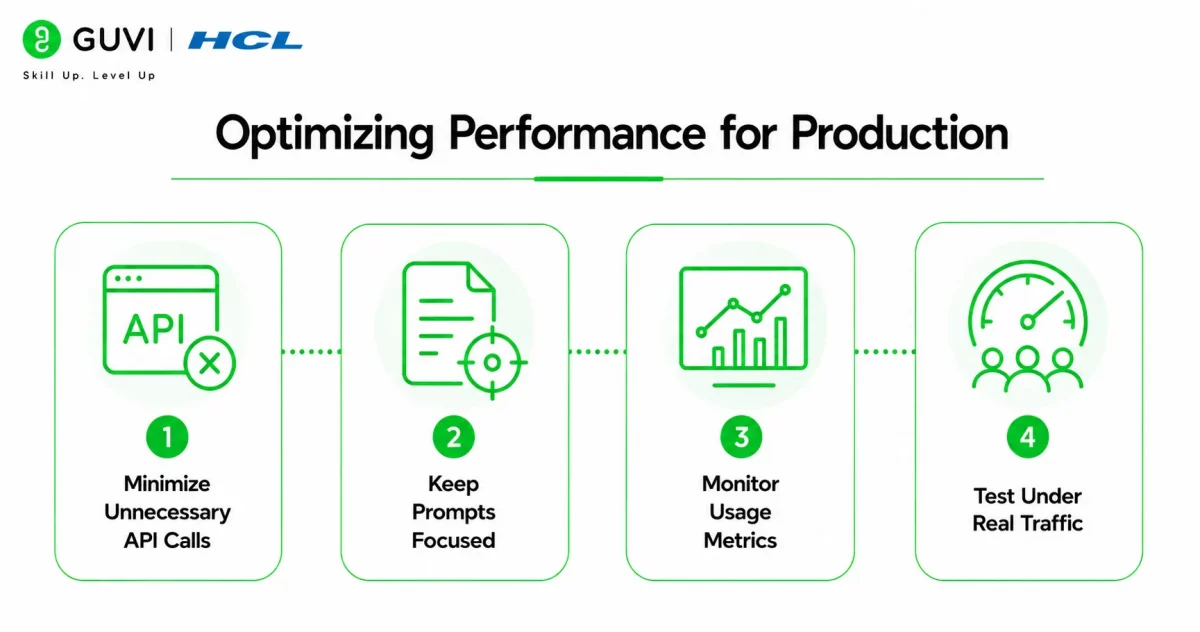
A successful AI application isn’t just functional—it also needs to be efficient. Optimizing performance reduces response times, improves scalability, and helps control API costs as your application grows.
To improve performance:
- Minimize Unnecessary API Calls
Only send requests when needed. Debouncing user input, avoiding duplicate prompts, and caching repeated responses can significantly reduce API usage.
- Keep Prompts Focused
Short, well-structured prompts often produce faster and more accurate responses than long, repetitive instructions. Clear prompts also reduce unnecessary token consumption.
- Monitor Usage Metrics
Track request volume, response times, token usage, and error rates. Monitoring these metrics helps identify bottlenecks before they affect users.
- Test Under Real Traffic
Simulate production workloads before deployment. Load testing helps ensure your application remains responsive when multiple users access Claude simultaneously.
Pro Tip: Build reusable prompt templates for common tasks instead of generating every prompt from scratch. This improves consistency, reduces development effort, and often produces more predictable responses.
Key Takeaways
- Claude integrates efficiently with the Next.js App Router.
- API Routes provide secure communication with Claude.
- Streaming improves the user experience.
- Environment variables protect sensitive credentials.
- Proper error handling improves application reliability.
- Performance optimization supports scalable AI applications.
Conclusion
Claude and the Next.js App Router work together to simplify the development of modern AI-powered applications. By separating frontend interactions from secure backend API calls, developers can build scalable solutions that protect credentials while delivering responsive user experiences.
Whether you’re creating chatbots, document assistants, coding tools, or internal business applications, following secure architecture and performance best practices will help you build reliable AI features that are ready for production.
FAQs
Can Claude be integrated with the Next.js App Router?
Yes. Claude can be integrated using secure server-side API Routes within the Next.js App Router architecture.
Why should API keys stay on the server?
Keeping API keys on the server prevents them from being exposed to users and reduces security risks.
Does Claude support streaming responses in Next.js?
Yes. Streaming can be implemented to display responses progressively for a smoother user experience.
Should production applications include error handling?
Yes. Proper error handling improves reliability by managing API failures, rate limits, and unexpected issues.
Who can benefit from Claude Next.js integration?
Frontend developers, full-stack developers, SaaS teams, startups, and enterprise engineering teams can all use Claude with Next.js to build AI-powered applications.
Success Stories

About the Author
HCL GUVI
This article was selected and published as part of the HCL GUVI AI Blogathon 2026, an initiative designed to encourage students, AI enthusiasts, and aspiring tech writers to simplify complex AI concepts through impactful technical content. The contest recognized high-quality, original, and insightful AI-focused blogs, with selected authors receiving publication opportunities on the HCL GUVI blog platform along with official author credits and recognition.
View all posts by HCL GUVI
Connect with me @













Did you enjoy this article?