


UI/UX Designing Articles
What is UX Writing? A Complete Guide to Mastering Microcopy and Content Design
What is a UX Audit? A Complete & Best Guide to User Experience Evaluation
How HCL GUVI Zen Class Helps You Build a Job-Ready UI/UX Portfolio
What is Design Thinking? A Complete 2026 Guide to the Process, Methodology, and Real Best Examples


Get In Touch For Details! Request More Information
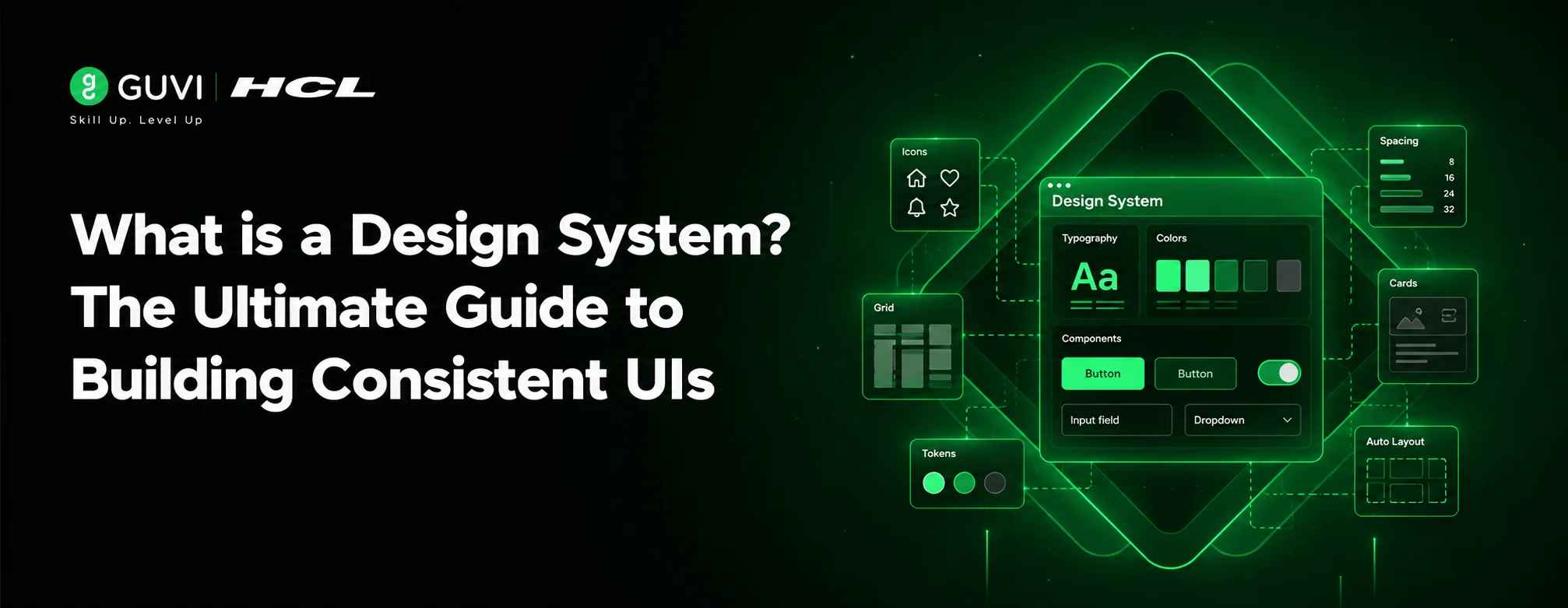
What is a Design System? The Ultimate Guide to Building Consistent UIs
Aug 04, 2026 4 Min Read 708 Views
(Last Updated)
Table of contents
- TL;DR Summary
- Introduction
- Decoding Design System Meaning: What Exactly Is It?
- Understanding Design System Meaning in Depth
- Core Components of a Design System
- Design Tokens
- Component Library
- Design Framework
- Benefits of Implementing a Design System
- Enhanced UI Consistency
- Accelerated Development Speed
- Improved Collaboration
- Real-World Examples of Successful Design Systems
- IBM Carbon Design System
- Airbnb Design Language System
- Microsoft Fluent Design System
- Creating Your First Design System
- Getting Started with Figma Design Systems
- Common Mistakes to Avoid
- Overcomplicating from Day One
- Ignoring Developer Needs
- Treating It as a Static Document
- Neglecting Accessibility Standards
- Ready to master design systems and launch your career in UI/UX design?
- Conclusion
- Frequently Asked Questions
- What is the difference between a design system and a style guide?
- How long does it take to build a design system?
- Can small teams benefit from design systems?
- Which tools are best for creating design systems?
- How do you convince stakeholders to invest in a design system?
- Should design systems include code implementations?
TL;DR Summary
- A design system is a comprehensive collection of reusable components, guidelines, and standards that ensure consistent user interfaces across digital products.
- It includes design tokens, component libraries, and frameworks that streamline collaboration between designers and developers.
- Major companies like IBM, Airbnb, and Microsoft have successfully implemented design systems to maintain brand consistency and accelerate product development.
- Design systems improve efficiency, enhance user experience, and reduce cognitive load for teams working on complex digital products.
Introduction
In today’s fast-paced digital landscape, maintaining consistent user experiences across multiple platforms and products has become increasingly challenging.
Companies are turning to design systems as the solution to this growing complexity. But what exactly is a design system? Simply put, a design system serves as a single source of truth for all design-related decisions within an organization.
It encompasses everything from color palettes and typography to interaction patterns and code components. As organizations scale their digital offerings, a well-structured design system becomes essential for maintaining brand integrity while enabling faster product development cycles.
This comprehensive guide will walk you through everything you need to know about design systems. You’ll discover the core components that make up effective design systems, learn from real-world success stories of industry leaders, understand the proven benefits of implementation, and avoid common pitfalls that sabotage design system initiatives.
Design systems are for the world’s largest banks, healthcare providers, and government agencies rely on design systems to manage complex digital ecosystems serving millions of users daily. The US Digital Service even created the U.S. Web Design System to standardize federal websites.
Decoding Design System Meaning: What Exactly Is It?
A design system is a comprehensive collection of reusable components, guided by clear standards, that can be assembled to build any number of applications.
It defines the visual language, interaction patterns, and underlying principles that govern how your digital interfaces should look and behave.
Understanding Design System Meaning in Depth
The design system meaning goes beyond just a style guide or pattern library. It represents a holistic approach to product design that bridges the gap between design and development.
While traditional style guides focus solely on aesthetics, a modern design system integrates both visual and functional elements, ensuring that design decisions translate seamlessly into code.
Unlike isolated design assets, a design system creates a shared vocabulary between team members, reducing miscommunication and eliminating redundant work. This unified approach is particularly crucial for large organizations managing multiple products simultaneously.
The term “design system” was popularized by Nathan Curtis in his influential 2015 article, but the concept dates back to early computer interfaces. Xerox PARC’s work on graphical user interfaces in the 1970s laid the groundwork for modern design systems.
Core Components of a Design System
Understanding the anatomy of a design system helps demystify how these powerful tools function. Let’s break down the essential building blocks:
Design Tokens
Design tokens are the smallest, indivisible units of a design system. They represent specific values such as colors, spacing, typography scales, and elevation levels. These tokens serve as the foundational layer upon which all other components are built.
For example, instead of hardcoding a specific shade of blue (#007BFF) throughout your application, you would define a token called primary-color that maps to that value. This abstraction allows for easy updates; if your brand decides to change its primary color, updating the token automatically changes that color everywhere it’s used.
Component Library
A component library is a collection of reusable UI elements that implement your design system’s specifications. These range from basic elements like buttons and form fields to more complex structures like navigation bars and data tables.
Each component in the library adheres to predefined design principles, ensuring consistency across different parts of your application. When teams use standardized components, they spend less time reinventing the wheel and more time solving unique problems.
Design Framework
A design framework provides the structural foundation for organizing and implementing your design system. It includes guidelines for layout, grid systems, accessibility standards, and interaction behaviors.
Frameworks often include documentation explaining when and how to use each component, helping maintain consistency even as teams grow and evolve.
As we move into an era of AI and automation, design systems are becoming even more critical. Discover how these technologies are transforming design workflows in our comprehensive piece on Design Systems in the Age of AI and Automation.
Benefits of Implementing a Design System
Organizations across industries have embraced design systems for their tangible benefits:
Enhanced UI Consistency
One of the most immediate advantages is improved UI consistency across all digital touchpoints. When everyone works from the same set of rules and components, users enjoy a seamless experience regardless of which product they’re using.
Accelerated Development Speed
Teams using design systems typically experience significant improvements in development velocity. Prebuilt components eliminate the need to recreate common UI elements from scratch, allowing developers to focus on feature-specific logic.
Improved Collaboration
Design systems foster better communication between designers and developers by providing a shared language and reference point. This alignment reduces friction during handoffs and minimizes implementation errors.
Salesforce’s Lightning Design System contains over 1,000 components and has reduced their frontend codebase by 40% while serving over 150,000 customers globally, a testament to the scalability that well-designed systems provide.

Real-World Examples of Successful Design Systems
Major tech companies have pioneered some of the most influential design systems in the industry:
IBM Carbon Design System
IBM’s Carbon Design System exemplifies enterprise-grade scalability. Used across hundreds of products, it maintains consistency while accommodating diverse use cases.
Airbnb Design Language System
Airbnb’s DLS focuses heavily on emotional connection and hospitality. Their system balances global consistency with local cultural adaptations, ensuring their platform feels familiar yet personalized worldwide.
Microsoft Fluent Design System
Microsoft’s Fluent Design System demonstrates how design systems can unify disparate product suites. From Office applications to Windows interfaces, Fluent ensures cohesive experiences across Microsoft’s ecosystem.
Creating Your First Design System
Building a design system doesn’t require starting from scratch; many successful systems evolved gradually alongside their products.
Getting Started with Figma Design Systems
Figma has emerged as the preferred tool for creating collaborative Figma design systems. Its real-time collaboration features make it ideal for cross-functional teams working on shared design languages.
To begin:
- Identify core components used across your products
- Define your design tokens (colors, typography, spacing)
- Create reusable component variants
- Establish clear naming conventions
- Document usage guidelines and rationale
Want to take your design system skills to the next level? Explore our in-depth article on Mastering Design Systems where you’ll learn advanced techniques used by senior designers at top tech companies.
Common Mistakes to Avoid
Even experienced teams can fall into pitfalls when developing design systems:
Overcomplicating from Day One
Attempting to create a comprehensive system before understanding your product’s needs leads to bloated, unused components. Start small and expand incrementally based on actual usage patterns.
Ignoring Developer Needs
Design systems succeed only when both designers and developers embrace them. Ensure technical feasibility during the design phase and involve developers early in the process.
Treating It as a Static Document
Successful design systems evolve continuously. Regular audits and feedback loops prevent stagnation and ensure continued relevance as products grow.
Neglecting Accessibility Standards
A design system’s effectiveness diminishes if it excludes users with disabilities. Integrate accessibility considerations from the beginning rather than retrofitting later.
Ready to master design systems and launch your career in UI/UX design?
Explore our comprehensive UI/UX Design Career Program where you’ll learn to create scalable design systems used by industry leaders.
Our hands-on projects mirror real-world challenges, preparing you for success in product design roles at top companies like HCL Technologies.
Conclusion
A design system is much more than a collection of UI components; it’s a strategic asset that enables organizations to deliver consistent, high-quality digital experiences at scale.
By establishing clear guidelines and reusable elements, design systems streamline workflows while improving collaboration between design and development teams.
As digital products become increasingly complex, the importance of systematic approaches to interface design will only grow.
Professionals who understand how to create and maintain effective design systems position themselves as invaluable assets in today’s competitive job market.
Frequently Asked Questions
1. What is the difference between a design system and a style guide?
While a style guide focuses primarily on visual elements like colors and typography, a design system encompasses both visual and functional aspects, including interactive components, behavior patterns, and implementation guidelines.
2. How long does it take to build a design system?
The timeline varies significantly based on organizational size and existing design maturity. Small teams might establish foundational elements in weeks, while enterprise organizations may require months to fully implement a comprehensive system.
3. Can small teams benefit from design systems?
Absolutely. Even solo designers and developers benefit from documenting design decisions and reusing components. Starting with basic tokens and a few core components provides immediate value.
4. Which tools are best for creating design systems?
Popular options include Figma for collaborative design work, Storybook for component documentation, and design token management tools like Theo or Style Dictionary. The best tool depends on your team’s workflow and technical requirements.
5. How do you convince stakeholders to invest in a design system?
Focus on quantifiable benefits like reduced development time, improved consistency metrics, and enhanced developer productivity. Present case studies from similar organizations that have successfully implemented design systems.
6. Should design systems include code implementations?
Yes, effective design systems bridge design and development by providing both visual specifications and corresponding code implementations. This dual approach ensures accurate translations from design to production.
Success Stories

About the Author
Hashmithaa
Hi, I’m Hashmithaa — a content writer with a love for words. Writing isn’t just what I do; it’s how I connect, communicate, and create meaning in a noisy digital world. And if my words help someone make a better decision, learn something new, or feel more confident, then I’ve done my job well.
View all posts by Hashmithaa
Connect with me @















Did you enjoy this article?