


Artificial Intelligence and Machine Learning Articles
AI/ML Skills Gap 2026: Why Companies Can't Find Job-Ready Talent
20 AI/ML Interview Questions Recruiters Can Use Without a Tech Background - Best Guide
How Industry-Backed AI/ML Bootcamps Are Changing the AI/ML Hiring Pipeline - Best Guide 2026
From IT Support to AI Engineer: A Realistic Career Switch Guide 2026


Get In Touch For Details! Request More Information
Claude’s Memory: What It Knows vs What It Forgets
Aug 06, 2026 3 Min Read 287 Views
(Last Updated)
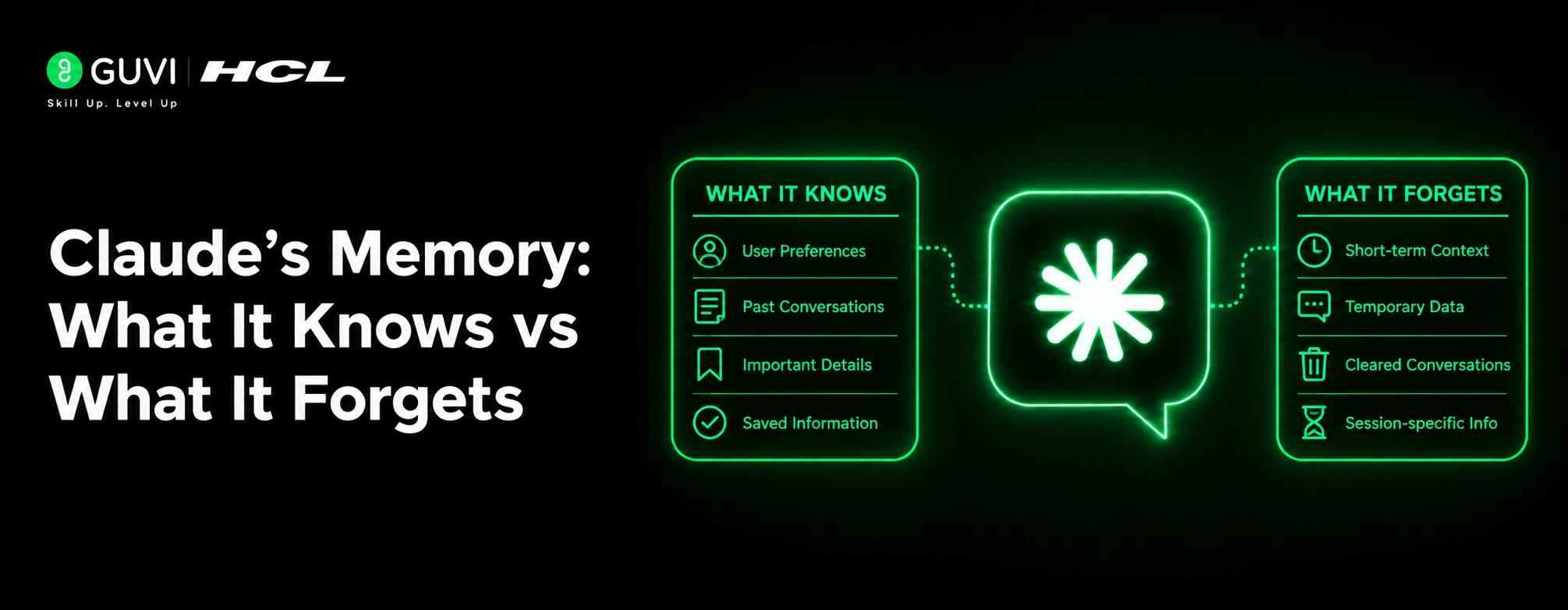
Claude’s memory often feels confusing because it is not one single system. It has a working context for the current session and a separate long-term memory that stores only certain kinds of information across sessions.
| Direct Answer Box: Claude has two kinds of memory: short-term context in the current conversation and long-term memory that stores selected facts across sessions. It remembers what you explicitly ask it to remember or what you save in Projects, but it does not retain full chat histories or detailed records of past conversations. |
Table of contents
- TL;DR Summary
- Context Window: Short-Term Memory
- What It Includes
- What It Forgets
- Long-Term Memory: What Persists
- How Memory Is Created
- Projects And Files: Persistent Context
- What Projects Provide
- Memory Vs Projects
- Comparison Table
- What Claude Forgets
- Past Conversations
- Exact Details
- Cross-Account Context
- How To Use Memory Well
- Set Up Key Facts
- Review And Update
- Use projects for structure.
- Common Mistakes
- Real-World Example
- What To Do Next
- Conclusion
- FAQs
- Does Claude remember past conversations?
- What does Claude's long-term memory store?
- Can I see what Claude remembers about me?
- Can I make Claude forget something?
- Is memory shared across accounts or teams?
- How is memory different from projects?
TL;DR Summary
- Claude remembers the current conversation while it is active.
- It can store selected facts and preferences in long-term memory.
- It forgets detailed past chats unless you explicitly save key points.
- Projects and files persist, but memory is personal and scoped to your account.
- You can ask Claude what it remembers and tell it to forget outdated info.
Context Window: Short-Term Memory
The context window is everything Claude can see right now in the active conversation. This is its short-term, session-level memory.
1. What It Includes
The context window contains:
- All messages in the current chat.
- Files you have uploaded for this session.
- Outputs and information generated during this conversation.
This is the main “workspace” Claude uses to answer your questions.
2. What It Forgets
When you start a new chat, the old context window is gone. Claude does not automatically carry over the full text of previous conversations into a new session.
In long conversations, older messages can also be compressed or pushed out as the context fills up. That is why very long chats can sometimes feel less consistent.
Long-Term Memory: What Persists
Claude’s long-term memory is a small set of facts and preferences that persist across sessions. It is more like a personal notebook than a full archive.
Memory is designed to hold:
- Facts about you: role, preferences, working style.
- Facts about your organization: company name, key projects.
- Preferences for how Claude should behave: tone, formatting, things to avoid.
- Ongoing context: active projects, decisions you are tracking.
These are items that change how Claude interacts with you over time.
How Memory Is Created
Memory is not automatic recall of everything you have ever typed. It is created when:
- You explicitly ask Claude to remember something.
- Claude identifies a pattern and suggests storing it.
- You add rules or notes in settings or projects.
You can also ask, “What do you know about me?” to see what is stored.
Projects And Files: Persistent Context
Projects are another form of persistence. They are separate from memory but work alongside it.
1. What Projects Provide
Projects let you:
- Store documents and reference materials.
- Keep a set of instructions or rules.
- Maintain context for a specific type of work.
Files in Projects are persistent and can be reused across sessions.
2. Memory Vs Projects
Think of it this way:
- Memory is for facts about you and how you work.
- Projects are for documents, domain knowledge, and structured context.
Memory is personal; projects can be shared or organized by topic.
Comparison Table
| Type | Scope | Persists Across Sessions | Best For |
| Context window | Current chat only | No | Live conversation and current task |
| Long-term memory | Your account | Yes | Preferences, key facts, work style |
| Projects and files | Your account or team | Yes | Documentation, references, rules |
What Claude Forgets
Understanding what Claude forgets is just as important as knowing what it remembers.
1. Past Conversations
Claude does not remember the full text of old chats by default. Only the parts that were explicitly saved to memory or stored in Projects persist.
2. Exact Details
Even with memory, Claude may compress or summarize details over time. Precise instructions can be lost if they were never saved as a clear fact or rule.
3. Cross-Account Context
Memory is scoped to your account. It does not transfer between accounts, devices, or other AI tools unless you explicitly set up external systems.

How To Use Memory Well
You can make memory more useful by being intentional about what you store.
1. Set Up Key Facts
Tell Claude important facts early, such as:
- Your role.
- Your preferred style.
- Key projects you are working on.
- Any rules you want followed consistently.
2. Review And Update
Memory should be kept accurate. You can:
- Ask what it remembers.
- Correct outdated facts.
- Ask it to forget specific items that no longer apply.
3. Use projects for structure.
For work that needs stable context, use Projects with:
- Uploaded documents.
- Standing instructions.
- Reusable templates.
That keeps the right information easy to access.
Claude remembers saved preferences and project context, but it can still forget details outside that scope. Learn AI & ML with HCL GUVI’s Artificial Intelligence and Machine Learning course.
Common Mistakes
The biggest mistake is assuming Claude remembers everything you have ever said. It does not; it only keeps what you explicitly save or what fits in the current context.
Avoid:
- Expecting full chat history to be available in new sessions.
- Relying on memory for sensitive or private data you do not want stored.
- Assuming memory is shared across your team or other accounts.
- Treating memory as a full knowledge base instead of a set of key facts.
⚠️ Warning: Memory is personal and persistent. Be careful what you ask Claude to remember, especially if multiple people use the same account.
Real-World Example
Imagine you tell Claude, “I prefer short, bullet-point answers, and I work as a product manager.” Over time, it may store those preferences in memory. In future chats, it will start with shorter, bulleted responses without you repeating the request.
If you later change roles, you can ask Claude to forget the old role and update the memory to reflect your new position.
What To Do Next
Decide what facts would most improve how Claude works for you. Ask it to remember those, set up at least one project for important work, and review your memory settings occasionally.
Conclusion
Claude’s memory is a mix of short-term context and selective long-term facts. It remembers what you explicitly store and what fits in the current session, but it forgets full past conversations and many details by design.
Used well, memory and projects make Claude feel more consistent and personalized. Used carelessly, they can create confusion or store outdated information.
FAQs
1. Does Claude remember past conversations?
Only if you explicitly save key points to memory or store context in Projects.
2. What does Claude’s long-term memory store?
It stores facts about you, your preferences, and key work context, not full chat histories.
3. Can I see what Claude remembers about me?
Yes, you can ask, “What do you know about me?” to review stored memories.
4. Can I make Claude forget something?
Yes, you can ask it to forget specific facts or update outdated information.
5. Is memory shared across accounts or teams?
No, memory is personal and scoped to your account.
6. How is memory different from projects?
Memory is for personal facts and preferences; projects are for documents, rules, and domain knowledge.
Success Stories

About the Author
HCL GUVI
This article was selected and published as part of the HCL GUVI AI Blogathon 2026, an initiative designed to encourage students, AI enthusiasts, and aspiring tech writers to simplify complex AI concepts through impactful technical content. The contest recognized high-quality, original, and insightful AI-focused blogs, with selected authors receiving publication opportunities on the HCL GUVI blog platform along with official author credits and recognition.
View all posts by HCL GUVI
Connect with me @












Did you enjoy this article?