


Artificial Intelligence and Machine Learning Articles
AI/ML Skills Gap 2026: Why Companies Can't Find Job-Ready Talent
20 AI/ML Interview Questions Recruiters Can Use Without a Tech Background - Best Guide
How Industry-Backed AI/ML Bootcamps Are Changing the AI/ML Hiring Pipeline - Best Guide 2026
From IT Support to AI Engineer: A Realistic Career Switch Guide 2026


Get In Touch For Details! Request More Information
Claude + Webflow: AI-Assisted Web Copywriting
Aug 17, 2026 4 Min Read 310 Views
(Last Updated)
Most Webflow projects stall not at the design stage but at the copy stage, where a visually complete layout sits empty waiting for headlines, body text, and CTAs that no one has time to write well under a deadline. Claude and Webflow solve this bottleneck by giving designers and marketers a fast, structured way to generate web copy that is purpose-built for specific page sections and audience contexts.
Table of contents
- Quick TL;DR
- How Claude and Webflow Work Together
- Writing Homepage Copy with Claude
- Writing Landing Page Copy with Claude
- Writing Product and Pricing Page Copy
- Writing Microcopy for Webflow Projects
- Conclusion
- FAQ
- How do I use Claude with Webflow for copywriting?
- Does Claude integrate directly into the Webflow editor?
- What Webflow page sections does Claude write best?
- Should I write copy before or after building the Webflow layout?
- How do I make sure Claude's copy fits my Webflow layout?
- Can Claude help write copy for Webflow client projects?
Quick TL;DR
Claude and Webflow together give designers, marketers, and no-code builders a faster path from website structure to polished web copy, using Claude to generate hero text, section copy, CTAs, and microcopy that fits directly into Webflow layouts. Claude handles the writing layer while Webflow handles the design layer, eliminating the bottleneck where a finished design waits days for copy that should have been written first.
Want to design and deliver complete web experiences that look great and convert? Explore HCL GUVI’s UI UX Course, designed to help you build the end-to-end design, content, and user experience skills modern web projects demand.
How Claude and Webflow Work Together
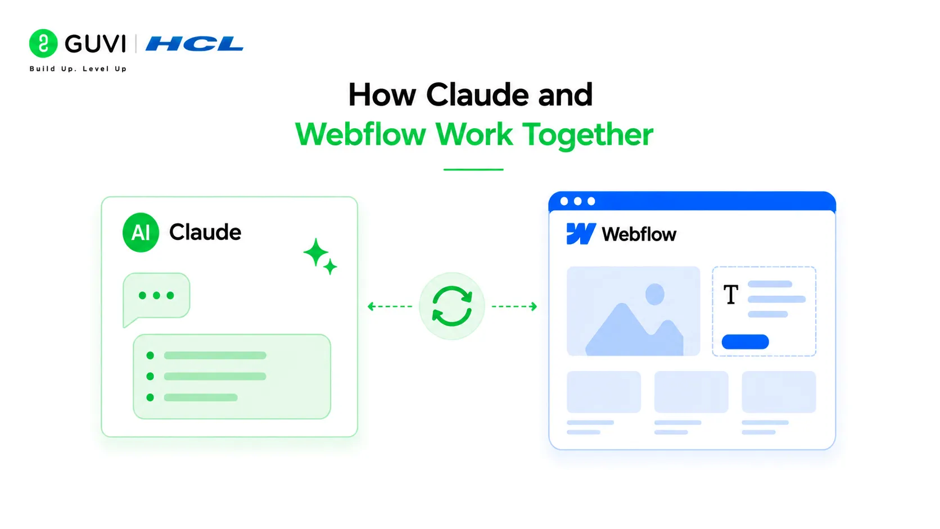
Claude does not integrate directly into the Webflow editor as a native tool. The workflow is copy-paste based, but structured to minimize friction.
The practical workflow looks like this:
- Build your Webflow page structure and layout with placeholder text indicating what each section needs
- Open Claude alongside Webflow in a separate browser tab
- Brief Claude on the product, audience, tone, and specific section you are writing for
- Generate copy, review and edit it, then paste it directly into the Webflow text element
- Iterate on any section by giving Claude feedback and requesting revisions before moving to the next
This workflow is most effective when you treat each page section as a separate Claude prompt rather than asking for an entire page in one request, since section-by-section generation produces tighter, more purposeful copy.
Read More: Create And Edit Files with Claude in One Click
Writing Homepage Copy with Claude
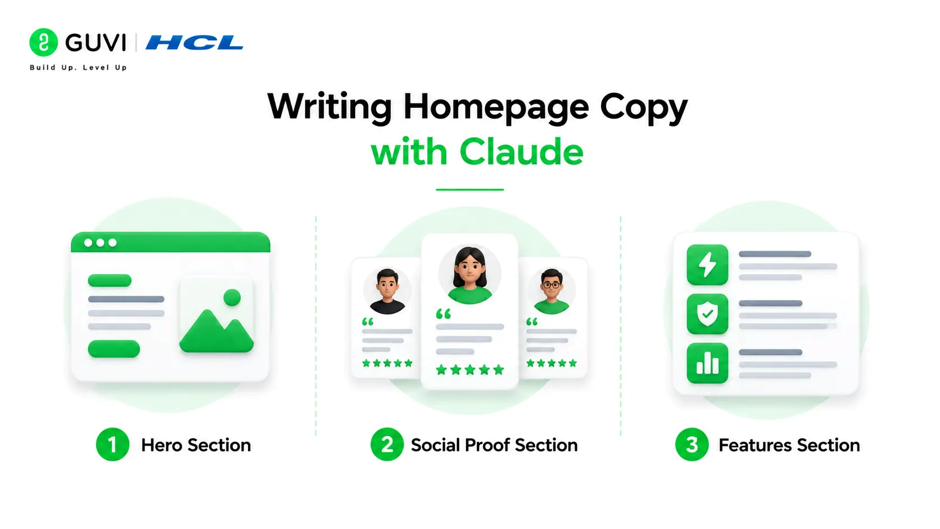
The homepage is the highest-stakes page in any Webflow project because it serves the widest range of visitors at different stages of awareness. Each section has a distinct job to do.
- Hero Section
The hero must communicate what the product does, who it is for, and why it matters in under ten seconds. Brief Claude with maximum specificity:
Write hero copy for a Webflow homepage. Product: a project management tool built specifically for freelance designers. Audience: freelancers
who are currently using spreadsheets or generic tools like Notion to
track client projects and feel disorganized.

I need:
- Headline: under 8 words, benefit-led not feature-led
- Subheadline: 1-2 sentences expanding the headline, under 25 words
- Primary CTA button text: under 5 words
- Secondary CTA button text: under 5 words

Tone: confident, clean, slightly informal. No corporate language.
Generate five to eight hero variations and evaluate them comparatively rather than committing to the first option.
- Social Proof Section
Write three customer testimonial placeholder templates for a freelance
design project management tool. Each should feel specific and credible,
not generic. Focus on outcomes like time saved, stress reduced, or
client relationships improved. Each testimonial under 40 words.
Write as if from a real freelance designer, varying their specialty
(UI designer, brand designer, motion designer).- Features Section
Write copy for a three-feature section of a Webflow page for a
freelance project management tool.

Feature 1: Client portal where clients can view project status and
approve deliverables without emailing the designer
Feature 2: Automatic invoice generation from project milestones
Feature 3: Time tracking linked to specific project phases

For each feature provide:
- Feature name: 2-4 words
- Headline: under 8 words
- Description: 2 sentences, benefit-focused not feature-focused
- Tone: clear, modern, confidence-building
Want to design and deliver complete web experiences that look great and convert? Explore HCL GUVI’s UI UX Course, designed to help you build the end-to-end design, content, and user experience skills modern web projects demand.
Writing Landing Page Copy with Claude
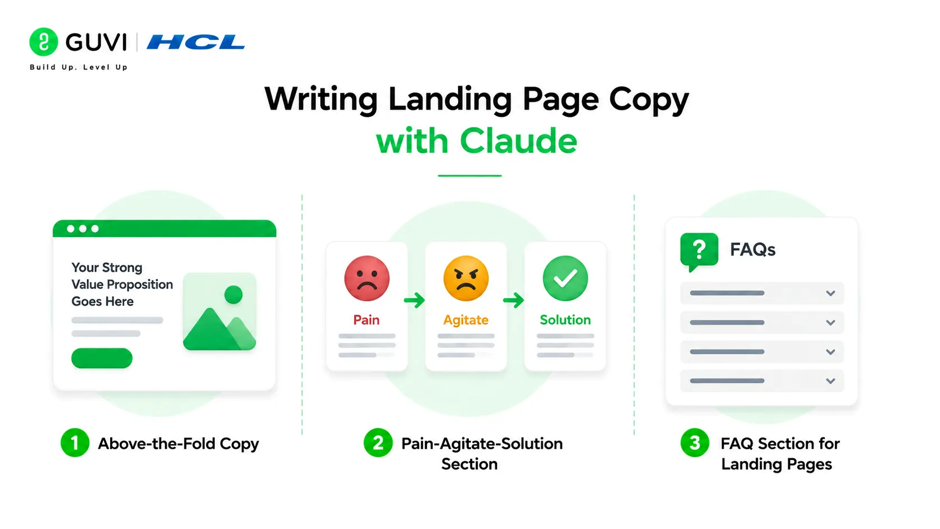
Landing pages have a single conversion goal, making copy precision more critical than on a homepage. Claude performs particularly well for landing pages because the focused objective translates directly into a tighter brief.
- Above-the-Fold Copy
Write above-the-fold copy for a Webflow landing page promoting a
free trial of a freelance project management tool. The traffic source
is Google Search ads targeting the keyword "project management for
freelancers."

Visitor intent: actively searching for a solution, aware they have
a problem, not yet aware of this specific product.

I need:
- Headline: matches search intent, under 10 words
- Subheadline: addresses the core pain point and introduces the
  solution, under 30 words
- CTA: action-oriented, references the free trial, under 6 words
- Trust line below CTA: reduces friction, under 12 words
(e.g. no credit card required, cancel anytime)- Pain-Agitate-Solution Section
Write a pain-agitate-solution section for the same landing page.
Pain: freelancers losing track of client feedback, revisions, and
project deadlines across too many tools.
Keep it under 120 words total. Three short paragraphs.
Do not use the phrase "we know how you feel" or similar.
Tone: empathetic but not dramatic.- FAQ Section for Landing Pages
Write 6 FAQ entries for a landing page for a freelance project
management tool. Focus on objections that would prevent a freelancer
from starting a free trial: concerns about setup time, whether it
works for solo operators not teams, pricing after trial, and data
migration from existing tools. Answers under 40 words each.Research by the Nielsen Norman Group shows that web copy is the primary factor users cite when evaluating whether a website feels trustworthy and credible, ranking above visual design in several studies. This makes copy quality a direct determinant of conversion rates in Webflow projects, not just an aesthetic consideration.

Writing Product and Pricing Page Copy
Pricing pages are where many Webflow projects produce the weakest copy because the writing defaults to listing features rather than resolving the anxiety that comes with a purchase decision.
- Pricing Section Header
Write a pricing section header for a freelance project management tool.
The goal is to make pricing feel simple and fair, not to hide costs
or overwhelm with tiers.

There are two plans: Solo (for individual freelancers) and Studio
(for small design teams of 2-5 people).

I need:
- Section headline: reassuring, under 8 words
- Section subheadline: sets expectations positively, under 20 words
- Plan name copy for Solo: name, one-line description, under 12 words
- Plan name copy for Studio: name, one-line description, under 12 words- Feature Comparison Table Microcopy
Write microcopy for a pricing comparison table for the same tool.The table has 8 feature rows. Write the feature names to be
benefit-oriented rather than technical. Features:

1. Number of active projects allowed
2. Client portal access
3. Invoice generation
4. Time tracking
5. File storage
6. Revision request management
7. Priority email support
8. Custom branding on client portal

Rewrite each feature name to emphasize what the user gains,
not what the feature technically does.Webflow hosts over 3.5 million websites as of 2025, with a significant portion built by designers and agencies without dedicated copywriting resources. The gap between design capability and writing capability remains one of the most widely cited pain points in the no-code web development community.
Writing Microcopy for Webflow Projects
Microcopy refers to the small pieces of copy scattered throughout a site that significantly affect user experience: button text, form labels, error messages, empty states, and tooltip text.
Write microcopy for the following UI elements on a freelance project
management web app:

1. Empty state when no projects exist yet (headline + one line of
   encouragement, under 20 words total)
2. Form placeholder text for a field asking for the client's name
3. Success message after sending an invoice (under 15 words)
4. Error message when a file upload exceeds the size limit (under 15 words,
   tell them what to do next)
5. Tooltip explaining what the client portal feature does (under 20 words)
6. Delete confirmation dialog (headline + body + two button labels)

Tone: friendly, clear, not robotic. No technical jargon.
Microcopy is an area where Claude consistently outperforms default placeholder text because it generates copy calibrated to the emotional state of the user at each specific moment.
Conclusion
Claude and Webflow together remove the most common bottleneck in web project delivery by giving designers, marketers, and agencies a fast, structured path from page layout to polished copy.
Start by using Claude on the highest-stakes section of your next Webflow project, typically the homepage hero, and invest time in a detailed brief that includes product, audience, tone, and precise format constraints.
FAQ
How do I use Claude with Webflow for copywriting?
Build your Webflow page structure with placeholder text, open Claude in a separate tab, brief it section by section with product, audience, tone, and format details, then paste the generated copy directly into your Webflow text elements.
Does Claude integrate directly into the Webflow editor?
Not natively. The workflow is copy-paste based between Claude.ai and the Webflow editor, which works efficiently when structured as a section-by-section process rather than a full-page request.
What Webflow page sections does Claude write best?
Hero copy, feature descriptions, pricing section headers, FAQ entries, testimonial frameworks, and microcopy like button text and empty states are all high-value use cases where Claude produces strong first drafts quickly.
Should I write copy before or after building the Webflow layout?
Ideally, copy should come before or alongside layout, since design built around real copy produces fewer revision cycles than design built around placeholder text that gets replaced later.
How do I make sure Claude’s copy fits my Webflow layout?
Always include specific word or character limits for each copy element in your prompt. Specifying that a headline must be under eight words or a CTA under five words ensures the output fits your design containers without layout-breaking rewrites.
Can Claude help write copy for Webflow client projects?
Yes. Claude is particularly useful for agencies managing multiple client sites simultaneously, allowing a copy sprint early in each project that produces first drafts for client review while design proceeds in parallel.
Success Stories

About the Author
Vishalini Devarajan
An Aerospace Engineer turned content writer, I focus on making complex concepts easy to understand through well-structured, reader-friendly blogs. Whether it’s a technical topic or a non-technical one, I love creating content that is clear, engaging, and impactful.
View all posts by Vishalini Devarajan
Connect with me @












Did you enjoy this article?