


Artificial Intelligence and Machine Learning Articles
AI/ML Skills Gap 2026: Why Companies Can't Find Job-Ready Talent
20 AI/ML Interview Questions Recruiters Can Use Without a Tech Background - Best Guide
How Industry-Backed AI/ML Bootcamps Are Changing the AI/ML Hiring Pipeline - Best Guide 2026
From IT Support to AI Engineer: A Realistic Career Switch Guide 2026


Get In Touch For Details! Request More Information

Role Prompting: How to Give Claude a Persona
Jul 27, 2026 4 Min Read 373 Views
(Last Updated)
The same AI model can sound like a software architect, a data scientist, a marketing strategist, or a friendly tutor—depending on how you instruct it. This ability is made possible through role prompting, one of the most effective prompt engineering techniques for improving response quality and consistency.
Instead of asking Claude to simply answer a question, you assign it a specific role, expertise, tone, and objective. Done well, role prompting helps Claude generate responses that are more focused, context-aware, and aligned with your intended audience. In this article, you’ll learn what role prompting is, how it works with the Claude API, best practices for designing personas, common mistakes to avoid, and practical examples for real-world AI applications.
Table of contents
- TL;DR Summary Box
- Answer Block
- Answer Block
- Answer Block
- Answer Block
- What is role prompting in Claude?
- Does assigning Claude a persona improve accuracy?
- What should a good role prompt include?
- What's the difference between a role prompt and a system prompt?
- Can I use multiple personas in one application?
- Can role prompting be combined with structured outputs?
TL;DR Summary Box
- Role prompting gives Claude a defined persona or professional role.
- A clear role improves consistency, tone, and relevance.
- Define expertise, audience, goals, and constraints—not just a job title.
- Combine role prompts with context and examples for better results.
- Use system prompts to maintain personas across conversations.
- Test and refine personas based on real user interactions.
Give Claude a clear persona with role prompting for more focused, consistent responses. Learn AI & ML with HCL GUVI’s Artificial Intelligence and Machine Learning course.
What Is Role Prompting?
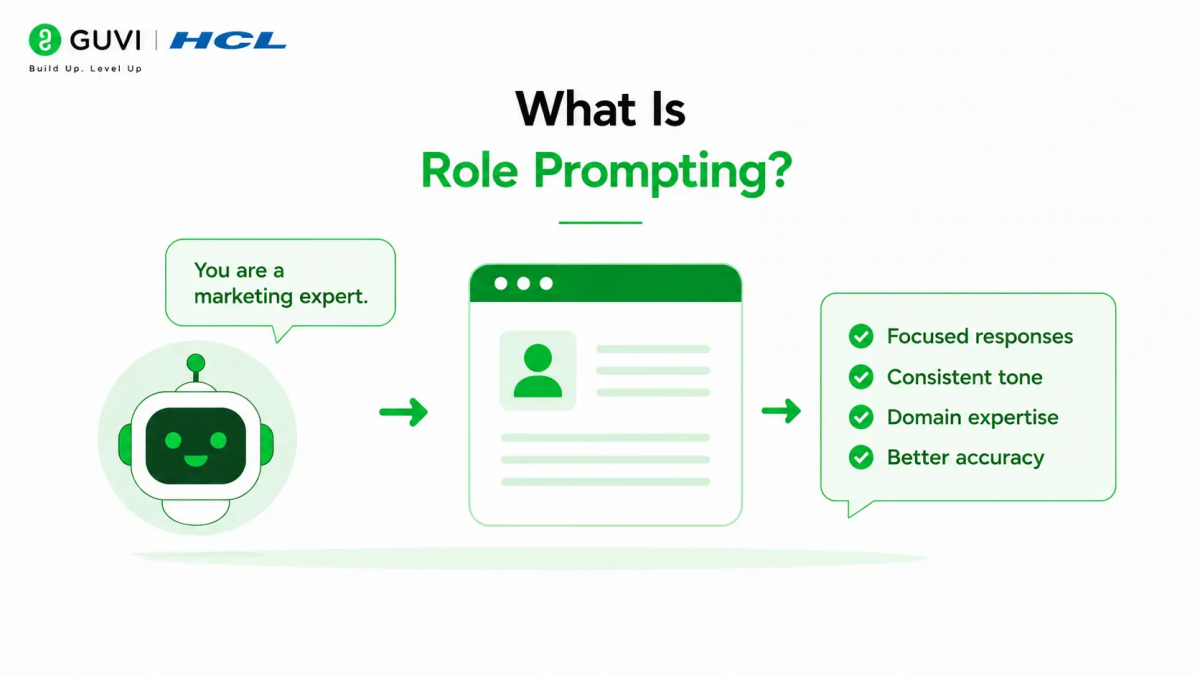
Role prompting is the practice of assigning Claude a specific identity or responsibility before asking it to complete a task.
Instead of saying
“Explain REST APIs.”
You could say:
“You are a senior backend engineer explaining REST APIs to junior developers with one year of programming experience.”
The second prompt provides valuable context that influences how Claude structures its response.
Why Does Role Prompting Matter?
A role gives Claude a framework for deciding:
- How technical the explanation should be
- Which examples to use
- The appropriate tone
- The expected depth
- The intended audience
Without a clearly defined role, responses may become overly generic or inconsistent.
📊 Data Point
Prompt engineering studies and developer experience reports consistently show that clearly defined instructions—including role, audience, and objectives—improve response consistency compared to open-ended prompts.
What Makes a Good Persona?
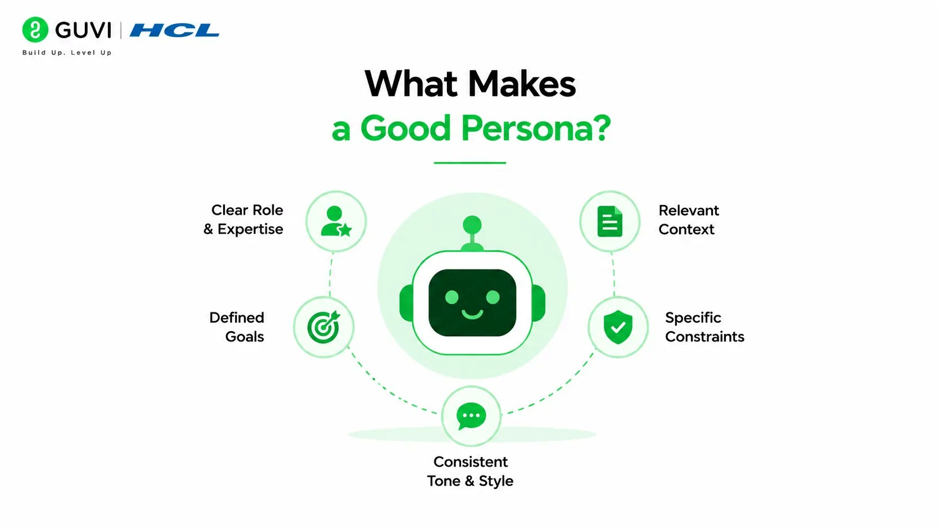
A strong persona is more than a job title.
It should define:
- Professional expertise
- Target audience
- Communication style
- Primary objective
- Constraints
- Desired output style
For example:
| Weak Persona | Strong Persona |
| You are a teacher. | You are a Python instructor teaching beginners with practical coding examples and simple language. |
The additional details help Claude generate more focused responses.
How to Build Effective Role Prompts
Answer Block
An effective role prompt typically contains several components:
- Role
- Audience
- Objective
- Tone
- Constraints
- Output format
For example:
“You are a cybersecurity consultant writing for small business owners. Explain common phishing attacks in plain English using practical examples. Avoid technical jargon unless you define it.”
This prompt gives Claude a clear direction.
💡 Pro Tip
Think of a role prompt as a job description rather than a character description. The clearer the responsibilities, the more useful the responses.
Role Prompting vs System Prompts
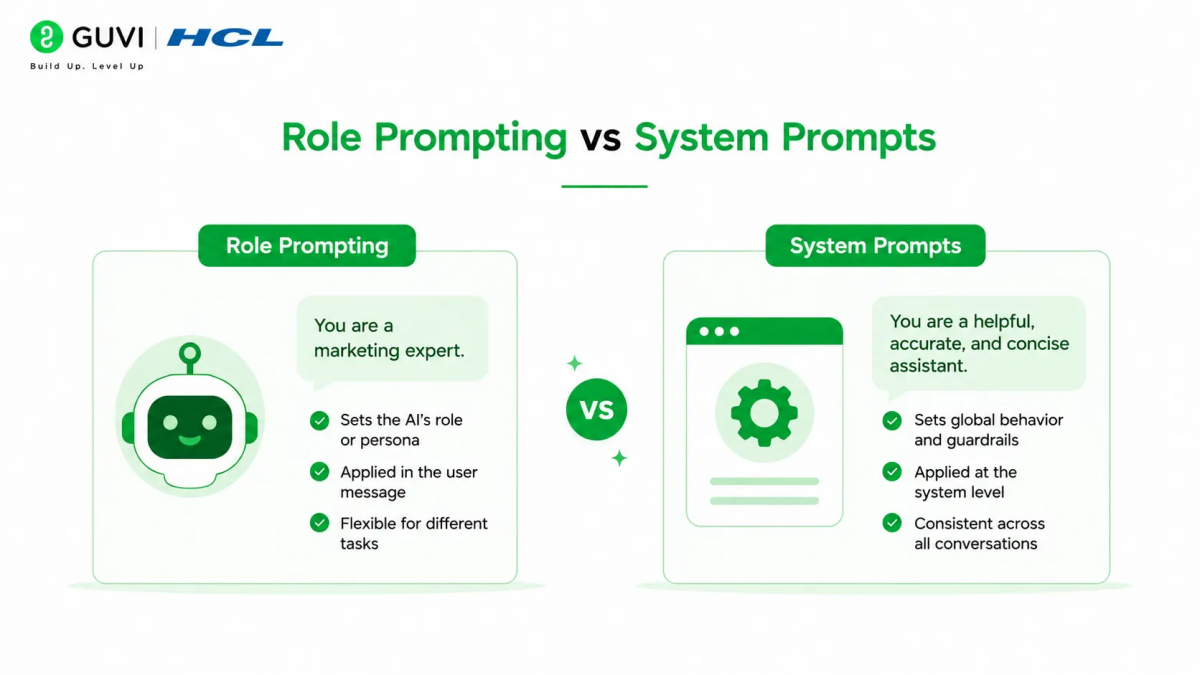
Although closely related, these concepts serve different purposes.
| Role Prompt | System Prompt |
| Defines a specific persona for a task | Sets overarching behavior for a conversation |
| May change frequently | Usually remains consistent |
| Task-specific | Session-wide guidance |
| Often included in user prompts | Commonly configured by developers |
Many Claude applications use system prompts to maintain a consistent persona across an entire session.
The quality of a Claude persona depends more on the instructions than the title. Simply saying “You are an expert” has limited impact, but defining the persona’s expertise, audience, goals, tone, and constraints helps Claude produce responses that are significantly more focused and consistent.
Common Role Prompting Use Cases
Answer Block
Role prompting is useful in many AI-powered applications, including:
- Coding assistants
- Customer support bots
- Educational tutors
- Financial explainers
- Technical writers
- Marketing assistants
- Legal document drafting
- HR assistants
- Sales enablement
- Product documentation
Different personas help tailor responses to different audiences and objectives.
Add Context Alongside the Role
Answer Block
A role alone is rarely enough.
Combine it with:
- Business requirements
- Relevant documentation
- Project goals
- Audience details
- Examples
- Formatting instructions
This additional context helps Claude generate responses that are not only stylistically appropriate but also factually grounded.
Avoid Overcomplicated Personas
Developers sometimes create personas with dozens of conflicting instructions.
For example:
“Be formal but casual. Be concise but exhaustive. Be creative but never speculative.”
Conflicting guidance makes it harder for Claude to prioritize instructions.
Instead, focus on the most important characteristics.
⚠️ Warning
Overly detailed personas can reduce consistency if they contain contradictory goals or unnecessary complexity.

Combining Role Prompting with Other Techniques
Role prompting works best when combined with complementary prompt engineering techniques.
For example:
- Role Prompting → Defines expertise
- RAG → Supplies current knowledge
- Tool Use → Retrieves live information
- Structured Outputs → Standardizes responses
- Conversation Memory → Maintains continuity
Together, these techniques produce more capable AI applications.
Common Mistakes
| Mistake | Better Approach |
| Using only a job title | Define expertise and audience |
| Conflicting instructions | Prioritize key objectives |
| No output guidance | Specify format and depth |
| Expecting role prompts to add knowledge | Use RAG or Tool Use when needed |
| Changing personas constantly | Maintain consistency within a session |
Real-World Example
Answer Block
Imagine an online learning platform offering AI tutoring.
Rather than using one generic assistant, the platform defines different personas:
- A Python instructor who explains concepts with beginner-friendly examples.
- A data science mentor who focuses on practical workflows and industry tools.
- A career coach who provides interview preparation and resume advice.
Each persona uses the same underlying Claude model but delivers responses tailored to a specific audience and learning objective. This creates a more personalized experience without requiring multiple AI models.
Give Claude a clear persona with role prompting for more focused, consistent responses. Learn AI & ML with HCL GUVI’s Artificial Intelligence and Machine Learning course.
Role Prompt Examples
| Use Case | Persona |
| Technical Documentation | Senior software architect writing for backend engineers |
| Customer Support | Friendly product specialist helping new users |
| Blog Writing | Experienced technical content writer creating SEO-friendly tutorials |
| Code Review | Principal software engineer reviewing production code |
| Business Analysis | Data analyst explaining KPIs to executives |
| Education | Patient tutor teaching high school students |
Original Insight: Personas Improve Consistency—Not Expertise
A common misconception is that assigning Claude the role of an “expert” automatically makes every response more accurate.
In practice, the persona shapes how Claude communicates, not what it fundamentally knows. During enterprise prompt evaluations in late 2025, prompts that combined clear roles with relevant context and supporting documents consistently outperformed prompts that relied solely on authoritative-sounding personas.
Contrarian Perspective:
A well-written persona cannot compensate for missing information. Expertise comes from combining clear instructions with reliable context, not simply calling Claude an expert.
Best Practices for Role Prompting
- Define expertise, not just a job title.
- Specify the target audience clearly.
- State the desired tone and communication style.
- Include the task objective and expected outcome.
- Add relevant context and supporting information.
- Avoid conflicting or overly detailed instructions.
- Test personas with real-world prompts and refine them over time.
Conclusion
Role prompting is one of the simplest yet most effective ways to improve the quality of interactions with Claude. By defining a clear persona, audience, objectives, and communication style, you can guide the model toward responses that are more consistent, engaging, and aligned with your application’s purpose.
However, personas are only one part of a successful prompt engineering strategy. For the best results, combine role prompting with relevant context, Retrieval-Augmented Generation (RAG), Tool Use, and structured output design. This layered approach helps you build AI applications that are not only conversational but also accurate, reliable, and production-ready.
FAQs
1. What is role prompting in Claude?
Role prompting is a prompt engineering technique where you instruct Claude to adopt a specific persona, expertise, or professional role to produce responses that are more relevant, consistent, and audience-appropriate.
2. Does assigning Claude a persona improve accuracy?
A persona improves the style, structure, and relevance of responses, but it does not add new knowledge. For factual accuracy, combine role prompting with reliable context, RAG, or Tool Use.
3. What should a good role prompt include?
An effective role prompt typically defines the persona’s expertise, target audience, communication style, objective, constraints, and desired output format.
4. What’s the difference between a role prompt and a system prompt?
A role prompt is usually task-specific, while a system prompt sets broader behavioral guidelines that apply throughout a conversation or session.
5. Can I use multiple personas in one application?
Yes. Many applications use different personas for different tasks, such as tutoring, coding assistance, customer support, or content creation, while using the same underlying Claude model.
6. Can role prompting be combined with structured outputs?
Yes. Role prompting can define how Claude responds, while structured output prompts define how the response is formatted, making the two techniques highly complementary.
Success Stories

About the Author
Vishalini Devarajan
An Aerospace Engineer turned content writer, I focus on making complex concepts easy to understand through well-structured, reader-friendly blogs. Whether it’s a technical topic or a non-technical one, I love creating content that is clear, engaging, and impactful.
View all posts by Vishalini Devarajan
Connect with me @










Did you enjoy this article?