


Artificial Intelligence and Machine Learning Articles
AI/ML Skills Gap 2026: Why Companies Can't Find Job-Ready Talent
20 AI/ML Interview Questions Recruiters Can Use Without a Tech Background - Best Guide
How Industry-Backed AI/ML Bootcamps Are Changing the AI/ML Hiring Pipeline - Best Guide 2026
From IT Support to AI Engineer: A Realistic Career Switch Guide 2026


Get In Touch For Details! Request More Information
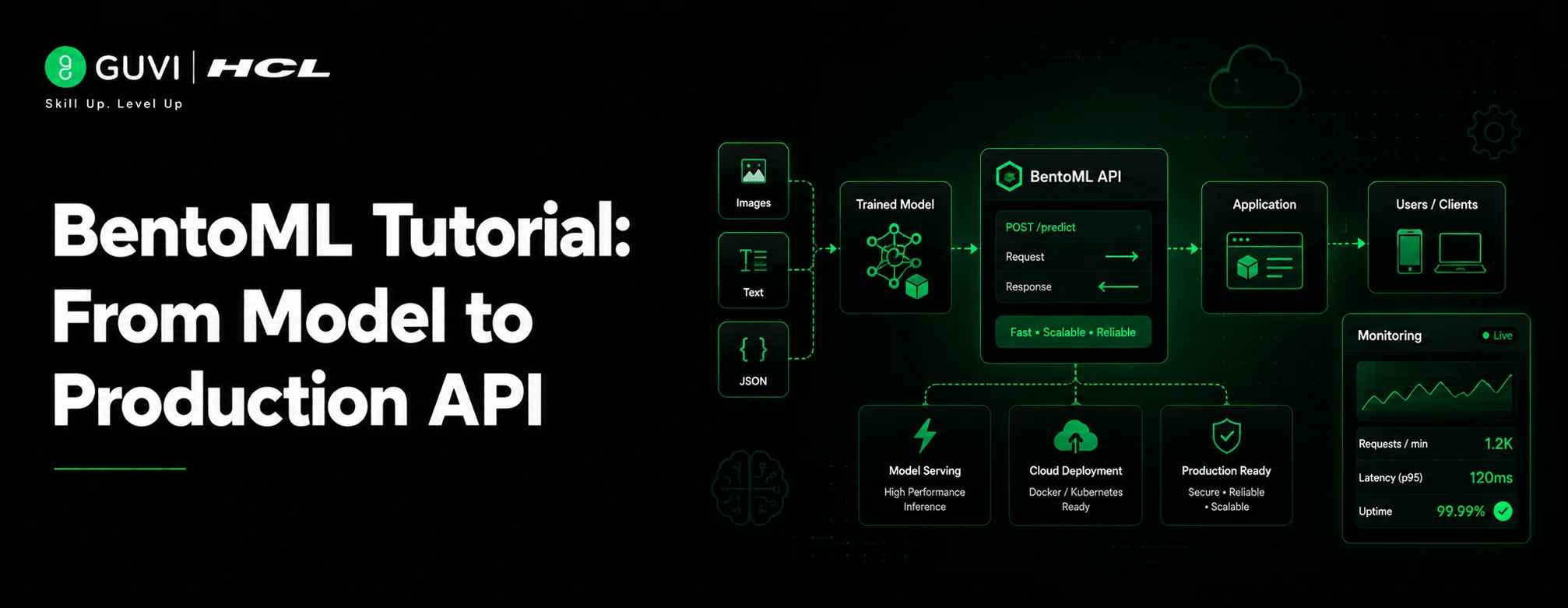
BentoML Tutorial: From Model to Production API
Sep 17, 2026 5 Min Read 433 Views
(Last Updated)
Most ML teams don’t struggle with building models, they struggle with shipping them. A notebook that scores 95% accuracy is still useless to anyone outside the data science team until it’s wrapped in an API, packaged with the right dependencies, and running somewhere reliable.
That’s the gap BentoML is built to close. Instead of hand-rolling a Flask app, writing a Dockerfile from scratch, and hoping the production environment matches your laptop, BentoML turns a Python class into a versioned, containerized, deployable service with a handful of decorators.
This tutorial walks through that full path: saving a model into BentoML’s model store, defining a Service with validated APIs, adding async and batched endpoints, wiring multiple Services together, configuring GPU resources, and finally building and deploying the whole thing.
TL;DR
- BentoML separates model storage from service code, so nothing is hardcoded to a file path
- @bentoml.service turns a Python class into a deployable unit; @bentoml.api turns a method into an HTTP endpoint
- Pydantic types on your API methods give you free request validation and OpenAPI docs
- batchable=True boosts throughput, async boosts concurrency, and you can combine both
- A Bento bundles code, model references, and environment specs into one versioned artifact
- bentoml containerize and bentoml deploy take that artifact straight to Docker or BentoCloud
Table of contents
- What is BentoML?
- BentoML Tutorial: From Model to Production API
- Installation
- Train and save a model
- Define a Service
- Run it locally
- Async APIs and batching
- Composing multiple Services
- GPU resources
- Building a Bento
- Deploying
- Conclusion
- FAQs
- Do I need Docker knowledge to use BentoML?
- Can BentoML serve models from frameworks other than scikit-learn?
- What’s the difference between bentoml serve and a deployed Bento?
- Do I need BentoCloud to deploy a BentoML service?
- How does BentoML handle multiple models in one pipeline?
What is BentoML?

BentoML is an open-source Python framework for packaging, serving, and deploying machine learning models as production-ready APIs. It helps developers save versioned model artifacts, define inference Services, expose prediction logic through REST endpoints, and containerize the full deployment environment.
The word “Bento” in BentoML is a direct nod to the Japanese bento box, since a Bento packages your model, code, and environment into one neat, portable container, much like the meal itself.
BentoML Tutorial: From Model to Production API
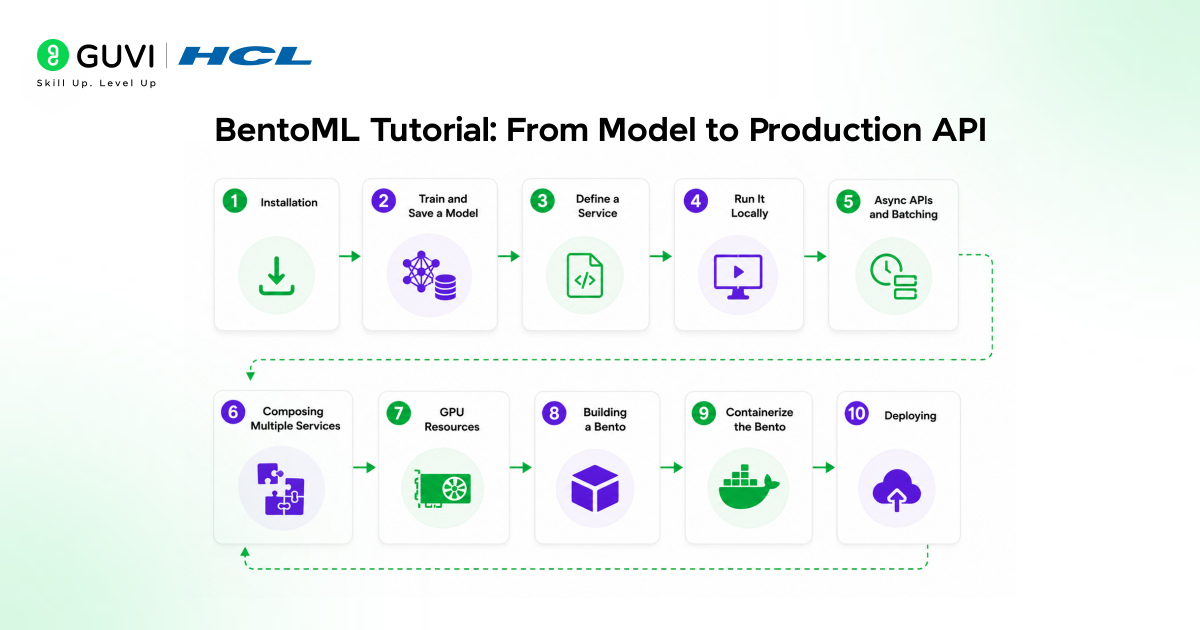
1. Installation
pip install bentoml scikit-learnVerify the install:
bentoml --version2. Train and save a model
BentoML has a model store that versions and tracks artifacts separately from your service code. Save a model into it using the framework-specific integration here, bentoml.sklearn:
# train.py

import bentoml

from sklearn import svm, datasets

iris = datasets.load_iris()

X, y = iris.data, iris.target

clf = svm.SVC(gamma="scale")

clf.fit(X, y)

# Saves the model into BentoML's local model store with a version tag

saved_model = bentoml.sklearn.save_model("iris_clf", clf)

print(f"Model saved: {saved_model}")
Run it:
python train.pyYou can confirm it landed in the store:
bentoml models list3. Define a Service
BentoML Services are plain Python classes decorated with @bentoml.service. Each method exposed with @bentoml.api becomes an HTTP endpoint. Create service.py:
# service.py

from __future__ import annotations

import numpy as np

import bentoml

from pydantic import BaseModel, Field

class IrisFeatures(BaseModel):

    sepal_length: float = Field(..., ge=0)

    sepal_width: float = Field(..., ge=0)

    petal_length: float = Field(..., ge=0)

    petal_width: float = Field(..., ge=0)

@bentoml.service(

    name="iris_classifier",

    resources={"cpu": "1"},

    traffic={"timeout": 10},

)

class IrisClassifier:

    # Reference the saved model by tag; BentoML resolves the path at runtime

    bento_model = bentoml.models.BentoModel("iris_clf:latest")

    def __init__(self) -> None:

        import joblib

        self.model = joblib.load(self.bento_model.path_of("saved_model.pkl"))

    @bentoml.api

    def predict(self, input_data: IrisFeatures) -> dict:

        input_series = np.array([[

            input_data.sepal_length,

            input_data.sepal_width,

            input_data.petal_length,

            input_data.petal_width,

        ]])

        prediction = self.model.predict(input_series)

        return {"class": int(prediction[0])}
A few details that matter here, not cosmetic ones:
- bentoml.models.BentoModel is a reference to an entry in the model store, resolved at service startup, not a raw file path. This is what makes the Bento, the final build artifact, reproducible across machines.
- Pydantic models as input types give you automatic request validation and a generated OpenAPI schema, visible at /docs once the service is running. A malformed request body returns a 422 before your function body ever runs.
- resources and traffic in the decorator are Service-level config, not per-request config. They control how many CPU/GPU resources the runtime allocates and what the request timeout is, and they get baked into the Bento at build time.
Build production-ready Python skills with HCL GUVI’s Python Course, certified by IITM Pravartak. Learn Python from the basics to advanced features through 17 hours of recorded content, 4 modules with certifications, and best practices used by real employers. Start learning for free and pay for the certificate later.
4. Run it locally
bentoml serve service:IrisClassifier
By default this binds to http://localhost:3000. BentoML auto-generates an interactive Swagger UI at http://localhost:3000 where you can hit /predict directly, and the route name is derived from the method name unless you override it.
Test it from another terminal:
curl -X POST http://localhost:3000/predict \

-H "Content-Type: application/json" \

-d '{"input_data": {"sepal_length": 5.1, "sepal_width": 3.5, "petal_length": 1.4, "petal_width
5. Async APIs and batching
For IO-bound work, calling another service, reading from disk, hitting a vector DB, async methods let BentoML interleave requests instead of blocking a worker thread per request:
@bentoml.api

async def predict_async(self, input_data: IrisFeatures) -> dict:

    result = await self._run_inference(input_data)

    return result

For CPU/GPU-bound inference where you want the runtime to group concurrent requests into a single forward pass, mark the API as batchable:

@bentoml.api(batchable=True)

def predict_batch(self, input_series: list[list[float]]) -> list[int]:

    arr = np.array(input_series)

    return self.model.predict(arr).tolist()
Batching is a runtime-level optimization, not something your function implements manually: BentoML accumulates concurrent calls up to a configurable max batch size and latency window, then dispatches one combined call to your function.

6. Composing multiple Services
Real systems are rarely one model. BentoML lets you wire Services together with bentoml.depends(), so one Service can call another’s API as if it were a local method:
@bentoml.service

class Preprocessing:

    @bentoml.api

    def clean(self, raw: dict) -> IrisFeatures:

        return IrisFeatures(**raw)

@bentoml.service

class Pipeline:

    preprocessing = bentoml.depends(Preprocessing)

    classifier = bentoml.depends(IrisClassifier)

    @bentoml.api

    def predict(self, raw: dict) -> dict:

        features = self.preprocessing.clean(raw)

        return self.classifier.predict(features)
Each Service in the dependency graph can be scaled and resourced independently when deployed, which matters when one stage is CPU-light preprocessing and another needs a GPU inference.
7. GPU resources
For a model that needs a GPU, the resources block changes the scheduling behavior, not just a label:
@bentoml.service(

    resources={"gpu": 1, "gpu_type": "nvidia-l4"},

    traffic={"timeout": 60},

)

class GPUService:

    model = bentoml.models.HuggingFaceModel("meta-llama/Meta-Llama-3.1-8B-Instruct")

    @bentoml.api

    async def generate(self, prompt: str, max_tokens: int = 256) -> str:

        ...
bentoml.models.HuggingFaceModel pulls directly from the Hugging Face Hub and caches it through BentoML’s model store, so it’s versioned the same way as a locally trained model.
8. Building a Bento
A Bento is the packaged, versioned unit BentoML deploys: code, model references, and the Python environment spec, bundled together. Define the environment in the image field of the decorator, or in a separate bentofile.yaml:
# bentofile.yaml

service: "service:IrisClassifier"

labels:

  owner: ml-team

include:

  - "service.py"

python:

  packages:

    - scikit-learn

    - pydantic
Build it:
bentoml buildThis produces a versioned Bento in the local store bentoml list into a Docker image without writing a Dockerfile shows it. Containerize it
bentoml containerize iris_classifier:latest
This generates a Docker image with the exact Python version, system packages, and pip dependencies your Service declared, so “works on my machine” and “works in the container” stop being two different claims.
9. Deploying
For BentoCloud-managed deployment:
bentoml cloud login
bentoml deploy
bentoml deploy, run from the project directory, picks up your bentofile.yaml, builds the Bento, and ships it to BentoCloud with autoscaling and GPU provisioning handled for you.
For self-managed infrastructure, take the image from bentoml containerize and run it on whatever you already use: Kubernetes, ECS, plain Docker, since it’s a standard OCI image at that point.
Conclusion
Once you’ve built one BentoML Service, the pattern holds for almost anything you’ll deploy next, whether that’s an sklearn model, a Hugging Face pipeline, or a multi-stage RAG system chained together with bentoml.depends(). The framework’s real value isn’t the decorators themselves, it’s that the thing you tested locally with bentoml serve is the exact same thing that ends up in production, environment and all. That guarantee is what usually takes teams the longest to build by hand, and BentoML gives it to you by default.
FAQs
Do I need Docker knowledge to use BentoML?
No. bentoml containerize generates the Docker image for you based on your Service’s declared dependencies. Docker knowledge helps if you’re debugging a deployment issue, but it’s not a prerequisite to get a working container.
Can BentoML serve models from frameworks other than scikit-learn?
Yes. BentoML has built-in integrations for PyTorch, TensorFlow, Hugging Face Transformers, XGBoost, and others, plus a generic path for any custom Python inference code.
What’s the difference between bentoml serve and a deployed Bento?
bentoml serve runs your Service directly from source for local testing. A deployed Bento is a built, versioned artifact with its environment locked in, which is what should actually receive production traffic.
Do I need BentoCloud to deploy a BentoML service?
No. bentoml deploy is the fastest path if you’re using BentoCloud, but bentoml containerize produces a standard OCI image you can run on any infrastructure, including Kubernetes or plain Docker.
How does BentoML handle multiple models in one pipeline?
Through bentoml.depends(), which lets one Service call another Service’s API as if it were a local method. Each Service in that chain can be scaled and resourced independently, so a lightweight preprocessing step doesn’t need the same GPU as the model it feeds into.
Success Stories

About the Author
Vaishali
I'm a seasoned writer with four years of experience across technical, non-technical, and just about every genre or niche you can imagine. Adaptable and curious, I enjoy exploring new topics and making information engaging and easy to understand. Fueled by a steady stream of tea, I approach each project with creativity, reliability, and genuine enthusiasm for storytelling.
View all posts by Vaishali
Connect with me @










Did you enjoy this article?