


Salesforce Articles
Top 10 Apex Interview Questions & Answers in Salesforce
Salesforce Admin Interview Questions and Answers for Success in 2026
Salesforce API: Integration and Automation Guide
What is Salesforce Architecture: Components, Layers & Workflow


Get In Touch For Details! Request More Information
Salesforce Trigger Interview Questions & Answers
Aug 20, 2026 5 Min Read 692 Views
(Last Updated)
If you’re preparing for a Salesforce developer interview, one thing is almost certain you’ll get asked about triggers. Triggers sit at the heart of Salesforce automation and custom logic, and interviewers use them to test not just what you know, but how you think when real problems hit.
Whether you’re a fresher sitting for your first technical round or an experienced developer brushing up before a senior role, knowing how to answer trigger questions confidently can make a big difference.
QUICK TL;DR
- A trigger is Apex code that runs on data changes (insert, update, delete, undelete) to enforce complex business logic.
- Use before triggers to modify incoming records and after triggers to work with committed IDs or related records.
- Always implement one trigger per object and push logic into a handler class for testability and predictable flow.
- Bulkify: query outside loops, use maps, and perform a single DML for many records to obey governor limits.
- Prevent recursion with transaction-scoped static flags and choose async patterns (Queueable/Batch) for heavy work.
Table of contents
- Q1: What Is a Salesforce Trigger and When Should You Use One?
- Q2: What Is the Difference Between a Before and After Trigger?
- Q3: What Are Trigger Context Variables?
- Q4: How Many Triggers Should You Have Per Object?
- Q5: What Is the Trigger Handler Pattern?
- Q6: What Is a Recursive Trigger and How Do You Prevent It?
- Q7 : Scenario: Auto-Create a Contact When an Account Is Created
- Q8: Scenario: Prevent Account Deletion If It Has Related Opportunities
- Q9: Scenario Set a Field Only When a Specific Field Changes on Update
- Q10: Can You Call a Future Method From a Trigger?
- Quick Prep Tips for Trigger Interviews
- Conclusion
- FAQs
- When should I use a before vs after trigger?
- Why only one trigger per object?
- How do Trigger.new and Trigger.old differ?
- How do you prevent recursive trigger execution?
- What is bulkification in triggers?
- Which trigger event to use to block deletion with an error?
Q1: What Is a Salesforce Trigger and When Should You Use One?
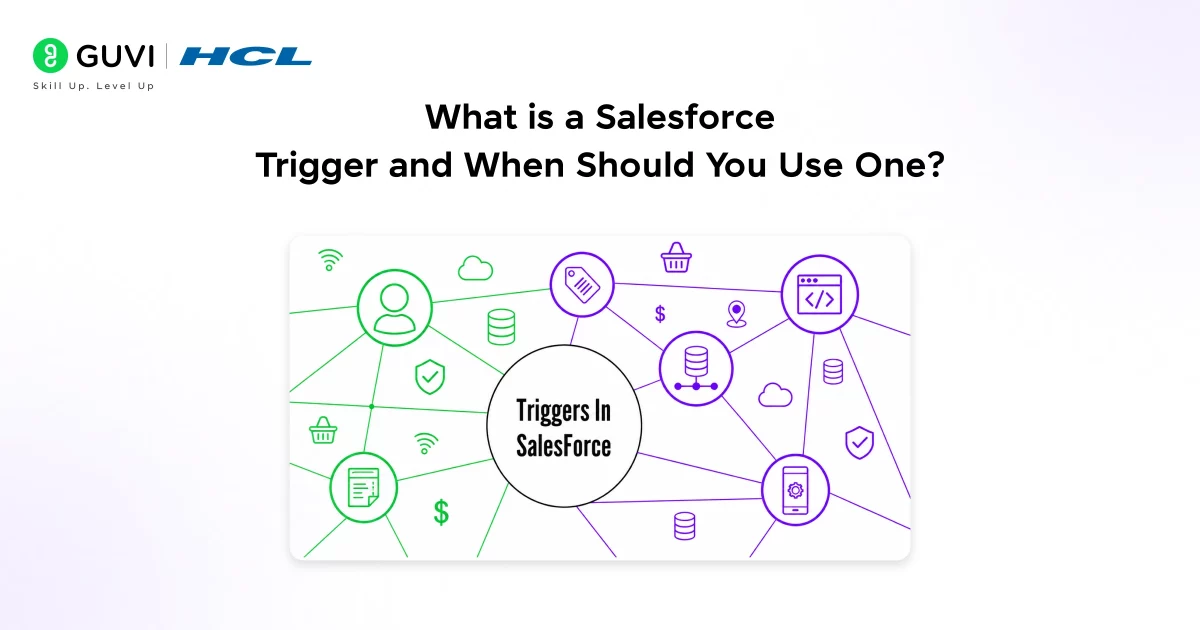
A Salesforce trigger is Apex that runs on insert, update, delete, or undelete to enforce logic Flow/validation rules can’t. Use triggers for cross-object updates, complex calculations, external calls, or logic needing old vs new values. Prefer Flow for simple automations because it’s no-code and easier to maintain. Reserve triggers only when declarative tools can’t meet the requirement.
Enroll in HCL GUVI’s Salesforce Courseand get hands-on training in Apex, triggers, Batch Apex, integrations, and real-world projects.
Q2: What Is the Difference Between a Before and After Trigger?
This comes up in almost every Salesforce developer interview, so it’s worth getting crystal clear on.
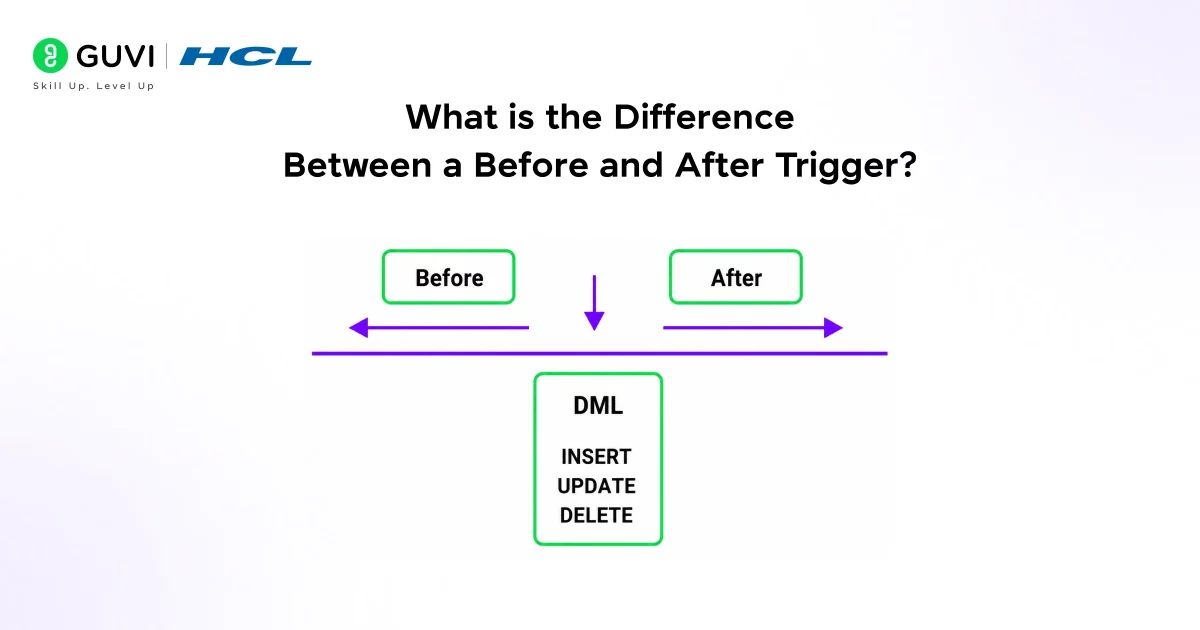
- A before trigger fires before the record is saved to the database. Since the record hasn’t been committed yet, you can directly modify field values on Trigger.new without a separate DML statement. This is the right choice for data validation or defaulting field values.
- An after trigger fires after the record is saved and has a permanent ID in the database. You can’t modify the current record directly here any changes need a DML update. Use after triggers when you need to work with related records, create child records, or call future methods.
| Trigger Type | Fires When | Can Modify Trigger.new | Record Has ID |
| Before Insert | Before record saves | Yes | No |
| Before Update | Before record saves | Yes | Yes |
| After Insert | After record saves | No | Yes |
| After Update | After record saves | No | Yes |
| Before Delete | Before record deletes | No | Yes |
| After Delete | After record deletes | No | Yes (Trigger.old) |
| After Undelete | After record restored | No | Yes |
A quick memory trick: before = modify, after = relate.
Q3: What Are Trigger Context Variables?
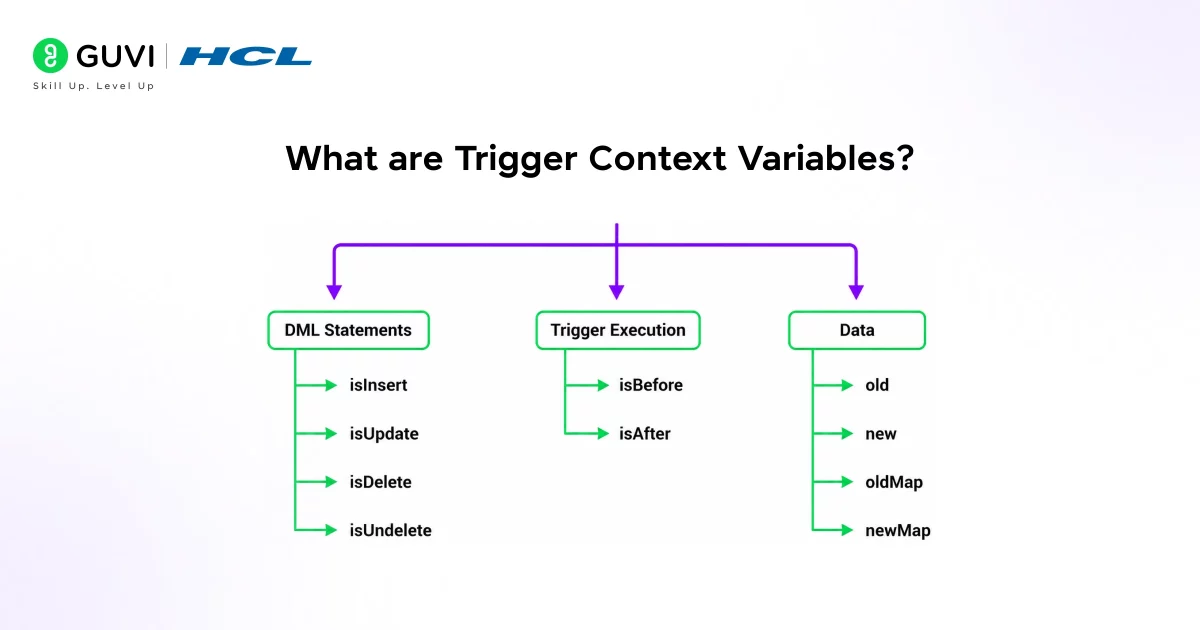
Trigger context variables are built-in variables Salesforce provides inside every trigger. They give you runtime information about which operation is happening and which records are involved.
- Trigger.new is a list of the new versions of records being processed, available in insert and update triggers. Trigger.old holds the previous versions available in update and delete triggers.
- Trigger.newMap and Trigger. oldMap are the same data stored as Map<Id, SObject>, which is useful when you need to look up records by ID quickly.
- The Boolean context variables Trigger.isInsert, Trigger.isUpdate, Trigger.isDelete, Trigger.isBefore, and Trigger.isAfter let you write a single trigger that handles multiple events and routes logic accordingly. Using these keeps your trigger clean and avoids duplicating code across multiple trigger files.
Q4: How Many Triggers Should You Have Per Object?
This is a best-practice question that separates candidates who’ve read documentation from those who’ve worked in real orgs.
- You should write only one trigger per object. Salesforce doesn’t guarantee the execution order when multiple triggers exist on the same object for the same event.
- If you have two after-insert triggers on Account, you have no control over which runs first, and that can lead to unpredictable bugs that are very hard to debug in production.
- The accepted best practice is one trigger per object plus one handler class per trigger. The trigger itself stays thin; it just calls the handler. All the business logic lives in the handler class, making it testable, readable, and easy to extend.
Q5: What Is the Trigger Handler Pattern?
The trigger handler pattern keeps triggers minimal delegating to an Apex handler class that implements event-specific methods (onBeforeInsert, onAfterUpdate, etc.). All business logic lives in the handler, making triggers easy to read and maintain.
This approach centralizes logic, lets tests call handler methods directly without DML, and shortens onboarding for new developers. Mentioning it in interviews shows you write production-quality, maintainable Salesforce code.
To know more about Salesforce careers in India, including roles, skills, salary, and growth opportunities, check out Salesforce Careers in India.
Q6: What Is a Recursive Trigger and How Do You Prevent It?
A recursive trigger keeps calling itself. This happens when a trigger performs a DML operation that causes the same trigger to fire again, creating a loop. Left unchecked, it hits governor limits and throws a runtime exception that rolls back the entire transaction.
Here’s how that looks in practice:
- A TriggerHelper class declares a public static Boolean isFirstRun = true. Inside the trigger, before running any logic, you check if isFirstRun is true. If it is, you set it to false and proceed. On the next invocation in the same transaction, the check fails and the trigger skips recursion stopped.
- This is one of the most common scenario-based questions in Salesforce trigger interviews, so walk interviewers through this explanation clearly.
Q7 : Scenario: Auto-Create a Contact When an Account Is Created
This is a classic scenario question. The interviewer wants to see that you know which trigger event to use and how to write bulk-safe code.
You use an after insert trigger on Account because you need the Account’s ID to set the AccountId on the Contact and IDs only exist after the record is committed.
Inside the trigger,
- loop through Trigger.new, create a new Contact for each Account (setting LastName to the Account Name and AccountId to the Account’s Id),
- add each Contact to a list, and insert the entire list in one DML call after the loop.
- Never insert inside the loop that’s the key mistake to avoid.

Q8: Scenario: Prevent Account Deletion If It Has Related Opportunities
Another very common scenario. You use a before delete trigger on Account because you can still call addError() on the record before it’s actually removed.
- Inside the trigger, collect all Account IDs from Trigger.old into a Set. Run one SOQL query to find any Opportunities where AccountId is in that Set. Store results in a Map keyed by AccountId.
- Then loop through Trigger.If the Account’s ID exists in the Map, call acc.addError(‘Cannot delete an Account with related Opportunities’). Salesforce will block the deletion and show the error to the user.
- The addError() method is available only in before triggers, which is why the trigger type matters here.
In Salesforce Apex triggers, a single execution can process up to 200 records in a batch context. Because of this, writing unbulkified code—especially placing SOQL queries or DML statements inside loops—can quickly lead to hitting governor limits and cause production failures. In contrast, moving queries and DML operations outside loops and working with collections allows the same logic to scale safely across all 200 records in one execution. This simple design choice often determines whether a trigger successfully deploys or fails under real-world data loads.
Q9: Scenario Set a Field Only When a Specific Field Changes on Update
Interviewers ask this to check whether you know how to compare old and new values during an update.
- You use a before update trigger and compare values using Trigger.newMap and Trigger.oldMap. For each record, check if the new value of the field differs from the old value.
- If it does, modify the target field directly on the record in Trigger.new. Since it’s a before trigger, Salesforce saves your change automatically without a separate DML.
- Without checking Trigger. old, your trigger would fire its logic on every update even when the relevant field didn’t change wasting resources and potentially causing incorrect data.
Q10: Can You Call a Future Method From a Trigger?
- Yes, you can, but with important caveats that interviewers specifically watch for. You can call a @future method from a trigger, but only from a synchronous context.
- You cannot call a future method from another future method or from a batch context. If you do, Salesforce throws an error.
- Also, future methods receive only primitive data types like IDs or Strings; they can’t accept SObjects directly because the record might change between when you call the method and when it actually runs.
- If your trigger logic involves making HTTP callouts to external systems, you must use a future method with the (callout=true) parameter, since callouts are not allowed in the synchronous trigger context.
Quick Prep Tips for Trigger Interviews
- Scenario questions are now the norm:
Not the exception. Interviewers give you a real situation and want you to walk through your approach, which trigger event you’d use, how you’d keep it bulk-safe, and what edge cases you’d consider.
- Know your governor’s limits cold:
The ones that trip up trigger code most often are 100 SOQL queries, 150 DML operations, and 50,000 records returned per transaction. Mentioning them naturally in your answers; it shows you’ve written code that runs in real orgs, not just playgrounds.
- Practice writing at least five triggers from scratch:
Theory answers only get you so far. The ability to describe your code while writing it, explaining each choice as you go, is what separates strong candidates in technical rounds.
You just reviewed key Salesforce Trigger interview questions, from trigger syntax and context variables to best practices and common pitfalls.Ready to master triggers and become a certified Salesforce developer? Enroll in HCL GUVI’s Salesforce Course and get hands-on training in Apex, triggers, Batch Apex, integrations, and real-world projects.
Conclusion
Mastering Salesforce triggers, especially before vs. after contexts, bulkification, avoiding recursion, using a trigger handler pattern, and handling real scenarios proves your technical depth and judgment in interviews.
Practice in a free Developer Edition org via Trailhead to build confidence and concrete examples. Start coding triggers now to turn knowledge into demonstrable skills.
FAQs
1. When should I use a before vs after trigger?
Use before triggers to validate or set field values on records being saved; use after triggers when you need record IDs or must update related records.
2. Why only one trigger per object?
Salesforce doesn’t guarantee execution order for multiple triggers, so a single trigger plus a handler class ensures predictable, maintainable logic.
3. How do Trigger.new and Trigger.old differ?
Trigger.new contains new record versions for insert/update; Trigger.old holds prior versions for update/delete, letting you compare changes safely.
4. How do you prevent recursive trigger execution?
Use a static Boolean or a transaction-scoped flag in a helper class; set it on first run and skip logic on subsequent invocations within the same transaction.
5. What is bulkification in triggers?
Design logic to handle many records (up to 200) by querying once, using Maps for lookups, and doing bulk DML avoid per-record queries or updates inside loops.
6. Which trigger event to use to block deletion with an error?
Use a before delete trigger and call record.addError(‘message’) if related child records exist—this prevents the deletion and surfaces a user-friendly error.
Success Stories

About the Author
Vishalini Devarajan
An Aerospace Engineer turned content writer, I focus on making complex concepts easy to understand through well-structured, reader-friendly blogs. Whether it’s a technical topic or a non-technical one, I love creating content that is clear, engaging, and impactful.
View all posts by Vishalini Devarajan
Connect with me @








Did you enjoy this article?