


Salesforce Articles
Salesforce Admin Interview Questions and Answers for Success in 2026
Salesforce Trigger Interview Questions & Answers
Salesforce API: Integration and Automation Guide
Top Salesforce Jobs in 2026: High‑Paying Roles & Career Growth


Get In Touch For Details! Request More Information
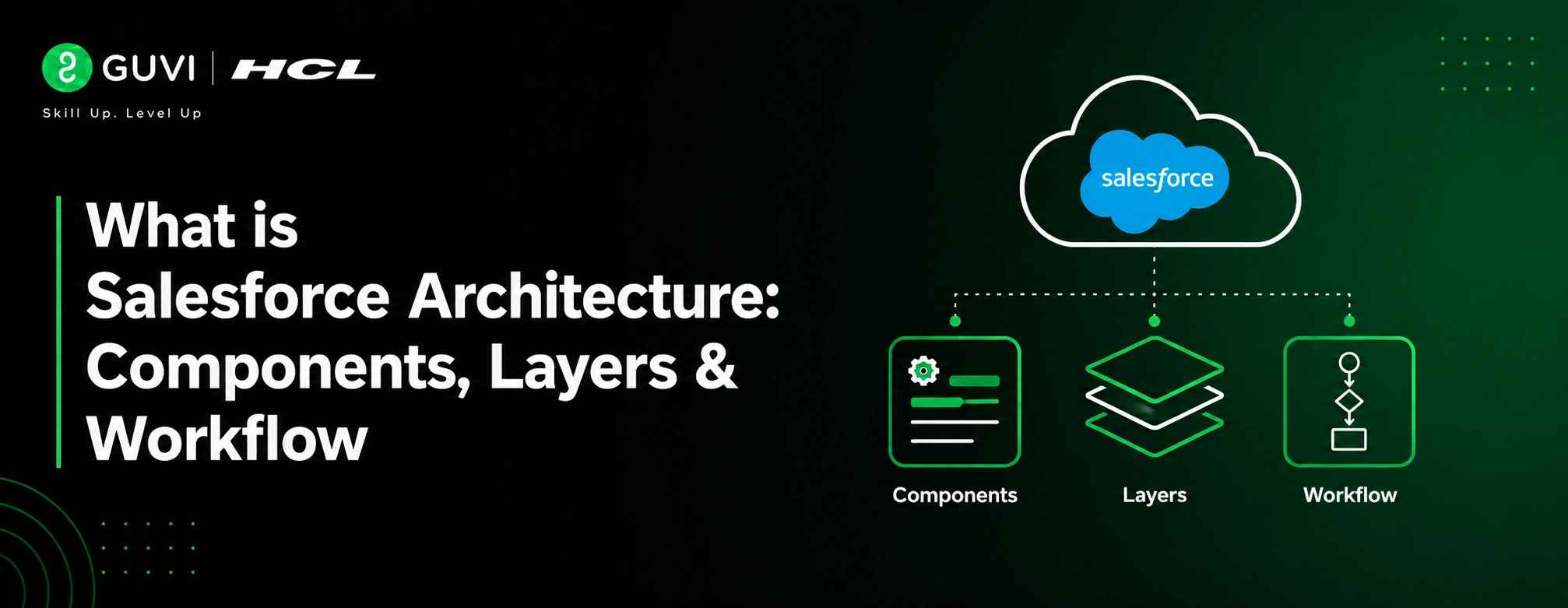
What is Salesforce Architecture: Components, Layers & Workflow
Jun 10, 2026 4 Min Read 1166 Views
(Last Updated)
Table of contents
- TL;DR
- Introduction
- What Is Salesforce Architecture?
- Why Is Salesforce Architecture Important?
- Core Principles of Salesforce Architecture
- Multi-Tenant Architecture
- Metadata-Driven Architecture
- Cloud-Based Infrastructure
- Key Components of Salesforce Architecture
- Objects
- Fields
- Apex
- Lightning Platform
- APIs
- Security Framework
- Layers of Salesforce Architecture
- User Interface Layer
- Application Layer
- API Layer
- Data Layer
- Security Layer
- Salesforce Architecture Workflow
- Step 1: User Request
- Step 2: UI Processing
- Step 3: Business Logic Execution
- Step 4: Security Verification
- Step 5: Data Processing
- Step 6: Response Generation
- Step 7: User Display
- Real-World Example
- Benefits of Salesforce Architecture
- Scalability
- Security
- Flexibility
- Faster Development
- Seamless Updates
- Best Practices for Salesforce Architecture
- Common Mistakes to Avoid
- Overusing Custom Code
- Poor Data Modeling
- Ignoring Security
- Excessive Automation
- Lack of Documentation
- Conclusion
- FAQs
- What is Salesforce Architecture?
- What is multi-tenant architecture in Salesforce?
- What is metadata in Salesforce?
- Which APIs are commonly used in Salesforce?
- Why should developers learn Salesforce Architecture?
TL;DR
- Salesforce Architecture is a cloud-based framework powering Salesforce applications and services.
- It follows a multi-tenant structure where different organizations securely share the same infrastructure.
- The platform uses metadata-driven development to allow customization without altering the base code.
- Salesforce Architecture features multiple layers: data, application, security, API, and user interface layers.
- Understanding Salesforce Architecture aids developers, administrators, and architects in creating scalable and secure solutions.
Introduction
Salesforce Architecture forms the backbone of the Salesforce platform, enabling businesses to build, customize, and scale applications while maintaining security, performance, and reliability. Its unique combination of multi-tenant architecture, metadata-driven development, and cloud infrastructure allows organizations to manage data, automate workflows, integrate external systems, and support growing business demands efficiently. As Salesforce continues to power digital transformation across industries, understanding its architecture has become essential for developers, administrators, and architects alike.
What Is Salesforce Architecture?
Salesforce Architecture describes the design structure of the Salesforce platform that allows organizations to build, customize, deploy, and manage business applications in the cloud.
It merges infrastructure, data management, security, APIs, business logic, and user interfaces into a single platform. The architecture is designed to enable quick application development while remaining secure, scalable, and reliable.
Salesforce Architecture is based on two main concepts:
- Multi-tenant architecture
- Metadata-driven architecture
These ideas let Salesforce serve thousands of organizations from a shared infrastructure while ensuring a highly customized experience for each customer.
Interested in Salesforce development? HCL GUVI’s Salesforce Course helps you strengthen your understanding of Salesforce architecture, concepts, and real-world application building.
Why Is Salesforce Architecture Important?
Understanding Salesforce Architecture benefits professionals by allowing them to:
- Design scalable applications
- Improve platform performance
- Implement secure data access
- Build effective integrations
- Troubleshoot system issues
- Prepare for Salesforce certifications
Whether you’re a Salesforce Administrator, Developer, Consultant, or Architect, knowing the architecture enhances your ability to make informed decisions during implementation.
It also helps build the foundational knowledge required for many Salesforce certification paths. If you’re planning to get certified, check out our guide to Salesforce Certifications to explore the available certification options and career opportunities.
Core Principles of Salesforce Architecture
1. Multi-Tenant Architecture
Salesforce operates on a multi-tenant model where multiple organizations use the same application and infrastructure.
Think of it as an apartment building. Each tenant has a separate apartment, but they all share the same building infrastructure. Likewise, Salesforce customers share platform resources while their data remains private and protected.
Benefits include:
- Lower infrastructure costs
- Quicker updates
- Improved scalability
- Easier maintenance
2. Metadata-Driven Architecture
Instead of hard-coding behaviors into applications, Salesforce stores configurations as metadata.
Objects, fields, workflows, page layouts, validation rules, and customizations are defined with metadata. This approach allows organizations to change application behavior without altering the core platform code.
Benefits include:
- Quicker customization
- Simpler upgrades
- Reduced development requirements
- More flexibility
3. Cloud-Based Infrastructure
Salesforce operates entirely through the cloud.
Users access applications via web browsers without needing local software installations. The platform manages infrastructure, updates, availability, and maintenance in the background.
Key Components of Salesforce Architecture
1. Objects
Objects serve as database tables to store business information.
Examples include:
- Accounts
- Contacts
- Leads
- Opportunities
- Cases
Organizations can create custom objects tailored to specific business needs.
2. Fields
Fields contain individual data points within objects.
Examples include:
- Name
- Phone Number
- Revenue
- Status
3. Apex
Apex is Salesforce’s programming language.
Developers use Apex to implement:
- Business logic
- Triggers
- Batch processing
- Custom integrations
4. Lightning Platform
The Lightning Platform offers tools for building modern applications.
It includes:
- Lightning App Builder
- Lightning Components
- Experience Builder
- Flow Builder
5. APIs
Salesforce provides multiple APIs for integration.
Common APIs consist of:
- REST API
- SOAP API
- Bulk API
- Streaming API
These APIs enable communication between Salesforce and other systems.
6. Security Framework
The security model governs access through:
- Profiles
- Permission Sets
- Roles
- Sharing Rules
- Field-Level Security
This structure ensures users can access only the information they are authorized to see.
Layers of Salesforce Architecture
Salesforce Architecture consists of several interconnected layers.
Quick Glance:
| Layer | Purpose | Examples |
| User Interface Layer | Handles user interaction with Salesforce | Lightning Experience, Salesforce Mobile App, Experience Cloud Portals |
| Application Layer | Processes business logic and automation | Apex Classes, Flows, Validation Rules, Workflow Rules, Process Automation |
| API Layer | Enables communication between Salesforce and external systems | REST API, SOAP API, Bulk API, Streaming API |
| Data Layer | Stores and manages business data and metadata | Standard Objects, Custom Objects, Records, Relationships, Metadata |
| Security Layer | Controls access and protects organizational data | Profiles, Roles, Permission Sets, Sharing Rules, Field-Level Security |
1. User Interface Layer
This layer manages user interaction.
Components include:
- Lightning Experience
- Salesforce Mobile App
- Experience Cloud Portals
Users engage with Salesforce through this layer.
2. Application Layer
The application layer contains business logic and automation.
Examples include:
- Apex Classes
- Flows
- Workflow Rules
- Validation Rules
- Process Automation
This layer processes user actions and business requirements.

3. API Layer
The API layer enables communication between Salesforce and external applications.
It facilitates:
- Data synchronization
- Third-party integrations
- Real-time communication
- External application access
4. Data Layer
The data layer oversees data storage and retrieval.
It includes:
- Standard Objects
- Custom Objects
- Relationships
- Records
- Metadata
The platform efficiently stores both data and metadata within its architecture.
5. Security Layer
The security layer protects company data.
It manages:
- Authentication
- Authorization
- Data visibility
- Access control
- Compliance needs
Salesforce Architecture Workflow
To understand how Salesforce Architecture operates, consider this workflow:
Step 1: User Request
A user logs into Salesforce and acts, like creating a new customer record.
Step 2: UI Processing
The user interface captures the request and sends it to the application layer.
Step 3: Business Logic Execution
Validation rules, Flows, and Apex logic process the request.
Step 4: Security Verification
Salesforce checks if the user has permission to perform the requested action.
Step 5: Data Processing
The platform reads or writes information in the data layer.
Step 6: Response Generation
The processed result returns to the user interface.
Step 7: User Display
The updated information shows on the screen.
This workflow occurs in milliseconds and supports millions of transactions across Salesforce environments.
Real-World Example
Consider a sales representative creating a new Opportunity.
The representative inputs customer details using the Salesforce interface. Validation rules ensure required information is included. A Flow automatically assigns the opportunity to the correct sales team. Security settings confirm access permissions, and the record gets stored in the Salesforce database.
When integrated with an ERP or marketing platform, APIs can synchronize information automatically across systems.
This illustrates how various architectural layers work together for a smooth user experience. If you’d like to apply these concepts in practice, explore these Salesforce project ideas to gain hands-on experience with real-world Salesforce implementations.
Benefits of Salesforce Architecture
1. Scalability
Organizations can grow without major infrastructure changes since Salesforce scales automatically.
2. Security
Strong security controls safeguard sensitive business information for users and departments.
3. Flexibility
Metadata-driven customization allows businesses to quickly adjust applications.
4. Faster Development
Low-code and pro-code tools speed up application delivery.
5. Seamless Updates
Salesforce provides platform updates without disrupting customer environments because all organizations run on a shared platform.
Best Practices for Salesforce Architecture
- Use declarative tools before resorting to custom code.
- Design scalable data models.
- Follow security best practices from the outset.
- Avoid unnecessary automation complexity.
- Optimize API usage and integrations.
- Clearly document architecture decisions.
- Regularly review platform performance.
Salesforce Architecture serves as the foundation for building scalable applications, integrations, and automation within the Salesforce ecosystem. If you want to develop practical Salesforce skills and gain hands-on experience with real-world implementations, you can explore HCL GUVI’s Salesforce Course to strengthen your understanding of Salesforce concepts, architecture, and platform development.
Common Mistakes to Avoid
1. Overusing Custom Code
Many requirements can be addressed with Flows and declarative tools.
2. Poor Data Modeling
Inefficient object relationships can cause performance issues.
3. Ignoring Security
Security should be included during design rather than added later.
4. Excessive Automation
Too many automation processes can lead to maintenance challenges.
5. Lack of Documentation
Insufficient documentation complicates troubleshooting and scaling.
Conclusion
Salesforce Architecture provides the foundation for organizations to create scalable, secure, and highly customizable business applications. Through its multi-tenant and metadata-driven design, Salesforce offers flexibility, cost efficiency, and rapid innovation while ensuring robust security and performance. Understanding its components, layers, and workflow helps professionals build better solutions and maximize the value of the Salesforce platform.
FAQs
1. What is Salesforce Architecture?
Salesforce Architecture is the cloud-based structural framework supporting Salesforce applications, data management, security, automation, and integrations.
2. What is multi-tenant architecture in Salesforce?
Multi-tenancy allows multiple organizations to securely share the same infrastructure while keeping their data isolated.
3. What is metadata in Salesforce?
Metadata defines application configurations such as objects, fields, workflows, layouts, and permissions without altering platform code.
4. Which APIs are commonly used in Salesforce?
Common APIs include REST API, SOAP API, Bulk API, and Streaming API.
5. Why should developers learn Salesforce Architecture?
Understanding Salesforce Architecture enables developers to build scalable applications, improve performance, implement security, and design effective integrations.
Success Stories

About the Author
Vishalini Devarajan
An Aerospace Engineer turned content writer, I focus on making complex concepts easy to understand through well-structured, reader-friendly blogs. Whether it’s a technical topic or a non-technical one, I love creating content that is clear, engaging, and impactful.
View all posts by Vishalini Devarajan
Connect with me @











Did you enjoy this article?