


Artificial Intelligence and Machine Learning Articles
CI/CD Pipelines for Machine Learning Projects
A/B Testing for Machine Learning Models
Canary Deployment Strategies for ML Models
What is Model Drift Detection: Keeping Models Accurate in Production


Get In Touch For Details! Request More Information
How to Integrate Replicate with Lovable? A Complete Beginner-Friendly Guide
Sep 02, 2026 5 Min Read 766 Views
(Last Updated)
What if you could plug cutting-edge AI models into your app without building infrastructure from scratch? That is exactly what happens when you integrate Replicate with Lovable. Replicate gives you access to production-ready AI models through simple APIs, while Lovable helps you turn ideas into functional apps with minimal effort.
This combination removes one of the biggest barriers in AI development: complexity. Instead of worrying about model deployment, scaling, or GPU setup, you can focus on building user experiences and solving real problems. In this guide, you will learn how to integrate Replicate with Lovable step by step, along with tools, best practices, and real-world use cases.
Table of contents
- What is Replicate?
- Key Features of Replicate
- What is Lovable?
- Key Features of Lovable
- Step-by-Step Guide to Integrate Replicate with Lovable
- Step 1: Get Your Replicate API Key
- Step 2: Choose a Model on Replicate
- Step 3: Set Up the API Call in Lovable
- Step 4: Connect User Input to the API
- Step 5: Handle the Response
- Step 6: Test and Deploy
- Tools You Will Use
- Key Benefits of Integrating Replicate with Lovable
- Key Tips for Successful Integration
- Real-World Use Cases
- AI Image Generator
- Content Writing Assistant
- Voice-to-Text Application
- Conclusion
- FAQs
- Do I need coding knowledge to integrate Replicate with Lovable?
- Can I use multiple models from Replicate in one app?
- Is this integration scalable for production apps?
What is Replicate?
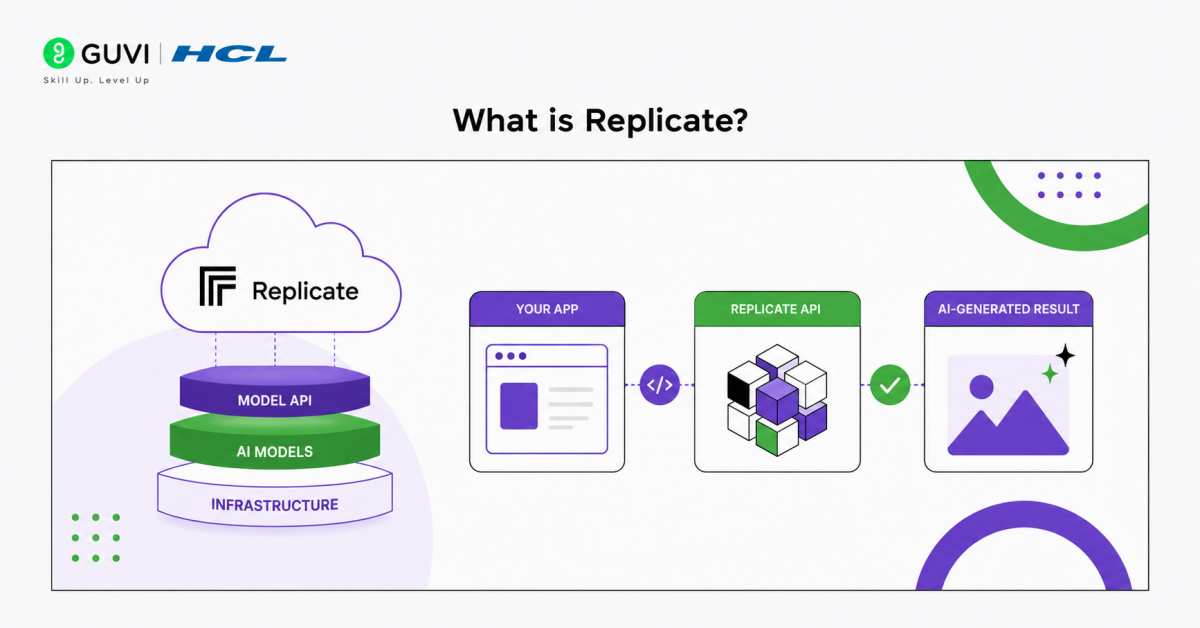
Replicate is a cloud platform that lets you run machine learning models via APIs without managing infrastructure. It abstracts deployment, scaling, and GPU management, so you can focus on building AI features instead of backend systems.
Key Features of Replicate
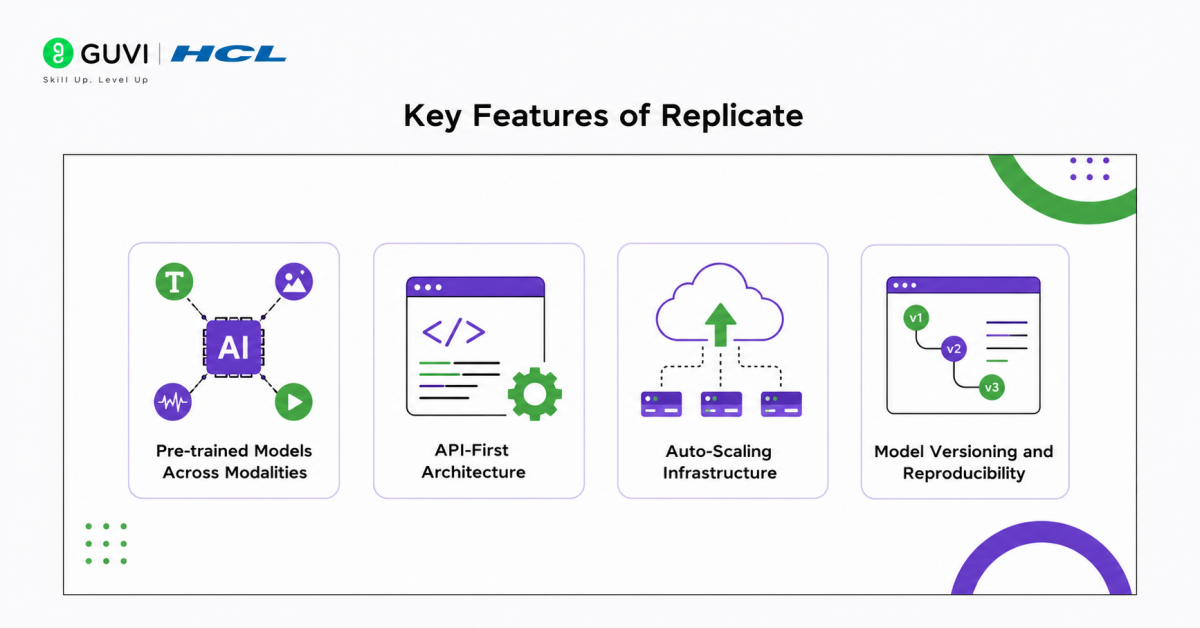
- Pre-trained Models Across Modalities: Access ready-to-use models for text, image, and audio tasks without retraining.
- API-First Architecture: Simple REST APIs with JSON inputs and structured outputs make integration fast and reliable.
- Auto-Scaling Infrastructure: Handles GPU compute and scaling automatically, ensuring performance under load.
- Model Versioning and Reproducibility: Track versions, pin models, and maintain consistent outputs in production.
What is Lovable?
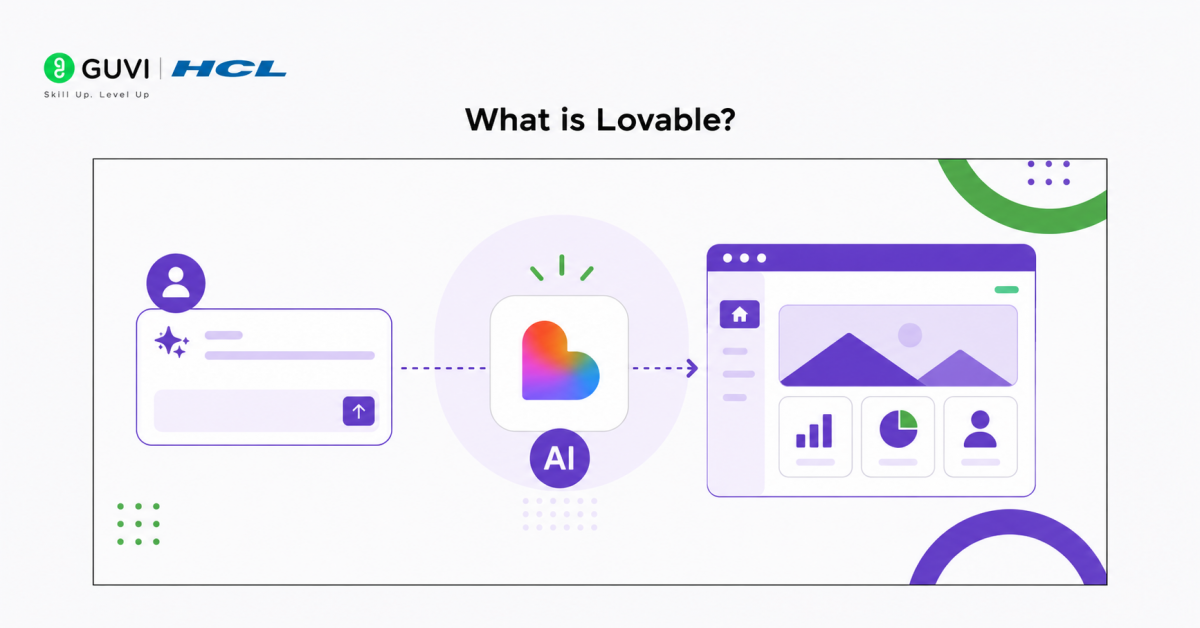
Lovable is a no-code or low-code platform for building AI-powered apps quickly. It simplifies development by combining visual design with API integrations, enabling fast prototyping and deployment.
Key Features of Lovable
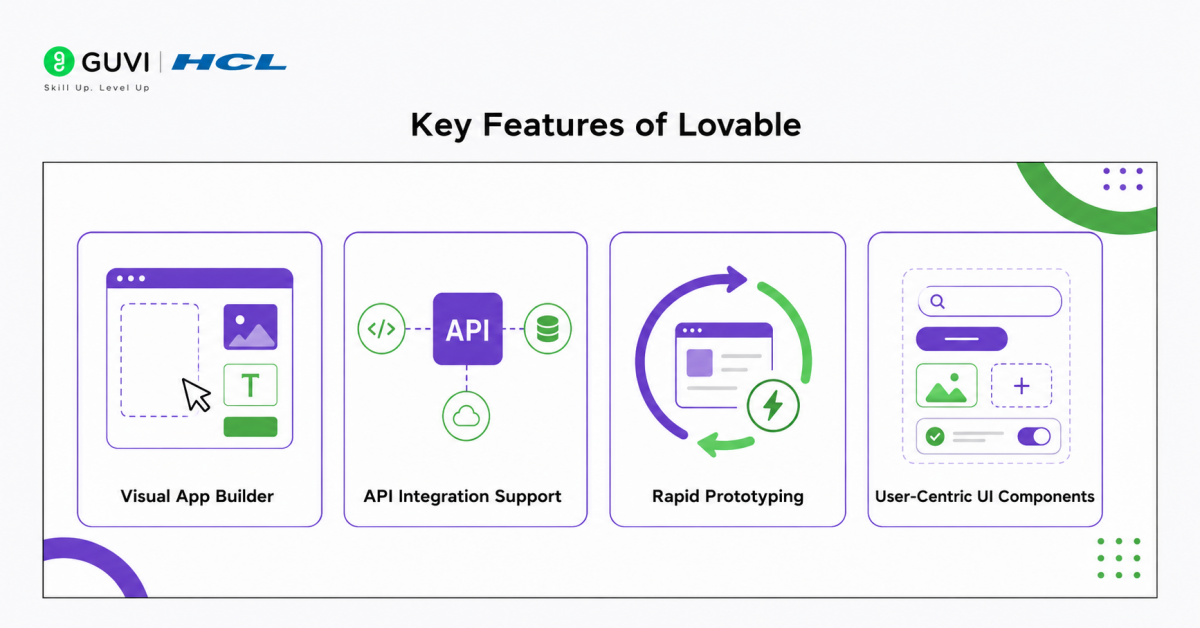
- Visual App Builder: Drag-and-drop interface to design layouts and workflows without heavy coding.
- API Integration Support: Easily connect external AI services like Replicate into your app.
- Rapid Prototyping: Build, test, and iterate AI applications in minutes.
- User-Centric UI Components: Pre-built elements help you focus on experience instead of frontend complexity.
Step-by-Step Guide to Integrate Replicate with Lovable
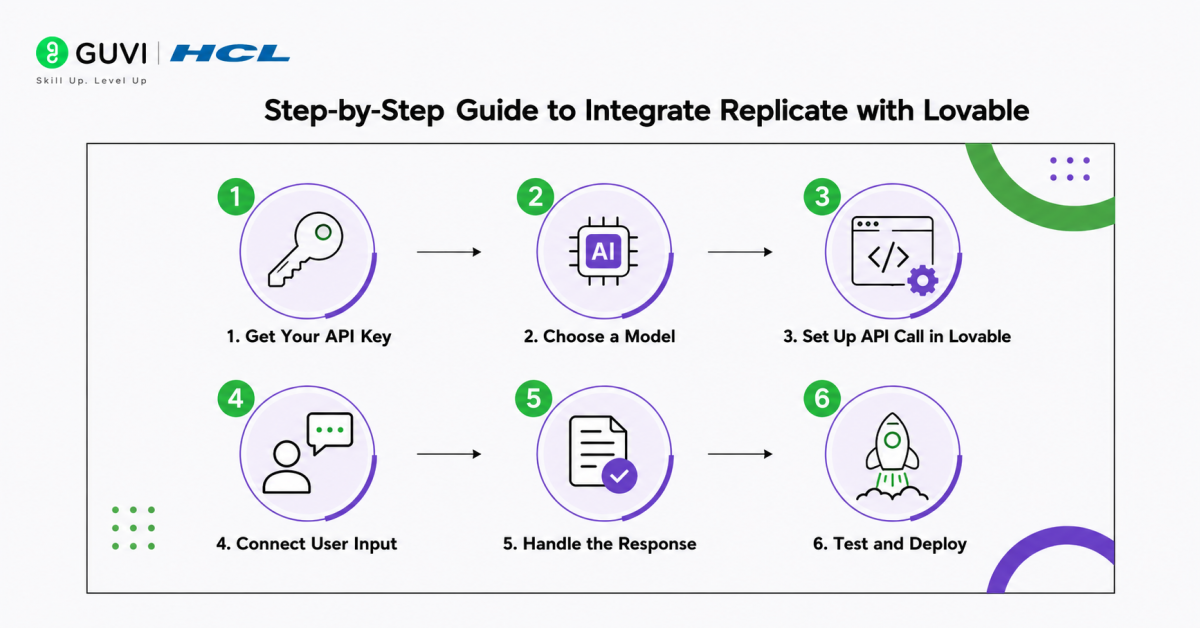
Step 1: Get Your Replicate API Key
First, create or log in to your Replicate account. Replicate uses API tokens to authenticate requests, and these tokens must be passed in the Authorization header as a Bearer token. Treat this key like a password because it gives access to your Replicate account usage.
Go to your account API token settings, create or copy your token, and store it safely. Do not paste it directly into frontend code or public project files.
Step 2: Choose a Model on Replicate
Next, browse Replicate’s model library and select the model that matches your use case. For example, you can choose an image generation model for AI art, a text model for content generation, or an audio model for transcription.
Before integrating, check three things:
- Model endpoint: The API URL you will call
- Input schema: The required fields such as prompt, image, audio, or configuration values
- Response format: Whether the model returns text, image URLs, files, or prediction status
Replicate supports both synchronous and asynchronous predictions, so heavier tasks may not return the final result instantly.
Go beyond integrating AI tools and build full-scale AI applications with structured expertise. Join HCL GUVI’s Artificial Intelligence and Machine Learning Course to learn through live online classes by industry experts and Intel engineers, master in-demand skills like Python, ML, MLOps, Generative AI, and Agentic AI, and gain hands-on experience with 20+ industry-grade projects, 1:1 doubt sessions, and placement support with 1000+ hiring partners.
Step 3: Set Up the API Call in Lovable
Open your project in Lovable and create the interface where users will interact with the AI model. Since Replicate requires authentication, avoid calling the API directly from the browser.
Use Lovable Cloud Secrets or an Edge Function to keep your Replicate API key secure. Lovable’s documentation recommends storing sensitive API keys in Cloud → Secrets and accessing them through Edge Functions instead of exposing them in frontend code.
Your API configuration should include:
- Endpoint URL: Replicate model prediction endpoint
- Method: Usually POST for creating predictions
- Headers: Authorization: Bearer REPLICATE_API_TOKEN and Content-Type: application/json
- Request body: JSON input containing the model parameters
Example request body structure:
{

 "input": {

   "prompt": "A futuristic city at sunset"

 }

}
Step 4: Connect User Input to the API
Now connect Lovable’s frontend fields to the API request. For example, if you are building an AI image generator, add a text box where users can enter a prompt.
That user input should be mapped into the Replicate JSON body:
{

 "input": {

   "prompt": "USER_PROMPT_HERE"

 }

}
This step is where your app becomes interactive. Instead of sending fixed test data, Lovable captures real user input and sends it dynamically to Replicate.
Step 5: Handle the Response
Once Replicate processes the request, your app must read the response correctly. Some models return the final output immediately, while others return a prediction object with a status such as processing, succeeded, failed, or canceled.
For text models, display the generated text in your Lovable interface. For image models, extract the image URL and render it inside an image component. For audio models, show the transcript or downloadable output.
Also plan for errors. If the model fails, the app should show a clear message like: “The AI could not generate a result. Please try again with a different input.”
Step 6: Test and Deploy
Before publishing, test the full flow from input to output. Try valid prompts, empty prompts, long prompts, unsupported files, and repeated requests. This helps you catch issues with JSON formatting, authentication, latency, and model response handling.
Once the integration is stable, deploy your Lovable app. After deployment, keep monitoring API usage, response time, failed requests, and cost. A working AI app is not just one that generates output, it is one that remains secure, reliable, and fast for real users.
Tools You Will Use
- Postman: Your First Checkpoint Before Integration
Think of Postman as your safety net. Before connecting anything to Lovable, you test your Replicate API calls here. It helps you verify authentication, debug headers, and understand exactly how the model responds. This step saves hours of guesswork later.

- JSON: The Language Your Systems Speak
JSON is the bridge between Lovable and Replicate. Every input you send, whether it is a prompt, image parameter, or audio file reference, is structured in JSON. Clean, well-formatted JSON ensures your app understands the model output correctly and displays it seamlessly.
- Webhooks: Your Silent Background Worker
Not every AI response is instant. For heavier tasks like image or audio processing, webhooks quietly handle the “I will notify you when it is done” part. Instead of constantly checking for results, your system gets notified automatically, keeping your app smooth and responsive.
- Logs and Monitoring Tools: Your Debugging Lens
When things go wrong, and they will at some point, logs are what save you. Monitoring tools track every request, response time, and failure. They help you quickly identify whether the issue is in the input, the API, or the model itself, making troubleshooting far more efficient.
Key Benefits of Integrating Replicate with Lovable
- Build AI Apps Without Managing Infrastructure
With Replicate handling model hosting, scaling, and GPU compute, you eliminate the need to set up complex backend systems. Combined with Lovable, you can focus purely on product logic and user experience instead of DevOps overhead.
- Access to Production-Ready AI Models
Replicate provides a wide range of pre-trained models for text, image, audio, and more. You are not experimenting with raw research models, you are using battle-tested systems that are already optimized for real-world use cases.
- Seamless Frontend-to-AI Integration
Lovable bridges the gap between user interfaces and AI models. You can directly connect UI inputs like text fields, file uploads, or buttons to Replicate APIs, making the entire flow intuitive and interactive.
- Cost Efficiency with Usage-Based Pricing
You only pay for what you use. Instead of investing in expensive infrastructure upfront, Replicate’s usage-based model allows you to control costs, experiment freely, and scale only when needed.
Key Tips for Successful Integration
- Secure API Keys: Protect Access at All Costs
API keys are your gateway to Replicate. Never expose them in client-side code. Instead, route requests through a secure backend or environment variables. Implement role-based access and rotate keys periodically to reduce security risks.
- Handle Errors Gracefully: Design for Failure
API failures are inevitable. Build fallback mechanisms such as retry logic, timeout handling, and user-friendly error messages. For example, if a model fails, your app should inform the user clearly instead of breaking the experience.
- Optimize Inputs: Clean Data Drives Better Outputs
AI models are highly sensitive to input quality. Normalize text inputs, validate formats, and remove noise before sending requests. For structured tasks, enforce input constraints to avoid unpredictable outputs and improve consistency.
- Monitor Usage: Control Costs and Performance
Replicate operates on a usage-based pricing model. Track API calls, response times, and compute usage. Setting thresholds or alerts helps prevent unexpected cost spikes and ensures efficient resource utilization.
- Start Simple: Scale Only After Validation
Begin with lightweight models and basic workflows. Validate your use case, user interaction, and output quality before moving to more complex or expensive models. This iterative approach reduces risk and improves product-market fit.
Real-World Use Cases
1. AI Image Generator
A user enters a text prompt such as “a futuristic city at sunset.” The prompt is sent via Lovable to Replicate’s image generation model. The model processes the request and returns a generated image URL, which is then rendered instantly in the app interface. This workflow powers creative tools, design assistants, and content generation platforms.
2. Content Writing Assistant
Users input a topic or brief, such as “write a LinkedIn post on AI trends.” The request is passed to a text generation model on Replicate. The model returns structured content, which Lovable formats and displays in a clean UI. This is widely used for marketing tools, blogging platforms, and productivity apps.
3. Voice-to-Text Application
Users upload an audio file or record speech directly in the app. The audio is sent to a speech recognition model hosted on Replicate. The model converts speech into text, which is then displayed or further processed inside Lovable. This use case is common in transcription tools, meeting assistants, and accessibility applications.
Conclusion
Integrating Replicate with Lovable simplifies AI development by combining powerful models with easy app-building tools. Instead of worrying about infrastructure, you can focus on solving real problems and building user-centric AI products.
The real advantage lies in speed and iteration. You can prototype, test, and launch AI applications faster than ever before. If you understand this integration, you are already ahead in building practical AI solutions.
FAQs
Do I need coding knowledge to integrate Replicate with Lovable?
Basic API understanding helps, but Lovable simplifies most of the process with visual tools.
Can I use multiple models from Replicate in one app?
Yes, you can integrate multiple APIs for different functionalities.
Is this integration scalable for production apps?
Yes, Replicate handles model scaling, while Lovable supports deployment-ready apps.
Success Stories

About the Author
Vaishali
I'm a seasoned writer with four years of experience across technical, non-technical, and just about every genre or niche you can imagine. Adaptable and curious, I enjoy exploring new topics and making information engaging and easy to understand. Fueled by a steady stream of tea, I approach each project with creativity, reliability, and genuine enthusiasm for storytelling.
View all posts by Vaishali
Connect with me @










Did you enjoy this article?